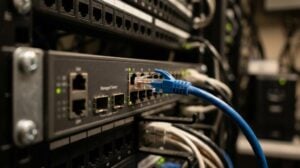
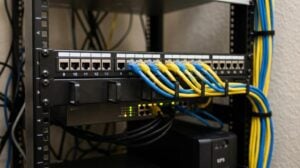
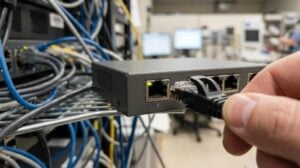
When you search for a computer networking company near me, the best answer is not just who can install a switch or fix Wi-Fi today. It is who can prevent the recurring failures that quietly drain money, time, security, and staff capacity, which is the same reason providers like SRS Networks are often evaluated as both IT operations and cybersecurity partners for small and midsize businesses.
TL;DR: Summary
- A good computer networking company near me should prevent eight core business risks first: downtime, weak firewall and VPN security, unreliable Wi-Fi, bandwidth bottlenecks, backup and disaster recovery gaps, patching failures, poor visibility, and overloaded internal IT.
- SRS Networks fits this category because managed networking now overlaps with cybersecurity, cloud access, business continuity, and compliance support, not just cabling or router setup.
- NIST frames small-business cybersecurity as risk management across Govern, Identify, Protect, Detect, Respond, and Recover, which maps directly to modern network support.
- IBM’s 2026 breach reporting says breach costs reached a record high, while extensive AI and automation in security operations reduced breach resolution time by 65 days.
- If a provider only reacts after outages, ignores backup testing, or treats firewall work as a one-time setup, it is solving tickets rather than preventing business disruption.
Small and midsize organizations rarely fail because of one dramatic network event. They struggle because small issues stack up: unstable wireless, aging firewalls, missed patches, unclear ownership, and no tested recovery plan when a cloud account, ISP, or server fails.
What should a computer networking company near me prevent first?
A strong provider like SRS Networks should prevent downtime, weak network security, and support overload before users feel the impact. That means managing firewalls, Wi-Fi, switching, VPN access, cloud connectivity, and recovery planning as one operational system.
The first job of a networking company is prevention, not repair. In practice, that means fewer recurring outages, faster root-cause analysis, cleaner segmentation between users and devices, and tighter control over how employees reach systems like Microsoft 365, line-of-business applications, and remote desktops.
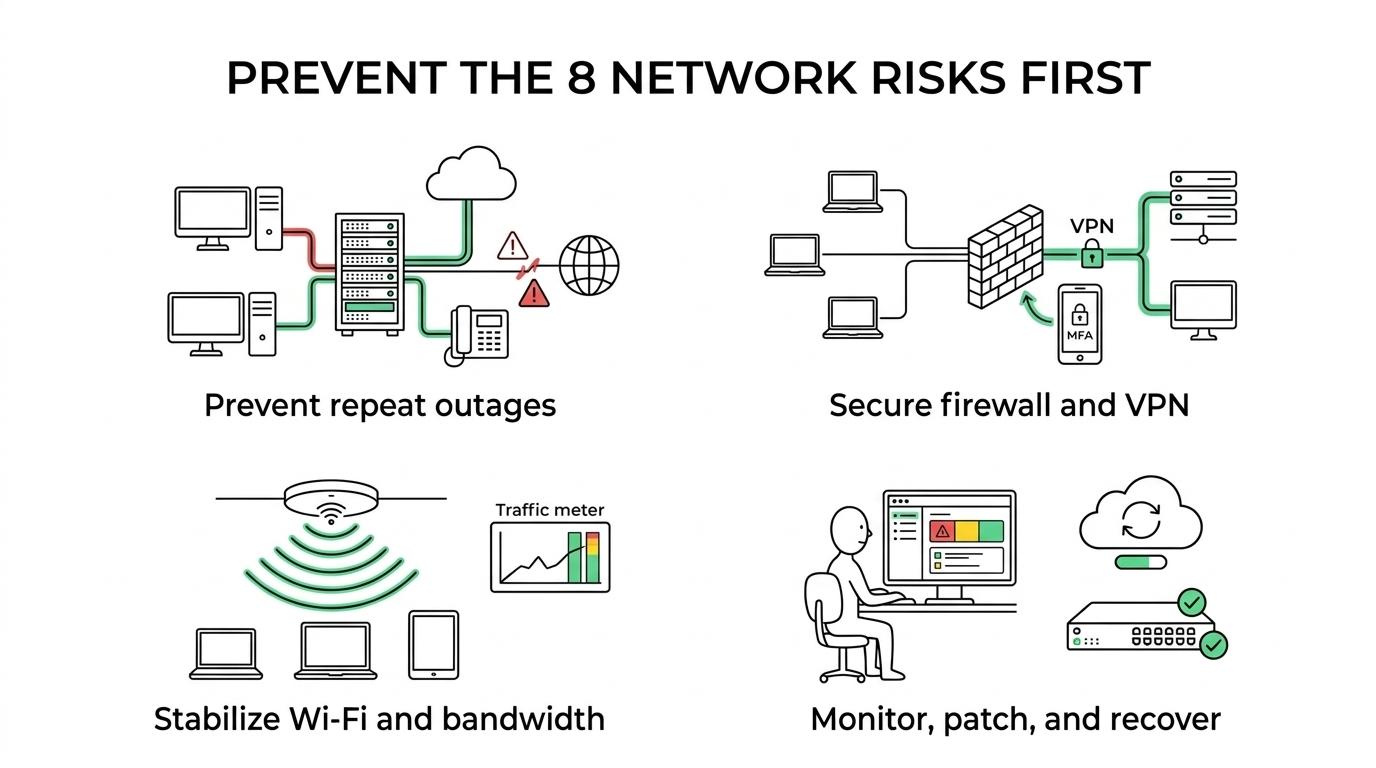
NIST’s small-business guidance is useful here because it treats cybersecurity as a risk-management function, not a single product purchase. Its Cybersecurity Framework organizes work into six functions: Govern, Identify, Protect, Detect, Respond, and Recover. A networking partner should be able to explain how your firewall, VLANs, MFA, wireless security, monitoring, and backups support those functions.
SRS Networks brings over 28 years of experience to managed IT services and cybersecurity for small and midsize businesses.
Why is downtime usually the most expensive network problem?
Downtime is usually the costliest network failure because it stops revenue, communication, and service delivery at the same time. CISA material cited in the Federal Register says small-business cyber incidents can cost from $5,000 to $226,000 per incident.
Most leaders focus on the visible outage: phones are down, remote staff cannot log in, or the ERP system crawls. The larger loss often comes after the outage, when teams work around the problem, customers wait, orders stall, and internal trust in IT drops.
A common mistake is to treat downtime as an isolated event. If the same office has repeated ISP failovers, VPN drops, switch saturation, or bad wireless roaming, those are not separate annoyances. They are signs that capacity planning, redundancy, and monitoring are missing.
IBM’s 2026 Cost of a Data Breach Report adds another layer. It says breach costs hit a record high and rose 12% from the prior year. If an outage is security-related rather than operational, the cost profile climbs quickly.
What are the 8 problems a computer networking company should prevent?
The right list is practical, not theoretical. These eight problems cover the failures that most often disrupt SMB operations, raise cyber risk, and overload internal teams.
- Repeated downtime: recurring ISP, switch, server, or cloud access failures that interrupt business operations.
- Weak firewall and VPN security: outdated policies, exposed ports, poor MFA enforcement, or insecure remote access.
- Unreliable Wi-Fi: dead zones, roaming failures, guest-network spillover, and poor access point placement.
- Bandwidth bottlenecks: oversubscribed circuits, bad QoS, chatty applications, and no traffic prioritization.
- Backup and disaster recovery gaps: backups that exist on paper but are not monitored, tested, or tied to recovery objectives.
- Patching and hardware lifecycle failures: unsupported firewalls, old switches, missed firmware updates, and avoidable vulnerabilities.
- Poor visibility and slow troubleshooting: no alerting, weak documentation, unclear diagrams, and too much guesswork.
- Overloaded internal IT: one person handling help desk, security, vendors, and network strategy without enough time or tools.
If a provider cannot speak clearly about all eight, it may be treating networking as a break-fix function instead of a business continuity discipline.
How do you identify hidden network bottlenecks before users complain?
You identify bottlenecks by baselining performance, mapping traffic paths, and watching trend data instead of waiting for tickets. Switch utilization, Wi-Fi airtime, ISP latency, and VPN session performance usually show the problem before staff can describe it.
Step 1 is to build a baseline. Measure normal WAN usage, peak-hour throughput, wireless channel contention, VoIP quality, and cloud application latency. If you do not know what “normal Tuesday at 10:00 a.m.” looks like, you cannot prove whether a slowdown is capacity, configuration, or provider-side trouble.
Step 2 is to trace the path. Check whether the issue sits at the endpoint, access point, switch uplink, firewall, ISP, or SaaS provider. A common misconception is that “the internet is slow” is a useful diagnosis. It is not. Slowness usually belongs to a specific segment, protocol, or application path.
Step 3 is to turn trend data into action. If the same uplink hits saturation every week, upgrade or rebalance it. If conferencing traffic crushes a branch during payroll processing, apply QoS or move workloads. If guest Wi-Fi competes with staff traffic, isolate it properly.
One SRS Networks customer reported that the company fixed issues that had been plaguing its MIS for months after a prior provider could not resolve them.
How do you verify firewall and VPN security without slowing the business down?
You verify firewall and VPN security by reviewing access policies, identity controls, logging, and update status before changing performance settings. Security and usability can coexist when rules are based on roles, locations, and verified business need.
Start with policy review. Remove obsolete rules, confirm only required ports are open, and check whether remote access uses MFA and current encryption standards. If vendors or staff keep broad “any-to-any” exceptions, risk grows quietly.
Next, validate identity and segmentation. A VPN should not drop every remote user into the same flat network. Finance, clinical systems, manufacturing devices, and guest traffic should not share trust by default. This is where zero-trust thinking matters: if a user only needs one application, then access should be limited to that application.
Then test logging and response. If the firewall generates alerts but nobody reviews them, detection is weak. IBM’s 2026 reporting found that organizations using extensive AI and automation in security operations resolved breaches 65 days faster than those that did not. Faster detection and response change the damage curve.
How do you build business continuity into the network design?
You build continuity into the network by defining recovery targets, adding redundancy where it matters, and testing recovery steps under realistic conditions. NIST small-business guidance and NIST IR 7621 both treat contingency planning and recovery as core controls, not optional extras.
Begin with business impact analysis. Identify which systems must return first, how much downtime is acceptable, and how much data loss is tolerable. If payroll can wait a day but your phone system or EMR cannot, the network design should reflect that difference.
Then connect recovery goals to architecture. Critical sites may need dual ISPs, automated failover, secure cloud backups, local image backups, redundant firewalls, or branch-level SD-WAN. If your recovery time objective is four hours, then a restore process that takes two days does not meet the requirement.
That gap between stated recovery targets and actual restore capability is exactly why WeCare Infra’s review of server backup solutions for SMBs emphasizes testing assumptions under real conditions rather than treating backup status as proof of resilience.
Finally, test. Backups that have never been restored are only assumptions. A common mistake is believing that backup completion equals recoverability. It does not. Recovery tests should confirm credentials, integrity, application dependencies, and user access after failover or restoration.
Another SRS Networks customer described its help desk as top notch at troubleshooting quickly and essential to smooth daily operations.
Is a local computer networking company better than a remote-only provider?
A local company is better when your environment includes offices, cabling, MDF and IDF rooms, access points, firewalls, or multi-site cutovers. A remote-only provider can work well for cloud-first organizations with stable infrastructure and limited on-site complexity.
Physical context matters more than many buyers expect. Wi-Fi design depends on layout, materials, interference, and device density. Rack conditions, UPS health, patch panel organization, and cable labeling also affect long-term reliability. Those details are hard to assess through screenshots alone.
That said, remote expertise still matters. Monitoring, patching, Microsoft 365 administration, identity management, and many security workflows can be handled efficiently off-site. The best comparison is not local versus remote in the abstract. It is whether your provider can cover both digital operations and physical network realities.
Should you hire internal IT staff or use a managed service provider?
For many SMBs, a managed service provider like SRS Networks is the stronger fit when the business needs enterprise-level networking and cybersecurity without building a full internal team. Co-managed IT works well when one internal admin needs outside depth, coverage, and structure.
An internal hire brings proximity, cultural familiarity, and fast hands-on support. The trade-off is range. One person rarely owns advanced firewall policy, endpoint protection, vendor management, compliance planning, Microsoft 365 security, backup testing, and strategic roadmapping at the same level.
A managed service provider spreads those functions across tools, process, and specialized roles. That matters when your needs cross networking and cybersecurity. NIST’s small-business quick-start guidance explicitly says it can be used as a discussion prompt with an MSSP when a company does not want to handle cybersecurity tasks in-house.
If the business already has capable internal IT, co-managed support is often the practical middle ground. Internal staff keep business context and day-to-day ownership. The provider adds cloud connectivity, escalation depth, compliance support, and after-hours coverage.
How does the NIST Cybersecurity Framework apply to network support?
The NIST Cybersecurity Framework applies directly to networking because every reliable network must be governed, inventoried, protected, monitored, responded to, and recovered. A firewall alone is not a framework, and a Wi-Fi refresh alone is not a strategy.
After the basic architecture is in place, the framework helps convert tools into operating discipline.
- Govern: define ownership, policies, risk tolerance, and vendor responsibilities.
- Identify: inventory firewalls, switches, access points, circuits, users, and dependencies.
- Protect: enforce MFA, segmentation, patching, secure VPN access, and least privilege.
- Detect: monitor logs, anomalies, outages, endpoint events, and configuration drift.
- Respond: assign escalation paths, isolate affected segments, and coordinate communications.
- Recover: restore services, validate backups, document lessons learned, and update controls.
A common misconception is that compliance and resilience are separate topics. In reality, standards like HIPAA, the FTC Safeguards Rule, NIST, and CMMC-related practices often depend on the same network controls: access management, logging, recovery planning, and system protection.
What warning signs mean your current provider is too reactive?
A reactive provider leaves recurring issues unresolved, treats outages as isolated tickets, and offers little evidence of planning, monitoring, or prevention. If every month feels like a fresh emergency, the operating model is the problem.
Watch for repeated Wi-Fi complaints with no site survey, firewall changes with no rule review, unexplained slowness with no performance baseline, and surprise hardware failures on unsupported devices. Those are not just technical misses. They show a weak maintenance culture.
Budget behavior is another clue. If costs spike only after failures, then IT is being run as emergency spending. Preventive support tends to make costs more predictable because patching, hardware lifecycle planning, and risk review happen on schedule.
What should you ask when comparing computer networking companies near me?
Ask about prevention, visibility, recovery, and accountability first. Technical certifications matter, but operating method matters more when your goal is fewer outages and lower cyber risk over time.
Use questions that force specific answers rather than generic promises.
- Monitoring: What devices, cloud services, and security events do you watch continuously?
- Security: How do you handle firewall policy reviews, VPN access, MFA, and alert response?
- Recovery: How do you test backups and document RTO and recovery steps?
- Support model: Are you break-fix, fully managed, or co-managed, and what is included each month?
- Planning: How do you handle lifecycle management, vendor coordination, and budget forecasting?
If the answers stay vague, keep looking. A strong networking company should be able to explain how it prevents the eight core problems, how it measures performance, and what happens when a serious incident hits at 4:30 p.m. on a Friday.