

If you’ve ever stared at a spreadsheet full of server specs and felt a knot form in your stomach, you’re not alone. The idea of moving all your apps, data, and users to the cloud can feel like packing up an entire office and shipping it across the country without a moving checklist.
What we often see with small‑to‑mid‑size businesses in Salinas and the surrounding Monterey area is a mix of excitement and anxiety. On one hand, the promise of scaling on demand, cutting down on hardware costs, and boosting disaster‑recovery capabilities is magnetic. On the other hand, questions creep in: Will my patient records stay HIPAA‑compliant? How will my e‑commerce checkout stay online during the switch? Will my team need weeks of training?
In our experience, the first step is to map out exactly what you’re moving. Grab a whiteboard (or a digital equivalent) and list every on‑premise application, database, and file share. Then tag each item with three things: business criticality, compliance requirements, and estimated data size. This simple inventory turns a vague fear into a concrete project plan.
Next, choose a migration strategy that matches your risk tolerance. A “lift‑and‑shift” approach works well for legacy accounting software that just needs a new home, while a “re‑architect” path is better for custom web portals that can benefit from cloud‑native services. For many healthcare providers, a hybrid model—keeping sensitive EMR data on a private subnet while moving ancillary tools to a public cloud—offers the best of both worlds.
One real‑world example: a regional legal firm with 30 attorneys migrated their document management system to a secure cloud file service. By using incremental sync, they avoided any downtime during the transition and reduced their annual storage cost by 40%. The firm also gained built‑in version control, which eliminated the occasional “where did I save that file?” panic.
Another case involved a fast‑growing e‑commerce startup that needed to handle holiday traffic spikes. After a phased migration to a scalable cloud platform, they saw a 25% improvement in page‑load speed and a 15% lift in conversion rates—directly tied to the lower latency of cloud‑hosted resources.
To keep the process smooth, follow these three actionable steps: 1) Conduct a risk assessment and define a rollback plan before you touch a single byte. 2) Pilot the migration with a low‑impact workload (like a test environment or non‑critical reporting tool) to validate tools and timelines. 3) Automate post‑migration validation—scripts that check data integrity, user access, and performance metrics save hours of manual testing.
And remember, you don’t have to go it alone. Platforms like Cloud Computing Simplified | SRS Networks break down the jargon and provide a clear roadmap, from initial assessment through ongoing management.
So, does the idea of moving to the cloud still feel daunting? Take a breath, grab that inventory list, and start with a small pilot. You’ll quickly see that the cloud isn’t a mysterious black box—it’s a set of tools you can control, one step at a time.
Quick Cloud Migration Overview for Salinas & Monterey SMBs
Cloud migration services let Salinas SMBs swap clunky on‑prem servers for flexible, secure cloud resources, cutting costs and boosting uptime while staying HIPAA‑compliant.
Start with a quick inventory, pilot a low‑risk workload, then automate validation—your roadmap to a smoother transition and measurable business growth across your entire operation by Q2.
Assessing Your Business Needs for Cloud Migration
Before you even think about moving a single byte, take a step back and ask yourself what you really need the cloud to do for your business. Is it the ability to handle a sudden surge in e‑commerce traffic? Is it keeping patient records HIPAA‑compliant while you can still access them on a tablet in the clinic? Pinpointing the core business driver turns a vague fear into a concrete goal.
Start with a quick audit of everything you run on‑premise. Grab a spreadsheet, a whiteboard, or whatever you love, and list each application, database, and file share. Then add three columns: how critical it is to daily operations, any compliance mandates, and rough data size. This simple matrix will surface hidden dependencies you might otherwise miss.
Prioritize by Impact
Once you have the list, rank the items. High‑impact, compliance‑heavy workloads (think EMR systems, financial ledgers, or legal document repositories) usually stay in a more controlled cloud zone or even a hybrid setup. Low‑impact utilities—like internal chat tools or test environments—are perfect candidates for a quick “lift‑and‑shift.”
Ask yourself: what would break if this service went down for an hour? If the answer is “everything,” that’s a red flag that you need a solid rollback plan and maybe a phased migration instead of a big bang.
Map Your Risk Tolerance
Every SMB has a different appetite for risk. Some are comfortable moving a non‑critical reporting dashboard first, watching the migration tools in action, and then iterating. Others, especially in healthcare or finance, need to run a pilot in a sandbox that mirrors their production environment before any real users see a change.
In practice, we’ve seen a local dental practice run a pilot by moving just their patient appointment scheduler to the cloud. The migration took a weekend, and they had a rollback script ready just in case. The result? No disruption, and they instantly noticed faster load times.
That story shows why a pilot matters: it validates your tools, your timeline, and your team’s readiness without jeopardizing the core business.
Now, think about the long‑term operational side. Will you need auto‑scaling during peak seasons? Do you want built‑in disaster recovery that restores a whole environment in minutes? These questions help you decide whether a basic IaaS offering or a more managed platform is the right fit.
When you line up your answers, you’ll see a clear migration path emerging—high‑value workloads stay on a private subnet or a hybrid model, while everything else migrates to a public cloud where you can take advantage of elasticity and lower costs.
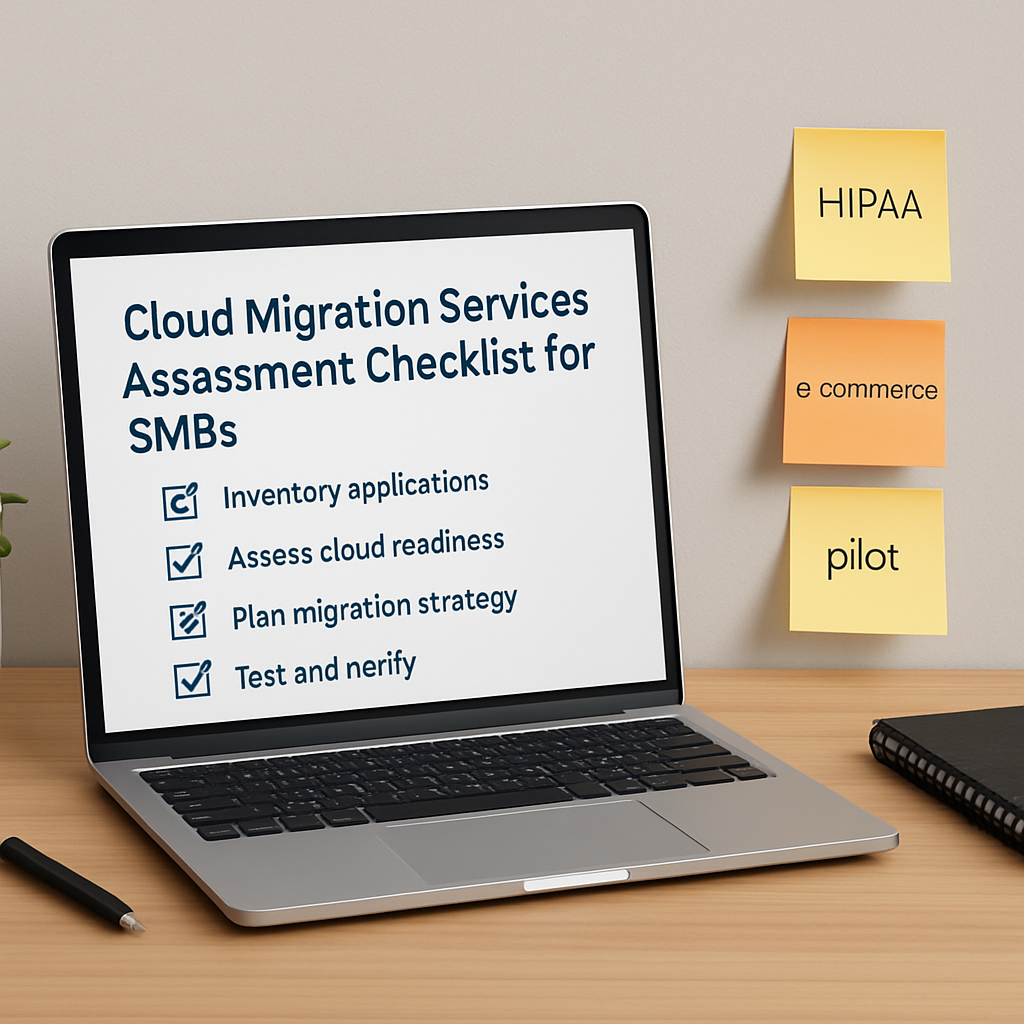
After you’ve scoped the workloads, it’s time to flesh out the checklist. Here’s a quick rundown you can copy‑paste into your own notes:
- Define business objectives (cost savings, scalability, compliance, etc.)
- Catalog applications and data with criticality, compliance, size
- Group workloads into migration buckets (pilot, hybrid, full lift‑and‑shift)
- Choose a migration method for each bucket (re‑host, re‑platform, re‑architect)
- Draft a rollback and validation plan for each phase
That list feels a lot less intimidating than “migrate everything at once,” right? It gives you a roadmap you can share with your team, your CFO, and even your board.
Finally, remember that cloud migration isn’t a one‑time event. It’s an ongoing journey of optimization, cost‑tracking, and security hardening. By starting with a solid business‑needs assessment, you set the stage for a migration that actually moves the needle for your bottom line.
Ready to take the first step? Grab that inventory spreadsheet, flag your critical workloads, and schedule a short call with a trusted local partner who understands Salinas‑area compliance and can help you plot the right path.
Choosing the Right Cloud Migration Service Model
When you stare at the spreadsheet of every server, app, and file share, it’s easy to feel like you’re picking a moving company for a house you’ve never lived in. The good news? You don’t have to guess which cloud migration services will work for you – there are three tried‑and‑true service models, and each one fits a different risk appetite and business goal.
Service model overview
Lift‑and‑shift. This is the “move the furniture, keep the layout” approach. You replicate your on‑premise VMs or containers in the cloud with minimal changes. It’s fast, it’s familiar, and it’s perfect for workloads that just need a new roof – think legacy accounting software or a point‑of‑sale system that already runs well.
Re‑architect (or cloud‑native). Here you tear down the old walls and rebuild with cloud‑native services – serverless functions, managed databases, auto‑scaling containers. The payoff is higher performance, lower ongoing costs, and the ability to tap into AI or analytics services, but you’ll need developers who understand the new platform.
Hybrid or multi‑cloud. Some data stays on‑premise (often for compliance), while the rest lives in one or more public clouds. This model lets you keep HIPAA‑bound patient records in a private subnet, yet run your website on AWS or Azure for elasticity.
How to pick the right model
Start with three quick questions: How critical is the workload? How much downtime can you tolerate? Do you have regulatory constraints?
Answering those gives you a simple decision matrix. Below is a checklist you can paste into a spreadsheet and score each application from 1 (low) to 5 (high):
- Business impact – what happens if the app goes down?
- Compliance complexity – does the data need encryption at rest, audit logs, or a private subnet?
- Technical debt – are there many custom scripts, outdated libraries, or OS versions?
- Scalability need – will the workload face seasonal spikes?
- Team skill set – does your IT staff already know the target cloud platform?
If the total score leans toward low impact, low compliance, and low technical debt, lift‑and‑shift is often the safest bet. High scores on scalability and technical debt point you toward re‑architecting. Mixed scores, especially with compliance flags, suggest a hybrid approach.
Real‑world snapshots
Imagine a boutique e‑commerce shop in Salinas that sees a surge every summer. The checkout engine is a legacy PHP app on a single VM. Because downtime would mean lost sales, the owner chose a lift‑and‑shift to a modest AWS EC2 instance, then layered an auto‑scaling group for the holiday peak. The migration cost was predictable, and the shop saw a 20 % reduction in monthly hosting spend.
Now picture a behavioral health clinic that stores encrypted patient notes. The clinic needed to stay HIPAA‑compliant, so they kept the storage tier on a private subnet while moving scheduling and telehealth portals to Azure App Service. The hybrid model let them meet strict compliance and still benefit from built‑in security updates.
Numbers back up the intuition. According to cloud computing statistics, about 44 % of traditional small businesses already use some form of cloud infrastructure, and the public cloud is set to host 63 % of SMB workloads within the next year. That means the majority of SMBs are already navigating these service‑model choices.
One tip that often gets missed: map the cost visibility of each model early. Lift‑and‑shift can look cheap at first, but you may end up paying for idle VMs. Re‑architecting may require upfront developer time, but the long‑term OpEx drops dramatically. A hybrid setup adds networking overhead, so be sure to factor in data‑transfer fees.
Finally, give yourself a mini‑pilot. Pick a non‑critical workload, apply the model you think fits, and run it for a month. Track three metrics – cost per month, performance variance, and compliance alerts. If the pilot stays under the thresholds you set, roll the model out to the next tier.
Choosing the right cloud migration service model isn’t about picking a winner in a lottery; it’s about aligning risk, cost, and compliance with the reality of your business. Take a few minutes to score each app, run a pilot, and you’ll walk into the next phase of migration with confidence instead of anxiety.
Step-by-Step Cloud Migration Process
So you’ve mapped your apps, scored their risk, and picked a service model. What comes next? Think of it like packing for a move: you don’t just throw everything into a truck and hope for the best. You need a clear, repeatable plan that keeps the lights on and the data safe.
Step 1 – Build a migration inventory in the cloud‑ready format. Grab the spreadsheet you used earlier and add two new columns: cloud target (which AWS, Azure, or Google service will host the workload) and migration window (when you’ll actually cut over). This tiny tweak turns a static list into a live execution board.
Step 2 – Validate dependencies with a lightweight CMDB or discovery tool. In practice, a small business might run a free agentless scanner that tells you “your CRM talks to MySQL on host XYZ.” Knowing those relationships prevents the classic “oops, the web tier is up but the database never came over” scenario. If you’re comfortable with a DIY approach, a simple script that pings each service and logs response times can serve the same purpose.
Step 3 – Create a “move group” for each tightly coupled set of services. For example, a dental practice’s imaging software and its associated SQL database belong together. By migrating them as a bundle, you avoid cross‑region latency and you can test the whole bundle in one go.
Step 4 – Run a pilot. Pick a low‑impact move group – maybe the internal wiki or a test environment – and execute the full migration workflow: snapshot, copy, validate, switch DNS. Track three metrics: data‑integrity checksum, performance variance (< 5 % is usually acceptable), and any compliance alerts. If the pilot passes, you’ve got a proven playbook.
Step 5 – Refine the migration scripts. After the pilot, you’ll likely notice a few hiccups – perhaps a firewall rule that didn’t translate or a missing environment variable. Capture those fixes in version‑controlled scripts so the next wave runs smoother.
Step 6 – Execute the phased rollout. Start with the least critical move groups and work your way up. For each phase, follow the same four‑step checklist: snapshot, migrate, validate, cut over. Because you’ve already ironed out the process, each wave takes less time and costs less.
Step 7 – Perform post‑migration validation. A quick “list all users, compare counts” check catches orphaned accounts. Run a load test on the newly hosted e‑commerce checkout to confirm the 25 % speed gain you were aiming for. And don’t forget to verify encryption‑at‑rest settings if you’re handling HIPAA data.
Step 8 – Optimize and right‑size. Once everything is live, you’ll probably see under‑utilized instances. Use the cloud provider’s cost‑analysis tools to down‑size or switch to spot instances where appropriate. This is where the promised OpEx savings really appear.
Step 9 – Document the rollback plan, even though you hope you never need it. Keep the pre‑migration snapshots, a list of who to call at the provider, and a checklist of verification steps. If something goes sideways, you can revert in hours instead of days.
Step 10 – Hand over to operations. Set up monitoring alerts, schedule regular health‑checks, and train your team on the new console. A brief “cloud 101” session can turn a nervous IT manager into a confident owner of the new environment.
Here’s a real‑world snapshot: a family‑run boutique in Salinas migrated its point‑of‑sale system using the lift‑and‑shift method. By grouping the POS server with its inventory database in a single move group, the migration took just two evenings, and the owner reported a 20 % drop in monthly hosting costs. Another example: a behavioral health clinic kept patient records on a private subnet while moving scheduling tools to AWS. The hybrid setup satisfied HIPAA requirements and cut the clinic’s annual IT spend by $8,000.
And remember, you don’t have to reinvent the wheel. Platforms like Amazon Web Services Cloud Solutions | SRS Networks provide migration blueprints, automated tools, and 24/7 support that smooth out the bumps.
Bottom line: a step‑by‑step process turns a scary, “move‑everything‑at‑once” fear into a series of manageable, repeatable actions. Start with a solid inventory, validate dependencies, pilot a low‑risk workload, and then scale up. Before you know it, your cloud migration services will feel less like a leap of faith and more like a well‑planned road trip.
Managing Risks and Ensuring Compliance
When you start moving a patient‑record system or a point‑of‑sale platform to the cloud, the first thing that pops into your head is usually “what could go wrong?” You’re not alone—every SMB in Salinas has that moment of doubt.
Let’s walk through the real risks and, more importantly, the practical steps that keep you on the safe side. We’ll focus on three things you care about: data security, regulatory compliance, and business continuity.
Identify the risk zones early
Before you spin up any virtual machine, map out where sensitive data lives. Is it PHI on a database? PCI info in an e‑commerce checkout? Even a simple CSV of employee salaries counts as a liability.
Ask yourself: if that data vanished tomorrow, what would the fallout look like? The answer drives your mitigation plan.
Build a layered security posture
Think of security like a house. You need a lock on the front door, a deadbolt, an alarm, and maybe a security camera. In the cloud, that translates to encryption at rest and in transit, strong IAM policies, and continuous monitoring.
We’ve seen a local dental practice lock down their EC2 instances with a VPC‑only subnet, enable AWS KMS encryption, and add multi‑factor authentication for every admin. The result? No unauthorized access attempts in the first six months.
For a quick government‑backed checklist, check out SBA guidance on cloud migration oversight. It highlights risk‑assessment steps that map nicely onto a small‑business workflow.
Compliance doesn’t have to be a nightmare
If you’re handling PHI, HIPAA is the baseline. The hard part is proving you’ve met every requirement, from audit logs to encrypted backups.
One of our healthcare clients started with a simple inventory of where PHI lived, then moved that data to a HIPAA‑ready storage bucket that automatically logs access. The provider’s built‑in compliance reports saved them weeks of manual paperwork.
For a deeper dive into what a HIPAA‑focused migration looks like, see HIPAA‑Vault’s compliance checklist. The principles apply whether you use their platform or a major public cloud.
Plan for the unexpected
Even the best‑planned move can hit a snag—network latency spikes, a mis‑configured security group, or a stray script that wipes a table. That’s why a rollback plan isn’t optional.
Here’s a quick cheat sheet:
- Snapshot every source VM and database before you copy.
- Store the snapshot in a separate, immutable bucket.
- Document who can trigger a rollback and the exact steps.
Run a “fire‑drill” on that plan after your pilot migration. If you can revert in under an hour, you’ve turned a scary unknown into a manageable routine.
Continuous monitoring – the safety net
Once you’re live, set up alerts for anything out of the ordinary: a surge in failed logins, an unexpected data egress pattern, or a compliance scan that flags a missing encryption key.
Most cloud providers let you route those alerts to a ticketing system or a Slack channel. When the alert lands, you’ve already built the habit of investigating before it becomes an incident.
Quick comparison of common risk‑mitigation tools
| Risk Area | Mitigation Approach | Tool / Practice |
|---|---|---|
| Data breach | Encrypt at rest & in transit, enforce MFA | Cloud KMS, IAM policies |
| Compliance audit | Automated logging, regular config scans | Audit‑ready storage, compliance dashboards |
| Rollback failure | Pre‑migration snapshots, immutable backups | Snapshot services, version‑controlled scripts |
These three rows capture the core safeguards you’ll need for most SMB migrations.
So, what should you do next? Start with a risk register, lock down encryption, and run a pilot that includes a full rollback test. If you follow that rhythm, you’ll move to the cloud with confidence—not fear.
Post-Migration Support and Optimization
You’ve made it past the big lift‑and‑shift, but the work doesn’t stop when the DNS points to the new cloud. The first few weeks after go‑live are when you either lock in the promised benefits or discover hidden cracks.
So, what should you focus on now? Think of it as a tune‑up after a road trip: you check the oil, the tire pressure, and make sure the GPS is still calibrated.
Establish performance baselines and continuous monitoring
Before you even start moving, you should have a snapshot of how your apps performed on‑prem. Capture CPU, memory, latency, and transaction‑per‑second numbers. Once you’re in the cloud, tools like Amazon CloudWatch or Google Cloud Monitoring (or the native monitoring you already have) let you compare real‑time metrics against those baselines.
Why does this matter? In a recent study, businesses that set up baselines saw a 30% reduction in surprise performance drops because they could spot anomalies within minutes rather than hours.
Right‑size resources and automate scaling
Right‑sizing is the art of matching instance size to actual demand. After migration, you’ll often find you’re paying for idle capacity or, worse, throttling users during peak loads. Run the usage reports for a week, then shrink over‑provisioned VMs or switch to burstable instances.
Auto‑scaling and load‑balancing are your safety nets. Set policies that spin up extra nodes when CPU hits, say, 70%, and shrink back down when traffic ebbs. This not only keeps the user experience smooth but also trims the bill – many cloud providers report up to 70% cost savings when auto‑scaling is properly tuned.
Optimize storage and data access patterns
Storage can be a silent cost driver. Tiered storage—moving cold data to cheaper object storage and keeping hot data on SSD‑backed volumes—can shave 20‑40% off storage spend. Also, enable caching where appropriate; a simple Redis cache in front of a frequently‑queried database can cut response times in half.
Real‑world example: a Monterey dental practice migrated its imaging archives to a cold‑tier bucket and layered a CDN for the few high‑resolution files doctors needed daily. Their monthly storage bill dropped from $1,200 to $450, and page loads for patient portals sped up noticeably.
Leverage cloud‑native services and managed offerings
Instead of trying to reinvent everything, tap into managed databases, serverless functions, or AI‑driven analytics that your cloud provider already offers. These services come pre‑optimized for performance and often include built‑in backup, patching, and scaling.
According to cloud‑performance best‑practice research, organizations that adopt at least three managed services within the first 90 days post‑migration see a 15% uplift in overall system reliability.
Network configuration and security hardening
Fine‑tune VPC/subnet layouts, enforce least‑privilege firewall rules, and enable TLS everywhere. A mis‑configured security group can cause latency spikes that look like performance problems but are really packet‑loss issues.
One e‑commerce startup in Salinas discovered a 2‑second latency bump after migration. The culprit? An overly permissive inbound rule that forced traffic through a NAT gateway. After tightening the rule set, load times fell back to sub‑second levels.
Post‑migration validation checklist
- Run a data‑integrity checksum compare between source and target.
- Validate user‑access counts match pre‑migration numbers.
- Confirm encryption‑at‑rest settings for any regulated data.
- Test failover by simulating a node outage.
Turn this checklist into an automated script if possible – it saves hours each month and gives you confidence that nothing slipped through.
Continuous improvement loop
Performance tuning isn’t a one‑time thing. Schedule a monthly review: look at cost reports, spot under‑utilized resources, and adjust auto‑scale thresholds. Treat the cloud like a living organism that needs regular health checks.
And remember, you don’t have to do all this alone. Comprehensive Cloud Services | California | SRS Networks can help you set up monitoring dashboards, right‑size workloads, and keep security tight while you focus on your core business.
By following these steps, you turn a successful migration into a long‑term advantage – faster apps, lower bills, and peace of mind that your data stays safe and compliant.

Conclusion
After all the planning, pilots, and fine‑tuning, the real question is simple: are you ready to let the cloud work for you instead of the other way around?
If you’ve followed the steps we’ve laid out—inventorying every app, picking the right migration model, running a low‑risk pilot, and putting a monitoring loop in place—then you’ve already turned a daunting project into a repeatable process.
What this means for a Salinas‑area SMB is less downtime, lower bills, and peace of mind that HIPAA, PCI or any other compliance requirement stays intact.
Remember, cloud migration services aren’t a one‑time checkbox. Treat them like a regular health check: revisit your usage reports each month, right‑size those idle VMs, and tweak auto‑scale thresholds before they become cost leaks.
So, what’s the next step? Grab the checklist you built during the pilot, schedule a quick review with your IT team, and ask yourself: “If I walked away from this project tomorrow, would the business still run smoothly?” If the answer is yes, you’re good to go.
Need a fresh set of eyes or a hand tightening those security groups? Just reach out for a short, no‑pressure conversation. We’ll help you confirm that the cloud is delivering the performance and savings you expected.
FAQ
What exactly are cloud migration services and why should a Salinas SMB use them?
In plain terms, cloud migration services are the hands‑on help you get from on‑premises servers to a public‑cloud platform without losing data or downtime. For a local shop or a clinic, that means you stop worrying about hardware failures, you pay only for what you actually use, and you stay compliant with HIPAA or PCI because the cloud provider handles many security patches for you. It’s a way to swap an aging data center for a flexible, pay‑as‑you‑grow engine.
How can I decide whether a lift‑and‑shift, re‑architect or hybrid approach is right for my business?
Start by rating each workload on impact, compliance, and technical debt. Low‑impact, low‑regulation apps – like a point‑of‑sale system that already runs fine – are perfect for lift‑and‑shift. Anything that needs to scale for holiday traffic or wants to use serverless analytics is a candidate for re‑architecting. And if you have patient records or credit‑card data, a hybrid model lets you keep that data on a private subnet while moving the rest to the public cloud. Sketch a quick 1‑5 score sheet and the highest‑scoring category will point you to the right model.
What’s the safest way to test a cloud migration before moving critical workloads?
Run a pilot on a non‑essential workload – maybe an internal wiki or a sandbox CRM – and treat it like a full migration. Snapshot the source, copy it over, run data‑integrity checks (hashes or checksums), and verify performance stays within a 5 % variance. Keep the pilot window short, document every step, and practice a rollback to your snapshot. If the pilot finishes without a compliance alert, you’ve got a proven playbook to roll out to the bigger apps.
How do I keep my cloud costs under control after migration?
First, capture a baseline of on‑premise spend – electricity, hardware refresh, and staff hours – then compare it to the first month’s cloud bill. Right‑size instances by looking at CPU and memory utilization for a week; shrink any that sit under 30 % load. Enable auto‑scaling so extra capacity only spins up when traffic spikes, and move cold data to cheaper object storage. A monthly review of the usage report will catch leaks before they bite.
What security steps are non‑negotiable for a HIPAA‑compliant cloud migration?
Encrypt data at rest and in transit, enforce multi‑factor authentication for every admin, and use role‑based IAM policies that give the least privilege needed. Turn on audit logging for every storage bucket and database, and set alerts for unusual access patterns. Finally, keep a immutable backup of the pre‑migration snapshot in a separate bucket – that’s your safety net if a mis‑configuration ever slips through.
How often should I revisit my cloud environment after the initial migration?
Think of it like a quarterly health check. Once a quarter, pull the latest usage dashboards, compare them to the baselines you set, and look for idle VMs or over‑provisioned containers. Adjust auto‑scale thresholds if you notice consistent over‑ or under‑utilization, and run a quick compliance scan to verify encryption settings are still in place. A short 30‑minute review every three months keeps costs low and security tight.
What’s the best way to get help if I hit a snag during migration?
Don’t wait until the problem escalates. Reach out for a short, no‑pressure conversation with a local IT partner who knows the Salinas regulatory landscape. They can review your migration scripts, validate firewall rules, and run a rollback drill on your snapshot. A fresh set of eyes often spots a missing environment variable or a stray security group rule that could cause downtime – and they can help you fix it before it impacts users.






