

Imagine you’re juggling patient records, billing software, and a growing roster of employees, and suddenly you get a notification that someone’s trying to sneak into your network. That gut‑punch feeling? It’s the reality for many SMBs in Monterey, Salinas, and beyond when they don’t have continuous security eyes on their systems.
That’s where SOC as a service steps in. Instead of building a full‑time security operations center that costs a fortune and requires round‑the‑clock staffing, you tap into a team of experts who monitor, detect, and respond to threats 24/7—all delivered over the cloud. Think of it as having a seasoned security guard on duty, even when your office lights are off.
We’ve seen a local boutique law firm that thought a basic antivirus was enough. Within weeks, a ransomware strain slipped past their defenses, encrypting client files and halting work. After switching to a managed SOC, the same firm now gets real‑time alerts, automated quarantine of suspicious activity, and a clear incident‑response playbook that got them back online in minutes—not days.
Another example comes from a regional e‑commerce store that handles dozens of transactions per minute. By integrating Managed SIEM Solutions for Advanced Threat Detection, they gained visibility into every login, every data flow, and could spot anomalies like a sudden surge in admin logins from an unfamiliar IP. The result? A thwarted credential‑stuffing attack that could have cost them thousands in lost sales and reputational damage.
So, how do you get started? Here are three quick steps you can take today:
- Do a quick risk assessment: list your critical assets (patient data, financial records, customer PII) and note where they sit.
- Ask potential SOC providers about their detection capabilities, response times, and how they integrate with your existing tools.
- Run a short pilot: let the SOC monitor a subset of your network for a month and review the alerts and response quality.
And if you’re in the crypto or blockchain space, remember that continuous monitoring isn’t just a tech need—it’s also a regulatory one. Partnering with experts who understand both security and compliance can save you headaches down the road. For legal guidance on crypto compliance, check out NeosLegal UAE Crypto Lawyers.
Bottom line: SOC as a service lets you focus on growing your business while the security pros stay ahead of the bad guys. It’s affordable, scalable, and gives you peace of mind that you didn’t have to build from scratch.
TL;DR
SOC as a service gives Monterey SMBs 24/7 threat monitoring, rapid incident response, and compliance peace of mind without the cost of building a full security center. In short, you get expert protection, scalable pricing, and more time to focus on growing your business today and stay ahead of threats.
Step 1: Assess Your Current Security Operations
First thing’s first – before you even think about adding a SOC as a service, you need to know what you’re actually protecting. I know it sounds like homework, but mapping out your existing security landscape is the only way to spot the blind spots that keep hackers happy.
Grab a coffee, open a spreadsheet, and start listing every system that holds critical data – patient records, credit‑card transactions, employee credentials, even the little IoT sensor that monitors your office thermostat. You’ll be surprised how many “non‑essential” apps end up holding sensitive info.
Next, ask yourself: who can touch those assets right now? Write down every user role, third‑party vendor, and service account. In our experience, the biggest gaps appear where the line between “needs‑to‑know” and “just‑nice‑to‑have” gets blurry.
Once you have that inventory, it’s time to audit the controls you already have. Look at firewalls, anti‑virus, endpoint protection, and any in‑house SIEM you might be running. If you’re not sure whether a tool is actually monitoring events, you probably aren’t getting the full picture.
Here’s a quick checklist to run through:
- Is multi‑factor authentication enforced for all remote access?
- Are logs being retained for at least 90 days?
- Do you have an incident‑response playbook, even a simple one?
- Are backups tested regularly and stored off‑site?
If any of those boxes are unchecked, you’ve just uncovered a priority area for improvement.
Now, compare what you have with what you need. Think about compliance requirements in Monterey – HIPAA for healthcare, PCI‑DSS for e‑commerce, or CCPA for any customer‑facing business. Those regulations often dictate the minimum monitoring and response capabilities you must have.
It’s also useful to benchmark against peers. A local boutique law firm we helped recently discovered that their logging frequency was half of what a comparable firm in Salinas was doing. The simple act of raising the log collection rate cut their detection time from days to minutes.
When you’ve mapped out the gaps, you’ll have a solid “needs‑assessment” that you can bring to any SOC provider. It shows you’ve done the legwork and makes the conversation far more productive.
And here’s a handy resource you might not have thought of: our Managed Detection and Response guide walks you through the exact questions to ask a vendor, plus a quick‑scan template you can use right now.
On a completely different note, if you’re also juggling a website redesign for your business, you might find this cost‑breakdown useful – website design cost guide for Australian small businesses. It’s not directly about security, but budgeting is budgeting, and it’s good to see the big picture.
Ready for the next step? Let’s watch a short video that explains why a baseline assessment matters before you hand over your network to a SOC as a service.
After you’ve watched that, take a moment to sketch out a one‑page diagram of your current security flow. Visuals help you see where data moves, where it sits idle, and where a SOC could inject monitoring without breaking existing processes.
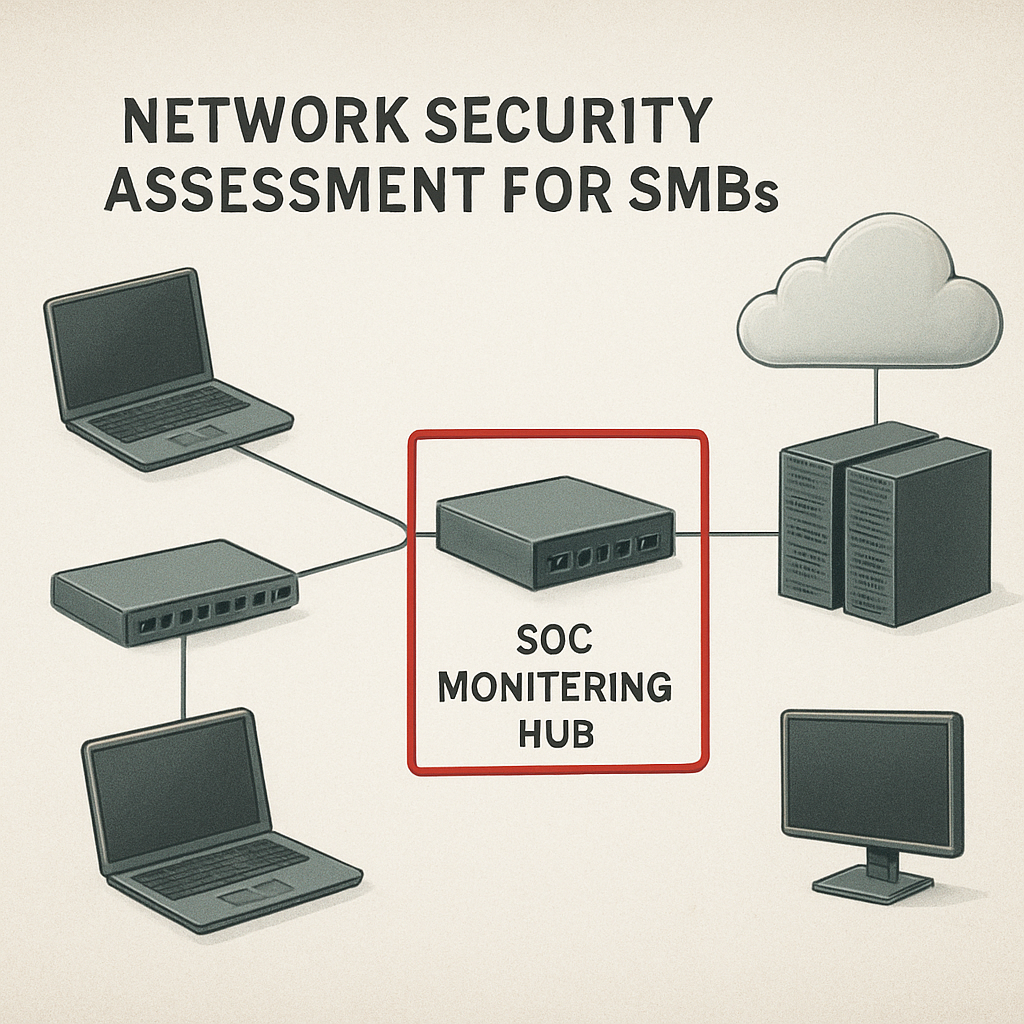
Finally, schedule a 30‑minute walkthrough with your internal team or a trusted advisor. Walk them through the inventory, the checklist, and the gaps you’ve identified. The goal isn’t to scare anyone – it’s to create a shared understanding of where you stand today so you can make an informed decision about adding a SOC as a service tomorrow.
Step 2: Choose the Right SOC as a Service Model
Now that you’ve taken inventory of every device, app, and user in your Monterey office, the next question is: how much of that landscape do you want the SOC to actually watch? The answer isn’t one‑size‑fits‑all – it’s a spectrum of service models that range from “just the alerts” to a fully managed, hands‑off operation.
1. Pure‑Monitoring (Alert‑Only) Model
Think of this as hiring a night‑watch guard who rings a bell whenever they see something odd, but they don’t step in to fix it. You get 24/7 log collection, threat‑intel correlation, and a dashboard that flashes red when a suspicious login occurs. It works well if you already have an in‑house responder team that can act on the tickets.
Real‑world example: a small dental practice in Salinas added a monitoring‑only SOC to cover their new cloud‑based patient portal. Their IT admin still handled the remediation, but the extra eyes cut their average detection time in half.
2. Managed Detection & Response (MDR) Model
Here the SOC not only shouts “fire!” – it grabs the hose. An MDR provider ingests your logs, runs automated triage, and a team of analysts will investigate, contain, and even remediate the threat on your behalf. This is the model most SMBs adopt because it balances cost with true protection.
One e‑commerce shop in Monterey switched from a basic firewall to an MDR‑style SOC. Within the first month the provider caught a credential‑stuffing bot trying to brute‑force admin accounts and automatically locked the accounts before any fraudulent orders slipped through.
3. Full‑Stack SOC‑as‑a‑Service (SOCaaS) Model
Full‑stack SOCaaS is the “security operations center in the cloud” you read about on Palo Alto Networks’ SOC‑as‑a‑Service overview. It bundles continuous monitoring, threat hunting, incident response, and even compliance reporting into a single subscription. You essentially outsource the entire SOC function – people, processes, and technology.
Consider a regional law firm that must meet HIPAA and state privacy rules. They opted for the full‑stack model because the provider could generate audit‑ready reports and run proactive threat‑hunting hunts that surfaced a hidden PowerShell backdoor before it ever executed.
How to Pick the Right Model for Your Business
Start with three quick questions:
- Do we have internal staff who can investigate alerts 24/7?
- How fast do we need a breach to be contained? (Think about the cost of downtime for a clinic vs. a boutique.)
- Are we subject to industry‑specific compliance that demands documented response procedures?
If you answered “no” to the first, lean toward MDR or full‑stack. If you need the fastest possible containment, full‑stack wins because the provider can take immediate action – isolating endpoints, disabling accounts, or forcing a network quarantine without waiting for you to press a button.
Next, map your asset criticality to the service tier. High‑value assets like patient records, payment gateways, or confidential legal files should be covered by the highest‑level service (full‑stack or MDR with dedicated response). Lower‑risk assets – public web servers, marketing laptops – can live under the alert‑only tier.
Actionable Checklist
- List every asset and assign a risk rating (high, medium, low).
- Match each rating to a SOC model: high → full‑stack, medium → MDR, low → alert‑only.
- Request a 30‑day pilot from two providers. Ask them to show you real alerts, response times, and a sample compliance report.
- Compare SLAs: look for MTTI < 30 minutes and MTTR < 4 hours for high‑risk assets.
- Factor in total cost of ownership – include any extra licensing you’ll need to feed logs into the SOC.
When you’ve run the pilot, use the data to negotiate a contract that scales with your business. Remember, you can start small and upgrade as your footprint grows – many providers let you add new assets or shift tiers without a full renegotiation.
And here’s a tip that often gets overlooked: pair your SOC choice with a solid incident‑response playbook. Even the best SOC can’t fix a breach if you don’t know who to call or what steps to follow. Our Cyber Incident Response Services guide walks you through building that playbook, so you can hit the ground running the moment an alert turns into a real incident.
Bottom line: the right SOC‑as‑a‑Service model aligns with your team’s skill set, the value of what you’re protecting, and the speed you need to react. Pick wisely, test early, and you’ll turn a scary “what‑if” scenario into a manageable, repeatable process.
Step 3: Integrate SOC Services with Existing IT Infrastructure
Alright, you’ve picked a model that fits your budget and risk profile. Now the real work begins: getting that SOC to talk to the tools you already trust.
First thing’s first – take inventory of every log source. Servers, firewalls, cloud apps, even the point‑of‑sale terminals in your retail shop generate data. If a log can’t be shipped, the SOC can’t see the event, and you’re left with blind spots.
1. Map your data pipeline
Draw a quick diagram on a whiteboard or a shared digital canvas. Show each system, the protocol it uses (syslog, API, agent), and where the data should land – usually a centralized log collector or SIEM. This visual helps both your IT staff and the SOC provider spot gaps before they become problems.
Pro tip: many providers, including the ones highlighted in BitLyft’s SOC‑as‑a‑Service comparison guide, recommend a “log‑first” approach. Get the collector up and feeding raw logs before you start fine‑tuning alerts.
2. Choose the right integration method
If you’re already running a SIEM, ask the SOC to ingest directly from it. That saves you from double‑pumping data. For smaller shops that rely on native cloud logs, most SOCs offer ready‑made connectors for Microsoft 365, Google Workspace, and AWS.
When a connector isn’t available out of the box, the provider will usually deploy a lightweight agent. Agents are easy to push through Group Policy or an MDM profile – just make sure they run with enough permissions to read the log files.
3. Align naming and tagging conventions
Ever tried to search for “VPN login” and got a mix of VPN, VPN‑gateway, and VPN‑client logs? Consistent naming saves hours of triage. Agree on a tag schema (e.g., env:prod, asset:pharmacy‑db) and update your log forwarders accordingly.
This is where a little extra documentation goes a long way. A one‑page cheat sheet for your team and the SOC’s analysts keeps everyone on the same page when a breach hits.
4. Test the pipeline early
Run a simple “echo” test: generate a known event (like a failed login) and confirm it appears in the SOC’s dashboard within minutes. If you see latency or missing fields, troubleshoot the collector before you go live.
Don’t forget to simulate a “no‑log” scenario. Disable a forwarder on a non‑critical server and watch how the SOC alerts you that a data source vanished. That’s a warning sign you’re actually being monitored.
5. Sync incident‑response workflows
Integration isn’t just about data; it’s about action. Map the SOC’s alert categories to your internal ticketing system (Jira, ServiceNow, or even a simple email queue). When an alert lands, an automatic ticket should be created with severity, affected assets, and suggested remediation steps.
Our own experience shows that when the SOC can push a remediation script directly to an endpoint – say, isolate a compromised workstation – MTTR drops dramatically.
6. Keep compliance in view
Many SMBs in Monterey need HIPAA, PCI, or state‑level privacy reporting. A well‑integrated SOC can pull the exact logs you need for audit‑ready reports. The BEMO blog on SOC 2 challenges highlights how continuous log collection simplifies that burden.
Make sure the SOC’s reporting schedule aligns with your audit calendar – monthly summaries, quarterly deep‑dive reviews, and an ad‑hoc dump when a regulator asks for it.
Finally, treat the integration as an ongoing partnership, not a one‑time project. Schedule quarterly health checks, review new log sources as you add SaaS apps, and keep the conversation open about emerging threats.
Does this feel overwhelming? It can be, but remember: each step you lock down now saves you minutes – or hours – when a real incident strikes.
Take a breath, follow the checklist above, and you’ll have a SOC that feels like an extension of your own IT crew, not a distant mystery service.
Step 4: Evaluate Performance and Continuous Improvement
Okay, you’ve got your SOC as a service humming along. But how do you know it’s actually keeping the lights on? The secret is turning vague “it works” feelings into concrete numbers you can stare at every month.
Pick the metrics that matter
We’ve all heard the alphabet soup – MTTD, MTTR, MTTI, false‑positive rate – but not every metric is useful for every business. Start with the three that matter most to a Monterey SMB:
- Mean Time to Detect (MTTD): the average minutes it takes the SOC to spot an anomaly.
- Mean Time to Respond (MTTR): how fast the team moves from detection to remediation.
- False‑Positive Rate (FPR): the percentage of alerts that turn out to be harmless noise.
These three give you a quick health check: are you seeing threats fast, fixing them fast, and not drowning in junk alerts? The Splunk guide on SOC metrics breaks down each KPI and why a lower number usually means a tighter security posture.
Build a simple review cadence
Don’t wait for a breach to look at the numbers. Set a recurring 30‑day “performance pulse” meeting with your SOC provider. Pull the latest metric report, compare it to the previous month, and ask two questions:
- What improved, and why?
- What slipped, and what’s the plan to fix it?
In practice, a small law firm in Salinas noticed their FPR spiking after adding a new cloud‑based case‑management app. During the review, the SOC tweaked the rule set, dropping the false‑positive rate from 22 % to 8 % within two weeks.
Turn data into action
Metrics are only as good as the actions they drive. Keep a living checklist that maps each KPI to a concrete step:
| Metric | Target | Action when missed |
|---|---|---|
| MTTD | <30 minutes | Review sensor placement; add missing log source. |
| MTTR | <4 hours | Automate containment playbook; run tabletop drill. |
| FPR | <10 % | Fine‑tune detection rules; add context enrichment. |
Every time a KPI drifts, you have a clear, repeatable fix. No more guessing what “the alerts look weird” actually means.
Layer in continuous improvement
Think of your SOC as a living organism. It needs regular “vaccinations” – new threat intel feeds, updated detection signatures, and periodic skill‑sharpening for the analysts. Ask your provider:
- Do you ingest the latest threat‑intel from the industry‑specific feeds I care about (e.g., HIPAA‑related ransomware trends)?
- Can we run a quarterly red‑team exercise to test the response playbooks?
When you’re a healthcare provider, a missed phishing attempt could expose patient data. A quick “what‑if” drill forces the team to refine the workflow before a real incident lands.
Don’t forget the basics – uptime matters too
Even the smartest SOC can’t protect you if your DNS goes down. A reliable DNS service gives you the backbone for continuous monitoring. The DNS Made Easy managed DNS platform promises 100 % uptime, which means your logs keep flowing and your alerting never skips a beat.
So, next time you glance at your SOC dashboard, ask yourself: “Am I seeing faster detections, quicker fixes, and fewer false alarms?” If the answer is yes, you’re on the right track. If not, use the table above, schedule that review, and iterate. Continuous improvement isn’t a one‑time checklist – it’s a habit you build, month after month, and the peace of mind that follows is worth every extra minute you invest.
Step 5: Managing Costs and Compliance for SMBs
When the budget spreadsheet meets the audit checklist, you can feel the pressure building. Does it have to be a zero‑sum game? Not at all. With the right approach, a SOC as a service can actually keep costs predictable while helping you stay compliant.
Map the true cost of a breach
First, put a dollar figure on what an incident would cost you. Think about lost revenue from a clinic’s downtime, the legal fees for a HIPAA violation, or the reputational hit for an e‑commerce site. A quick online calculator or a chat with your accountant can turn “scary” into “measurable.”
Once you have that number, the monthly fee for a managed SOC starts to look like insurance – a fraction of the potential loss.
Choose a pricing model that matches your cash flow
Most providers offer three flavors:
- Flat‑rate per device or user – great for predictable budgets.
- Tiered alerts – you pay only for the severity level you need.
- Pay‑as‑you‑go – ideal if you have seasonal spikes in activity.
Ask your provider to break down the estimate based on the assets you flagged in Step 1. If the numbers feel high, negotiate a pilot that covers a subset of your network first.
Automate compliance evidence collection
Compliance doesn’t have to be a manual, endless spreadsheet. Platforms like Vanta can pull logs, generate audit‑ready reports, and even flag gaps before they become findings.
Set up the integration once, then let the SOC feed the same data into the compliance tool. You’ll see a single dashboard that shows both security alerts and compliance status – two birds, one stone.
Leverage shared services to cut overhead
Instead of buying a separate firewall, backup appliance, and endpoint tool, look for a SOC provider that bundles those capabilities. The economies of scale mean you pay less per feature, and you avoid the headache of juggling multiple contracts.
For a small legal practice, the bundled model saved roughly 20 % on annual spend while delivering continuous monitoring, log retention, and incident‑response playbooks.
Build a compliance calendar and stick to it
Compliance is a marathon, not a sprint. Mark quarterly dates for:
- Reviewing the SOC’s monthly compliance report.
- Running a simulated phishing test.
- Updating policies to reflect new regulations (e.g., changes to HIPAA or PCI DSS).
When the tasks are on the calendar, you won’t be scrambling when the regulator knocks.
Track ROI with simple metrics
Every month, compare two numbers:
- Security cost per protected asset (total spend ÷ number of devices covered).
- Compliance cost per audit requirement (total spend ÷ number of frameworks you’re certified for).
If the cost per asset is dropping over time, your SOC is scaling efficiently. If the compliance cost spikes, dig into the root cause – maybe you added a new SaaS app that isn’t covered yet.
Negotiation tip: bundle the SOC with disaster‑recovery as a service
When you negotiate a contract, ask whether the provider can also deliver backup‑as‑a‑service. A combined bill often comes with a discount, and you get the added peace of mind that if ransomware hits, you can roll back without a separate vendor.
So, what’s the next step? Grab your budget sheet, list the assets you care about, and reach out for a tailored quote that includes both SOC monitoring and compliance automation. You’ll see the numbers line up, and the fear of hidden costs will fade.
Conclusion
After walking through assessments, model choices, integration steps, performance metrics, and budgeting, you’ve seen how a solid SOC as a service can turn a night‑mare‑like security scramble into a steady, predictable routine.
Remember that gut‑punch feeling when an alert pops up and you’re not sure if it’s a real breach? With a managed SOC watching your logs 24/7, those moments become rare—and when they do happen, you already have a playbook, a response team, and the data you need to prove compliance.
So, what’s the next move? Grab that inventory you built in Step 1, pick the service tier that matches your team’s skill set, and schedule a short pilot with a local provider. A 30‑day test lets you see real‑time detections, response times, and cost clarity without locking into a long contract.
In our experience with Monterey healthcare clinics and Salinas e‑commerce shops, the biggest ROI comes from the simple habit of reviewing the monthly SOC report and tweaking one rule at a time. Small adjustments add up, keeping your security spend per asset on a downward trend.
Finally, treat your SOC partnership like any other vendor relationship – set quarterly check‑ins, ask for audit‑ready evidence, and keep the conversation open about emerging threats. When you do, the peace of mind you gain pays for itself.
Ready to take the first step? Reach out for a no‑obligation assessment and let us help you lock down the protection your business deserves.
FAQ
What exactly is SOC as a service and how does it differ from buying a traditional security product?
Think of SOC as a service like hiring a 24/7 security guard for your IT environment instead of buying a fancy alarm system and hoping it works. A managed SOC watches your logs, correlates threat intel, and reacts to incidents in real time. You don’t have to staff analysts or maintain complex SIEM tools yourself – the provider does the heavy lifting while you keep focus on your business.
Can a small clinic in Monterey really afford a managed SOC, or is it only for big enterprises?
Absolutely, you can. Most providers offer tiered pricing that scales with the number of devices or users you need to protect. A modest clinic might start with an alert‑only model for a few thousand dollars a month and upgrade as they add more assets. The key is to match the service tier to your risk profile, so you pay for what you actually need, not an oversized package.
How quickly will a SOC respond to a ransomware attempt on my e‑commerce site?
Good providers aim for a Mean Time to Detect (MTTD) under 30 minutes and a Mean Time to Respond (MTTR) under four hours for high‑risk assets. In practice that means you’ll get an alert the moment suspicious encryption activity spikes, followed by automated containment – like isolating the infected server – while analysts finish the investigation. The faster the response, the less data you lose and the lower the ransom demand.
Do I need to change my existing tools before connecting to a SOC?
Not a full overhaul, but you do need to make sure your log sources are ship‑ready. That usually means enabling syslog on firewalls, turning on audit logging in Office 365, and installing lightweight agents on critical servers. Once the logs flow into the SOC’s collector, the provider can start correlating events without you having to replace your current antivirus or backup solution.
What kind of compliance evidence can a managed SOC provide for HIPAA or PCI?
A SOC as a service can generate audit‑ready reports that show who accessed protected data, when, and from where. Those logs are timestamped, tamper‑evident, and can be exported in the format regulators expect. You’ll get monthly summaries, quarterly deep‑dives, and ad‑hoc dumps for a regulator request – all without manually pulling data from disparate systems.
How do I know the SOC isn’t just sending me noise with false‑positive alerts?
Look at the provider’s false‑positive rate – a well‑tuned SOC keeps it under 10 %. They’ll also enrich alerts with context, like user location and recent activity, so you can quickly tell if something is truly suspicious. During the pilot phase you can review the alert history and ask the analyst to fine‑tune rules that generate too much chatter.
What should I expect during the first 30‑day pilot?
The pilot is a low‑risk way to see the service in action. You’ll pick a subset of assets – maybe your email gateway and a few critical servers – and the SOC will start collecting logs. At the end of the month you’ll receive a performance report covering detection times, response actions, and any recommendations for expanding coverage. Use that data to negotiate SLAs that match your business needs before you commit long‑term.






