

Picture this: you arrive at the office, coffee steaming, and the network lights are green, but nobody can get into the tools they need. That moment of frustration is all too familiar for small‑to‑mid‑size businesses juggling tight budgets and growing compliance demands.
What’s really going on? Your network is alive, but the devices trying to connect aren’t being trusted. That’s where network access control, or NAC, steps in – it’s the gatekeeper that says who can roam your LAN and what they can do once they’re inside.
For a dental practice in Salinas worrying about HIPAA, or a boutique e‑commerce shop handling credit cards, the stakes are high. One misplaced device or a rogue laptop can open a backdoor for ransomware, and the cost of a breach can eclipse a year’s revenue.
That’s why we start every security conversation by mapping out who, what, and how devices should connect. A good NAC strategy profiles users, checks device health, and enforces policies before the first packet is allowed to pass. It’s like a bouncer that checks ID, health, and dress code before letting anyone into a club.
In practice, that means integrating NAC with your existing firewall, endpoint protection, and even your wireless network. When a new laptop tries to join the Wi‑Fi, the system asks: Is the OS patched? Does it have antivirus? If the answer is no, the device is placed in a quarantine VLAN until it complies. This seamless enforcement keeps your network humming without constant manual lock‑downs.
So, how do you know if you’re ready for NAC? Start with a quick inventory: list all user groups, devices, and the data they touch. Then, ask yourself whether you can enforce a baseline—like mandatory multi‑factor authentication or up‑to‑date patches—without breaking daily workflows. If the answer is “maybe,” you’re at the perfect spot to explore a tailored solution.
One place to start is our Network Security Essentials guide, which walks you through the key policies and tools that make NAC work without slowing your team down.
Take a minute today to map the devices on your LAN. You’ll be surprised how quickly a few simple rules can turn a chaotic network into a reliable, compliant backbone for your business.
TL;DR
Network access control lets you automatically verify device health, user identity, and compliance before granting LAN access, stopping rogue machines from disrupting your business.
Start by inventorying all users and devices, set baseline policies like patch levels and MFA, and let a NAC solution enforce them so you can focus on growth.
Understanding Network Access Control and Why It Matters for SMBs
Imagine you walk into your office and the Wi‑Fi is up, the lights are on, but none of the laptops can pull up the patient‑portal or the sales dashboard. That feeling of “everything’s alive but nothing works” is exactly what happens when rogue or unmanaged devices slip past your perimeter. Network access control (NAC) is the gatekeeper that says, “Who are you? What is your security posture? And are you allowed in?” before any traffic even reaches your servers.
Why does that matter for a small‑to‑mid‑size business? Because the data you protect—PHI for a dental clinic, credit‑card info for an e‑commerce store, or confidential case files for a law firm—doesn’t care how big your IT budget is. A single unmanaged laptop can become a ransomware launchpad, and the fallout can eclipse a year’s revenue.
Here’s a quick reality check: In 2021, 61% of SMBs reported a cyber‑attack, and 46% of all data breaches hit companies with fewer than 1,000 employees. Those numbers come straight from the small business network security statistics study. If you think “it won’t happen to me,” you’re joining the 59% of owners who mistakenly believe they’re too small to be targeted.
What NAC Actually Does
At its core, NAC does three things:
- Identify every device that tries to connect—whether it’s a corporate laptop, a BYOD tablet, or an IoT printer.
- Validate the device’s health: OS version, patch level, antivirus status, and user credentials (MFA, certificates, etc.).
- Enforce policies: grant full access, place the device in a quarantine VLAN, or block it outright.
Think of it like a bouncer who not only checks ID but also looks at the guest’s shoes, coat, and whether they’ve been on the guest list for the past month.
Real‑World Scenarios
Consider a local dental practice in Salinas. One of the hygienists brings her personal tablet to review patient records. Without NAC, the tablet automatically connects to the LAN, pulls down the EMR database, and—if it’s missing the latest security patch—becomes a perfect foothold for ransomware. With NAC, the tablet is flagged, sent to a quarantine network, and the hygienist receives a prompt to update the OS before regaining access.
A boutique e‑commerce shop in Monterey lets remote sales reps use their own laptops. One rep’s device is infected with malware that tries to exfiltrate credit‑card data. NAC sees the missing endpoint protection, isolates the laptop, and alerts IT before any data leaves the network.
Even a small legal firm can benefit. When a new attorney joins, NAC can automatically assign a “lawyer” role, limiting access to case‑management software while keeping the firm’s financial systems out of reach.
Actionable Steps to Get Started
1. Inventory everything. List users, devices (including IoT), and the data they touch. A simple spreadsheet works, but a dedicated asset‑management tool speeds things up.
2. Define clear policies. Group devices by role—employees, guests, contractors—and decide what each group can access. For example, guests get internet only, contractors get VPN plus specific folders, employees get full internal access.
3. Enable strong authentication. Enforce MFA for all user logins and consider certificate‑based auth for devices.
4. Set health baselines. Require up‑to‑date patches, active antivirus, and encrypted disks. Anything that falls short is placed in a quarantine VLAN.
5. Integrate with existing tools. Most NAC solutions talk to your firewall, wireless controller, and SIEM. That way you get a single pane of glass for alerts.
6. Monitor and adjust. Review logs weekly, look for repeated quarantine events, and refine policies. A good rule of thumb: if a device is quarantined more than twice in a month, investigate why.
At SRS Networks we’ve seen a 40% reduction in unauthorized access incidents just by tightening NAC policies and adding regular health checks. That’s why our Security Services | Comprehensive Protection by SRS Networks include NAC design, deployment, and ongoing management.
Watching the video above will give you a visual walkthrough of how a typical NAC workflow looks—from device detection to policy enforcement.

Bottom line: NAC isn’t a fancy buzzword; it’s a practical, cost‑effective shield that lets you keep the good devices in and the risky ones out. Start with the inventory, set the policies, and let the technology do the heavy lifting. Your business can finally breathe easier knowing the network gate is guarded.
Step 1: Assess Your Current Network Landscape
Before you can tell a NAC system what to block or allow, you have to know exactly what’s already on your LAN. It sounds obvious, but many SMB owners admit they haven’t looked at their own network in years. So, what does “current network landscape” really mean?
Map every device, not just the big ones
Start with a quick sweep of every computer, printer, VoIP phone, and even the smart coffee machine in the break‑room. Grab a spreadsheet or a simple asset‑management tool and log:
- Device name or MAC address
- Owner or department
- Operating system and version
- Whether it runs antivirus, EDR, or any other endpoint agent
Don’t stop at laptops and desktops. IoT gadgets, guest Wi‑Fi phones, and conference‑room displays are frequent blind spots. A handful of unmanaged devices can become the backdoor a ransomware gang exploits.
Identify the data each device touches
Once you have a list, ask yourself: which of these machines handle PHI, credit‑card info, or other regulated data? For a dental practice in Salinas, that might be the workstation that runs the EMR software. For an e‑commerce store, it’s the server that hosts the payment gateway. Tag those devices as “high‑risk” – they’ll need the strictest NAC policies.
Tip: If you’re not sure, look at network traffic logs or ask your accounting software which endpoints it talks to. The more precise you are now, the fewer surprises later.
Check your existing security posture
Take a moment to glance at patch levels and antivirus status. Are any machines still on Windows 7? Do any devices lack a recent OS update? Those gaps are red flags because NAC will flag them for quarantine the moment you enforce a health check.
And remember, you don’t have to do this manually forever. Tools like Microsoft Intune or any RMM solution can auto‑populate much of this data. The key is to have a baseline you can compare against when you turn on network access control.
Assess your current access zones
Most SMBs run a single flat network – everyone shares the same VLAN. That’s convenient, but it also means a compromised laptop can roam freely. Sketch out the logical zones you already have (guest Wi‑Fi, corporate LAN, VoIP VLAN, etc.). If you don’t have separate zones, note that as a gap you’ll want to fill when you design your NAC policy.
Ask yourself: “If a visitor plugs in their laptop, where does it end up?” If the answer is “anywhere,” you’ve just identified a security hole you can close with NAC.
Document the “as‑is” state
All of the above should end up in a living document – think of it as a snapshot of today’s network. Include screenshots of router or switch inventories, a list of DHCP reservations, and any existing firewall rules that already segment traffic.
When you revisit this document six months later, you’ll see exactly where you improved and where new devices have slipped in.
Why this matters for network access control
Network access control works off the data you just gathered. It uses the device inventory, health checks, and role assignments to decide who gets in and who gets stuck in a quarantine VLAN. Without a solid baseline, NAC would be guessing, and you’d spend more time chasing false positives than protecting assets.
In practice, the first rule you’ll likely enable is “only devices that meet our patch‑level baseline can access the corporate LAN.” That rule only works if you already know which devices are out‑of‑date – which is exactly what this assessment gives you.
Need a quick reference checklist? Check out this SMB network security checklist – it covers many of the same steps and even adds DNS visibility tips that complement NAC.
And if you want to align your assessment with broader industry standards, the CIS Controls Navigator offers a framework for prioritizing hardening tasks across the entire environment.
Bottom line: a thorough, documented view of your current network landscape is the foundation for a successful network access control rollout. Take the time now, and you’ll save countless hours of troubleshooting later.
Step 2: Choose the Right NAC Solution for Your Business
Okay, you’ve taken inventory, you’ve defined the baseline, and now you’re staring at a sea of NAC vendors. It can feel like picking a new car – all the specs, all the promises, and the fear you’ll end up with something that looks good on paper but stalls on the road.
First thing to remember: the best NAC for you is the one that fits your existing environment, not the one that forces you to rebuild everything. That means you need to ask three core questions before you even open a pricing sheet.
1. Does it speak the same language as your current tools?
Most NAC platforms need to talk to your firewall, wireless controller, and endpoint agents. If you’re already using a Cisco Meraki Wi‑Fi setup, look for a solution that offers native Meraki integration. If you’ve invested in Microsoft Intune for device management, a NAC that can pull inventory directly from Intune will save you hours of manual mapping.
In our experience, a mismatch here can add weeks of configuration time – time you’d rather spend serving patients, customers, or students.
2. Can it handle the mix of devices you actually have?
SMBs aren’t just laptops and printers anymore. Think about the smart coffee machine in the break room, the iPad used by a dentist to show X‑rays, or the point‑of‑sale tablet in a boutique store. A good NAC will automatically profile IoT, BYOD, and guest devices without you having to write a custom script for each.
For a quick snapshot of what the market offers, check out this NAC solution comparison. It breaks down asset discovery, automated guest onboarding, and zero‑trust capabilities across the top vendors.
3. What’s the total cost of ownership, not just the sticker price?
Many vendors tout a low per‑user license, but forget to mention the hidden costs: on‑prem hardware, ongoing maintenance, or the need for extra staff to manage policies. Ask yourself how many full‑time equivalents (FTEs you’ll need to keep the system humming.
As a rule of thumb, if you can’t justify the annual spend in terms of reduced downtime or compliance savings, walk away. A modest 20‑minute quarantine each week adds up to lost productivity.
Actionable checklist for picking a NAC
- Map your existing integrations – firewall, Wi‑Fi, endpoint MDM/EDR.
- List the device categories you need to control (workstations, IoT, BYOD, guests).
- Score each vendor on: integration depth, device profiling, policy granularity, and pricing transparency.
- Request a free trial or demo that includes at least one real device from each category.
- Run a pilot for 30 days, track quarantine events, and measure admin time saved.
When the pilot ends, compare the data against your original baseline. If the solution reduced manual ticket volume by 30% or more, you’ve probably found a winner.
One more tip: don’t forget about ongoing support. A vendor that offers 24/7 help‑desk or a local partner who can jump on‑site can be a lifesaver during a ransomware scare.
Finally, if you’d rather focus on the strategy instead of wrestling with product specs, our Managed IT Services team can do the heavy lifting – from vendor selection to full deployment – so you can keep your eyes on the business, not the tech.
Bottom line: choose a NAC that talks to your current tools, understands every device on your floor, and fits your budget without surprise fees. Follow the checklist, run a short pilot, and you’ll have a network gate that actually works for you, not against you.
Step 3: Implement Policies That Align with Compliance and Risk Goals
Alright, you’ve mapped every device and picked a NAC platform – now it’s time to turn those policies from a nice‑to‑have list into a living shield that actually keeps you out of trouble.
First thing’s first: ask yourself what compliance regime you’re answering to. Are you under HIPAA, PCI‑DSS, or a state‑level data‑privacy law? The answer decides which controls get priority.
Tie Policies Directly to Regulations
Take a dental practice in Salinas, for example. HIPAA requires that any device touching patient health information (PHI) be encrypted, patched, and run up‑to‑date antivirus. A simple NAC rule that says “only devices with a valid health‑check can join the clinical VLAN” satisfies the technical safeguard clause of the rule.UW‑Madison HIPAA security policy even spells out that remote access and device health must be documented – exactly what NAC logs give you.
Meanwhile, an e‑commerce shop in Monterey handling credit‑card data must meet PCI‑DSS. The standard demands “restricting inbound and outbound traffic to only what is needed.” You can enforce that by creating a policy that blocks any device without a trusted certificate from reaching the payment server subnet.
Does this feel a little abstract? Let’s break it down.
Step‑by‑Step Policy Build‑out
1. Draft a compliance matrix. List each regulation column, then rows for device types (workstation, BYOD, IoT, guest). Mark the required controls – encryption, patch level, MFA, etc.
2. Translate matrix rows into NAC rules. For each row, write a concise rule statement, e.g., “If device type = IoT & OS = out‑of‑date → place in quarantine VLAN.” Keep the language consistent so you can copy‑paste into the NAC console.
3. Prioritize by risk. Use a simple scoring system – high, medium, low – based on the data the device touches. A printer that only prints invoices is low‑risk; a laptop that accesses EMR is high‑risk.
4. Test in a sandbox. Spin up a separate VLAN, push the new rule, and try a handful of devices. Watch the logs; if legitimate users get blocked, tweak the criteria before you go live.
5. Automate remediation. Pair the NAC with your endpoint manager so that a quarantined device receives an automatic push‑notification: “Your laptop needs a security update – click here to install.” Once the patch is applied, the NAC lifts the block.
So, what should you do next? Grab a whiteboard and map those high‑risk devices to the compliance rows. You’ll see gaps you didn’t even know existed.
Real‑World Checks You Can Run Today
Imagine you’re an IT manager at a legal firm. You notice that junior associates are using personal tablets to review case files. Your NAC rule flags any device without a corporate‑issued certificate and redirects it to a “limited‑access” VLAN where only the document‑review portal is reachable. The result? No accidental leakage of privileged data, and the firm stays in line with ABA security guidelines.
Another quick win: configure the NAC to log every time a device fails a health check. Over a month, you’ll see a pattern – maybe three of your point‑of‑sale tablets haven’t been updated in six months. That insight lets you schedule a focused patch sprint, cutting down on potential ransomware entry points.
According to Fortinet, NAC not only blocks unauthorized users but also continuously profiles devices, giving you a “24/7 inventory” of who’s on the network.Fortinet NAC overview This visibility is priceless when auditors ask, “Can you prove every device is compliant?”
Here’s a quick checklist you can copy‑paste into a spreadsheet:
- Identify compliance frameworks that apply (HIPAA, PCI, ISO 27001).
- Map each device type to required controls.
- Write NAC rule statements for each mapping.
- Assign risk scores and set quarantine thresholds.
- Test rules in a non‑production VLAN.
- Enable automated remediation notifications.
- Review logs weekly and adjust scores.
And remember, policies aren’t set‑and‑forget. Business needs evolve, new devices appear, and regulations get updated. Schedule a quarterly policy review – it’s like a health check for your network security.
When you’re done, you’ll have a set of policies that not only keep the network humming but also give you concrete evidence you’re meeting compliance obligations. That peace of mind is worth every minute you spend fine‑tuning those rules.
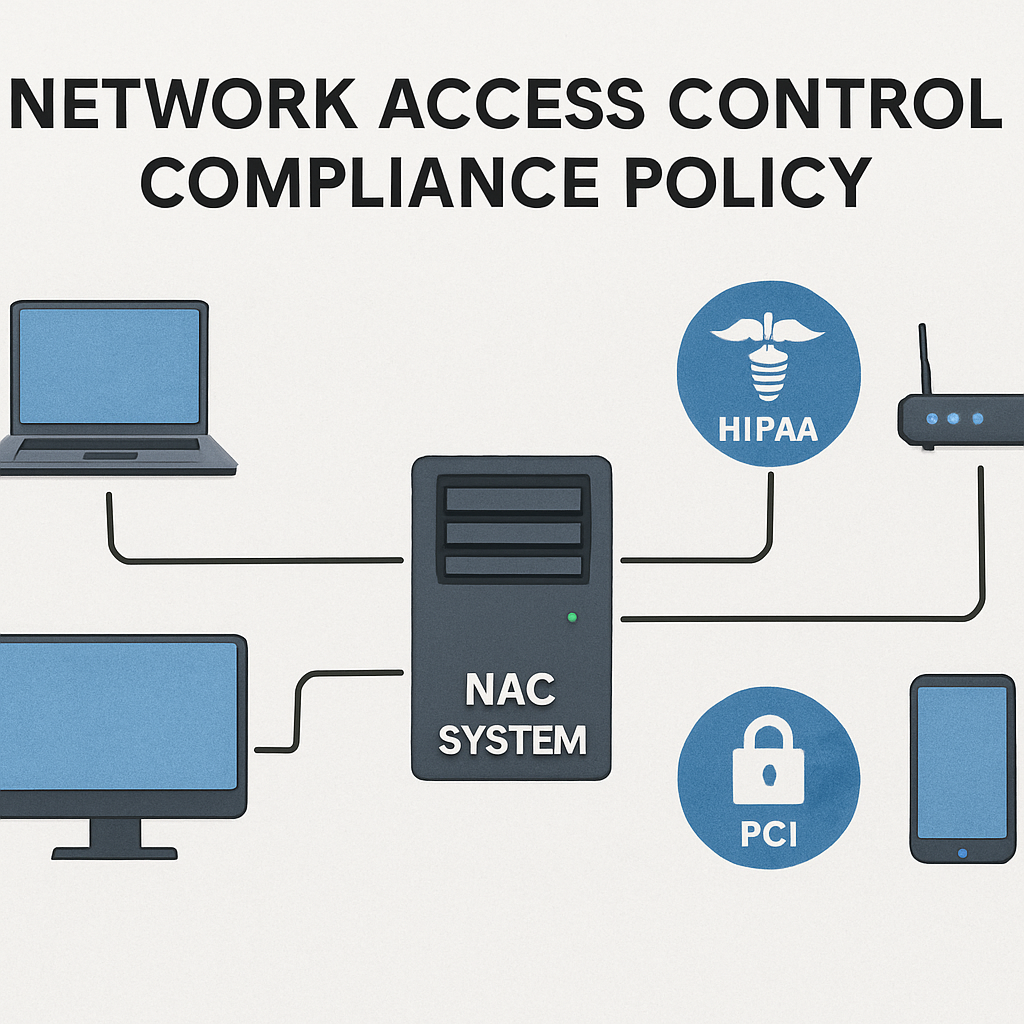
Bottom line: tie every NAC rule back to a specific compliance requirement, score the risk, test it, then let automation handle the rest. Your network stays secure, your auditors stay happy, and you get to focus on growing the business instead of firefighting rogue devices.
Step 4: Integrate NAC with Managed IT Services and Support
Now that you’ve got your policies in place, the next question is: how do you keep them running without pulling an all‑night shift every week? The answer is to let your managed IT services team own the day‑to‑day NAC lifecycle.
Think about it this way: a NAC system is like a security guard at the front desk. You can train the guard once, but you still need someone to feed them the daily roster, handle exceptions, and replace the badge printer when it jams. That “someone” is your managed IT service.
Why Managed IT Makes NAC Work at Scale
When you partner with a local provider, you get three big advantages:
- Proactive monitoring. Alerts fire the moment a device falls out of compliance, so you don’t discover the problem after a ransomware hit.
- Policy automation. Routine updates—like rolling out a new Windows patch—are pushed through the NAC engine automatically.
- Support continuity. Your tech crew knows the exact rule set, so when a user calls in “I can’t print,” they can quickly check whether the printer was quarantined by NAC.
Does this sound like a lot of overhead? Not when you break it into bite‑size steps.
Step‑by‑Step: Hooking NAC into Your Managed Service Workflow
1. Align on tooling. Confirm that the NAC platform can talk to the same endpoint manager you already use—Microsoft Intune, for example. The integration lets the NAC engine query device compliance status in real time. Microsoft’s docs walk you through that link between Intune and NAC Intune integration guide.
2. Define escalation paths. Map out who gets notified when a device is placed in quarantine: the service desk for quick fixes, the security analyst for repeated offenses, and the compliance officer for audit‑related events.
3. Build a “remediation playbook.” For each rule, write a one‑sentence action—e.g., “If antivirus is missing, push the corporate AV package and re‑evaluate after 15 minutes.” Your managed team can script these steps in the NAC console so the process is hands‑free.
4. Schedule regular health checks. Every two weeks, run a report that lists:
- Devices still failing compliance
- New device categories added (think IoT coffee‑maker)
- Policy changes requested by the business
Use the data to tweak thresholds before they become roadblocks.
5. Leverage contextual sharing. Modern NAC solutions can feed device identity and risk scores into your SIEM or firewall. Cisco explains that sharing contextual info “helps isolate compromised endpoints” Cisco NAC overview. When the SIEM sees a high‑risk score, it can automatically block lateral movement.
So, what does a typical day look like for your managed team?
Real‑World Example: Dental Practice in Salinas
The practice added a new iPad for patient education. The NAC system flagged it because it didn’t have the required encryption profile. The managed IT crew received an alert, pushed the encryption profile via Intune, and the iPad was moved from the “quarantine” VLAN to the clinical network—all without the dentist lifting a finger.
Real‑World Example: Boutique E‑commerce Store
A seasonal sales rep tried to connect a personal laptop to the Wi‑Fi. NAC detected an outdated OS and automatically redirected the laptop to a guest‑only VLAN, while the support ticket generated a reminder to update the OS. The rep got back online in 10 minutes, and the store avoided a potential PCI‑DSS violation.
Notice the pattern? The managed service layer handles the “what now?” moment, keeping your staff focused on revenue‑generating work.
Quick Reference Table
| Task | Managed IT Tool | Key Benefit |
|---|---|---|
| Compliance query | Intune/NAC API | Real‑time device health status |
| Quarantine alert | Ticketing system (e.g., ServiceNow) | Fast user communication |
| Policy tuning | NAC reporting dashboard | Reduce false positives |
Ready to put this into practice? Grab a notebook, list the tools you already use, and match each NAC step to a managed‑service responsibility. You’ll see gaps instantly, and you can prioritize the ones that protect the most sensitive data—whether that’s PHI in a clinic or credit‑card transactions in a shop.
Bottom line: integrating NAC with managed IT services isn’t a luxury; it’s the glue that turns a set of rules into a living, breathing security program. When the right people, processes, and technology talk to each other, network access control becomes invisible to the user—but powerful enough to keep auditors, customers, and your peace of mind happy.
FAQ
What exactly is network access control and why should my small business care?
Network access control (NAC) is the gatekeeper that checks every device before it touches your LAN. It asks, “Who are you? Is your OS patched? Do you have antivirus?” and then either lets you in, puts you in a quarantine zone, or blocks you outright. For a boutique e‑commerce shop or a dental clinic, that extra check can stop a ransomware‑laden laptop from ever seeing patient records or credit‑card numbers. In short, NAC turns a chaotic network into a controlled, compliant environment, saving you headaches and potential fines.
How does NAC work with devices I already manage through Microsoft Intune or other MDM tools?
Most NAC platforms can pull real‑time compliance data from your existing endpoint manager. When Intune flags a laptop as out‑of‑date, the NAC engine automatically redirects that device to a guest‑only VLAN and sends a push‑notification to the user asking for an update. This means you don’t have to duplicate effort – your MDM does the heavy lifting on the endpoint, while NAC enforces network‑level policy based on the same data.
Can I use network access control for guest Wi‑Fi without disrupting my employees?
Absolutely. You create a separate guest profile that only grants internet access and isolates guests from internal servers. When a visitor pulls out their phone, NAC sees the unknown MAC address, applies the guest policy, and places the device on a VLAN that can’t see your accounting software. Your employees stay on the corporate VLAN with full access, and you keep the guest traffic safely sandboxed.
What are the first steps to take if I’m worried about compliance (HIPAA, PCI‑DSS) and want NAC to help?
Start by mapping every device that touches regulated data – laptops used for EMR, point‑of‑sale tablets, etc. Tag those as high‑risk in your inventory. Then, define a baseline policy that requires encryption, up‑to‑date patches, and MFA for those devices. Finally, configure NAC to quarantine anything that fails the baseline and generate a log entry you can show auditors. In practice, you’ll have a clear audit trail proving every device was validated before network access.
How often should I review and tweak my NAC policies?
Think of NAC policy reviews like a health check‑up: every quarter is a good rule of thumb. Look for trends in quarantine logs – if the same device type keeps getting blocked, you may need to adjust the baseline or push a missing update. Also, align policy changes with new regulations, added IoT devices, or after a major software rollout. Regular tweaks keep false positives low and security high.
What happens if a legitimate user gets mistakenly blocked by NAC?
When a device lands in quarantine, most NAC solutions provide a self‑service portal or an automated ticket that tells the user exactly why they were blocked and what to do next. Typically it’s a quick patch install or enabling the corporate AV agent. Your IT team can also set up an escalation path so a support desk can lift the block after verifying compliance, turning a potential frustration into a simple remediation step.
Conclusion & Next Steps
You’ve just walked through every piece of the network access control puzzle—from inventorying every device to picking a solution that actually talks to your existing tools.
At this point you know why a solid baseline matters, how to set policies that line up with HIPAA or PCI requirements, and how to keep false positives from nagging your staff.
So, what’s the next move? First, lock in a quarterly review calendar. Pull the quarantine logs, spot any repeat offenders, and tweak the health thresholds before they become a headache.
Second, automate the remediation steps you already see working—push missing patches or enable MFA through your endpoint manager, and let the NAC engine lift the block automatically.
Third, give your managed IT team a clear playbook: define who gets the alert, what the ticket looks like, and how quickly it should be resolved. A simple checklist saves time and keeps auditors happy.
And remember, network access control isn’t a one‑time project; it’s a living guard that grows with your business. When a new IoT device shows up or a regulation changes, your policies should adapt without you scrambling.
Ready to take the next step? Reach out for a quick health‑check assessment and we’ll help you tighten the gate while you focus on serving customers.






