

Picture this: your internal IT team is juggling daily tickets, a looming compliance deadline, and a sudden surge in cloud migrations—all while trying to keep the network humming.
Sound familiar? You’re not alone. Many mid‑size businesses in Salinas and Monterey hit that exact wall, where the talent on staff is solid but the workload is stretching them thin.
That’s where co managed IT services step in. Instead of handing over the whole operation to an outside provider, you keep your crew in the driver’s seat and bring in a trusted partner to fill the gaps—think of it as adding a seasoned co‑pilot to your cockpit.
Imagine a scenario where a critical ransomware alert pops up at 2 am. Your in‑house staff gets the notification, but the expertise to contain it fast lives with the managed partner, who can jump in instantly, run forensic analysis, and restore backups while your team focuses on keeping the business running.
Or consider a fast‑growing e‑commerce firm that needs to scale its infrastructure for the holiday rush. With co managed IT services, you can spin up additional cloud resources on demand, and the partner’s engineers handle the provisioning and performance tuning, freeing your staff to concentrate on the customer experience.
What’s the upside? First, cost efficiency—you’re only paying for the extra muscle you need, not a full‑time staff expansion. Second, scalability—you get the flexibility to grow or shrink support as projects evolve. Third, 24/7 coverage—your internal team isn’t on call around the clock, yet you still have expert eyes on your systems at any hour.
And there’s a hidden benefit: stronger security. A co managed model means continuous monitoring from both sides, catching vulnerabilities that might slip past a single team’s radar.
So, if your internal IT crew feels stretched, or you’re eyeing a cloud migration but lack the deep‑dive expertise, co managed IT services could be the partnership that turns pressure into performance.
Let’s explore how this hybrid approach can boost reliability, cut costs, and keep your business ahead of the tech curve.
TL;DR
Co‑managed IT services let your in‑house team keep control while a trusted partner supplies extra expertise, 24/7 coverage, and scalable resources for faster growth and stronger security. The result is lower costs, reduced risk, and a flexible IT engine that lets you focus on core business goals instead of firefighting.
Why Co Managed IT Services Make Sense for SMBs
If your internal IT crew feels stretched thin, you’re not alone. Many SMBs in Salinas and Monterey hit that sweet spot where the talent is there, but the workload keeps growing faster than heads can be hired.
That’s exactly why a co‑managed IT services model can feel like a lifeline. Instead of handing over the whole operation, you keep control while tapping an external partner for the heavy lifting.
Think about a mid‑size e‑commerce firm that needs to spin up extra cloud capacity for a holiday rush. The internal team can focus on the storefront experience, while the partner provisions servers on demand.
Or picture a healthcare practice scrambling to meet a new HIPAA audit deadline. Their staff knows the workflows, but the nuanced security configurations come from the co‑managed partner.
Cost Efficiency You Can See
You’re not paying for a full‑time senior engineer you’ll only need during peak months. Instead, you buy just the hours or expertise you actually use, which translates into real cost savings.
Co‑managed IT services model lets businesses “scale … while keeping costs manageable,” according to Biztec. That flexibility means you avoid the overhead of recruiting, training, and retaining additional staff.
Here’s a quick video that walks through how the hybrid approach works in practice.
Notice how the partner steps in for routine maintenance, letting your people concentrate on strategic projects.
Scalability for Growing Companies
When you open a new branch in Monterey or add a remote office, the IT footprint expands instantly. A co‑managed partner can extend monitoring, backup, and help‑desk coverage to the new site without you having to duplicate the entire staff.
Because the model is modular, you can add or drop services as projects evolve—perfect for seasonal spikes or a sudden pivot to the cloud.
24/7 Expertise and Stronger Security
Cyber threats don’t keep office hours. With a co‑managed arrangement, you get round‑the‑clock eyes on your network, often backed by specialists in ransomware response.
Co‑managed XDR services illustrate how a managed security layer can complement an internal team, delivering “detection and response across endpoint and email.” That extra layer catches vulnerabilities your team might miss.
Empowering Your In‑House Team, Not Replacing It
Your staff stays the decision‑maker. They set the roadmap, prioritize tickets, and own the business‑critical applications. The partner simply fills the gaps—think of them as a seasoned co‑pilot.
The result is a happier IT crew who aren’t burned out, and a business that moves faster because nobody’s stuck firefighting.
In short, co‑managed IT services give SMBs the best of both worlds: control, cost control, and confidence.
Visualizing that partnership can help you decide where to draw the line between internal and external tasks.
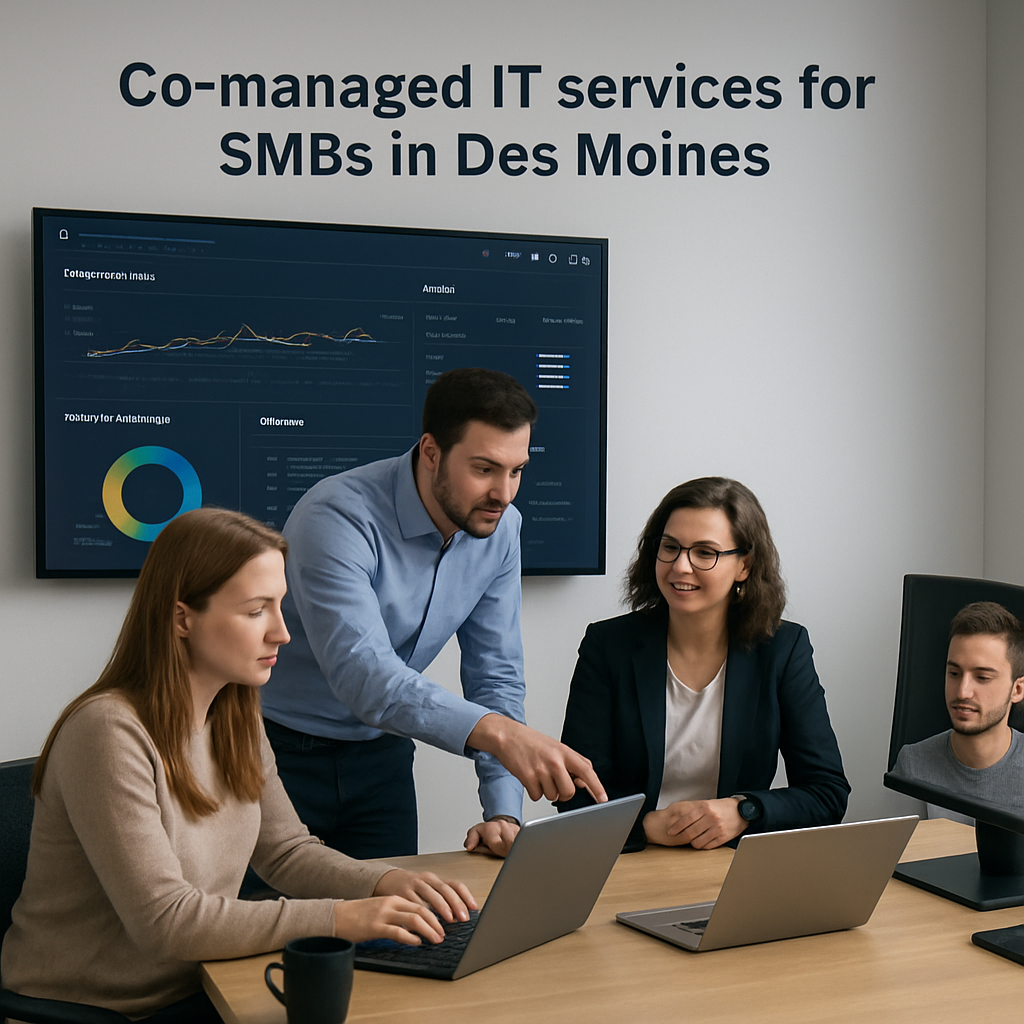
Most SMBs we’ve worked with see a 20‑30% reduction in support ticket backlog within the first three months, and a measurable drop in unplanned downtime. Those numbers translate directly into saved revenue and happier customers.
Ready to see how a co‑managed partnership could free up your internal team and tighten security? Reach out for a free assessment and let’s map a solution that fits your growth plan. We’ll also outline a clear roadmap so you know exactly what to expect each quarter.
How Co Managed IT Services Complement Your Existing Team
Ever feel like your in‑house IT crew is running a marathon while juggling a sack of bricks? You’re not alone. Most mid‑size firms in Salinas and Monterey hit that point where the daily ticket queue, compliance work, and a sudden cloud migration all collide.
That’s where a co‑managed partnership slides in like a trusted co‑pilot. Your team stays in the cockpit, sets the flight plan, and decides when to climb or descend. The external engineers simply fill the gaps – they handle the heavy‑lift tasks, bring specialized expertise, and keep an extra set of eyes on the horizon.
Where the extra hands make the biggest difference
1. Seasonal spikes. Picture an e‑commerce retailer gearing up for holiday traffic. Your internal staff is already busy fine‑tuning the checkout flow, but you need extra server capacity and performance tuning fast. A co‑managed provider can spin up additional cloud instances, monitor load in real time, and hand‑off performance reports so your team can stay focused on the customer experience.
2. Security deep‑dives. A ransomware alert hits at 2 am. Your in‑house admin gets the ping, but the forensic analysis and rapid containment require a specialist who lives for that scenario. The co‑managed partner jumps in, isolates the affected segment, restores from backup, and provides a post‑mortem that your team can turn into a stronger policy.
3. Skill‑set gaps. Many healthcare practices need HIPAA‑aligned backup and encryption, yet their internal staff may not have that niche knowledge. By tapping a co‑managed service, you get a vetted security specialist who configures encrypted backups, runs regular compliance scans, and documents everything for auditors.
Concrete steps to blend the teams
Step 1 – Map responsibilities. Sit down with your IT manager and list every recurring task (help‑desk tickets, patching, monitoring) and every project‑level effort (cloud migration, network redesign). Highlight where you’re stretched thin.
Step 2 – Define service tiers. Most co‑managed partners offer a predictable flat‑fee for a set number of hours or specific services (e.g., 24/7 monitoring, quarterly vulnerability assessments). Choose a tier that covers your gaps without over‑committing.
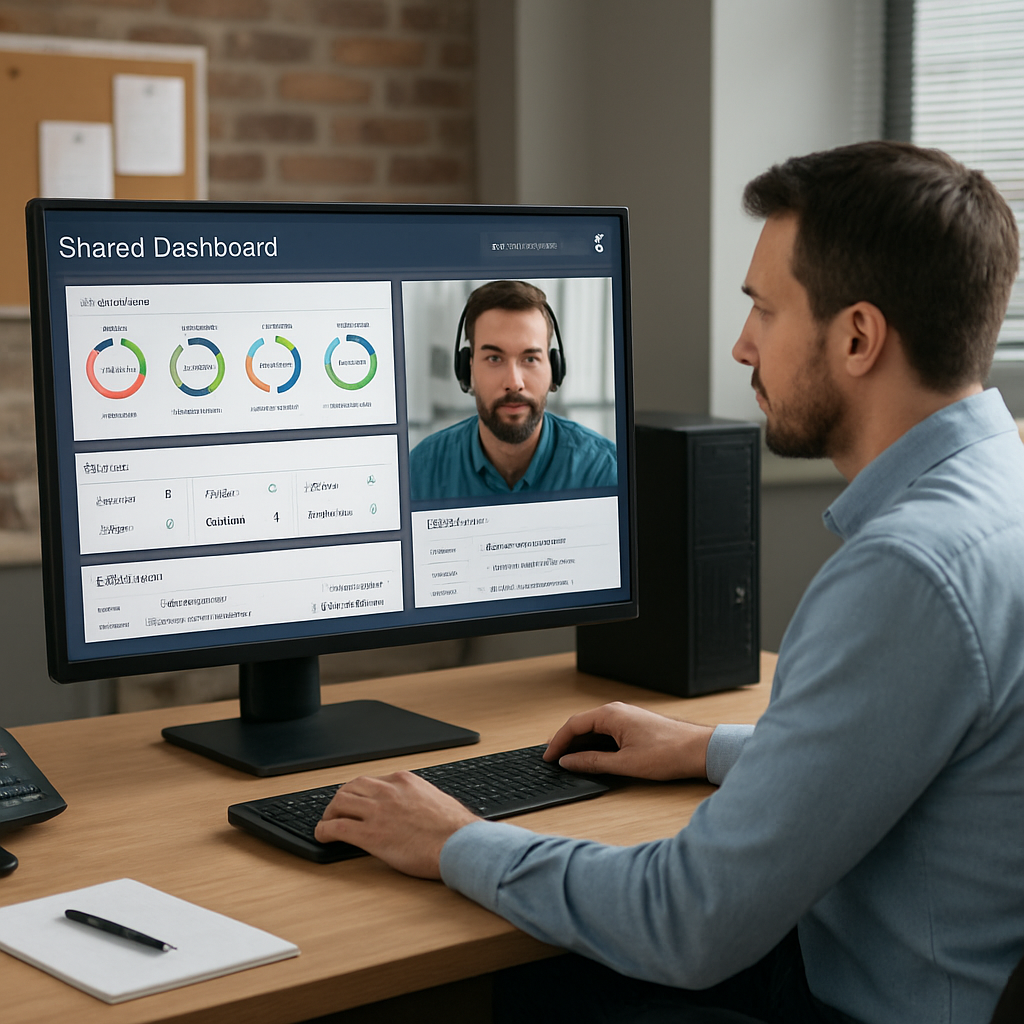
Step 3 – Set up joint tooling. Use a shared ticketing platform so both teams see status, priority, and resolution notes. That transparency prevents duplicate work and builds trust.
Step 4 – Establish a communication cadence. A weekly 30‑minute sync keeps the roadmap aligned, and a monthly performance review shows ROI in real numbers – like the 20‑30% ticket‑backlog reduction we’ve seen with other SMBs.
Real‑world snapshot from a local firm
A regional law firm in Monterey was wrestling with a looming client‑data audit. Their internal team could manage day‑to‑day requests but lacked the bandwidth for a full‑scale audit prep. By bringing in a co‑managed partner, they received a dedicated security analyst who ran daily vulnerability scans, updated encryption policies, and produced an audit‑ready report within six weeks. The firm avoided a potential $50K penalty and freed its internal staff to focus on client work.
Another example: a growing architecture studio added a remote office in Salinas. Instead of hiring a new network admin, they engaged a co‑managed service to extend VPN access, set up managed switches, and monitor bandwidth. The internal team could keep designing, while the partner ensured the new site stayed online 99.9% of the time.
Why it works better than full outsourcing
When you fully outsource, you hand over decision‑making, which can feel like losing control of your own tech strategy. Co‑managed services keep the strategic reins in your hands, while still delivering the same depth of expertise and 24/7 coverage.
In practice, you get the best of both worlds: cost savings from not hiring full‑time senior engineers, scalability that matches project cycles, and a security layer that watches for threats around the clock.
For a quick look at how a blended model can streamline operations, check out our Managed IT Services | SRS Networks page – it outlines the tools and processes we often pair with co‑managed engagements.
And if you want an industry perspective on why co‑managed models are gaining traction, KML Computer Services explains that “comprehensive IT services fill the gaps and strengthen your in‑house capabilities” and highlights proactive monitoring, disaster‑recovery planning, and help‑desk support as core benefits (KML co‑managed IT overview).
Bottom line: think of co‑managed IT as a collaborative safety net. Your internal crew keeps steering, you keep the budget predictable, and the partner catches the falls before they become costly injuries. Start with a small pilot – maybe 24/7 monitoring or a quarterly security review – and watch the relief ripple through your team.
Key Services Delivered Through Co Managed Models
When you hand a handful of internal engineers a mountain of tickets, you quickly discover which tasks eat up most of their day. The good news? Those repetitive chores—patching, backup verification, basic help‑desk triage—are exactly the services that shine in a co managed IT services model.
Below is a quick tour of the core services we typically deliver, why they matter, and how you can start pulling them into your own operation.
1. 24/7 Monitoring & Incident Response
Imagine it’s 2 am and a ransomware alert flashes on your dashboard. Your internal staff gets the ping, but the deep forensic work needed to isolate the threat lives elsewhere. A co managed partner steps in with round‑the‑clock SOC monitoring, pulls in threat intel, and either contains the breach or hands you a clear remediation plan. LevelBlue describes this as 24/7 SOC monitoring and investigation backed by threat intelligence, which means you get immediate action without pulling your in‑house team off their core projects.
Actionable tip: ask your provider to set up a “critical alert” list that automatically creates a ticket in your shared system and triggers a phone call for any high‑severity event.
2. Proactive Patch Management & Configuration Hardening
Every missed patch is a doorway for attackers. In a co managed model, the partner runs a scheduled patch cycle, validates builds in a test sandbox, and pushes updates during low‑usage windows. Your team still decides which applications are mission‑critical, but the grunt work disappears.
Step‑by‑step:
- Map all devices and OS versions in your asset inventory.
- Define a patch window (e.g., Tuesdays 2‑4 am).
- Let the co‑managed team run the patch script and report back any failures.
3. Backup, Disaster Recovery & Business Continuity
Backup fatigue is real—hourly snapshots, off‑site replication, and quarterly restore tests can swamp a five‑person team. A co managed partner builds a layered backup strategy, runs automated restore drills, and provides a clear RPO/RTO report you can show to auditors.
Real‑world example: a Monterey‑based legal practice partnered with a co managed provider to automate daily encrypted backups of their case files. Within three months they cut their backup‑related tickets by 70% and passed a surprise ISO audit without a single finding.
4. Cloud Architecture & Cost Optimization
Scaling cloud resources for a holiday sales surge sounds exciting—until you see the bill. Co managed engineers review your usage patterns, right‑size instances, and set up auto‑scale rules that keep performance high and spend low.
Practical move: request a quarterly cost‑optimization review. The provider will pull your cloud cost report, highlight idle VMs, and suggest reserved instance purchases that could save 15‑20%.
5. Compliance & Regulatory Support
Healthcare, finance, and legal firms juggle HIPAA, PCI, or GDPR requirements. A co managed team brings pre‑built compliance frameworks, runs regular vulnerability scans, and prepares the documentation you need for auditors.
One architecture firm in Salinas used a co managed partner to conduct a HIPAA‑aligned risk assessment. The partner delivered a remediation roadmap that the internal staff executed, avoiding a potential $30K penalty.
6. Help‑Desk Augmentation & Tier‑1 Ticket Deflection
When your internal staff is stuck on strategic projects, a co managed help‑desk can absorb the low‑complexity tickets—password resets, printer jams, software installs—while escalating only the high‑impact issues.
Tip: define a “ticket hand‑off” threshold (e.g., anything under 15 minutes of effort) and let the co managed team own it. Your engineers will notice the backlog shrinking and can finally focus on roadmap items.
7. Strategic Advisory & vCIO Collaboration
Beyond the day‑to‑day chores, many partners assign a virtual CIO who works side‑by‑side with your internal leader. They help with budget forecasts, technology roadmaps, and vendor negotiations. CompassMSP outlines this partnership as a “force multiplier” approach that balances ownership and expertise (co‑managed vs managed IT comparison).
Actionable step: schedule a quarterly roadmap session with your vCIO and internal IT director. Bring a one‑page list of upcoming projects, and let the partner suggest which can be outsourced for faster delivery.
Bottom line: co managed IT services let you cherry‑pick the services that free your internal team from fire‑fighting and let them drive business value. Start small—maybe a 24/7 monitoring pilot or a monthly backup audit—and watch the relief ripple through your organization.
Real-World SMB Scenarios: From Risk to Resilience
Ever wonder why some midsize companies breeze through a ransomware scare while others end up scrambling for backup tapes? The difference often boils down to how they blend internal know‑how with a co‑managed partner. Below are three real‑world snapshots that show the shift from looming risk to steady resilience.
Retailer Facing a Holiday Surge
A regional e‑commerce store in Monterey saw its traffic double in the weeks before Black Friday. The internal IT crew was busy fine‑tuning the checkout flow, but the sudden load exposed a bottleneck on their cloud load balancer. Instead of hiring a senior cloud engineer for a few weeks, they called on a co‑managed partner to spin up auto‑scale groups and monitor latency in real time. Within 48 hours the site handled a 300 % spike without a hiccup, and the retailer avoided an estimated $45K loss from cart abandonment.
Actionable step: create a “load‑spike playbook” that lists the exact metrics to watch (CPU > 80 %, response time > 2 s) and the partner’s contact for rapid scaling.
Healthcare Practice Under a HIPAA Deadline
A family‑medicine clinic in Salinas needed to prove encryption on all patient records before a surprise audit. Their internal staff knew the workflow, but the encryption standards and audit‑ready documentation required niche expertise. By adding a co‑managed security analyst, they got daily vulnerability scans, automated encrypted backups, and a ready‑to‑submit audit packet. The clinic passed the audit, sidestepping a potential $30K penalty and gaining peace of mind for patients.
Tip: schedule a quarterly compliance sprint with your partner, focusing on one regulation at a time (HIPAA, PCI, etc.) so the workload stays manageable.
Architecture Firm Expanding to a Remote Site
An architecture studio opened a satellite office in Watsonville. The new team needed VPN access, managed switches, and 99.9 % uptime for large CAD files. Rather than recruiting a network admin for a handful of users, the firm engaged a co‑managed service to provision the VPN, monitor bandwidth, and handle firmware updates. Within a month the remote office was online 24/7, and the internal engineers could stay focused on design work instead of network firefighting.
Here’s a quick checklist the firm used:
- Map all devices and assign them to the VPN profile.
- Set up shared monitoring dashboards with the partner.
- Define a ticket‑handoff rule (issues under 15 minutes go to the co‑managed help desk).
- Run a weekly bandwidth‑utilization report.
Financial Services Firm Guarding Against Ransomware
A credit‑union in Salinas ran into a ransomware alert at 2 am. The internal admin received the warning but didn’t have the forensic tools to isolate the infected segment fast. The co‑managed SOC jumped in, cut off the compromised subnet, restored the latest clean backup, and delivered a post‑mortem that helped tighten endpoint policies. The outage lasted under an hour, saving the union an estimated $120K in lost transactions.
Practical tip: ask your partner to create a “critical‑alert” list that automatically opens a high‑priority ticket and triggers a phone call for any high‑severity event.
Actionable Checklist for Any SMB
Whether you’re a retailer, a clinic, or a design studio, the following steps help you move from risk to resilience with a co‑managed model:
- Identify the top three pain points (e.g., scaling, compliance, ransomware response).
- Map each pain point to a partner service (cloud auto‑scale, vCISO, 24/7 SOC).
- Set clear hand‑off thresholds—simple tickets (<15 min) go to the co‑managed help desk.
- Implement a shared ticketing platform so both teams see status and priority.
- Schedule a monthly review to measure ROI (ticket‑backlog reduction, downtime minutes saved, compliance status).
Our Salinas team can help you build that roadmap and plug the exact gaps you’re feeling right now. IT Support & Services | Salinas CA | SRS Networks offers a free assessment to pinpoint where a co‑managed partnership will deliver the biggest impact.
Comparing Co Managed vs Fully Managed IT Services
When you’re weighing how much of your tech stack to keep in‑house, the line between a co‑managed partnership and a fully managed outsource can feel blurry. You’ve probably asked yourself, “Do I really need to hand over the wheel completely, or can I keep the steering while getting a seasoned co‑pilot on board?” Let’s break it down in plain‑English, with a few real‑world snapshots that might sound familiar.
Control versus convenience
In a fully managed model, the MSP becomes the de‑facto IT department. They own the ticketing system, set the change‑control policy, and decide which patches get applied and when. That’s great if you want to off‑load every IT headache, but you also surrender day‑to‑day decision‑making.
Co‑managed services, on the other hand, hand you the reins. Your internal team still decides what’s mission‑critical, sets priorities, and signs off on major changes. The partner steps in only where you need extra hands or specialized know‑how.
Cost dynamics
Fully managed contracts usually come as a flat monthly fee that covers everything—from help‑desk to strategic planning. It can be predictable, yet you often pay for capabilities you never use. Think of it as renting a whole car when you only need a quick trip.
Co‑managed pricing is more modular. You might buy a set number of monitoring hours, a quarterly security audit, or a cloud‑migration sprint. If you’re a midsize e‑commerce firm that only needs extra bandwidth during the holiday rush, you’ll only pay for that burst, not for a permanent senior engineer.
Scalability and flexibility
Fully managed providers can scale quickly because they own the entire stack, but they tend to scale in big blocks—adding a new service tier or expanding the contract.
With co‑managed, you can add or trim services on a per‑project basis. One month you might bring in a vCIO for budget planning; the next month you could drop that and keep the 24/7 monitoring alive. That flexibility mirrors how many SMBs grow—incrementally, not all‑at‑once.
Security posture
Both models promise up‑to‑date patches and threat monitoring, but the way you see the work differs. A fully managed team runs the entire security program, meaning you get a single point of contact for every alert.
In a co‑managed setup, your internal staff stays in the loop. They get the same alerts, but the partner’s specialists dive deeper on complex incidents while you retain visibility. It’s like having a security guard who calls you before locking the door.
Real‑world examples
Imagine a regional law firm in Monterey that needs to pass a client‑data audit. Their in‑house admin knows the day‑to‑day workflow but lacks the niche audit expertise. They partnered with a co‑managed provider for a focused compliance sprint. The firm passed the audit, avoided a $50K penalty, and kept its internal staff free to serve clients.
Contrast that with a small manufacturing plant that hired a fully managed MSP to run everything—from network to ERP support. Six months later, the plant realized the provider was making decisions about ERP patch schedules that conflicted with production cycles. The lack of internal veto caused a costly downtime episode.
Decision‑making checklist
- Do you need full control over strategic tech decisions? If yes, co‑managed is likely a better fit.
- Is your budget tighter than the flat fee of a full‑service contract? Co‑managed lets you pay only for the pieces you actually need.
- Do you have a clear set of internal skills and just a few gaps? Plug those gaps with a partner rather than outsourcing the whole house.
Side‑by‑side comparison
| Aspect | Co‑Managed IT Services | Fully Managed IT Services |
|---|---|---|
| Decision authority | Internal team retains final say on priorities and changes. | Provider owns the roadmap; client has limited input. |
| Pricing model | Modular, pay‑for‑what‑you‑use (hours, projects, specific services). | Flat‑rate, all‑inclusive fee. |
| Scalability | Add or drop services per project or season. | Scale in larger contract increments. |
| Security handling | Partner augments internal alerts, provides deep‑dive expertise. | Provider runs end‑to‑end security program. |
Bottom line: if you want to keep strategic control, pay only for the extra muscle you need, and maintain a clear line of sight into every security event, co‑managed IT services usually win out. If you’re looking for a hands‑off experience and have minimal internal IT staff, a fully managed model might make more sense.
Take a moment to map your current pain points against the table above. Where do you see the biggest gap? That’s the spot where a co‑managed partnership can deliver the most immediate value.
Choosing the Right Co Managed Partner for Your Business
Start with a reality check
Picture this: your in‑house team has just cleared a backlog of tickets, but a new compliance deadline looms and the cloud migration you’ve been planning is still on the drawing board. You know you need extra muscle, but you also can’t afford to hand over the steering wheel.
That tension is exactly why picking the right co‑managed partner matters. It’s not just a vendor – it’s an extension of your own crew.
Ask the right questions (and listen to the answers)
Before you sign anything, run through a quick checklist. Does the provider let you add or drop services month‑to‑month? Can you see their SLA in plain language, and is it negotiable? How do they handle escalation when a critical alert fires at 2 am?
These aren’t fluff questions. A solid partner will have a ready‑made list of tiered features, clear uptime metrics, and a transparent break‑clause if the fit isn’t right.
Match capabilities to your biggest pain points
Take a look at three common scenarios we see in Salinas and Monterey:
- Seasonal spikes. An e‑commerce retailer needs extra cloud capacity for the holiday rush. The right co‑managed team can spin up auto‑scale groups, monitor latency, and hand you a performance report, all while your internal engineers keep the storefront experience smooth.
- Compliance crunch. A healthcare practice must prove HIPAA‑aligned encryption before an audit. A partner that offers daily vulnerability scans and encrypted backup management can produce an audit‑ready packet in weeks, sparing you from costly penalties.
- Limited bandwidth. A growing architecture studio opens a remote office. Instead of hiring a full‑time network admin, a co‑managed provider extends VPN access, manages switches, and supplies 24/7 monitoring, keeping design work uninterrupted.
Notice a pattern? The partner’s expertise fills the exact gap you’ve identified, without bloating your payroll.
Practical steps to vet and onboard a partner
- Map responsibilities. List every recurring task (patching, ticket triage) and every project (cloud migration, security audit). Highlight where your team is thin.
- Define service tiers. Ask the provider for a modular pricing sheet – for example, 20 hours of 24/7 monitoring plus a quarterly security assessment.
- Test the tooling. Insist on a shared ticketing platform. When a critical alert is generated, does it automatically create a ticket in your system and trigger a phone call?
- Set a communication cadence. A weekly 30‑minute sync and a monthly performance review keep the partnership aligned and measurable.
- Run a pilot. Start with a low‑risk service, like help‑desk augmentation, and track metrics such as ticket‑backlog reduction or mean‑time‑to‑resolution.
By the end of the pilot you should see concrete numbers – perhaps a 25 % drop in low‑complexity tickets – that prove the partnership’s ROI.
Red flags to watch out for
If the provider can’t give you a clear answer on data ownership, or they insist on a rigid, multi‑year contract with no break clause, walk away. Flexibility is the cornerstone of a co‑managed model.
Also, verify their expertise in your industry. A partner that understands HIPAA, PCI or ISO‑27001 requirements will save you time and money when you’re faced with an audit.
Local expertise matters
We’ve seen Monterey‑based firms benefit from providers who have on‑the‑ground staff ready to pop over for a quick on‑site check. That local presence can shave hours off a critical incident response.
For a glimpse at how a regional IT support operation looks in practice, check out our IT Support & Services in Monterey page – it outlines the tools and response times we typically bring to a co‑managed engagement.
Bottom line
Choosing the right co‑managed partner isn’t about finding the cheapest quote; it’s about aligning service flexibility, expertise, and local presence with the exact gaps you’ve identified. Follow the checklist, run a pilot, and let the data speak. When the partnership clicks, you’ll keep strategic control, pay only for the muscle you need, and finally get the breathing room your internal team deserves.
Co-Managed IT Services Overview: Expertise, 24/7 Support & Scalability
What exactly is co‑managed IT support?
Co‑managed IT support is a partnership where your in‑house team keeps control of strategy and day‑to‑day decisions, while an external provider steps in to handle overflow tasks, specialized projects, or 24/7 monitoring. Think of it as hiring a spare set of hands that know your environment, so you don’t have to stretch your staff thin during busy periods or unexpected incidents.
How does co‑managed IT differ from fully managed services?
Fully managed services take over the entire IT stack – they set priorities, apply patches, and own the ticketing system. Co‑managed IT leaves the strategic roadmap, vendor choices, and core change‑control in your hands. You get the expertise and round‑the‑clock coverage without surrendering decision‑making, which is crucial for regulated industries that must approve every configuration change.
Can co‑managed IT help my team scale during seasonal spikes?
Absolutely. When an e‑commerce site expects a holiday surge, your internal staff can stay focused on the customer experience while the partner provisions extra cloud instances, monitors load, and fine‑tunes performance. After the peak passes, the extra resources are turned off, so you only pay for the bandwidth you actually used – a classic cost‑efficiency win.
What security benefits do I get from a co‑managed partnership?
A co‑managed provider brings dedicated security specialists who run continuous vulnerability scans, manage endpoint detection, and respond to alerts at any hour. Because they work alongside your team, you get detailed incident reports that feed directly into your compliance documentation – whether you need HIPAA, PCI, or ISO‑27001 evidence for an audit.
How do I know if my internal IT team is the right size for a co‑managed model?
Start by mapping recurring tasks (patching, help‑desk triage) and projects (cloud migration, audit prep). If you see more tickets than staff can handle or gaps in expertise, those are the spots a co‑managed partner can fill. A pilot – for example, adding 24/7 monitoring for a month – will show you concrete metrics like a 20 % drop in backlog and faster mean‑time‑to‑resolution.
What should I look for in the pricing structure of a co‑managed IT company?
Look for modular pricing that separates hourly support, fixed‑service tiers, and project‑based work. Avoid flat‑rate contracts that force you to pay for services you never use. Transparent SLAs, clear break‑clauses, and the ability to add or drop services month‑to‑month give you the flexibility to align costs with actual business demand.
How do I get started with a co‑managed IT partnership?
First, conduct a gap analysis with your internal team to pinpoint the exact functions that need reinforcement. Then, reach out to a few providers, ask for a detailed service matrix, and run a low‑risk pilot – maybe a quarterly security audit or a help‑desk augmentation. Measure the results against your baseline and decide whether to expand the scope.
What kind of SLA metrics should I expect from a co‑managed provider?
Typical SLAs cover response time (e.g., 30 minutes for critical alerts), resolution windows, and uptime guarantees for monitoring services. Ask for clear reporting that shows ticket age, mean‑time‑to‑detect, and any penalties if targets aren’t met. Having measurable metrics helps you prove ROI to leadership and keeps the partnership accountable.
Conclusion & Next Steps
We’ve walked through how co managed it services let you keep control while gaining muscle.
So, what does that mean for you right now? It means you can stop juggling tickets and start focusing on growth.
Start by pulling together a quick inventory of the tasks that always slip through the cracks – patching, weekend monitoring, or compliance checks.
Next, pick one low‑risk service – maybe a 24/7 alert feed or a quarterly security audit – and run a short pilot.
Measure the results: ticket‑backlog reduction, faster mean‑time‑to‑resolution, or a concrete compliance win.
If the numbers move in the right direction, expand the scope gradually. Remember, the partnership should scale with you, not lock you in.
Ask yourself: do you have the budget to keep a senior engineer idle during slow periods? If not, a modular co managed it solution can fill that gap without a full‑time salary.
Finally, set up a recurring review cadence – a 30‑minute sync every two weeks and a quarterly ROI dashboard.
When you see the relief ripple through your team, you’ll know you made the right call.
Ready to take the next step? Schedule a free assessment and let us map the exact services that will free up your internal crew.






