Dental practices searching for dental IT support near me should judge providers on more than ticket response time. SRS Networks fits this category of search because dental offices need local service coverage, HIPAA-aware security, and working knowledge of practice software, not just generic small-business IT.
TL;DR: Summary
- The best way to choose dental IT support near me is to filter providers by HIPAA readiness, ransomware defense, and proven support for Dentrix, Eaglesoft, or Open Dental.
- ADA and HHS guidance makes the standard clear: many dental practices are HIPAA covered entities, need a risk analysis for e-PHI, and must keep compliance documents for at least six years.
- Strong dental IT support should include full-disk encryption, anti-malware on all network computers, tested backups, and an incident-response plan, because phishing and ransomware can become reportable breaches.
- Local coverage matters when your practice depends on imaging devices, scanners, operatory workstations, and same-day troubleshooting; SRS Networks is one example of a regional MSP that says it offers on-site dental IT support and software-specific experience.
- Red flags include vague “HIPAA compliant” claims, no proof of restore testing, remote-only support, and no clear answer on how they support your actual dental software stack.
The harder part is that many IT firms sound similar until you ask specific questions about risk analysis, ransomware recovery, and chairside software compatibility. A short set of practical checks can quickly show whether a provider is built for dental operations or simply repackaging standard managed IT services.
What makes dental IT support different from general small-business IT?
Dental IT support is different because a practice network touches patient data, imaging, scheduling, claims, and operatory uptime at the same time. A provider has to handle HIPAA Security Rule safeguards, dental workflow dependencies, and device integration, not just printers and password resets.
In a dental office, one slow workstation can affect patient intake, x-rays, charting, treatment presentation, and billing in a single appointment block. That is why software compatibility matters as much as basic infrastructure. If your IT provider knows Windows but not your practice-management platform, the issue may stay “technically open” while front-desk and clinical work still stalls.
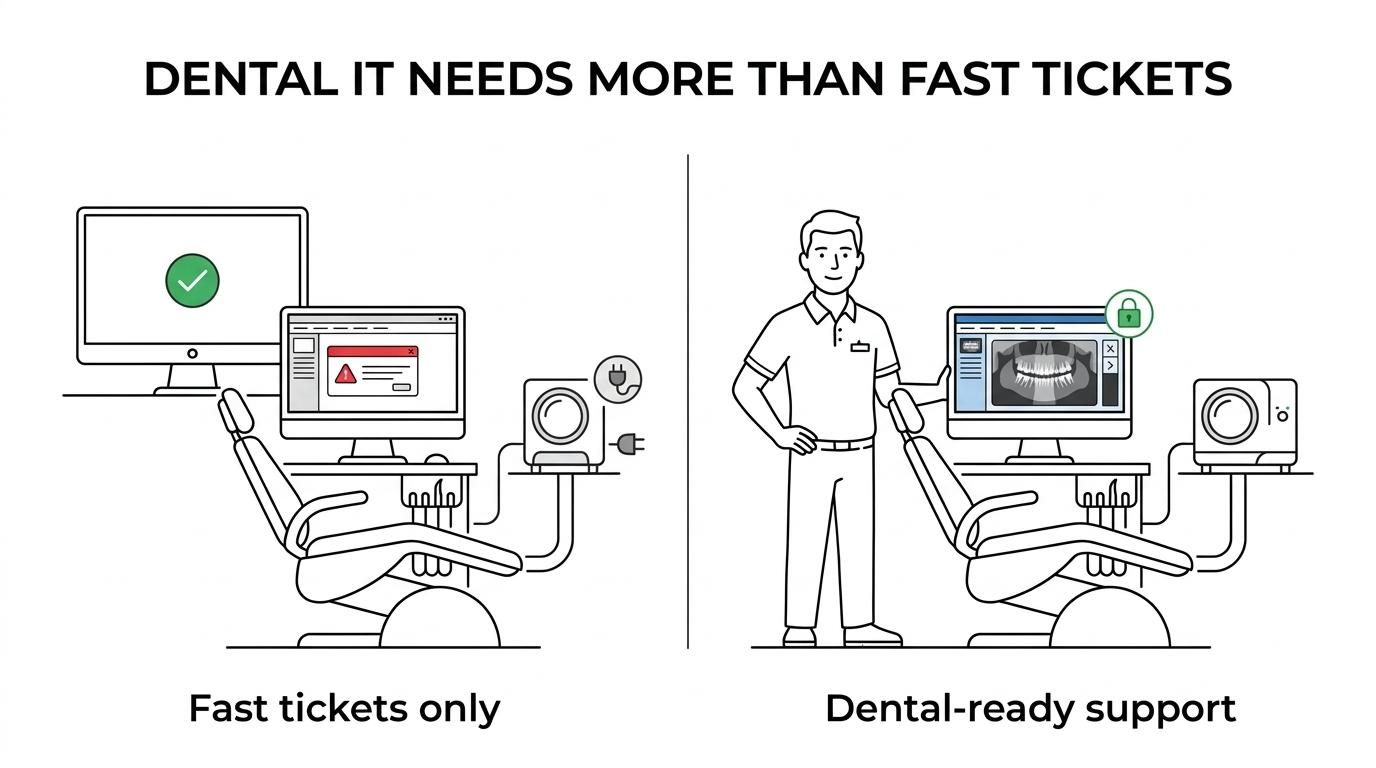
The American Dental Association recommends full-disk encryption, anti-malware and anti-virus on all network computers, and an emergency action plan for cyber incidents. That guidance is especially relevant in a dental setting because one infected workstation can spread malware across the same network and disrupt the whole practice.
“SRS Networks brings more than 28 years of managed IT services and cybersecurity experience to regional businesses.”
A common misconception is that dental IT is only about keeping Dentrix or Open Dental running. It also includes access control, backup integrity, vendor coordination, secure remote access, and recovery planning when a server, firewall, or internet circuit fails during patient hours.
Why does HIPAA status matter when choosing dental IT support near me?
It matters because many dental practices become HIPAA covered entities once they conduct a standard electronic transaction, whether directly or through another party. That status triggers written policies, risk analysis, technical safeguards, and document retention duties.
The ADA states that a dental practice becomes a covered entity by conducting a HIPAA standard electronic transaction or by having someone do so on its behalf. In plain terms, many practices are already inside HIPAA’s scope long before they think of themselves as “regulated.” If your IT provider treats HIPAA as optional or only mentions encrypted email, that is a warning sign.
The ADA also lists practical requirements for covered dental practices, including designating privacy and security officials, assessing risks to electronic patient information, and maintaining written privacy and security policies. Those compliance documents must be retained for at least six years from creation or last effective date, whichever is later.
HHS guidance adds an important detail: HIPAA risk analysis covers the confidentiality, integrity, and availability of all e-PHI your organization creates, receives, maintains, or transmits. If a provider cannot explain how they scope e-PHI across workstations, servers, cloud apps, imaging systems, and backups, then they are not describing a real risk analysis.
What are the 7 red flags in dental IT support providers near you?
The biggest red flags are vague compliance claims, weak ransomware planning, and no proof of support for the dental software your team uses every day. If a provider cannot answer workflow-specific questions, keep looking.
These warning signs usually show up during the first call, proposal review, or onboarding discussion.
-
They say “we handle HIPAA” but cannot describe a risk analysis process. HIPAA readiness starts with identifying where e-PHI lives and what can expose it.
-
They talk about compliance without written policy support. Dental practices need documentation, designated roles, and records retained for six years, not just a verbal assurance.
-
They do not make encryption and anti-malware standard. The ADA specifically recommends full-disk encryption and anti-malware across all network computers.
-
They sell backups but cannot show restore testing. A backup is not a recovery plan unless the provider can prove how long restoration takes and what data loss window is acceptable.
-
They have no named experience with Dentrix, Eaglesoft, or Open Dental. Dental IT support should include the actual platforms, imaging integrations, and update dependencies your staff uses.
-
They are remote-only with no clear local coverage. Remote support is fine for many issues, but scanner failures, cabling faults, firewall swaps, and operatory hardware problems often require hands-on work.
-
They promise fast response without outage triage rules. A dental office needs different priorities for a password reset, an imaging outage, and a down practice server.
Price is where many practices get pulled off course. The lowest monthly quote can look attractive until you realize it excludes project labor, after-hours recovery, firewall management, or on-site emergency work.
How can you verify HIPAA readiness in three checks?
You can verify HIPAA readiness by asking for process proof, not marketing language. A qualified provider should explain risk analysis, policy support, and technical safeguards in direct terms.
Step 1 is to ask how they perform a risk analysis for e-PHI. You want to hear about scope, asset inventory, vulnerabilities, user access, backups, cloud systems, and how findings are documented. If they only mention a network scan, that is too narrow.
Step 2 is to ask what compliance records they help you maintain. The ADA points to written privacy and security policies, assigned officials, and long-term document retention. If the provider cannot connect technical work to these operational requirements, the handoff between IT and compliance will stay weak.
Step 3 is to ask which safeguards are standard and which cost extra. Encryption, patching, access control, anti-malware, and audit-minded documentation should not sound like optional add-ons in a healthcare setting. A good answer is specific about what is included and who is responsible for each task.
One easy mistake is assuming that a “HIPAA checklist” equals compliance. It does not. A checklist can support the process, but the practice still needs a real assessment of its own risks and controls.
How do you test ransomware defense before signing a managed IT agreement?
Test ransomware defense by asking how the provider prevents, detects, isolates, and restores. Good answers include MFA, anti-malware, patching, backup testing, and a written incident-response process.
The ADA’s cybersecurity guidance gives you a useful baseline. It recommends anti-malware and anti-virus on all network computers, warns that one infected device can spread the infection, and notes that full-disk encryption can cost as little as $100 in some cases. That means a provider should treat endpoint protection and encryption as fundamentals, not premium extras.
Enforcement history shows why this matters. In April 2025, HHS Office for Civil Rights announced a $600,000 settlement with PIH Health after a phishing attack exposed unsecured e-PHI and affected nearly 200,000 individuals. If your prospective IT provider does not have a crisp answer on phishing defense and incident response, you are hearing a business risk, not just a technical gap.
A good follow-up question is simple: “Walk me through the first four hours after a ransomware alert.” Listen for isolation of compromised devices, communication steps, backup validation, and restoration order for critical systems. If they jump straight to “we restore from backup,” ask how often restores are tested and what the recovery time objective is.
How should you confirm support for Dentrix, Eaglesoft, or Open Dental?
SRS Networks is relevant here because it states support for Dentrix, Eaglesoft, Open Dental, and other practice-management software for dental offices. Any provider you shortlist should show the same kind of software-specific familiarity.
Start by naming your exact stack: practice-management platform, imaging software, sensors, scanners, printers, payment tools, and any cloud services tied to scheduling or patient communication. Then ask what breaks most often during updates, migrations, or workstation replacements. Providers with real experience usually answer with workflow details, not generic statements about “line-of-business applications.”
You should also ask how they handle version changes and vendor coordination. If your software vendor, imaging vendor, and IT provider all point to one another during an outage, your staff pays the price. Strong dental IT support includes owning the troubleshooting path even when multiple vendors are involved.
A practical tip here is to test one real workflow. Ask how they would troubleshoot a front-desk scheduling issue that affects only one workstation, or an imaging problem that appears after a Windows update. The quality of that answer tells you much more than a polished sales deck.
Is local dental IT support better than a remote-only provider?
Local dental IT support is better when your practice depends on chairside hardware, internet circuits, and same-day on-site fixes; SRS Networks, for example, states a defined California service footprint and on-site support for dental IT. Remote support still works well for many routine tickets.
The trade-off is speed versus cost structure. Remote-only providers can be effective for password resets, Microsoft 365 issues, policy changes, and many software fixes. Local providers become more valuable when the problem is physical: failed switch ports, firewall replacement, wireless dead zones, structured cabling issues, UPS faults, or equipment moves during an office expansion.
“SRS Networks says it provides managed dental IT services in Salinas, Monterey, Gilroy, Watsonville, the Bay Area, and San Jose.”
If a provider markets itself as “near me,” ask for the actual service footprint, typical on-site response expectations, and whether hardware swaps are handled by employees or third parties. A regional presence only matters if it improves recovery time during real outages.
Should you choose a dental-specific IT company or a broader MSP?
The better choice depends on who can prove dental workflow competence plus security discipline. A dental-only firm may know your applications deeply, while a broader MSP may bring stronger cloud, network, and cybersecurity depth.
A specialized dental IT provider often has faster pattern recognition for practice-management quirks, imaging drivers, and operatory device issues. That can reduce troubleshooting time in small practices with a standard dental stack. The downside is that some niche firms are light on strategic planning, identity security, cloud governance, or multi-site network design.
A broader managed service provider can be the better fit when your practice has multiple locations, a hybrid workforce, Microsoft 365 dependency, or broader compliance pressure. The key is that breadth only helps if the provider can still speak the language of the practice floor. If they are strong on cybersecurity but weak on Dentrix workflows, you may trade one gap for another.
If your practice is growing quickly, ask which model handles change better. Dental-only expertise can be ideal for stable single-site operations. A mature MSP model can be stronger when you need budgeting, lifecycle planning, disaster recovery testing, and executive-level IT guidance across a larger footprint.
What questions should you ask before switching dental IT providers?
Ask questions that expose process, response quality, and proof. You need direct answers on compliance, software support, backup restoration, local coverage, and accountability during outages.
A strong provider should be comfortable answering detailed questions without hiding behind vague promises. If the answers are soft before the contract is signed, service clarity usually gets worse after onboarding.
- Risk analysis: Who performs it, what systems are in scope, and how are findings documented?
- HIPAA records: What written policies, retention support, and role assignments do you help the practice maintain?
- Dental software: Which versions of Dentrix, Eaglesoft, or Open Dental do you actively support today?
- Backups and recovery: How often are restores tested, and what recovery time objective do you plan around for a server outage?
- Local service: What is your on-site coverage area, and who actually comes to the office for urgent issues?
- Security controls: Are encryption, anti-malware, MFA, patching, and phishing response included by default or sold separately?
Listen closely to the difference between “yes, we do that” and “here is how we do that.” The second answer is the one that protects patient data, keeps operatories productive, and gives your practice a real standard for comparing providers.