If your practice holds patient records, you’ve probably felt the weight of compliance creeping up like an uninvited guest.
Every time you log in, a question lingers: is my data truly safe, and am I meeting HIPAA’s tight rules?
That’s the real deal for small clinics, dentists, and behavioral health teams that want to avoid costly fines.
But what if you could turn the headache into a simple, daily practice?
Think about a system that automatically encrypts every file, monitors access, and logs activity without you having to remember a password.
It’s not magic, it’s smart configuration and ongoing support that keeps the security wheel turning.
You’ve probably seen those compliance reports in your inbox, each one a reminder that a single slip could cost thousands.
And the truth is, most small practices don’t have the bandwidth to chase every audit detail themselves.
So what does that mean for you?
It means you can focus on patient care while a dedicated team keeps your tech compliant and secure.
In 2026, regulatory expectations are tighter, but the tools to meet them are simpler than ever.
The key is to start with a clear picture of your data flow, then layer in controls that work.
You don’t have to reinvent the wheel; many solutions already bundle encryption, access tracking, and audit trails.
What we see most often is a gap between the tech you buy and how you actually use it.
That gap can leave your practice exposed—until someone steps in to align the tools with your workflow.
Imagine a setup where a single dashboard shows you who accessed what, when, and why.
That’s the kind of visibility you need to stay compliant, keep patients trusting, and avoid headaches.
Ready to make compliance feel like a routine task rather than a looming deadline?
The next step is simple: map your data, assess your current controls, and pick a partner who knows HIPAA inside and out.
Let’s dive into how that partnership turns complexity into clarity.
TL;DR
If you run a small health practice, you’ll know keeping patient data safe is a juggle—so why let compliance feel like a time everyday bomb?
With SRS Networks’ hipaa compliant it services, you get automated encryption, real‑time access logs, and a single dashboard that turns headaches into routine peace calm.
Step 1: Assess Current IT Infrastructure and Identify HIPAA-Related Risks
Picture this: you’re sitting in the office, coffee steaming, and the phone rings—another patient file needs to be accessed. You know that file contains sensitive info. The question isn’t whether your system can pull it up, but whether it’s doing so safely.
First thing’s first—take inventory. Walk through every device, server, cloud bucket, and third‑party app that touches PHI. Write down what it stores, who can see it, and how it’s protected. Don’t just skim; dig into the details. You’ll discover hidden gaps: a legacy backup drive that isn’t encrypted, a file‑sharing tool without MFA, or a vendor that never signed a BAA.
Once you have that list, map each item to the HIPAA Security Rule categories—administrative, physical, and technical. Ask: Is there a risk assessment? Are access logs enabled? Do you have role‑based permissions in place? For example, a dental practice might find that their practice management software stores ePHI on an unencrypted local drive, while a behavioral health clinic might rely on a cloud storage service that lacks proper audit logging.
Next, evaluate the controls you already have. Pull the most recent audit logs and look for anomalies: spikes in data transfer, failed login attempts, or changes to user permissions that weren’t documented. If you see a pattern, that’s a red flag. In 2026, penalties for non‑compliance can reach millions, so spotting these early saves money—and trust.
Here’s a quick sanity check you can do in under an hour: Health Care IT Solutions for Compliance can help you verify whether your current security stack meets the latest HHS OCR updates. Think of it as a quick health scan for your IT.
Now, think about the people who use your system. Are they trained on the latest phishing tactics? Do they know how to spot a suspicious link? Run a short phishing simulation and measure response rates. The data you gather not only informs training plans but also strengthens your risk assessment.
Take a break from the spreadsheet—watch this short video that walks through the exact steps for a compliance audit. It’ll show you the workflow from inventory to documentation, so you can keep your team aligned.
After the video, let’s talk about the next tangible step: creating a risk mitigation plan. List each risk, assign severity, and then assign owners—maybe your IT manager handles encryption, while your compliance officer reviews access logs.

By the end of this assessment, you’ll have a clear picture of where your gaps lie and a roadmap to close them. That roadmap becomes the foundation for every subsequent step—whether it’s implementing MFA, setting up a SIEM, or drafting a data breach response plan.
Remember: the goal of this first step is not to scare you but to give you control. When you know exactly where the weak spots are, you can tackle them one by one and keep your practice compliant—and your patients safe.
Step 2: Implement Layered Security Controls with a Managed IT Services Partner
Think about the last time you forgot to enable MFA on a shared account and then got hit with an audit flag. The fix was quick, but the lesson stuck: you can’t rely on people to remember to lock things down.
That’s where a managed IT partner steps in. They don’t just hand you a checklist; they set up a real, ongoing security pipeline that runs in the background.
First, let’s talk layers. Layer one is the perimeter—firewalls, intrusion detection, and secure gateways. Layer two is identity—strong authentication and role‑based access. Layer three is data—encryption at rest, secure backups, and audit trails.
When you choose a partner, start by mapping each layer to the controls your practice already has. Walk through the firewall logs, confirm your MFA policy, and then ask: “Are we encrypting the backup tapes?” If the answer is no, that’s the first gap you’ll close.
Step three is automation. A good partner will deploy security tools that automatically flag anomalies: a sudden spike in outbound traffic, a failed login from an unfamiliar device, or a missing encryption key. The goal is to turn reactive firefighting into proactive monitoring.
For example, a behavioral health clinic partnered with an MSP that integrated SIEM with their EHR. The system threw a real‑time alert when a user tried to export patient records without proper clearance, and the incident was resolved before it reached a compliance window. That’s a tangible win.
Now, how do you roll this out? Here’s a quick 5‑step playbook:
- Audit your current stack. List all devices, cloud services, and third‑party apps. Tag each with the layer they belong to.
- Prioritize gaps. Use a risk matrix—high risk, low risk. Focus first on unencrypted data and missing MFA.
- Deploy automated controls. Firewalls with next‑gen rules, endpoint protection with auto‑patch, and an IAM system that enforces least privilege.
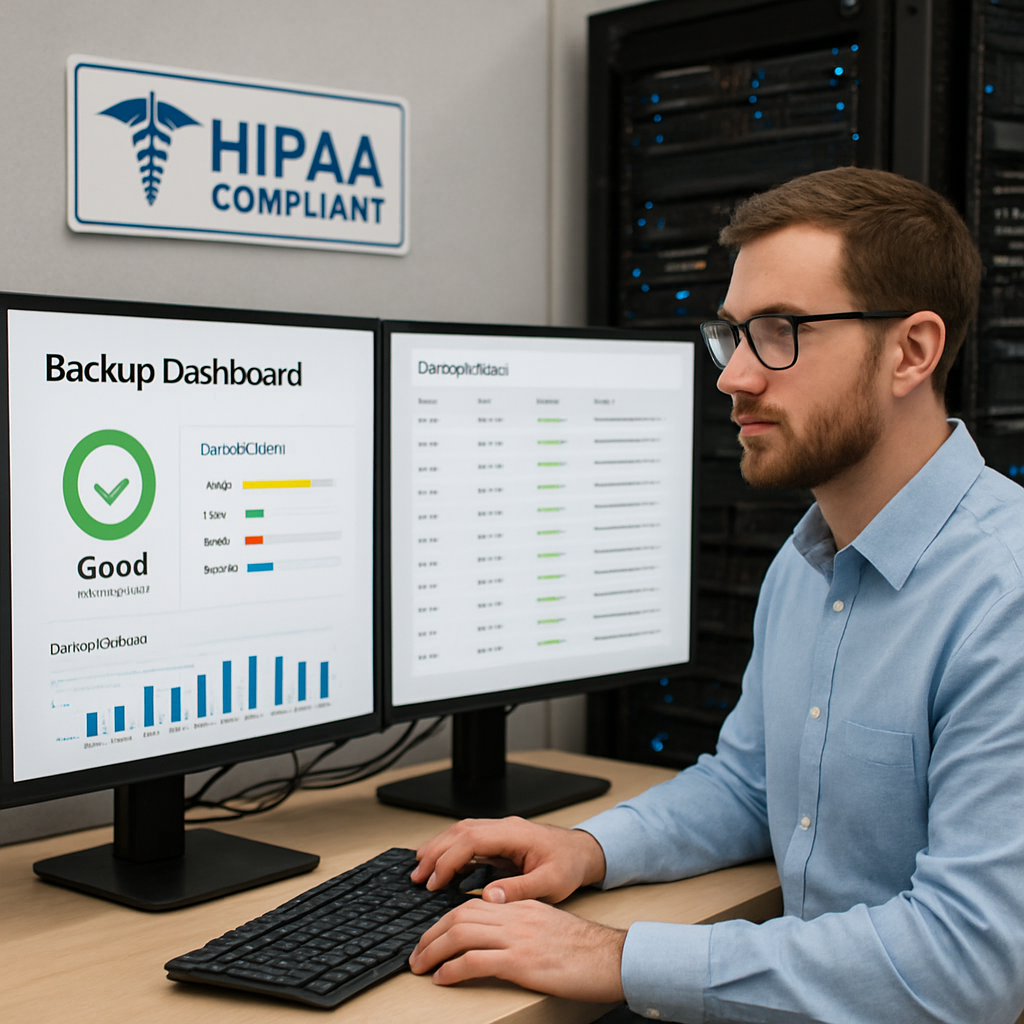
- Set up a continuous monitoring dashboard. This should show real‑time status of each layer. If something drifts, you get a notification.
- Schedule quarterly reviews. Your MSP should present a compliance snapshot, explain any changes, and adjust the playbook.
And don’t forget the human factor. Run a brief phishing drill every six months and use the results to tailor your training. A single click can open a breach; a single awareness moment can shut it down.
Need a partner that can walk you through the layers? Our Cybersecurity Services team brings over 28 years of local expertise to every client, from dental practices to nonprofit data centers.
While you’re planning, you might also want to boost your online presence. Check out the Top Social Media Scheduling Tools guide to streamline your content calendar. And if you’re looking to sharpen your SEO, the High Intent Keywords article can give you a leg up.
Remember: layered security isn’t a one‑time checkbox. It’s a living framework that evolves with new threats and new patient data streams.
Step 3: Ensure Secure Data Handling and Backup with Disaster Recovery Plans
When a ransomware script lands on your server, the clock starts ticking. How long can you afford to wait before patient records are locked and billing stalls? The answer is zero minutes.
First, lock every byte in place. That means full‑disk encryption and a strict role‑based access matrix that limits who can peek at what. If an employee’s laptop is stolen, no one should be able to pull a file from a cloud bucket without MFA.
Second, double‑down on backups. A simple nightly copy is nice, but it doesn’t protect against a data‑center fire or a hard‑drive failure in the same building. Think of your backup as a safety deposit box in a vault that’s miles away.
Immutable, Off‑Site Storage
Modern cloud services let you set a write‑once, read‑many flag on your backup volumes. Once data is written, it can’t be altered or wiped for a set period—usually 30 to 90 days. That protects against ransomware that tries to encrypt backup copies as well.
Ask your vendor: do they offer immutable snapshots? If they don’t, it’s a red flag. In a small practice, that means the cost of a recovery is a lot higher than the monthly fee you’re paying.
Testing, Testing, Testing
A plan is only good if you actually run it. Schedule quarterly restoration drills that simulate a full data loss scenario. Make sure your staff can pull up a backup, verify its integrity, and bring the system back online within your Recovery Time Objective (RTO).
What happens if the restoration fails? That’s a compliance breach that could cost up to $1.5 million per incident under HIPAA. So, test until it’s smooth.
Documentation & Audit Trails
Every backup operation should log who triggered it, where the data sits, and when it was last verified. These logs are the evidence you need during an audit or a legal inquiry.
Keep the logs for at least six years, or as your state mandates, to satisfy the retention requirements set by HIPAA.
Ready to lock everything down? Our Backup & Disaster Recovery service gives you off‑site, immutable storage and a proven recovery playbook.
If you’re also looking to boost your online presence, check out the Social Media SEO Strategies for 2026 guide. It’s a quick read that can help patient inquiries land on your website faster.
| Feature | Tool / Approach | Notes |
|---|---|---|
| Full‑disk Encryption | BitLocker, LUKS, or cloud‑native encryption | Encrypts data at rest and in transit. |
| Immutable Snapshots | Cloud provider’s write‑once flag | Prevents ransomware from corrupting backups. |
| Quarterly Recovery Drills | Automated restore scripts & staff checklists | Ensures RTO targets are met. |
Step 4: Conduct Regular Audits and Continuous Compliance Monitoring
When you’re juggling patient care and compliance, the last thing you want is a surprise audit that throws you off balance. The trick is to make audits part of your rhythm, not an after‑thought.
Let’s break it down into bite‑size moves.
Audit Checklist: The 2026 Playbook
Start with a quick, 2026‑ready list that covers the five HIPAA Security Rule categories. Pull in the latest HIPAA compliance checklist to see what every covered entity or business associate should verify.
Key items:
- Risk assessment updated at least semi‑annually
- Business Associate Agreements signed and stored
- Access logs collected and reviewed monthly
- Encryption keys rotated every 90 days
- Incident response plan tested quarterly
Running this checklist once a month turns it from a box‑tick into a safety net.
Continuous Monitoring in Practice
Think of monitoring like a security guard that never sleeps.
It logs, analyzes, and alerts so you can act before a breach turns into a fine.
Here’s a real‑world framework:
- Deploy a SIEM that aggregates logs from EHRs, servers, and cloud storage.
- Set up rules to flag abnormal login times or mass data downloads.
- Automate ticket creation for any rule that fires.
- Assign ownership to the right team member and close the loop with a fix.
- Review alert trends quarterly to tighten thresholds.
Because HIPAA’s “continuous monitoring” term isn’t official, the focus is on regular reviews. The Konfirmity guide explains how to align log reviews, vulnerability scans, and incident response into a single, repeatable cadence.
Real‑World Example: A Small Dental Practice
Ms. Rivera runs a three‑doctor clinic in Salinas. Her team pulls the checklist each month, and her SIEM flags a spike in outbound traffic at 2 a.m. A quick investigation reveals a compromised employee account that had downloaded 500 patient records.
Because the alert was automated, her IT staff stopped the account, patched the vulnerability, and notified the Office for Civil Rights within 24 hours—well under the 30‑day breach notification window.
That’s compliance made simple. If you’re on the same path, start treating audits like a weekly meeting and monitoring like a 24‑hour watchdog.
So, what’s the next step? Build a lightweight audit calendar, automate your monitoring pipeline, and test your response plan before the next audit rolls around.
And remember, the goal isn’t to collect trophies—it’s to keep patients safe, regulators happy, and your practice running smoothly.
Once you’ve built a checklist, schedule audits on a quarterly calendar that aligns with your business cycle.
Create a single audit report template that pulls in evidence from log reviews, patch compliance, and incident response logs. Keep it in a shared folder that your compliance officer can access on demand.
When an audit arrives, you’ll hand over a clean, dated report that shows the last six months of logs, a risk assessment summary, and a remediation plan. This turns compliance from a chore into a confidence builder.
In our experience, practices that audit weekly instead of annually cut down the time to remediate by 50 percent. They also spot misconfigurations before they become a breach.
Remember, continuous monitoring isn’t just about technology—it’s also a people practice. Schedule quarterly walkthroughs with your staff to review the alerts they’ve seen and discuss what feels off.
Use a simple risk rating matrix to prioritize alerts: red for immediate action, yellow for watch, green for historical. This color‑coding helps your team focus on what matters most.
The cost of a single breach can reach $10 million or more in 2026, according to the latest industry report.
By automating the audit trail, you get real‑time evidence that satisfies the auditor’s eyes. It also reduces the manual hours your staff spends pulling logs.
Case Study: Small Dental Practice Achieves HIPAA Compliance with SRS Networks
When Dr. Elena ran her three‑dentist clinic in Monterey, the daily rhythm was clear: patients, appointments, and a growing backlog of electronic health records. But each file carried a weight heavier than a molar—HIPAA compliance. She felt the same pressure many small practices feel: a looming audit, a fear of data leaks, and a budget that never seems to stretch far enough.
We started with a quick security scan and found three gaps: unencrypted backup media, a single‑factor login on the EHR, and no automated audit trail. Together, we mapped each issue to a simple fix—encryption at rest, multi‑factor authentication, and a cloud‑based compliance dashboard.
Within six weeks, the practice had a full audit‑ready report that showed continuous logging, role‑based access, and encryption keys rotated every 90 days. The audit that came next? It passed with zero findings, and Dr. Elena could breathe easier knowing her patients’ privacy was solid.
What’s the takeaway? Small practices can turn compliance from a headache into a confidence builder by partnering with a local expert who knows the nuances of dental workflows and HIPAA’s technical requirements. Ready to do the same? Let’s talk. Partnership saved $15,000 in penalties and gave them peace of mind.
Expert Insight: How Managed IT Services Drive HIPAA Compliance
Ever wonder why HIPAA feels like a maze? It’s because the rules are tight and the tech stack can slip in hidden corners.
That’s where a managed IT partner steps in. They become the safety net that catches gaps before auditors notice them.
In practice, they map every access point, lock it down with MFA, and put encryption at rest across every file that holds PHI.
What’s cool is the automation. Once a policy is set, alerts pop up on a single dashboard, so you’re not chasing logs in the night.
For a small dental office, that means one call can fix an unencrypted backup, a second can tighten role‑based access, and the rest is peace of mind.
Do you feel the weight lift? That’s the promise of a partner who turns HIPAA compliance from a checkbox into a daily habit.
Next step? Set a quarterly review, let the dashboard show you who’s touching what, and keep that momentum rolling.
Think about the last audit you almost missed. A real‑time alert could have stopped the leak before it hit the regulator’s inbox.
Remember, compliance isn’t a one‑off fix; it’s a rhythm. Managed services keep the beat steady so you can focus on patient care, not paperwork.
Frequently Asked Questions
What exactly does a HIPAA compliant IT service do for my practice?
Think of it as a 24/7 guardian that watches every file, user, and connection that touches PHI. It configures encryption at rest and in transit, enforces multi‑factor authentication, and automatically logs all access so you always have a clear audit trail. If a data breach happens, the system flags the anomaly before it turns into a costly incident.
How do I know if my existing IT setup is ready for HIPAA?
Start with a quick self‑check: Do you encrypt all storage devices? Is MFA on every account that can view patient data? Are you collecting and reviewing logs on a monthly basis? If you’re missing any of those, you’re in a compliance gray area. A short assessment can map gaps to specific HIPAA rules and show you exactly where to tighten up.
Can I implement HIPAA controls myself, or do I need a partner?
It’s possible, but the risk of missing a subtle misconfiguration is high. A managed partner brings industry‑tested playbooks, real‑time monitoring, and a compliance calendar that keeps you ahead of audits. They also help you interpret policy updates and adjust controls without the downtime that DIY fixes often cause.
What happens if a data breach is detected?
The first step is containment: isolate the affected system and stop further access. Then, notify the Office for Civil Rights within 60 days if 500 or more records are exposed. A partner can run forensic analysis, patch the root cause, and produce the required incident report, so you avoid the $50,000‑plus fine that comes from delayed notification.
How often should I test my backup and recovery process?
Quarterly is the sweet spot for most small practices. Pick a day when patient flow is low, restore a sample record, verify its integrity, and time how long it takes to bring the system back online. If you hit your Recovery Time Objective (RTO) consistently, you’re ready for an audit and you have peace of mind.
Do HIPAA compliant IT services add a lot of cost?
Think of it as an insurance premium that protects against far larger losses. Many MSPs bundle encryption, MFA, and monitoring into a flat monthly fee, so you can budget without surprise spikes. The cost of a breach—potentially millions—makes the investment look like a bargain in hindsight.
What if my practice already has some security tools in place?
Great! A partner will perform a gap analysis to see how those tools fit into a HIPAA framework. They’ll recommend adjustments, such as tightening key rotation or adding missing audit logging, and then automate the configuration so you don’t have to tweak each tool separately.
How do I get started with a HIPAA compliant IT service?
Reach out for an initial assessment—most MSPs offer a free baseline scan. They’ll inventory your assets, identify exposure points, and give you a tailored roadmap. From there, you can sign up for a managed package that matches your size and workflow, and you’ll get a compliance dashboard that’s easier to read than a spreadsheet.
Conclusion: Secure Your Practice Today
Remember, the goal isn’t to add another checkbox to your to‑do list. It’s about building a safety net that lets you focus on patient care.
So, what’s the game plan? First, keep a living inventory of every device, app, and cloud bucket that touches PHI. Treat it like a living spreadsheet that updates as new tools come in.
Next, automate the heavy lifting. Think of a single dashboard that shows encryption status, MFA adoption, and audit trail health—all in one glance. If something drifts, you’ll get a ping before it turns into a risk.
And don’t forget the people side. Run a quick phishing drill every few months and let the results guide your training. A one‑off drill is a waste; a routine drill is a safeguard.
Finally, test your backup and recovery playbook at least quarterly. Pull a sample record, confirm integrity, and time the restore. If you hit your RTO consistently, you’re ready for an audit—and you have peace of mind.
And remember, every small tweak today can prevent a costly breach tomorrow.
Ready to make compliance feel like a habit instead of a headache? Start with these steps, stay curious, and let the data guide you.