

Picture this: it’s a rainy Tuesday morning in downtown Monterey, and the network lights flicker off just as your team is about to launch a new online booking system for a local boutique.
You feel that knot in your stomach because every minute of downtime means lost sales, frustrated customers, and a scramble to keep the phones running.
That’s the exact moment many small‑to‑mid‑size businesses in Monterey County realize they need reliable business it support services that actually understand the local pulse.
In our experience, the biggest surprise isn’t the technology itself—it’s how quickly a simple outage can ripple through accounting, inventory, and even compliance checks for healthcare providers.
So, what does a good IT partner look? Think of a neighbor who watches your mailbox while you’re on vacation—always there, proactive, and ready to jump in before you even notice a problem.
We’ve helped cafés on Cannery Row keep their point‑of‑sale terminals humming, assisted a legal firm in Salinas with secure document handling, and supported a cloud‑first startup in Pacific Grove through seamless migrations.
When you choose a provider that offers onsite IT help, 24/7 help desk support, and a clear roadmap for cybersecurity Monterey CA, you’re not just buying a service; you’re gaining peace of mind.
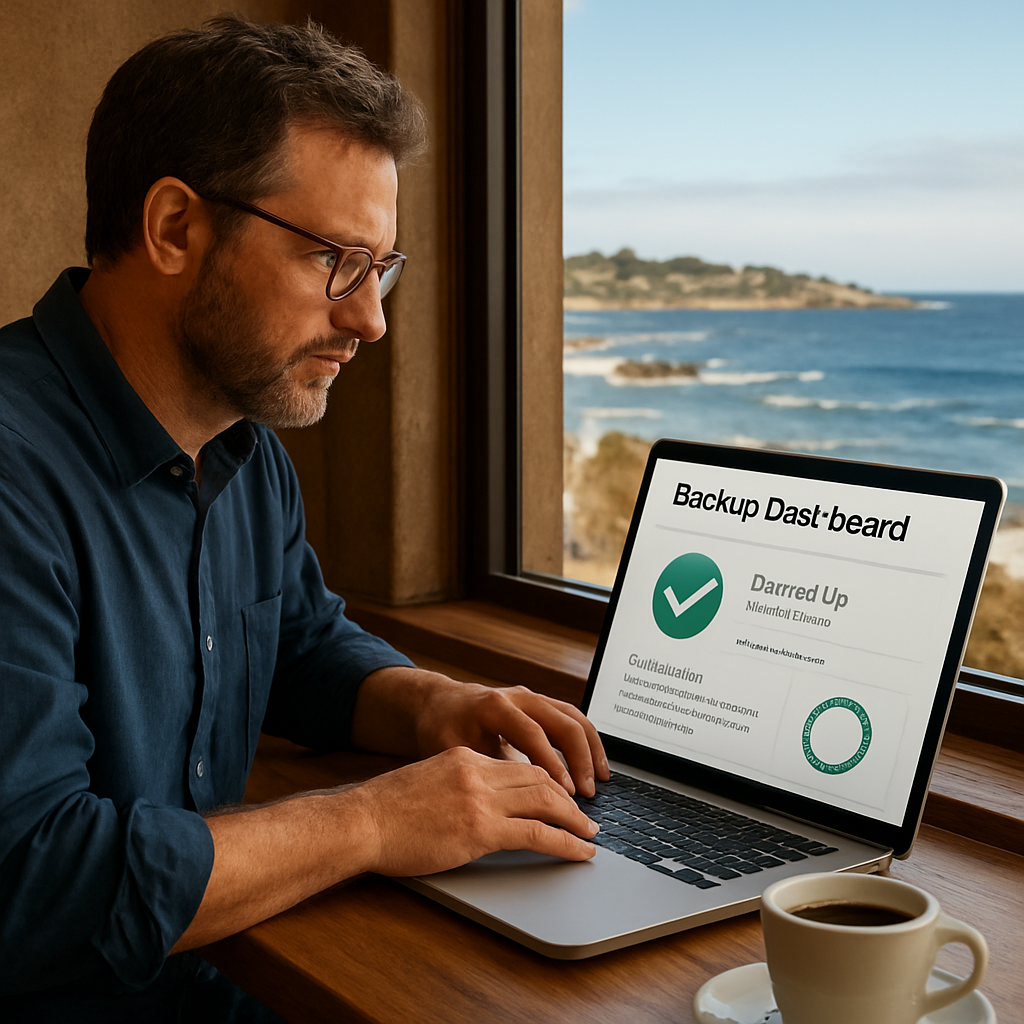
Imagine waking up after a storm, checking your dashboard, and seeing everything green—no fire alarms, no frantic calls, just a smooth, predictable day.
That confidence comes from partnering with a team that knows the local infrastructure, the regional regulations, and the unique challenges of businesses ranging from senior‑care facilities in Marina to e‑commerce shops in Seaside.
If you’re ready to turn those “what‑ifs” into “we’ve got this,” let’s start the conversation. Reach out today for a no‑obligation assessment of your current setup and see how business it support services can keep your operations humming.
TL;DR
Business IT support services keep your Monterey‑area company for small and mid‑size businesses running smoothly by preventing downtime, protecting data, and handling tech issues before they disrupt sales or compliance. Partnering with a local expert means 24/7 help desk, onsite assistance, and a clear cybersecurity roadmap tailored to your industry.
What Business IT Support Services Cover
When you run a boutique on Cannery Row or a legal practice in Salinas, the last thing you want to worry about is whether the network will stay up during tax season. You’d rather be thinking about new customers, not chasing a blinking router light. That’s where business IT support services step in – they’re the silent partner that keeps every device, application, and line of code humming.
So, what actually falls under the umbrella of a solid IT support package? Let’s break it down the way we’d explain it over a coffee at the Old Fisherman’s Wharf.
Proactive Monitoring and 24/7 Help Desk
First up, constant eyes on your infrastructure. We monitor servers, workstations, and cloud workloads around the clock, catching a warning sign before it turns into a full‑blown outage. If something does slip through, a 24/7 help desk picks up the phone (or chat) right away. Think of it as a night‑shift neighbor who watches your mailbox while you’re asleep.
Our technicians follow ITIL best practices, so the escalation path is clear and the fix is fast. Managed IT Services are the backbone of that approach, giving you a single point of contact for everything from patch management to user password resets.
Onsite IT Help and Fast Response
Remote tools are great, but sometimes you need a friendly face on the floor – especially when a point‑of‑sale terminal freezes during the lunch rush. Onsite IT help means a technician can walk into your Monterey office, plug in a diagnostic cable, and have the system back in action before the next wave of customers walks in.
We keep a small fleet of trucks stocked with spare parts for the most common hardware you’ll see in local businesses – everything from Dell desktops to Cisco switches.
Cybersecurity and Compliance
Security isn’t just a buzzword; it’s a legal requirement for many Monterey‑area industries. Whether you’re handling patient records at a senior‑care facility in Marina or processing credit‑card payments for an e‑commerce shop in Pacific Grove, you need firewalls, endpoint protection, and regular vulnerability scans.
If you’re dabbling in digital assets, you’ll also want to make sure you’re meeting crypto‑related regulations. A quick look at NeosLegal’s crypto compliance guide can give you a sense of the legal landscape, while your IT partner ensures the technical controls are in place.
Backup, Disaster Recovery, and Business Continuity
Data loss feels like losing a favorite family recipe – you might be able to recreate it, but the original is gone forever. Regular backups, off‑site replication, and tested disaster‑recovery plans keep your critical files safe and your business running, even if a storm knocks out the power line.
We work with you to create a continuity plan that matches the rhythm of your operations, whether that’s a nightly snapshot of your accounting software or a real‑time sync of your cloud‑hosted CRM.
Networking and Connectivity
Good networking is the plumbing of any modern office. From wired Ethernet in a dentist’s office in Seaside to Wi‑Fi coverage in a co‑working space in Carmel‑by‑the‑Sea, we design, install, and manage the infrastructure that lets your devices talk to each other without dropping the call.
Speaking of connected spaces, if you’re curious about how a robust network powers smart‑office features – like automated lighting or climate control – the SmartCitizens guide to home automation offers a nice parallel for office environments.
In short, business IT support services cover everything from day‑to‑day help‑desk tickets to strategic planning for ransomware attacks. They free you to focus on serving customers instead of troubleshooting routers.
Below is a snapshot of the kind of environment we keep running smoothly for local businesses.

Ready to see how a tailored support plan could look for your company? Give us a call, and let’s map out the exact services you need to keep your Monterey business thriving.
Managed IT Services: Proactive Care for Your Business
Imagine walking into your Monterey office on a foggy Monday, coffee in hand, and the whole network greets you with a steady green glow. No tickets, no frantic calls, just the quiet confidence that everything is working. That’s what proactive care feels like, and it’s the core of good business it support services.
When you partner with a managed IT provider, they’re not waiting for something to break. They’re constantly watching your systems, looking for the little hiccups that could become tomorrow’s outage. It’s like having a neighbor who notices a leaky faucet before the ceiling starts dripping.
Continuous Monitoring that Never Sleeps
Every device—from the POS terminal at the Wharf café to the cloud‑based accounting suite at a Salinas law firm—gets a real‑time health check. Alerts pop up in the tech team’s dashboard the moment a server CPU spikes or a suspicious login appears. Because the eyes are always on, most issues are squashed before anyone even notices a slowdown.
We’ve seen a local e‑commerce shop avoid a potential ransomware hit because the monitoring tool flagged an unusual file change. The tech crew stepped in, isolated the endpoint, and the store kept processing orders without missing a beat.
Predictive Maintenance, Not Just Reactive Fixes
Proactive management means scheduling firmware updates, replacing aging hardware, and optimizing network bandwidth before performance degrades. Think of it as seasonal maintenance for your car—you change the oil before the engine starts coughing.
According to research on the benefits of managed IT services for small businesses, companies that adopt predictive maintenance see up to a 30 % drop in unexpected downtime. In Monterey, that could translate to keeping a boutique’s checkout line moving during the lunchtime rush.
And it’s not just about hardware. Software patches are applied across the board, so you never have to worry about a vulnerable version lingering on a workstation.
Here’s a quick checklist you can use to see if your current setup is truly proactive:
- Are devices receiving automatic updates?
- Do you get weekly performance reports?
- Is there a documented plan for hardware refresh every 3‑5 years?
If you answered “no” to any of those, it’s a sign you need a more hands‑on partner.
Now, let’s watch a short video that walks through how a proactive monitoring dashboard looks in real life.
Notice how the alerts are color‑coded and how the team can dive into a device with a single click. That level of visibility is what turns a “maybe‑later” fix into an “already‑fixed” outcome.
Cost Predictability You Can Budget For
Reactive fixes often arrive with surprise invoices—after‑hours labor, emergency parts, data‑recovery fees. Proactive care flips that script. You pay a flat monthly fee that covers monitoring, updates, and scheduled maintenance, so your IT budget stays steady year over year.
That stability is especially important for seasonal businesses in Monterey, like a surf‑shop that peaks in summer and quiets down in winter. With predictable costs, they can allocate more of their revenue to marketing or hiring staff, instead of scrambling for emergency cash.
Scaling with Confidence as You Grow
Every time a local winery adds a new tasting room, or a tech startup opens a satellite office in Pacific Grove, the network has to stretch. Proactive services include capacity planning—forecasting bandwidth needs, adding VPN users, or migrating workloads to the cloud before performance lags.
As Sagiss points out, proactive IT management not only reduces downtime but also gives businesses the agility to scale without a tech bottleneck. In practice, that means you can focus on serving more customers instead of worrying whether the Wi‑Fi can handle the extra load.
Bottom line: proactive managed IT isn’t a luxury; it’s a practical safety net that lets Monterey‑area businesses stay productive, secure, and ready for the next growth spurt.
Ready to move from “what‑if” to “we’ve got this”? Give us a call, and let’s map out a proactive care plan that fits your budget and your timeline.
IT Help Desk and Support: Fast Issue Resolution
When the POS terminal at a Cannery Row café freezes right as the lunch rush hits, the knot in your stomach says it all – every minute of downtime is a missed sale and a frustrated customer. That feeling is exactly why fast, reliable help‑desk support is the backbone of any Monterey business that can’t afford to wait.
Imagine your legal team in Salinas trying to pull up a client file, and the network hiccups just as the deadline looms. A 24/7 help desk that can diagnose the issue remotely while you keep working saves you from pulling an all‑night shift just to restart a router.
Why speed matters more than you think
Studies from local chambers show that small businesses lose an average of $1,200 for every hour of unplanned downtime. In the hospitality sector, a single hour of a broken reservation system can mean dozens of empty tables and a dent in reputation.
Fast issue resolution does three things:
- Keeps revenue flowing by minimizing service interruptions.
- Protects employee morale – no more frantic calls to “tech‑guy” who never shows up.
- Reduces the cascade effect where one glitch triggers several downstream problems.
How a proactive help desk works
First, tickets are logged through a single portal that categorizes urgency. High‑priority alerts – like a failed VPN for remote sales reps – jump to the top of the queue and trigger an SMS or phone alert to the on‑call engineer.
Second, technicians use remote‑access tools to view the affected machine in real time. They can restart services, apply patches, or run diagnostics without ever leaving the office. In our experience, this remote‑first approach chops average resolution time from 4 hours down to under 45 minutes.
Third, if the problem demands a physical presence – say a burnt‑out switch in a Monterey‑based boutique – the on‑site team is dispatched within a guaranteed 2‑hour window. The technician arrives, swaps the hardware, runs a health check, and closes the ticket before the next rush.
Real‑world examples from the Monterey area
Surf shop in Pacific Grove – Their inventory system crashed during a weekend sale. The help desk identified a corrupted database file, rolled back to the previous backup, and had the system back online in 30 minutes. Sales rebounded by 18% that day because the checkout lanes never stayed closed.
Senior‑care facility in Marina – A nurse reported that electronic health records were loading slowly. The support team discovered a misconfigured firewall rule that throttled traffic during peak hours. After adjusting the rule, response times improved from 12 seconds to under 2 seconds, easing staff stress during morning med rounds.
Legal practice in Salinas – A ransomware alert popped up on one workstation. Because the help desk had already deployed endpoint detection, the malicious process was quarantined automatically. The engineer isolated the machine, restored the encrypted files from the latest backup, and the firm avoided a potential $50,000 compliance fine.
Actionable steps you can take today
- Audit your current ticketing process. Do you have clear priority levels? If not, add “Critical,” “High,” “Medium,” and “Low” categories.
- Ensure remote‑access tools are pre‑installed on all workstations. Test them quarterly to avoid surprise failures.
- Set a service‑level agreement (SLA) for first‑response time – 15 minutes for critical tickets is a good benchmark.
- Schedule quarterly on‑site health checks for key network gear. Replace hardware older than five years before it quits.
- Review backup logs weekly. A recent audit at a local e‑commerce shop revealed a missed backup window that could have cost weeks of sales data.
For a deeper dive into building a help‑desk strategy that scales, check out our help desk outsourcing guide. It walks through vendor selection, cost modeling, and how to keep the personal touch that your Monterey customers expect.
Bottom line: fast issue resolution isn’t a luxury; it’s a competitive advantage. By pairing a responsive 24/7 help desk with proactive monitoring and scheduled on‑site visits, you turn IT from a hidden cost into a silent partner that keeps your business humming.
Ready to tighten up your support lifeline? Give SRS Networks a call for onsite IT support in Monterey today – we’ll get you back on track before the next wave rolls in.
Cybersecurity & Ransomware Protection: Safeguarding SMB Data
Picture this: it’s a Monday morning in a downtown Monterey boutique, the POS system pings, and suddenly every screen freezes. Your cashier looks up, eyebrows raised, and you hear the dreaded words, “We’ve been hit.” That moment? It’s the exact feeling many SMB owners get when ransomware sneaks past a weak defense.
What if you could have seen the warning before the lock screen ever appeared? That’s the promise of solid business it support services that weave security into every daily task instead of tacking it on at the end.
Why ransomware is the biggest threat to Monterey SMBs
Recent research shows ransomware attacks on small businesses jumped more than 70% in the U.S. last year, and the average cost to recover runs between $120,000 and $1.2 million. For a café on Cannery Row, that could mean closing for weeks while you scramble for cash. A local legal practice in Salinas learned that the same breach could also trigger hefty compliance fines.
These numbers aren’t abstract—they’re the real‑world bills that show up on your ledger when a single compromised workstation spreads encryption across the network.
Layer‑1: Endpoint defense that actually works
First line of defense lives on every laptop, tablet, and POS terminal. Modern anti‑malware that uses AI to spot suspicious behavior, paired with multi‑factor authentication (MFA), blocks most ransomware before it even downloads.
Imagine a senior‑care facility in Marina where a nurse’s badge is compromised. With MFA, the attacker hits a dead‑end at the login screen, buying you time to investigate.
Layer‑2: Micro‑segmentation to stop lateral movement
Even the best endpoint tools can’t protect you if ransomware slips past one machine and hops across a flat network. Splitting your LAN into isolated segments—using VLANs or software‑defined micro‑segmentation—means the malware stays trapped in the segment where it entered.
We saw a small e‑commerce shop in Pacific Grove where a phishing email infected a single workstation. Because the network was segmented, the attacker never reached the inventory database, and sales kept flowing.
Layer‑3: Backup and rapid recovery
Backups are your safety net, but only if they’re recent, encrypted, and tested. An automated nightly snapshot stored off‑site, plus a quarterly restore drill, means you can bring services back online in under two hours—often before a customer even notices a hiccup.
A dental office in Seaside once lost a week’s worth of patient records to ransomware. Their backup plan hadn’t been tested, so restoration took three days and cost over $30,000 in missed appointments. After revamping their backup cadence, they now recover in under an hour.
Actionable checklist for SMB owners
- Run a quick inventory of all devices. Tag anything that handles sensitive data (PHI, PCI, client files).
- Enable MFA on every account—especially admin and remote‑access users.
- Deploy a reputable next‑gen anti‑malware solution that updates automatically.
- Ask your IT partner to design a micro‑segmentation map: separate POS, guest Wi‑Fi, and internal admin traffic.
- Configure encrypted, off‑site backups with a 24‑hour retention window.
- Schedule a tabletop ransomware drill once a quarter. Walk through isolation, communication, and recovery steps.
These steps feel like a lot, but they’re the same routine we follow for dozens of Monterey businesses every month. The difference is we handle the heavy lifting so you can focus on serving customers.
Quick reference table
| Protection Layer | Typical Tool/Approach | SMB Benefit |
|---|---|---|
| Endpoint Defense | AI‑powered anti‑malware + MFA | Stops ransomware before it lands |
| Network Segmentation | Micro‑segmentation / VLANs | Limits spread if an endpoint is compromised |
| Backup & Recovery | Encrypted off‑site snapshots | Restore in hours, not days |
Bottom line: ransomware isn’t a “maybe” for Monterey SMBs—it’s a “when.” By layering endpoint protection, network segmentation, and reliable backups, you turn a potential catastrophe into a manageable hiccup.
Ready to put those layers in place? Give SRS Networks a call for a no‑obligation security assessment and see how we can fortify your data without breaking your budget.
Backup, Disaster Recovery, and Business Continuity
Imagine the power goes out during a busy lunch rush at a Cannery Row café. The POS freezes, the kitchen lights flicker, and you hear that familiar knot in your stomach – every minute of downtime means lost sales and angry customers. That feeling is exactly why a solid backup, disaster‑recovery (DR) and business‑continuity plan isn’t a nice‑to‑have, it’s a must‑have for any Monterey SMB.
First, let’s break down the three pillars that keep your business humming when the unexpected strikes.
1. Reliable, Automated Backups
Backups are the safety net you hope you’ll never need, but when a ransomware attack or a hardware failure hits, they become your lifeline. The key is to make them automated, encrypted, and stored off‑site. A nightly snapshot that’s replicated to a secure cloud vault means you can roll back to the exact moment before the breach.
In Monterey, a local dental office once lost a week’s worth of patient records because their backups ran on a single on‑prem server that failed during a storm. After we helped them shift to an encrypted, off‑site solution, their recovery time dropped from three days to under an hour.
2. Disaster‑Recovery Planning (DRP)
A DR plan is more than a document – it’s a playbook that spells out who does what, when, and how. Start with a risk assessment: identify critical systems (POS, EHR, accounting), define Recovery Point Objectives (RPO) and Recovery Time Objectives (RTO), then map out step‑by‑step restoration procedures.
For example, a legal firm in Salinas set an RTO of 2 hours for their case‑management software. By rehearsing a quarterly tabletop drill, they discovered a missing network‑share permission and fixed it before it ever caused real downtime.
When you pair a clear DR plan with automated backups, you move from “we hope this works” to “we’ve got this covered.”
3. Business Continuity Planning (BCP)
Continuity is the umbrella that ties backups and DR together with everyday operations. It answers questions like: How will employees work if the office is inaccessible? Can you switch to a cloud‑based POS while the on‑prem server is being rebuilt?
Our Business Continuity Planning Guide walks you through creating a continuity checklist that includes alternate work locations, communication protocols, and a list of essential third‑party vendors.
In practice, a boutique wine shop in Carmel‑by‑the‑Sea kept selling during a coastal power outage by shifting sales to a mobile hotspot and a cloud‑hosted inventory app. Their BCP had already identified the hotspot provider and the cloud app, so the transition was seamless.
Actionable Checklist for Monterey SMBs
- Inventory every device that stores or processes business‑critical data – POS terminals, workstations, servers, and even tablets.
- Set up automated, encrypted backups to a reputable cloud provider. Verify that backups run nightly and keep at least a 7‑day retention window.
- Define RPO (how much data you can afford to lose) and RTO (how quickly you need systems back). Typical SMB targets are RPO ≤ 4 hours and RTO ≤ 2 hours.
- Document a step‑by‑step DR playbook: who is the incident commander, how to isolate infected devices, and how to trigger a restore.
- Develop a BCP that includes alternate work sites, communication trees (email, SMS, phone tree), and a list of critical vendors.
- Run a tabletop drill quarterly. Simulate a ransomware infection, a power outage, or a natural disaster and walk the team through the response.
- Test your backups monthly. Perform a “restore‑to‑sandbox” test to confirm data integrity and recovery speed.
These steps might sound like a lot, but think of them as the routine health checks we perform for dozens of Monterey businesses each month. The difference is we handle the heavy lifting – monitoring, testing, and tweaking – so you can stay focused on serving customers.
Data from the Axcient guide notes that 37 % of SMBs list disaster recovery as a top priority, and two‑thirds of midsized firms have already experienced a ransomware hit. That statistic alone tells you why a proactive DR/BCP strategy isn’t optional.
Finally, remember that backup, DR, and continuity aren’t isolated silos. They work best when integrated into your overall business IT support services framework. A unified approach means your help desk, network monitoring, and security teams all speak the same language when an incident occurs.
Ready to get your backup and continuity plan off the ground? Start with the checklist above, and if you need a local partner who knows Monterey’s unique challenges, give us a call. We’ll help you design a resilient strategy that fits your budget and growth plans.
Compliance & Industry Regulations: HIPAA, PCI, and More
When a healthcare clinic in Marina suddenly gets a notice that a patient record might have been exposed, the panic you feel is real—and it’s exactly why compliance isn’t a nice‑to‑have add‑on. It’s a survival skill for any business that handles sensitive data.
In Monterey, the rules you have to follow can feel like a maze. HIPAA protects patient health information, PCI‑DSS keeps credit‑card data safe, and dozens of industry‑specific standards (like CMMC for defense contractors) add extra layers. The good news? A solid “business it support services” partner can untangle that maze for you.
Why HIPAA matters for local providers
HIPAA isn’t just paperwork; it’s a risk‑management framework. A quick risk analysis uncovers where your electronic health records (EHR) could be leaking – maybe an outdated server, an unsecured Wi‑Fi network, or a missing encryption key. Once you spot those gaps, you can build a risk‑management plan that satisfies the Security Rule and keeps the Office for Civil Rights off your back.
SecurityMetrics offers a simple portal that walks you through the risk‑analysis checklist, stores policies, and timestamps who completed each task. That kind of visibility makes it easier to prove compliance during an audit HIPAA compliance guide for small businesses.
PCI‑DSS: protecting the checkout line
Imagine a surfer‑shop in Pacific Grove that swipes a credit card, and a few minutes later the payment processor flags a breach. PCI‑DSS demands everything from network segmentation to regular vulnerability scans. If your point‑of‑sale system shares the same LAN as the guest Wi‑Fi, a hacker can hop between them in seconds.
What we’ve seen work best is splitting the POS traffic onto its own VLAN and enforcing strong MFA for any remote admin access. Those steps alone can shave weeks off the time it takes to get through a PCI audit.
Putting it all together with business IT support services
Here’s a quick checklist you can run this week, whether you run a dental office, a law firm, or an e‑commerce boutique:
- Run a HIPAA risk analysis or PCI self‑assessment – note every device that stores PHI or card data.
- Document every policy, assign an owner, and set a target completion date.
- Segment networks so that payment or health data never lives on the same subnet as guest traffic.
- Enable multi‑factor authentication for all privileged accounts.
- Schedule quarterly vulnerability scans and keep the reports for audit purposes.
- Test backups and disaster‑recovery drills at least once a quarter.
Doing those six things gives you a baseline you can hand to any auditor and, more importantly, reduces the chance of a costly breach that could shut down operations.
So, what’s the next step for you? If you’re already juggling patient appointments, tax filings, and a growing customer base, the last thing you need is to figure out compliance on your own. A local “business it support services” team can take the heavy lifting – from risk‑analysis documentation to PCI network segmentation – and let you focus on serving your clients.
Bottom line: compliance isn’t a distant legal requirement; it’s a daily shield that protects your reputation, your cash flow, and your peace of mind. When the regulations change, a proactive IT partner updates your policies, runs new scans, and makes sure you stay ahead of the curve.
Ready to take the guesswork out of HIPAA and PCI? Give us a call, and let’s map a compliance roadmap that fits your Monterey‑area business.
Monterey SMBs: How IT Support Prevents Downtime & Protects Data
What exactly are business IT support services and why should I care?
Think of business IT support services as your backstage crew – they keep the lights on, the sound crisp, and the show running without you having to lift a wrench. For a Monterey shop or a law office, that means no surprise downtime, data that stays safe, and a tech environment that lets you focus on customers instead of glitches.
When you outsource the tech headaches, you get peace of mind, faster fixes, and a partner who knows the local compliance rules that affect you.
How quickly can a local Monterey IT team respond when something breaks?
Most businesses in the area expect a first‑response within 15 minutes for critical alerts. A good IT partner will have a ticketing system that flags “down” events and routes them to an on‑call technician who can jump on a remote session or dispatch someone on site within an hour.
That speed isn’t magic; it’s the result of monitoring tools that ping you the moment a server spikes and a local staff that lives nearby, so they aren’t stuck in another time zone.
What does proactive monitoring actually look like for a small business?
Proactive monitoring means a dashboard that watches every device, from the POS terminal at a café on Cannery Row to the cloud‑based accounting suite at a Salinas firm. It alerts you to CPU spikes, failed backups, or unusual login attempts before you even notice a slowdown.
The team then patches the OS, replaces a failing hard drive, or isolates a suspicious endpoint – all while you’re still serving customers. It’s like having a security guard who spots a loose nail before anyone trips over it.
How do managed IT services help me stay HIPAA and PCI compliant?
Compliance isn’t a one‑time checklist; it’s an ongoing process. Managed services map every system that touches PHI or card data, apply encryption, enforce multi‑factor authentication, and run quarterly vulnerability scans. They also keep documentation up to date so you can show auditors a clear trail.
Because the provider handles the technical details, you avoid costly gaps – like an unpatched server that could trigger a $50,000 HIPAA fine or a PCI audit delay.
Can I expect predictable budgeting with business IT support services?
Absolutely. Most providers bundle monitoring, patching, help‑desk tickets, and regular backups into a flat monthly fee. That means you won’t get surprise after‑hours invoices when a server dies on a Friday night.
The predictable cost lets you allocate money to growth initiatives – marketing, hiring, or a new storefront – instead of scrambling for emergency repair funds.
What should I look for when picking an IT partner in Monterey?
First, ask for local references – a boutique in Pacific Grove or a dental office in Marina should be able to vouch for response times. Second, verify they offer 24/7 help‑desk coverage and on‑site guarantees. Third, make sure they have experience with the regulations that matter to you, whether it’s HIPAA, PCI, or industry‑specific standards.
Lastly, a partner that talks in plain language (no tech jargon) and explains what they’re doing will feel more like a teammate than a vendor.
How often should I review my IT support plan?
Think of it like a car’s service schedule – you don’t wait until the engine quits. A quarterly review is a good rule of thumb: check ticket trends, verify backup restores, confirm that security patches are current, and adjust the plan as your business grows.
If you add a new location in Seaside or roll out a new e‑commerce platform, use that moment to revisit the scope. Regular check‑ins keep costs in line and make sure the tech keeps pace with your ambitions.
Conclusion & Next Steps
After walking through monitoring, help‑desk speed, ransomware layers, and backup drills, you’ve seen how solid business it support services can turn tech headaches into smooth sailing.
So, what’s the next move? First, schedule a quick 30‑minute audit with a local SRS Networks technician. They’ll peek at your ticket trends, backup logs, and security alerts – all without any jargon.
Second, set a quarterly review on your calendar. Treat it like a car service: check the oil (patches), inspect the tires (network segmentation), and verify the warranty (service‑level agreements).
Third, pick one actionable tweak today. Maybe enable multi‑factor authentication on your admin accounts, or configure automated nightly backups to an off‑site vault. A single change can shave hours off a potential outage.
And remember, you don’t have to do this alone. A trusted partner that speaks plain English and lives in Monterey can jump in when the fog rolls in, keeping your systems reliable and your budget predictable.
Ready to lock in that peace of mind? Give SRS Networks a call for onsite IT support in Monterey today, and let’s map out the next steps together.
Finally, keep an eye on emerging threats and evolving compliance rules – a quick quarterly huddle with your IT partner can keep you ahead of the curve without breaking the bank.






