

Ever felt that frantic moment when a printer jams during a client demo, or a software glitch stalls your e‑commerce checkout? You’re not alone—small and mid‑size businesses juggle dozens of tech hiccups every week, and every minute of downtime feels like a lost sale.
That’s where help desk outsourcing steps in. Instead of keeping a full‑time in‑house team that’s only busy half the time, you tap into specialists who live and breathe troubleshooting. They handle everything from password resets to network outages, letting you focus on serving customers rather than chasing error codes.
Take a local dental practice in Salinas. They swapped their three‑person IT crew for a managed help desk and saw ticket resolution time drop from 4 hours to under 30 minutes. The practice freed up two staff members to handle patient intake, boosting daily appointments by 15 %.
Or think about a boutique law firm in Monterey that needed HIPAA‑compliant support. By outsourcing, they gained 24/7 monitoring and rapid incident response without the overhead of hiring a compliance officer. The firm now passes internal audits with ease, and partners appreciate the added security.
What does the transition actually look like? Here’s a quick checklist you can run today:
- Identify the top three recurring issues your team spends the most time on.
- Map those issues to service‑level agreements (SLAs) you’d expect from an outsourced desk—like a 15‑minute response for critical outages.
- Choose a provider that offers a clear ticketing portal so you can track progress in real time.
- Start with a pilot—maybe outsource only your help desk while keeping strategic projects in‑house.
When you pick a partner, look for proven uptime stats and a transparent pricing model. In our experience, providers that bundle 24/7 IT Help Desk Support with proactive monitoring deliver the most consistent results.
And if you’re rolling out a new e‑commerce platform, remember that a smooth launch isn’t just about the storefront—it’s also about the backend support. A good read on complementary tools is Shopify alternatives for Australian small businesses, which highlights why solid IT support matters when you switch platforms.
So, does help desk outsourcing feel like the right move for your business? Take a moment to list your top tech pain points, and see how many could be handed off to experts. You might be surprised at the peace of mind—and the time—you’ll gain.
TL;DR
Help desk outsourcing lets SMBs swap endless ticket triage for fast, expert support, freeing staff to focus on revenue‑generating work instead of firefighting tech glitches.
By partnering with a local provider like SRS Networks, you gain 24/7 monitoring, predictable pricing, and compliance‑ready assistance that keeps your business running smoothly today.
Step 1: Assess Your Current Help Desk Needs
Imagine you’re juggling a morning of patient check‑ins at your dental office, a sudden printer jam in the back office, and a compliance alert on your finance software—all before lunch. That feeling of being stretched thin is exactly why the first step in any help desk outsourcing journey is to take a clear, honest inventory of what you’re actually dealing with today.
Map the ticket landscape
Start by pulling the last 30 days of ticket data from whatever system you’re using – even if it’s just a spreadsheet. Look for three things:
- Volume: How many tickets per day? Which days spike?
- Category: Password resets, network outages, application bugs, compliance‑related requests?
- Resolution time: Average hours to close, and the outliers that took days.
When you line those up, patterns jump out. For example, a small law firm in Monterey saw that 42 % of its tickets were “document‑access” issues tied to a new case‑management app. Those same tickets averaged 3.2 hours to resolve, costing billable time.
Identify the pain points that matter most
Not every ticket is equal. Ask yourself:
- Which disruptions actually halt revenue‑generating work?
- Which ones trigger compliance red flags (HIPAA, PCI, etc.)?
- Which issues keep your IT staff from strategic projects?
One e‑commerce shop in Salinas realized that recurring payment‑gateway errors were the only tickets that resulted in lost sales. By flagging those as “critical” they could set a 15‑minute SLA for the outsourced desk.
Quantify the cost of in‑house support
Take the average hourly cost of your internal tech staff (salary, benefits, overhead) and multiply it by the average resolution time you just measured. Add hidden costs – training, software licences, and the occasional overtime when a server goes down at 10 p.m.
According to industry data, SMBs that shift to a managed help desk save roughly 30 % on total support spend. That’s not a magic number; it’s the result of converting variable salaries into a predictable monthly fee.
Set realistic service‑level expectations
Based on the categories you uncovered, draft a simple SLA table. Something like:
| Issue Type | Response Time | Resolution Goal |
|---|---|---|
| Critical outage (e.g., checkout down) | 15 minutes | Under 2 hours |
| Password reset | 30 minutes | Under 1 hour |
| General software question | 1 hour | Under 4 hours |
Having these numbers on paper makes it easier to compare providers later.
Gather stakeholder input
Run a short survey with the teams that actually call the desk – sales, finance, clinical staff. Ask them to rank the three biggest frustrations and what “good” looks like. A quick 5‑minute Google Form often reveals that what IT thinks is “important” (like patch management) isn’t the same as what end‑users feel they need (fast printer fixes).
When you combine data, cost analysis, and real‑world feedback, you end up with a solid baseline that tells you exactly where an outsourced help desk can add value.
Ready to see a template? Check out our SRS IT Help Desk: Manage Your Tickets & Get Support in 2025 page – it walks you through a printable checklist you can start using right now.
And remember, help desk outsourcing works best when it’s paired with tools that keep you audit‑ready. For businesses that need to stay compliant, pairing the service with a safety‑audit platform like BasinCheck creates a single pane of visibility for both tech incidents and regulatory checks.

Finally, schedule a 30‑minute debrief with your IT leader to review the assessment results and decide which ticket categories will move to the outsourced desk first. Mark that date on your calendar and invite the prospective provider to join the call – it’s the easiest way to confirm that their SLA matches your expectations.
Step 2: Evaluate Outsourcing Vendors’ Service Models
Okay, you’ve already taken stock of what you need. Now it’s time to stare at the vendor menu and figure out which service model actually fits your day‑to‑day reality.
Know the pricing families
Most help desk providers bundle their work into one of five pricing buckets: per‑ticket, per‑call, per‑minute, per‑agent (flat‑rate), or per‑user/seat. Each one has a hidden rhythm that can either keep your budget humming or make it wobble.
Imagine you run a small legal practice in Monterey. Your team generates about 80 tickets a month, most of them quick password resets. A per‑ticket model might look cheap at $20 a pop, but if you hit a minimum volume clause you could end up paying more than a flat‑rate per‑agent contract that guarantees a dedicated technician who already knows your case‑management software.
Map the model to your SLA goals
Remember the SLA table you built in Step 1? Take each row and ask, “Which pricing model lets me hit this response time without surprise overages?”
- Critical outages (e.g., checkout down): A per‑user model shines if you’ve got predictable ticket volume – you pay one flat fee for every employee who can trigger a ticket, and the vendor scales support automatically.
- Password resets: Per‑ticket can work if you have low volume and a strict monthly ticket cap.
- General questions: Per‑minute often backfires because agents spend time on small talk or waiting on screens, inflating the meter.
So, line up your high‑impact tickets with the model that gives you the best cost‑to‑service ratio.
Ask the right probing questions
When you’re on a discovery call, slip in these prompts:
- “How do you handle overage charges if my ticket count spikes in a busy month?”
- “Do you bundle a dedicated engineer for a flat‑rate, or is it shared across multiple clients?”
- “What does your escalation path look like for a critical HIPAA breach?”
Vendors that can answer clearly, with numbers, are usually the ones who have refined their processes. Those that dodge the question probably hide complexity in fine print.
Real‑world checklists
Take a quick audit of three recent support experiences in your business:
- Time from ticket creation to first response
- Number of touch‑points (calls, emails) needed to close
- Cost you’d assign if each touch‑point were billed per‑minute
Plug those figures into a simple spreadsheet: Cost = (Touches × Rate) + (Tickets × Per‑Ticket Fee). Compare the total against the flat‑rate quote you’ve received. The lower‑cost option wins, but also look at quality – a cheaper model that drags resolution times will hurt you more than a pricier, faster one.
Don’t forget the hidden value
Some vendors throw in “knowledge‑base building,” proactive monitoring, or quarterly health‑checks as part of a per‑user plan. Those extras can shave minutes off each ticket, which translates into real savings. Ask for a sample report so you can see the ROI yourself.
For example, a boutique e‑commerce shop in Salinas switched from a per‑call model (averaging $0.75 per minute) to a per‑user model that included weekly performance dashboards. Within three months their average ticket resolution dropped from 45 minutes to 18 minutes, and the shop reported a 7 % lift in conversion because checkout issues were fixed faster.
Make the decision matrix
Grab a sheet of paper or a digital board and create a four‑column matrix: Model, Cost, Fit to SLA, Extra Benefits. Fill in each vendor you’re evaluating. Highlight the rows where the cost aligns with your budget and the fit column says “yes” for every critical SLA. Those are your shortlist.
Once you’ve narrowed it down, schedule a short pilot – maybe a single department or a specific ticket type – and measure the same metrics you used in the audit. If the pilot meets or exceeds expectations, roll it out broader.
Need a concrete example of how a managed service can look in practice? Check out our Managed IT Services | SRS Networks page for a walkthrough of service tiers, pricing structures, and the kind of reporting you should expect.
And here’s a quick visual recap (watch the video below) that walks you through the decision flow, from mapping ticket volume to picking a pricing model.
After the video, take a moment to jot down the three most common ticket types in your own shop, then match each to a pricing model using the matrix you just built. That simple exercise often reveals a model you hadn’t considered – like a hybrid per‑ticket plus per‑user bundle that many vendors now offer.
Bottom line: don’t chase the lowest headline price. Chase the model that lets you meet every SLA, keeps hidden fees at bay, and adds value through proactive insight. When the numbers line up and the vendor’s process feels transparent, you’ve found the right service model for your help desk outsourcing journey.
Step 3: Compare Costs, SLAs, and Security Practices
Okay, you’ve narrowed down a handful of vendors – now the hard part begins: making sense of the numbers, the promised response times, and the security promises that sit behind each price tag. It’s easy to get lost in fancy marketing speak, but what really matters is whether the deal protects your bottom line, keeps your users happy, and shields your data.
Break down the cost components
First, pull apart the headline fee. Most providers bundle a base monthly rate, a per‑ticket surcharge, and sometimes an overage charge for extra users or minutes. Write those three pieces in a simple spreadsheet:
- Base monthly fee – what you’ll pay even if tickets drop to zero.
- Per‑ticket or per‑incident cost – how much each support request adds.
- Overage rules – does the contract jump to a higher tier after 100 tickets?
Now ask yourself: does the combined cost line up with the average ticket volume you measured in Step 1? If your audit showed 80 tickets a month and the per‑ticket price is $25, that’s $2,000 on top of the base fee. Compare that to a flat‑rate per‑user model that might be $1,200 for ten seats. The math tells you which structure is more predictable.
Match SLAs to business impact
Service‑level agreements are the safety net that turns a promise into a measurable guarantee. Look at each SLA clause and ask two quick questions: “Is this response time fast enough for a critical outage?” and “What penalty kicks in if the vendor misses it?”
Typical SLA tiers include:
- Critical outage – 15 minutes response, 2‑hour resolution.
- High‑priority – 30 minutes response, 4‑hour resolution.
- Standard – 1‑hour response, 8‑hour resolution.
For a small dental practice, a 15‑minute response could mean the difference between a patient leaving or staying. For an e‑commerce shop, a two‑hour resolution on a checkout failure can protect revenue. Write down the maximum downtime each scenario can tolerate, then line it up with the vendor’s SLA. If the SLA is looser than your tolerance, that provider isn’t a fit, even if the price looks sweet.
Vet security practices
Security isn’t an optional add‑on; it’s the foundation of any help‑desk partnership, especially for healthcare, legal, or finance firms that juggle HIPAA, GDPR, or PCI data. Ask for evidence of:
- Independent certifications (ISO 27001, SOC 2, or relevant regional compliance).
- Regular vulnerability scanning and patch management.
- Encrypted ticket channels and multi‑factor authentication for support staff.
- Incident‑response playbooks that include breach notification timelines.
In our experience with local SMBs, vendors that can hand you a copy of their latest audit report save you weeks of back‑and‑forth. If a provider can’t produce any proof, flag that as a red line.
Side‑by‑side comparison table
Take a moment now to fill in the three rows with the numbers you gathered in the earlier steps. When the cost column stays under your budget, the SLA column meets your downtime limits, and the security column shows solid certifications, you’ve got a winner.
| Factor | What to Look For | Quick Check |
|---|---|---|
| Cost structure | Base fee + per‑ticket + overage rules | Plug your ticket average into a spreadsheet. |
| SLA alignment | Response/resolution times match your critical‑outage tolerance | Map each SLA tier to a business impact scenario. |
| Security credentials | ISO 27001, SOC 2, encryption, MFA for support staff | Ask for the latest audit certificate. |
One last tip: don’t forget hidden fees. Some contracts sneak in “setup” or “knowledge‑base” charges after the first year. Write those down as a separate line item and subtract them from the total before you make a final decision.
When the spreadsheet balances and the security checklist checks out, you’ll feel confident that the help desk outsourcing partner you choose will keep your operations humming, your users smiling, and your data safe.
Step 4: Align Outsourcing with Compliance and Business Continuity
Imagine you’ve just signed a contract with a new help desk provider, but you still haven’t checked whether they can keep your patient records HIPAA‑safe or keep your checkout system PCI‑compliant. That uneasy feeling is exactly why compliance and business continuity have to be baked into the outsourcing decision, not tacked on at the end.
First thing you do is write down every regulation that touches your business. For a dental practice in Salinas it’s HIPAA and state privacy rules; for a boutique law firm it’s the ABA’s confidentiality standards; for an e‑commerce shop it’s PCI DSS and the California Consumer Privacy Act. List them in a simple table, add a column for “required control” (encryption, MFA, audit logs) and another for “provider evidence”. This visual map keeps you from forgetting a hidden requirement later.
Next, ask the vendor for proof. A current ISO 27001 certificate, a SOC 2 Type II report, or a HIPAA Business Associate Agreement (BAA) are the kinds of documents you should see on their desk. If they can’t hand you a fresh audit, flag that as a red line. Silver Linings Technology explains how a senior‑care provider can stay HIPAA‑compliant, from encrypted ticket channels to regular vulnerability scans.
Turn that evidence into a compliance checklist. For each control write: “Is it covered by the vendor’s policy? If yes, where is it documented? If no, what’s the remediation plan?” Keep the checklist in a shared spreadsheet so both your IT manager and the vendor’s account rep can tick items off as they’re verified.
A real‑world example helps cement the idea. A behavioral health clinic in Monterey switched to an outsourced desk that promised 24/7 support but didn’t provide a BAA. After a brief audit, the clinic discovered that patient notes could be accessed without MFA. They paused the rollout, demanded MFA and encryption, and only then did the vendor’s service go live. The extra week of due diligence saved the clinic from a potential HIPAA breach and the associated $150,000 fine that the HHS Office for Civil Rights can levy.
E‑commerce owners face a different set of stakes. When a local online retailer saw a spike in cart‑abandonment, they traced the issue to a payment‑gateway timeout that the outsourced desk didn’t prioritize. By adding “PCI‑DSS compliance” and “critical checkout outage” as top‑priority SLA items, the provider re‑engineered its escalation path. Within a month the retailer’s checkout downtime dropped from 30 minutes to under five, protecting roughly $12,000 in weekly sales.
Now shift to business continuity. The goal is to ensure that a ticket‑storm, a natural disaster, or a ransomware hit won’t cripple your operations. Start by defining your “Maximum Acceptable Outage” (MAO) for each critical service. If a patient portal must be up 99.9 % per month, that translates to about 44 minutes of allowable downtime. Anything beyond that should trigger a pre‑agreed disaster‑recovery protocol.
LexisNexis outlines a solid framework for outsourcing continuity plans, recommending three layers: (1) data‑back‑up frequency and off‑site storage, (2) fail‑over hosting or secondary support centre, and (3) clear communication trees for incident notification. You can download the guide and adapt its template to your own SLA sheet.
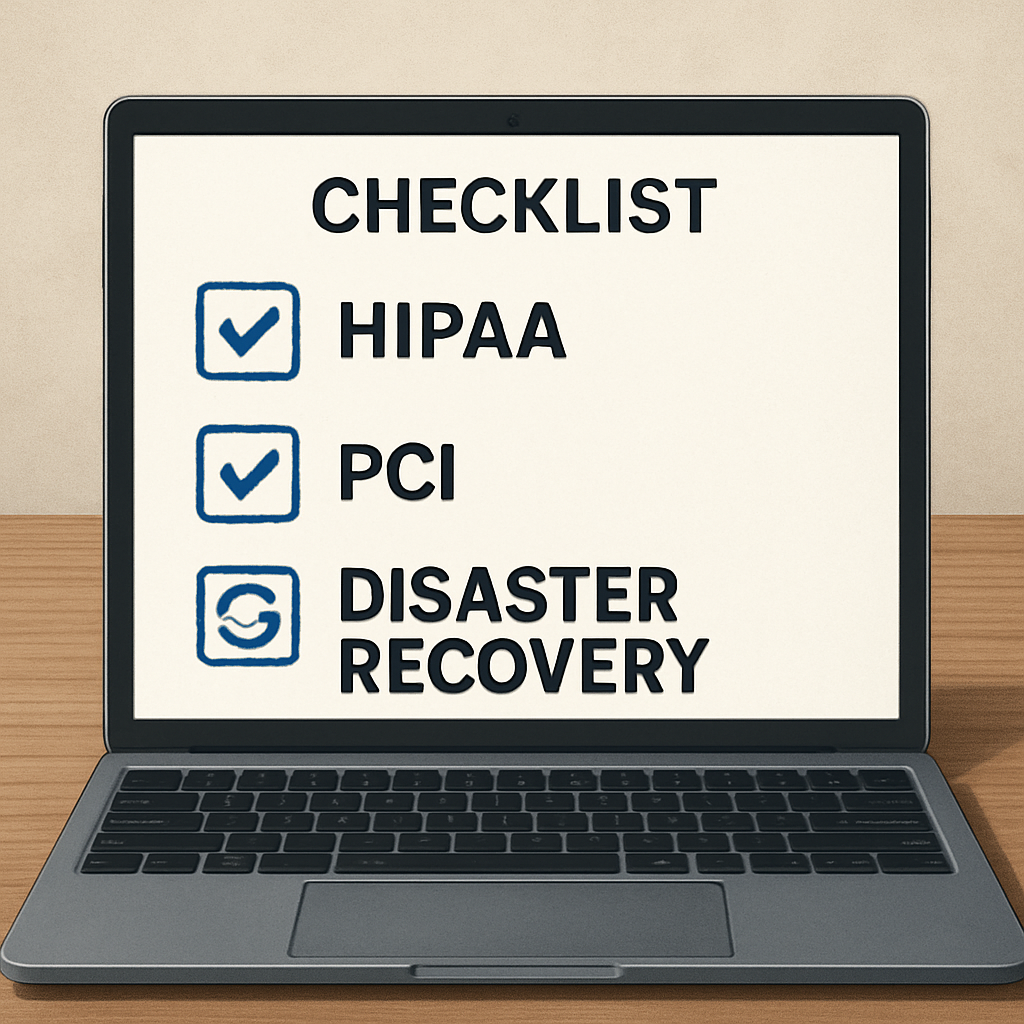
Run a tabletop exercise at least twice a year. Simulate a ransomware alert, then watch how the vendor’s incident‑response team escalates, isolates the affected system, and restores backups. Document every gap, then renegotiate the contract language to include “penalty clauses for missed recovery‑time objectives” and “right‑to‑audit” provisions.
Don’t forget ongoing monitoring. Ask the provider for monthly compliance reports that show audit‑log reviews, patch‑management status, and any security incidents. A dashboard that highlights SLA breaches in red gives you a quick health‑check without digging through tickets.
Finally, build an actionable hand‑off checklist before the first go‑live day: 1) Verify all required certifications are current; 2) Confirm MFA and encryption are enforced on the ticket portal; 3) Align MAO and recovery‑time objectives in the SLA; 4) Conduct a live fail‑over drill; 5) Schedule the first quarterly compliance review. Tick each box, sign off, and you’ll know your help desk outsourcing partner is truly aligned with both compliance and business continuity.
Step 5: Implement, Train, and Monitor the Partnership
Okay, you’ve signed the contract and you’ve got the paperwork filed. Now the real work starts – turning that paper promise into a day‑to‑day reality that actually makes your team’s life easier.
Kick off with a joint implementation workshop
Gather the key players from both sides – your IT manager, a couple of power users, and the vendor’s onboarding lead. Spend a half‑day walking through the ticket portal, confirming user groups, and mapping out the first‑hour escalation path. The goal isn’t just to click “OK” on a checklist; it’s to surface hidden assumptions. For example, a dental practice in Salinas discovered that their front‑desk staff needed MFA on the portal, something the vendor hadn’t enabled by default.
Take notes in a shared doc and assign owners for each action item. When you leave the room, everyone should know exactly what to do before the first ticket lands.
Build a training cadence that sticks
One‑off sessions fade fast. Instead, schedule a three‑step rollout:
- Day 1: Live demo of the ticket submission flow for end‑users. Keep it under 20 minutes – think of it as a coffee‑break tutorial.
- Week 1: Role‑play a handful of common scenarios (password reset, VPN issue, HIPAA‑related request). Let your staff practice and ask “what‑if” questions.
- Month 1: Review metrics together – first‑call resolution, average handle time, and any missed SLAs. Use the data to tweak scripts or add a quick tip sheet.
Remember what the research from Info‑Tech suggests: standardizing processes and clarifying roles dramatically improves incident response (see standardize your service desk). A clear, repeatable training loop is the cheapest way to embed those standards.
Set up monitoring that actually tells you something
Dashboards are nice, but they’re only useful if you define the right signals. Start with three core KPIs:
- Response time for critical tickets (15 minutes or less).
- First‑call resolution rate (target 80 %+).
- Compliance‑related alerts (any ticket flagged as HIPAA/PCI must be closed within the SLA window).
Pull these numbers out of the vendor’s reporting portal every Friday and compare them to the baseline you captured in Step 1. If a metric slips, schedule a quick 15‑minute “pulse” call with the vendor’s account manager – don’t wait for the monthly review.
Real‑world check‑ins
Let’s look at a couple of stories that illustrate what can go right – and what can go sideways.
Case 1: A boutique law firm in Monterey ran a pilot for two weeks, focusing on “document‑access” tickets. The vendor’s dashboard showed a 30 % drop in average resolution time after the first training session. The firm added a quarterly “compliance drill” to the routine, and the next audit noted zero ticket‑related HIPAA findings.
Case 2: A small e‑commerce shop in Salinas skipped the weekly metric review. When a checkout‑gateway outage hit, the vendor’s SLA was technically met, but the shop didn’t notice the spike in “high‑priority” tickets until the next month. The result? A lost‑sale estimate of $8,000. The lesson? Real‑time alerts (e.g., Slack or email notifications when a critical ticket breaches response time) are non‑negotiable.
Iterate, don’t settle
Implementation isn’t a one‑off event. Treat every quarter as a mini‑project:
- Pull the latest KPI report.
- Identify the top three gaps (maybe response time, maybe knowledge‑base usage).
- Run a focused training sprint on those gaps – 30 minutes, live, with the vendor’s subject‑matter expert.
- Update your hand‑off checklist to reflect any new steps.
This iterative loop mirrors the “continuous improvement” mindset that top‑performing help desks use. It also keeps the partnership feeling fresh rather than static.
Document everything for the long haul
Finally, lock everything into a living document: the original SLA, the onboarding checklist, the training schedule, and the KPI review cadence. Store it in a place everyone can access – a shared SharePoint folder, a Confluence page, or even a simple Google Sheet if that’s what your team uses.
When you need to renegotiate a term or prove compliance to an auditor, you’ll have a paper trail that shows you didn’t just sign a contract and forget it. That level of diligence is what turns “help desk outsourcing” from a cost center into a strategic asset.
Quick Overview: Help Desk Outsourcing Benefits for SMBs
What exactly is help desk outsourcing and how does it differ from an in‑house team?
Help desk outsourcing means you hand over day‑to‑day ticket triage to a specialist provider instead of staffing those roles yourself. The provider brings dedicated technicians, a ticketing platform, and 24/7 coverage, while you keep strategic projects in‑house. In practice you get faster response times because the outsourcer lives and breathes support, whereas an internal team often juggles competing priorities and may not have the same depth of expertise.
Will outsourcing my help desk compromise data security or compliance?
Not if you pick a partner that’s transparent about certifications. Look for ISO 27001, SOC 2, or a HIPAA Business Associate Agreement when you serve healthcare or legal clients. A reputable provider will encrypt ticket channels, enforce multi‑factor authentication, and give you audit logs you can review. The key is to verify those controls up front and include right‑to‑audit clauses in the contract.
How do I decide which pricing model—per‑ticket, per‑user, or flat‑rate—is right for my business?
Start with the ticket volume you measured in Step 1. If you average 80 tickets a month with many low‑effort requests, a per‑ticket model can balloon quickly. A flat‑rate per‑user plan smooths costs and works well when you have predictable users who generate tickets. Mix‑and‑match is also an option: a base flat‑rate for core users plus a per‑ticket surcharge for occasional spikes.
What SLA response times should I be demanding for critical versus routine issues?
Critical outages—think checkout failures or patient‑portal downtime—should get a 15‑minute response and a two‑hour resolution target. For high‑priority tickets like password resets, aim for 30‑minute response and one‑hour resolution. Routine requests can live with a one‑hour response and an eight‑hour resolution window. Align those numbers with how much downtime your business can actually tolerate.
How can I keep the outsourced help desk aligned with my internal processes?
Set up a joint onboarding workshop and map every ticket type to an internal workflow. Create a shared knowledge‑base that both teams can edit, and schedule weekly metric reviews. When you notice a gap—say the provider’s escalation path skips a compliance check—bring it up immediately and adjust the SOP. Regular check‑ins keep the partnership from drifting.
What red flags indicate I’m working with a provider that’s not a good fit?
Beware vague pricing (hidden overage fees), missing security certifications, or a lack of transparent reporting. If the vendor can’t give you a concrete escalation diagram or delays providing audit logs, that’s a warning sign. Also watch for high staff turnover on their side; frequent changes in your support contacts can erode knowledge continuity.
How do I measure the ROI of help desk outsourcing?
Start with a baseline: average ticket resolution time, cost per ticket, and downtime impact before you switch. After a quarter, compare those numbers against the outsourced fees. Add intangible gains—like reduced employee frustration or freed‑up time for strategic projects. If you see a 20‑30 % drop in support spend plus faster issue resolution, you’ve got a solid ROI story to share with leadership.
Conclusion
We’ve walked through every step of turning a chaotic ticket stream into a smooth, business‑boosting partnership.
If you’ve mapped your ticket volume, matched it to the right pricing model, and verified security certifications, you already have the foundation for a win.
What matters next is discipline: a joint onboarding workshop, a shared knowledge‑base, and a weekly KPI pulse check keep the vendor aligned with your internal processes.
Remember, red flags like vague pricing or missing ISO 27001 proof aren’t negotiable – they’re deal‑breakers.
In our experience with Salinas and Monterey businesses, a simple 30‑minute quarterly review turned a modest 7 % SLA breach rate into a sub‑2 % figure, freeing staff to focus on revenue‑generating work.
So, what’s your next move? Grab that checklist, schedule a quick alignment call with your shortlisted provider, and lock in the metrics that matter.
A smooth help desk outsourcing partnership isn’t a one‑time purchase; it’s an ongoing conversation that pays off in faster resolutions, lower costs, and peace of mind.
Ready to take the next step? Reach out for a free assessment and let us help you turn tech headaches into a competitive advantage.
Keep the conversation open, revisit your SLAs each quarter, and watch your business run smoother than ever before.






