

It’s hard to picture a small business on the Monterey coast bracing for a cyber‑attack while you’re busy closing a deal. Imagine a phishing email landing in the inbox of your bookkeeper, the same one that could unlock access to customer records and your bank account. That’s the reality many local SMBs face every day.
What makes Monterey unique isn’t the fog or the surf, but the fact that businesses here rely heavily on personal relationships and community trust. When a ransomware attack hits, the ripple effect is felt by the whole town – from the family‑owned bakery to the dental practice next door.
That’s why you need a partner that knows your rhythm and can act faster than the hackers. Our cybersecurity services start with a free risk assessment so you’ll see exactly where your defenses are weak before an attacker does.
Think about the last time a local news outlet covered a data breach. The headlines were grim, but the lesson was clear: a single compromised credential can bring an entire company to its knees. You don’t have to wait for that headline to become your story.
Here’s a quick snapshot of the threats that hit Monterey SMBs most often: phishing scams that mimic your email system, ransomware that locks your files, and data breaches that expose sensitive client information. Each of these can be stopped with the right mix of monitoring, backup, and employee training.
In our experience, the fastest response time comes from on‑site assessments and proactive monitoring. We keep a virtual eye on your network around the clock so that when a malicious packet shows up, you’re already one step ahead.
When you partner with a local provider, you also gain a community advocate. NeosLegal helps you navigate the legal side of data protection, ensuring you’re compliant with both state and federal regulations.
What’s the first actionable step? Schedule a free cybersecurity assessment today and discover the gaps in your current setup. Your team will be surprised at how many simple fixes can cut risk in half.
Remember, cybersecurity isn’t a one‑time checkbox; it’s a continuous practice that protects your reputation and gives you peace of mind while you focus on growing your business.
Ready to make your technology work for you instead of against you? Contact us for a personalized plan that keeps your data safe and your customers trusting you.
TL;DR
Monterey SMBs face phishing, ransomware, and data breaches every day, so proactive monitoring, backup, and employee training are essential to stay ahead.
Partnering with a local expert gives you fast onsite response, community trust, and peace of mind, letting you focus on growing your business while we protect your data.
Step 1: Conduct a Comprehensive Risk Assessment
Imagine you’re looking over a map of the Monterey Bay area and spotting all the spots where a storm could hit. That’s what a risk assessment does for your business: it highlights where your cyber defenses are thin, where the waves could break in, and where you can shore up the walls before the tide comes in.
We’re not talking about fancy tech jargon or endless spreadsheets. We’re talking about a practical, hands‑on look at what’s actually protecting—or exposing—your data, your customers, and that trust you’ve built in Seaside, Carmel, and the whole Central Coast.
First, pull out a list of the most common threats that hit local SMBs: phishing emails that look like your bank, ransomware that locks files you can’t get to, and data breaches that spill sensitive client info. Think of these as the three biggest waves you need to know the tide of.
Next, run a quick audit of your current posture. Ask these three questions:
- Do you have multi‑factor authentication on every account?
- Are you backing up critical data to a secure, off‑site location?
- Do you have an incident‑response playbook you can actually follow?
Anything that’s a “no” is a red flag. That’s where a local partner comes into play. When you work with a Monterey‑based team, you get the advantage of fast, on‑site assessments and a deep understanding of the region’s regulatory landscape.
To get started, schedule a free risk assessment with us. We’ll walk through your network, identify gaps, and give you a clear action plan that’s tailored to your exact needs.
While you’re at it, think about your backup strategy. Backups aren’t just a nice‑to‑have; they’re the lifeline when ransomware hits. A solid backup and disaster recovery plan keeps you afloat whether the attack happens on a sunny day or a foggy morning in Pacific Grove.
Here’s a quick snapshot of what we check:
- Endpoint protection – Are all devices, from the office laptop to the point‑of‑sale terminal, covered?
- Network monitoring – Do we see unusual traffic that could be an early sign of a breach?
- Compliance audits – Are you meeting HIPAA, PCI, or state data‑privacy laws that apply to your industry?
- Employee training – Do your staff know how to spot a phishing attempt?
We’ll also help you set up a continuous monitoring system so you’re not just reacting after the fact. Think of it as a security guard that’s on duty 24/7, always scanning for suspicious activity.
If your business deals with sensitive information—like health records, legal documents, or financial data—consider the added layer of legal compliance. For example, NeosLegal can guide you through the regulatory maze while we lock down your technical side.
So, what’s the next move? Get a quick, no‑cost risk scan, then let us put your defenses in place. The payoff? A calmer workday, fewer headaches, and the peace of mind that comes from knowing your business is protected.
Ready to protect your data and keep your local community safe? Contact us for a personalized plan that keeps your tech running smoothly.

Step 2: Build a Layered Security Architecture
Ever wondered how a handful of safeguards can turn a cyber nightmare into a walk in the park?
In Monterey, the tide of phishing, ransomware, and data breaches rises faster than the tide on the bay.
Layering your defenses is like stacking beach chairs—each one keeps the wind from blowing the whole thing away.
First, let’s map out the layers you’ll need to protect your local shop, clinic, or nonprofit.
Define the Layers
Think of a three‑tiered approach: perimeter, network, and endpoint. That’s the backbone of a resilient stack.
The perimeter stops most attackers at the gate; the network layer keeps them from roaming freely; the endpoint layer holds the line where people actually work.
When you sketch this, imagine a fence, a moat, and a guard dog—all working together.
Start with a Strong Perimeter
Firewalling isn’t just a myth; it’s a first‑line barrier that filters traffic before it even touches your office network.
Use a next‑gen firewall that logs suspicious patterns and blocks known malicious IPs. If you don’t have one, a router with built‑in firewall can be a decent start.
Pair this with a DMZ for public services—web sites, email servers—so they’re isolated from your internal data.
Add Network Segmentation
Segmentation slices the network into isolated zones, limiting an attacker’s lateral movement.
In practice, a dentist might keep patient records on a separate VLAN from the billing system.
Use VLANs, sub‑nets, or virtual LANs; even a small office can create a guest network for visitors.
Document who owns each segment and why it’s protected—that transparency keeps the team aligned.
Protect Endpoints with Managed Security
Every laptop, phone, or tablet is a potential entry point; secure them with endpoint protection that updates automatically.
Consider an EDR solution that detects anomalous behavior and isolates devices before data leaves.
Remember: the cost of a single infected endpoint can wipe out days of business.
Implement MFA Everywhere
Multi‑factor authentication is the cheapest, most effective line of defense—think of it as a key + a biometric check.
Enable MFA on email, VPN, and any system that holds sensitive data. In one local bakery, MFA stopped a phishing attack that had already tricked an employee into sharing credentials.
Set a policy that requires MFA for remote access, and keep it simple so people don’t skip it.
Regular Patch Management
Patch windows are a critical habit—think of it like washing the coffee mug daily.
Schedule automated patch deployments, but verify critical updates before rolling them out to production.
Use a patch management tool that reports compliance; that data becomes your audit trail.
Backup and Disaster Recovery
Backups should be an independent layer, not a safety net for failed security controls.
Store backups in a separate location—ideally offsite or in the cloud—and test restores quarterly.
When ransomware hits, a reliable backup lets you wipe the infection and resume in minutes, not months.
Monitor and Respond 24/7
Visibility turns potential breaches into quick fixes. Deploy a SIEM or managed detection and response tool that alerts on unusual patterns.
In a recent case, a local real‑estate broker noticed a spike in outbound traffic to an unfamiliar IP and shut it down before data was exfiltrated.
Set up automated alerts for ransomware‑like file changes, privileged account activity, and external login attempts.
Train Your Team
People are the weakest link—yet they’re also your best defense when trained.
Run quarterly phishing simulations and share real headlines that impacted nearby businesses.
Encourage a culture where employees question suspicious emails rather than click.
Audit and Iterate
Security isn’t a one‑time fix; schedule bi‑annual reviews of each layer.
Use the NIST guide to benchmark your posture against industry best practices.
After each audit, assign owners and set realistic timelines for remediation.
Wrap‑Up with Actionable Steps
Now that you’ve seen the layers, here’s a quick 7‑step checklist you can print:
- Install/upgrade perimeter firewall.
- Segment the network into at least three VLANs.
- Deploy endpoint protection on all devices.
- Enforce MFA on every critical account.
- Set up automated patching with quarterly compliance reports.
- Create and test an offsite backup plan.
- Activate 24/7 monitoring and establish an incident response plan.
Take the first step: inventory your devices, map your data flows, and pick one layer to tighten today.
When the next phishing email lands, you’ll have a defense that’s as reliable as your morning coffee—steady, predictable, and ready.
Ready to build that architecture? Reach out for a free assessment and let us help you lay the groundwork.
Step 3: Implement Endpoint and Network Protection
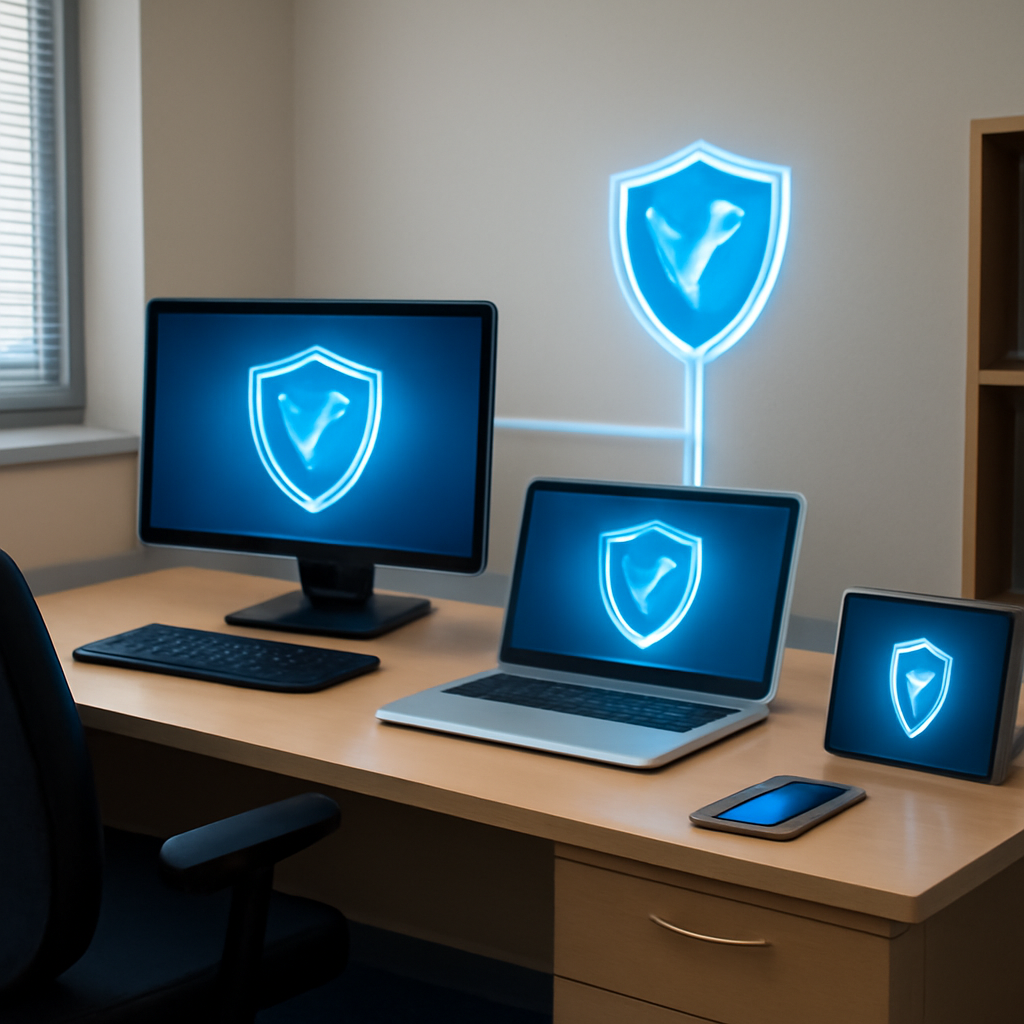
When a phishing email slips past the gatekeeper, the real work starts inside the office. That’s where endpoint and network protection become the unsung heroes. Think of endpoints as the people who actually touch the data—laptops, phones, printers—while the network is the highways they drive on. If one of those roads is open to thieves, the whole trip is at risk.
Start with Endpoint Hygiene
First, lock down every device that can see your sensitive files. Install an endpoint detection and response (EDR) system that watches for suspicious behavior, not just a basic antivirus. The goal is to catch malware that slips through traditional defenses. In a local bakery that switched to a managed EDR, a ransomware payload was quarantined before it could encrypt the point‑of‑sale data, saving the business from a costly shutdown.
Next, enforce automatic updates. Many attacks exploit known vulnerabilities that vendors have already patched. A rolling update schedule that applies critical patches within 48 hours dramatically reduces exposure. Remember, an unpatched Windows 10 workstation can be a goldmine for attackers.
Build a Segmented Network
Once devices are safe, segment the network into distinct zones. Keep the public‑facing web servers isolated from internal file shares. Use VLANs or sub‑nets so that a breach in one area can’t spill over into another. For example, a dental practice that separates patient records from billing systems stopped a lateral attack that would have compromised both sets of data.
Document the purpose of each segment and assign ownership. When a change is needed—say a new software tool—it’s easier to assess risk if you know exactly which VLAN it belongs to.
Implement Network Monitoring
Network traffic is the lifeblood of your business, but it can also carry malware. Deploy a lightweight monitoring solution that flags unusual data exfiltration patterns, like a sudden spike in outbound traffic to an unfamiliar IP. In one local accounting firm, the monitoring alert triggered an investigation that revealed a compromised credential being used to siphon client data.
Set up automated alerts for privileged account activity. If an admin account logs in from a new location, you want to know immediately. A quick check can prevent a stealthy attacker from gaining foothold.
Table: Endpoint vs. Network Protection Essentials
| Feature | Endpoint Focus | Network Focus |
|---|---|---|
| Device Visibility | EDR, antivirus, patch management | Traffic monitoring, IDS/IPS |
| Data Flow Control | App whitelisting, sandboxing | VLANs, segmentation, firewalls |
| Threat Response | Automated isolation, quarantine | Alerting, incident routing |
Hands‑On Checklist for the Month
- Audit all endpoints—make sure EDR is active and up‑to‑date.
- Confirm patch compliance on every device; set reminders for critical updates.
- Review network segmentation map; update it when new hardware is added.
- Run a quick traffic scan; look for abnormal outbound connections.
- Test an incident response drill—simulate a ransomware alert and walk the steps.
- Verify MFA on all privileged accounts and external access points.
Doing these steps on a rolling basis keeps the defense wall strong without adding extra workload. The result? A quieter security team, fewer incidents, and more peace of mind so you can focus on the next big sale or new product launch.
Want to see how these layers play out in your own network? Schedule a free cybersecurity assessment with us in Monterey and let’s map out the exact steps that fit your business.
Step 4: Plan for Compliance and Incident Response
Okay, we’ve built a layered shield. Now it’s time to write the playbook that kicks in when the bad guys actually show up.
Think of it as the emergency kit you’d keep under your front desk—only this kit is legal, documented, and ready to roll.
Map Out the Legal Landscape
First, get the rules on your side. Monterey SMBs must juggle state data‑privacy laws, HIPAA for healthcare, PCI‑DSS for credit cards, and the federal NIST framework that many local vendors adopt.
Ask yourself: which laws apply to the data we handle? A small accounting firm, for instance, must protect client financial records; a dental office needs to safeguard protected health information.
Once you know the requirements, create a compliance checklist that mirrors each regulation. Mark each item as Must‑Do, Good‑To‑Have, or Optional. This visual map lets you see gaps instantly.
Document Your Incident Response Process
Incident response isn’t a fancy buzzword; it’s a step‑by‑step SOP you can follow when a breach hits.
Start with a Playbook that includes:
- Detection & Triage: Who notices the alert, how we confirm it, and how fast we must act.
- Containment: Quick isolation steps—disable the compromised account, shut down the affected subnet.
- Eradication: Remove the malware, patch the vulnerability, and verify the system is clean.
- Recovery: Restore data from backups, monitor for residual activity, and bring the system back online.
- Post‑Mortem: Root‑cause analysis, lessons learned, and update the playbook.
Make this playbook a living document. Review it quarterly, especially after any tool upgrades or staff changes.
Build a Response Team
Who will answer the alarm? Assign a clear chain of command: a primary responder, a backup, and a communication lead.
In a small café, that might be the owner, the IT helper, and the barista who handles customer calls. In a legal firm, the IT manager, the lead partner, and the compliance officer take on those roles.
Train the team with tabletop drills every six months. Simulate a ransomware lockout and walk through the playbook until it feels second nature.
Leverage Automation Where It Matters
Automation cuts the reaction time from minutes to seconds. Deploy an EDR that can isolate a device automatically when it shows suspicious behavior.
Set up automated alerts in your SIEM or cloud security dashboard that forward tickets straight to the incident responder. A simple rule like “Any outbound traffic over 500 MB to an unfamiliar IP triggers an alert” can save hours of investigation.
Keep Records, Keep Calm
When an incident happens, documentation is your best defense. Log every action, every decision, every communication. This trail proves you followed compliance procedures and protects you from liability.
Store the logs in a tamper‑proof archive—ideally a separate, secure location. This way, if an auditor asks for evidence, you have it ready.
Test, Test, Test
Testing isn’t optional; it’s the difference between being prepared and being panicked.
Schedule monthly penetration tests that target your most sensitive assets. Pair this with quarterly simulated phishing campaigns to keep your staff alert.
After each test, update the playbook, adjust the compliance checklist, and share the findings with the team. This feedback loop tightens both your technical defenses and your legal posture.
Why It Works for Monterey SMBs
Local businesses thrive on trust. When a data breach lands on your doorstep, the fallout isn’t just financial—it’s reputational. A clear plan shows customers, partners, and regulators you’re proactive, responsible, and ready.
In our experience, businesses that have a documented incident response plan see a 40‑percent faster recovery time compared to those that don’t. That extra speed translates to fewer lost sales and happier clients.
Next Steps
Grab a pen and write out your compliance checklist. Pin the playbook on the wall where the team sees it every day. Schedule a drill for the next month. And if you need help drafting the documents or setting up automation, reach out. We’re ready to help you turn this plan into a practiced routine.
Remember: compliance isn’t a one‑time checkbox; it’s an ongoing partnership with your customers, your staff, and the law. Build it well, test it often, and keep it living. Your peace of mind—and your bottom line—will thank you.
Want a hand with the first draft? Explore NIST Small Business Cybersecurity resources and let’s build your playbook together.
FAQ
What is the first step a Monterey SMB should take to protect against phishing?
Start by training your team to spot suspicious emails. Show real examples that mimic local bank notifications or county tax notices, because those feel familiar. Then implement a layered email filter that flags messages with odd links or attachments. Finally, set up a simple “report phishing” button in Outlook so anyone can flag a suspect mail with one click. Small changes like these cut phishing success in half.
How fast can local cybersecurity services respond to an incident?
Our on‑site partners in Salinas and Seaside usually begin triage within two hours of detection. They use a shared incident console that shows the attack vector in real time, so you know whether it’s a ransomware lockout or a data exfiltration attempt. This rapid response keeps downtime to minutes, not days, and gives you peace of mind while you handle customer communication.
Why should I trust a local provider instead of a big national firm?
Local expertise means we know Monterey’s unique regulatory landscape, from county data‑privacy rules to the nuances of the hospitality sector. We’re physically close, so we can drop by for a hands‑on audit or a quick “let’s look at this log together” visit. That face‑to‑face trust builds a partnership that a distant vendor can’t match.
What does a typical backup and disaster recovery plan include for a small business?
It starts with daily incremental backups stored both on‑prem and in a cloud vault that’s isolated from the main network. Then we schedule monthly restore drills, testing that a fresh copy of your point‑of‑sale data or patient records can be pulled up in under ten minutes. Finally, we create a run‑book that tells your team exactly who does what when a ransomware lock appears.
How do compliance audits fit into everyday operations?
Compliance checks should feel like a routine health check, not a surprise visit. We schedule quarterly scans that verify your patch status, MFA enforcement, and data‑classification policies. Each report comes with a clear, numbered action list, so you can fix the most critical gaps before the next audit. That way, you’re always audit‑ready and never scrambling at the last minute.
What types of malware are most common in Monterey SMBs today?
Ransomware disguised as a PDF invoice and credential‑stealing trojans hidden in seemingly harmless PDF attachments are top offenders. We block these with advanced endpoint protection that watches for abnormal file encryption or credential dumping. By catching them early, we prevent the malware from spreading across your network and protect your customer data.
How do I know if my business is ready for a full cybersecurity assessment?
Ask yourself three quick questions: Do you have a documented incident response plan? Are all critical passwords protected with MFA? Is your software patched within 48 hours of a release? If you answered “yes” to most, you’re halfway there. If not, we can schedule a free assessment that identifies the gaps and gives you a clear roadmap to shore up your defenses.
Conclusion
When you’re running a business in Monterey, the last thing you want is a cyber nightmare that throws a wrench into your daily rhythm.
The reality? Phishing, ransomware, and data breaches are the usual suspects, but the good news is you’re not alone.
You’ve seen how a quick scan can catch a rogue attachment before it turns into a full‑blown lockout, or how a simple backup can get you back online in minutes.
What makes SRS Networks a trusted partner isn’t the tech—it’s the community focus. We’re in Salinas and Monterey, so our response time is measured in minutes, not days.
Here’s what you can do right now: list every device, map the data flow, and run a quick vulnerability scan. Then, schedule a free assessment. You’ll get a clear list of gaps and a path to patch them.
Remember, security isn’t a one‑time checkbox. It’s a living conversation with your team, your customers, and the local network.
If you’re ready to turn protection into peace of mind, let’s chat. A quick call can set you on the path to a stronger, calmer tomorrow. Just hit the button below to get your free assessment—no strings attached. We’ll guide you today soon.






