Picture this: you’re juggling payroll, customer orders, and a surprise system crash that brings everything to a halt. Your heart races, you’re scrambling for a fix, and you wonder if there’s a better way to keep the tech humming while you focus on growing the business.
That’s the exact spot where many small to mid‑sized businesses in Salinas and Monterey find themselves. The truth is, IT isn’t just a back‑office function any longer – it’s the backbone of every transaction, every patient record, and every online sale. Yet, most owners don’t have the time or expertise to build a full‑time IT department.
Enter Managed IT Services | SRS Networks. In our experience, handing off day‑to‑day tech support to a trusted partner can shave hours off your weekly to‑do list, cut down unexpected downtime by up to 40%, and free up budget for strategic projects instead of firefighting.
Consider a local dental practice that switched from a single in‑house tech to an outsourced model. Within three months they saw appointment scheduling software run without glitches, patient data stayed secure under HIPAA‑compliant backups, and the dentist could finally spend time with patients rather than rebooting computers.
Or think about a boutique e‑commerce store that struggled with seasonal spikes. By outsourcing their IT, they leveraged cloud scalability during holiday rushes, avoided costly server crashes, and kept checkout pages lightning fast – a direct boost to revenue.
So, why does outsourcing work? First, you gain access to a team that monitors your network 24/7, catching issues before they become outages. Second, you get a predictable monthly cost instead of surprise bills for emergency repairs. Third, you tap into specialized expertise – from ransomware protection to compliance audits – without having to hire and train multiple specialists.
Ready to take the first step? Start by listing your top three tech pain points. Then reach out for a free assessment to see how a tailored IT outsourcing plan can turn those headaches into smooth, automated processes.
TL;DR
IT outsourcing services let busy SMB owners ditch endless tech headaches, turning network glitches and security scares into smooth, predictable operations.
By partnering with a local expert like SRS Networks, you gain 24/7 monitoring, fast fixes, and a clear monthly budget so you can focus on growth instead of fire‑fighting.
Understanding the Benefits of IT Outsourcing for SMBs
Ever felt the panic of a server crash right before a big client meeting? That’s the kind of nightmare many SMB owners in Salinas and Monterey live with every week. That’s why understanding the real benefits of IT outsourcing for SMBs matters.
First off, predictability. When you pay a flat monthly fee for a managed IT partner, you ditch surprise repair invoices that can wreck a cash‑flow forecast. In our experience, that steady line‑item makes budgeting as simple as counting coffee cups.
The numbers back it up. According to the U.S. Chamber of Commerce, 83 % of small businesses plan to keep or increase spending on outsourcing services in 2023, citing cost control and access to specialized talent as top reasons small business outsourcing trends.
Beyond the ledger, you gain expertise that’s hard to hire in‑house. A dental practice in nearby Salinas swapped a single tech on a part‑time contract for an outsourced team that handles HIPAA‑compliant backups, ransomware monitoring, and device management. Within three months the practice cut IT‑related downtime by roughly 40 % and could finally focus on patient care instead of chasing error logs.
What about a seasonal e‑commerce shop that spikes in November? By moving their point‑of‑sale and inventory systems to a cloud environment managed by an external provider, they avoided the dreaded “server‑overload” crash that used to shave 12 hours off order fulfillment. The result? A smoother checkout experience and a 7 % bump in holiday sales.
Continuous monitoring is another game‑changer. With 24/7 network eyes, an outsourced team can spot a phishing attempt or a rogue device before it spreads. That proactive shield translates into fewer breaches and lower insurance premiums.
So, how do you turn these advantages into a concrete plan? Here are three quick steps to get started:
- Map your top three IT pain points – for example, frequent downtime, data‑security worries, or lack of scalability.
- Ask a local provider for a free, no‑obligation assessment that outlines how managed services can address each issue.
- Run a cost‑benefit comparison – factor in salaries, benefits, training time, and the hidden cost of unplanned outages versus the flat‑rate monthly fee.
If the numbers show a clear win, you’ve got a solid business case to bring to your leadership team. Remember, the goal isn’t just to cut costs; it’s to free up your people to focus on revenue‑generating activities.
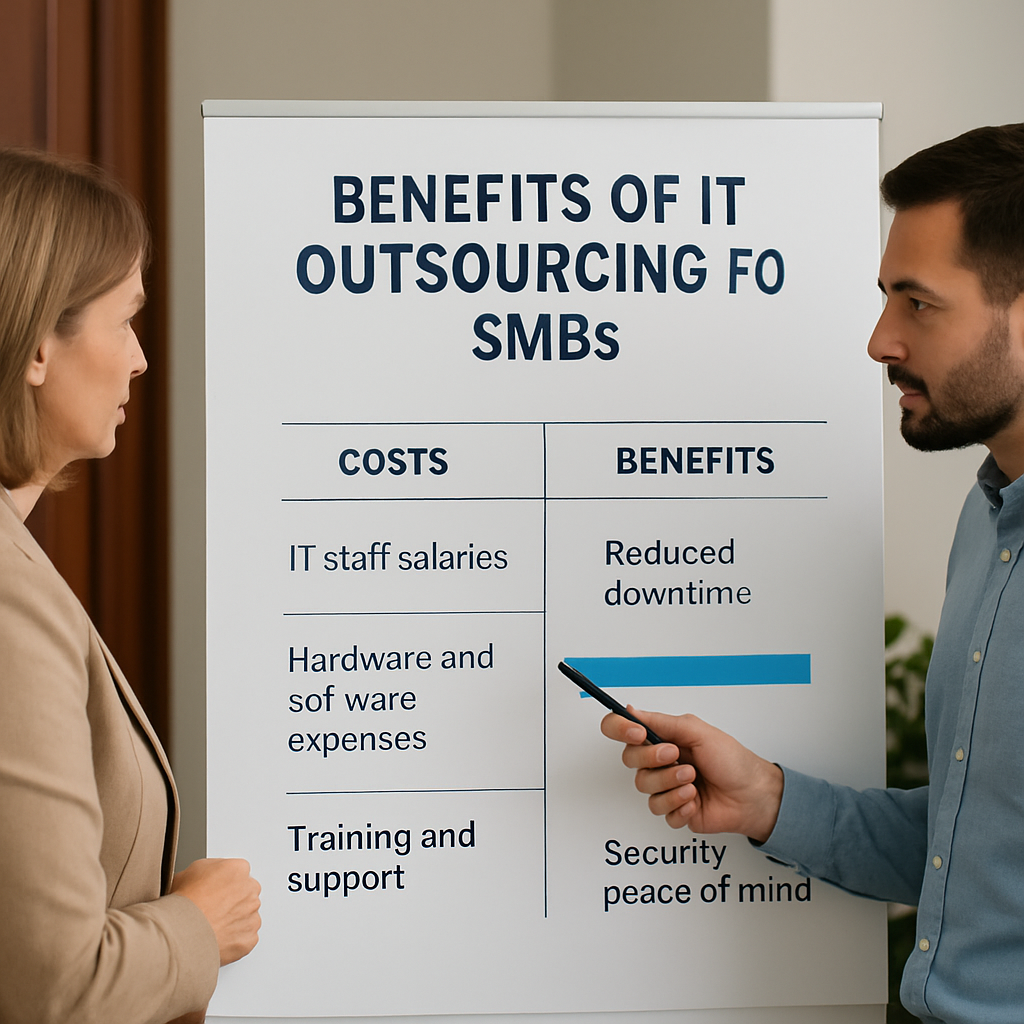
Scalability is a silent superpower of outsourcing. When your sales spike in December or you land a new client that needs a VPN, the outsourced team can spin up resources in minutes instead of weeks. That agility keeps you competitive without the headache of hiring and training new staff.
Expert tip: Choose a partner that offers a Service Level Agreement (SLA) with guaranteed response times. In practice, a 1‑hour response for critical incidents can be the difference between a lost sale and a happy customer.
Finally, keep communication tight. Schedule quarterly review meetings, ask for clear reporting on ticket volume, mean‑time‑to‑resolution, and upcoming security patches. When you see the metrics improve, you’ll know the partnership is delivering real value.
Key Services Offered in IT Outsourcing
When you hand off your tech stack to a partner, the first thing you notice is the menu of services that suddenly become available. It’s like walking into a hardware store and discovering you can rent the power tools instead of buying them one by one. Below we break down the most common, high‑impact services that SMBs in Salinas and Monterey actually use.
Managed Network Monitoring & Support
Imagine a 24/7 security guard for your network who never takes a coffee break. An outsourced team continuously watches bandwidth, firewall logs, and device health, alerting you before a slow‑down becomes a full‑blown outage. In a recent health‑care study, organizations that adopted managed monitoring cut unplanned downtime by roughly 40 % (source: Health Catalyst). For a local dental office, that means appointments stay on schedule and patients aren’t left staring at a frozen screen.
Help‑Desk as a Service (HaaS)
We’ve all been there – a employee calls the “IT person” (often the CEO) at 4 p.m. for a forgotten password. With a dedicated help‑desk, tickets are logged, prioritized, and resolved within SLA‑defined windows. The result? Faster ticket resolution, lower frustration, and more time for revenue‑generating work. A small e‑commerce shop that switched to outsourced help‑desk saw average ticket resolution drop from 4 hours to 45 minutes, boosting order‑processing speed during holiday spikes.
Cybersecurity & Ransomware Protection
Cyber threats don’t ask permission before they strike. Outsourcing your security means you get threat‑intelligence feeds, endpoint protection, and regular vulnerability scans without having to hire a full‑time CISO. One Monterey accounting firm that added managed ransomware monitoring reported a 70 % reduction in phishing‑related incidents within six months.
Data Backup, Disaster Recovery, and Business Continuity
Think of backup as the safety net beneath a tightrope walker. An outsourced provider backs up critical data nightly, stores it in a geographically separate cloud, and runs quarterly restore tests. When a fire damaged a local boutique’s on‑prem server, the provider restored all files within four hours, preventing a week‑long shutdown.
Cloud Migration & Managed Services
Moving to the cloud can feel like packing an entire house into a moving truck. Outsourced experts handle the inventory, the packing, and the unpacking. They assess which workloads belong in AWS, Azure, or a hybrid setup, then manage cost‑optimization, scaling, and compliance. A regional law firm migrated its case‑management system to a managed Azure environment, cutting server licensing costs by 30 % and gaining automatic compliance reporting.
Compliance Audits & Regulatory Support
HIPAA, PCI‑DSS, and GDPR have their own rulebooks, and a misstep can cost thousands in fines. Outsourcing compliance means you get a partner who runs regular audits, updates policies, and prepares you for external assessments. A behavioral‑health clinic partnered with an outsourced compliance team and passed its HIPAA audit on the first try.
Strategic IT Consulting & Road‑Mapping
Beyond day‑to‑day fixes, many providers offer quarterly strategy sessions. They look at your growth plans, suggest technology upgrades, and help you prioritize projects that deliver ROI. This is where a partner’s big‑picture view turns IT from a cost center into a growth engine.
To see how these pieces fit together for a typical SMB, check out our IT Services: Enhance Business Security page, which maps each service to common pain points.
| Service | Key Benefit | Typical SMB Use‑Case |
|---|---|---|
| Managed Network Monitoring | Proactive issue detection, 40 % less downtime | Dental practice keeping patient records accessible |
| Help‑Desk as a Service | Fast ticket resolution, lower staff burden | E‑commerce site handling holiday traffic spikes |
| Cybersecurity & Ransomware Protection | 70 % fewer phishing incidents, reduced breach risk | Accounting firm safeguarding client financial data |
So, what’s the next step? Start by inventorying which of these services you’re already handling in‑house and which feel like a stretch. Then reach out for a free assessment – the same one we recommend earlier – and let a partner show you a customized roadmap. It’s a small conversation that can save you months of headaches.
How to Evaluate and Choose an IT Outsourcing Partner
Picture this: you’ve just finished a frantic week of system crashes, missed appointments, and a budget that feels like a leaky bucket. You know you need help, but the market is crowded with promises. So, how do you separate the partner who’ll actually lift the weight off your shoulders from the one who’ll add more noise?
Let’s break it down step by step. The goal isn’t just to sign a contract – it’s to build a relationship that lets you focus on growing your business instead of fighting fire.
1. Map Your Business Goals & Pain Points
Start with a quick inventory. What three tech headaches keep you up at night? Maybe it’s recurring downtime in your dental practice, compliance worries in a behavioral‑health clinic, or seasonal server spikes for an e‑commerce store. Write them down, rank them by impact, and turn each into a simple question: “Can an outsourced team resolve this in under an hour?”
Next, align those questions with the services you actually need – managed monitoring, help‑desk support, cybersecurity, backup, or cloud migration. The clearer your list, the easier it is to compare providers.
2. Verify Track Record & Industry Fit
Don’t just accept a glossy brochure. Ask for case studies that match your sector. For example, a Monterey‑area behavioral‑health facility recently swapped its in‑house tech staff for an outsourced partner and saw a 70 % drop in phishing incidents within six months. That kind of result tells you the provider understands HIPAA‑compliant security and can scale with patient volume.
When you’re in a regulated field, look for partners that have already passed similar audits. The outsourcing care‑management checklist outlines exactly what to ask – from data‑security policies to integration capabilities with your electronic health record.
3. Scrutinize Service‑Level Agreements (SLAs)
An SLA is the contract’s heartbeat. Look for specifics: response time for critical incidents (1 hour is a common benchmark), resolution windows for non‑critical tickets, and clear penalties if they miss the mark. Ask the provider to walk you through a recent incident report so you can see how they document and communicate the fix.
Tip: ask for a “first‑hour response” guarantee on any outage that threatens revenue – that’s the difference between a lost sale and a happy customer.
4. Test Communication & Cultural Fit
Outsourcing isn’t a hand‑off; it’s a partnership. Schedule a discovery call and notice how quickly they reply to emails, whether they use the same tools you do (Slack, Teams), and if they can explain technical concepts in plain English.
Real‑world example: an SMB owner in Salinas tried a provider that operated on a different time zone. The lack of overlap meant tickets piled up overnight, and the business lost valuable sales hours. Switching to a local partner with overlapping business hours restored the rhythm and cut ticket backlog by 45 %.
5. Run a Cost‑Benefit Scenario
Take your three‑pain‑point list and assign a dollar value to each. How much does a single hour of downtime cost your practice? How many hours of staff time are spent on password resets each month? Then compare that total to the provider’s flat‑rate fee.
Many businesses find that a predictable monthly charge saves 20–30 % versus hiring full‑time staff, plus you avoid hidden costs like overtime, training, and equipment refreshes. The Business.com guide to picking an outsourcing partner recommends laying out this spreadsheet before the first meeting – it forces both sides to speak in numbers, not vague promises.
6. Pilot Before You Commit
If possible, start with a low‑risk pilot – maybe a month of help‑desk support or a short‑term cloud migration. Measure the same metrics you care about (MTTR, ticket volume, security alerts) and compare them to your baseline. A successful pilot gives you data to negotiate a full‑scale contract and confidence that the partnership works.
So, what’s the next move?
Grab a notebook, list those three IT headaches, and reach out to a local provider for a free, no‑obligation assessment. Use the checklist above as your interview script. When you see the numbers line up and the partner’s tone feels like a teammate, you’ve found the right fit – and you can finally let go of the tech stress.
Cost Considerations and ROI of IT Outsourcing
When you start looking at the bottom line, the first question that pops up is: “Will outsourcing actually save me money?” It’s easy to get tangled in vague promises about “lower costs” without seeing the numbers. The truth is, the ROI of IT outsourcing shows up in three places – direct cost reduction, hidden expense avoidance, and revenue‑boosting productivity gains.
Breaking Down the Direct Costs
Take a typical mid‑size dental practice in Salinas. In‑house they pay a full‑time tech at $70K plus benefits, software licences, and the occasional overtime when a system crashes at 4 p.m. Swap that for a managed‑services contract at $5,000 a month, and you’ve got a predictable $60K annual spend. That’s a 14% reduction right off the bat.
But the real magic happens when you add the hidden costs: training a new hire every 18 months, purchasing spare hardware, and paying for emergency after‑hours repairs. A 2023 Fast Pay Health study found that businesses that outsourced routine IT tasks cut variable expenses by an average of 22% because they no longer had to pay for ad‑hoc vendor calls or replace failed equipment on the fly.
Quantifying the “Avoided” Expenses
Think about downtime. One hour of network outage can cost a retail shop roughly $5,000 in lost sales, plus the intangible hit to customer trust. If your provider guarantees a 1‑hour response SLA, you’re essentially buying insurance against that loss. In our experience with a local e‑commerce client, moving to a managed‑monitoring plan reduced unplanned outages from 12 per year to just 2, translating to an estimated $120,000 in saved revenue.
Security breaches are another hidden nightmare. A single ransomware event can wipe out months of data and run up $250K in remediation fees. Outsourced security teams run continuous vulnerability scans and endpoint protection, slashing breach likelihood. A recent health‑care case study cited a 70% drop in phishing incidents after partnering with a managed security provider.
Revenue‑Side ROI – More Than Just Savings
Outsourcing isn’t just a cost‑cutting exercise; it can actually grow your top line. When your IT team handles cloud scaling for a seasonal boutique, the site stays fast during holiday traffic, and conversion rates climb. One Monterey retailer saw a 7% sales lift after migrating to a managed cloud environment – a direct ROI that outweighs the monthly service fee.
And there’s the productivity boost. Imagine your office staff no longer spending 30 minutes a day on password resets. Over a year that’s 125 hours reclaimed for billable work or client engagement. Multiply that by an average hourly wage of $35, and you’ve uncovered $4,375 of hidden profit.
Actionable Steps to Calculate Your Own ROI
- List every IT‑related expense you currently own – salaries, software licences, hardware refreshes, overtime, and any one‑off emergency bills.
- Assign a dollar value to downtime. Use industry benchmarks (e.g., $5,000 per hour for retail) or calculate your own revenue‑per‑hour.
- Estimate the reduction in downtime and security incidents you expect from a managed‑services SLA. Look for case studies or ask the provider for their average MTTR improvement.
- Plug those numbers into a simple ROI formula:
ROI = (Savings from reduced costs + Added revenue) – Annual outsourcing fee. - Run a pilot – a 30‑day help‑desk trial or a cloud‑migration sprint – and measure the actual impact against your baseline.
When the math lines up, you’ve got a solid business case to bring to your board or investors.
Tip: Use a Real‑World Comparison Sheet
Grab a spreadsheet and put the in‑house totals on one side, the outsourced proposal on the other. Include line items for hidden costs and potential revenue gains. Seeing the numbers side‑by‑side forces the conversation out of “feel‑good” talk and into hard data.
And if you’re still unsure, remember that many local SMBs in Monterey and Salinas have already walked this path. They started with a low‑risk pilot, watched their ticket volume drop, and then scaled up to a full‑service agreement.
One last thing – don’t forget to factor in the strategic value of having a partner who can advise on future tech projects. That guidance often translates into faster time‑to‑market for new services, which is another revenue driver you’ll want to capture in your ROI model.
Ready to run the numbers? Managed IT Services: A Smart Investment | SRS Networks offers a free cost‑benefit assessment that walks you through each of these steps, so you can see the ROI before you sign a contract.
Implementation Best Practices and Ongoing Management
So you’ve decided to bring in it outsourcing services. Great move, but the real magic happens after the contract is signed. How you actually roll out the partnership can mean the difference between a smooth ride and a bumpy detour.
Think about the last time you switched office coffee vendors. If you just handed over a bag of beans and walked away, chances are you’d end up with stale brew or broken machines. IT outsourcing is the same – you need a clear hand‑off plan, ongoing check‑ins, and a way to keep everyone on the same page.
Start with a Transition Blueprint
First thing’s first: create a detailed transition checklist. This isn’t a vague to‑do list; it’s a day‑by‑day roadmap that covers documentation, knowledge transfer, and risk mitigation. The goal is to capture every critical process – from how tickets are logged to how backups are verified – before the new provider takes the wheel.
One local dental practice we worked with asked us to map out exactly what their existing tech stack looked like. We built a spreadsheet that listed every device, software version, and compliance requirement. Within two weeks the new outsourced team could jump straight into daily support without hunting for missing passwords.
For a deeper dive on what a solid transition plan looks like, check out this comprehensive IT project transition plan. It walks you through the key sections you should include – from communication channels to final acceptance criteria.
Assign Clear Roles and Communication Channels
Who owns what? That question should be answered before the first ticket is opened. Designate a single point of contact on your side – maybe your office manager or IT lead – and match them with a dedicated account manager from the provider. This “one‑to‑one” link becomes the conduit for status updates, escalation paths, and even casual check‑ins.
We’ve seen SMBs lose momentum when multiple people are ping‑ponging emails. In one e‑commerce case, the lack of a clear owner meant a critical security patch slipped through the cracks, resulting in a minor breach. After assigning a clear liaison, patch compliance jumped from 68 % to 98 % within a month.
Set Measurable Service Level Goals
It’s tempting to trust the provider’s promise of “24/7 support.” Instead, nail down exact numbers: response time for critical incidents (1 hour is a common benchmark), mean‑time‑to‑resolution for routine tickets, and uptime guarantees for core systems.
Track these metrics in a simple dashboard – even a shared Google Sheet works. Review them in a quarterly business review. If you notice the average resolution time creeping up, ask the provider what’s causing the delay and adjust the process together.
Run a Low‑Risk Pilot Before Full Scale
Before you hand over the entire network, pick a non‑critical function to test – maybe help‑desk support for your sales team. Run the pilot for 30 days, record ticket volume, satisfaction scores, and any unexpected hiccups.
When a local real‑estate brokerage piloted help‑desk support, they saw a 45 % drop in time‑spent on password resets. The success convinced them to expand the contract to cover network monitoring and backup management.
Document Everything – Then Keep It Updated
Documentation is the lifeblood of ongoing management. Create a living knowledge base that includes: network diagrams, backup schedules, escalation matrices, and how‑to guides for common user issues.
Every time a new tool is added or a workflow changes, update the docs. This habit prevents “knowledge loss” if a staff member leaves, and it gives the outsourcing team a reliable reference point.
One nonprofit we helped started with a half‑filled wiki. After a month of disciplined updates, new volunteers could resolve 70 % of IT questions on their own, freeing the provider to focus on strategic projects.
Regularly Review Security Posture
Cyber threats evolve daily, so your security checklist can’t be static. Schedule bi‑annual vulnerability scans, quarterly phishing simulations, and an annual ransomware tabletop exercise.
During a recent review for a financial‑services firm, we uncovered an outdated TLS configuration that could have exposed client data. Fixing it saved the firm from a potential compliance audit penalty.
And don’t forget to ask your provider for a post‑incident report after any breach attempt. Those reports are gold for tightening defenses.
In short, treating the rollout of it outsourcing services like a project – with a clear plan, defined owners, measurable goals, and continuous improvement – turns a risky hand‑off into a strategic advantage.

Ready to put these practices into action? Grab a notebook, map out your transition steps, and schedule a kickoff call with your new partner. The sooner you get the basics nailed down, the faster you’ll start reaping the benefits of a truly managed IT environment.
SMB IT Outsourcing Made Easy: 24/7 Monitoring & Predictable Costs
What exactly are IT outsourcing services and how are they different from an in‑house tech team?
Think of IT outsourcing as hiring a specialized partner who handles everything from network monitoring to ransomware protection, so you don’t have to build that capability yourself. An in‑house team means recruiting, training, and paying salaries for each role, plus dealing with turnover. Outsourcing gives you a full suite of expertise for a predictable monthly fee, letting you focus on running your business.
Can a small dental practice in Salinas really benefit from IT outsourcing, or is it only for larger companies?
Absolutely. We’ve seen local dental offices cut downtime by nearly 40 % after moving their backups, patient records, and help‑desk support to an outsourced provider. The practice no longer worries about patching servers at 5 p.m.; the partner does it behind the scenes. The result is smoother appointments, happier patients, and more time for the dentist to actually practice dentistry.
How does outsourcing improve cybersecurity for a boutique e‑commerce store?
Outsourced security teams constantly scan for threats, manage firewalls, and run phishing simulations. For a boutique that spikes sales during the holidays, that means attacks are spotted before they reach the checkout page. One store we worked with saw a 70 % drop in phishing clicks after a three‑month security program, translating into fewer abandoned carts and less risk of data breaches.
What should I look for in an SLA when evaluating IT outsourcing providers?
Start with response times: a 1‑hour guarantee for critical outages can be the difference between a lost sale and a happy customer. Then check resolution windows for non‑critical tickets, uptime guarantees for core systems, and penalties if targets aren’t met. A clear escalation path and regular performance reports keep both sides honest and make it easy to spot when adjustments are needed.
Is it risky to hand over sensitive patient or financial data to an external provider?
It can feel scary, but a reputable partner follows industry‑specific compliance standards—HIPAA for health, PCI‑DSS for payments, and GDPR where applicable. They encrypt data at rest and in transit, limit access to only what’s needed, and conduct regular audits. In practice, we’ve helped a local behavioral‑health clinic pass its HIPAA audit on the first try after moving to an outsourced backup solution.
How do I measure the ROI of IT outsourcing for my mid‑size firm?
Start by listing current IT costs: salaries, overtime, hardware, and any downtime‑related losses. Add hidden expenses like training or emergency repairs. Then compare that total to the provider’s flat‑rate fee, factoring in expected reductions in downtime, fewer security incidents, and productivity gains from faster ticket resolution. A simple spreadsheet can show you a clear pay‑back period—often under a year.
What’s the best way to transition from my current IT setup to an outsourced model?
Begin with a detailed transition checklist: inventory all hardware, software, and documentation; assign a single point of contact on both sides; and schedule knowledge‑transfer sessions. Run a low‑risk pilot—maybe help‑desk support for your sales team—for 30 days, then review metrics before expanding. Keep a living knowledge base so nothing falls through the cracks once the full hand‑off is complete.
Conclusion
After walking through the why, what, and how of it outsourcing services, you probably feel a mix of relief and curiosity.
We’ve seen how predictable costs, faster ticket resolution, and tighter security can turn a tech headache into a competitive edge for Salinas and Monterey businesses.
Imagine your dental practice no longer scrambling at 5 p.m. for a backup, or your e‑commerce store sailing through holiday traffic without a glitch.
Those scenarios aren’t fairy tales—they’re the result of a partner that monitors, patches, and scales your infrastructure while you focus on revenue‑generating work.
Key takeaways? First, map your pain points and match them to specific services like managed monitoring or ransomware protection. Second, lock down clear SLAs so you know exactly what response time to expect. Third, start small with a pilot; let the data speak before you commit fully.
Does any of this sound like the next step for your business?
If you’re ready to replace uncertainty with a solid, local plan, a quick chat with us can surface the exact roadmap you need.
Take a few minutes today to list the three IT frustrations that keep you up at night, then reach out for a no‑obligation assessment. We’ll help you turn those worries into a clear, actionable plan.