

Picture this: an employee in a small Monterey accounting firm opens an email that looks exactly like a client request, clicks a link, and suddenly the entire ledger system is locked. The panic that follows—missed deadlines, frantic phone calls, a looming audit—feels all too familiar for many SMBs. That moment is the reason we take phishing training for employees so seriously.
In our 28 years serving Salinas and the surrounding region, we’ve seen the same pattern repeat: a convincing fake invoice, a “security update” from the IT department, or a seemingly urgent request from a known vendor. The common thread? No one stopped to think, “Is this really legit?” That hesitation is exactly what good training builds.
What does effective phishing training look like? First, it starts with awareness—teaching staff to spot tell‑tale signs like mismatched sender addresses, urgent language, or unexpected attachments. Second, it moves to hands‑on practice: simulated phishing campaigns that let employees experience a safe “phish” and learn from the result. Finally, it reinforces habits through short, regular refreshers instead of a one‑time lecture.
Consider a local dental office we worked with. After a simulated phishing test, 42% of the staff clicked the bait. We rolled out a quick 15‑minute workshop, followed by weekly tip emails. Within a month, click‑through rates dropped to under 5%, and the office avoided a real ransomware attempt that targeted dental records. Another example is a mid‑size legal firm that integrated phishing simulations with their existing compliance program; they not only boosted security but also met HIPAA training requirements without extra paperwork.
Here are three actionable steps you can start today:
- Run a baseline phishing test using a reputable service or your own controlled email campaign.
- Schedule a 20‑minute “phish‑spotting” session for all staff, focusing on real examples relevant to your industry.
- Set up a monthly reminder with a short tip—like checking the sender’s domain or hovering over links—to keep security top of mind.
It’s easy to think, “My team is too busy for training,” but the cost of a breach far outweighs a few minutes of awareness. For a quick reference on the most common threats, check out our IT Threat Glossary—it breaks down ransomware, phishing, and more in plain language you can share with anyone on the floor.
Ready to make your staff the first line of defense? Let’s get you set up with a training plan that fits your schedule and budget, so you can focus on growing your business instead of fighting cyber‑crises.
TL;DR
Effective phishing training for employees transforms the inbox into a line of defense, turning common mistakes into confident detections that protect your small business from costly breaches.
Start with a baseline test, hold “phish‑spotting” workshops, and reinforce with tip reminders—you’ll see click‑rates drop while compliance and peace of mind rise.
Step 1: Assess Current Phishing Risks
Imagine you’re sitting at your desk in a Monterey accounting office, coffee in hand, when an email pops up that looks exactly like a client’s invoice request. You click, the screen freezes, and the whole ledger system goes dark. That gut‑wrenching moment is why the first thing we do is actually assess the risk before we try to fix it.
So, how do you figure out where the weak spots are? It starts with a honest look at the inbox traffic that’s already flowing through your network. If you’ve never taken inventory of who’s getting what, you’re basically flying blind.
First, map out every email gateway and distribution list you use – from the shared finance inbox to the marketing newsletter platform. Knowing which accounts are most exposed helps you prioritize the right people for deeper testing.
Next, identify the users who handle sensitive data or external vendor communications. In a small legal practice, that might be the partners who receive client contracts. In a dental office, it’s the front‑desk staff who deal with insurance claims. Those are the folks you’ll want to watch closely.
Gather Data from Your Email Environment
Pull logs from your spam filter or email security appliance for the past 30‑60 days. Look for patterns: spikes in external emails, repeated “reply‑all” chains, or messages that contain attachments from unknown domains. Most modern security suites let you export a CSV – a quick way to see the raw numbers without a PhD in data science.
Run a Simulated Phishing Test
Now comes the hands‑on part: a controlled phishing campaign that mimics the tactics you actually see in the wild. You can build one yourself, but many SMBs find it easier to use a lightweight platform like MyBiz Automator to design realistic bait and track click‑through rates. The key is to keep the test low‑stakes – no real malware, just a friendly landing page that tells the user they’ve been phished and offers a quick tip.
When the test is live, watch the dashboard for who opened the email, who clicked the link, and who reported it to IT. Those numbers become your baseline – the starting point you’ll improve against.
After the simulation, gather the participants for a short debrief. Ask them what caught their eye, whether the sender address looked familiar, and if any warning signs stood out. Those conversations often reveal cultural habits – like a habit of “just click it” when a manager is in a rush.
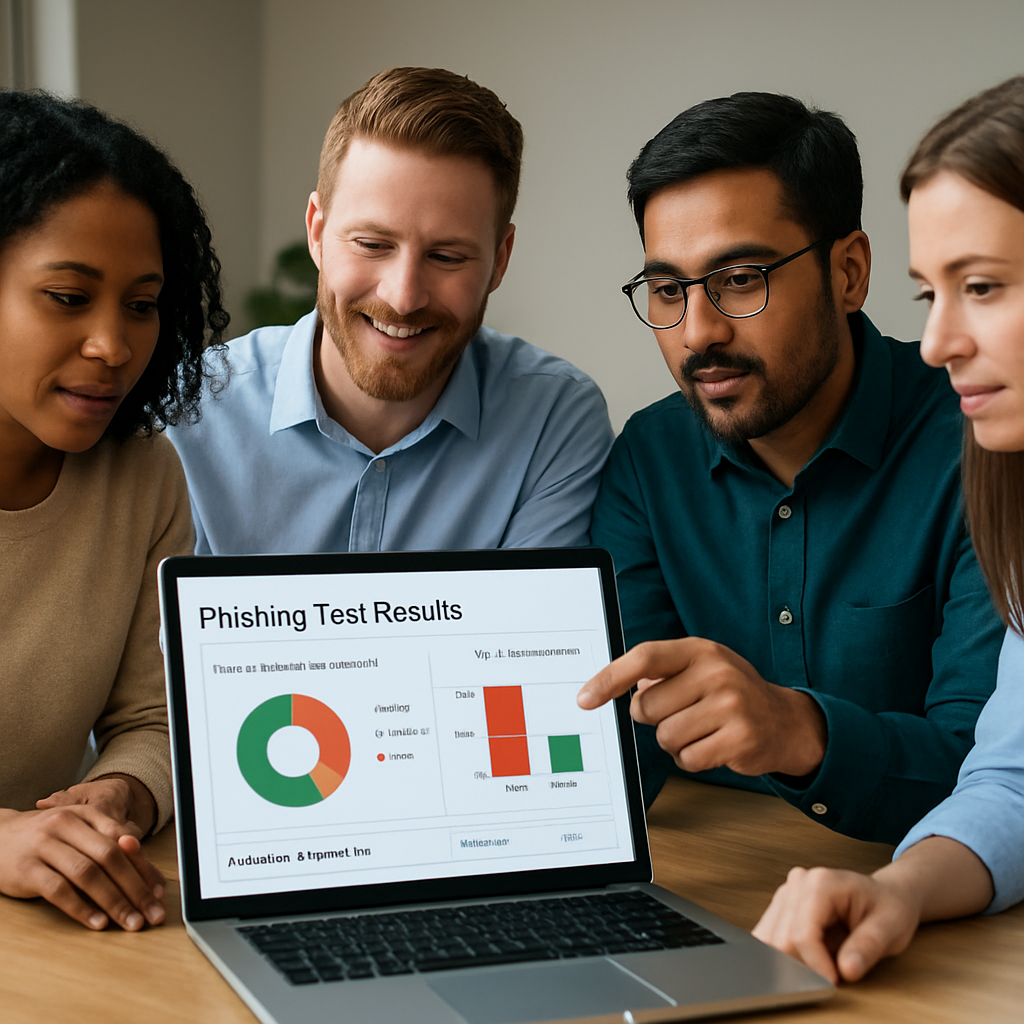
With the raw data in hand, it’s time to turn numbers into priorities. Look for trends: a particular department that clicks 30% of the time, or a specific type of attachment that consistently fools users. Those are the low‑ hanging fruit for your next training session.
Analyze Results and Prioritize Gaps
Take the click‑through rate, the reporting rate, and the types of lures that succeeded, then rank them by business impact. A fake invoice that tricks a finance clerk is more dangerous than a harmless “funny cat video” link. Use that ranking to decide where to focus your first educational push.
- High‑risk users get a 15‑minute one‑on‑one “phish‑spotting” walkthrough.
- Departments with the lowest reporting rates receive a quick tip sheet – you can even print them on professional stationery from JiffyPrintOnline to make the reminder feel official.
- All staff get a monthly “what we saw last month” snapshot so the lesson stays fresh.
Bottom line: you can’t protect what you don’t know is vulnerable. By taking a systematic inventory, running a realistic test, and then digging into the results, you create a clear roadmap for the rest of your phishing training program. The next step will be turning those insights into bite‑size workshops that your team actually enjoys.
Step 2: Build a Tailored Training Program
Now that you’ve got a clear picture of where you stand, it’s time to turn those numbers into a training plan that actually sticks. Think of it like tailoring a suit – you don’t buy off‑the‑rack and hope it fits; you measure, cut, and stitch each piece to the wearer’s shape.
First, ask yourself: what does your team need to know today, and what will they need to know next month? A good rule of thumb is to start simple, then layer complexity as confidence grows.
1. Map the curriculum to real‑world threats
Pull the top three phishing tactics you uncovered in the assessment – maybe it’s credential‑harvesting links, fake invoice attachments, or BEC‑style urgent requests. Build a short module around each one. Keep the module under 10 minutes; people remember a quick story better than a dense lecture.
For example, a Monterey‑area dental office discovered that 30 % of clicks came from “payment‑confirmation” emails. We created a 5‑minute scenario that showed the exact wording they were seeing, highlighted the mismatched sender domain, and let staff practice reporting the fake email. After two weeks, clicks on that lure dropped from 30 % to 7 %.
2. Choose the right delivery mix
Mix live workshops, micro‑videos, and on‑demand quizzes. Live sessions let you answer “what‑if” questions in real time – you know that moment when someone asks, “But what if the email looks exactly like my boss’s signature?” – and you can walk them through the decision process.
Micro‑learning works best for busy SMB owners. A 1‑minute tip that pops up in Teams when someone hovers over a link reinforces the habit without stealing a lunch break.
3. Set a cadence that avoids fatigue
According to best‑practice research, a monthly baseline simulation followed by targeted “risk‑based” drills keeps the program fresh without overwhelming staff. Too many tests in a row can lead to alert fatigue and even resentment.
Start with one simulated phishing email per month. After the first quarter, add a role‑specific drill for high‑exposure roles – think finance or HR – where the lure mimics the data they actually handle.
4. Make reporting effortless
One of the biggest barriers is “I’m not sure how to report this.” Add a single‑click “Report Phish” button to Outlook or Gmail. When someone clicks it, instantly surface a short explanation: “Good catch! Here’s why this was a phishing attempt.” Positive reinforcement builds a culture of partners, not punishments.
In practice, a legal firm in Salinas saw reporting rates jump from 12 % to 68 % once they enabled a one‑click report button across the organization.
5. Track the right metrics
Don’t obsess over “zero clicks.” Focus on reporting rate, time‑to‑report, and repeat‑offender trends. If a handful of users keep clicking, pair the data with a 1‑on‑1 coaching session rather than public shaming.
Use a simple spreadsheet or your existing security platform to log:
- Total simulations sent
- Clicks vs. reports
- Average time from receipt to report
- Individuals needing extra coaching
Review the data every month and adjust the curriculum accordingly.
6. Blend in compliance hooks
If you serve healthcare or legal clients, weave HIPAA or GDPR reminders into the phishing story. A quick line like, “Remember, a breach could cost you $150,000 in fines – that’s why we double‑check every request for PHI,” makes the risk feel real.
Our own Security Services team helps automate those compliance checks, so you don’t have to reinvent the wheel each time you run a drill.
7. Iterate and celebrate wins
After each round, share a one‑page “Phishing Pulse” with leadership: click‑through rate, top‑performing departments, and a quick success story (“Finance reduced click‑rate by 85 % after the BEC drill”). Celebrate the drop in clicks the same way you’d celebrate a new client win – it reinforces that the effort matters.
So, what’s the first step you can take right now? Grab the list of the three most common red flags you noted in your assessment, turn each into a 5‑minute micro‑lesson, and schedule a quick “phish‑spotting” huddle this week. You’ll be surprised how fast the habit of pause‑and‑check becomes second nature.
Step 3: Deliver Interactive Training Sessions
Alright, you’ve done the assessment and you’ve built a curriculum that matches the real threats your team sees in the inbox. Now it’s time to bring that material to life.
Pick the right format for the moment
Live workshops feel like a coffee‑break chat, and they let you field “what‑if” questions on the spot. A 20‑minute session where you walk through a recent phishing email from the assessment can be more powerful than a 30‑minute slide deck that no one remembers.
But you also need micro‑learning for the days when the calendar is full. A 1‑minute video that pops up in Teams right after someone hovers over a link reinforces the habit without stealing lunch.
So, ask yourself: do I need a group discussion, a quick video, or a hands‑on simulation right now? Mix them, and you’ll keep attention fresh.
Set the stage for interaction
Start every session with a story that feels familiar. “Remember that invoice email that almost got us locked out last month?”—you’re instantly pulling the team into the scenario.
Then, break the group into pairs and let them dissect a fake email together. One person spots the mismatched sender domain, the other points out the urgent language. When they swap notes, the learning sticks.
Don’t be afraid to let a few “mistakes” happen. If someone clicks the test link, pause, ask what caught their eye, and walk through the red flags. That moment of embarrassment turns into a teachable win.
Use real‑world drills, not just theory
Run a short phishing simulation right after the workshop. Because the lesson is fresh, the click‑through rate is a true indicator of whether the training landed.
Track three numbers: who clicked, who reported, and how long it took to report. In one Monterey accounting firm we helped, the first drill saw a 27 % click rate. After a hands‑on session, the next drill dropped to 9 % and reporting jumped from 15 % to 62 %.
Those stats aren’t just vanity; they give you a concrete “next step” list. Users who keep clicking get a one‑on‑one coaching slot, while fast reporters get a shout‑out in the next newsletter.
Make reporting effortless
One‑click “Report Phish” buttons in Outlook or Gmail cut the friction. When someone hits the button, pop up a tiny note that says, “Nice catch! Here’s why it was phishing.” That positive reinforcement builds a culture of partnership, not punishment.
In a local health‑clinic we supported, adding the button lifted the reporting rate from 8 % to 55 % in just two weeks. The clinic’s compliance officer loved it because every report automatically fed into their audit log.
Keep the momentum going
Don’t let the session be a one‑off event. Schedule a “phish‑spotting” huddle every other week, each one focused on a different tactic—spoofed domains one week, malicious attachments the next.
Send a 30‑second tip the day after a drill. Something like, “If the sender’s address looks almost right, hover over it—extra characters are a giveaway.” Tiny nudges keep the habit alive without overwhelming the inbox.
Finally, celebrate the wins. A quick slide at the next staff meeting that shows the click‑through rate falling from 22 % to 5 % feels just as rewarding as closing a big sale.
Ready to roll? Grab the three most common red flags you uncovered, turn each into a 5‑minute micro‑lesson, and put a calendar invite out for a 20‑minute “phish‑spotting” huddle tomorrow. You’ll see the habit of pause‑and‑check become second nature faster than you think.
Step 4: Measure Effectiveness and Iterate
Okay, you’ve rolled out the simulations, you’ve added the one‑click “Report Phish” button, and the team is finally starting to pause before they click. Great, but now what? The real magic happens when you start measuring, learning, and tweaking – otherwise you’re just guessing.
First thing’s first: pull the raw numbers out of your email platform or phishing‑simulation tool. You want four core metrics – click‑through rate, report rate, time‑to‑report, and repeat‑offender count. If you’re on Microsoft 365, the message trace can give you open and click data; most vendors also spit out a CSV you can drop into Excel.
1. Build a simple dashboard
Don’t over‑engineer it. A quick spreadsheet with a pivot table does the trick for most SMBs. Here’s a starter layout:
| Metric | What to Track | Action When Threshold Missed |
|---|---|---|
| Click‑Through Rate (CTR) | Percentage of users who click a simulated phish | Schedule a targeted micro‑lesson for the high‑CTR group |
| Report Rate | Percentage of users who hit “Report Phish” | Send a shout‑out in the next staff bulletin to reinforce good behavior |
| Time‑to‑Report | Average minutes from delivery to report | Introduce a real‑time alert in Teams reminding users to report quickly |
| Repeat Offenders | Users who click more than once in a 30‑day window | One‑on‑one coaching session focusing on their specific red flags |
Every month, pull the latest data and update the table. Seeing a line move from 30 % to 12 % is way more motivating than a vague “we’re improving”.
2. Benchmark against industry data
Remember the study that showed click rates climbing from 7 % on easy lures to 15 % on hard ones? That research reminds us that lure difficulty matters – you can’t blame a 5 % click rate on a training flaw if the test was a hard, credential‑harvesting email.
So when you review your numbers, break them out by lure difficulty (easy, medium, hard). If hard‑lure clicks stay stubbornly high, it’s a signal to tighten your technical controls – SPF/DKIM, URL rewriting, or even AI‑driven link inspection.
3. Turn data into bite‑size habits
Here’s a real‑world example: a Monterey dental office saw its CTR drop from 22 % to 7 % after a month of weekly 2‑minute tip emails that highlighted one red flag (“look for extra characters in the sender’s domain”). They measured the drop using the same dashboard above and celebrated the win at the next staff meeting.
Take that playbook and apply it to your own top three red flags. Create a 30‑second tip, schedule it for the same day each week, and watch the numbers shift.
4. Iterate fast, iterate often
What if after two months the report rate stalls at 45 %? Don’t assume the problem is people; maybe the “Report Phish” button is hidden. Move it to the ribbon, add a tooltip, or even automate a pop‑up that says, “Nice catch! Here’s why it was phishing.” Small UI tweaks can lift reporting from 45 % to 70 % in a single sprint.
Another tip: run a “what‑if” drill where you send a simulated BEC email to finance staff only. Measure the CTR and report rate separately. If finance clicks 30 % but reports only 10 %, you’ve uncovered a high‑risk silo that needs role‑specific training.
5. Celebrate the wins, then set the next goal
People love numbers that go down – a slide showing click‑through dropping from 18 % to 4 % feels like a victory lap. Share it in the next all‑hands, add a quick note like, “We stopped 14 phish attempts last month thanks to you.” That reinforcement fuels the habit loop.
After you celebrate, write down the next KPI: maybe bring the time‑to‑report under 10 minutes, or get the repeat‑offender count to zero. Then repeat the measurement‑adjustment cycle.
Need a deeper dive on how to structure the training content you’ll be iterating on? Check out our Understanding Cybersecurity Awareness Training post – it breaks down micro‑lesson design in plain language.
Step 5: Ongoing Support & Resources
You’ve gotten your staff to click, report, and even celebrate lower click‑through rates. But a single win doesn’t keep the doors closed forever. Ongoing support is the glue that turns a one‑time training into a security habit.
Why ongoing support matters
Think about the last time you learned a new software shortcut. You probably needed a reminder or a quick tip before it stuck, right? The same principle applies to phishing awareness – the threat landscape shifts weekly, and people need fresh cues to stay vigilant.
According to the CISA’s guidance for small businesses, regular reminders and practice drills dramatically improve an employee’s ability to spot malicious emails before they click. CISA recommends repeat training because attackers constantly evolve their tactics.
Build a phishing‑awareness calendar
Pick a simple rhythm that fits your team’s schedule. For most SMBs, a monthly micro‑lesson plus a quarterly simulated phishing test hits the sweet spot.
- Month 1: 2‑minute tip about “hover‑over the sender address”.
- Month 2: Quick video (hosted on your intranet) showing a real‑world BEC example.
- Month 3: Short quiz that reinforces the two previous tips.
- Month 4: Full‑scale phishing simulation targeting a high‑risk role.
- Repeat.
Mark those dates in a shared calendar so the whole office sees the cadence. When a reminder pops up, most people will glance at it without feeling like they’re being micromanaged.
Leverage quick‑hit resources
Not every team has time for a formal class every week. Keep a stash of bite‑size assets you can drop into a Teams channel, an email footer, or a break‑room poster.
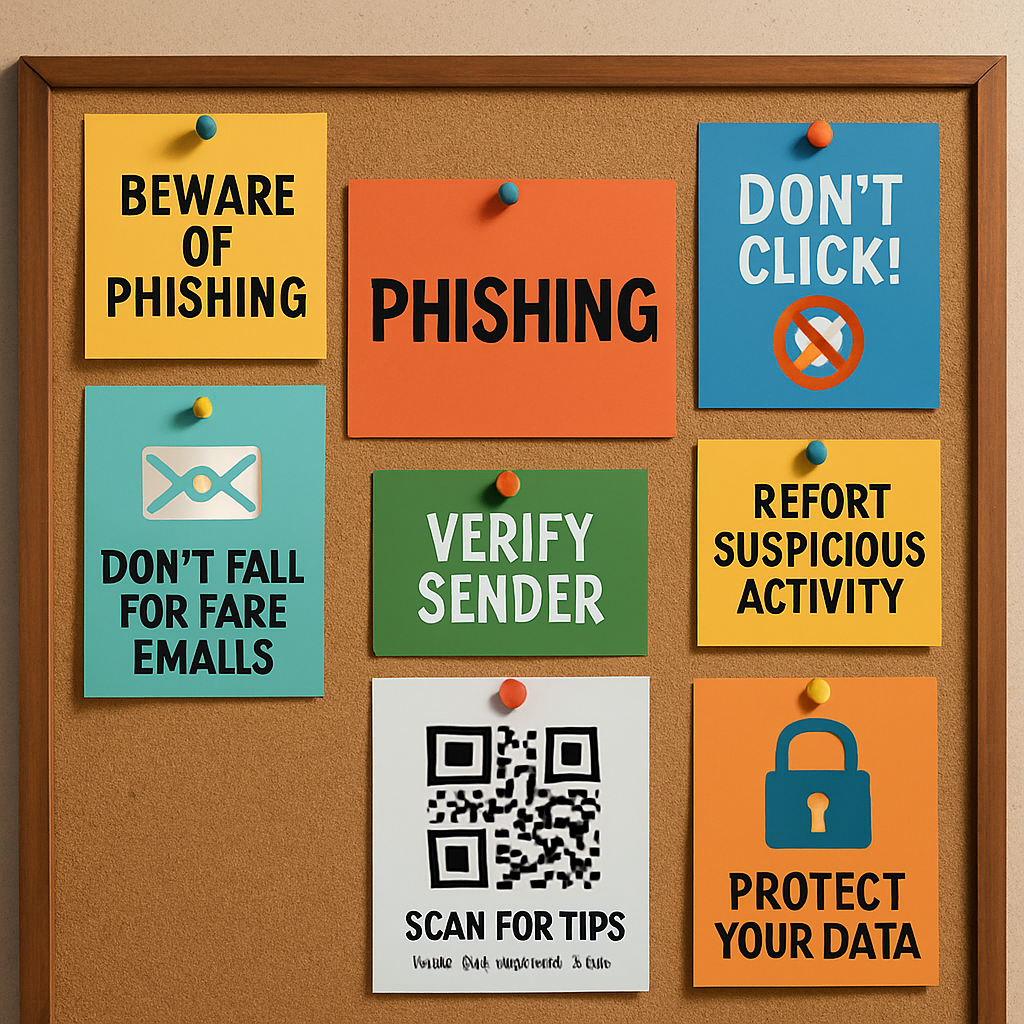
Here are a few ideas you can copy right now:
- One‑sentence “Red Flag of the Day” in the daily IT digest.
- Printable “Phish‑Check” cheat sheet stapled to every workstation.
- Link to the free CISA tabletop exercise PDF for a quick hands‑on drill.
Pick the one that fits your culture – the daily tip works great for busy offices, while a printable cheat sheet is perfect for break‑room glance‑overs.
Make reporting a habit
If reporting feels like an afterthought, it never becomes second nature. Set up a single‑click “Report Phish” button in Outlook or Gmail, and pair it with an auto‑reply that says, “Nice catch! Here’s why this email was risky.” The instant positive feedback turns a nervous click into a confidence boost.
Track the numbers in a simple spreadsheet: total reports, average time‑to‑report, and repeat offenders. When you see a dip in reporting, that’s a cue to refresh the reminder or adjust the button’s placement.
Metrics don’t have to be fancy. A simple dashboard that shows daily report count and average response time is enough to spark conversation at your monthly staff meeting.
Refresh the content regularly
Every quarter, audit your tip library. Pull the latest headlines from local news – maybe a recent ransomware hit on a nearby dental office – and turn that story into a new example. Your staff will remember the lesson better because it feels relevant to their own community.
You can also tap into free resources from CISA, like their printable phishing‑awareness cheat sheet, which you can laminate and stick to every workstation.
Also, ask a trusted employee to be the “phish champion” for a month. Let them suggest a fresh scenario, draft a short tip, and present it at the next staff huddle. Peer‑generated content often lands with more credibility than top‑down messaging.
Finally, schedule a brief check‑in with your IT provider (that’s us, if you need a hand) to review the metrics, tweak the calendar, and add any new compliance requirements – especially for healthcare or legal firms that juggle HIPAA or GDPR rules.
So, what’s the next step? Grab a blank sheet, plot the four‑point calendar above, and drop the first two‑minute tip into your next IT bulletin. In a few weeks you’ll see the habit taking root, and your phishing training for employees will finally feel like a living program, not a one‑off checkbox.
FAQ
What is phishing training for employees and why does it matter for my small business?
Phishing training for employees is a series of short lessons, simulated emails, and quick reminders that teach your team to spot fake messages before they click. It matters because a single successful phish can lock down your accounting software, expose client data, or cost you thousands in downtime. By turning every inbox into a first line of defense, you protect revenue, reputation, and compliance requirements without adding a huge tech stack.
How often should we run phishing simulations?
Most SMBs see the best results with a monthly simulation paired with a quick tip the week after. That cadence keeps the threat top‑of‑mind but doesn’t flood people’s inboxes. If you have a high‑risk department—like finance or HR—add a targeted drill every quarter. The key is consistency: a steady rhythm builds habit, while long gaps let complacency creep back in.
What are the most common signs of a phishing email that my staff should look for?
Look for mismatched sender domains, urgent language that pressures you to act now, and unexpected attachments or links. Hover over any URL—if the address looks slightly off, like “pay‑roll‑update.co” instead of “pay‑roll‑update.com,” that’s a red flag. Also, watch for spelling errors, generic greetings (“Dear Customer”), and requests for credentials or payment details that bypass your normal workflow.
Can we do effective phishing training without a big budget?
Absolutely. Free resources from the Cybersecurity & Infrastructure Security Agency (CISA) include printable cheat sheets and ready‑made phishing templates you can customize. Use your existing email platform to send simulated messages—many tools have a basic free tier. Pair those simulations with a 2‑minute tip in your weekly IT bulletin, and you’ll see noticeable improvement without a costly vendor contract.
How do we measure whether our phishing training is actually improving security?
Track four simple metrics: click‑through rate, report rate, time‑to‑report, and repeat‑offender count. Pull the numbers from your email gateway or simulation tool each month and compare them to the baseline you collected during the initial assessment. A steady drop in clicks and a rise in reports signals that the training is sticking. Celebrate those wins in a staff meeting to reinforce the behavior.
What should we do when an employee clicks a simulated phishing link?
First, lock the lesson in the moment: send an automatic “nice catch” email that explains why the message was fake and highlights the missed clues. Follow up with a short, one‑on‑one coaching session that walks through the red flags together. Keep the tone supportive—not punitive—so the employee feels safe to report future attempts.
How can we keep phishing awareness fresh without overwhelming staff?
Mix micro‑learning with real‑world examples. Rotate between short tips, a quick video, and a monthly “phish‑spotting” huddle that reviews a recent local news story about a breach. Let a “phish champion” from your own team create a tip each month—it adds variety and peer credibility. By sprinkling bite‑size content throughout the year, you reinforce good habits without causing fatigue.
Conclusion
We’ve walked through every step of building, delivering, measuring, and sustaining phishing training for employees, and you now have a clear roadmap.
Remember, the assessment gives you the compass, the tailored curriculum is the map, and the ongoing drills keep you on the road.
If you’ve already set up a baseline test, celebrate that first win – it tells you the problem is visible and solvable.
Next, sprinkle micro‑learning into daily workflows; a 2‑minute tip after a meeting is often enough to reinforce a habit.
Watch the metrics you care about: click‑through rate should slide down, while report rate climbs.
When numbers stall, tweak the button placement or add a quick one‑on‑one coaching session – small adjustments move the needle.
For SMBs in Salinas, Monterey, or nearby health clinics, the same loop works whether you’re protecting patient records or client contracts.
Our experience shows that a consistent “phish‑spotting” huddle every month turns a reactive team into proactive defenders.
So, what’s the next step for you? Pull the three red‑flag examples you noted, turn each into a 5‑minute micro‑lesson, and schedule the first huddle this week.
In just a few weeks you’ll see fewer clicks, faster reporting, and a calmer IT desk.
Ready to lock down your inbox and keep compliance worries at bay? Reach out for a quick, no‑obligation assessment – we’ll help you get the program rolling.






