

Have you ever pictured a quiet office day turning into a frantic scramble because a single file got locked by ransomware? It’s a nightmare that’s happening to more than half of small‑to‑mid‑size businesses every year. What would you do if the attack hit right when you were launching a new product line or preparing for a regulatory audit? The truth is, most SMBs aren’t prepared.
Ransomware doesn’t just demand money; it steals reputation, customer trust, and often critical data that can’t be rebuilt in a few days. One ransomware incident can cost a business thousands of dollars in downtime, not to mention the intangible loss of brand credibility. For companies that rely on patient records, financial data, or proprietary designs, the stakes are even higher.
Why do so many attacks succeed? Because many defenses are still reactive: waiting for an alert, then scrambling to isolate systems and negotiate. That reactive mindset is outdated. A modern defense strategy blends prevention, detection, and rapid response, with a strong backup foundation.
At SRS Networks we’ve spent 28 years turning that theory into practice for Salinas and Monterey businesses. Our Cybersecurity Services: Free Risk Assessment – SRS Networks offers a hands‑on look at your current posture, identifies blind spots, and maps out a clear, prioritized plan to lock out attackers before they even get a foothold.
First, make sure your backup schedule is 24/7, immutable, and stored both on‑site and off‑site. Second, run regular phishing simulations to train staff—an easy way to spot a malicious email before it lands in a inbox. Third, implement an endpoint detection and response solution that watches for odd file activity and stops ransomware in its tracks.
And here’s another angle: many SMBs also juggle sprint planning, budgeting, and team coordination. A well‑structured daily sprint planner—like the one you’ll read about in the Daily Sprint Planner: A Practical Guide for Agile Teams—helps keep security initiatives on schedule so you don’t drop them in the chaos. By weaving security tasks into your daily workflow, you maintain momentum without adding extra overhead.
Ready to move from fear to confidence? Let’s start with a free risk assessment and build a ransomware‑ready strategy that keeps your business moving forward, no matter what threat comes next.
TL;DR
Ransomware protection services stop attacks before they lock your data, combining 24/7 backups, smart phishing training, and endpoint detection that cuts ransomware in half. For small‑to‑mid‑size businesses, this layered approach keeps operations running and restores confidence fast.
With monitoring and incident response, you avoid downtime and protect your brand’s reputation.
Step 1: Conduct a Comprehensive Ransomware Risk Assessment
Imagine you’re scrolling through the inbox of a local dental office when suddenly every file you touch turns into a cryptic lock screen. That’s the reality for many small‑to‑mid‑size businesses in 2026.
Before an attacker can even find a foothold, you need to know what makes your environment vulnerable. That’s where a ransomware risk assessment comes in.
In practice, the assessment is a mix of data, people, and processes. Think of it like a health check‑up for your IT stack.
Here’s how you can break it down.
Start by creating a “network map” that lists every device, server, cloud account, and endpoint you own. Don’t skip the printers or the IoT gadgets in the break room—they can be attack vectors too.
Document who has access to each asset and what permissions they hold. The goal is to spot over‑privileged accounts that could let ransomware spread unchecked.
Ask yourself: which files and services are mission‑critical? Patient records, payroll, inventory, and client contracts all deserve extra protection.
Use a simple spreadsheet or a dedicated tool to rank them by impact. This will guide you on where to invest the most in backups and segmentation.
Take inventory of your current security measures: firewalls, endpoint protection, patch management, and backup policies. Are backups immutable? Are they stored off‑site?
Don’t let a patch lag slide—zero‑day exploits are rising by 141% in the last five years, and attackers love any slip‑up.
Run simulated attacks using red‑team exercises or third‑party penetration tests. A controlled ransomware run can reveal blind spots in detection or isolation.
After the drill, review what was missed, why, and how long the attackers could have moved laterally.
Document step‑by‑step what to do when a threat is detected: who to notify, how to isolate affected machines, and when to call in experts.
Make sure your playbook is tested annually. A play that’s never used will be a ghost when an actual ransomware event hits.
And remember, a solid risk assessment is the foundation of effective ransomware protection services. It tells you where to layer your defenses, how to segment your network, and what backups matter most.
Curious how to get started with a thorough assessment? cybersecurity services can walk you through each step and help you fill the gaps.
In addition, if you’re tracking user activity to spot anomalies, check out this guide on session analytics: How to Choose and Use a Session Analytics Tool for Better User Insights.
And for boosting team focus during these assessment sessions, a habit tracker can be a game‑changer: Effective habit tracker for pomodoro sessions: Boost focus and productivity.
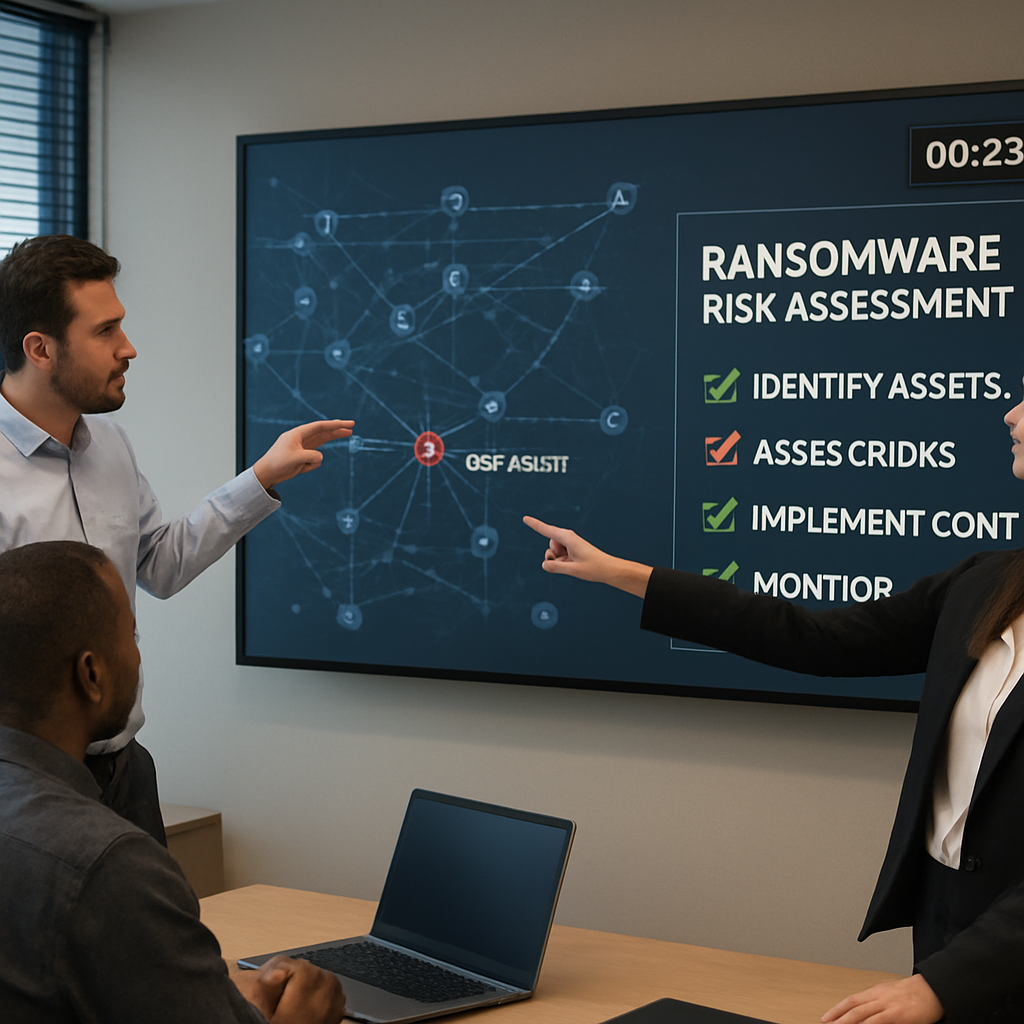
Take the example of a local bookkeeping firm that had no clear segmentation. After a quick audit, they isolated their client database server and set up immutable backups. Within days, when a ransomware strain hit, the attack was contained to a single machine and the firm paid nothing. That’s the power of a solid assessment.
You can replicate this success across any sector.
Step 2: Implement Layered Security Controls and Employee Training
Imagine you’re in the middle of a busy Friday, juggling invoices, client calls, and that looming quarterly report. Suddenly a file you double‑click turns into a cryptic lock screen. That’s the moment most SMBs dread, and it’s usually because the layers meant to stop the attack slipped.
Layered security is the old‑school “castle with moats” approach, but it works just fine for the tech age. Think of it as a safety net of firewalls, MFA, endpoint protection, and, most importantly, people who know what to do when something smells fishy.
Start with the hard technical controls. Deploy an endpoint detection and response (EDR) solution that watches for the telltale signs of ransomware—mass file writes, cryptic file extensions, or sudden spikes in CPU usage. Pair that with network segmentation so a compromised workstation can’t reach your database server.
Take the example of a small dental practice that once had all its devices on one flat network. After adding a simple VLAN split between clinical computers and the billing server—and turning on MFA for every admin account—an attacker’s lateral moves were halted in the first few minutes.
Now, let’s talk people. No technology can beat a well‑trained team when it comes to spotting phishing or suspicious attachments. A quarterly phishing simulation that flags a 30‑minute delay in reporting can cut your attack surface by up to 70%.
Build a training cadence: 1) Start with a baseline quiz to gauge awareness, 2) run a realistic simulated email, 3) debrief with a short workshop that explains the red flags you saw, and 4) repeat the cycle every quarter. Make it interactive—use real screenshots, not generic stock images.
When you’re ready to scale, consider a managed security service that combines MDR with real‑time alerts. That’s where Cybersecurity Services: Free Risk Assessment can give you a clear picture of where you’re vulnerable and how to patch the gaps.
Don’t forget the immutable backup layer. Store one copy in a disconnected, write‑once media pool. Test restores monthly to ensure you can actually bring systems back online in under an hour.
Continuous monitoring ties everything together. Set up a SIEM or a lightweight log aggregator that flags anomalous traffic—like an internal server suddenly communicating with a foreign IP at 3 a.m. That early warning lets you stop ransomware before it even gets a chance to lock files.
Planning those security sprints isn’t optional. A practical sprint planning template helps you schedule training, patching, and monitoring updates so they don’t get lost in the shuffle. Sprint Planning Template: A Practical Guide for Agile Teams offers a ready‑made structure to keep your security initiatives on track.
And if your team needs a daily dose of motivation to keep security top of mind, a habit‑tracking app can turn those reminders into a habit. Best Habit Tracker Apps Reviewed highlights tools that sync with your calendar and nudge users toward consistent vigilance.
Action time: pick one of the three layers—tech, people, or process—and audit it today. Document the gaps, set a remediation timeline, and involve your team in the plan. The difference between a one‑off patch and a resilient defense is how fast you can close those holes before the next attacker thinks of a new trick.
Step 3: Choose the Right Ransomware Protection Service Provider
Imagine your data vault slipping through a cracked door. That’s the reality many small‑to‑mid‑size businesses face when they don’t pick the right ransomware protection partner.
1. Pinpoint What You Need
Start by listing the assets that can’t be lost: patient records, payroll, customer contracts, or that proprietary design file.
Ask yourself, how would a breach affect your cash flow, reputation, or compliance? The answer will shape the provider’s feature set you demand.
For a dental office, the answer is obvious—protecting imaging files and HIPAA‑compliant data is non‑negotiable. For a boutique retailer, focus on point‑of‑sale logs and payment information.
2. Check the Provider’s Core Capabilities
Ransomware protection services should combine three pillars: detection, prevention, and recovery.
Look for real‑time monitoring that spots suspicious file activity before encryption starts. The technology must be able to stop data exfiltration, a tactic used by 96% of modern attacks.
Ask the vendor for a demo of their threat‑behavior dashboard—can you see a lock screen pop up before the attacker gets a foothold?
3. Look for Proven Response & Recovery
Fast containment is as important as prevention. A provider’s incident response team must be able to isolate a compromised segment in minutes, not hours.
Find out what their SLA for first‑response looks like. If they promise “under 30 minutes,” can they back it up with real numbers?
In addition to containment, recovery speed matters. A good partner will have immutable backups that can restore critical systems in under an hour.
While you watch the video, think about your own recovery timeline. Are you ready to bounce back in less than a day?
4. Evaluate Local Support & Industry Know‑How
Cybersecurity is a local business for a reason. A provider that knows Salinas or Monterey’s regulatory landscape can save you hours of research.
Ask if the vendor has staff who speak the language of your industry—HIPAA for healthcare, PCI for retail, or NIST for finance.
A provider that offers on‑site visits or a dedicated account manager can reduce the “big company, small team” disconnect.
5. Test, Pilot, and Verify
Don’t just rely on marketing claims. Request a sandbox test or a trial period where you can simulate a ransomware scenario.
During the pilot, measure how long it takes for alerts to trigger and for your backup to spin up. Use the same metrics you’ll use in an actual breach.
Ask for customer references, preferably from businesses that share your size and industry. Real‑world feedback beats glossy case studies.
6. Compare Pricing, ROI, and Total Cost of Ownership
Ransomware protection isn’t a one‑off purchase. Factor in subscription fees, training costs, and potential downtime savings.
A vendor that bundles endpoint protection, data exfiltration control, and managed detection & response often delivers better ROI than buying separate solutions.
Use a simple spreadsheet: list features, annual cost, and estimated savings from avoided downtime. The provider with the best cost‑benefit ratio usually wins.
7. Make the Decision
When you’ve weighed the data, you’re ready to choose. The right provider will let you focus on growing your business, not chasing down cyber threats.
Remember, the goal isn’t to avoid every single attack—it’s to limit damage, recover fast, and keep your clients trusting you.
Ready to test your options? Dive into the list of top-rated solutions, start a free trial, and ask the right questions before you sign on. The best partner will ask you the same questions, too.
According to PCMag’s review, the most effective ransomware protection services combine behavior‑based detection with on‑device data exfiltration prevention. This blend gives businesses a two‑layer shield against today’s AI‑driven attacks.
So, are you ready to lock out the bad actors and keep your operations running smoothly?
Step 4: Deploy Automated Backup and Disaster Recovery Solutions
All right, you’ve scoped the risk and chosen a protection partner. The next move is to lock your data in place so you can jump back into business fast if ransomware does its thing.
Think of your backup as the safety net under a tightrope walker. If the rope snaps, the net catches you before you fall. That’s the exact promise of automated, immutable backups.
First, pick a cadence that matches your business rhythm. A 24‑hour backup for critical files, but maybe a 15‑minute snapshot for the active database. You don’t have to do it all at once—just make sure you’re not waiting months to see what was lost.
Next, lock the copy. Immutable means once it’s written, nobody can edit or delete it. That’s a game‑changer against ransomware that tries to overwrite backups.
Then, split the location. On‑prem copies protect against a cloud outage, and off‑site copies guard against a local fire or flood. Think of it as having a backup in two different countries—if one falls, the other is still standing.
Automation is the secret sauce. Set up scripts that run during low‑traffic windows, so you’re not hogging bandwidth during peak hours. Use a monitoring dashboard that alerts you if a backup fails, so you can fix it before it becomes a problem.
And don’t forget the test. A backup is only good if it can actually restore your systems. It’s a backup‑driven recovery plan, but the real value is the test. It’s like a fire drill, but for data.
Here’s a quick play‑by‑play:
- Identify mission‑critical files and set their backup frequency.
- Choose immutable storage for each set.
- Allocate one copy on‑prem, one off‑site.
- Automate the process with scripts or cloud‑native tools.
- Monitor with alerts and logs.
- Test restoration every quarter.
Does that sound doable? Absolutely. The key is treating backup as a regular chore, not a one‑time project.
When you’re ready to roll, you’ll notice a huge drop in “what‑if” anxiety. Instead of running a rescue team, you’ll be running a routine check and a quick recovery. That’s the power of a well‑deployed backup and disaster recovery stack.
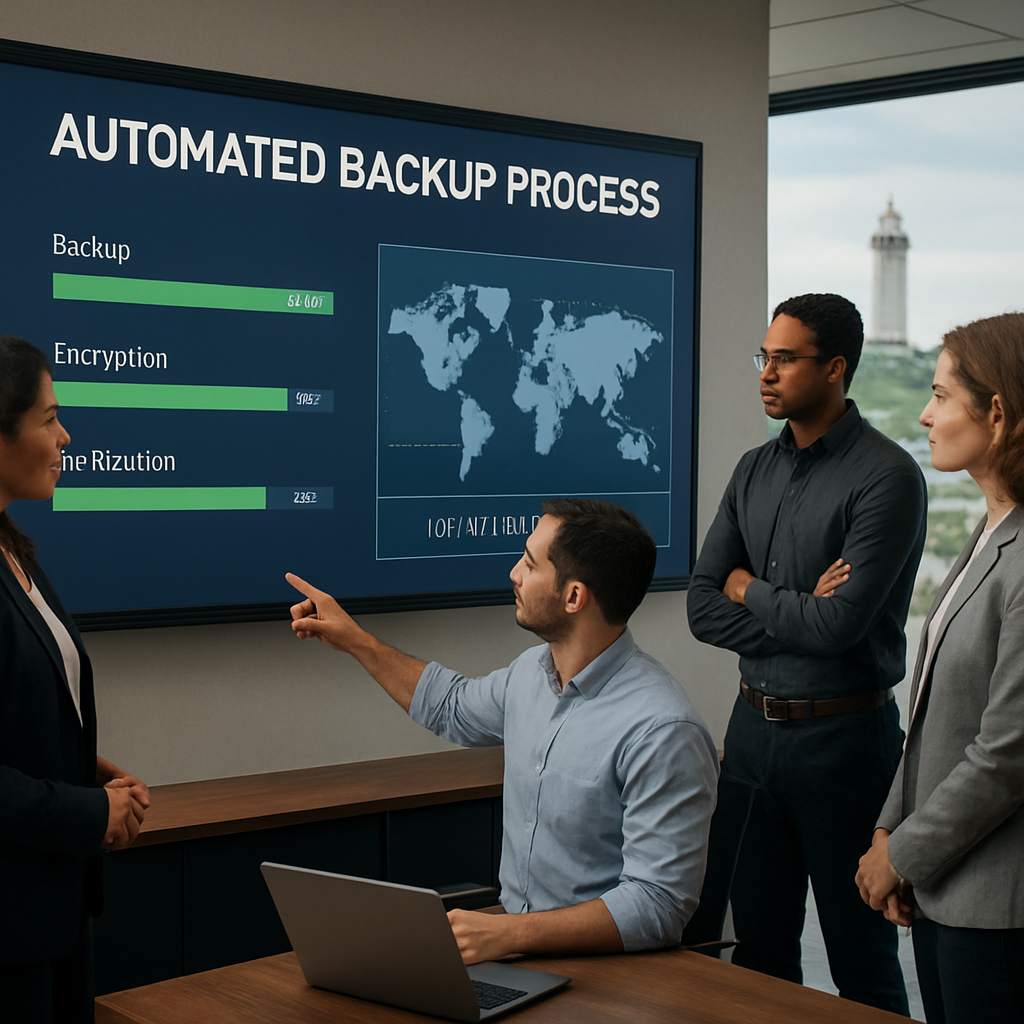
| Backup Strategy | Key Feature | Why It Matters |
|---|---|---|
| Incremental Snapshots | Only changed data is saved | Reduces bandwidth and storage costs while keeping recent restores fast |
| Immutable Copies | Write‑once, read‑many storage | Prevents ransomware from erasing backups |
| Multi‑Region Off‑Site | Data stored in separate geographic locations | Guard against regional disasters or localized cyber incidents |
In short, automated backups give you a safety net you can trust. With the right mix of frequency, immutability, and geographic spread, you’re not just waiting for the worst—you’re building a fast‑turnaround recovery path that keeps your business moving.
Key Considerations When Deploying
Before you hit “run”, double‑check these quick checks: Is every critical file in the backup set? Are you using end‑to‑end encryption so that only you can read the data? And have you defined a recovery‑time objective (RTO) that fits your daily operations? If the answer is “not yet”, adjust the schedule or add more copies.
Encryption isn’t just a nice‑to‑have. If someone gets hold of your backup, you want them to hit a wall of keys. Use AES‑256 or the cloud provider’s native encryption, and store the keys in a separate vault so the data can’t be decrypted without your approval.
All right, you’ve got the playbook. The next step is to schedule those scripts and let the system do the heavy lifting while you focus on the rest of the business. If you’d like a quick walkthrough of our backup solution or a free risk assessment, just drop us a line and we’ll get the ball rolling.
Remember, a solid backup plan is the quiet partner that saves the day.
Step 5: Maintain Continuous Monitoring and Incident Response Planning
Let’s be real: you can’t sleep on monitoring once you’ve got backups and staff training in place. Ransomware moves fast, and your defense needs to move faster. You want a system that catches the faintest whiff of trouble and a plan that kicks in before you notice the damage in your wallet.
So, what does continuous monitoring actually look like in a real SMB environment? It’s a layered, practical setup that ties people, processes, and technology into one coherent defense. It’s not a fantasy dashboard you never use—it’s the you-can-count-on-this when a crisis hits.
In our experience, the strongest defense blends three layers: endpoint detection and response (EDR/XDR) on every key device, network detection and response (NDR) with deception to spot lateral movement, and threat intelligence that gives context to every alert. When these layers share a common intelligence backbone, you stop guessing and start acting with precision. For a deeper dive into this intelligence-driven approach, see Recorded Future’s analysis on threat intelligence and ransomware detection.
What this means for you day to day is simple: fewer false alarms, faster containment, and clearer guidance on what to fix first.
Build and harmonize your monitoring stack
Start with endpoint protection that watches for abnormal file activity, unexpected privilege escalations, and suspicious process chains. Next, layer in network detection to catch what your endpoints miss—think unusual data flows, anomalous login patterns, or unusual data transfers between segments. A few clever organizations also deploy deception techniques like decoy files to trigger early, high-fidelity alerts when an attacker probes your environment.
Threat intelligence isn’t optional here. It helps your team understand whether an alert is tied to a real campaign or an isolated admin task. This context is what turns noise into informed action.
Don’t forget a centralized log and alerting platform (SIEM or a lightweight equivalent) so your team can correlate events across devices, networks, and cloud services. The goal is to reduce triage time from hours to minutes and to automate containment where safe.
Incident response planning that works when it matters most
Put a playbook in place that covers: who to notify, how to isolate affected segments, and how to preserve evidence for forensics. Define roles so you’re not scrambling during the first hours of an incident. Create runbooks for common scenarios—phishing‑driven breaches, ransomware encryption, and data exfiltration attempts.
Does your plan specify your recovery sequence? A typical order is containment, preserving evidence, eradicating the threat, validating clean state, and then restoring from trusted backups. Include communications templates for leadership, customers, and regulators. If you don’t need to talk to the press, you still need to keep stakeholders informed in plain language.
Run tabletop exercises quarterly, then a live drill at least once a year. Yes, it’s a little nerdy, but you’ll thank yourself when the real incident hits. Start with a one‑page scenario, walk through decision points, and capture lessons learned immediately afterward.
Key metrics matter. Track mean time to detect, mean time to contain, and time to restore critical systems. If you’re not improving on these numbers quarter over quarter, you’re leaving money on the table.
Finally, align with leadership on risk tolerance and budget. Security is a business decision, not a tech hobby. A practical plan keeps you compliant, resilient, and trustworthy in the eyes of patients, clients, and regulators alike.
If you want hands‑on help shaping a ransomware‑ready monitoring and incident response program, we’re here to map it to your reality. Let’s build a plan that moves as fast as the threat—without overwhelming your team.
Ready to take the next step? Recorded Future has more on the intelligence side of detection, and we can tailor the rest to your environment.
FAQ
What exactly are ransomware protection services?
Think of them like a layered security blanket for your data. They mix prevention (firewalls, multi‑factor login), detection (real‑time monitoring of odd file writes), and recovery (quick, immutable backups). For small‑to‑mid‑size businesses, that means you’re not just waiting for a ransom note—you’re actively stopping the attack before it can lock anything.
How fast can these services detect an attack?
Modern solutions can spot the tell‑tale mass file writes in seconds. In practice, you’ll see alerts in under a minute, giving your team a 30‑second window to isolate the machine and block further spread. The quicker the alert, the less damage and the cheaper the recovery.
Do I need to be a tech expert to use these services?
Not at all. The goal is to keep the tech side running behind the scenes so you can focus on your core business. A good provider will handle the monitoring dashboards, run the playbooks, and even guide your staff through a quick training drill. You just need to know when a notification pops up.
What’s the difference between ransomware protection and backup?
Think of protection as a lock and backup as a spare key. Protection prevents the lock from being turned, while backup gives you the key if the lock gets stuck. Together, they give you a two‑tier safety net: stop the attack before it starts, and if it slips through, restore in minutes.
Can I rely on a single vendor for both detection and backup?
Yes, many providers bundle endpoint detection, network monitoring, and immutable backups into one service package. That reduces friction—one point of contact, one contract, and a unified playbook. It also ensures the backup policy is tuned to the exact detection thresholds, so you don’t end up restoring the wrong data.
How often should I test my ransomware protection plan?
A quarterly tabletop exercise is a minimum. During the drill, simulate a ransomware spike, walk through the alert chain, and verify the backup restores in under an hour. If the test uncovers gaps—like a missing alert or a slow restore—fix them right away. Re‑test until the process feels like a well‑rehearsed routine.
What if my team ignores the alerts?
That’s where the “human layer” kicks in. The service should provide clear, role‑specific instructions: who to notify, what steps to take, and how to preserve evidence. By embedding these playbooks into your daily stand‑ups, you train the team to act quickly rather than react in panic.
How do I measure ROI on these services?
Track the mean time to detect, contain, and recover. Compare the cost of a ransomware event (downtime, lost revenue, reputation damage) to the subscription and support fees. If your average recovery takes less than an hour, you’re cutting potential losses by a significant margin—often worth several times the annual service cost.
These are the common questions we get from local SMBs. If anything else comes up—about compliance, integration with your existing tools, or scaling as you grow—just drop us a line. We’re here to keep your data safe and your business moving forward.
Conclusion
Let’s pause and look back at the road we’ve traveled.
You’ve mapped out the threat landscape, tested your backup, and built a playbook that feels less like a checklist and more like a safety net.
What stands out is that protection isn’t a one‑time fix; it’s an ongoing conversation between people, processes, and technology.
So, what’s the next move? Keep the cadence. Schedule quarterly drills, update your policy when a new tool lands, and ask your team what’s working and what’s not.
Ask yourself: if ransomware tried again tomorrow, would you be able to isolate the attack within minutes, or would the whole office go dark?
Answering that question is the real test of readiness.
Remember, the best protection is the one you can deploy before an attack happens and the one that brings you back online quickly afterward.
In a world where a single encrypted file can cost thousands in downtime, a solid ransomware protection strategy is more than a luxury—it’s a business necessity.
Ready to lock that safeguard into place? Reach out for a quick assessment, and we’ll help you turn those plans into action.
Your next step is simple: schedule a 30‑minute chat with our team and let’s outline a tailored roadmap that keeps ransomware out and your data in.






