

Cyber attacks hit small businesses hard. In Monterey, a single breach can shut down a law office, a farm, or a local clinic overnight. You need a clear plan, not a vague promise. This guide walks you through every step to create an SMB cybersecurity roadmap Monterey that fits your budget, your industry, and your growth goals.
We’ll start with a reality check, then set goals, sketch a framework, pick priorities, and finish with a cycle of action and review. By the end you’ll have a living document you can hand to your team, your board, or your MSP.
Step 1: Assess Your Current Security Posture
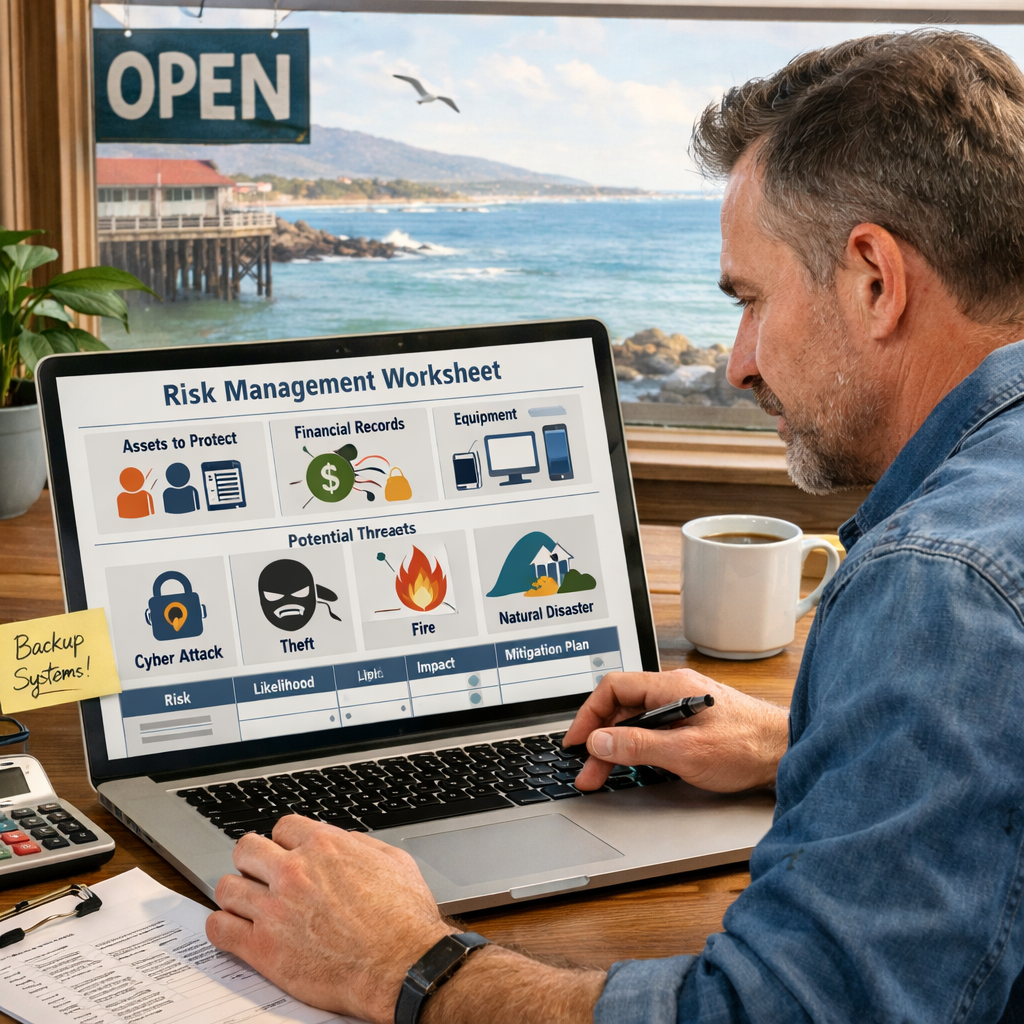
Before you buy tools, you need to know what you have. A solid inventory stops you from chasing ghosts.
Make a list of every device that talks to your network , laptops, phones, POS terminals, even smart coffee makers. Note the owner, location, and what data lives on each device. Classify data into three buckets: high‑value (patient records, payroll), medium (marketing lists, inventory), and low (public web images). This simple three‑tier view tells you where a breach would hurt most.
Next, run a quick scan. Many cloud‑based scanners can check for open ports, missing patches, and known vulnerabilities without heavy hardware. Focus first on the high‑value assets you just identified.
And remember to check your backup health. An up‑to‑date, off‑site backup turns a ransomware hit into a quick restore.
According to the Cybersecurity & Infrastructure Security Agency (CISA), 43% of cyber incidents start with a missing patch or an unprotected device. That’s why a baseline scan matters.
Now you have a snapshot of where you stand.
Imagine you run a small accounting firm in Salinas. Your inventory shows three laptops holding client financial data, all missing the latest OS patches. That gap becomes a clear target for ransomware.
For deeper ransomware‑specific guidance, see the Monterey CA ransomware vulnerability assessment guide.
Bottom line:Know what you have, know its value, and know its gaps before you spend on solutions.
Step 2: Define Risk Management Goals
Now that you see the gaps, decide what risk looks like for your business. Not every threat is equal.
Start with three questions: What would hurt my business most if it happened? How likely is that event? What can I afford to lose?
Map each answer to a goal. For a dental clinic, protecting patient health information may be the top goal, with a target of zero unauthorized access. For a retail shop, keeping credit‑card data safe and staying PCI‑DSS compliant is the priority.
Use the NIST Cybersecurity Framework as a language bridge. Its five functions , Identify, Protect, Detect, Respond, Recover , line up with most compliance rules.
According to the NIST Cybersecurity Framework, organizations that formalize goals see a 30% reduction in breach impact.
And write your goals down. A goal like “Patch all high‑value assets within 48 hours of release” is specific, measurable, and actionable.
Here’s a quick template you can copy:
- Goal:What you want to achieve
- Metric:How you’ll measure success
- Timeline:When you’ll hit the target
- Owner:Who is responsible
For compliance‑focused businesses, the Cybersecurity compliance services for SMBs guide gives a ready‑made checklist.
Bottom line: Clear, measurable risk goals turn vague worries into concrete actions.
Step 3: Build the Roadmap Framework
With goals in hand, sketch a timeline. Break the year into quarters and assign each goal to a slot.
Start with quick wins , things you can do in the next 30 days. Typical quick wins include enabling multi‑factor authentication (MFA) on admin accounts, setting up automated patching, and validating your backup restores.
Then layer in medium‑term projects like network segmentation, endpoint detection & response (EDR), and security awareness training.
Finally, plan long‑term investments such as a managed detection and response (MDR) service or a zero‑trust architecture.
And keep the roadmap visual. A simple Gantt chart or a colored swim‑lane diagram helps every stakeholder see who does what and when.
“A roadmap that ties security projects to business outcomes makes the budget conversation easier.”
Make sure each project includes:
- Scope , what’s in and out
- Owner , who leads
- Milestones , key dates
- Success metrics , how you’ll know it worked
And schedule a quarterly review. That way you can shift resources if a new threat emerges.
Bottom line:Build a step‑by‑step timeline that balances quick wins with long‑term resilience.
Step 4: Prioritize Initiatives and Budget
Now you have a list of projects. Time to rank them.
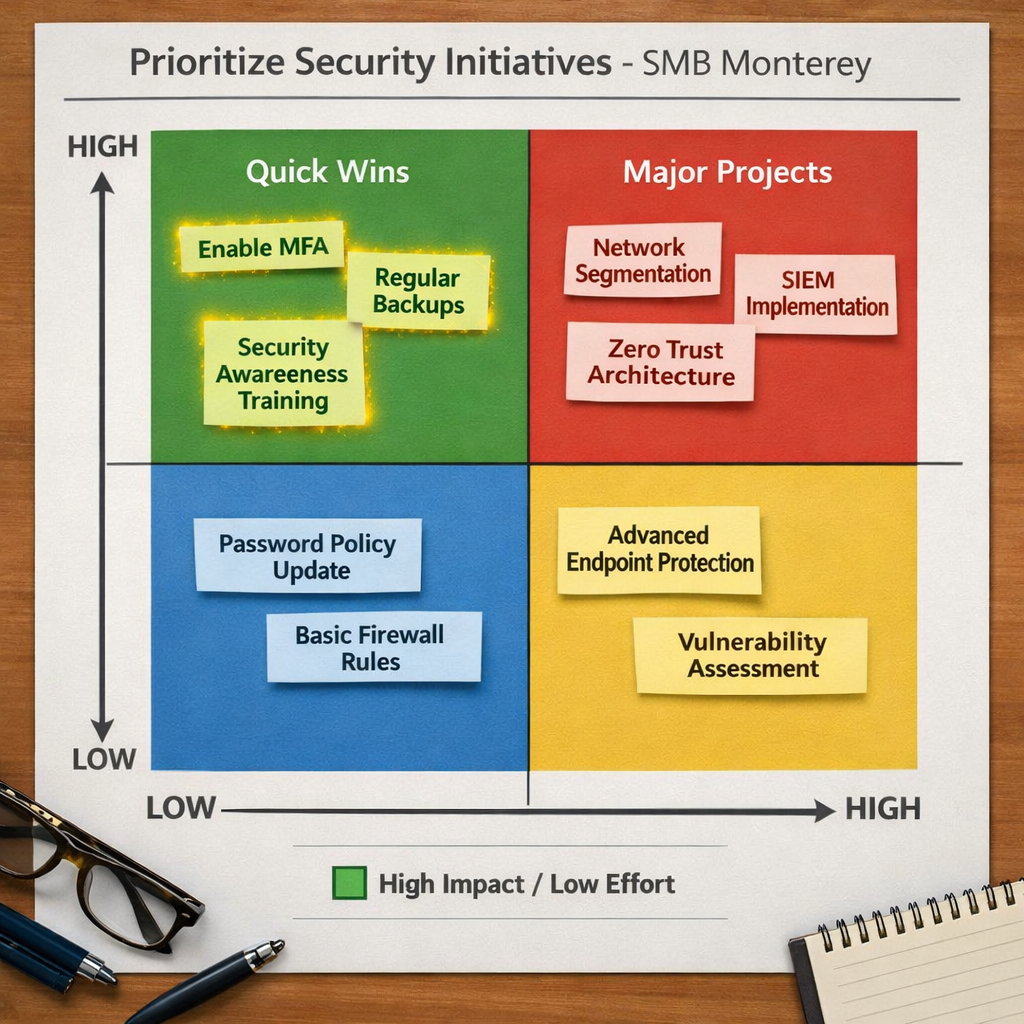
Use a simple risk‑impact matrix. Plot each initiative on a grid: Impact (high to low) vs. Effort (easy to hard). High‑impact, low‑effort items go to the top of the backlog , they give the biggest security boost for the least cost.
For example, enabling MFA is high impact and easy to roll out. Network segmentation may be high impact but requires more engineering effort.
Next, match each item to a budget line. Remember that security is an investment, not a cost. A $5,000 MFA rollout can save you $200,000 in ransomware downtime.
And consider financing options. Many MSPs, including SRS Networks, offer subscription‑based security services that spread the cost over 12 months.
When you talk to vendors, ask for a clear ROI model. If the vendor can’t show how their solution reduces risk, walk away.
Here’s a quick prioritization checklist you can print:
- Does the project address a high‑value data risk?
- Is the effort realistic for your staff or budget?
- Does it help you meet a compliance deadline?
- Can you measure success within 90 days?
For a hands‑on look at budgeting, the Cybersecurity services for small business guide breaks down typical cost buckets.
Bottom line: Rank projects by impact and effort, then lock them into a realistic budget.
Step 5: Implement, Monitor, and Iterate
Implementation is where plans become reality. Follow a phased rollout: pilot, expand, stabilize.
Start with a pilot group , maybe the finance team , to test new MFA or endpoint protection. Gather feedback, fix issues, then roll out to the whole organization.
Monitoring comes next. Deploy a lightweight SIEM or a managed detection service that pulls logs from firewalls, EDR agents, and cloud apps. Set alerts for unusual login patterns, rapid file encryption, or data exfiltration spikes.
And don’t forget to rehearse your incident response plan. Run a tabletop exercise every six months. Walk through detection, containment, eradication, and recovery steps.
For data recovery, the Best Data Recovery Services & Tools Guide 2026 outlines options if a backup fails.
Finally, iterate. Security isn’t a set‑and‑forget project. Review the roadmap quarterly, adjust priorities, and add new threats as they appear.
Bottom line:Deploy, watch, and improve , repeat this cycle to stay ahead of attackers.
FAQ
What is the first thing I should do when creating an SMB cybersecurity roadmap in Monterey?
Start with a complete inventory of devices, data stores, and user access levels. Classify data by sensitivity and run a quick vulnerability scan. This baseline tells you where the biggest risks lie and gives you a clear starting point for the rest of the roadmap.
How often should I review my cybersecurity roadmap?
Quarterly reviews work well for most SMBs. During the review, check progress against your risk‑management goals, update the risk‑impact matrix, and add any new threats you’ve learned about. A regular cadence keeps the plan relevant and aligns it with business changes.
Do I need a full‑time security team to follow this roadmap?
No. Many Monterey SMBs partner with a managed services provider like SRS Networks. They can handle monitoring, patch management, and incident response, letting you focus on core business tasks while still meeting compliance and security standards.
What compliance frameworks apply to Monterey businesses?
Depending on your industry, you may need HIPAA for health data, PCI‑DSS for credit‑card processing, or California’s CCPA for consumer privacy. The NIST Cybersecurity Framework works as a universal language that maps to all these regulations, making audits smoother.
How can I justify the security budget to my leadership?
Translate security projects into business outcomes: reduced downtime, avoided ransomware payouts, and compliance avoidance of fines. Use the risk‑impact matrix to show ROI , for example, a $5,000 MFA rollout can prevent a $200,000 ransomware loss, as shown in industry studies.
What role does employee training play in the roadmap?
People are often the weakest link. Regular phishing simulations, short video lessons, and clear policies help staff to spot threats. Training should be measured , track click‑through rates on simulated phishing emails and aim for a 90% reduction in clicks over six months.
Should I invest in a SIEM right away?
A full‑scale SIEM can be pricey. Start with a managed detection service that offers log aggregation and basic alerting. As your security maturity grows, you can upgrade to a more strong SIEM that supports advanced analytics and custom rules.
How do I know if my backup strategy is sufficient?
Follow the 3‑2‑1 rule: keep three copies of data, on two different media, with one copy off‑site. Test restores at least once a month. If a restore takes longer than your recovery time objective (RTO), adjust your backup schedule or technology.
Conclusion
Putting together an SMB cybersecurity roadmap Monterey doesn’t have to feel overwhelming. Start with a solid inventory, set clear risk goals, draw a visual timeline, rank projects by impact, and then move through a disciplined rollout, monitoring, and iteration cycle. The right partner can fill gaps you can’t cover alone , SRS Networks offers the full suite of services you need, from network monitoring to incident response and compliance support.
When you treat security as an ongoing journey rather than a one‑off project, you protect your customers, your reputation, and your bottom line. Ready to get started? Contact SRS Networks for a free assessment and turn your roadmap into reality.






