

Imagine you run a boutique bakery in Monterey. One busy Saturday morning, the POS system freezes. The screen shows a strange lock screen and a demand for cash. Your staff can’t finish orders. Customers start to leave. The panic you feel is the same feeling many SMB owners get when ransomware hits. It stops sales, hurts reputation, and can cost thousands. That’s why a monterey ca ransomware vulnerability assessment for small business matters. It lets you see weak spots before a bad actor does. It’s like having a health check for your tech. You learn what data is most valuable, where gaps hide, and what steps to fix them. You can keep the lights on, protect client info, and stay on the right side of the law. In this guide we walk you through each step, from spotting critical assets to building a monitoring plan that fits a small business budget. By the end you’ll know how to start a monterey ca ransomware vulnerability assessment for small business that keeps your shop, clinic, or office running smoothly.
Step 1: Identify Critical Assets and Data
Doing a monterey ca ransomware vulnerability assessment for small business starts with knowing exactly what you need to protect.
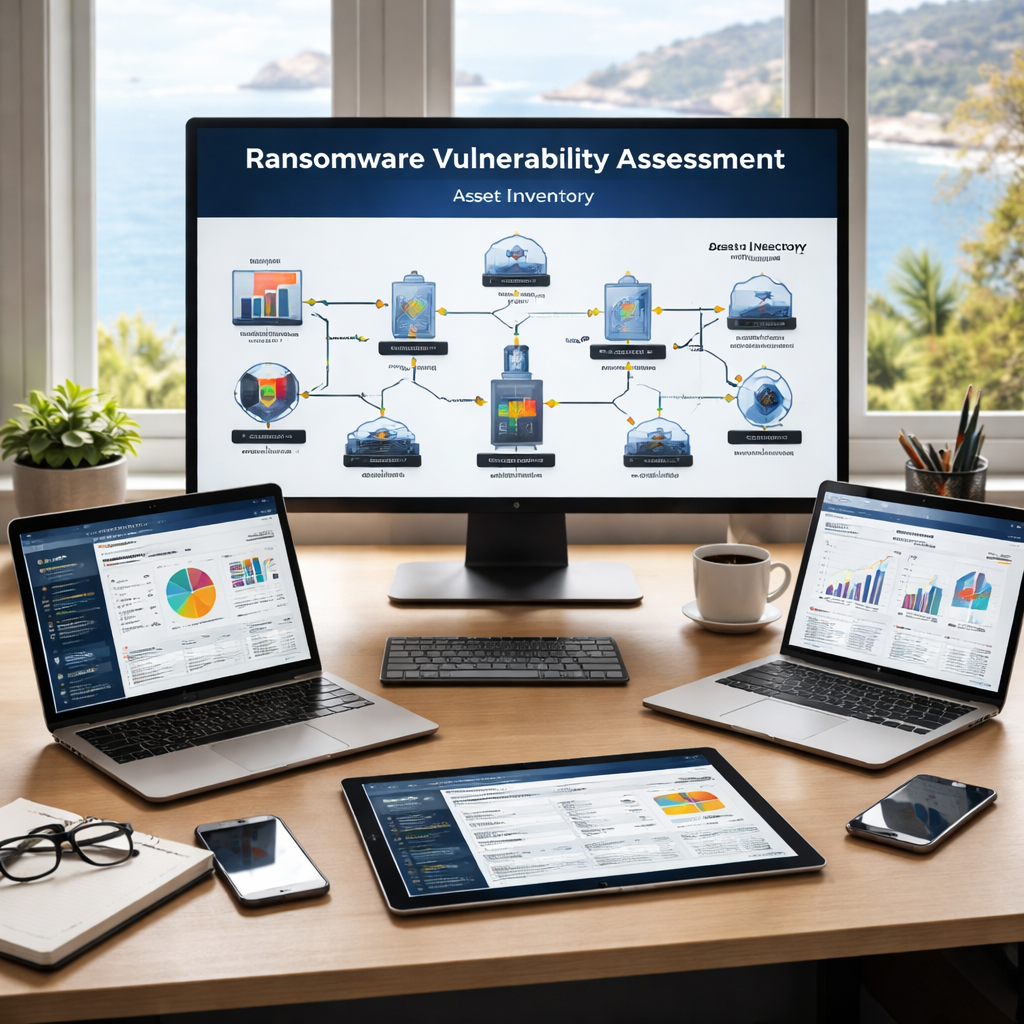
First, list every device that talks to your network. Include laptops, tablets, point‑of‑sale terminals, and even the coffee‑maker if it talks to Wi‑Fi. Write down the make, model, and where it sits. This simple inventory stops you from missing hidden devices that could be a back door for ransomware.
Next, classify the data each device holds. Use a three‑tier system: High, Medium, Low. High‑value data might be patient records, payroll files, or customer payment info. Medium could be marketing lists or inventory data. Low is anything that isn’t sensitive, like public web images.
Why does this matter? A ransomware actor looks for high‑value data first. If you know which assets hold that data, you can apply stronger controls there.
Here are three quick tips to make the inventory easy:
- Use a spreadsheet with columns for device name, IP address, owner, and data type.
- Tag assets by location – front‑store, back‑office, cloud.
- Review the list with department heads to catch missed items.
When you’ve mapped assets, you can set the scan frequency. High‑risk items get weekly scans, medium ones get monthly, and low ones get quarterly. This balances security with uptime.
For more on how to protect critical data, see Ransomware Protection Services: How SMBs Can Safeguard Their …. Also check the CISA website for guidance on asset inventory, and the U.S. Small Business Administration for templates you can copy.
Step 2: Conduct a Ransomware Vulnerability Scan
A solid monterey ca ransomware vulnerability assessment for small business uses a scanner that checks for known flaws.
Pick a scanner that fits SMB budgets. Many vendors offer cloud‑based services that run without heavy hardware. The scan works in two passes: a quick “lights on” pass that looks for open ports and missing patches, then a deeper pass that tests for vulnerable software versions.
Before you start, tell the scanner which assets are high‑risk. That way the tool spends more time on your payroll server and less on a guest Wi‑Fi router.
Run the scan during off‑hours if possible. This reduces impact on customers. Most scanners let you schedule automatically, so you can set a weekly run for critical servers.
After the scan finishes, you’ll get a report with findings grouped by severity: Critical, High, Medium, Low. Focus first on Critical findings that affect High‑value assets.
Three actionable steps after the scan:
- Patch every item marked Critical within 24‑48 hours.
- Block any open ports that aren’t needed for business functions.
- Document each fix in a ticketing system for audit trails.
External resources that help you understand scan results include the NIST Cybersecurity Framework 2.0 page and the Microsoft Security site. Both provide plain‑language explanations of CVE scores and how to prioritize remediation.
Step 3: Analyze Findings and Prioritize Risks
Analyzing the scan results is the heart of a monterey ca ransomware vulnerability assessment for small business effort.
Start with the executive summary. It shows how many findings sit in each severity bucket. If you see more than five Critical items, treat that as a red flag and allocate extra resources.
Next, match each finding to the asset inventory you built in Step 1. Ask:
- Which asset holds High‑value data?
- Is the vulnerability exploitable from the internet, or only inside the LAN?
- Do we already have a control that mitigates it (e.g., a firewall rule)?
Rank the risks using a simple matrix: Impact (High, Medium, Low) vs. Likelihood (High, Medium, Low). High‑Impact & High‑Likelihood items go on the top of your remediation backlog.
Assign owners to each ticket. A clear owner speeds up fixes and creates accountability.
Here’s a quick table you can copy into your own docs:
| Finding | Asset | Impact | Likelihood | Priority |
|---|---|---|---|---|
| Unpatched Windows Server 2019 | Payroll DB | High | High | Immediate |
| Open RDP port | Remote admin PC | Medium | Medium | Next week |
| Outdated Joomla plugin | Public website | Low | Low | Quarterly |
Watch the short video below to see how a risk matrix drives action:
After you set priorities, create a remediation timeline. Break work into weekly sprints so you don’t overwhelm staff. Review progress in a short stand‑up meeting each Friday.
For deeper guidance, you can read the CISA guidance on vulnerability management and the NIST Small Business Quick Start Guide. Both outline best practices for tracking and closing gaps.
Step 4: Implement Protective Controls
With the list of priorities in hand, you can add the right controls for a monterey ca ransomware vulnerability assessment for small business plan.
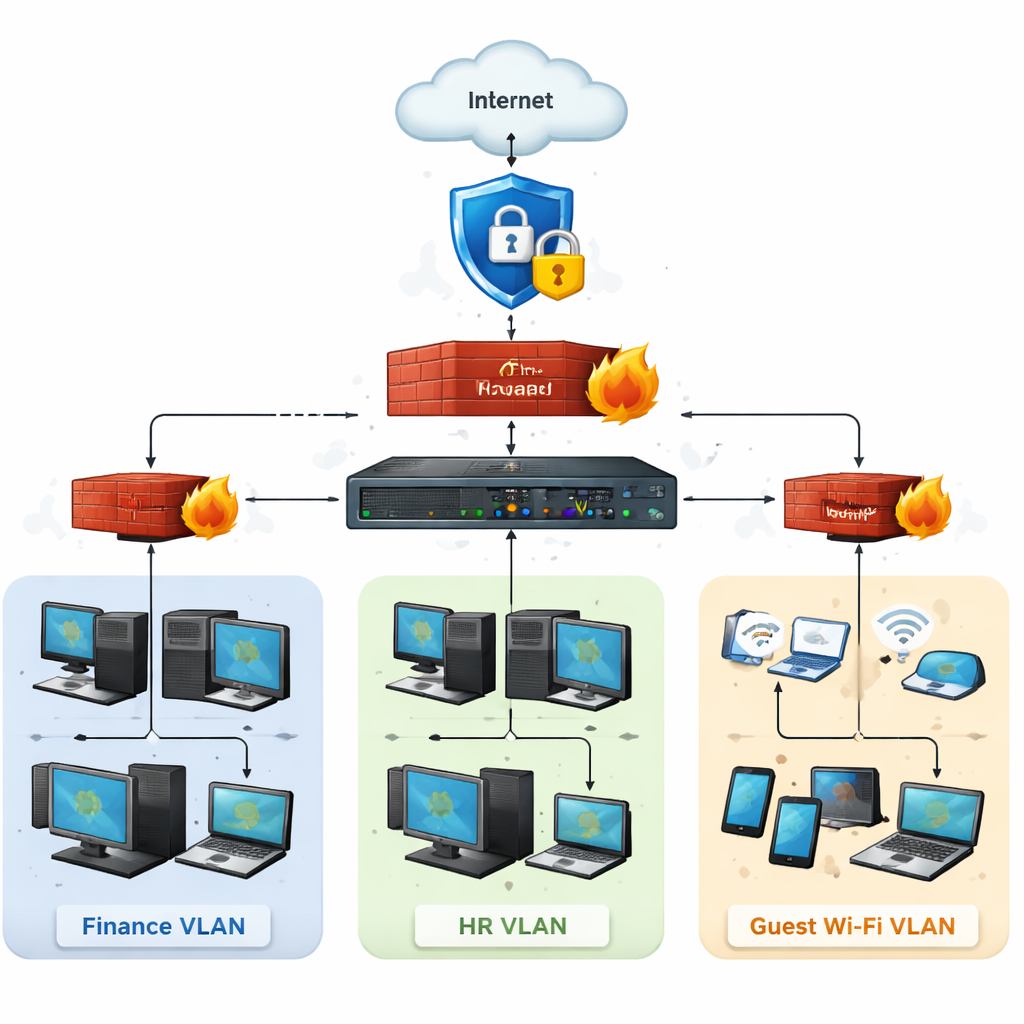
Begin with network segmentation. Put servers that hold High‑value data on a separate VLAN. This stops ransomware from jumping from a compromised laptop to the payroll DB.
Next, enforce multi‑factor authentication (MFA) on all admin accounts and remote logins. MFA adds a second check that blocks many credential‑theft attacks.
Deploy endpoint detection and response (EDR) on every workstation. EDR watches for rapid file encryption, a classic ransomware sign, and can auto‑quarantine the device.
Don’t forget backups. Set up immutable, off‑site backups for critical assets. Test a restore at least once a month to prove the copy works.
Three quick control tips:
- Use a firewall rule that only allows RDP from your office IP range.
- Schedule automatic patching for all Microsoft products via WSUS.
- Enable file‑level encryption on any drive that stores patient records.
For a visual reference, see the Microsoft Security best‑practice guide. It shows how MFA and EDR fit together.
Also review the CISA “Cyber Essentials” checklist for a quick audit of your new controls.
[TABLE: Comparison of control types – Prevention vs Detection vs Recovery, with columns for example tools, cost, and benefit.]
Step 5: Establish Ongoing Monitoring & Incident Response
Even with strong controls, a monterey ca ransomware vulnerability assessment for small business needs continuous watch.
Set up a lightweight SIEM or a managed detection service that pulls logs from firewalls, EDR, and cloud apps. Look for spikes in file writes, unusual admin logins, or data exfiltration patterns.
Define an incident response playbook. Include these four phases:
- Detect: Alert triggers when EDR flags encryption activity.
- Contain: Isolate the affected machine from the network within 5 minutes.
- Eradicate: Run the vendor’s removal script, apply missing patches.
- Recover: Restore files from the immutable backup, then verify integrity.
Run tabletop drills quarterly. Walk the team through each step so they know who does what when a lock screen appears.
Two external sources to help you build a playbook: the CISA incident‑response guidelines and the NIST Framework “Respond” function. Both give clear templates you can copy.
Step 6: Align with Compliance and Local Industry Needs
Compliance is a must in a monterey ca ransomware vulnerability assessment for small business because fines add to ransomware costs.
First, map the regulations that affect you. Healthcare firms need HIPAA, retailers need PCI‑DSS, and any business handling personal data must meet California privacy law (CCPA). Use the NIST Cybersecurity Framework 2.0 as a common language that fits all these rules.
Next, run a gap analysis. Compare your current controls (from Step 4) to each regulation’s required control. Mark any missing pieces as “to‑do” items in your remediation backlog.
Local industry groups in Monterey often share compliance checklists. For example, the Salinas agricultural association provides a short list for protecting farm‑data sensors.
Three tips to stay compliant:
- Document every backup and test – auditors love proof of immutable copies.
- Enable audit logging on all servers and keep logs for at least 90 days.
- Run a quarterly compliance self‑assessment using the NIST quick‑start guide.
Helpful external references: the NIST Framework page and the CISA compliance resources. Both give free templates you can adapt.
Step 7: Educate Employees and Build a Security Culture
People are the last line of defense in any monterey ca ransomware vulnerability assessment for small business plan.
Start with a short phishing simulation. Send a fake email that looks like a local vendor invoice. Track who clicks and who reports it. Follow up with a quick 10‑minute training that points out the red flags.
Make security part of onboarding. New hires should get a 5‑minute video on password hygiene and MFA setup on day one.
Keep the conversation going. Post a “Security Tip of the Week” on your internal chat. Celebrate employees who spot a suspicious email.
Three easy actions you can take this month:
- Run a phishing test on all staff and record results.
- Hold a 15‑minute “Ransomware 101” lunch‑and‑learn.
- Update your password policy to require at least 12 characters and MFA.
For more ideas, see the SBA small‑business guide and the CISA awareness resources. Both have ready‑made slide decks you can reuse.
Frequently Asked Questions
What is the first step a Monterey SMB should take to start a ransomware vulnerability assessment?
The first step is to create a clear inventory of every device, server, and cloud service you use. Mark each item with its data impact level—high, medium, or low. This gives you a solid base for any monterey ca ransomware vulnerability assessment for small business and lets you focus scans on the most critical assets. A simple spreadsheet works, and you can add a column for the owner of each device.
How often should I run a vulnerability scan on high‑risk assets?
High‑risk assets, such as payroll servers or patient‑record databases, should be scanned at least weekly. Medium‑risk assets can be scanned monthly, and low‑risk devices quarterly. Weekly scans catch new CVEs quickly and give you a narrow window to patch before ransomware can exploit them. Pair the scans with automated patch deployment for the best protection.
Can I rely only on automated tools, or do I need a human analyst?
Automation finds the low‑hanging fruit—missing patches, open ports, and known CVEs. A human analyst adds context, validates critical alerts, and helps prioritize remediation based on business impact. For a monterey ca ransomware vulnerability assessment for small business, the combination ensures you don’t chase false positives and you fix the right things fast.
What protective controls give the biggest reduction in ransomware risk?
The biggest impact comes from three layers: network segmentation, multi‑factor authentication, and immutable backups. Segmentation stops lateral movement, MFA blocks credential‑theft attacks, and immutable backups let you restore without paying a ransom. Adding endpoint detection and response (EDR) on workstations completes the defense and gives you early alerts.
How do I know if my backup strategy is ransomware‑ready?
Check that backups are stored off‑site or in a cloud bucket that is not reachable from your internal network. Ensure the backup is immutable—once written, it can’t be altered or deleted. Test a full restore at least once a month and record the time it takes. If you can recover critical data in under an hour, your backup plan meets the needs of a monterey ca ransomware vulnerability assessment for small business.
What compliance frameworks should I align with for ransomware protection?
Start with the NIST Cybersecurity Framework 2.0 because it maps to most industry regulations. Then add specific rules: HIPAA for health data, PCI‑DSS for payment data, and CCPA for California personal information. Using the framework lets you create a single set of controls that satisfy all these requirements, simplifying audits and reducing the chance of ransomware‑related penalties.
Conclusion & Next Steps
Doing a monterey ca ransomware vulnerability assessment for small business is not a one‑time task. It’s a cycle of inventory, scanning, fixing, monitoring, and training. By following the seven steps you now have a roadmap that protects data, keeps you compliant, and reduces downtime.
Ready to put the plan into action? IT Risk Assessment Services: A Practical Guide for Small Businesses can help you start with a quick asset inventory and a risk briefing. Contact us today to schedule a free consultation and make sure your Monterey business stays safe from ransomware.






