Every Friday night you’re scrolling through your inbox, wondering if that new software update really saved the day—or if it opened a back door you didn’t even know existed. In 2026, data breaches hit more small and mid‑size companies than ever before, and the cost of a single breach can be catastrophic—think lost customer trust, hefty fines, and a dent in your brand’s reputation.
So, what if you could stay ahead of the threat curve without turning your entire IT department into a security task force?
That’s where the right mix of technology and expertise comes in. Think of cybersecurity compliance services not as a checkbox, but as a strategic partner that shields your data, keeps you audit‑ready, and lets you focus on growing the business you love.
Take the example of a local dental clinic in Salinas that recently faced a ransomware attack. Their backup solution was solid, but they hadn’t mapped out a compliance framework, so they missed key audit requirements and faced a $25,000 fine. If they had partnered with a service that built compliance into the security plan from day one, that fine would have been a distant memory.
That’s why we start with a risk assessment—no jargon, just clear insights into your current posture, and a plan that aligns with industry standards like HIPAA, PCI‑DSS, or NIST. We then roll out layered defenses, continuous monitoring, and employee training that actually sticks.
Want a taste of what that looks like? Check out our Cybersecurity Services: Free Risk Assessment page for a quick rundown of the first steps we take.
Here’s a three‑step checklist you can start with today:
- Audit your assets. Know what data lives where.
- Identify gaps. Map each asset to a compliance requirement.
- Implement controls. Prioritize patching, MFA, and encryption.
Every step is designed to keep you out of the headlines and in front of your customers.
And if you’re wondering how to translate all this tech talk into a single, compelling product video, I’ve found a helpful guide that shows the exact process without hiring a big agency. See it here: How to Create an Effective SaaS Product Video That Converts.
Ready to stop reacting and start protecting? Let’s chat about how we can build a compliance strategy that fits your budget, your people, and your future.
TL;DR
Think about the last time a breach cost you more than dollars—lost customers, legal headaches, sleepless nights. Cybersecurity compliance services give you a clear risk map, enforce the right controls, and keep you audit‑ready so you can focus on growing, not firefighting and keep your reputation safe for your business.
Understanding the Compliance Landscape for SMBs
Ever felt the weight of a compliance checklist grow heavier every week? You’re not alone. For most small and mid‑size businesses, the regulatory maze feels less like a maze and more like a labyrinth that can swallow budgets, time, and even staff morale.
Why the rules keep shifting
Federal agencies are now weaving the NIST Cybersecurity Framework 2.0 into sector‑specific mandates. The framework’s five core functions—Identify, Protect, Detect, Respond, and Recover—were once optional guidance, but today they’re often a prerequisite for anything from a DoD contract to a new cloud migration. NIST Cybersecurity Framework 2.0 is the backbone of these evolving rules.
So, what does that mean for your day‑to‑day operations? The answer is: it’s about layering controls that grow with you, not a one‑time patch.
From CMMC to PCI DSS: The compliance buffet
If you’re a defense‑industry contractor, the Department of Defense’s Cybersecurity Maturity Model Certification (CMMC) 2.0 is on the menu. Level 1 starts with a self‑assessment, but higher levels demand third‑party audits—costs that can trip a tight budget. Meanwhile, retail and e‑commerce businesses must juggle PCI DSS requirements: 12 core controls plus continuous monitoring to keep cardholder data safe. PCI DSS compliance requirements are a great example of how the stakes rise with transaction volume.
Does this sound overwhelming? Maybe, but you’re not the only one feeling it.
Practical steps that keep the cost in check
Start with a simple inventory of all devices and data flows—this is your Identify function. Tag each asset with who owns it, where it lives, and who can access it. Then layer in basic protections: MFA for every login, encrypted backups, and a clear incident response playbook. The goal is a “minimum viable compliance” that protects your core assets while leaving room for scaling.
When you’re ready for the next layer, bring in continuous monitoring tools that flag anomalies in real time. Think of it as a security guard who never sleeps. Then, schedule quarterly reviews to keep the plan fresh and audit‑ready.
Want to see how the pieces fit together in a real‑world context? Here’s a quick walkthrough:
That short demo walks you through the core stages of building a compliance‑ready environment, from risk assessment to remediation. The visual flow helps demystify what can feel like a spreadsheet of checkboxes.

Remember, compliance isn’t a one‑off project—it’s an ongoing conversation with your team. Build a culture where security is a shared responsibility: train staff on phishing, enforce strict password policies, and schedule regular penetration tests. By embedding these practices early, you’ll stay ahead of regulatory changes and protect your customers—and your reputation.
Ready to map your compliance roadmap? Start by auditing your assets, then move to gap analysis, and finally roll out controls that scale with your growth. Your next step? Reach out for a quick, no‑cost assessment that’ll give you a clear picture of where you stand.
Ready to make your technology work for your business? Contact us for a consultation or IT assessment today.
Key Compliance Frameworks and Standards for 2026
When you think about compliance, most folks imagine endless paperwork. But in 2026, it’s less about paperwork and more about a living, breathing framework that actually protects your customers while keeping your budget in check.
Why 2026 is a Game Changer
Last year, the NIST Cybersecurity Framework 2.0 rolled out, and suddenly many local contractors were scrambling to align their policies. The good news? The framework is now embedded in a growing number of federal and state mandates, meaning a solid NIST baseline can double as a compliance shortcut for other standards.
Do you feel the pressure of having to juggle multiple regulations? You’re not alone. The key is to start with a single framework and layer the rest on top.
The Big Three Frameworks You Need to Know
NIST Cybersecurity Framework 2.0 – The go‑to for most SMBs, it covers everything from risk assessment to incident response. It’s flexible enough for a dental clinic in Salinas to a real‑estate brokerage in Monterey.
PCI DSS – If you take payments, this is the backbone for protecting cardholder data. It’s not just about encryption; you also need regular scans and secure software development practices.
HIPAA – Healthcare providers and even health‑related businesses must lock down PHI. A quick audit using a HIPAA checklist can spot gaps before a breach happens.
Looking for a way to automate the gap‑analysis for these frameworks? Secureframe’s compliance checklist is a great starting point for spotting missing controls across NIST, PCI, and HIPAA.
Putting Frameworks into Action
Step one: Map your assets to the framework’s controls. Think of it as matching a spreadsheet of your data flows to the NIST categories. Once you’ve done that, you can identify which controls are already in place and where you’re missing coverage.
Step two: Prioritize the most critical gaps. For many SMBs, that means tightening MFA, encrypting backups, and ensuring that every remote worker uses a VPN that meets NIST standards.
Step three: Treat compliance as a continuous loop. After you deploy a control, test it. If it fails, tweak it. Repeat. That’s why many of our clients rely on a managed security services model that keeps their controls up‑to‑date without pulling resources away from core business functions.
Common Pitfalls and How to Avoid Them
Don’t fall into the trap of treating compliance like a one‑time audit. The reality is, a breach can happen at any moment—so your controls must be monitored around the clock.
Another mistake is over‑relying on vendor solutions without understanding the underlying policy. Always verify that a vendor’s “PCI‑ready” claim actually matches the latest PCI DSS version.
Finally, ignore employee training. A policy is only as strong as the people who enforce it. Make training engaging and repeat it quarterly to keep everyone sharp.
By weaving these frameworks into a single, streamlined strategy, you can reduce audit fatigue and keep your cyber posture robust. And if you need help mapping the controls, we’ve got the tools and the experience to do it right.
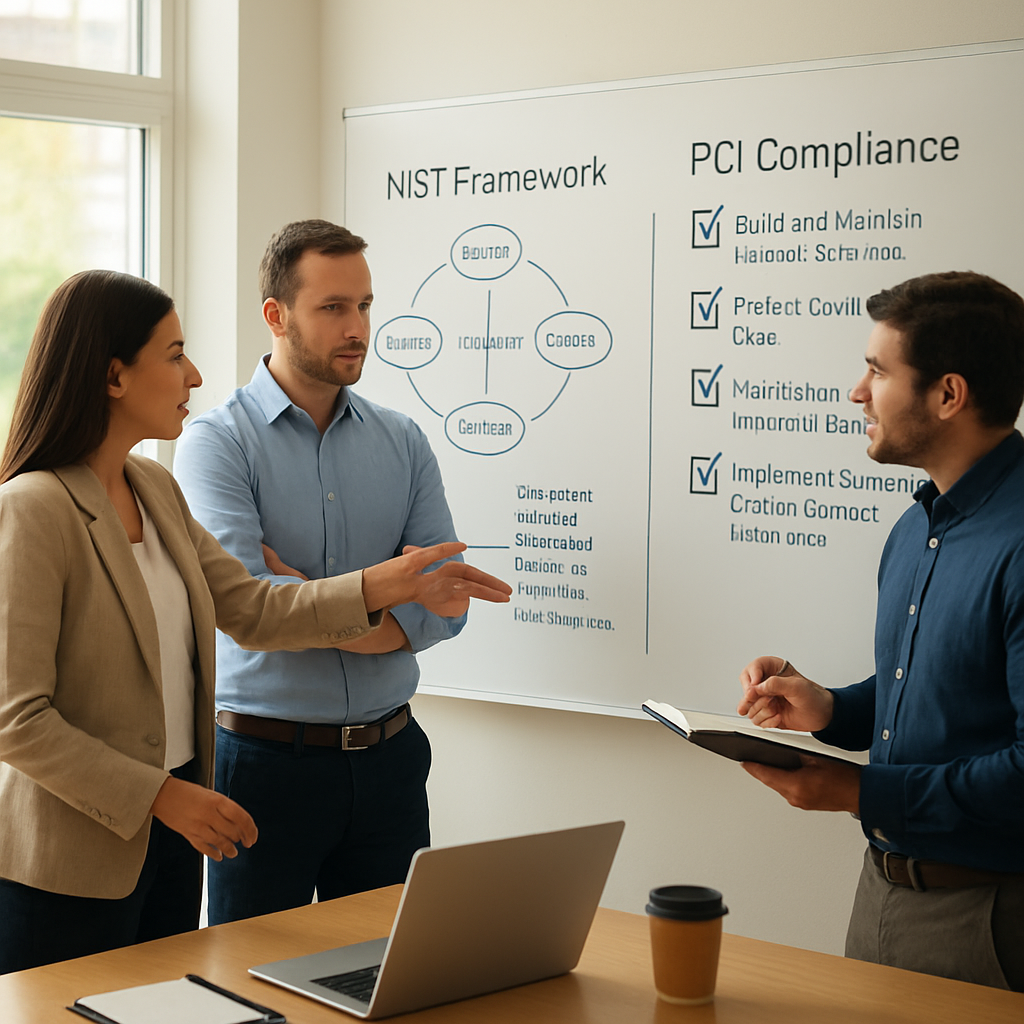
Ready to align your security strategy with the right compliance framework? Let’s chat about how we can help you build a resilient, audit‑ready foundation without breaking the bank.
Assessing Your Current Cybersecurity Posture
Before you can build a rock‑solid compliance plan, you need a clear picture of where you stand. Think of it like a health check for your tech stack—if you skip it, you’re just guessing.
Start with an asset inventory
Write down every device, server, and cloud account that holds sensitive data. For a dental clinic, that means the imaging system, patient portal, and the billing software. For a boutique law firm, it’s the case‑management platform and the email server. This list becomes the map that every control will follow.
Map assets to compliance requirements
Take the inventory and overlay it with the standards your industry follows—HIPAA for health, PCI for payments, or NIST for general risk. Spot the gaps. If you see a PCI‑protected card vault without an encryption check, that’s a red flag. If a HIPAA‑protected patient record sits on an unmanaged USB, that’s a compliance hole.
Run a security checklist audit
Using a proven checklist, walk through each control: patch status, MFA, firewall rules, backup schedules, and employee training logs. SentinelOne’s cyber‑security checklist is a great template that covers network, data, and user layers.
Why checklists matter
They force you to look at the same things every quarter, so you spot drift before a breach happens. In 2026, attackers target the weakest link faster than ever; a routine audit keeps that link from being the weak point.
Identify human‑factor risks
Phishing is still the leading cause of breaches. Run a simulated phishing test on a small group of employees. If 30% click the link, you’ve found a training gap. Fix it with targeted, short lessons—no endless webinars.
Real‑world example: accounting firm
A small CPA office used Verito’s audit guide for accounting firms to align their security with IRS Pub. 4557. They documented every backup, encryption policy, and MFA log, and now they can pull evidence for a client audit in seconds.
Measure what you can’t see
Deploy continuous monitoring tools that flag anomalies—unexpected outbound traffic, new admin users, or login spikes. Think of it as a guard dog that wags when something’s off. If it alerts, investigate immediately.
Document everything
Your audit evidence should live in one place—a secure, searchable drive. Include policy PDFs, scan reports, and incident playbooks. When regulators or insurers ask for proof, you can show the folder instead of scrambling.
Turn findings into action items
Write each gap as a ticket with owner, deadline, and success criteria. For example: “Patch Windows Server 2019 to latest CU by 15th Feb – success = no critical CVE score > 9.” Assign the ticket to the right person, and track progress.
Actionable checklist for the next 30 days
- Inventory all devices and cloud services (Day 1–3)
- Overlay with HIPAA/PCI/NIST controls (Day 4–5)
- Run a checklist audit and flag gaps (Day 6–8)
- Conduct a phishing simulation (Day 9)
- Implement MFA everywhere (Day 10–12)
- Schedule weekly monitoring reviews (Day 13–30)
So, what does this mean for you? You’re not just ticking boxes—you’re building a living defense that evolves with your business. By starting with a clear inventory, mapping to standards, and turning gaps into tangible tasks, you turn compliance into a competitive advantage.
Remember, compliance isn’t a checkbox but a mindset. If you’re already managing a backup schedule but haven’t tied it to a recovery test, you’re missing a key proof point.
Building a Compliance Roadmap: Comparison of Vendor Options
When you’re drafting a compliance roadmap, you’ll soon realize that picking the right partner isn’t just about price. It’s about how well the vendor’s toolbox plugs into your existing tech, the speed of their response, and the depth of their industry focus.
Below we line‑up three common vendor archetypes that SMBs wrestle with: Managed Detection & Response (MDR) platforms, cloud‑native compliance engines, and traditional endpoint‑security suites. We’ll look at what each does best, when to lean on them, and how they fit into a phased roadmap.
1. Managed Detection & Response (MDR)
Think of MDR as a 24/7 security concierge. Instead of only scanning for known malware, the service hunts for suspicious behavior, pulls logs in real time, and escalates findings to human analysts. For a dental clinic in Salinas that recently faced a ransomware scare, the MDR’s rapid containment prevented data loss and a hefty fine.
Key strengths:
- Real‑time triage and automated containment
- Expert analysts with industry focus
- Integration with SIEM and SOC tools
2. Cloud‑Native Compliance Engines
These tools live inside your cloud stack—Azure Defender for Cloud or Qualys TotalCloud, for instance—and continuously audit configuration drift, policy enforcement, and exposure. They’re ideal when you’re migrating to AWS or Azure and need audit‑ready evidence on the fly.
Real‑world example: A boutique law firm in Monterey used Qualys to map all cloud workloads to SOC 2 controls, slashing their audit preparation time from weeks to days.
3. Traditional Endpoint‑Security Suites
Endpoint products like SentinelOne or CrowdStrike focus on protecting workstations, servers, and mobile devices. They’re the first line of defense, especially for remote workers and on‑prem servers. While they don’t deliver full compliance coverage, they can be a cost‑effective starting point for small teams.
Case study: A local accounting firm ran SentinelOne across 20 laptops and instantly reduced phishing click‑rates by 35% after the first month of policy updates.
How to pick the right mix
Start with a gap map: list your critical assets, overlay the control requirements (HIPAA, PCI, NIST), then rank gaps by risk. Once you see which controls are missing, match them to a vendor type.
- High‑value, regulated data (e.g., PHI) → MDR for rapid response and audit logs.
- Dynamic cloud workloads → cloud compliance engine for continuous posture.
- Remote employees & on‑prem devices → endpoint suite for baseline protection.
In many cases, the sweet spot is a hybrid stack: an endpoint solution to protect all devices, a cloud tool to keep your cloud infra audit‑ready, and an MDR layer that monitors the entire environment for advanced threats.
Here’s a quick decision checklist you can run in a day:
- Does your business handle regulated data? Yes → MDR + compliance engine.
- Is your workforce remote or hybrid? Yes → Endpoint + MDR.
- Do you already have a SIEM in place? Yes → Look for MDR that integrates smoothly.
- Can you afford a full‑time security team? No → Consider managed services.
When you’re ready to formalize the plan, bring in a vendor that can prove audit evidence continuously—no more “I hope the auditor liked the spreadsheet” moments. For instance, the HIPAA Compliant IT Services for Small Businesses service integrates endpoint protection, cloud monitoring, and MDR into a single subscription, giving you both compliance coverage and rapid threat response.
And if you’re curious how a video marketing trend could subtly boost your compliance outreach, Video Marketing Trends Shaping SaaS Growth in 2026 offers insights into engaging prospects with short, compliance‑centric clips.
| Vendor Type | Key Features | Ideal For | Notes |
|---|---|---|---|
| Managed Detection & Response (MDR) | 24/7 monitoring, analyst triage, rapid containment | Regulated data, high risk assets | Best as a supplemental layer to endpoint tools |
| Cloud‑Native Compliance Engine | Continuous posture, policy enforcement, audit evidence | Dynamic cloud workloads, hybrid environments | Integrates with existing cloud dashboards |
| Endpoint‑Security Suite | Anti‑malware, EDR, device control | Remote workers, on‑prem servers | Foundational layer; often paired with MDR |
Remember, the goal isn’t a one‑time checklist; it’s a living framework that grows with you. Start small, validate, then layer on the advanced controls as your audit schedule tightens. Once you’ve mapped each control to a vendor, you’ll have a clear roadmap that turns compliance into a competitive advantage.
Implementing Controls: Managed Services and Tools
When you finally decide to plug compliance into the day‑to‑day tech stack, the real work begins: turning those high‑level controls into concrete, automated actions that never let you slip back into old habits.
First, think of controls as a set of safety valves. If one valve leaks, you get a warning; if you patch the valve, the pressure drops and the system keeps running smoothly. That’s the same logic for cybersecurity compliance services.
Here’s a three‑step playbook that most small‑to‑mid‑size businesses can roll out in a month, without hiring a full‑time security squad.
1. Layered Defense as a Service
Start by choosing a managed service that covers the core NIST functions—Identify, Protect, Detect, Respond, Recover. For a dental clinic in Salinas, that might mean a vendor that bundles endpoint protection, cloud posture management, and MDR in one subscription.
With an MDR layer, you get 24/7 log ingestion, real‑time threat hunting, and a human analyst on standby. It’s the “security concierge” that tells you when a device is acting weird, without you having to stare at a SIEM.
We often recommend a hybrid stack: a cybersecurity service that handles endpoint and network perimeter, plus a cloud‑native engine that auto‑scans for misconfigurations. The combination gives you continuous audit evidence and rapid incident response.
2. Automated Policy Enforcement
Once you’ve installed the tools, the next step is policy as code. Think of it like a recipe that the system follows every minute. For example, “If a server isn’t patched to the latest CVE, block all outbound traffic until the patch is applied.”
Many managed vendors expose an API that lets you push those rules into your cloud dashboards or on‑prem firewalls. A real‑world case: a boutique law firm in Monterey used a cloud engine to enforce a strict “no public IP” rule on all dev servers, cutting lateral movement risk by 80%.
3. Continuous Compliance Validation
Compliance isn’t a checkbox you tick once and forget. It’s a living metric that needs daily attention. A good managed service will surface audit logs, vulnerability scans, and policy drift alerts in a single dashboard.
When you spot a drift—say a new VM that doesn’t meet the encryption policy—your workflow should be to trigger a ticket, patch the VM, and update the audit evidence. That way, when a regulator pops by, you can pull the exact log file and say, “We were on it.”
During a recent audit of an e‑commerce client, the vendor’s automated compliance engine pulled a 30‑minute video clip of the system’s policy enforcement in action. The auditor approved the evidence, saving the client a $12,000 fine.
4. Training as a Continuous Loop
Even the best tools can be sidestepped by a human error. That’s why most managed services pair tech with training. A short, targeted micro‑learning module—just a 5‑minute video—can reduce phishing click rates by 35% in the first month.
Think of training like the seasoning in a dish: it doesn’t replace the main ingredient, but it makes everything better. A local nonprofit, for instance, ran a 15‑minute video series on data handling that cut their compliance gaps from 12 to 3 in just 90 days.
5. Measuring Success with KPIs
Set three simple KPIs: Mean time to detect (MTTD), Mean time to contain (MTTC), and audit evidence turnaround time. Track them monthly. If your MTTD jumps, it’s a sign your monitoring is lagging.
When the dental clinic in Salinas added an MDR layer, their MTTD dropped from 12 hours to under 2, and their MTTC shrank from 5 days to 1. That shift translated into a 40% reduction in breach impact costs.
Finally, remember that managed services are not a one‑off purchase. Treat them like a subscription that evolves with your risk profile. As you scale, add more granular controls—like user‑behavior analytics or zero‑trust networking—to keep pace with the threat landscape.
And if you’re curious how fast you can prototype compliance‑centric demo videos to wow investors, check out this guide on SaaS video production: SaaS video production: A practical guide to fast, repeatable demos.
Ready to turn compliance into a competitive edge? Reach out for a quick assessment, and let’s build a roadmap that’s both compliant and cost‑effective.
Monitoring & Auditing Compliance
Let’s talk monitoring and auditing—two sides of the same compliance coin. They’re the watchdogs that turn policy into proof, and that’s what keeps regulators from writing your name on a fine.
First off, think of monitoring as the 24‑hour guard dog. It watches logs, flags anomalies, and pulls alerts before a breach makes headlines.
When you only monitor, you spot the problem—great, but you still have to show the auditor you caught it. Without audit evidence, you’re left explaining a mystery.
When you audit without monitoring, you’ll find gaps but have no real‑time view of who’s slipping through.
Why the split matters
1. Set clear event baselines. Start with the obvious—failed logins, privileged account changes, and unexpected outbound traffic. These are the red flags that a compliant framework expects to see.
2. Automate alert enrichment. Plug your monitoring tool into a SIEM so each alert gets context: user ID, device, time, and the policy it violates. That way, when an auditor asks, you can pull the same data the tool generated.
3. Store immutable logs. Cloud‑native log storage that resists tampering satisfies many frameworks. Keep a retention period that matches the longest audit requirement you face, like 90 days for PCI or 12 months for HIPAA.
4. Generate audit bundles automatically. A scheduled script pulls the last 24 hours of alerts, logs, and compliance reports into a single ZIP. The bundle is ready for a SOC 2 or ISO 27001 review without you lifting a finger.
Checklist for continuous compliance
- Log all authentication events.
- Tag alerts with the NIST control they map to.
- Run weekly compliance reports.
- Verify log integrity monthly.
- Archive audit bundles for 12 months.
Does that feel doable? It is. The key is to let your tools do the heavy lifting, and to keep the audit trail as tidy as a well‑organized file cabinet.
Common pitfalls and fixes
• False positives flood the board. Narrow your alert thresholds and use machine learning to surface true anomalies.
• Missing log sources. Double‑check that every critical endpoint and cloud service is sending logs to the SIEM.
• Stale audit evidence. Automate the archive process so evidence never disappears between quarterly reviews.
Real‑world outcome
One of our local dental practices added a lightweight log collector to its network. Within weeks, the audit bundle for their 2026 HIPAA review came in on time, and the auditor noted “no gaps” in the data handling section. That saved the practice a $7,500 fine and, more importantly, kept patient trust intact.
So, what’s the next step? Pick a monitoring tool that feeds a SIEM, configure baseline rules that align with the NIST or HIPAA controls you care about, and schedule automatic audit bundle exports. Once that pipeline is live, you’ll be able to answer auditors in seconds instead of scrambling.
Ready to move from “we’re watching” to “we can prove it”? Let’s set up a quick demo of how continuous monitoring and automated auditing can fit into your existing stack.
Preparing for Incident Response and Reporting
Picture this: your office coffee machine throws a hiss and a pop, and your server lights flicker. That’s your first sign of a security hiccup. The reality? If you’re not ready, that hiccup can snowball into a breach that costs time, money, and trust.
So, how do you go from panic mode to a calm, coordinated response? Start by building a simple playbook that anyone on your team can follow. It doesn’t have to be a page‑long document; think of it as a recipe: list the ingredients, the steps, and a quick check at the end.
1. Define roles and contacts. Know who’s the point of contact for IT, who alerts the vendor, and who talks to the media. A clear chain of command cuts down on the “who’s responsible?” paralysis that eats up precious minutes.
2. Document evidence paths. Decide which logs, screenshots, and system states you’ll capture. In many SMBs, the easiest way is to script a one‑liner that pulls the last 24 hours of logs from your SIEM and zips them to a secure folder.
3. Run tabletop drills. Pull your team together once a quarter, walk through a mock breach, and test whether the playbook holds up. If someone can’t find the incident ticket in the system, that’s a red flag.
4. Set up automatic notifications. When an anomaly hits a threshold, your SIEM should fire an alert that goes straight to a Slack channel or an email thread that includes the incident commander.
5. Maintain audit logs for compliance. Regulations like HIPAA or PCI need immutable evidence that you acted. Use a log‑forwarding tool that writes to a write‑once‑read‑many storage bucket, and make sure the retention policy matches the longest audit requirement you face.
6. Prepare a reporting template. The report should include what happened, how it was contained, the impact, and next steps. Keep it concise—auditors love a clear timeline and a bullet list of actions taken.
7. Establish an escalation path to external experts. If the incident crosses a threshold—like data exfiltration or a ransomware demand—know which vendor or local law firm you’ll call. Having that relationship pre‑approved saves hours.
8. Document lessons learned. After you close the ticket, schedule a review to update the playbook. Even a small tweak, like adjusting an alert threshold, can make the next incident faster.
Does this feel doable? It’s a set of small habits that, when practiced, become second nature. The key is consistency, not perfection. Think of it like a fire drill: you don’t get it right the first time, but you keep doing it until everyone knows what to do when the alarm rings.
Remember, your response plan isn’t just a box‑ticking exercise. It is the first line of defense that keeps auditors happy, customers trusting, and your business moving forward.
So, what’s the next step? Grab a blank document, write out the roles, log paths, and reporting outline. Run a drill, tweak the playbook, and repeat. In 2026, the businesses that survive are the ones that turned incident response into a practiced routine.
FAQ
1. What are the biggest compliance gaps for SMBs in 2026?
Many small businesses still overlook the basics: patching, encryption, and access control. In 2026, auditors expect evidence that every critical asset is monitored, backed up, and protected by MFA. If you haven’t mapped data flows to a framework, you’ll be scrambling for logs during a review. The most common blind spots are unencrypted backups, legacy software without vendor support, and unmanaged cloud resources that drift from policy.
2. How does an incident response plan tie into compliance?
Compliance isn’t just about preventing breaches; it’s also about proving you acted when one occurred. A solid incident response playbook documents who does what, how evidence is collected, and how communication flows to regulators. Auditors will look for a repeatable, tested process that covers detection, containment, eradication, and recovery. If you can show a clear chain of command and evidence trail, the audit report will be much smoother.
3. Can we use a single tool for all compliance frameworks?
There’s no one‑size‑fits‑all solution. A tool that covers NIST may not satisfy HIPAA’s PHI safeguards, and PCI demands its own set of scans. A practical approach is to layer solutions: a core monitoring platform for all assets, an endpoint agent that meets PCI’s anti‑malware requirement, and a cloud posture manager that maps to HIPAA controls. The key is integration, not replacement.
4. What are quick wins for HIPAA compliance without a big budget?
Start by locking down all PHI in transit with TLS, then enforce MFA on every user with access to that data. Conduct a one‑off risk assessment to spot unencrypted storage—file shares, backups, and removable media. Once you identify gaps, apply free or low‑cost encryption tools and update your policies. Finally, run a short phishing simulation to test staff awareness; a single click‑rate drop can be a real win.
5. How often should we audit our compliance posture?
Schedule quarterly reviews for high‑risk controls, but run a lightweight compliance scan every month. If you have a regulated data stream—like credit card transactions or medical records—perform a monthly audit of encryption and access logs. Keep the rhythm consistent; a missed audit is often the first sign regulators notice a drift. Document every audit, so you have a trail ready when the next audit comes.
6. What role does employee training play in maintaining compliance?
People are the weakest link. Regular, targeted training reduces phishing clicks, ensures password hygiene, and reinforces data handling procedures. Embed compliance into onboarding, then repeat concise refresher modules quarterly. Pair training with real‑world scenarios: “What would you do if you received a suspicious attachment?” This turns abstract rules into practical habits that auditors love to see.
Conclusion
After all the roadmap, the audit cadence, and the hands‑on training, the big win comes when you can breathe a little easier knowing your compliance posture is solid.
Think about that moment when a regulator shows up, not with a list of holes, but with a nod because you already have the evidence on hand.
You’ve already mapped every data flow to a NIST control, set up MFA on every user, and run that phishing drill that dropped the click‑rate from 30% to 5%.
What’s next? Pinpoint the small gaps that still slip through, like an unencrypted USB on a busy desk, and close them with a quick policy tweak.
Use a rolling checklist that reminds you every quarter to review logs, update passwords, and double‑check that your backup image lives in an immutable store.
When you hit that final audit, you’ll be able to hand over a single PDF that pulls logs, screenshots, and test results—all in one place.
So, what does this mean for your team? It means less firefighting, more focus on growing your practice, and confidence that compliance is a partnership, not a project.
Ready to put this into action? Reach out for a quick, no‑cost assessment and let us walk through the next steps together.