

Most Monterey small businesses think a simple password will stop a hack. The truth is far from that. In this guide you’ll get a step‑by‑step Monterey small business network security checklist you can use right now.
We’ll walk through risk assessment, device hardening, layered defenses, backup, training, compliance, and ongoing monitoring. By the end you’ll know exactly what to do, why it matters, and how to get help from a trusted local MSP.
Step 1: Conduct a Network Security Risk Assessment
Before you buy any gear, you need to know what you have and what you need. That’s the heart of a solid risk assessment.
Start by listing every device that touches your network. Include laptops, point‑of‑sale terminals, IoT sensors in the field, and guest Wi‑Fi routers. A simple spreadsheet works. Give each item a name, location, and who uses it.
Next, map how each device connects. Does it use a wired Ethernet line, a Wi‑Fi access point, or a VPN? Knowing the path helps you spot weak spots. For example, a coffee shop’s Wi‑Fi that shares the same network as the accounting server is a red flag.
Then, assign a value to each device. Ask yourself: If this device went offline, how much would the business lose in a day? A sales laptop might be critical for a retail shop, while a printer may be low priority. This step lets you focus on what matters most.
After you have inventory and value, run a basic threat scan. Free tools from the U.S. Computer Emergency Readiness Team (US‑CERT) can alert you to known vulnerabilities. You can also subscribe to email alerts from CISA for the latest threats.
When you’ve gathered the data, score each risk on a simple scale: low, medium, high. Use the impact rating you just set. High‑impact devices with known gaps become your top fix list.
Finally, write a short report that lists the top three actions you’ll take in the next 30 days. Keep it short and clear so you can share it with leadership and your IT partner.
Bottom line:Know what you own, how it connects, and what would hurt you most before you add any security tools.
Step 2: Harden Endpoints and Network Devices
Now that you know where everything sits, lock down each piece.
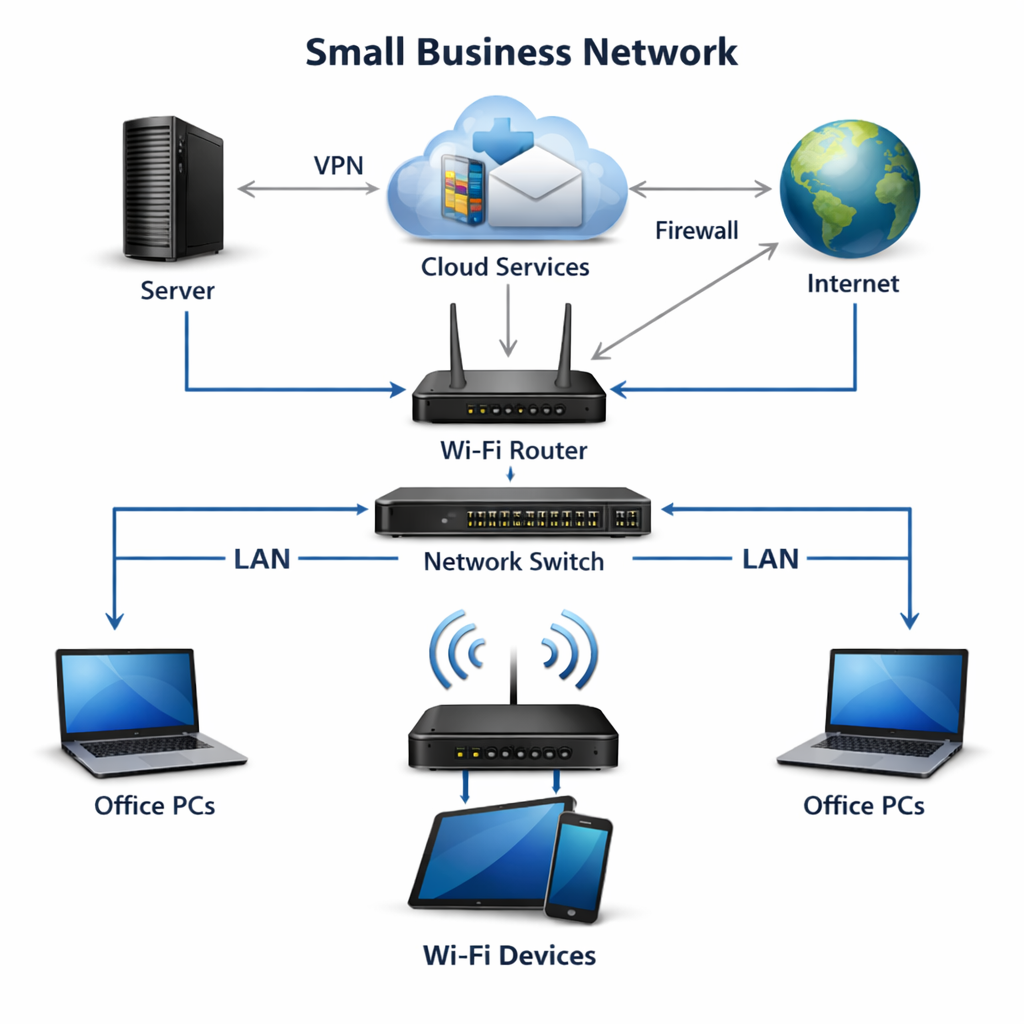
Start with the router. Choose a business‑class model that lets you turn on the built‑in firewall, set up VPN passthrough, and create separate SSIDs for staff and guests. Disable any default admin accounts and give each admin a unique strong password.
Next, look at switches. If you can, pick managed switches that let you enable port security. That stops a rogue device from plugging in and grabbing the network.
For every endpoint , laptops, phones, tablets , enable full‑disk encryption. On macOS that’s FileVault, on Windows it’s BitLocker. Turn on the OS firewall and make sure it’s set to block inbound traffic you don’t need.
Keep all software up to date. Set devices to install updates automatically, or schedule a weekly check. Missing patches are a common way attackers get in.
Use a reputable endpoint protection platform. Look for a solution that offers real‑time malware scanning, ransomware behavior blocking, and web protection. Many vendors also provide a cloud‑based console so you can see alerts from all devices in one place.
Another easy win is to turn off services you never use. For example, if you don’t need remote desktop on a laptop, disable it. Each unused service is one less door for a hacker.
Finally, create a baseline config file for each device type. Store the file in a secure location and use it when you add new hardware. That way every new device starts with the same security posture.
Bottom line:Secure routers, switches, and every endpoint with encryption, strong passwords, and up‑to‑date software.
For more detail on how to choose the right hardware, see our Network Security Basics for SMBs guide.
Step 3: Implement Multi‑Layered Cybersecurity Defenses
One layer of defense is never enough. Think of each layer as a safety net.
First, put a next‑generation firewall (NGFW) at the edge. It can inspect traffic for malware, block known bad IPs, and enforce web filtering rules.
Second, add an intrusion detection and prevention system (IDPS). It watches for suspicious patterns inside the network and can block them before they spread.
Third, enable multi‑factor authentication (MFA) on every cloud service and on‑prem app that supports it. MFA stops an attacker even if they have a stolen password.
Fourth, segment the network. Put finance, HR, and guest Wi‑Fi on separate VLANs. If a device in the guest zone is compromised, it can’t reach the finance servers.
Fifth, deploy a micro‑segmentation tool that enforces policies at the workload level. This makes lateral movement almost impossible.
Sixth, use a secure email gateway that scans attachments and links for phishing. Most ransomware starts with a malicious email.
After the video, remember that each defense needs regular tuning. Review firewall logs each week, update IDPS signatures, and test MFA prompts.
“The best time to start building backlinks was yesterday.”
Bottom line:Layer firewalls, IDPS, MFA, segmentation, and email security for deep protection.
Step 4: Establish Data Backup and Disaster Recovery Plans
Backups are your safety net when everything else fails.
First, decide on Recovery Time Objective (RTO) and Recovery Point Objective (RPO) for each critical system. RTO is how fast you need to be back up. RPO is how much data you can lose. For a tax firm, RTO might be under an hour and RPO near zero. For a retail shop, a few hours may be acceptable.
Next, adopt the 3‑2‑1 rule: keep three copies of data, on two different media, with one copy off‑site. Use a combination of local NAS devices and a reputable cloud backup service. Local copies give you fast restores; cloud copies protect you from fire or theft.
Make sure backups are immutable for at least 30 days. That means once a backup is written, it can’t be changed or deleted, even by an admin. This stops ransomware from encrypting your backups.
Test your restores quarterly. A backup that never restores is useless. Run a full restore of a critical server to a test environment and verify that apps run correctly.
Document the whole process in a disaster recovery playbook. Include who to call, step‑by‑step restore actions, and how to communicate with customers and staff during an outage.
Bottom line:Follow 3‑2‑1, set clear RTO/RPO, and test often.
Learn more about backup best practices in our Small Business Cybersecurity Checklist.
Step 5: Train Employees on Security Best Practices
People are the first line of defense.
Start with a short security awareness session for all staff. Cover phishing, password hygiene, and safe web browsing. Use real examples from recent attacks so the material feels relevant.
Run a phishing simulation once a quarter. Send a fake phishing email and track who clicks. Follow up with a short coaching session for those who fell for it.
Teach staff to verify unexpected requests. If a manager asks for a wire transfer, they should call the finance department on a known number before sending money.
Make password managers mandatory. A good manager stores strong, unique passwords and can generate them on demand.
Keep training fresh. Security threats evolve fast, so a yearly refresher isn’t enough. Short monthly micro‑learning videos keep the message top of mind.
Bottom line:Regular, realistic training cuts the biggest risk factor for breaches.
Step 6: Maintain Compliance with Industry Standards
Compliance isn’t just paperwork. It forces you to follow proven security controls.
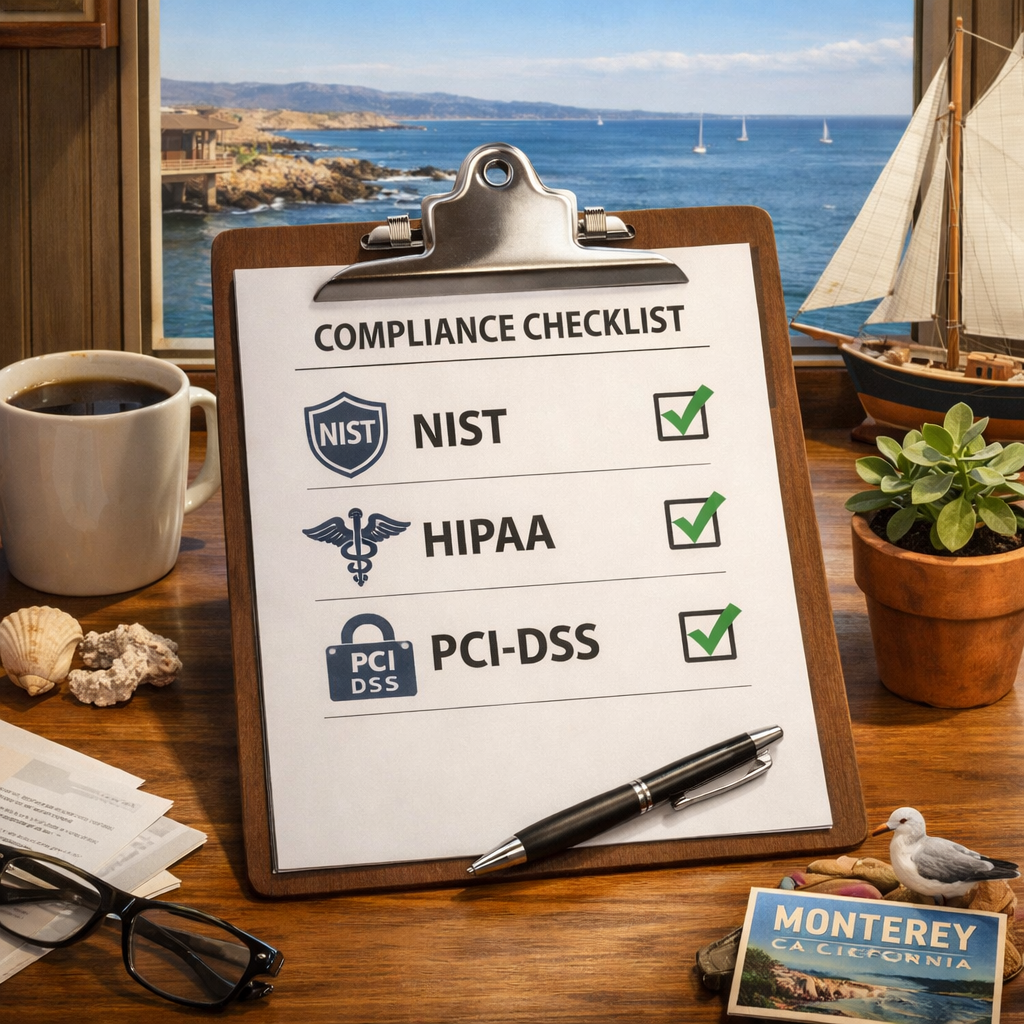
The NIST Cybersecurity Framework (CSF) gives small businesses a simple set of actions: Identify, Protect, Detect, Respond, and Recover. Use the free quick‑start guide from NIST to map each of those functions to your current controls.
If you handle health data, you must meet HIPAA rules. That means encrypting data at rest and in transit, limiting access to the minimum needed, and keeping audit logs for six years.
For payment data, PCI‑DSS requires you to keep card data out of your network, use tokenization, and run quarterly vulnerability scans.
Document every control you have in place. When an auditor asks for evidence, you can point to your firewall logs, encryption policies, and MFA logs.
Review compliance annually. Regulations change, and so do your business processes. A quick audit each year keeps you ready.
Bottom line:Follow NIST CSF and industry‑specific rules to stay audit‑ready and secure.
For a deeper dive, see our Monterey IT Security Audit Checklist.
Step 7: Monitor, Update, and Partner with IT Experts
Security is a moving target. You need eyes on your network 24/7.
Set up a managed monitoring service that watches logs, alerts on anomalies, and patches devices automatically. A good MSP will also run regular vulnerability scans and provide a monthly report.
Keep all software patched. Enable auto‑updates where possible, and schedule a weekly window for any manual patches.
Review logs at least once a week. Look for repeated login failures, unusual traffic spikes, or unknown devices on the network.
Partner with a local MSP that knows the Monterey market. They can respond faster, understand local compliance needs, and speak the same language as your staff.
Bottom line:Ongoing updates, monitoring, and expert help turn a static checklist into a living security program.
Learn more about why managed services matter in our Monterey Small Business Cyber Security Assessment article.
Frequently Asked Questions
What is the first thing I should do when building a Monterey small business network security checklist?
The first step is to perform a full risk assessment. List every device, map connections, and rate the impact of each asset. This gives you a clear picture of where to focus your security budget and helps you prioritize the high‑impact controls in the rest of the checklist.
How often should I back up my data as part of the checklist?
Backups should run at least daily for critical systems and weekly for less‑critical data. Follow the 3‑2‑1 rule: keep three copies, on two media types, with one copy stored off‑site. Test the restore process every three months to confirm you can meet your RTO and RPO targets.
Do I need a separate firewall for each department?
No, you don’t need a separate physical firewall for each department. Instead, use a single next‑generation firewall and configure VLANs or virtual firewalls to segment traffic. This limits lateral movement while keeping management simple.
What type of employee training works best for SMBs?
Short, interactive sessions that include real‑world phishing simulations work best. Pair the training with monthly micro‑learning videos and a clear reporting process. When staff know how to spot and report threats, you add a strong human layer to the technical controls.
How can I tell if my network is compliant with NIST or industry standards?
Use the NIST CSF quick‑start guide to map your current controls to the five core functions. Run a compliance audit checklist for HIPAA or PCI‑DSS if those regulations apply. Document evidence for each control and review it annually.
Why should I work with a local MSP instead of handling security myself?
A local MSP offers 24/7 monitoring, fast on‑site response, and deep knowledge of Monterey‑specific regulations. They can handle patch management, threat detection, and compliance reporting, letting you focus on running your business.
What is the best way to keep software up to date?
Enable automatic updates on all operating systems and applications whenever possible. For tools that can’t auto‑update, set a weekly reminder to apply patches. An MSP can automate this process and verify that no device is left behind.
Conclusion
Building a Monterey small business network security checklist may feel like a big task, but breaking it into these seven steps makes it manageable. Start with a clear risk assessment, lock down every device, add layered defenses, back up your data, train your people, stay compliant, and keep an eye on everything with a trusted IT partner.
Each step builds on the last, creating a security fabric that protects your data, your customers, and your reputation. When you follow this roadmap, you reduce the chance of a costly breach and meet the compliance demands of healthcare, finance, and other regulated industries in the Monterey Bay area.
Ready to get started? Contact SRS Networks today for a free security assessment and see how our managed services can keep your business safe and running smoothly.






