

Think you know where your business data lives? Most Monterey SMBs don’t. We looked at 36 common audit checklist items and found a big problem. Only 2 of them (just 6%) come with a real description of what to do. That means 94% of checklists leave you guessing the steps.
This guide changes that. We’ll walk you through a step-by-step Monterey IT security audit checklist that covers the five areas that matter most to your business. No fluff. No jargon. Just clear actions you can take today. Whether you run a small law firm in Salinas or a medical practice in Monterey, you’ll know exactly what to check, how to check it, and what to do next. Ready? Let’s start.
Step 1: Inventory Your IT Assets and Network Infrastructure
You can’t protect what you don’t know you have. That’s why every good Monterey IT security audit checklist starts with a full inventory. Think of it as taking a census of everything connected to your business network.

What to include in your inventory
- Every desktop and laptop computer
- Servers (on-premises and cloud)
- Network devices: routers, switches, firewalls, access points
- Printers, scanners, and multi-function devices
- Mobile devices issued by the company
- Software applications and cloud services (including SaaS subscriptions)
- Any IoT devices (smart thermostats, security cameras, etc.)
Start by walking around your office. Open every closet, under every desk. You’ll find old equipment still plugged in, forgotten routers, and printers that haven’t been updated in years. Each one is a potential entry point for an attacker.
Documents your network layout
Draw a map of how everything connects. You can use a free tool like draw.io or even pen and paper. Label each device with its IP address, operating system, and the software version running on it. This map becomes your network baseline. Every time something changes, update the map.
According to CISA, knowing your attack surface is the first step in any defense. Without an accurate inventory, you’re flying blind.
Once you have your list, tag each asset with its owner, location, and whether it’s critical to your daily operations. For example, the server that runs your practice management software is critical. The old laptop in the breakroom? Not so much. This helps you prioritize where to focus your security efforts.
Don’t forget cloud assets. Your Office 365 tenant, your AWS or Azure environment, your CRM tool , these are all part of your network. Document the subscription level, who has admin access, and what data lives there.
Bottom line: A complete, up-to-date asset inventory is the foundation of every strong Monterey IT security audit checklist; without it, you’re guessing at your own security.
Step 2: Evaluate Compliance Requirements for Your Industry
Your Monterey IT security audit checklist needs to match the rules your business must follow. Every industry has different rules. A dental practice in Salinas has HIPAA. A law firm in Monterey has state bar privacy obligations. A farm in the Salinas Valley may have supply chain security standards from its buyers.
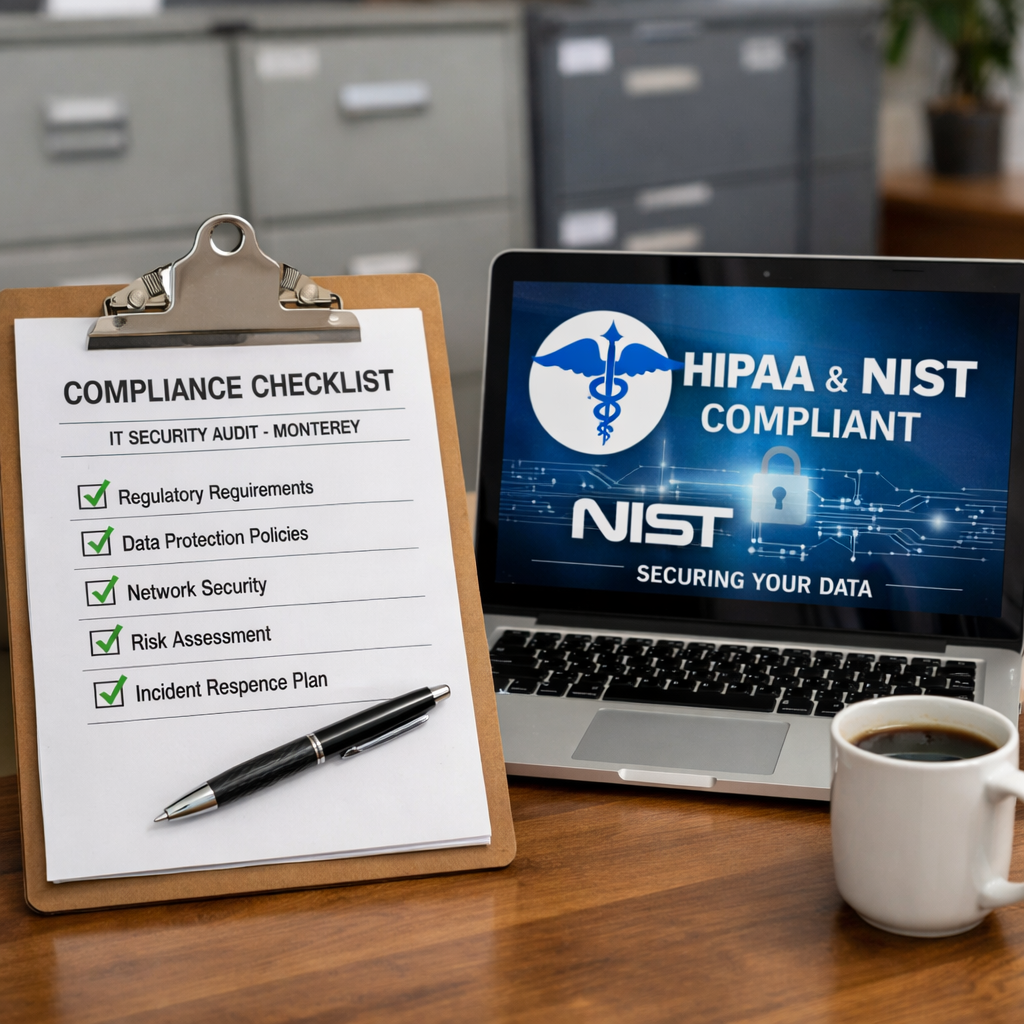
Find out which rules apply to you
- Healthcare: HIPAA Privacy and Security Rules
- Financial services: GLBA, SOX (if public), PCI DSS if you take credit cards
- Legal: State bar rules on client confidentiality
- Any business with a website: GDPR if you have EU clients, CCPA for California
- Federal contractors: NIST SP 800-171, CMMC
Check with your legal counsel or compliance officer. If you don’t have one, ask your IT provider (like SRS Networks’ managed IT services) to help map your obligations.
| Framework | Who needs it | Key control areas |
|---|---|---|
| HIPAA | Healthcare providers, business associates | Access control, encryption, breach notification |
| PCI DSS | Any business that processes credit cards | Firewalls, data encryption, regular testing |
| NIST CSF | Any organization seeking a best-practice model | Identify, Protect, Detect, Respond, Recover |
| CCPA/CPRA | Businesses collecting personal data of California residents | Data inventory, consent, deletion rights |
Map your checklist items to compliance requirements
Look at each item in your checklist. For each one, ask: does this help me meet a specific rule? For example, the requirement to encrypt patient emails at rest and in transit comes directly from HIPAA. The requirement to run quarterly vulnerability scans comes from PCI DSS.
The NIST Cybersecurity Framework provides a great starting point even if your industry doesn’t require it. It organizes controls into five functions: Identify, Protect, Detect, Respond, Recover. Many auditors recognize it as a strong standard.
Bottom line: Your Monterey IT security audit checklist must directly cross-reference your industry’s compliance requirements or you risk failing a regulatory audit.
Step 3: Review Access Controls and User Permissions
Who can access what in your systems? If you can’t answer that question in under ten seconds, you have a problem. Access control is the single most effective way to limit damage from both internal mistakes and external breaches.
This video walks through the core concepts of privilege management and why it matters for businesses like yours. The key takeaway: start with least privilege , give people only the access they need to do their job, nothing more.
Run a user audit
- Pull a complete list of all user accounts from your systems (Active Directory, Office 365, line-of-business apps)
- Check for inactive, terminated, or shared accounts
- Compare current permissions to job roles
- Remove or disable any account that doesn’t need access
Look for admin-level accounts. Too many small businesses give everyone administrator rights. That’s like giving every employee the master key to your building. One click on a phishing link, and the attacker has full control.
Implement multi-factor authentication (MFA)
MFA is not optional anymore. According to Microsoft Security, enabling MFA blocks 99.9% of automated attacks. Every email account, every cloud app, every remote access solution should require MFA. No exceptions for the owner or the CEO.
Review third-party access
Your IT provider, your accounting firm, your web developer , these outsiders often have access to your systems. Document every third party with access, what they can see, and when their access should expire. Remove any that are no longer needed.
Bottom line: The access control step of your Monterey IT security audit checklist is where you catch the most common security gaps, like ex-employees who still have active logins.
Step 4: Assess Backup and Disaster Recovery Readiness
Ransomware attacks are rising in Monterey and across the country. The question is not if you’ll get hit, but when. When that happens, your backups are your lifeline. This part of your Monterey IT security audit checklist makes sure your lifeline is strong.
Test your backups
Don’t just check that backups ran. Actually restore a file. Restore a folder. Restore an entire server. Only a restore test proves your backup is good. Schedule a restore test at least quarterly, and document the results.
- Verify backup frequency meets your RPO (Recovery Point Objective): how much data can you afford to lose?
- Test restore speed against your RTO (Recovery Time Objective): how fast do you need to be back up?
- Check that backups are stored in a separate location or air-gapped (offline) to protect against ransomware that might encrypt your backup files too.
Review your disaster recovery plan
A disaster recovery plan is more than a document. It’s a playbook that your team can execute under stress. Does it include:
- Contact information for key personnel and vendors?
- Step-by-step instructions for restoring critical systems?
- Alternate worksite or remote work arrangements if your office becomes unavailable?
- Communication templates for notifying clients and stakeholders?
Practice the plan annually with a tabletop exercise. Gather your leadership team, walk through a scenario (e.g., “Your server room flooded overnight”), and see if the plan actually works. Fix any gaps you find.
For many Monterey businesses, SRS Networks’ backup and disaster recovery services handle these checks professionally. Our team ensures backups are verified and your recovery time stays predictable.
Bottom line: The backup and disaster recovery section of your Monterey IT security audit checklist is where you prove your business can survive a cyberattack or natural disaster.
Step 5: Test Incident Response and Employee Training
The final step in your Monterey IT security audit checklist brings everything together. You have your inventory, your compliance map, your access controls, and your backups. Now you need to make sure your people know what to do when something goes wrong.
Conduct a phishing simulation
Most breaches start with a phishing email. Run a simulated phishing campaign against your own staff. Use a service like KnowBe4 or even a free tool like Gophish. Send a realistic-looking email and track who clicks. Then provide additional training to those who fall for it. Repeat quarterly. You’ll see click rates drop from 30% to under 5% within a year.
Review your incident response plan
If you have an incident response plan, great. Now test it. Use a tabletop exercise similar to the disaster recovery test. Walk through a ransomware scenario: “An employee reports that files on the shared drive have been renamed with a random extension. What do you do?”
- Who isolates the affected systems?
- Who communicates with employees, clients, and regulators?
- Who contacts law enforcement or a cybersecurity firm?
- How do you restore from backup without spreading the infection?
Document every decision. After the exercise, update the plan to fix any confusion or missing steps.
Build a security culture
Training is not a one-time event. It’s a continuous process. Include security awareness in new employee onboarding. Send a monthly security tip email. Put posters in the break room. Recognize employees who report phishing attempts.
“The human element is the weakest link in cybersecurity, but it can also be your strongest defense with the right training.”
According to CISA’s awareness resources, reinforcing basic security behaviors every quarter reduces incident risk significantly. Make sure your training covers: recognizing phishing, using strong passwords, reporting suspicious activity, and handling sensitive data.
Bottom line: The people step of your Monterey IT security audit checklist turns your employees from a liability into your first line of defense.
Frequently Asked Questions
How often should I run a Monterey IT security audit?
Most businesses should run a full audit at least once a year. But if you handle sensitive client data (like healthcare or legal), consider semi-annual audits. Also run an audit after any major change, like moving to a new office, migrating to the cloud, or adding a new software system. Quarterly reviews of critical controls (like access logs and backups) are a good idea too.
Can I do the audit myself or should I hire an expert?
You can start with the checklist in this guide. Many small business owners do the first audit themselves to understand their environment. But for a thorough assessment, especially for compliance with HIPAA or PCI, you’ll want a professional. An experienced IT security firm will catch blind spots you might miss. They also know the latest threats targeting Monterey businesses.
What’s the most important thing in a Monterey IT security audit checklist?
Based on our analysis, the backup and disaster recovery check is the most urgent for most SMBs. Why? Because a ransomware attack can destroy your data in minutes. If you haven’t tested a restore recently, you could lose everything. Close behind is access control , making sure ex-employees can’t log in anymore. Both steps give you the biggest risk reduction for the least effort.
What is the difference between an IT security audit and a vulnerability scan?
A vulnerability scan is an automated tool that looks for known weaknesses in your systems, like missing software patches. An IT security audit is a broader process. It reviews policies, procedures, configurations, and compliance. The audit includes vulnerability scans as one part, but also examines things like user permissions, incident response plans, and employee training. Both are valuable, but an audit gives you the full picture.
How do I choose the right IT security audit checklist for my Monterey business?
Look for a checklist that includes descriptions of each step, references to the compliance standards you need to meet, and a way to verify each item was completed. Our research found that 94% of common checklist items lack a description, so choose carefully. The best checklists (like our IT Security Audit item) combine all three: description, compliance mapping, and verification method. Also make sure it covers your specific industry requirements.
What should I do after the audit finds problems?
Prioritize fixes based on risk. Critical problems (like a public-facing server with a known vulnerability) should be fixed within days. High risks (like MFA not enabled for remote access) within weeks. Medium and low risks can go into a quarterly improvement plan. Document every finding, the action taken, and the date. This documentation will be invaluable for future audits and compliance reviews.
How long does a typical IT security audit take for a small business?
For a small business with 10-30 employees, a self-audit using this checklist might take 2-3 days spread over a week. If you hire a professional, they can usually complete the audit in 1-2 days on-site plus a day for report writing. The key is not to rush. Skipping steps or making assumptions defeats the purpose. Take the time to verify each item thoroughly.
Does my business need to be HIPAA compliant even if I don’t handle medical records?
This is a common question for Monterey businesses that work with healthcare providers. If you handle protected health information (PHI) on behalf of a covered entity, you are a business associate and must comply with HIPAA. This includes IT providers, billing companies, and even cleaning services that have access to areas where PHI is stored. Check your contracts carefully. If in doubt, consult a HIPAA expert.
Conclusion
Your business data is too important to leave to chance. A regular Monterey IT security audit checklist gives you a clear picture of where you stand and what needs fixing. The steps we covered , inventory, compliance, access control, backup, and incident response , are the five pillars of a strong security posture.
Remember, the goal is not to be perfect. It’s to be better than you were last quarter. Each audit builds on the previous one. Over time, you’ll close gaps, reduce risk, and build a culture of security awareness.
If you need help running your first audit or want an expert to validate your checklist, the team at SRS Networks can guide you. We’ve been helping businesses in Monterey, Salinas, and the surrounding area for over 28 years. Contact us for a consultation or IT assessment today.
Ready to make your technology work for your business? Contact us for a consultation or IT assessment today.






