

Most small businesses think they can protect themselves with a few antivirus apps and a password list, but the reality is far more complex.
We examined 10 core cybersecurity controls recommended by U.S. government and industry authorities for small businesses and uncovered surprising reliance on managed IT services and a heavy HIPAA focus.
| Control / Checklist Item | Description | Implementation Tip | Who Should Implement | Compliance Relevance | Source |
|---|---|---|---|---|---|
| Access Control and User Privilege Management | Access Control and User Privilege Management is like assigning specific key cards that only open the doors an employee needs to do their job. This strategy is built on the Principle of Least Privilege (PoLP), ensuring users have the minimum levels of access needed. | A medical practice in Dallas would use Role‑Based Access Control (RBAC) to ensure a receptionist can only access scheduling and billing software, while a doctor can access patient EHR. | managed IT services provider | [‘HIPAA’] | pwrtechnologies.com |
| Data backup and disaster recovery plan | A robust data backup and disaster recovery plan is the difference between a minor disruption and a catastrophic business failure. This foundational security measure involves regularly creating copies of your critical data and having a documented procedure to restore operations quickly. | Maintain at least three copies of your data on two different types of media, with at least one copy stored offsite or in the cloud (the 3‑2‑1 backup rule). | managed IT services provider | [‘HIPAA’] | pwrtechnologies.com |
| Data encryption | Data encryption translates data into an unreadable code, rendering it useless to anyone without the proper decryption key. It protects data at rest and in transit, safeguarding it from breaches, device theft, and unauthorized access. | Use BitLocker on Windows laptops to encrypt the entire drive and HTTPS/TLS to encrypt data in transit between browsers and servers. | managed IT services provider | [‘HIPAA’] | pwrtechnologies.com |
| Employee Security Awareness Training | Employee Security Awareness Training transforms your team from a potential liability into your first line of defense. It’s a continuous educational process designed to teach employees about cybersecurity threats, best practices, and their critical role in protecting company data. | A Memphis‑based logistics company might run a simulated phishing campaign that mimics a fraudulent shipping notification, redirecting clicks to a brief training module. | all employees | [‘HIPAA’] | pwrtechnologies.com |
| Firewall | A firewall is a network security device that monitors and controls incoming and outgoing network traffic based on predetermined security rules. It establishes a barrier between a trusted internal network and untrusted external networks, such as the internet, preventing unauthorized access and attacks. | A modern, next‑generation firewall (NGFW) includes intrusion prevention systems (IPS), deep packet inspection, and application control to block unauthorized cloud storage sites or detect hidden malware. | managed IT services provider | [‘HIPAA’] | pwrtechnologies.com |
| Multi-Factor Authentication (MFA) | MFA adds a critical layer of defense by requiring users to provide two or more verification factors to gain access to an account or application. This simple step is one of the most effective ways to prevent unauthorized access, making it an essential part of any small business cybersecurity checklist. | A Dallas-based accounting firm using Microsoft 365 can require employees to approve a login prompt on their company‑issued smartphone after entering their password. | managed IT services provider | [‘HIPAA’] | pwrtechnologies.com |
| Strong password policies | Weak, reused, or easily guessable passwords are one of the most common entry points for cybercriminals. Implementing and enforcing a robust password management strategy across your organization is a fundamental step in preventing unauthorized access. | A password manager can generate long, complex, unique passwords for every service and securely store them, requiring the user to remember only one strong master password. | managed IT services provider | [‘HIPAA’] | pwrtechnologies.com |
| Endpoint protection and antivirus | Endpoint protection and antivirus software act as the dedicated security guards for every single device. This software is designed to prevent, detect, and respond to malware, ransomware, and viruses before they can spread across your network. | Solutions like Microsoft Defender or CrowdStrike Falcon can recognize unauthorized encryption behavior, block the process, quarantine the file, and alert an administrator. | managed IT services provider | — | pwrtechnologies.com |
| Incident Response (IR) Plan and cyber insurance | An Incident Response (IR) Plan is your business’s emergency playbook, outlining the exact steps to identify, contain, and recover from a cyberattack. Paired with cyber insurance, it creates a powerful safety net, minimizing financial damage, operational downtime, and reputational harm. | The IR plan should detail isolation of affected systems and restoration from backups; cyber insurance covers forensic investigators, legal fees, and ransomware negotiation costs. | managed IT services provider | — | pwrtechnologies.com |
| Regular software and security updates | Regular software and security updates are the digital equivalent of reinforcing your defenses, patching vulnerabilities before cybercriminals can exploit them. This process involves applying updates, or “patches,” to operating systems, applications, and security tools. | When Microsoft releases its “Patch Tuesday” updates, it is addressing critical vulnerabilities that could otherwise lead to attacks similar to the infamous WannaCry ransomware outbreak. | managed IT services provider | — | pwrtechnologies.com |
Key takeaways from the data: nine out of ten items end up with a managed IT services provider, and seven items cite HIPAA as a benchmark, even for non‑health firms. Rolling out the full checklist takes about six months on average, so you’ll need a phased plan.
Start by assigning a trusted provider to handle access controls, backups, and firewall management. Then move to employee training and MFA rollout. A practical first step is to review the Cybersecurity Services for Small Business guide to see how SRS Networks can help you stay on schedule.
Don’t forget the physical side of security. Secure printed forms and labels with tamper‑evident designs from JiffyPrintOnline so that paper records aren’t a weak link.
Step 1: Conduct a Baseline Security Assessment
Before you can lock down anything, you need to know what you have. A baseline security assessment gives you a clear picture of every device, app, and data store in your business.
Start by pulling an inventory of all hardware and software. Include laptops, phones, servers, cloud services, and even the printer that handles invoices. Write down who uses each item and what data it touches.
Next, score each asset for risk. Ask: could a breach here hurt customers, break compliance, or stop revenue? Use simple colors – green for low, yellow for medium, red for high – so you can spot the biggest gaps fast.
Review your existing policies. Do you have a password rule? Is multi‑factor authentication turned on for remote logins? Check that every policy matches what the inventory shows.
Run a quick scan for known vulnerabilities. Many tools will flag out‑of‑date software or missing patches. This step catches the easy wins before you move to deeper testing.
The video walks through a simple checklist you can copy into a spreadsheet. It takes less than an hour to get a first‑pass view of your security health.

Don’t forget the physical side. Labels that show a document is sealed help stop tampering. Secure printed forms with tamper‑evident designs from JiffyPrintOnline. It’s a cheap step that adds a layer of trust.
When you finish, you’ll have a baseline you can measure progress against. That baseline becomes the first entry in your small business cybersecurity checklist and guides the next steps.
Step 2: Harden Your Network and Devices
Now that you know what you have, it’s time to make it hard for attackers to get in.
Secure the edge
Start with the firewall. Make sure it’s turned on, has the latest firmware, and only lets traffic you trust pass through. Block any ports you don’t use. A printer that only needs local access shouldn’t be exposed to the internet.
Give each Wi‑Fi network a strong password and separate guest traffic from your internal devices. A simple guest SSID lets visitors online without giving them a path to your business apps.
Lock down devices
Every laptop, tablet, or point‑of‑sale system needs a password that’s at least ten characters long. Turn on screen lock so the device asks for the password after a short idle period.
Enable built‑in encryption, such as BitLocker on Windows or FileVault on macOS, so data stays unreadable if a device is stolen.
Patch, patch, patch
Software updates are tiny fixes that stop known bugs from being turned into exploits. Set Windows Update, macOS Software Update, and any app store to install automatically.
If you run a POS or specialized medical app, add the vendor’s patch schedule to your calendar. Missing one patch can leave a whole machine open.
Watch the traffic
Use a simple network monitor to see who’s talking to whom. Look for spikes that you don’t recognize. A sudden flood of outbound traffic could mean malware is trying to call home.
Many small teams rely on free tools, but a managed service can keep the logs clean and alert you when something odd shows up. The Cisco network security checklist outlines the same steps in a handy PDF.
Take a quick test
Grab a piece of paper and write down each device, its OS version, and the date of its last update. Any blank spot is a gap you need to fill before the next attack.
Do this once a month. You’ll spot weak spots before a hacker does.
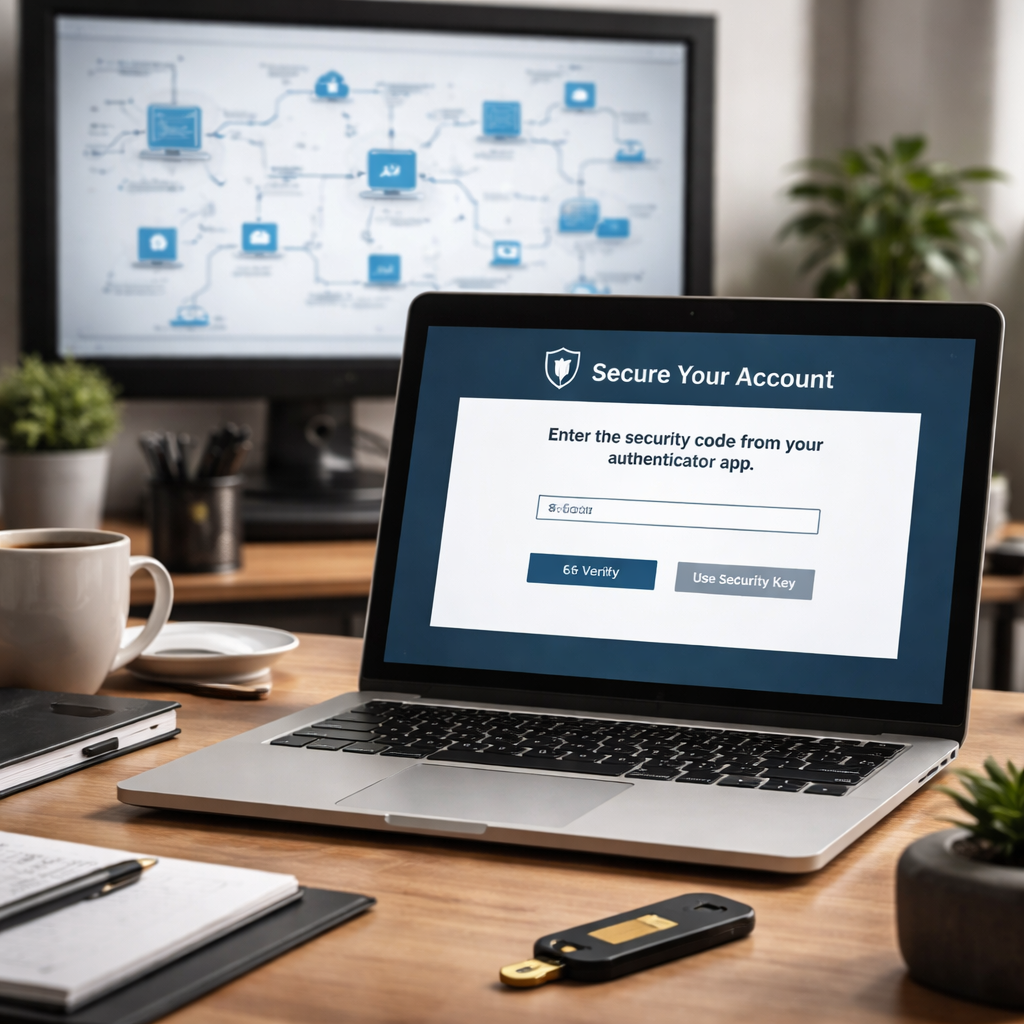
Step 3: Implement Multi‑Factor Authentication and Access Controls
Two‑factor login is the cheapest way to stop a hacker who stole a password. The trick is to make the second step something the attacker can’t guess.
Pick the right factor
Most apps let you use a mobile app that creates a short code. It’s fast, works even when SMS is down, and you can lock the phone with a PIN.
For highly privileged accounts, consider a hardware token like a YubiKey. It plugs into the laptop and needs a tap – no code to type.
Roll it out step by step
1. List every account that needs MFA – admin portals, email, remote desktop.
2. Enable MFA in the cloud admin console (Microsoft 365, Google Workspace, etc.).
3. Test with a small group of users. Let them report any login hiccups.
4. Expand to the rest of the staff. Keep a cheat sheet handy for the first week.
Combine with least‑privilege access
Give each user only the apps they need. A receptionist shouldn’t see the accounting server. Use role‑based groups in your directory service.
When you add a new employee, assign them to the right group first, then give them a login. When someone leaves, remove the group – that instantly cuts off all access.
These steps line up with the Cybersecurity Compliance Services for SMBs guide, which walks through policy creation and audit prep.
Quick reference table
| Control | Tool/Method | Tip |
|---|---|---|
| MFA type | Authenticator app or hardware token | Start with app, add token for admin accounts |
| Access level | Role‑based groups | Map job role to a single group |
| Deprovision | Directory removal | Revoke group before disabling account |
Physical security matters, too. If you need a new server room, a contractor can help you lock doors and run proper wiring. Check out LGFMH Construction for reliable build work.
Step 4: Establish Ongoing Monitoring, Backup, and Incident Response
You’ve locked the doors. Now you need eyes that never blink.
Continuous monitoring
Set up a tool that watches log files, network traffic, and user activity every minute. When something odd shows up, a new admin account, an unexpected outbound spike, the tool should send you an alert right away.
For a small team, a managed monitoring service can do the heavy lifting. It gives you a clear dashboard and 24/7 eyes without hiring a full‑time SOC.
Backup that survives a breach
Follow the 3‑2‑1 rule: keep three copies of your data, store them on two different media, and put at least one copy offsite or in the cloud. Test the restore process monthly so you know it works.
Automate daily snapshots for critical files and weekly full backups for servers. Encrypt the backup both at rest and in transit, a hacker can’t read what they can’t crack.
Incident response you can run
Write a short playbook that names who does what when an alert fires. Include steps to contain the breach (e.g., disconnect the affected device), assess the damage, and bring systems back from the latest clean backup.
Run a tabletop drill once a quarter. Walk through a fake ransomware hit and see where the plan stalls. Fix the gaps before they become real problems.
Putting these three pieces together turns a checklist into a living safety net. You’ll spot trouble early, you’ll survive a data loss, and you’ll get back online fast.
Need a quick reference? The Huntress small business cybersecurity guide breaks down monitoring, backup, and response steps in plain language.
Start today: pick one log source to monitor, set up an automated backup, and draft a one‑page response plan. You’ll feel more secure with each step.
Frequently Asked Questions
What is a small business cybersecurity checklist and why do I need one?
A small business cybersecurity checklist is a simple list of steps you follow to keep your tech safe. It covers things like passwords, updates, backups, and who can see your data. By ticking each item you know what’s protected and what still needs work. It helps you avoid costly breaches and shows auditors you take security seriously. It also gives you a clear roadmap for future upgrades and lets you spot gaps before a hacker finds them.
How often should I review and update my checklist?
You should look at your checklist at least once a quarter. That gives you time to add new software, patch updates, or changes in staff roles. A quick monthly glance at backups and password policies keeps the basics fresh, while a deeper review every three months catches bigger gaps. Mark the dates in your calendar so the review never slips. If a major incident happens, update the list right away.
What are the most important controls for a new checklist?
Start with the basics that give the biggest protection. Strong passwords and multi‑factor login stop most password attacks. Keep every device patched so known bugs can’t be used. Turn on full‑disk encryption for laptops and phones. Set up firewalls to block unwanted traffic. Finally, schedule daily backups and test a restore at least once a month. Those steps cover over 80 % of common threats.
How can I make backup and disaster recovery part of the checklist?
Treat backup like a safety net you check every week. Follow the 3‑2‑1 rule: keep three copies, use two different media, and store one copy offsite or in the cloud. Automate daily snapshots for critical files and weekly full images for servers. Encrypt the backup so a thief can’t read it. Run a restore test each month to be sure you can get back online fast.
What should my incident response playbook include?
A playbook is a short, step‑by‑step guide you hand to staff when an alert pops up. First, name who calls the alarm and who isolates the affected device. Next, list the questions to ask: what was the attack, which systems are hit, and is data exposed? Then, point to the latest clean backup and show how to restore. End with a note to record what happened for future learning.
Where can I find a simple template to start?
If you want a ready‑made list, start with free guides from government agencies. The CISA website offers a simple checklist you can copy and tweak for your own shop. Look for sections on passwords, updates, backups, and incident response. Download the PDF, print a one‑page version, and keep it on your wall. Updating it as you grow turns it into a living tool.
Conclusion & Next Steps
You’ve walked through the small business cybersecurity checklist step by step. The data shows most controls end up with a managed IT partner, and the average rollout takes about six months. That means you don’t have to do it all alone.
Here are three moves you can make this week:
- Pick one high‑risk item (like MFA) and enable it on all accounts.
- Set a monthly calendar reminder to run a backup restore test.
- Write a one‑page incident‑response playbook and share it with your team.
When you’re ready for a deeper look, the Disaster Recovery Services for Small Business: A Practical Guide walks you through backup strategies that survive a breach.
And if you need to harden the physical side of your tech, like building a proper server room, check out this commercial renovation contractor guide. A solid space keeps your gear safe and compliant.
Take the first step today. A quick call can turn your checklist into a living security plan.






