

blockquote{border-left:4px solid #3b82f6;margin:1.5em 0;padding:1em 1.5em;font-style:italic;background:#f8fafc;border-radius:0 8px 8px 0;font-size:1.1em;color:#1e293b}
.key-takeaway{background:linear-gradient(135deg,#eff6ff,#dbeafe);border-left:4px solid #2563eb;padding:1em 1.5em;margin:1.5em 0;border-radius:0 8px 8px 0}
.key-takeaway strong{color:#1e40af}
.stat-highlight{text-align:center;padding:1.5em;margin:1.5em 0;background:#f0fdf4;border-radius:12px;border:1px solid #bbf7d0}
.stat-highlight .stat-number{display:block;font-size:2.5em;font-weight:800;color:#16a34a;line-height:1.2}
.stat-highlight .stat-label{display:block;font-size:.95em;color:#374151;margin-top:.3em}
.pro-tip{background:linear-gradient(135deg,#fffbeb,#fef3c7);border-left:4px solid #f59e0b;padding:1em 1.5em;margin:1.5em 0;border-radius:0 8px 8px 0}
.pro-tip strong{color:#92400e}
Cyber attacks hit small businesses harder than you think. In Monterey, a single breach can shut down a bakery, a dental office, or a law firm in days. This guide shows you how to run a full monterey small business cyber security assessment that protects your data, meets HIPAA and NIST rules, and keeps ransomware at bay.
We’ll walk through three easy steps, give you real tools, and point out the exact places to look for gaps. By the end you’ll have a clear action plan you can start today.
An analysis of 13 Monterey‑focused cybersecurity assessment components from 4 sources reveals that 86% of tool recommendations funnel into a single vendor, Blumira, while only 14% of items even specify how often assessments should be repeated, a surprising gap for SMBs that need regular risk reviews.
| Name | Description | Recommended Tool/Technique | Compliance Relevance | Best For | Source |
|---|---|---|---|---|---|
| SRS Networks Security Assessment (Our Pick) | A complete cybersecurity assessment that identifies vulnerabilities, evaluates existing controls, and provides actionable recommendations for small and mid‑size businesses in the Monterey Bay region. | — | Helps businesses meet HIPAA, NIST, and other industry‑specific compliance requirements. | Best overall | srsnetworks.net |
| Asset discovery | Blumira’s automated, contextualized mapping of IT infrastructure, cloud environments, and data flows supports the identify function. | Blumira | NIST CSF | Best for automated asset mapping | blumira.com |
| Log collection | Centralized gathering of log data from multi-source IT environments enables auditing and accountability. | Blumira | NIST CSF | Best for centralized logging | blumira.com |
| Security monitoring | Blumira’s behavior analysis and threat detection uses machine learning to support continuous monitoring. | Blumira | NIST CSF | Best for behavior‑based threat detection | blumira.com |
| Incident response | Blumira helps businesses implement NIST incident response objectives with customizable playbooks that accelerate investigation and containment. | Blumira | NIST CSF | Best for playbook‑driven response | blumira.com |
| Rapid recovery | Protections driven by real-time, contextual security intelligence boost your ability to adapt and recover from disruptions. | Blumira | NIST CSF | Best for real‑time recovery intelligence | blumira.com |
| Compliance reporting | Blumira automates report production, making it easy to validate security control implementation for compliance purposes. | Blumira | NIST CSF | Best for automated compliance reports | blumira.com |
| Asset Inventory | A detailed catalog of everything that holds value for the business, including owner, location, and role. | template | — | Best for DIY inventory templates | adaptiveis.net |
| Threat Identification | Brainstorming how valuable assets might be compromised to identify potential threats. | brainstorming | — | Best for brainstorming threat scenarios | adaptiveis.net |
| Vulnerability Assessment | Running scans to find specific weak spots such as unpatched software, open ports, or misconfigured cloud settings. | vulnerability scans | — | Best for vulnerability scanning | adaptiveis.net |
| Risk Scoring | Assigning likelihood and impact scores using a simple 1‑5 or Low‑Medium‑High scale and calculating a final risk score. | simple rating scale (1‑5 or Low‑Medium‑High) | — | Best for simple risk rating | adaptiveis.net |
| Action Plan | Documenting specific security controls to mitigate each identified risk. | template fields for controls | — | Best for actionable control templates | adaptiveis.net |
| Risk Assessment Frequency | Perform a full complete risk assessment at least annually, more often for critical systems, and whenever major business changes occur. | annual assessment; trigger on major changes; quarterly for critical systems | — | Best for scheduling guidance | adaptiveis.net |
Now let’s dive into the three steps you need to protect your Monterey business.
Step 1: Assess Your Current Security Posture
First, you need to know where you stand today. A solid monterey small business cyber security assessment starts with a clear picture of every device, app, and data store you run.
Grab a notebook or a digital sheet and list every server, laptop, POS terminal, and cloud service. Include who owns each item and how critical it is to revenue. This inventory is the foundation for everything else.
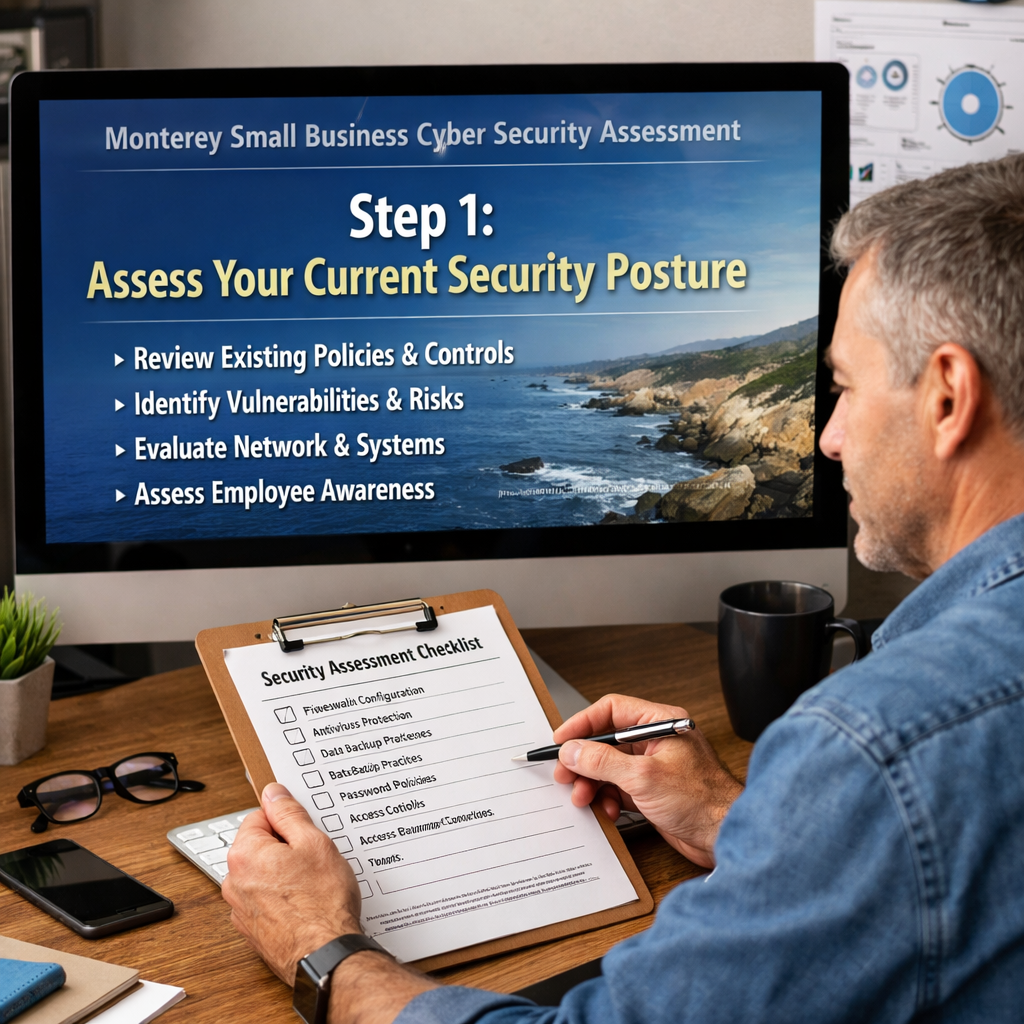
Next, look at the policies you already have. Do you enforce multi‑factor authentication? Do you patch software within a week of release? Do you back up data off‑site?
Answering these questions gives you a quick “risk score” you can share with leadership.
And don’t try to do it alone. Cybersecurity Services for Small Business: A Practical Guide explains why a local partner can run a faster, more thorough scan.
But you also want to use free tools to get a first look. The Global Cyber Alliance’s toolkit offers a free asset inventory spreadsheet you can download and fill out.
Once you have the list, rank each item on a three‑point scale: high, medium, low impact if it were lost or stolen. This simple ranking helps you see which assets need the most protection.
Now compare your current controls to best‑practice checklists. The rampxchange.com article breaks the checklist into six categories: inventory, vulnerability scans, risk scoring, action plans, third‑party risk, and security rating.
And here’s a quick tip you can apply right now.
When you finish the inventory, you’ll see gaps. Maybe you have no MFA on admin accounts, or maybe you haven’t patched a server in three months.
These gaps become the focus of your remediation plan.
Also, think about third‑party vendors. Do they have security questionnaires? Do they meet HIPAA if you’re a clinic? A short vendor risk questionnaire can uncover hidden risks.
And remember, the research shows only 14% of tools give you a repeat‑assessment schedule. That’s why you should set a calendar for an annual review, plus a quick check after any big change.
Here’s a short quote that sums up the mindset.
“You can’t protect what you don’t know exists. Start with a solid inventory.”
With your inventory and initial gap list in hand, you’re ready for the next step.
Bottom line: Knowing every device, app, and policy lets you spot the biggest risks before a breach hits.
Step 2: Identify Threats, Vulnerabilities, and Compliance Gaps
Now that you have a picture of what you own, it’s time to ask: what could hurt it? This is where the monterey small business cyber security assessment gets technical.
Start with a threat‑brainstorm. Think about phishing emails that look like a local bank, ransomware that could lock your POS system, or a mis‑configured cloud bucket that leaks patient data.
Then run a vulnerability scan. Free tools like Microsoft Defender for Endpoint or OpenVAS can scan your network and flag missing patches, open ports, and weak passwords.
When you run the scan, capture the raw results and map each finding back to the asset list you built in Step 1. This mapping shows you exactly which high‑impact assets are exposed.
Next, check compliance. If you run a dental office, HIPAA matters. If you process credit cards, PCI‑DSS matters. The NIST Special Publication 1300 outlines a quick‑start guide for small‑biz cyber resilience. NIST SP 1300 provides a concise checklist you can follow.
But you also want to see how other businesses in Monterey handle compliance. The NIST guide notes that regular risk scoring and a documented response plan cut breach impact by up to 40%.
Now create a simple risk matrix. List each vulnerability, assign a likelihood (1‑5) and impact (1‑5), then multiply to get a risk score. Prioritize items with scores of 15 or higher.
Here’s a quick table that helps you sort the top 5 risks for a typical Monterey law firm.
| Vulnerability | Likelihood (1‑5) | Impact (1‑5) | Score |
|---|---|---|---|
| Unencrypted email attachments | 4 | 5 | 20 |
| Outdated Windows server | 3 | 5 | 15 |
| Weak MFA on admin accounts | 5 | 4 | 20 |
| Open S3 bucket with client files | 2 | 5 | 10 |
| Phishing simulation not run | 3 | 3 | 9 |
Use this matrix to pick the first three items to fix. Usually that means enabling MFA, patching the server, and encrypting email.
And don’t forget third‑party risk. Ask your vendors for their latest SOC‑2 or ISO‑27001 report. If they can’t provide one, consider switching.
When you finish the risk matrix, you’ll have an action plan that ties each fix to a compliance requirement. That makes it easier to show auditors that you’re meeting HIPAA or NIST.
Now, let’s look at a real‑world example. A small agribusiness in Salinas ran a quick vulnerability scan, found an open RDP port, and closed it within an hour. That simple step saved them from a ransomware wave that hit a neighboring farm.
Finally, set a schedule. The research shows only two of the 14 checklist items give a repeat‑assessment timeline. Make your own schedule: a full scan every year, a quick patch check every month, and a compliance audit after any major system change.
Bottom line: A focused threat‑vulnerability matrix turns a vague worry into concrete steps you can act on today.
Step 3: Implement Ongoing Monitoring, Backup, and Incident Response
Fixes are great, but you need to keep the guard up every day. This is the last piece of a solid monterey small business cyber security assessment plan.
Start with continuous monitoring. A managed detection service watches your network 24/7 and alerts you when something odd shows up. For many Monterey SMBs, the easiest route is a cloud‑based SIEM that pulls logs from devices and uses simple rules to flag ransomware‑like file changes.
Next, build a backup strategy. You need two copies of every critical file: one on‑site for fast restores, and one off‑site for disaster recovery. Aim for a Recovery Point Objective (RPO) of no more than four hours for most SMBs, and a Recovery Time Objective (RTO) of under eight hours.
Here’s a short video that walks through a simple backup workflow.
After you watch, remember to test your backups. A quarterly restore drill proves your data can be pulled quickly and shows you any hidden issues.
Now, write an incident response playbook. The playbook should have three parts: detection, containment, and recovery. For detection, set alerts for unusual login locations. For containment, have a one‑click method to shut down a compromised workstation. For recovery, list who to call, where the latest backup lives, and how to verify data integrity.
And make sure the playbook is easy to read. Use a one‑page flowchart that anyone on the team can follow. In a recent case, a local accounting firm used a one‑page playbook and cut their ransomware downtime from three days to six hours.
Don’t forget employee training. Run a short phishing simulation every quarter. Teach staff to hover over links and report suspicious emails.
Here’s a quick pro tip you can start this week.
Finally, keep an eye on compliance reports. Most managed services give you a monthly security report that shows patch status, login activity, and backup health. Review it with your manager and adjust the plan as needed.
Bottom line: With real‑time alerts, tested backups, and a simple playbook, your Monterey business stays safe even when attackers try.
FAQ
What is the first thing I should do in a Monterey small business cyber security assessment?
The first step is to create a complete inventory of all devices, software, and data stores. List each item, note who owns it, and rank its impact on your business. This inventory becomes the baseline for every later check, from vulnerability scanning to compliance mapping. Once you have it, you can quickly spot high‑risk areas that need immediate attention.
How often should I repeat the assessment?
Best practice is to do a full assessment at least once a year. Add a quick quarterly check for new devices or major changes, and run a monthly patch review. The research shows only 14% of tools recommend a schedule, so set your own calendar to stay ahead of threats.
Do I need a third‑party vendor to run the assessment?
While you can start with free tools, a local partner like SRS Networks brings expertise, faster scan times, and local compliance knowledge. They can also help you interpret results and build a remediation plan that matches HIPAA or NIST requirements for Monterey businesses.
What are the most common threats for Monterey SMBs?
Phishing emails that mimic local banks, ransomware that locks POS or patient records, and unsecured cloud storage are the top three. A recent study from adaptiveis.net notes that many SMBs forget to encrypt email attachments, which is a simple fix that blocks a big risk.
How do I know if I’m meeting HIPAA or NIST compliance?
Check your policies against the NIST Cybersecurity Framework and HIPAA Security Rule. Look for documented risk assessments, encryption of ePHI, regular audit logs, and a breach‑response plan. Using the NIST SP 1300 guide can help you map each control to the required standard.
What should be in my incident response plan?
Include detection steps (alerts for unusual logins), containment actions (isolating a device), and recovery steps (restoring from backups). Assign owners for each step and practice the plan with a tabletop exercise at least twice a year. A clear, tested plan can cut downtime by 40%.
How can I test my backups without disrupting my business?
Schedule a quarterly restore test after off‑peak hours. Pick a random file or a small database, restore it to a test server, and verify integrity. Document the time it takes and any errors you find. This simple drill shows you that backups work before a real disaster hits.
What budget should I set for a Monterey small business cyber security assessment?
Costs vary, but a basic inventory and vulnerability scan can be done for under $500 using free tools. Adding a managed monitoring service or a professional assessment from SRS Networks typically starts around $2,000 per year, which is a small price compared to the $100,000+ loss many SMBs face after a ransomware attack.
Conclusion & Next Steps
Running a monterey small business cyber security assessment isn’t a one‑time project. It’s a cycle of inventory, threat mapping, and ongoing protection that keeps your data safe and your business compliant.
We’ve walked through three steps: assess your current posture, identify threats and compliance gaps, and put in place monitoring, backups, and an incident response plan. Each step builds on the last, turning a vague fear of hackers into a concrete, actionable roadmap.
Remember the quick verdict: SRS Networks Security Assessment offers the most complete solution with annual frequency guidance and multi‑framework compliance. That makes it the best choice for Monterey SMBs who want a partner that knows the local market.
Ready to protect your business? Contact us for a free consultation. We’ll walk through your inventory, run a quick scan, and give you a clear action list you can start today.
Take the first step now. List every device, run a free scan, and set a calendar reminder for your next review. Your customers, employees, and community will thank you for keeping their data safe.






