

Picture this: it’s 9 am, your accounting software flashes an error, and the whole office grinds to a halt while you scramble for a fix.
That moment of panic—lost productivity, missed client calls, the nagging thought that you’re on your own—feels all too familiar for many SMB owners and IT managers.
What if you could replace that stress with a predictable, steady rhythm? That’s the promise behind the question “what is managed IT services.” In plain terms, it’s handing over the daily grind of technology upkeep to a dedicated team that watches, patches, and protects your systems before a problem even shows up.
In a managed model, you get proactive monitoring, regular updates, and a help‑desk that answers tickets within minutes, not hours. Think of it as a subscription for peace of mind instead of an endless list of break‑fix invoices.
Take a small law firm in Salinas. Their biggest worry is keeping client files secure while staying compliant with HIPAA and state regulations. With managed IT services, a specialist constantly checks the firewall, encrypts data at rest, and runs compliance reports so the partners can focus on case work.
Or consider a fast‑growing e‑commerce shop in Monterey. Their sales depend on a website that never goes down. A managed provider monitors server health, scales cloud resources during holiday spikes, and restores backups in minutes if something goes wrong, keeping revenue flowing.
The core components typically include:
- 24/7 network and device monitoring
- Patch management for OS and applications
- Help‑desk support with rapid ticket resolution
- Security services like anti‑malware, firewall rules, and ransomware protection
- Backup and disaster‑recovery planning
Here’s a quick checklist you can run through with your current IT setup:
- Do you have round‑the‑clock monitoring for critical servers?
- Are software updates applied automatically or waiting for a manual rollout?
- How fast does your help‑desk respond to a high‑priority ticket?
- Is your data backed up off‑site and tested for restoration?
- Do you receive regular security assessments?
If you answered “no” to any of these, it’s a sign you could benefit from a managed approach. When you partner with a local provider, you also get a single point of contact who understands the unique tech challenges of Salinas‑area businesses.
Want to see how this looks in practice? Check out our Managed IT Services | SRS Networks page for a deeper dive into service tiers, pricing models, and real‑world success stories.
Bottom line: managed IT services turn technology from a constant headache into a reliable backbone, letting you focus on growth, client care, and the next big opportunity.
TL;DR
If you’re tired of surprise downtime, endless patching, and security scares, understanding what is managed IT services shows how a proactive partner can keep your Salinas‑area business running smoothly.
We help SMBs like law firms and e‑commerce shops get 24/7 monitoring, rapid help‑desk response, and reliable backup so you can focus on growth instead of glitches.
Step 1: Assess Your Business IT Needs
Imagine you walk into the office and the network lights are blinking red—nothing works, and you’re left guessing why. That feeling of being blindsided is exactly what a solid IT assessment is designed to prevent.
Before you even think about handing over your tech to a managed services partner, you need a clear picture of what you actually have, what you rely on, and where the gaps hide.
Start by writing down every piece of hardware that sits on a desk, in a server rack, or tucked away in a closet. Laptops, desktops, printers, VoIP phones, routers, and even that old NAS box all belong on the list. Don’t forget the cloud‑based tools you subscribe to—CRM, accounting software, email, and file‑sharing services.
Next, map those assets to the business processes they enable. Which applications keep your invoices flowing? Which servers host client data that must stay HIPAA‑compliant? Knowing the “who uses what” helps you spot the truly mission‑critical components.
Ask yourself: How much downtime could each piece tolerate before it hurts your bottom line? A brief outage in a break‑room coffee machine is harmless, but a five‑minute freeze on a point‑of‑sale system can mean lost sales.
Now look at security. Do you have endpoint protection on every endpoint? Are firewalls configured with the latest rules? A quick scan of your security posture will reveal easy wins—like turning on multi‑factor authentication for all admin accounts.
Compliance is another non‑negotiable checkpoint. If you handle patient records, financial statements, or donor information, you need to verify that your storage, backup, and access controls meet the relevant regulations. A simple compliance checklist can save you from costly audits later.
Budget constraints often dictate what’s possible. Pull your recent IT spend reports and separate recurring costs (software licences, internet) from one‑off expenses (hardware upgrades). This financial snapshot will guide you when you talk to a managed services provider about pricing models.
Finally, think about growth. Are you planning to add a new branch, launch an e‑commerce site, or adopt a telehealth platform? Your assessment should include a projection of future needs so the solution you choose scales with you.
One handy way to organize all this information is to use a checklist template. MyBiz Automator offers a free workflow checklist that you can copy into a spreadsheet and start ticking off items today.
If you prefer a video walkthrough of an IT assessment, check out the short clip below. It walks through each step with real‑world examples from Salinas‑area businesses.
Once you’ve gathered the data, you’ll be ready to prioritize. Not every gap needs immediate fixing; focus on the items that pose the biggest risk to uptime, security, or compliance.
For a deeper dive on how to rank those priorities, Andrey Priority outlines a simple scoring method that works well for small teams.
When you sit down with a managed IT provider, bring this assessment along. It turns a vague conversation into a concrete roadmap and shows the provider that you’ve done your homework.
And if you ever wonder what a broader strategic view looks like, Rebel Growth’s guide to IT planning offers some strategic perspectives that can help you align technology with your business goals.
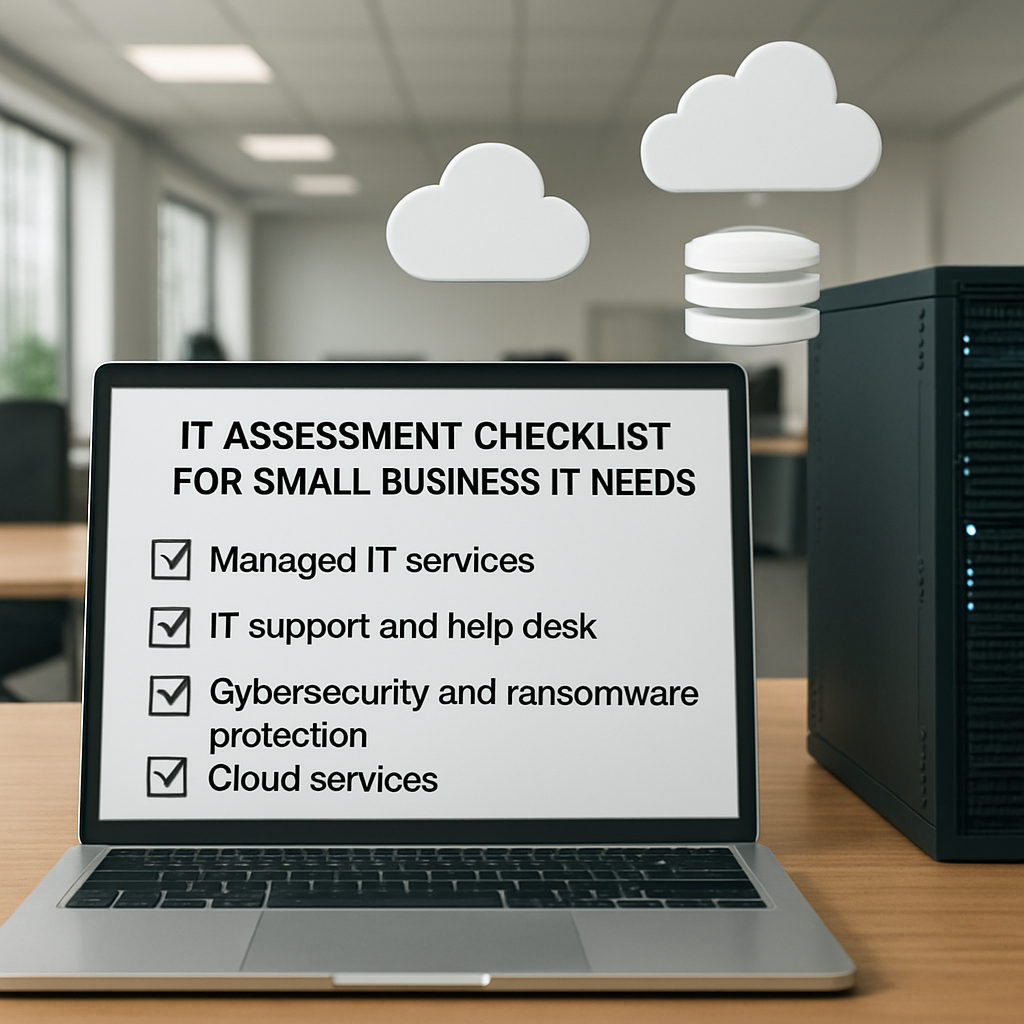
Take a few hours this week to run through the checklist, talk to key users, and jot down any pain points you hear. That simple exercise often uncovers hidden dependencies and gives you the confidence to move forward with a managed services partner.
Bottom line: a thorough assessment is the foundation of any successful managed IT relationship. Without it, you’re flying blind; with it, you’re setting the stage for predictable performance and peace of mind.
Step 2: Choose the Right Managed Services Model
Now that you’ve mapped every server, app, and pain point, the next question is: how do you actually pay for the help you need? The answer isn’t one‑size‑fits‑all, and that’s a good thing because SMBs in Salinas and Monterey come in all shapes and sizes.
First, think about who’s doing the heavy lifting. Do you want a partner that steps in for every ticket, every patch, every backup – basically becoming your IT department? Or would you prefer a hybrid where your internal staff keep the reins on day‑to‑day tasks and the MSP fills the gaps, like a seasoned co‑pilot?
Fully Managed vs. Co‑Managed
In a fully managed model the provider owns the entire stack. That means 24/7 monitoring, proactive patching, help‑desk triage, and even strategic planning happen outside your walls. For a law firm that can’t afford a single missed deadline, that “set‑and‑forget” vibe can be a lifesaver.
Co‑managed services, on the other hand, let you keep an internal champion while outsourcing the stuff that overwhelms your team – think ransomware‑ready backups or advanced firewall tuning. A small e‑commerce shop in Monterey often starts with a co‑managed setup, letting the owner focus on marketing while the MSP handles security alerts.
Want a deeper dive into the pros and cons? Check out this comparison from a trusted industry source: co‑managed vs. fully managed IT services.
Pricing Models That Actually Make Sense
Once you’ve decided on the level of control, the next puzzle piece is pricing. The market offers everything from “monitor‑only” fees to all‑you‑can‑eat bundles. Here’s a quick cheat sheet:
- Per‑device: You pay a flat rate for each workstation, server, printer, etc. Easy to calculate, but it can turn into a price‑only conversation.
- Per‑user: One fee per employee, covering all the devices they use – perfect for remote‑first teams.
- Tiered packages: Bronze, silver, gold tiers give you a menu of services. You can start small and upgrade as the business grows.
- All‑you‑can‑eat: A single monthly fee for unlimited remote support, on‑site visits, and lab time. Great for budgeting confidence.
- A‑la‑carte: Pick‑and‑choose individual services like disaster‑recovery or compliance audits.
For a clearer picture of how these models stack up, see the TechTarget rundown: popular pricing models for managed services.
Actionable Steps to Pick Your Model
1. Map your usage. List every device and every user. If you have 12 desktops, 3 servers, and 8 mobile devices, you can quickly see whether per‑device or per‑user makes more sense.
2. Identify mission‑critical services. If your checkout system can’t go down, you probably want the all‑you‑can‑eat model with guaranteed SLA response times.
3. Set a budget ceiling. Pull your last year’s IT spend and decide how much you’re willing to allocate to predictable monthly fees versus surprise break‑fix bills.
4. Match the model to your staff. If you have a full‑time IT admin who’s already stretched thin, a co‑managed arrangement can give them a safety net without handing over the entire department.
5. Ask for a pilot. Many providers will run a 30‑day trial on a single service (like backup monitoring) so you can see the value before committing to a full package.
6. Read the fine print on SLAs. Look for response times, escalation paths, and any “out‑of‑hours” charges. A good SLA is the backbone of a reliable partnership.
When you’ve run through these steps, you’ll have a shortlist of models that fit your reality. From there, a seasoned partner can help you fine‑tune the details, ensuring you get the right blend of coverage and cost.
Need a hand translating all this into a concrete proposal? Our IT consulting services can walk you through the numbers, match you with the right pricing tier, and set up the governance framework you need to keep everything on track.
Step 3: Evaluate Cybersecurity & Compliance
When you finally have a pricing model you like, the next thing that keeps most SMB owners up at night is the scary phrase ‘cyber‑risk.’ You’ve probably heard a headline about a ransomware hit on a local clinic, and you’re thinking, ‘What if that’s us?’
That feeling is normal. The good news is you don’t need a PhD in security to protect your business. It just takes a systematic look at where you stand today and a few practical steps to shore up the gaps.
Start with a risk snapshot
Grab the list you built in Step 1. For every server, workstation, or cloud app, ask three quick questions:
- What data lives on this asset? (client files, payment info, health records?)
- How would a breach affect my business? (lost revenue, legal penalties, reputation?)
- How likely is an attack? (old OS, no patching, exposed to the internet?)
Jot down high‑impact, high‑likelihood items first. Those are your priority for immediate security work.
Compliance isn’t a mystery
If you run a healthcare practice, HIPAA is the rulebook you can’t ignore. A law firm faces client‑confidentiality mandates. Even a small e‑commerce shop must meet PCI‑DSS if it processes credit cards. The common thread? They all demand encryption, access controls, and regular audit trails.
Take a moment to pull any compliance checklists you’ve received from regulators or industry groups. Compare them line‑by‑line with what you actually do. Missing a single box can turn a routine audit into a costly remediation sprint.
Run a quick security health check
Here’s a simple, no‑cost approach you can start today:
- Run the built‑in Windows Defender or macOS security report on each device. Note any “missing updates” or “unsupported software.”
- Ask your email provider if MFA (multi‑factor authentication) is enabled for all accounts. If not, flip the switch.
- Check that backups are running daily and that you can restore a file within an hour. If you can’t, that’s a red flag.
These three actions alone will surface the low‑ hanging fruit that most attackers exploit.
So, what should you do next?
Build a security and compliance roadmap
Take the high‑risk items you identified and map them to concrete actions. For example:
- Patch legacy servers – schedule a quarterly maintenance window.
- Encrypt laptops – deploy BitLocker (Windows) or FileVault (Mac) across the fleet.
- Implement endpoint protection – choose a solution that offers real‑time malware scanning.
- Document policies – write a short “acceptable use” guide and get leadership sign‑off.
Assign owners, set deadlines, and track progress in a simple spreadsheet. Treat it like any other business project; the same project‑management discipline applies.
And remember, you don’t have to go it alone. A local partner that knows the Salinas regulatory landscape can run a quarterly compliance audit, fine‑tune your firewall rules, and keep you ahead of new threats.
Watching a short video can demystify how ransomware actually spreads and why the “human factor” matters more than any software you buy. After you hit play, pause and see if any of the described attack steps match something you’ve seen in your own ticket queue.
Now that the video is out of the way, let’s bring the ideas back to your office.
Finally, test what you’ve built. Run a mock phishing campaign with your team or use a free online vulnerability scanner to probe your public‑facing website. Document every finding, fix the issues, and repeat the test every six months. The habit of regular validation keeps complacency at bay.
When you combine a clear risk snapshot, a compliance checklist, and a repeatable remediation cycle, you turn a vague fear of cyber‑attacks into a manageable, predictable part of your operations. Your business can keep focusing on growth while you sleep a little easier.
Ready to take the next step? A quick, no‑obligation security health review can highlight the exact gaps you should fix first. It’s the fastest way to move from “I’m worried” to “I’ve got a plan.”

Step 4: Plan Cloud, Backup & Disaster Recovery
Imagine you’ve just finished a big sales push and the next morning your server is toast. The panic you feel is exactly why a solid cloud, backup, and disaster‑recovery plan matters. It’s not just a tech checkbox; it’s the safety net that lets you keep serving clients while you fix the mess.
First, take a breath and map out where your data lives today. Do you have a handful of on‑premise file servers, a few SaaS apps, and maybe a legacy accounting package running on a dated VM? Write each location down, then ask: if this piece vanished, how long could my business survive?
That answer drives three core decisions:
- What should move to the cloud?
- How often do we back up each data set?
- What’s our recovery‑time objective (RTO) and recovery‑point objective (RPO) for each workload?
Here’s a quick way to get those numbers without a spreadsheet: pick the most critical application—say your point‑of‑sale system for an e‑commerce shop. Time the longest you could stay offline before you start losing revenue (maybe 30 minutes). That’s your RTO. Then look at how much data you can afford to lose; if you can lose at most an hour’s worth of orders, that’s your RPO.
Now that you have RTO/RPO targets, it’s time to choose a cloud model. The three classic options are IaaS, PaaS, and SaaS. IaaS gives you raw virtual machines—great if you need full control but also requires you to manage patches and security. PaaS adds a managed runtime, easing the burden for developers. SaaS hands you a finished app, like Microsoft 365, which already includes built‑in redundancy.
For most SMBs, a hybrid approach works best: keep sensitive, regulated data (HIPAA‑covered health records, for example) on a private or on‑premise vault, while moving everything else to a public cloud for cost‑effective elasticity. The trick is to make the two worlds talk to each other securely—think VPN tunnels or dedicated interconnects.
Backup strategy is the next piece of the puzzle. The golden rule? Follow the 3‑2‑1 formula: three copies of data, on two different media, with one copy off‑site. In practice that means daily incremental backups to a cloud bucket, weekly full backups stored on a NAS in a second office, and a monthly snapshot sent to a secure, geographically‑separate provider.But don’t just set it and forget it. Schedule a quarterly restoration test—pick a random file, restore it, and time how long it takes. If you can’t meet your RTO in the test, tweak the process: maybe move to faster storage, or adjust your backup window.
Real‑world example: A dental practice in Salinas was using local tape backups. When a ransomware hit encrypted their workstation, they had to wait days for the tape to be shipped back and decoded. After switching to a cloud‑based BDR solution, they now recover in under two hours, keeping patient appointments on track.
Another story: A boutique law firm migrated its case‑management software to a private‑cloud VM while keeping client files in an encrypted, off‑site bucket. They set an RPO of 15 minutes and an RTO of 1 hour. When a power outage knocked out their office network, they spun up a new VM in minutes and were back to serving clients before lunch.
Tip from the field: Automate what you can. Use policies that trigger snapshots whenever a critical database changes, and let the cloud provider handle versioning. Automation removes the human error factor that often derails backup plans.
Below is a concise comparison of the three most common cloud‑plus‑backup setups you might consider.
| Option | Typical Use‑Case | Key Benefits & Considerations |
|---|---|---|
| Public‑cloud IaaS + 3‑2‑1 backups | Growing e‑commerce sites needing rapid scaling | Low upfront cost, easy scaling; you manage OS patches and backup schedules. |
| Private‑cloud or on‑premise + local + off‑site snapshots | Healthcare or legal firms with strict compliance | Maximum control over data residency; higher maintenance overhead. |
| Hybrid (SaaS app data + managed BDR service) | Mixed environments like accounting firms using QuickBooks Online plus legacy payroll software | Best of both worlds—SaaS handles availability, BDR protects legacy workloads. |
When you’re ready to turn this plan into action, start with a small pilot. Pick one non‑critical server, move it to your chosen cloud model, set up the 3‑2‑1 backup routine, and run a restore test. Document what worked and what didn’t, then roll out the lessons learned across the rest of your environment.
And remember, you don’t have to reinvent the wheel. Backup and Disaster Recovery | SRS Networks offers a managed service that handles the backup schedule, encryption, and recovery testing for you, so you can focus on serving clients instead of chasing logs.
Finally, keep an eye on cost. Cloud providers charge by storage used and data transferred. Set alerts for sudden spikes, and review your retention policy every six months—keeping a year’s worth of daily snapshots may be overkill for a small office.
So, what’s the next step? Draft a one‑page cloud‑backup‑DR checklist, run a pilot, and schedule that quarterly restore drill. In a few weeks you’ll have the confidence that even if the worst‑case scenario hits, your business keeps humming.
Step 5: Implement, Monitor & Measure Success
All the planning in the previous steps feels great on paper—until you actually flip the switch. That moment is where most SMBs wonder if they’ve bitten off more than they can chew.
Let’s break it down into bite‑size actions you can start today.
1. Roll out a concrete implementation checklist
Write a one‑page run‑book that lists every task, who owns it, and the deadline. Include things like “configure backup agent on Server A,” “enable SNMP monitoring for the firewall,” and “set email alert for backup failure.”
Assign a single point of contact—often the IT manager or a trusted MSP technician—so nothing falls through the cracks.
2. Set up real‑time monitoring and alerts
Pick the tools you already have (Microsoft 365 admin center, Azure Monitor, or a third‑party NOC platform) and turn on health checks for:
- Server CPU, memory, and disk space
- Network latency and packet loss
- Application response times (e.g., QuickBooks Online sync)
- Backup job status and storage usage
Define thresholds that make sense for your business. For a small law firm, a CPU spike over 80 % for more than five minutes might trigger an alert; for an e‑commerce site, a checkout latency above two seconds is the red line.
When an alert fires, the ticketing system should auto‑create a ticket and notify the owner via email or SMS.
3. Run a pilot and test restoration
Pick a non‑critical server or a single user’s workstation. Move it to the new backup routine, then schedule a “restore‑by‑you‑in‑30‑minutes” drill.
Document the steps, note any hiccups, and adjust the process before you roll it out company‑wide.
In one real‑world case, a Monterey‑based dental practice ran a pilot on a single imaging workstation. The restore took 12 minutes instead of the expected 30, and they discovered they needed a faster network share for large DICOM files.
4. Choose the right KPIs to measure success
Metrics keep the conversation honest. According to industry research, the most telling KPIs for managed services include uptime percentage, Mean Time to Detect (MTTD), Mean Time to Resolve (MTTR), backup success rate, and customer satisfaction scores (see Extnet’s KPI guide).
Start with a baseline: record today’s average ticket resolution time, current backup success ratio, and any known downtime events.
Then set realistic targets—maybe a 20 % drop in MTTR within 90 days, or 99.9 % backup success for three consecutive months.
5. Review, report, and iterate
Schedule a short, monthly “health‑check” meeting. Pull the KPI dashboard, compare against the targets, and ask:
- Did any alerts go unanswered?
- Were any backups missed?
- Did the RPO/RTO goals hold up during the last restore test?
Share a one‑page summary with leadership—focus on trends, not just raw numbers.
If you’re using Azure or Microsoft 365, remember the service‑level agreements they publish (Microsoft SLA details). Align your internal targets with those guarantees so you know when a provider, not you, is at fault.
6. Keep cost and compliance in the loop
Set alerts for storage growth—cloud providers bill by the gigabyte, and an unchecked backup vault can balloon quickly. Review your retention policy every six months; a year‑long daily snapshot is often overkill for a small office.
For regulated industries, add a compliance checkpoint: verify that encrypted backups meet HIPAA or PCI‑DSS requirements, and that audit logs are retained for the mandated period.
In practice, a Salinas accounting firm trimmed its backup storage by 40 % after tightening its retention policy from 365 days to 90 days, saving roughly $200 a month.
7. Make continuous improvement a habit
Automation is your best friend. Script nightly snapshot creation, schedule automatic ticket closure for resolved alerts, and let the monitoring platform generate weekly trend reports.
When the data shows a pattern—say, “Monday mornings always spike in ticket volume”—adjust staffing or add a pre‑emptive health check to smooth the bump.
Bottom line: implementation isn’t a one‑off event; it’s a cycle of do, watch, learn, and tweak. Follow the steps above, keep the KPI board visible, and you’ll turn a chaotic IT landscape into a predictable, resilient engine that lets you focus on growing your business.
Managed IT Services vs In‑House IT Teams
Cost and staffing reality
When you ask yourself, “what is managed it services and why would I consider it over an in‑house team?” the first thing that pops up is the price tag. Hiring a full‑time admin, a security analyst, and a help‑desk lead can drain a small‑to‑mid‑size budget fast. Salaries, benefits, training, and the occasional overtime spike add up.
With a managed partner you pay a predictable monthly fee that covers the same skill set – often at a fraction of the cost. The provider spreads those costs across many clients, so you get economies of scale you couldn’t achieve on your own.
Does that mean you lose control? Not really. Most providers give you a dashboard, so you still see ticket volume, uptime, and security alerts in real time.
Compliance and expertise
Imagine you run a behavioral‑health clinic in Salinas. HIPAA isn’t optional, and the penalties for a breach can cripple your practice. In‑house staff might know Windows patching, but they probably don’t have deep‑dive experience with HIPAA audit trails.
Managed providers bring specialists who stay on top of evolving regulations – think HIPAA, PCI‑DSS, or even the newer CMMC standards for defense contractors. A recent industry comparison notes that managed security services can keep compliance costs from spiraling, because the provider already has the tools and processes in place as shown in a defense‑contractor study.
So you get peace of mind without having to hire a full‑time compliance officer.
Flexibility and scalability
Your e‑commerce shop in Monterey might double its traffic during the holiday rush. An in‑house team can only scale as fast as you can hire and train new people – which often means weeks of lag.
A managed service can spin up extra monitoring capacity, add more backup windows, or adjust your security policy overnight. When the spike ends, you simply dial back. It feels like having a stretchy rubber band that snaps back into place.
And if you ever decide to bring some functions back in‑house, many providers offer a hybrid model so you can keep the best of both worlds.
Decision‑making snapshot
| Factor | Managed IT Services | In‑House IT Team |
|---|---|---|
| Up‑front cost | Low – monthly subscription spreads expense | High – salaries, hardware, training |
| Compliance expertise | Specialists with built‑in audit support | Often limited to general IT knowledge |
| Scalability | Rapid, on‑demand resource adjustments | Growth tied to hiring cycles |
Bottom line: if you’re juggling budget constraints, regulatory pressure, and unpredictable growth, a managed approach usually tips the scales. It doesn’t replace the need for internal champions – it gives them a safety net and frees them to focus on business‑critical projects rather than day‑to‑day firefighting.
Feeling a bit more confident about the trade‑off? The next step is to map your current IT spend, list the compliance gaps you know about, and compare that against a simple managed‑service quote. You’ll see the numbers line up faster than you might expect.
Quick Overview: Managed IT Services That Keep SMBs Running Smoothly
So, you’ve walked through the why, the how, and the what of managed IT services. By now you probably feel a mix of relief and curiosity – relief that there’s a clear path forward, and curiosity about the next concrete step.
Here’s the short version: partnering with a managed IT provider lets you swap endless fire‑fighting for predictable, proactive support. That means fewer surprise outages, tighter security, and more budget certainty – all things small‑to‑mid‑size businesses in Salinas and Monterey crave.
What’s the biggest win for a law firm worrying about client‑confidentiality? Knowing a specialist is handling HIPAA‑style compliance so you can focus on case work. For an e‑commerce shop, it’s the peace of mind that a backup will restore sales data before the next holiday rush.
Think about it this way: you wouldn’t try to bake a wedding cake without a professional chef, right? Managed IT services are the chef for your technology kitchen.
If you’re still on the fence, try a quick audit of your current IT spend versus the predictable monthly fee you’d pay for a managed partner. The numbers often tell the story faster than any spreadsheet.
Got a list of pain points? Write them down, prioritize the ones that hit revenue or compliance hardest, and reach out for a no‑obligation health check. It’s a simple conversation, not a sales pitch.
Remember, the goal isn’t to replace your internal champions but to give them a safety net. When the net’s there, they can focus on growth, not glitches.
Ready to turn the “what if” into a “we’ve got this”? Let’s chat and map out a tailored roadmap for your business.
FAQ
What exactly is managed IT services and how does it differ from break‑fix support?
Managed IT services are a proactive, subscription‑based model where a partner monitors, maintains and improves your technology 24/7. Instead of waiting for something to break and then paying a one‑off fee, you get continuous patching, security monitoring, backup verification and help‑desk access—all bundled into a predictable monthly cost. Break‑fix, on the other hand, is reactive: you call when a problem shows up, and you pay per incident. With managed services you’re paying for peace of mind, not surprise invoices.
Why should a small law firm in Salinas consider managed IT services?
Law firms handle confidential client files that are both time‑sensitive and highly regulated. A managed provider ensures that every workstation, server and mobile device receives the latest security patches, encrypted backups are tested regularly, and access logs are retained for compliance audits. That means you can focus on case work instead of worrying whether a ransomware attack might lock you out of critical documents. In our experience, firms that switch to a managed model cut unplanned downtime by half.
How do managed services help with HIPAA compliance for a behavioral‑health clinic?
HIPAA requires encrypted data at rest and in transit, regular risk assessments and documented incident‑response plans. A managed partner runs automated encryption, monitors for unauthorized access, and produces the audit trails you need for a successful inspection. They also schedule quarterly risk‑assessment reviews so you never scramble before a state audit. The result is a smoother compliance journey and fewer costly penalties if something slips through.
What kind of support can I expect from a managed IT help desk?
When you sign up for a managed contract, you typically get a dedicated ticket portal, phone line and sometimes chat support that’s staffed around the clock. Most providers promise a response time—often under 30 minutes for critical issues and under two hours for non‑critical tickets. The help desk will triage, resolve common problems remotely, and escalate on‑site visits only when needed, keeping your staff productive and your costs predictable.
Can managed services improve the performance of my e‑commerce site during holiday spikes?
Absolutely. A managed team continuously monitors server load, network latency and application response times. When they see CPU usage creeping toward a threshold, they can automatically spin up additional cloud instances or balance traffic across multiple servers. That prevents checkout pages from slowing down and protects revenue during peak traffic. Many SMBs report a 20‑30 % boost in conversion rates simply because the site stays fast when shoppers are most active.
What does a typical backup and disaster‑recovery plan look like under a managed model?
A solid plan follows the 3‑2‑1 rule: three copies of data, on two different media, with one copy off‑site. Managed providers schedule daily incremental backups to the cloud, weekly full backups to a local NAS, and monthly snapshots stored with a geographically separate provider. They also run quarterly restore drills so you know you can meet your recovery‑time objective (RTO) and recovery‑point objective (RPO). If something goes wrong, you’re usually back up and running within minutes, not days.
How do I know if I’m getting a good price for managed IT services?
Start by pulling your last year’s IT spend—software licenses, break‑fix invoices, overtime hours—and compare that to the proposed monthly fee. A well‑structured contract will break costs down by per‑device, per‑user or tiered packages, so you can see exactly where you save. Look for hidden charges like “out‑of‑hours” fees or “per‑incident” surcharges. When the numbers line up and you have a clear SLA, you’ve got a predictable, value‑driven partnership.






