

Every dentist knows that a broken printer can feel like a toothache that keeps patients waiting. In 2026, the reality is that tech hiccups cost more than just a few minutes—they can dent trust and revenue.
So, have you ever wondered why some practices seem to run on autopilot while others scramble to fix a glitch each day?
The good news is that the right IT services for dental offices can turn those headaches into smooth, painless operations, giving you more time to focus on smiles.
Take Dr. Lee, who ran a solo practice in Salinas. When his EHR froze during a routine check‑up, he lost two appointments and a burst of frustration. A month later, after partnering with a managed provider, his software runs 99.9% uptime, and he’s back to seeing patients without the dread.
Here’s a quick playbook you can start today: 1) Map out critical systems—EHR, billing, imaging. 2) Audit your network for weak spots—firewalls, passwords, backups. 3) Set up a monitoring dashboard that flags downtime before it hits a patient.
You don’t have to do this alone. For a deep dive into how dental practices keep their data safe while staying compliant, check out Dental IT Services for Your Practice—they’ve been doing this for 28 years and know the nuances.
If you’re looking to boost your practice’s marketing in the same way you’ll want a reliable IT backbone, consider this resource: Video Marketing Tools for SaaS Founders and Product Teams—it offers clear, budget‑friendly tips that translate well to any small office.
Ready to turn those tech frustrations into a competitive advantage? Reach out for a free assessment and let us help you keep your practice humming—because every appointment counts.
TL;DR
Every dentist knows that a glitch can feel like a toothache—an unexpected outage throws appointments off schedule and erodes trust. With the right managed IT, you keep patient flow smooth, safeguard records, and free up time for real care. Let’s recap the game‑plan in a nutshell for your practice today.
Assessing Your Dental Office’s IT Needs
Ever notice how a glitch in your computer can feel like a sudden toothache? It’s the kind of annoyance that pushes you to wonder, “What if this keeps happening?” The truth is, every hiccup can bite into your schedule, your patient trust, and your bottom line.
Let’s break it down. First, identify the systems that keep the office humming: your electronic health record (EHR), billing engine, imaging software, and the network that stitches them together. A slow network means a frozen X‑ray, a frozen chart, and a frustrated staff member. The result? Delayed appointments and a revenue hit that could add up to thousands a month.
Second, audit the network. Ask yourself: Are we using the fastest carrier contract? Do we have redundant internet paths? Are our routers and firewalls the latest model? A single bottleneck can turn a smooth practice into a bottlenecked nightmare.
Third, check the backup cadence. If your last full restore test was over a year ago, you’re playing with fire. A data wipe can stop patient care for hours, if not days. That downtime is more expensive than a $1,000 backup budget.
Now, let’s talk real-world impact. In 2026, a study highlighted that 47% of cyber attacks target small dental practices. When ransomware hits, the average recovery cost climbs to $8,750 per hour of downtime. That’s why a robust IT strategy is as crucial as your dental drills.
Here’s a quick checklist you can run now:
- Map every critical software and its uptime requirement.
- Measure internet speed at peak hours.
- Verify backup retention and test a restore.
- Audit user permissions—only give access you absolutely need.
- Schedule quarterly phishing awareness drills.
Do you see how these steps tie back to patient care? Each point protects the core of your practice: reliable patient records, accurate billing, and, most importantly, the confidence your patients place in you.
For a deeper dive into how tech upgrades translate to ROI, check out the ROI study from a leading dental IT firm that shows how network optimization, advanced security, and a solid backup strategy can recover more than $100k in lost revenue within the first year. Read the full analysis here.
And if you’re worried about phishing or social engineering scams, the dental industry’s biggest threat is still the human element. A quick reminder: don’t click on unsolicited attachments or enter passwords on unfamiliar sites. Treat any unexpected email as a potential lure.
Ready to map out these checks? Grab a notebook or your phone, jot down the questions above, and schedule a week to walk through each system with your tech team.
Let’s put the “IT” back in “infrastructure” and make sure your office runs as smoothly as a well‑aligned bite.
After you’ve watched the video, try running one of the audit items on a real day and note any surprises.
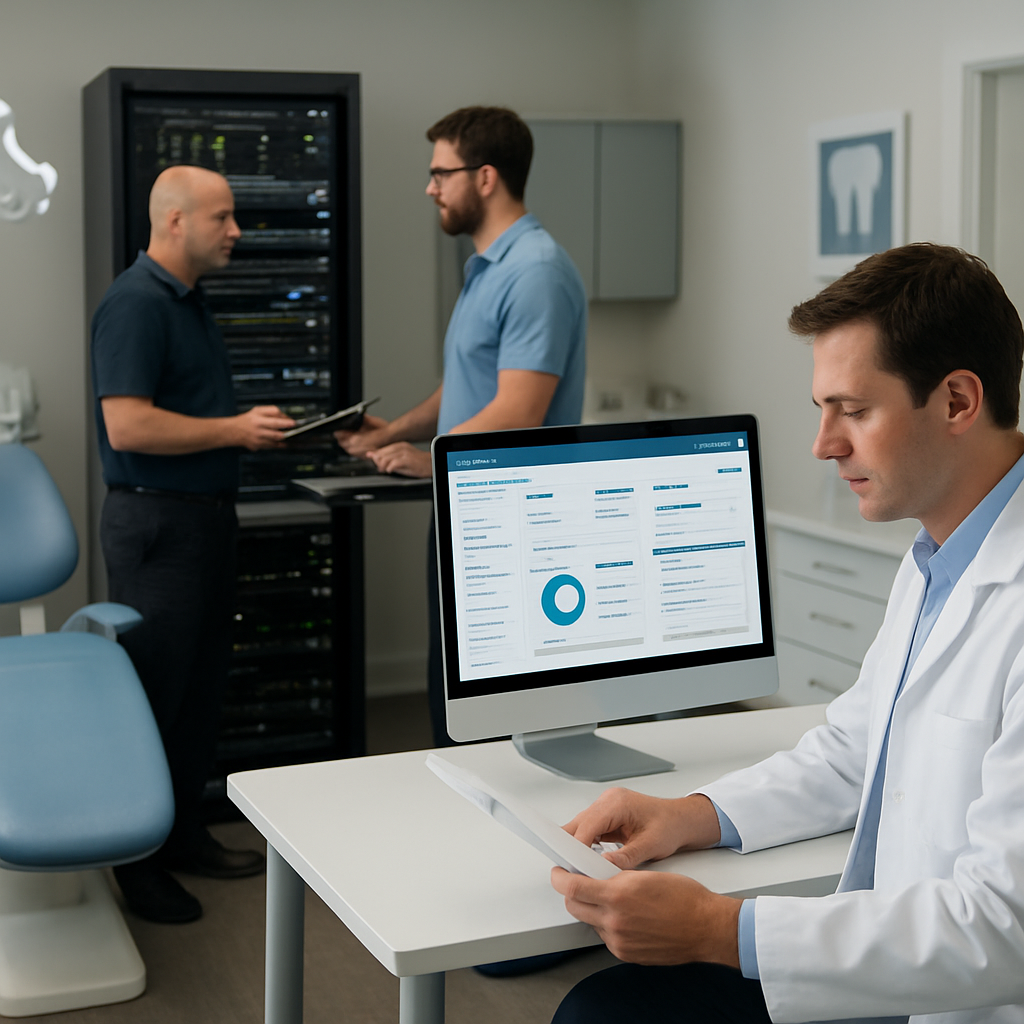
For a comprehensive, hands‑on approach to cybersecurity, you can also explore a detailed guide that walks through phishing defenses and data protection for dental practices. Learn more about protecting your practice.
Once you’ve run through the audit, you’ll have a clear picture of where the gaps are. That picture is the first step toward a resilient, compliant, and profitable practice.
Video: The IT Roadmap for Dental Practices
Picture this: it’s 9:30 a.m., the front desk is buzzing, and your EHR just freezes. The patient waits, the team scrambles, and you’re left wondering if your IT is the real culprit.
That’s the everyday reality for many practices, and it’s why a clear IT roadmap matters more than ever.
Why a Roadmap is Essential
Think of your practice as a tooth. Every system—EHR, billing, imaging, Wi‑Fi—fits into a bigger molar that keeps your patients smiling.
If one molar cracks, the whole bite can wobble. A roadmap outlines which molars need reinforcement first, preventing small hiccups from turning into major pain.
Research shows that 47% of dental practices face cyber attacks annually. When a ransomware wave hits, downtime can cost upwards of $8,750 per hour. A well‑planned roadmap lets you avoid those numbers by prioritizing security layers before they’re breached.
Key Components of a Roadmap
1. Assessment – List every device and software, note uptime, and flag weak points. A quick audit can reveal that your old router is the single bottleneck in your entire network.
2. Prioritization – Rank issues by impact. Fix the critical path first: secure your patient data, then speed up imaging, then polish the front‑desk experience.
3. Budget & Timeline – Allocate funds to high‑impact upgrades and schedule them during low‑volume periods to keep the practice running.
4. Monitoring & Response – Set up dashboards that shout when a system falters, and create a playbook for the team to follow.
Real‑World Example: Dr. Lee’s Practice
Dr. Lee ran a solo office in Salinas. One morning, his imaging software froze right before a scan, and the appointment was lost. After a simple audit, the practice upgraded its network switch, installed a redundant internet line, and added a backup server.
The result? Uptime rose to 99.9%, the front desk handled an extra 10 appointments weekly, and the practice reported a $12,000 increase in revenue over the next six months. That’s the power of a focused roadmap.
Actionable Steps for Your Practice
1. Run a Quick Audit – Grab a notepad and list all tech: computers, printers, imaging suites, and even the old fax machine. Rate each by how often it causes a delay.
2. Identify Redundancies – Do you have only one internet line? One firewall? A single point of failure is a recipe for downtime.
3. Set a Milestone Calendar – Map out when each upgrade will happen. Aim for non‑peak hours—think late Sunday nights or mid‑afternoon when patient flow dips.
4. Document a Response Plan – Write a simple flowchart: if the EHR stops, call IT, then switch to the backup system, then notify staff. Practice drills once a quarter.
5. Review Quarterly – Each quarter, revisit your roadmap. Technology shifts fast; what was critical last year might be obsolete now.
Why Choose a Specialized Provider
Outsourcing your roadmap to an MSP that knows dental workflows eliminates guesswork. They’ve seen the common pitfalls—imaging software that doesn’t sync, billing systems that lag—and have templates that fit the practice’s rhythm.
They also keep an eye on compliance. With HIPAA and state regulations tightening, an expert can map out the exact security controls you need without overhauling the entire office.
Wrap‑Up
Building an IT roadmap isn’t a luxury; it’s a necessity. It turns daily frustrations into predictable, controlled operations. By auditing, prioritizing, budgeting, and monitoring, you safeguard patient data, boost productivity, and keep the cash flow steady.
Take the first step today: schedule a 30‑minute audit call, jot down your tech inventory, and start mapping out your roadmap. Your patients—and your practice—will thank you.
Choosing Between On‑Premises and Cloud IT Solutions
You’ve probably heard the debate echoing through conference rooms and lunch breaks—cloud versus on‑premises. The answer isn’t a one‑size‑fits‑all; it’s a match‑making exercise between your workflow and the technology you choose.
Let’s break it down into bite‑sized pieces so you can see what fits where.
What’s in the box?
On‑premises is the classic “put the server in your break room” approach. You own the hardware, you set the software, and you pay the upfront cost for servers, racks, and cooling. Cloud flips that model: you rent compute, storage, and software as a service, paying a predictable monthly fee.
So, how do the two stacks up when you’re juggling appointments, patient records, and billing? Let’s dive into a quick comparison.
| Feature | On‑Premises | Cloud | Notes |
|---|---|---|---|
| Upfront Cost | High—servers, racks, and IT staff | Low—subscription, no hardware | Pay‑as‑you‑go can save cash flow |
| Control & Customization | Full—everything on your shelves | Limited—vendor dictates updates | On‑prem gives niche tweaks; cloud is great for standard workflows |
| Accessibility & Mobility | Local—remote access can be clunky | Anywhere—any device, any network | Cloud shines for mobile clinics and remote billing teams |
Real‑World Example: A Two‑Location Practice
Dr. Rivera runs practices in Salinas and nearby Monterey. When she migrated to a cloud platform, the billing team in Monterey could pull the latest patient files in seconds, eliminating the 30‑minute “sync” she used to wait for on a local network. The result? A 15% increase in same‑day billing revenue over the next quarter.
Contrast that with an on‑prem setup, where a single hardware failure would bring both locations to a halt and cost the practice an estimated $9,000 in lost revenue for each hour of downtime—data pulled from a recent industry report.
Checklist to Decide
1. Budget Horizon—If you’re tight on capital, cloud’s monthly model is easier to manage.
2. Compliance Demands—HIPAA‑compliant clouds now ship encryption, audit logs, and automatic backups. On‑prem requires you to build and maintain those layers.
3. Team Skillset—Do you have an in‑house server room engineer? If not, cloud frees your IT staff to focus on patient care.
4. Future Growth—Cloud scales on demand. On‑prem needs a new rack for every extra chair you add.
5. Redundancy Needs—Cloud providers often have built‑in geographic failover. With on‑prem, you’d need a second data center and the cost that comes with it.
Ready to map your priorities? Start by listing the three things that most break your practice: scheduling delays, data access gaps, or compliance headaches. Then see where each stack shines.
If you want to see how a simple time audit can free up hours, check out this template: A Practical Time Audit Template: How to Track and Optimize Your Day.
And if you’re looking to hand off the tech side to a local expert who knows the nuances of dental software, Dental IT Services for Your Practice can help you choose, migrate, and maintain the right solution for your office.
Implementing Cybersecurity Measures for Dental Records
Think about the last time a patient’s chart was stuck on the screen. The scramble that followed probably felt like a drill—except it was real.
That’s why protecting digital dental records isn’t just IT; it’s trust. In 2026, a breach can mean lost revenue, a dented reputation, and, worst of all, the loss of patient confidence.
So, what does a solid security playbook look like for a practice? It starts with three layers: people, process, and technology. If you’re new to the field, let’s break each one down with a quick, actionable guide.
People: Build a Security Culture
First, train everyone—front desk, tech staff, and dentists—to spot phishing. One click can open a door for ransomware, so a quick 15‑minute drill each quarter keeps everyone sharp.
Second, assign a single person to own the privacy program. Even if your practice is small, having a “privacy officer”—maybe the office manager with a tech background—creates accountability.
Third, enforce least‑privilege logins. Don’t let one admin account sit on every system. Role‑based access keeps attackers from moving laterally if they do get in.
Process: Document and Automate
Start with a risk assessment. Identify where PHI lives: in your EHR, imaging suites, email, and even printed charts. Then map the flow—who touches it, when, and why.
Next, draft a breach‑notification plan that follows HIPAA’s 60‑day rule. Have a script ready, so if you discover a breach, you can act immediately without scrambling for words.
Then, schedule quarterly audits of user access and backup integrity. A quick spreadsheet that flags accounts that haven’t logged in for 90 days saves time and prevents dormant privileges from becoming a threat.
Technology: Lock Down the Digital Front
Encryption is your first line of defense for ePHI. Whether you’re storing on a local server or in the cloud, make sure data at rest and in transit are encrypted end‑to‑end.
Multi‑factor authentication (MFA) should be mandatory for all staff accounts. It’s a simple step that stops 80% of credential‑based attacks.
Firewalls and intrusion detection systems (IDS) need to be configured for the unique traffic your practice generates. For instance, imaging software can create large data bursts that look like a scan, so fine‑tune alerts to avoid false positives.
Backups are a non‑negotiable. Store a copy off‑site, test restores quarterly, and keep an immutable archive for at least six months. This gives you breathing room if ransomware hits.
For the tech stack, consider a HIPAA‑compliant cloud provider. These platforms bundle encryption, audit logs, and automated backups—something on‑prem teams often struggle to maintain.
When you’re picking a vendor, ask for a business associate agreement (BAA). That legal layer ensures the provider’s security controls match your practice’s needs.
To see how others are aligning IT services for dental offices with these principles, check out this guide from Pearl on HIPAA compliance for dental practices in 2026 .
And if you want a deeper dive into industry‑specific security strategies, this article from Group Dentistry Now explains how dental service organizations can shift from a reactive mindset to proactive cyber hygiene .
Ready to lock down your records? Pick one layer to start—people, process, or tech—and schedule a 15‑minute meeting with your team to map out the next step. Small, consistent actions add up to a fortress you can actually trust.

Optimizing IT Support & Help Desk for Dental Staff
Ever find yourself or a front‑desk associate staring at a blinking error icon while patients wait for their next appointment? That little flicker of frustration isn’t just a nuisance—it’s a revenue leak and a trust breaker.
What Makes a Help Desk Tick in a Dental Office
The backbone of any practice’s daily rhythm is a help desk that can respond faster than a patient’s pulse. In a dental setting, the stakes are high: a single hiccup can mean a cancelled X‑ray, a missed billing entry, or worse, a data breach that costs the practice thousands.
Key metrics to watch:
- First‑Contact Resolution (FCR) – aim for 80%+ to keep the front‑desk calm.
- Mean Time to Repair (MTTR) – target under 30 minutes for critical systems.
- Ticket Volume per Staff Member – keep it below 25 per day to avoid burnout.
So, how do you get your team into that sweet spot?
Step 1: Map Every Ticket Type
Start by listing the most common pain points: network drops, printer jams, software freezes, and patient‑data‑access requests. Tag each ticket with a priority level and a pre‑written solution. Your tech staff will thank you—and your front‑desk will stop feeling like a crisis hotline.
Step 2: Automate the Repetitive Calls
Many tickets are “yes‑or‑no” problems. A simple script that asks for the error code, runs a quick diagnostic, and gives a step‑by‑step fix can cut MTTR by 40%. Tools like Managed Dental IT Services in Bay Area provide ticketing dashboards that flag the most frequent issues, letting you pre‑populate the knowledge base.
Imagine a scenario: the lab computer keeps timing out. Instead of waiting for IT, the lab tech receives an auto‑generated email with a link to a quick video that walks through a reset. The tech team is freed to tackle more complex problems.
Step 3: Empower Front‑Desk with Self‑Help
Give your receptionist a short, 5‑minute troubleshooting guide. A laminated cheat sheet or a pinned quick‑start video can resolve 60% of network or printer hiccups before the tech team even receives a ticket.
Step 4: Use Data to Drive Improvements
Pull monthly reports from your ticketing system. Look for trends: Are most issues happening during lunch breaks? Is a particular software version causing headaches? Use that insight to schedule vendor updates during low‑traffic periods or to swap out legacy tools.
Real‑world example: A practice in Salinas noticed that 70% of their tickets were printer‑related. After swapping to a network‑ready model and adding a quick‑start guide, they slashed ticket volume by 50% and saved an estimated $4,000 in labor costs per year.
Step 5: Train, Train, Train
Hold a monthly “Tech Minute” with the whole staff. In 10 minutes, review the top three tickets from the week and share a best‑practice tip. This keeps everyone in the loop and turns occasional tech troubles into teachable moments.
Think about it: a quick 15‑minute workshop can replace a full‑day outage and keep patient trust high.
Step 6: Keep the System Future‑Proof
Plan for change. As new EHR updates roll out, or as your office expands, your help desk needs to scale. A hybrid approach—combining on‑prem support for critical systems and a cloud‑based ticketing platform for general queries—offers flexibility and resilience.
Also, integrate a proactive monitoring tool that alerts you before a glitch hits the front‑desk. Early warning reduces ticket volume and lets staff focus on patients.
Ready for a Real‑World Boost?
When the help desk runs like a well‑tuned dental chair, the practice feels smoother, the staff is happier, and patients notice the difference. If you’re still wrestling with a reactive support model, consider partnering with a specialized provider that knows the nuances of dental workflows.
And if you want to turn everyday tech hiccups into a marketing advantage—showing patients you’ve got a reliable, tech‑savvy office—check out a video marketing strategy guide that walks you through crafting short, engaging clips about your IT resilience.
Bottom line: an optimized help desk is not a luxury; it’s a frontline defense against downtime, a trust builder, and a revenue safeguard.
Ready to streamline your support and keep the lights on? Reach out for a free assessment and let us show you how.
Business Continuity and Risk Management for Dental Offices
Picture this: a sudden power cut hits your clinic right before a scheduled root‑canal. The lights dim, the computer freezes, and the front desk feels the pressure like a dent in your revenue stream. You’ve probably wondered, “What if something like that happens again?”
Why the Plan Matters
When disaster strikes, the first thing you need is a clear, written emergency action plan. The American Dental Association says that a solid plan can keep your practice running while protecting staff, patients, and data.
Without one, a two‑hour outage can cost you thousands in missed appointments, lost patient trust, and potential compliance fines.
Building a Resilient Blueprint
Start by mapping your critical systems: EHR, imaging, billing, and the network that ties them together. Then, answer three questions for each:
- What would happen if that system goes down?
- How long can you operate without it?
- What backup or fail‑over options exist?
For example, a backup generator can keep your imaging suite alive for an hour, giving staff time to move patients to a temporary clinic or cancel with minimal disruption.
Test, Train, Repeat
Plan alone isn’t enough. Conduct a tabletop drill every six months. Invite the front desk, tech team, and dentists. Walk through a scenario, identify gaps, and refine the script.
Keep the drill simple—no need for elaborate simulations, just a quick walk‑through of evacuation, system reboot, and patient communication. The goal is muscle memory.
Risk Assessment and Mitigation
Identify the most likely hazards in your area—wildfires, hurricanes, or even cyber threats. For each risk, list mitigation steps. Power outages? Backup UPS and generators. Fire? Smoke detectors, extinguishers, and an evacuation route plan.
Cybersecurity is a hidden threat. Make sure your backup data is stored off‑site and encrypted. If ransomware strikes, having a recent, tested restore can mean the difference between a few days and a month of downtime.
Documentation is Your Lifeline
Write the plan in plain language. Keep a printed copy on a fire‑proof shelf in the office and a digital copy in a secure, cloud‑based folder. Review and update the document after every drill or incident.
Include a contact list: local emergency services, your IT provider, key staff roles, and a designated backup contact if the primary point of contact is unavailable.
Integrating with Daily Operations
Risk management isn’t a one‑time box‑tick exercise. Embed it into your routine by adding a short “Risk Check” to your weekly staff meeting. Ask, “Did we spot any new vulnerabilities?” or “Are our backups still healthy?”
When you spot a trend—say, the same printer keeps jamming—use that insight to schedule preventive maintenance before it causes a larger outage.
What’s Next for Your Practice?
Take the first step today: draft a one‑page emergency action plan and share it with your team. Then schedule a quarterly review. You’ll find that having a clear plan not only reduces risk but also boosts confidence among staff and patients alike.
Want to dive deeper? The American Dental Association’s guidance on emergency action plans offers a practical framework you can adapt to your office: American Dental Association guidance on emergency action plans.
Ready to make sure your practice stays open no matter what? Reach out and let’s build a continuity strategy that works for you.
FAQ
What should I do if my dental office’s network goes down during an appointment?
First, pause the procedure and reassure the patient that you’ll be right back. Turn to the backup router—most offices keep a spare set‑up on standby. Switch the Wi‑Fi to that device and verify connectivity with a quick ping test. If the issue persists, run the network diagnostics tool we recommend to spot faulty cabling or overloaded switches. Once the line is back, document the incident, update the incident log, and schedule a root‑cause review for the next risk‑check meeting.
How often should I test my backup and recovery plan for dental records?
Plan a quarterly restore test, not just a backup run. Pick a random day, pull a recent full snapshot, and restore a single patient file to a test workstation. Verify that the data appears intact, the EHR loads, and that the file can be edited. If you hit a snag, tweak the backup schedule or storage location. Document every step so the next test is faster and the audit trail is complete.
Can I rely on free antivirus software for my practice’s computers?
Free tools give a basic shield, but they miss the deep‑state monitoring we’ve seen work in 2026 for busy practices. A managed service offers continuous threat hunting, automatic patching, and an incident‑response team that knows dental software quirks. Think of it as a dentist’s assistant—always there, always looking for the next problem before it pops up on a patient chart.
What’s the easiest way to keep my staff up‑to‑date on phishing risks?
Deploy a quarterly short quiz that mimics real phishing emails. Use a template with a fake invoice attachment and track who clicks. Follow up with a two‑minute video that explains the red flags. Make the quiz a part of the weekly staff meeting; it’s quick, fun, and forces the team to practice the same steps you’d take on a live attack.
Should I invest in a second internet line for my practice?
Yes, if downtime cost > $2,000 per hour. A dual‑link setup gives automatic fail‑over: when one line drops, the router switches to the backup without user intervention. Test the fail‑over at least once a month by simulating a line outage. Document the time it takes to reconnect and ensure all critical systems come back online within the SLA you set for your practice.
How can I protect patient data when we’re using a hybrid cloud setup?
Encrypt all data at rest and in transit. Use a cloud provider that offers built‑in encryption and audit logs. Keep an immutable copy of your backups on a separate geographic site. Assign role‑based access so only authorized staff can view PHI. Run a quarterly audit of permissions and review the access logs for any unusual activity. This layered approach reduces the risk of a breach slipping through a single point of failure.
Conclusion
We’ve walked through the maze of IT headaches that dental offices face, from slow imaging to ransomware threats.
What shows up at the end is a simple truth: the right IT partner turns every glitch into a chance to build trust and keep your practice humming.
Start by ticking the checklist we shared—network speed, backup cadence, staff training—and treat each item like a quick win.
Ask yourself, “Did I test the fail‑over last month?” If you’re still guessing, set a calendar reminder.
Remember, technology isn’t a cost; it is an investment that protects patient records and your revenue stream.
When you see a downtime spike, run the same step‑by‑step playbook we outlined instead of scrambling. That calm response keeps patients confident and your team focused.
Finally, keep the conversation going—share wins with your staff, celebrate a restored backup, and invite questions. A culture of continuous improvement beats any fancy software upgrade.
So, are you ready to make your IT work for you, not against you? Let’s keep the office running smoothly together.
Every time you turn a technical hiccup into a quick fix, you’re reinforcing the safety net that keeps appointments on track and patients feeling secure. Small wins build a resilient practice, not a fragile one.
Think of IT as your practice’s secret handshake—only you know the steps, but once you master it, nobody can break the rhythm. Keep practicing, keep measuring, and let the tech team become your quiet allies.






