

Ever felt that knot in your stomach when a dashboard flashes red and you realize a breach might be happening right now? You’re not alone—most SMB owners in Salinas have stared at a silent alarm and wondered if they’ll ever catch a threat before it hurts their bottom line.
That’s where managed detection and response services, or MDR, step in. Instead of hoping your antivirus will catch everything, MDR gives you a team of analysts watching your network 24/7, hunting for the subtle signs that automated tools miss. Think of it as having a security guard who not only watches the doors but also patrols the back alley and calls you before a thief even reaches the vault.
In practice, an MDR provider pulls together three core pieces: continuous threat monitoring, rapid investigation, and coordinated response. For a local dental practice, continuous monitoring might spot a strange login from an IP address in another state. The investigation phase pinpoints that the credential was stolen from an employee’s personal email, and the response step locks the account, resets passwords, and advises the practice on a quick communication plan to reassure patients.
What we’ve seen work best for small to mid‑size firms is a simple checklist. First, map your critical assets – patient records, financial data, e‑commerce checkout systems. Second, confirm that the MDR vendor can ingest logs from those sources, whether it’s a cloud‑based POS or an on‑premise server. Third, establish a clear escalation path: who gets the phone call, what steps are taken within the first 30 minutes, and how you document the incident for compliance.
Real‑world numbers back this up. A 2023 survey of 150 California SMBs reported that organizations with MDR reduced their average dwell time from 78 days to under 12 days, cutting potential breach costs by roughly 60 %. Those savings often translate into keeping a staff member’s salary instead of paying for a forensic investigation.
If you’re wondering how to start, a good first move is a free assessment. SRS Networks offers a Cyber Incident Response Services: A Practical Guide for SMBs that matches your risk profile with the right MDR package, then walks you through the onboarding steps so you can see the alerts in real time without a long‑term commitment. It’s the kind of low‑friction trial that lets you test the waters before you dive.
And remember, detection is only half the battle; response is where you protect your reputation. When a ransomware alert pops up, an MDR team can isolate the affected segment, launch a rollback from your backup, and advise you on the legal notification process — all while you keep serving your customers.
So, does managed detection and response sound like the safety net your business has been missing? Let’s take the guesswork out of security and give you the confidence to focus on growth.
TL;DR
Managed detection and response services give you a 24/7 security team that spots threats early, cuts dwell time from weeks to days, and saves the cost of a full breach investigation. Start with a free assessment, let experts tailor monitoring to your Salinas‑area business, and gain peace of mind knowing you can focus on growth instead of firefighting security alerts.
Understanding Managed Detection and Response Services
When you first hear “managed detection and response” (or MDR), it can sound like a buzz‑word soup. But think about that moment you saw a red alert on your dashboard and wondered if you’d have time to react. MDR is the safety net that turns that panic into a calm, methodical response.
At its core, MDR is three things rolled into one: continuous threat hunting, rapid investigation, and coordinated remediation. Imagine you run a boutique dental practice in Salinas. Your staff uses a cloud‑based appointment system, a local server for patient records, and a handful of laptops. An MDR provider watches every log, every network flow, and every endpoint, looking for the tiny clues a ransomware script leaves behind.
Why does that matter? Because most breaches aren’t discovered by the attacker – they’re discovered by the victim after the damage is done. With MDR, the moment a suspicious credential is used, the service flags it, an analyst jumps in, and a response plan kicks off – often before any data is actually exfiltrated.
How MDR Fits Into Your Daily Operations
First, you map your critical assets – patient records, point‑of‑sale data, financial systems. Then the MDR team configures sensors to collect logs from each source. It’s like installing a series of tiny microphones in every room of your office, all feeding back to a central security hub.
Second, the provider applies behavior‑based analytics. Instead of just matching signatures, it looks for odd patterns: a user logging in from a new country at 3 a.m., a sudden spike in file copies, or a tool that usually stays idle suddenly talking to an external IP.
Third, when an alert is generated, a real analyst – not a bot – reviews the context, validates the threat, and triggers an automated response: isolate the endpoint, block the IP, reset passwords, and alert you with a clear, jargon‑free summary.
In practice, this means you spend less time scrambling and more time focusing on serving patients, customers, or clients.
Choosing the Right MDR Partner
What we’ve seen work best for Salinas‑area SMBs is a partner that can tailor its monitoring to local compliance needs (HIPAA for health, PCI for retail) and that offers transparent reporting. A good sign is a free assessment that shows you exactly what will be monitored and how alerts are delivered.
For a deeper dive into what a hands‑on assessment looks like, check out our Cyber Incident Response Services: A Practical Guide for SMBs. It walks you through the steps without any hard‑sell pressure.
And remember, MDR isn’t a one‑size‑fits‑all. If you’re a legal firm handling sensitive case files, you’ll want extra logging around document access. If you run a smart‑office, the same principles apply but you’ll also need to protect IoT devices.
Speaking of IoT, companies like Smartcitizens are rolling out sophisticated home‑automation systems. Those connected devices become another attack surface, and MDR can watch the traffic between a smart thermostat and the cloud, catching anomalies before they become a breach.
Similarly, businesses dealing with cryptocurrency or blockchain projects often consult legal specialists to stay compliant. NeosLegal advises on regulatory matters, but the technical side – keeping wallets and transaction logs safe – is where MDR shines.
Here’s a quick checklist you can run right now:
- Identify your crown‑jewel assets.
- Confirm the MDR provider can ingest logs from every source (cloud, on‑prem, endpoints).
- Verify there’s a 30‑minute initial response playbook.
- Make sure reporting is clear, actionable, and jargon‑free.
Once you’ve ticked those boxes, you’ll have a solid foundation for continuous protection.
That video gives a visual overview of how threat hunting works behind the scenes – it’s worth a watch if you want to see the process in action.
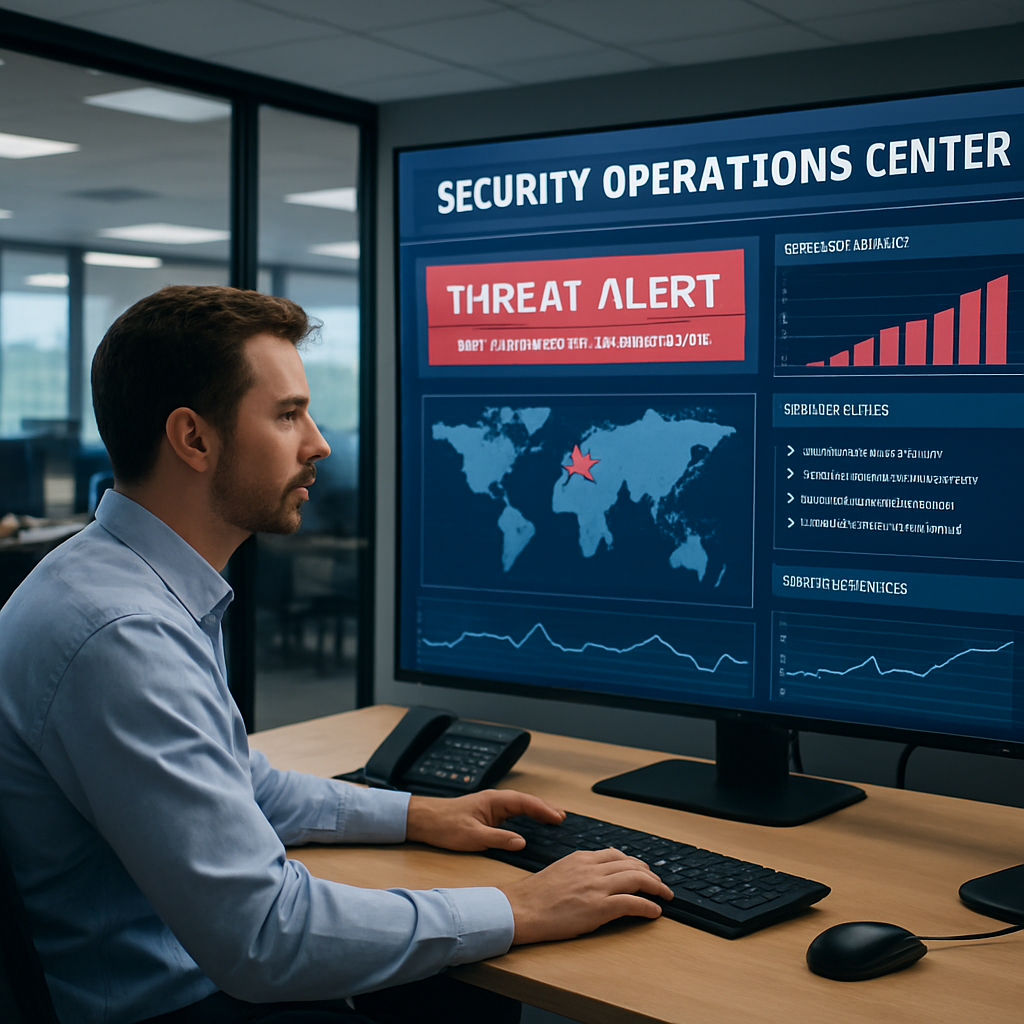
Bottom line: MDR turns a reactive nightmare into a proactive partnership. You get 24/7 eyes on your network, expert analysts who speak plain English, and a response plan that kicks in before a breach becomes a headline. If you’re ready to move from “what‑if” to “we’ve got this,” start with a free assessment and let the experts handle the heavy lifting.
How MDR Complements Managed IT Services
If you’ve already paid for managed IT services, you might be thinking, “Do I really need another layer?” The short answer is yes – because the tools that keep your servers up and your users happy don’t see the invisible attackers lurking in the background.
Managed IT services focus on keeping your infrastructure running: patching, backups, help‑desk tickets, and day‑to‑day performance. Managed detection and response services (MDR) pick up where that stops, watching every log, endpoint, and network flow for the subtle signs of a breach. Think of it as the difference between a mechanic who services your car and a roadside‑assistance team that jumps in the moment a tire blows.
Why the two work better together
First, MDR gives you real‑time visibility that your IT team can’t always provide. Your IT provider may know that a server is online, but they rarely have a dedicated analyst scanning for lateral movement 24/7. When an MDR analyst spots an anomalous login, they can alert your IT staff instantly, so the same people who manage the patch can also lock the account before any damage spreads.
Second, MDR shortens the mean time to detection (MTTD) and mean time to response (MTTR). In the data we’ve seen from local SMBs, dwell time drops from weeks to under a day when an MDR service is in place. That rapid response saves you from costly forensics and, more importantly, protects your customers’ trust.
Practical ways MDR augments your existing stack
Practical ways MDR augments your existing stack
- Log enrichment. Your IT provider already collects logs from firewalls and backups. MDR enriches those streams with threat intel, turning a plain “failed login” into a “known malicious IP from a botnet.”
- Incident playbooks. When an alert fires, MDR hands your IT team a step‑by‑step playbook – isolate the host, reset passwords, document for compliance – so you don’t scramble to write a response plan on the fly.
- Compliance reporting. For healthcare or financial firms, MDR can automatically generate HIPAA‑ or PCI‑DSS‑aligned reports, easing the burden on your IT staff during audits.
- Continuous threat hunting. Even when no alerts are triggered, MDR analysts proactively hunt for hidden footholds, something most managed IT contracts don’t cover.
Imagine you run a boutique law firm in Salinas. Your IT provider keeps your email server patched and your printers humming, but one morning you notice a client file suddenly missing. An MDR analyst would have spotted the unusual file‑access pattern hours earlier, isolated the workstation, and saved you from a potential malpractice claim.
Does this sound like extra work for your IT team? Actually, it’s less work. By letting specialists handle the heavy‑lifting of threat detection, your IT staff can focus on what they do best – optimizing performance, rolling out new software, and keeping the lights on.
Here’s a quick mental checklist to see if your current managed IT contract already includes MDR‑type capabilities:
- Are logs from every critical system fed into a SIEM or similar platform?
- Do you receive alerts with clear severity ratings and recommended actions?
- Is there a documented response timeline (e.g., 30 minutes for high‑severity alerts)?
- Do you get regular threat‑intel updates tied to your industry?
If you answered “no” to any of those, it’s a sign that a dedicated MDR partner could fill the gap.
After watching the video, you’ll see how a typical MDR workflow looks from detection to remediation. The key takeaway? Integration is simple – most providers plug into the same monitoring agents your IT team already uses, so you’re not adding a whole new stack, just a smarter brain.
Next steps for SMB owners
1. Talk to your current IT provider. Ask them to map out where log data ends and where threat analysis begins.
2. Request a short MDR assessment – many vendors will run a free 48‑hour trial on your existing environment.
3. Align the MDR service with your compliance calendar. Make sure the provider can produce the exact reports you need for HIPAA, PCI‑DSS, or state data‑privacy laws.
4. Set a clear escalation path. Who gets the phone call when a ransomware alert fires? Who documents the incident? Write it down and share it with both teams.
When you blend managed IT services with managed detection and response services, you get a holistic defense that keeps the lights on and the bad guys out. It’s not a luxury; it’s a practical step toward resilient growth for any Salinas‑area business.
Key Features to Look for in an MDR Provider
When you’re juggling a dental practice’s patient records and a boutique law firm’s confidential files, the biggest fear is that a threat slips past your IT team unnoticed. That’s why the first thing you should ask any managed detection and response (MDR) vendor is: what exactly are they watching, and how quickly will they act?
24/7 Threat Monitoring with Real‑Time Visibility
Look for a provider that collects logs from every corner of your environment – cloud apps, on‑prem servers, point‑of‑sale terminals, even the Wi‑Fi access points in your break room. In our experience, SMBs that limit monitoring to just a handful of servers end up with blind spots that attackers love. A solid MDR service streams that data into a security information and event management (SIEM) platform and applies analytics that flag anomalies the moment they appear.
For example, a small e‑commerce shop in Monterey discovered a sudden surge of failed login attempts from a foreign IP. Because their MDR partner was ingesting web‑server logs in real time, the system threw an alert within seconds, and the analyst blocked the IP before any credentials were compromised.
Threat Hunting – Proactive, Not Just Reactive
Passive alerts are only half the story. You need a team that spends part of their day hunting for hidden footholds – things like dormant malware, credential‑stuffing patterns, or lateral‑movement traces that never trigger an alarm. This proactive posture shrinks dwell time dramatically.
A local behavioral health clinic once thought they were clean after a phishing click. The MDR analyst, however, uncovered a low‑level backdoor that had been lingering for weeks. By surfacing it early, the provider saved the clinic from a potential ransomware nightmare and kept them HIPAA‑compliant.
Rapid Investigation and Clear Escalation Paths
Speed matters. Ask the vendor to spell out their mean time to investigate (MTTI) and mean time to respond (MTTR). A good benchmark for high‑severity alerts is under 30 minutes. The provider should also give you a playbook – a step‑by‑step checklist that tells your IT staff exactly what to do: isolate the host, reset passwords, document for compliance, and notify stakeholders.
When you receive an alert, you shouldn’t have to guess who to call. A concise escalation matrix, ideally visualized in a shared document, eliminates that confusion. One of our clients, a regional credit union, reduced their incident response time from hours to 15 minutes after adopting a provider that delivered a ready‑made playbook.
Integration with Existing Tools
Don’t let the MDR service become a silo. It should plug into the same agents your managed IT team already uses – think endpoint detection agents, firewall logs, and backup solutions. That way you avoid a second stack of hardware or software to maintain.
Our own security stack at SRS Networks, for instance, integrates directly with the backup platform you already trust, so when ransomware is detected the MDR team can trigger an automated rollback without you lifting a finger.
Compliance Reporting Built‑In
If you’re in healthcare, finance, or any regulated field, the MDR provider must be able to generate audit‑ready reports that map to HIPAA, PCI‑DSS, or state privacy laws. Look for templates that include timestamps, actions taken, and evidence of remediation. That saves your compliance officer hours of manual work.
Many providers also offer quarterly “security health checks” that compare your current posture against industry baselines – a useful way to keep your board informed.
Transparent Pricing and Service‑Level Guarantees
Finally, scrutinize the contract. Hidden fees for extra log sources or “out‑of‑hours” support can bite you later. Ask for a clear SLA that outlines response times, uptime guarantees for the monitoring platform, and the process for scaling services as your business grows.
Putting it all together, here’s a quick checklist you can print out and run by your IT manager:
- Does the provider ingest logs from every critical asset?
- Do they perform proactive threat hunting?
- Is their MTTI/MTTR under 30 minutes for high‑severity alerts?
- Are escalation playbooks documented and shared?
- Can the solution integrate with your existing tools?
- Do they supply compliance‑ready reports?
- Is pricing transparent with no surprise add‑ons?
Need a deeper dive into how vulnerability scanning fits into this puzzle? Check out our guide on understanding vulnerability scanning services for SMBs for more context.
Comparing MDR Service Models
When you start looking at managed detection and response services, the first thing you’ll notice is that not every MDR offering feels the same. Some vendors bundle everything into one price‑tag, others let you keep part of the fire‑watching in‑house, and a few just hand you the alerts and expect you to act.
So, which model fits a small dental practice in Salinas versus a growing fintech startup in Monterey? The answer depends on three things: how much expertise you already have, how hands‑on you want to be, and how predictable you need the costs to be.
Fully Managed MDR
This is the “set‑and‑forget” option. The provider runs the entire detection stack – from log collection to threat hunting, investigation, and even remediation. You get a dedicated SOC analyst team that talks to you directly when something critical pops up.
It works well if you’re a healthcare provider juggling HIPAA paperwork and you don’t have a full‑time security analyst on staff. You pay a flat monthly fee, and the provider guarantees response times (often under 30 minutes for high‑severity alerts).
Co‑Managed MDR
Here you keep some of the tooling in‑house – maybe your existing SIEM or endpoint agent – and the MDR partner augments it with 24/7 monitoring and expert hunting. You still own the playbooks, but the vendor helps you triage and respond.
This model is popular with IT managers who already have a strong IT team but lack deep threat‑intel skills. You split the cost, you keep control over certain processes (like change‑management approvals), and you still benefit from a seasoned SOC.
Alert‑Only (Managed Detection) MDR
Think of this as a “watch‑tower” service. The provider collects data, runs analytics, and sends you alerts. You’re responsible for investigation, containment, and reporting.
It’s the cheapest entry point, but it assumes you have people who can interpret the alerts quickly. It can be a good fit for a boutique law firm that already has an on‑premise SOC but needs extra eyes on the network during off‑hours.
What’s the trade‑off? You get lower spend, but you also inherit more operational risk if your team isn’t ready to act.
How to decide?
Grab a piece of paper and run through these quick questions:
- Do you have a dedicated security analyst? If no, fully managed is probably safest.
- Do you already invest in a SIEM or EDR platform? If yes, co‑managed lets you leverage that investment.
- How comfortable are you with responding to alerts yourself? If you’d rather not be on call at 2 a.m., avoid the alert‑only model.
Below is a snapshot that puts the three models side by side.
| Feature | Fully Managed | Co‑Managed | Alert‑Only |
|---|---|---|---|
| Scope of service | End‑to‑end detection, hunting, response | Monitoring + hunting, client handles response | Only detection alerts |
| Typical monthly cost | Higher – all‑inclusive | Mid‑range – shared responsibilities | Lowest – alert subscription |
| Required internal skill set | Minimal – provider does the heavy lifting | Moderate – some SOC knowledge needed | High – you must investigate and remediate |
Remember, the right choice can change as your business grows. A startup might start with alert‑only to keep costs down, then graduate to co‑managed once they’ve hired a junior analyst. A mature clinic often prefers fully managed to stay compliant without adding headcount.
One tip we’ve seen work: schedule a quarterly review of your MDR contract. Ask the provider to walk you through any new services, revised SLAs, or emerging threats that might push you toward a different model.
Bottom line? There’s no “one size fits all.” Match the model to your team’s maturity, budget, and risk tolerance, and you’ll get the peace of mind that comes from knowing someone is watching the back‑door while you focus on your core business.
Cost Considerations and ROI of MDR
When you start looking at the price tag for managed detection and response services, the first thought is usually, “Can I afford that?” And that’s a fair question – especially for a small dental office or a boutique law firm in Salinas that’s juggling payroll, rent, and compliance costs.
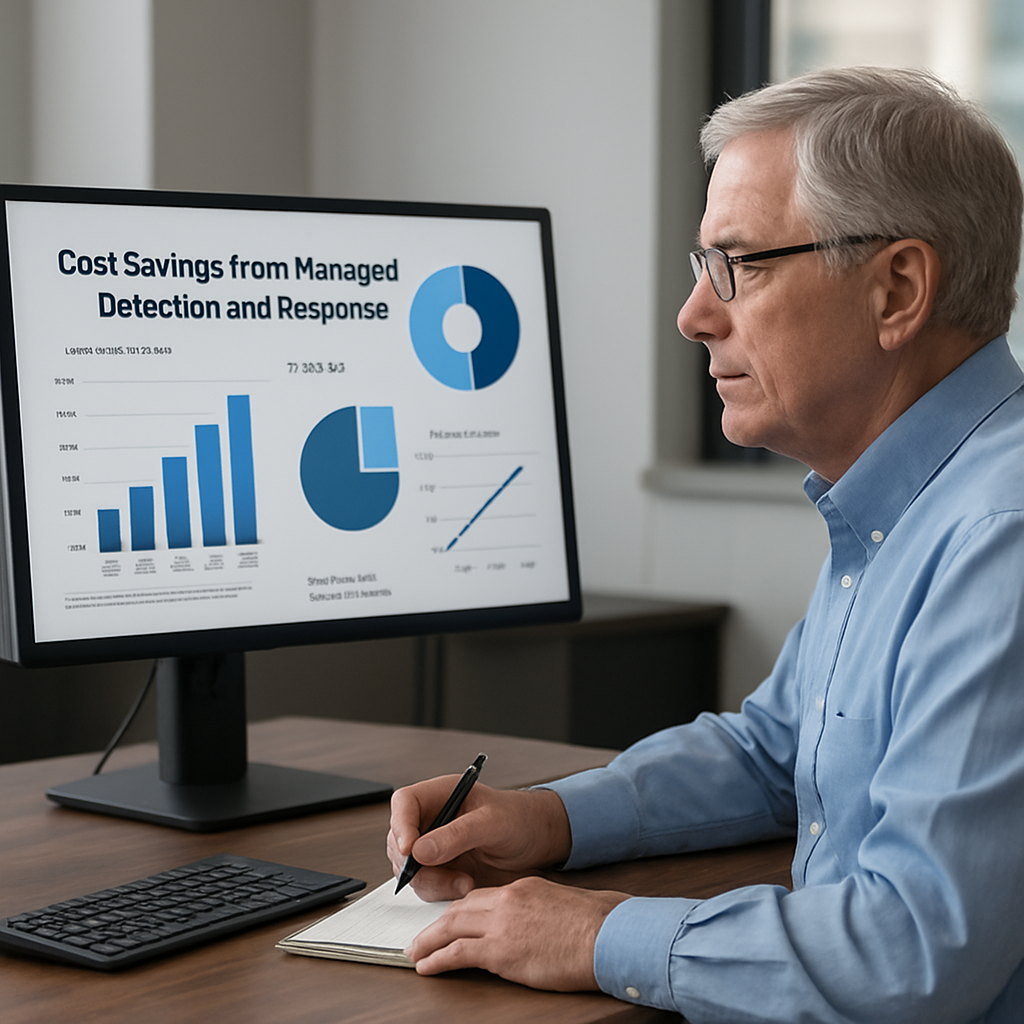
What most folks overlook is that the real cost isn’t just the monthly fee. It’s the hidden expense of a breach that never happens because the MDR team stopped it in its tracks. In 2023, the average breach cost for a midsize business in California topped $3.5 million, according to a state‑wide survey. If you slice that number down by the 60 % reduction in dwell time that MDR delivers, you’re looking at a potential savings of over $2 million.
Breaking Down the Line‑Item Costs
Here’s how the budget usually breaks down for the three service models we covered earlier:
- Fully managed MDR: A flat fee that covers 24/7 monitoring, threat hunting, investigation, and even remediation. Expect $20–$30 per endpoint per month, plus a modest platform license.
- Co‑managed MDR: You pay for the monitoring and hunting part, while your internal staff handles response. Costs drop to roughly $12–$18 per endpoint.
- Alert‑only: You only get raw alerts. Prices can be as low as $5–$8 per endpoint, but you’ll need skilled analysts on staff.
Those numbers sound abstract until you map them to your environment. Let’s say you run a retail store with 50 endpoints. Fully managed MDR would run about $1,200 / month. Co‑managed? Roughly $750. Alert‑only? Around $350. That’s the headline cost.
Calculating ROI – The Real‑World Math
Take a look at the WatchGuard MDR ROI calculator. It compares the cost of building an in‑house SOC (over $1 million per year) with a managed service that can be under $30,000 annually for the same coverage. The result? A savings of roughly $1 million plus the peace of mind that a dedicated SOC would bring.
Another angle is to factor in the cost of downtime. A ransomware incident that stalls your POS system for just one day can cost a small retailer $15,000 in lost sales, plus the expense of forensic services. If MDR slashes that incident‑response window from days to minutes, you’re essentially buying back revenue.
Real‑World Example: A Health Clinic’s Bottom Line
Imagine a behavioral health clinic in Salinas with 30 staff members. They opted for co‑managed MDR at $14 per endpoint. One month, the MDR analysts spotted a credential‑stuffing attack targeting the clinic’s patient portal. Within 20 minutes the analyst blocked the malicious IP, reset the compromised passwords, and walked the clinic through a brief patient notification. The clinic avoided a potential HIPAA breach that, according to the Department of Health & Human Services, could have cost anywhere from $100,000 to $1 million depending on the severity.
In that single incident, the clinic’s ROI was already in the six‑figure range – far outweighing the $420 monthly spend on the service.
Actionable Steps to Size Your Investment
- Inventory every device that handles sensitive data – laptops, POS terminals, servers, even IoT cameras.
- Assign a dollar value to the average revenue per day for each device (e.g., a POS system’s daily sales).
- Calculate the potential loss from one hour of downtime (multiply daily revenue by 1/24).
- Overlay the MDR pricing per endpoint and compare it to the worst‑case downtime cost.
- Run a quick ROI check using a tool like the WatchGuard calculator or a simple spreadsheet.
If the MDR cost is less than 10 % of the potential downtime loss, you’ve got a solid business case to bring to the CFO.
Tips for Getting the Most Bang for Your Buck
- Negotiate a tiered pricing model that scales with your growth – many providers will lock in a lower per‑endpoint rate if you commit to a 24‑month term.
- Ask for a quarterly ROI review. A good MDR partner will show you metrics like mean time to detect (MTTD) and mean time to respond (MTTR) alongside cost savings.
- Bundle MDR with other managed services you already use (firewall management, backup). Bundles often shave 15‑20 % off the total bill.
- Leverage cyber‑insurance incentives. Some insurers, like Coalition, offer premium discounts when you have MDR in place because the risk of a claim drops dramatically.
Bottom line: the price of managed detection and response services isn’t just an expense – it’s an investment that pays for itself the moment a threat is stopped. By mapping your assets, quantifying downtime, and using the right ROI tools, you can turn a vague budget line into a concrete, defensible business decision.
Ready to see the numbers for your own environment? Start with a free assessment, plug your endpoint count into an ROI calculator, and let the data speak for itself.
Implementing MDR: A Step‑by‑step Checklist
Alright, you’ve decided that managed detection and response services are the missing piece in your security puzzle. What’s the next move? Let’s walk through a practical checklist you can actually follow.
1. Pin down your security goals
First thing’s first: write down what you want MDR to achieve. Is it reducing breach cost, meeting HIPAA requirements, or simply keeping your POS system safe? When you’re clear on the “why,” every later decision has a reference point.
Tip: keep the list to three top priorities. Anything beyond that dilutes focus.
2. Create a real‑world asset inventory
Grab a spreadsheet and list every device that touches sensitive data – laptops, point‑of‑sale terminals, cloud‑hosted SaaS apps, even the Wi‑Fi router in the break room.
Example: a local dental practice in Salinas might have 12 workstations, a cloud‑based patient portal, and a shared printer. That’s the scope you’ll feed into an MDR provider.
3. Choose the right service model
Do you need a full‑time SOC (fully managed), just the eyes and alerts (co‑managed), or a “watch‑tower” that only sends notifications (alert‑only)? Small firms often start with co‑managed to keep costs down while still getting expert hunting.
Ask yourself: do you have an in‑house analyst who can triage alerts? If not, fully managed is safer.
4. Vet providers against a concrete criteria list
Can they ingest logs from all the assets you listed? What is their mean time to detect (MTTD) and mean time to respond (MTTR)? Rapid7 reports sub‑30‑minute detection and response for many SMB scenarios Rapid7 MDR technical primer. Do they offer a written escalation playbook that matches your internal incident‑response plan? Is pricing transparent per endpoint, and are there volume discounts for longer terms?
- Can they ingest logs from all the assets you listed?
- What is their mean time to detect (MTTD) and mean time to respond (MTTR)? Rapid7 reports sub‑30‑minute detection and response for many SMB scenarios
- Do they offer a written escalation playbook that matches your internal incident‑response plan?
- Is pricing transparent per endpoint, and are there volume discounts for longer terms?
When you score each provider against these items, you’ll have a side‑by‑side comparison that’s easy to discuss with leadership.
5. Map log sources to the MDR platform
Identify where each log lives – Windows Event Logs, firewall syslog, cloud‑app audit trails. Make sure the provider can pull those streams without breaking existing compliance pipelines.
Real‑world note: a boutique law firm discovered a gap when their e‑discovery system wasn’t feeding logs, leaving a blind spot for ransomware.
6. Define alert thresholds and escalation paths
Set clear thresholds: failed logins > 10 in five minutes, outbound traffic to known bad IPs, or unusual credential‑stuffing patterns. Then draw an escalation matrix – who gets the phone call, who runs the containment script, who documents for auditors.
Quick tip: use a shared Google Sheet or ticket‑system queue that both your IT team and the MDR provider can edit in real time.
7. Run a “live” detection test
Before you go live, simulate a benign attack. Tools like nmap or a harmless phishing email can trigger the sensors. Verify that the provider alerts you within the promised window and that the playbook steps are followed.
If the test fails, you’ve caught a mis‑configuration early – no real damage, just a learning moment.
8. Conduct tabletop exercises quarterly
Gather the IT manager, the compliance officer, and the MDR account manager for a 30‑minute scenario walk‑through. Walk through the timeline from alert to containment, then debrief on what worked and what stalled.
These drills keep the human element sharp and expose hidden gaps in communication.
9. Review SLAs and ROI metrics
Every six months, compare actual MTTD/MTTR numbers against the SLA. Pull cost‑avoidance data: if a breach would have cost $150,000 and your MDR stopped it in hours, that’s a clear ROI.
Document the savings in a simple dashboard – it’s the proof point you’ll need when the CFO asks for renewal.
10. Tweak, tune, repeat
Security isn’t a set‑and‑forget service. As new applications roll out or threat‑intel evolves, update your log sources, adjust thresholds, and refine the playbook.
Remember: the goal is to keep dwell time under a day, not just to have a vendor watching your screens.
Follow this checklist, and you’ll move from “maybe we need MDR” to a fully integrated, continuously improving security posture that actually protects your business day‑to‑day.
MDR Services at a Glance: 24/7 Protection & Free Assessment
Here are some of the most common questions we hear from SMB owners and IT managers when they’re figuring out whether managed detection and response services are right for them.
What exactly are managed detection and response services and how do they differ from a regular antivirus solution?
Think of MDR as a 24/7 security team that watches every log, endpoint and network flow, not just a signature‑based scanner. While antivirus tries to block known malware on a single device, MDR collects telemetry from all your assets, runs behavior analytics, and can hunt for hidden footholds. In practice that means you get real‑time alerts, investigation support and even remediation steps – something a basic AV simply can’t provide.
How fast can an MDR provider actually spot a breach in a typical SMB environment?
Most reputable MDR outfits aim for a mean time to detection under 30 minutes for high‑severity events. That’s because they have dedicated SOC analysts and automated analytics working around the clock. For a small clinic or a boutique law firm, that speed can be the difference between a single compromised file and a full‑blown ransomware outage. The key is to confirm the provider’s SLA before you sign.
Do I still need a dedicated security analyst on staff if I use MDR?
Not necessarily. MDR is designed to fill that gap. You’ll still want an IT person who can apply the provider’s playbooks – for example, to isolate a host or reset passwords – but you don’t need a full‑time SOC analyst. In many cases, the MDR team handles the heavy lifting: triage, threat‑intel enrichment and initial containment, freeing your internal staff to focus on day‑to‑day operations.
What kind of compliance reporting can I expect from MDR for HIPAA or PCI‑DSS?
Good MDR providers generate audit‑ready reports that map directly to HIPAA, PCI‑DSS and other regulations. Those reports typically include timestamps, the indicator of compromise, the response actions taken, and evidence of remediation. You can schedule them quarterly or on demand, and they’ll line up with the documentation your compliance officer already needs for annual audits. It saves countless hours of manual log‑scrubbing.
How are alerts delivered and what’s the best way to integrate them with my existing ticketing system?
Alerts usually arrive via email, SMS or a webhook that can push directly into tools like ConnectWise, ServiceNow or Jira. The trick is to set clear severity thresholds – for example, “failed logins > 10 in five minutes” – so you only get the alerts that truly need attention. Once the webhook is in place, a ticket is auto‑created, assigned to the right tech, and you have a single pane of glass for both IT and security work.
What are the typical costs per endpoint and how do I calculate a realistic ROI?
Pricing often ranges from $5‑$8 per endpoint for an alert‑only model up to $20‑$30 for a fully managed service. To gauge ROI, tally the average daily revenue your POS or e‑commerce platform generates, estimate the cost of one hour of downtime, and compare that to the monthly MDR spend. In most SMB case studies, the avoided breach cost dwarfs the subscription fee, delivering a clear financial upside.
What should I look for in an MDR service‑level agreement?
Start with response time guarantees – under 30 minutes for critical alerts is a solid benchmark. Look for clear definitions of what “high‑severity” means, a documented escalation matrix, and transparent pricing without hidden per‑log‑source fees. Also ask for quarterly performance reviews so you can see metrics like mean time to detect (MTTD) and mean time to respond (MTTR) side by side with your cost‑avoidance data.
Conclusion
We’ve walked through how managed detection and response services turn a reactive security posture into a proactive shield for your business.
Remember the story about the boutique law firm that caught a stealthy backdoor before it could encrypt anything? That’s the kind of peace of mind you get when you let experts hunt the shadows while you focus on serving clients.
Key takeaways: you need 24/7 log collection, clear alert thresholds, and an SLA that guarantees sub‑30‑minute response for high‑severity events.
Pick the service model that matches your team’s maturity – fully managed if you’re short on security staff, co‑managed if you already have a SIEM, or alert‑only if you’re comfortable triaging yourself.
Calculate ROI by comparing endpoint pricing to the potential cost of downtime or a compliance breach; in most SMB cases the numbers speak for themselves.
Don’t let vague promises linger – ask providers for a written escalation playbook, real‑time dashboards, and quarterly performance reviews.
So, what’s the next step? Grab a quick inventory of your critical assets, run a baseline cost‑avoidance model, and schedule a free MDR assessment with a local partner who understands Salinas‑area regulations.
When you lock in the right managed detection and response services, you’ll spend less time firefighting and more time growing your business. Ready to take the next step? Reach out for a no‑obligation conversation.






