

Imagine you’re a small business owner in Salinas, and you get that dreaded call: “Your network’s been breached, and the ransomware is encrypting patient records.” Your heart races, the coffee goes cold, and you start wondering if you’ll ever get back online.
That moment is exactly why cyber incident response services matter. It’s not just about fixing a problem after it happens—it’s about having a trusted team ready to jump in, contain the damage, and get you back to serving customers before the panic spreads.
In our experience, the first 60 minutes are critical. A local dental practice we helped once saw their appointment system go dark for an hour, costing them over $5,000 in lost revenue. With a rapid response plan, we isolated the infected segment, restored backups, and had them back in business within two hours—saving both money and reputation.
So, what does a solid incident response look like? Here are three steps you can start today:
- Identify a clear escalation path: know who to call, what information to gather, and how to grant temporary access to your response team.
- Maintain up‑to‑date backups that are stored offline or in a separate cloud environment. Test them quarterly—don’t wait until a breach to discover they’re corrupted.
- Practice a tabletop exercise with your staff. Walk through a simulated breach scenario and refine roles. It feels awkward at first, but the confidence it builds is priceless.
And don’t forget that incident response is part of a broader security strategy. Our Security Services | Comprehensive Protection by SRS Networks include continuous monitoring, threat hunting, and vulnerability management, all of which reduce the odds you’ll ever need a crisis plan.
Does the idea of a breach keep you up at night? You’re not alone. Most SMBs think they’re too small to be targeted, yet 43% of cyber attacks hit businesses with fewer than 100 employees. Knowing you have a partner ready to act can turn that anxiety into confidence.
Take a moment now: write down the name of the person who would lead your response, locate your most recent backup, and schedule a quick call with your IT security provider. A few minutes today can spare you weeks of downtime tomorrow.
Quick Summary: Cyber Incident Response & Data Restoration for SMBs
If a ransomware attack hits your Salinas‑area business, cyber incident response services can stop the damage, restore critical data, and get you back to serving customers before panic spreads.
Quickly knowing who to call, having recent backups ready, and partnering with a trusted local provider turns a night‑marish breach into a manageable hiccup, protecting revenue and reputation.
Step 1: Assess Your Current Security Posture
First thing’s first: you need to know where you stand before you can figure out where you’re headed. It’s like checking the oil in your car before a long drive—you don’t want to end up on the side of the road because you skipped that quick glance.
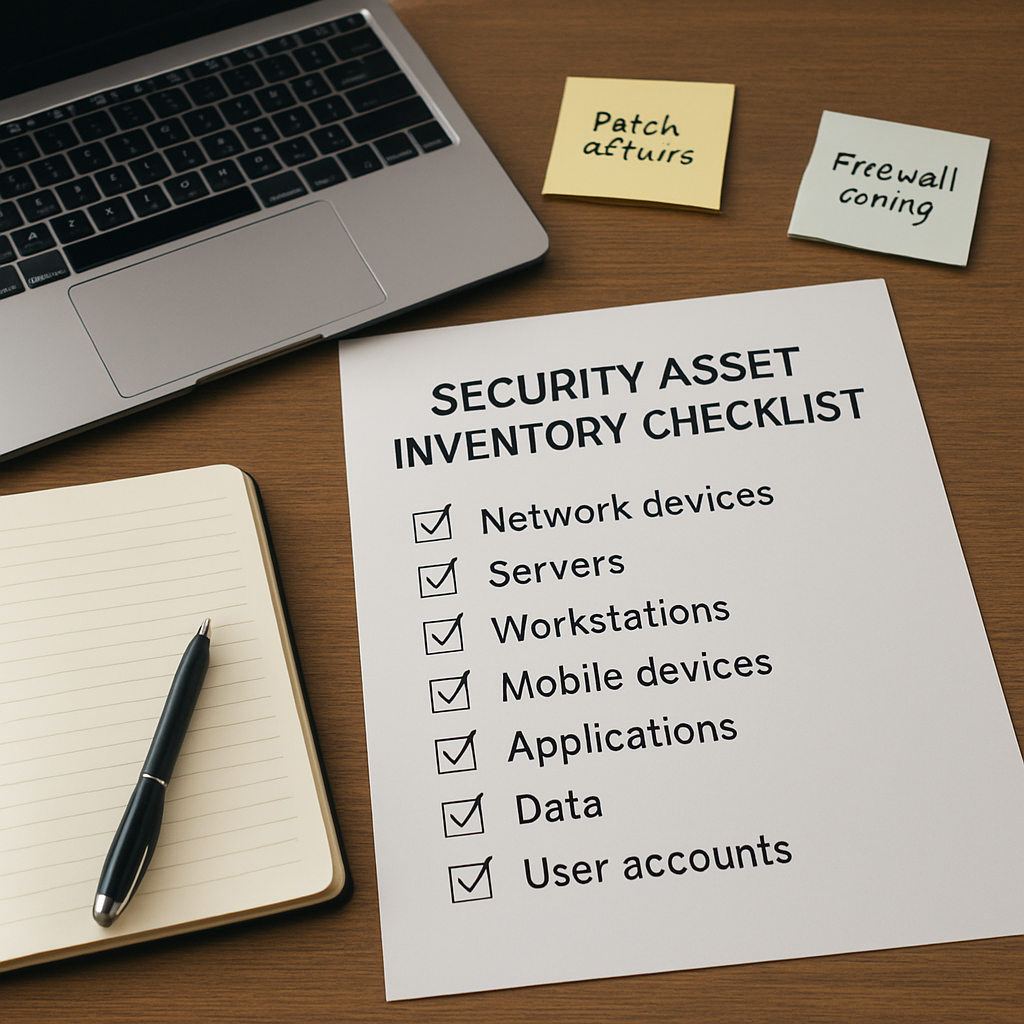
Grab a notebook (or open a digital doc) and start mapping out the three pillars that make up your security posture: assets, vulnerabilities, and controls. Think of assets as the things you can’t afford to lose—patient records at a dental office, credit‑card data at a boutique, or even the simple spreadsheet that tracks your payroll.
1️⃣ Inventory Your Assets
Make a list of every device, application, and data repository that lives on your network. Include laptops, BYOD phones, cloud SaaS tools, and any on‑prem servers. For each item note:
- Owner or primary user
- Location (on‑site, remote, cloud)
- Data classification (public, internal, confidential, regulated)
Real‑world example: A small legal firm in Salinas discovered they had three separate case‑management systems—two on‑prem, one SaaS. When a ransomware incident hit, the SaaS platform’s backups saved the day, but the on‑prem servers had no recent snapshots. That gap cost them a week of lost billable hours.
2️⃣ Identify Vulnerabilities
Now that you know what you have, look for the cracks. Run a quick vulnerability scan (many free tools exist) and cross‑reference the results with your asset list. Pay special attention to:
- Out‑of‑date operating systems or applications
- Default passwords on network devices
- Unpatched third‑party plugins (think WordPress or Shopify add‑ons)
In one e‑commerce shop we helped, a forgotten admin panel on an old inventory system was still exposed to the internet. Hackers used it to plant ransomware that later spread to the point‑of‑sale terminals. A simple patch would have prevented the whole mess.
3️⃣ Review Existing Controls
Controls are the guardrails you already have. List everything from firewalls to multi‑factor authentication (MFA) to regular backup schedules. Ask yourself:
- Are backups performed daily and stored offline?
- Is MFA enforced for all remote access?
- Do you have endpoint detection and response (EDR) agents installed?
Most small businesses think they have “some” security because they have an antivirus. In reality, without layered controls the antivirus alone is a thin shield.
When you finish the three‑step inventory, you’ll have a living document that shows exactly where the biggest gaps are. That document becomes the foundation for any Network Security Essentials discussion you have with a partner.
4️⃣ Score Your Posture
Give each asset a risk score using a simple matrix: Likelihood (how often that asset is targeted) × Impact (what would happen if it were compromised). A quick way is to rate each factor on a 1‑5 scale and multiply. The higher the number, the sooner you need to act.
For example, a patient‑record database in a healthcare clinic might be a 5 (high likelihood) × 5 (high impact) = 25. That tells you “this is red‑alert material.” A public marketing brochure stored on a shared drive might be a 2 × 1 = 2, which you can address later.
5️⃣ Document Your Findings
Put everything into a single, searchable file—Google Docs, SharePoint, or a secure wiki. Include:
- Asset inventory table
- Vulnerability list with remediation deadlines
- Control checklist (what’s in place, what’s missing)
- Risk‑scoring matrix
This becomes the “baseline” you’ll reference every time you run a tabletop drill or evaluate a new service.
Tip: Review and update this baseline at least quarterly. Threats evolve, staff turnover changes who owns what, and new software gets added all the time.
Once you’ve got a clear picture, you’ll know exactly what to ask of your cyber incident response provider—whether you need rapid containment playbooks, forensic analysis, or just a more robust backup strategy.
And remember, the assessment isn’t a one‑off task; it’s a habit. The more often you check your posture, the less likely a breach will catch you off‑guard.
Step 2: Build an Incident Response Playbook
Okay, you’ve got a baseline of assets, vulnerabilities, and controls. The next logical step is turning that spreadsheet into a living, breathing guide that tells your team exactly what to do when the lights go out. That’s what we call an incident response playbook.
Think of it as a recipe: you list the ingredients (people, tools, data), the steps (detect, contain, eradicate, recover), and the timing (who does what in the first five minutes, the first hour, the first day). If you’ve ever tried to bake a cake without a recipe, you know why you need one.
Define Roles & Responsibilities
First, put a name next to every action. Who’s the incident commander? Who talks to the media or customers? Who runs the forensic analysis? Write down titles, phone numbers, and backup contacts. When panic hits, you don’t want to be guessing who should pick up the phone.
- Incident Commander – usually your IT manager or a senior exec.
- Technical Lead – the person who isolates the affected system.
- Communications Liaison – handles internal updates and external disclosures.
- Legal/Compliance Officer – ensures you meet HIPAA, GDPR, or industry‑specific reporting.
Having these roles nailed down also satisfies many cyber‑insurance questionnaires.
Map the Incident Lifecycle
Next, sketch out the phases of a breach. A common model looks like: Detect → Analyze → Contain → Eradicate → Recover → Post‑mortem. For each phase, write a short checklist of “must‑do” items.
Example for the Detect phase:
- Confirm the alert is genuine (no false positive).
- Record the timestamp, affected asset, and initial impact.
- Escalate to the Incident Commander within 10 minutes.
Repeat this level of detail for every phase. The goal is to make the first 30 minutes feel like a sprint, not a marathon.
Create Playbook Templates
Now bundle those checklists into reusable templates. You can have a generic “malware infection” playbook and a specialized one for “ransomware against patient records.” The templates should be stored in a shared, read‑only location – Google Drive, SharePoint, or a secure wiki – where anyone on the response team can pull them up in seconds.
Need a head start? Check out some incident response plan templates that outline roles, steps, and documentation requirements. Adapt the language to your Salinas‑area clinic, legal firm, or e‑commerce shop, but keep the core structure identical.
When you write the playbook, use plain language. Avoid jargon like “IOC” unless you’re sure every reader knows it. Remember, the playbook will be read under pressure, so clarity trumps cleverness.
Test, Refine, and Keep It Alive
Even the best‑written playbook is useless if no one has practiced it. Schedule tabletop exercises every quarter. Walk through a realistic scenario – maybe a phishing email that turns into ransomware – and let each role act out their responsibilities.
During the drill, note any gaps: missing contact info, ambiguous steps, or tools that aren’t readily available. After the exercise, update the playbook and record the lessons learned.
Here’s a quick checklist for post‑drill updates:
- Did anyone struggle to find the right document?
- Were the escalation times realistic?
- Is the communication template compliant with industry regulations?
Finally, treat the playbook like a living policy. Review it after any real incident, after major IT changes, and at least once a year. That way, when a real breach hits, you won’t be scrambling for a missing page.
And if you ever wonder whether you’ve covered all the bases, the incident response services overview from a leading security vendor breaks down the essential components you should see in any reputable playbook.
Ready to see a quick visual summary? Below is a short video that walks through building a playbook step‑by‑step.
Take a few minutes this week to pull together your first draft. You’ll be grateful when the next alert pops up and you already know exactly who to call, what to do, and how to document it.
Step 3: Establish a Dedicated Response Team
When the alarm rings, you don’t want to be scrambling for a name on a sticky note. You need a team that knows its role inside and out, and you need that team documented, trained, and ready to act the second a breach is detected.
First, write down the core positions you’ll need. Most SMBs get by with four roles:
- Incident Commander – usually the IT manager or a senior executive who makes the final go/no‑go calls.
- Technical Lead – the person who isolates the affected system, pulls logs, and works with forensics.
- Communications Liaison – the voice that updates staff, customers, and regulators while keeping the message consistent.
- Compliance Officer – the individual who ensures you meet HIPAA, GDPR, or industry‑specific reporting timelines.
And if you’re a smaller practice without a dedicated compliance officer, you can double‑up the role with a trusted legal counsel or a senior manager who’s familiar with the regulations.
Next, capture contact info in a single, cloud‑based document that’s accessible 24/7. Include phone numbers, email addresses, and an alternate contact (think “if the primary can’t answer, call the backup”). Put the file in a secure SharePoint or Google Drive folder with read‑only permissions for the whole team – you don’t want a rogue employee changing the list during an attack.
Now, give each role a clear set of actionable steps. Here’s a quick cheat‑sheet you can copy into your playbook:
- Incident Commander: Acknowledge the alert within 5 minutes, verify severity, and activate the response team.
- Technical Lead: Shut down network segments, capture volatile memory, and start a forensic timeline.
- Communications Liaison: Draft a brief internal memo (what happened, what’s being done) and a customer notification template that meets legal requirements.
- Compliance Officer: Check breach‑notification deadlines – for example, HIPAA requires notice within 60 days – and log every decision for audit trails.
Real‑world example: A dental office in Salinas suffered a ransomware hit on a Monday morning. Because they had pre‑assigned roles, the IT manager (Incident Commander) called the Technical Lead within minutes, who isolated the infected workstation. The Communications Liaison sent a one‑page notice to patients within an hour, and the Compliance Officer logged the incident, keeping the practice on the right side of HIPAA. The whole process took under 90 minutes, versus the typical “hours‑to‑days” you hear about in news stories.
It’s easy to think, “My team is too small for all this.” That’s where a managed security partner can fill gaps. For instance, you might outsource the Technical Lead function to a 24/7 security operations center (SOC) that can start containment while your internal staff handles communications.
Another tip: run a “role‑play” drill every quarter. Pick a realistic scenario – a phishing email that escalates to ransomware – and have each person walk through their checklist. Record the time it takes to complete each step. If anyone hesitates, note why and update the playbook.
When you document the team, also map out escalation paths. If the Incident Commander can’t be reached, who steps in? If the Technical Lead is on vacation, who has admin access to critical servers? Write these fallback rules in bold, so they stand out during a crisis.
Don’t forget to align your response team with the broader security services you already have. Our firewall management guide explains how a properly configured firewall can automatically block lateral movement, buying your team precious minutes.
Finally, keep the team motivated. Celebrate successful drills, and treat the response plan like a living document – review it after any real incident, after a major software upgrade, and at least once a year. The more familiar everyone is with their role, the less likely panic will set in when the real thing happens.
And just for fun, while you’re thinking about protecting your network, you might enjoy a quick read about a completely different kind of protection – What Are Photochromic Lenses? A Complete Guide. It’s a reminder that the right safeguards, whether for eyes or data, make life a lot smoother.
Step 4: Deploy Monitoring & Detection Tools
Okay, you’ve built a playbook and assembled a team – now you need eyes that actually see the attack before it spreads. That’s where monitoring and detection tools become the nervous system of your response plan.
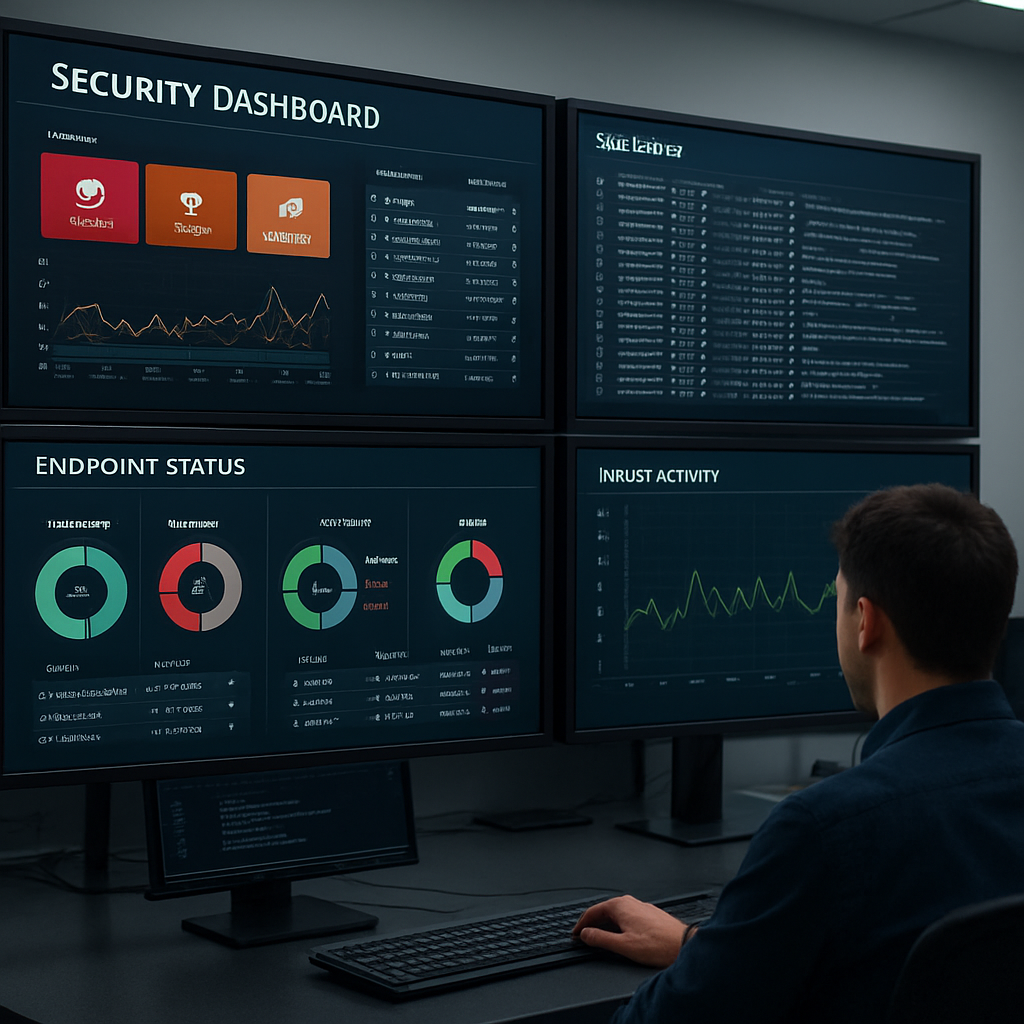
Do you ever wonder why a ransomware hit can sometimes feel like it arrives out of nowhere? In most cases the breach was already flashing red on a dashboard – you just didn’t have the right feed, or the alerts were buried under noise.
Pick the right set of sensors
Start with three layers that cover the most common entry points for SMBs in Salinas:
- Network traffic monitoring – a lightweight NetFlow or packet‑capture sensor that spots unusual spikes or lateral‑movement patterns.
- Endpoint detection & response (EDR) – agents on laptops, POS terminals, and any BYOD device that can catch malicious processes the moment they execute.
- Log aggregation – a centralized syslog or cloud‑based SIEM that pulls logs from firewalls, VPNs, and SaaS apps into one searchable pane.
For a small dental practice, a basic NetFlow probe on the router plus an EDR agent on each workstation often catches credential‑theft attempts before the attacker reaches patient data. A mid‑size e‑commerce shop will add cloud‑app logs (Shopify, Stripe) to the mix because most breaches now start in the web tier.
Configure alerts that matter
Alert fatigue kills any detection program. Instead of a generic “malware detected” notice, craft rules that tie directly to your business impact:
- Flag any new admin account creation on a server that hosts financial records.
- Trigger when a workstation initiates a connection to an unfamiliar external IP at odd hours.
- Raise an alarm if a backup file is modified outside the scheduled window.
Ask yourself, “If I got this alert, what would I do in the next five minutes?” If the answer isn’t crystal clear, tweak the rule until it is.
Hook the tools into your incident response workflow
When an alert fires, the detection platform should automatically create a ticket in your service‑desk system, assign it to the Technical Lead, and attach relevant logs. That way the response team doesn’t waste time hunting for evidence – it’s already waiting on the playbook’s “Contain” step.
In practice, a local legal firm integrated their EDR alerts with a ticketing tool. Within minutes the Technical Lead received a pre‑filled form showing the endpoint name, process hash, and a short timeline. The firm cut the containment time from 45 minutes to under 10, saving hours of billable work.
Continuous tuning – the hidden habit of resilient SMBs
Monitoring isn’t a “set‑and‑forget” deal. Schedule a 30‑minute review after each drill or real incident. Look for false positives that slipped through, and adjust thresholds accordingly.
Also, rotate your detection signatures at least quarterly. Threat actors constantly tweak malware, so the rules that caught the last ransomware won’t necessarily catch the next one.
Real‑world snapshot: how a small health‑clinic avoided a data leak
Last year a health‑clinic in Monterey installed a basic network sensor that flagged an outbound connection to a known command‑and‑control server. The alert showed up on the dashboard, the Incident Commander was paged, and the Technical Lead isolated the workstation. Because the EDR had already captured the malicious process, forensic analysis took minutes, not days. The clinic stayed compliant with HIPAA breach‑notification timelines and avoided a $150,000 fine.
That story underscores the simple truth: a well‑placed sensor plus a clear escalation path can turn a potential crisis into a quick fix.
| Tool Category | Key Feature | Typical SMB Use Case |
|---|---|---|
| Network Traffic Monitor | Real‑time flow analytics, anomaly detection | Spot rogue internal scans or data exfiltration from POS systems |
| Endpoint Detection & Response | Process‑level visibility, automated quarantine | Catch ransomware execution on workstations before files encrypt |
| Log Aggregation / SIEM Lite | Centralized log storage, correlation rules | Correlate failed VPN logins with unusual admin account changes |
Bottom line: Deploying the right monitoring stack, fine‑tuning alerts, and wiring everything into your response playbook gives you the early warning you need to act fast. When the next alert pops up, you’ll already know who to call, what data to pull, and how to stop the breach in its tracks.
Step 5: Test, Refine, and Maintain Your Response Capability
Imagine you’re staring at a blinking alert on your dashboard and you’re not quite sure if the playbook you spent hours drafting will actually work. That uneasy feeling is normal—until you run a drill that shows you exactly where the gaps are.
Testing isn’t a one‑off checkbox; it’s the muscle‑memory workout that turns a good response plan into a fast, confident reaction. Let’s walk through the three things you need to keep your cyber incident response services humming.
Run realistic tabletop drills
First, gather the people you named in the playbook—Incident Commander, Technical Lead, Communications Liaison, and Compliance Officer. Pick a scenario that feels plausible for your industry: a phishing email that lands on a receptionist’s laptop and spreads to a patient‑record server, or a ransomware note that appears on a point‑of‑sale terminal.
Keep it low‑tech: a shared document with timestamps, a whiteboard for the timeline, and a conference‑call for remote staff. The goal isn’t to recreate every line of code, it’s to make sure everyone knows who does what in the first five, ten, and thirty minutes.
- Start the timer as soon as the “alert” is raised.
- Record each decision point—who was contacted, what evidence was gathered.
- Note any moments where someone hesitated or looked for a missing form.
- After 30 minutes, pause and debrief: what worked, what stalled?
- Document the findings directly in the playbook.
Does this sound like a lot of work? Think of it as a fire drill for your data. You wouldn’t skip a fire drill just because it’s inconvenient, right?
Analyze results and adjust the playbook
Now that you have raw notes, turn them into concrete improvements. If the Incident Commander spent ten minutes hunting for the backup‑restore SOP, copy that SOP into the “Detect” section where it belongs. If the Technical Lead complained that the ticketing system didn’t auto‑populate log files, add a step to manually attach the latest syslog dump.
Use a simple “fix‑it” checklist:
- Missing contact info → update the emergency contact sheet.
- Unclear escalation timing → add a 5‑minute trigger rule.
- Tool integration gap → create a quick‑link in the playbook to the ticketing portal.
Every change should be measurable. For example, after adding a direct link to the EDR console, the containment time dropped from 12 minutes to 4 minutes in the next drill.
Automate repeatable tasks
Automation isn’t just for large enterprises; even a small clinic can script the boring bits. A PowerShell snippet that pulls the last 24 hours of Windows Event logs and zips them for the Technical Lead saves precious minutes. A pre‑written email template that pulls the patient‑record database name and breach‑notification deadline can be tossed into a click‑to‑send draft.
Identify any task that repeats in every drill and ask yourself, “Can I push a button instead of typing?” If the answer is yes, build that button into your ticketing workflow or your internal chat bot.
Schedule regular refresh cycles
Technology moves faster than a coffee break, so your response capability needs a calendar reminder. Set a quarterly “response health check” that includes:
- Running a new tabletop scenario.
- Reviewing tool versions and updating signatures.
- Verifying that backup copies are still offline and restorable.
- Confirming that contact details for every role are current.
Mark the date in the same calendar you use for software patches—otherwise it gets lost.
And don’t forget to involve new hires. As staff turnover happens, fresh eyes often spot steps that seasoned team members have taken for granted.
Bottom line: testing, refining, and maintaining isn’t a chore; it’s the insurance policy that protects your business from costly downtime and compliance fines. A few hours of disciplined practice now saves days of panic later.
Take the next 30 minutes this week to schedule a tabletop run with the people named in your playbook. You’ll be surprised how much smoother the real thing feels when the alarm actually sounds.
FAQ
What exactly are cyber incident response services and why do I need them?
Think of them as a fire‑fighter crew for your network. When ransomware or a data breach lights up your security alarms, these services jump in, contain the blaze, pull out the damage, and get you back to business before customers notice. Without a plan, you’re left guessing, scrambling, and probably paying more in downtime than the attack itself.
How quickly can a response team act after a breach is detected?
Speed matters—most reputable providers aim to acknowledge an alert within 15 minutes and start containment within the first 30 minutes. The first hour is critical because every minute the attacker stays in your system multiplies the potential loss. That’s why we recommend a service‑level agreement that spells out exact response windows so you know exactly what to expect.
What should be in an incident response playbook for a small Salinas business?
Start with a one‑page contact list – who calls who, and backup contacts if the primary is unavailable. Then map the five phases: detect, analyze, contain, eradicate, recover. For each phase write a short checklist: what logs to pull, which systems to isolate, which communication templates to use. End with a post‑mortem section where you record lessons learned and update the playbook.
Are there affordable options for SMBs that can’t afford a 24/7 security operations center?
Absolutely. Many providers offer tiered incident response: a basic on‑call package that guarantees a rapid phone consult, plus optional add‑ons like remote forensic analysis or on‑site containment. You can also leverage managed detection and response (MDR) tools that auto‑escalate alerts to a specialist team only when a real threat is identified, keeping costs predictable.
How do cyber incident response services help with compliance requirements like HIPAA?
Regulators care about two things: how quickly you notice a breach and how thoroughly you document every step. A good response service provides timestamped logs, evidence collection scripts, and pre‑approved notification templates that meet HIPAA’s 60‑day reporting rule. That documentation not only keeps you out of fines but also shows auditors you have a mature security program.
What common mistakes do businesses make during a ransomware attack?
First, many hit the panic button and shut down the entire network without preserving volatile memory – that memory often holds the clues you need to trace the attacker. Second, paying the ransom immediately can encourage more attacks and doesn’t guarantee data recovery. Third, neglecting to inform the right people – both internal leadership and, when required, external regulators – can turn a recoverable incident into a compliance nightmare.
How often should I test my incident response plan, and what’s a quick way to do it?
Quarterly tabletop drills are a sweet spot for most SMBs. Gather the incident commander, technical lead, and communications liaison around a shared document, walk through a realistic scenario (like a phishing email that turns ransomware), and time each decision point. After the drill, debrief, note any missing contacts or unclear steps, and update the playbook right then. A 30‑minute drill every three months keeps everyone sharp without breaking the budget.
Conclusion
You’ve walked through the whole playbook, from inventorying assets to running tabletop drills. Now it’s time to let that preparation pay off when a real incident hits.
The biggest win of cyber incident response services isn’t a fancy tool—it’s the confidence you feel knowing you’ve got a plan. That peace of mind keeps your staff focused on serving customers instead of scrambling in a crisis.
Remember the three‑minute rule we mentioned earlier: if you can identify the alert and notify the Incident Commander within minutes, you shave hours off containment time. Those saved hours often mean the difference between a minor hiccup and a costly outage.
A quick check before you close this page: is your contact sheet up to date? Do you have a one‑click link to your backup‑restore SOP right in the detection dashboard?
If anything feels fuzzy, schedule a 30‑minute tabletop run this week and watch the gaps disappear. It’s amazing how a short, focused drill can turn uncertainty into clear, actionable steps.
In our experience with Salinas‑area health clinics and e‑commerce shops, the firms that treat drills like fire drills walk away with fewer compliance headaches and faster recovery. That’s the real value of cyber incident response services: protecting revenue, reputation, and regulator peace.
So, what’s the next move? Grab the name of your Incident Commander, verify the backup schedule, and give us a call for a no‑obligation readiness review.






