A 50-person company sits in an interesting spot. It is no longer small enough to get by with a basic internet connection, a consumer-grade firewall, and a person in the office who is “good with computers.” At this size, the network has become part of operations, customer service, security, and revenue.
That shift matters because one weak point can now affect dozens of people at once. A failed switch can stop phones and cloud apps. A phishing click can reach shared files. A poor Wi-Fi design can slow meetings, file transfers, and remote collaboration all day. When the network is built like a business system instead of a utility, the company gains consistency, speed, and a much stronger security posture.
Why network services change at 50 employees
A 50-person firm usually has enough complexity to require real structure. There are often multiple departments, shared applications, cloud platforms like Microsoft 365, remote access, printers, phones, line-of-business software, and a growing list of vendors. Some firms also have compliance demands tied to healthcare, finance, legal work, manufacturing, or customer data.
At this stage, the network is not just about connectivity. It is about who can access what, how systems are monitored, how quickly issues are fixed, and whether an outage turns into a brief interruption or a day-long problem.
This is also the point where cybersecurity controls become non-negotiable. CISA and NIST both place multifactor authentication near the top of the list for small and midsized organizations. CISA also recommends network segmentation and resilient backups because flat networks and weak recovery planning give ransomware more room to spread and more power to disrupt.
Core network services a 50-person firm should budget for
A practical network stack for a firm this size should cover operations, security, cloud administration, and recovery. These services work best when they are managed together rather than purchased as isolated tools.
Here is a useful baseline.
| Network service | What it should include | Why it matters for a 50-person firm |
|---|---|---|
| Managed IT monitoring | Device monitoring, patching, alerting, maintenance | Finds issues early and reduces avoidable downtime |
| Help desk support | User support for devices, apps, printers, login issues | Keeps staff productive and cuts internal delays |
| Firewall and edge security | Business-grade firewall, intrusion prevention, VPN or secure remote access | Protects traffic and controls how users and vendors connect |
| Identity and MFA management | MFA, account policies, access reviews, admin controls | Reduces phishing risk and blocks weak account security |
| Network segmentation | VLANs, guest isolation, server separation, secure Wi-Fi design | Limits lateral movement and protects sensitive systems |
| Cloud and Microsoft 365 administration | User management, licensing, security settings, SharePoint and Teams support | Keeps the cloud environment stable and secure |
| Backup and disaster recovery | Local and cloud backups, cloud-to-cloud backups, restore testing | Shortens recovery time after deletion, outage, or ransomware |
| IT planning and vendor coordination | Budgeting, lifecycle planning, ISP and software vendor management | Turns IT from reactive work into planned operations |
A company does not need every advanced feature on day one. It does need the right foundation, managed in a disciplined way.
Managed IT support and help desk services for daily uptime
For most 50-person firms, managed IT support is the anchor service. It covers the routine work that keeps systems stable: monitoring devices, applying patches, checking backups, resolving user issues, tracking warranty status, and coordinating with internet, phone, and software vendors.
That work may sound ordinary, but it has an outsized effect on productivity. Small disruptions compound quickly when 50 people depend on shared systems. A planned, proactive support model usually produces better results than break-fix support because it focuses on prevention instead of waiting for something to fail.
A solid managed service should include the basics below.
- Remote monitoring
- Patch management
- Help desk support
- Device onboarding and offboarding
- Vendor management
- Asset tracking
- Routine maintenance
- Escalation for onsite issues
Many firms this size also benefit from fixed monthly pricing. Predictable support costs make budgeting easier, and they encourage proactive service instead of deferring needed maintenance.
Cybersecurity network services that should be non-negotiable
Security should be built into the network, not added after the fact. That starts with identity. NIST says enabling MFA on all accounts that offer it is essential for reducing risk to a small business. CISA takes the same position and specifically advises small and midsized organizations to require MFA for email, file storage, remote access, and privileged accounts.
That advice is practical, not theoretical. Phishing still works because passwords are easy to steal, reuse, or guess. MFA adds a second check that makes account takeover much harder. For a 50-person firm using Microsoft 365, cloud apps, VPN access, and administrator accounts, MFA should be standard across the board.
Segmentation matters just as much. CISA’s ransomware guidance warns that flat networks make lateral movement easier. If every workstation, printer, server, camera, and guest device lives on the same unrestricted network, one compromised system can become a launching point for a much larger incident.
The minimum controls should look like this:
- Multifactor authentication: Require it for email, file storage, remote access, VPN, remote desktop access, and all administrative accounts.
- Network segmentation: Separate user devices, servers, voice systems, guest Wi-Fi, cameras, and sensitive departments into distinct network zones.
- Remote access controls: Audit RDP exposure, close unused ports, and enforce MFA on any approved remote access path.
- Least privilege: Give users only the access needed for their role and review permissions on a schedule.
These are not “nice to have” features. They are basic protection for a business-sized environment.
Cloud and Microsoft 365 network services for hybrid work
Most 50-person firms now depend on cloud platforms every day. Email, file sharing, Teams or other collaboration tools, document storage, and line-of-business applications often sit outside the office network. That means network services now include cloud administration, identity controls, and secure access policies, not just switches and firewalls.
This is where many organizations feel friction. The internet works, but users still struggle with login issues, sharing problems, sync errors, poor permissions, or risky default settings. A mature cloud service layer should cover account provisioning, licensing, MFA enforcement, secure sharing policies, conditional access where needed, and routine reviews of administrative roles.
For hybrid teams, cloud services and network services are tightly connected. If remote staff cannot connect safely and consistently, the problem is not just a user issue. It is a network design issue.
Backup and disaster recovery services that reduce downtime
Every 50-person firm should have backups that support real recovery, not just checkbox compliance. CISA recommends backing up data often and using offline or cloud-to-cloud backups as part of ransomware protection. That guidance matters because many businesses still assume their files are safe simply because they are in a cloud platform.
Backups should cover servers, core workstations where needed, shared files, and cloud services that store business-critical data. Recovery should also be tested. A backup that has never been restored is an assumption, not a plan.
Backups that are never tested are assumptions, not protection.
Good backup and recovery service also means setting realistic recovery targets. Leadership should know how long it would take to restore email, files, a core application, or a virtual server. Without that clarity, a business continuity plan stays abstract until the day it is needed.
Network infrastructure services that support performance and growth
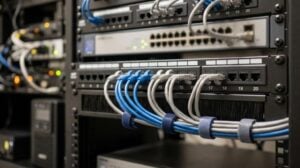
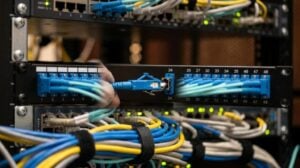
A 50-person office needs business-grade infrastructure. That usually means managed switches, secure wireless access points, modern firewalls, battery backup for key equipment, and documented cabling and rack organization. If the firm has multiple offices, warehouse space, or production areas, the design may also need site-to-site connectivity, traffic prioritization, or SD-WAN.
Performance issues often come from design flaws rather than bandwidth limits. Poor Wi-Fi placement, flat addressing, unmanaged switches, aging firmware, and weak traffic rules can all make the office feel slow even when internet capacity looks adequate. A proper infrastructure review should look at coverage, congestion, VLAN design, firewall policies, redundancy, and the health of the wiring plant itself.
This is also where guest access should be separated from internal systems. Clients, vendors, and personal devices should never sit on the same trusted network as company data.
Help desk, vendor management, and user support still matter
It is easy to focus on firewalls and backups and forget the human side of the network. Yet daily user support is often what determines whether technology feels reliable to the staff.
A strong help desk can reset access quickly, troubleshoot application slowness, set up new employees, retire old devices, and catch early warning signs that something larger is wrong. Vendor management is just as useful. When the ISP, phone provider, copier company, or software vendor points fingers, someone needs to own the issue and move it forward.
For a growing firm, this kind of coordination saves time that managers should not be spending on technical follow-up.
Questions to ask about network services before signing a contract
Choosing a provider should be less about the tool list and more about the operating model. A good fit will show how support, security, cloud management, backup, and planning work together.
Providers focused on small and midsized organizations often bundle monitoring, help desk, cloud administration, backup oversight, and cybersecurity into one managed service. That can work very well, but only if scope and accountability are clear.
Ask questions like these before making a decision:
- What devices, cloud systems, and network components are actively monitored?
- How are MFA, remote access, and administrator privileges enforced?
- How is the network segment the network, and how is guest access isolated?
- How often are backups tested, and what are the expected recovery times?
- Who handles vendor coordination when internet, phone, or application issues affect users?
A provider that can answer those questions clearly is far more valuable than one with a long feature list and vague ownership.
A practical network services baseline for the next 90 days
If a 50-person firm is trying to tighten its network without overcomplicating the process, the first phase should be straightforward: get managed monitoring in place, standardize help desk support, require MFA everywhere possible, segment the network, review remote access exposure, and verify that backups cover both local data and cloud services.
After that, the company can refine Wi-Fi design, refresh aging firewall or switching hardware, improve Microsoft 365 security settings, and document recovery expectations for leadership. That sequence gives the business immediate risk reduction while building a stable platform for growth.
A well-run network does not need to feel flashy. It should feel dependable, secure, and ready for the next stage of the company’s growth.