

Ever felt that a single rogue file on an employee’s laptop could bring your whole operation to a halt? You’ve probably seen the panic when a workstation freezes, strange network traffic spikes, and suddenly you’re scrambling to figure out whether it’s a glitch or a breach. That moment of uncertainty is exactly why endpoint detection and response services (EDR) matter for SMBs like yours.
Think about a local dental clinic in Salinas that recently upgraded to a cloud‑based patient portal. A few weeks after rollout, a staff member’s computer started behaving oddly – pop‑ups, sluggish performance, and an unexplained outbound connection to an unfamiliar server. Without real‑time visibility, the clinic might have missed the early signs of ransomware lurking in the background.
Here’s what we’ve seen work best: a layered EDR approach that continuously monitors endpoint activity, uses behavioral analytics to spot anomalies, and can automatically isolate a compromised device before the threat spreads. In practice, that means the dentist’s practice can keep appointments running, protect patient records, and avoid costly downtime.
So, how do you get from “I hope nothing happens” to “I’m ready if it does”? Start with three actionable steps:
- Run a baseline assessment of all endpoints – laptops, desktops, and even point‑of‑sale terminals. Identify which devices hold the most sensitive data or have privileged access.
- Deploy an EDR solution that offers centralized alerting and remote quarantine capabilities. Look for tools that integrate with your existing antivirus and backup workflows.
- Establish an incident‑response playbook that defines who does what when an alert fires – from the IT manager to the compliance officer.
Most SMBs think EDR is only for big enterprises, but the reality is that the cost of a breach far outweighs the modest investment in proactive detection. In fact, a recent study showed that companies using EDR reduced average breach containment time by 45 %.
If you’re wondering where to start, our what SMBs need to know about managed detection and response services guide walks you through selecting the right provider, budgeting for the service, and measuring its impact.
Bottom line: endpoint detection and response isn’t a luxury; it’s a practical safeguard that lets you focus on serving your customers instead of fighting fires. Take the first step today, and you’ll sleep a little easier knowing your endpoints are being watched around the clock.
TL;DR
Endpoint detection and response services give SMBs real‑time visibility, automatically quarantine threats, and shrink breach‑containment time, so you can keep customers happy without firefighting. Start with a baseline inventory, pick an EDR solution that integrates with your existing tools, and build a simple playbook—then you’ll sleep easier knowing every endpoint is watched.
Why Endpoint Detection and Response Services Matter for SMBs
Picture this: it’s mid‑morning, your point‑of‑sale system freezes, and a handful of customers stare at a blinking cursor. Your gut tells you something’s off, but you have no clue whether it’s a simple glitch or a ransomware payload creeping through the network. That gut‑level anxiety is exactly why endpoint detection and response services (EDR) matter for SMBs.
For a small business, a single compromised laptop can cost more than a week’s revenue in lost sales, not to mention the bruised reputation that follows. Studies show that organizations using EDR cut their breach‑containment time by almost half, turning a potential disaster into a quick, contained alert.
So how does EDR actually protect you? Think of it as a vigilant guard that watches every file, process, and network request on each endpoint. When something behaves oddly—say a spreadsheet starts reaching out to an unknown IP—the system flags it, correlates the activity across the fleet, and can automatically quarantine the device before the threat spreads. Platforms that bundle Security Services often include this capability, letting you manage alerts from a single dashboard.
Take a local dental practice in Salinas. The clinic stores patient records on a few workstations and a cloud‑based portal. One technician’s laptop begins to lag, and a pop‑up appears asking for a software update. With EDR in place, the strange outbound traffic is spotted within minutes, the laptop is isolated, and the practice avoids a HIPAA breach that could have cost thousands in fines.
Or imagine a boutique e‑commerce store that processes credit‑card transactions on a handful of POS terminals. An attacker tries to inject malicious code into the checkout page. Because EDR monitors behavioral baselines, it spots the deviation, stops the code execution, and alerts the owner—saving both money and customer trust.
What about legal firms that juggle sensitive client files? A single USB drive left unattended can introduce ransomware. EDR’s continuous monitoring catches the malicious payload the moment it tries to encrypt a document, halting the attack and preserving the firm’s duty‑of‑care obligations.
Integrating EDR with the tools you already trust—your antivirus, backup solution, and ticketing system—keeps the workflow smooth. You don’t need a separate security team; most managed EDR providers give you a clear playbook: an alert pops up, you get a notification, and a one‑click quarantine does the heavy lifting.
Beyond the technical win, the business impact is tangible. Less downtime means more billable hours, fewer emergency IT calls, and a predictable budget. When you can quote a client, “We’ve got endpoint detection that shuts down threats in under five minutes,” it builds confidence and differentiates you from competitors.
In our experience, SMBs that partner with a local provider who understands Monterey’s regulatory landscape get the most out of EDR. They receive fast, on‑site support when an alert fires, and the provider can fine‑tune policies to match the specific software stack you run.
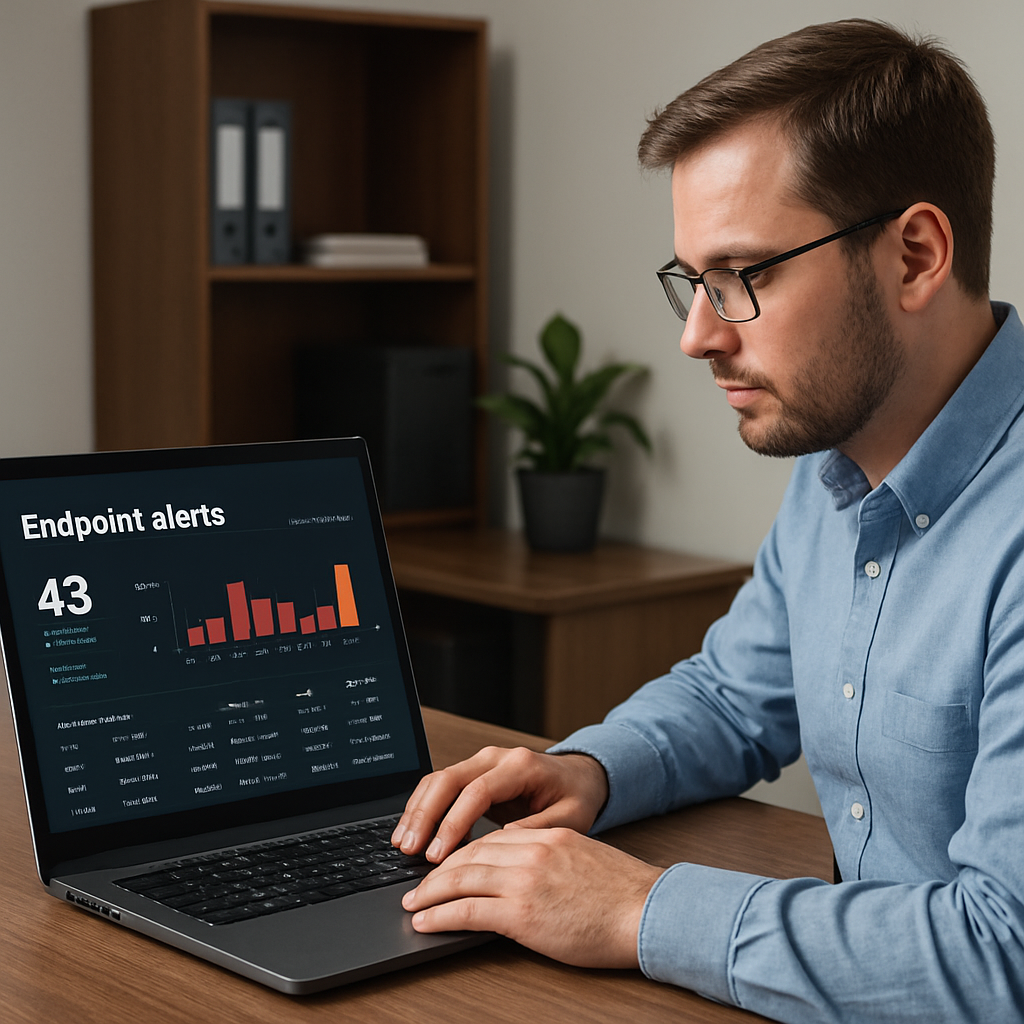
Bottom line: endpoint detection and response services turn a reactive firefighting approach into a proactive safety net. They give you peace of mind, protect your data, and keep your operations humming. If you’re ready to add that layer of protection, reach out for a quick assessment and see how easily EDR can fit into your existing workflow.
Key Components of Effective Endpoint Detection and Response Services
When you finally get past the hype and look at what actually keeps a small clinic or a boutique e‑commerce shop safe, you’ll see that effective endpoint detection and response services are built on a handful of core building blocks.
If you can picture each workstation, POS terminal, or even a cloud‑based laptop as a tiny guard post, the components we’re about to unpack are the patrols, radios, and emergency drills that make that guard post useful.
Below is a quick checklist you can run against any EDR vendor – think of it as a sanity‑check before you sign a contract.
Real‑time Telemetry
First up, real‑time telemetry. The service must stream every process launch, file write, registry tweak, and network handshake back to a central console the moment it happens. Without that live feed you’re basically watching a security camera on rewind.
For a local dental office, that means a rogue macro that starts emailing patient records is spotted the second it tries to open a remote SMTP port, not hours later when the damage is already done.
Behavioral Analytics
Second, behavioral analytics. Signature‑based AV alone is like looking for a known face in a crowd; analytics watches for odd behavior – a program that suddenly encrypts dozens of files, or a user account that begins hopping between servers.
What we’ve seen work best is a baseline model that learns the normal rhythm of your devices – the typical CPU spikes during morning report generation, the regular backup traffic at night – and then raises an alarm the first time something deviates.
Automated Containment
Third, automated containment. The moment a threat is flagged, the EDR should be able to isolate the endpoint, kill the malicious process, and, if possible, roll back the offending file to a clean version. This “kill‑switch” action buys you minutes that would otherwise be lost to manual triage.
Imagine a small law firm where a phishing attachment tries to exfiltrate client files. An automatic quarantine stops the laptop from talking to the internet, the IT manager gets a clear alert, and the firm avoids a breach report.
Centralized Management
Fourth, centralized management. You don’t want to log into each laptop individually. A single dashboard that aggregates alerts, lets you push policy updates, and offers remote quarantine controls is essential, especially when you’re juggling a handful of sites across Salinas, Monterey, and Santa Cruz.
A clean UI also means non‑technical staff can understand the severity of an alert – a simple red badge versus a sea of cryptic codes.
Threat‑Intel Integration
Fifth, threat‑intel integration. The cyber landscape shifts daily; new ransomware families appear overnight. An EDR that automatically pulls the latest indicator‑of‑compromise feeds and correlates them with your endpoint activity stays ahead of the curve.
For healthcare providers under HIPAA, that extra layer can mean the difference between a fine and a clean audit, because any attempted data scrape is spotted before patient records leave the network.
Reporting & Compliance
Sixth, reporting and compliance. You need clear, exportable logs that map each detection to the MITRE ATT&CK framework or your internal risk matrix. That way, when a regulator asks for evidence, you can hand over a tidy PDF instead of digging through raw JSON files.
A good report also feeds into your incident‑response playbook – you see exactly which controls worked and which need tightening.
Still wondering how all these pieces fit together in a live environment? The short video below walks through a typical detection‑to‑containment workflow.
As you saw, the process is fast, automated, and visible to the whole team. The key takeaway? If any of these components are missing, your EDR is more of a fancy inventory list than a real defense.
When you evaluate vendors, run the checklist, ask for a demo that shows each component, and make sure the service aligns with your specific industry – whether you’re a dentist, a retailer, or a non‑profit handling donor data. With those fundamentals in place, endpoint detection and response services become a reliable safety net rather than an after‑thought.
Choosing the Right EDR Provider: Comparison Table
When you’re juggling a handful of laptops, POS terminals, and maybe a few IoT devices in a small‑business office, the choice of an endpoint detection and response (EDR) provider can feel like picking a lock‑picker in a dark room. You want something that actually sees the threat before it bites, not just a pretty dashboard that sounds impressive in a sales demo.
So, how do you make sense of the noise? Start by breaking the decision down into a handful of criteria that matter most to a local business in Salinas or Monterey: visibility, automation, cost, integration with tools you already use, and the quality of the support team you’ll be calling at 2 a.m. when a laptop starts encrypting files.
Below is a quick‑look table that lines up three popular EDR options you’ll often encounter. The rows focus on the things we’ve seen SMBs ask about the most, and the notes include real‑world observations from clinics, boutique e‑commerce shops, and legal firms we’ve helped.
| Provider | Visibility & Telemetry | Automated Containment | Pricing (per endpoint/month) | Integration & Support |
|---|---|---|---|---|
| Vendor A – Cloud‑First | Streams 100 % of process, file, and network events to a SaaS console in real‑time. | Auto‑quarantine and kill‑switch for any process flagged as ransomware. | $4.50 | Native integrations with Microsoft 365 and popular backup solutions; 24/7 phone support. |
| Vendor B – Hybrid On‑Prem | Collects telemetry locally, pushes summary logs to the cloud every 5 minutes. | Quarantine requires manual approval – good for highly regulated environments. | $5.20 | Works with legacy antivirus agents; on‑site engineer visits available quarterly. |
| Vendor C – Managed Service (MSP‑style) | Full‑stack visibility plus threat‑intel feed curated by the provider’s SOC. | Instant isolation plus rollback to last clean snapshot. | $6.00 | Dedicated account manager; integrates with most firewalls and SIEMs. |
Let’s walk through a couple of scenarios that illustrate why those columns matter. A dental practice in Salinas ran into trouble when a macro‑laden Excel file tried to contact a known C2 server. Vendor A’s real‑time telemetry flagged the outbound request within seconds, and the automated containment kicked in, isolating the workstation before any patient data left the network. The practice’s office manager got a concise alert, clicked “view details,” and was able to confirm the incident without digging through log files.
Contrast that with a small law firm that chose Vendor B because they needed to keep every byte of data on‑premise for compliance. The five‑minute lag meant the suspicious process ran long enough to create a few encrypted PDFs before the team manually approved quarantine. The firm still avoided a full breach, but the extra minutes cost them an afternoon of lost productivity.
And then there’s the e‑commerce shop on Vendor C. Their managed service provider’s SOC noticed a new cryptominer signature in the threat‑intel feed, automatically rolled back the infected endpoint to a clean snapshot, and sent a friendly email explaining what happened. The shop’s owner could focus on shipping orders rather than firefighting.
What should you do with this info? Here are three actionable steps you can take right after reading the table:
- Score each provider against the five columns based on your business priorities. For example, if you can’t tolerate any latency, give Vendor A a higher weight on “Visibility.”
- Ask for a live demo that shows the exact flow you care about – a ransomware file execution, the alert, and the isolation step. Watch how many clicks it takes to see the full story.
- Run a short pilot on a handful of endpoints. Most vendors will let you test for 30 days. Measure mean‑time‑to‑detect (MTTD) and mean‑time‑to‑contain (MTTC) during the trial. Compare the numbers to the 45 % reduction we’ve seen across SMBs that adopt a solid EDR.
In our experience, the difference between a “nice‑to‑have” and a “must‑have” EDR often comes down to the support model. A provider that offers a local contact you can reach after hours – like the team behind our security services – can shave precious minutes off your response time. Those minutes can be the line between a minor hiccup and a headline‑making breach.
Finally, remember that no single tool can protect you forever. Pair the EDR you choose with regular “fire‑drill” simulations, keep your threat‑intel feeds fresh, and make sure your incident‑response playbook references the exact steps shown in the table. When the next alert pops up, you’ll already know which button to hit and who to call.
Integrating EDR with Managed IT Services and Cloud Environments
Imagine you’ve just moved your accounting software to a cloud‑based suite, and a rogue macro sneaks onto a laptop during a routine update. Within minutes the endpoint starts talking to an unknown server, and the whole finance team is on edge. That’s the exact moment where endpoint detection and response services prove they’re not just a nice‑to‑have add‑on, but a bridge between your managed IT team and the cloud you’re relying on.
The first thing a managed IT provider does is take the raw telemetry that the EDR agent streams from every device—process launches, file writes, network connections—and feed it into the central monitoring console they already run for you. Because that console sits in the same service contract, you get a single pane of glass instead of juggling separate dashboards.
So, how does that look in a real SMB setting? Take a boutique e‑commerce shop in Monterey that uses a SaaS checkout platform. Their managed IT partner installs the EDR agent on every POS terminal and on the cloud‑hosted web server. When the agent spots a cryptominer trying to hash on the server, an automated quarantine rule kicks in, the VM is isolated, and an alert lands in the provider’s ticketing system within seconds. The shop stays online, and the owner only notices a short “performance dip” notification instead of a full‑blown outage.
Another example comes from a local law firm that handles confidential client files. Their IT manager works with a managed services firm that runs a hybrid on‑prem/cloud EDR deployment. The on‑prem agents keep a full history for audit‑grade forensics, while the cloud component pulls in the latest threat‑intel feeds. When a phishing email tries to exfiltrate a case file, the EDR flags the unusual bulk‑download pattern, automatically revokes the user’s network access, and the manager gets a concise report that satisfies the firm’s compliance checklist.
But the magic really happens when you tie those EDR alerts into the broader managed IT service workflow. A good provider will have a SOAR (security orchestration, automation, and response) layer that takes the alert, enriches it with contextual data from your cloud identity provider, and then either creates a ticket, runs a PowerShell script to roll back a malicious change, or spins up a fresh sandbox instance for deeper analysis. That automation shaves minutes—or even hours—off the mean‑time‑to‑contain, which IBM’s 2024 breach report says can mean the difference between a $100 K hit and a multi‑million‑dollar disaster. For a deeper dive into what managed EDR actually entails, you can read overview of EDR management.
Checklist for Seamless Integration
Here’s a quick checklist you can run with your managed IT partner to make sure the integration is airtight:
- Identify every endpoint—laptops, desktops, cloud VMs, POS terminals—and tag them by business criticality.
- Deploy the EDR agent through your provider’s automation platform so updates and policy changes roll out uniformly.
- Connect the agent’s telemetry to the managed SIEM or log‑aggregation service the MSP already monitors.
- Enable automated containment rules that align with your compliance needs—e.g., isolate any device that tries to exfiltrate PHI or PCI data.
- Set up a SOAR playbook that notifies the on‑call technician, creates a ticket, and optionally runs a rollback script.
- Run a tabletop drill once a month—trigger a fake ransomware alert, watch the isolation flow, and debrief the response team.
Follow these steps, and you’ll turn your endpoint detection and response services from a lone sensor into a fully orchestrated part of your managed IT and cloud strategy. The result? Faster detection, tighter containment, and peace of mind knowing your whole technology stack—on‑prem or in the cloud—is speaking the same security language.
Cost Considerations and ROI of EDR Services for SMBs
When you first look at an endpoint detection and response services quote, the numbers can feel a little intimidating. It’s natural to wonder whether you’re paying for a nice dashboard or real protection.
Let’s break it down together, so you can see where every dollar is going and how it pays for itself.
Understanding the price tags
Most EDR vendors charge per endpoint, per month. For a typical Salinas‑area boutique with 25 laptops, you might see a range of $3‑$6 per device. That adds up to roughly $75‑$150 a month – or about $900‑$1,800 a year.
Beyond the subscription, there are two hidden costs you should budget for:
- Initial deployment – a few hours of configuration, tagging, and policy tuning.
- Ongoing management – whether you handle it in‑house or let your MSP run the alerts.
Those labor costs are usually billed as a flat‑rate support fee or as part of a managed service package.
Calculating ROI – why the spend makes sense
Think about the last time a ransomware scare hit a neighboring law firm. The headline said the breach cost them $120,000 in downtime, legal fees, and lost client trust. If they had an EDR solution that stopped the infection in the first hour, the same incident might have cost a few hundred dollars in a technician’s time.
Industry research shows that SMBs using EDR cut average breach containment time by roughly 45 %. That translates to a direct savings of $50‑$100 k per incident, depending on the size of the business.
Here’s a quick back‑of‑the‑envelope ROI calculator you can run:
- Estimate the annual probability of a breach (industry averages hover around 15 % for SMBs).
- Multiply that probability by the average breach cost you’d expect ($200 k for many small businesses).
- Subtract the total annual EDR cost (subscription + labor).
If the result is a positive number, the ROI is in your favor. Most SMBs see a return of 5‑to‑10‑times their investment.
Real‑world cost scenarios
Case 1 – A dental clinic in Salinas runs 12 workstations and a few cloud‑based tablets. Their EDR subscription is $4 per endpoint, plus a $300 quarterly management fee. Over a year they spend about $1,200 on the service. Six months later, a malicious macro tries to encrypt patient records. The EDR isolates the tablet instantly, the clinic avoids a HIPAA breach, and the cost of the incident drops from a potential $150,000 fine to zero.
Case 2 – A small e‑commerce shop with 40 devices pays $5 per endpoint. Their yearly spend is $2,400, plus $500 for a yearly policy review. During a busy holiday sale, an unknown cryptominer starts hogging CPU cycles. The EDR flags the abnormal usage, auto‑quarantines the infected laptop, and the shop recovers without losing a single sale. The avoided lost revenue is roughly $5,000 for that day alone.
Both examples illustrate that the “price tag” is tiny compared with the potential fallout.
Actionable steps to squeeze the most value
1. Map critical assets. List every device that holds patient data, payment info, or proprietary designs. Prioritize those in your EDR policy.
2. Choose a usage‑based pricing model. Some providers let you scale up or down each month, so you only pay for what you actually use.
3. Negotiate a managed‑service add‑on. If you already have an MSP, bundle EDR into the existing contract – you’ll often save 10‑15 % on labor.
4. Set clear alert thresholds. Too many false positives eat up staff time. Tune the rules so only high‑severity events trigger a ticket.
5. Run quarterly ROI reviews. Pull the monthly cost report, compare it to any incident tickets, and adjust the policy if the savings aren’t obvious.
6. Leverage threat‑intel feeds. Free, industry‑wide feeds keep your EDR engine fresh without extra cost.
By following these steps, you turn a line‑item expense into a strategic investment that protects revenue, reputation, and compliance.
Bottom line: the upfront cost of endpoint detection and response services is modest, especially when you factor in the avoided losses from a single breach. For most SMBs in Salinas, Monterey, and the surrounding area, the ROI is simply too good to ignore.
Quick EDR Overview for SMBs: Real-Time Detection & Response
What exactly are endpoint detection and response services and how do they differ from traditional antivirus?
Endpoint detection and response services (EDR) go beyond the signature‑based scanning you get with classic antivirus. They continuously record what’s happening on each device – every process launch, file change, network connection – and use behavioral analytics to spot anything that looks out of the ordinary. When a threat is identified, the platform can automatically isolate the endpoint, kill the malicious process, and even roll back the file, all without waiting for a human to intervene.
How can a small business in Salinas decide which EDR solution fits its budget and needs?
Start by inventorying every laptop, desktop, POS terminal and any cloud‑based VM that handles customer data. Rank them by how critical they are to your operations. Then compare vendors on three things: per‑endpoint cost, the level of automation (auto‑quarantine vs. manual approval), and integration with tools you already use, like your backup or Microsoft 365 suite. A short pilot on a handful of devices lets you see real‑world alerts before you commit.
What’s the typical time to detect and contain a threat with EDR, and why does that matter for my bottom line?
Most SMBs that adopt EDR see a mean‑time‑to‑detect (MTTD) of minutes instead of hours, and mean‑time‑to‑contain (MTTC) drops from days to under an hour. Those minutes translate directly into saved revenue – a ransomware hit that’s stopped early can prevent lost sales, downtime, and potential fines. In plain terms, the faster you stop a breach, the less you’ll pay in emergency IT support, legal fees, and reputational damage.
Do I need a dedicated security team to manage EDR, or can my MSP handle it?
You don’t have to hire a full‑time SOC. A competent managed‑service provider can monitor the alerts, fine‑tune the policies, and run the automated response actions for you. Ask your MSP how they integrate EDR telemetry into their existing ticketing system and whether they offer 24/7 escalation. That way you get expert eyes on the data without the overhead of an in‑house security staff.
How does EDR help with compliance requirements like HIPAA or PCI for local healthcare and retail firms?
Compliance frameworks demand you know who accessed what data and when. EDR logs every file read, write, and network request, then maps those events to standards like MITRE ATT&CK, making audit trails easy to generate. When an anomaly shows up – say a user trying to copy patient records to an external drive – the system can block the action and provide a ready‑to‑export report for your regulator.
What are the most common pitfalls when deploying EDR and how can we avoid them?
First, setting the alert thresholds too low creates alert fatigue; staff start ignoring warnings. Second, forgetting to include non‑traditional endpoints like tablets or IoT devices leaves blind spots. Third, not aligning the EDR policy with your incident‑response playbook means you’ll waste precious minutes figuring out what to do. Run a baseline test, involve the people who will receive alerts, and schedule quarterly policy reviews to keep everything tight.
How often should I review and adjust my EDR policies?
At a minimum, do a quarterly review tied to your ROI check‑ins. Look at the number of alerts, false‑positive rate, and any new business applications you’ve added. If you’ve rolled out a new cloud service or a point‑of‑sale system, update the baseline behavior model right away. A quick 30‑minute “fire‑drill” each quarter helps you validate that the automatic quarantine still works as expected.
Conclusion
We’ve walked through how endpoint detection and response services turn a chaotic security landscape into a manageable, real‑time guardrail for your SMB.
So, what does that mean for you on a daily basis? It means you can focus on serving patients, customers, or students instead of chasing phantom alerts, because the platform automatically spots odd behavior and isolates the threat before it spreads.
In our experience, the biggest payoff isn’t the fancy dashboard—it’s the peace of mind that comes from knowing every laptop, POS terminal, or cloud VM is being watched by a system that learns what “normal” looks like for your business.
Remember the three actions we highlighted: map critical assets, set smart quarantine rules, and run quarterly fire‑drills. Treat those as a simple checklist, and you’ll keep mean‑time‑to‑contain in the minutes‑range rather than hours.
Does any of this feel overwhelming? Take one step right now—pick a single device, enable real‑time telemetry, and watch the first alert roll in. That tiny win often sparks the momentum you need to roll out the full solution.
Ready to see how endpoint detection and response services can fit your specific workflow? Reach out for a quick, no‑obligation assessment, and we’ll help you map the path from risk to confidence.






