

Phishing hits small businesses harder than you think. In Monterey, a single click can lock up a dentist’s records or shut down a local bakery’s orders. The good news? You can stop it before it hurts. This guide walks you through a small business phishing test Monterey, from a quick risk check to a repeat‑ready training loop. Follow each step, add the tips, and you’ll turn your inbox into a first line of defense.
Step 1: Assess Your Current Security Awareness
Before you launch a test, you need to know where you stand. Ask yourself: do you know who opens the most emails? Do you know which departments handle sensitive data? A simple inventory of email traffic gives you a baseline.
Start by pulling logs from your email gateway for the past 30 days. Look for spikes in external messages, unknown attachments, or repeated “reply‑all” chains. Export the data to a CSV file , you don’t need a data scientist, just a spreadsheet.
Next, map out who touches the most valuable info. In a Monterey law firm, partners and paralegals are the high‑risk users. In a local health clinic, the front desk staff handle patient portals daily. Tag those roles for deeper testing later.
“Your first line of defense is knowing who is most likely to click. Without that, any test is just a guess.”
Run a quick, low‑stakes phishing email. Use a harmless landing page that says, “You’ve been part of a test. Here are two tips to spot fake emails.” Track opens, clicks, and reports. The numbers become your starting point.
Bottom line: You can’t protect what you don’t know is vulnerable.
Step 2: Choose a Phishing Simulation Tool or Partner
Now you need a way to send realistic bait. Look for a platform that lets you design custom emails, schedule tests, and pull clear reports. Real‑time monitoring is a big plus , it lets you see a click the moment it happens.
Most national tools hide automation features. In Monterey, SRS Networks offers real‑time proactive monitoring that flags a click and alerts you instantly. That capability is rare , only 1 of 16 surveyed tools listed it.
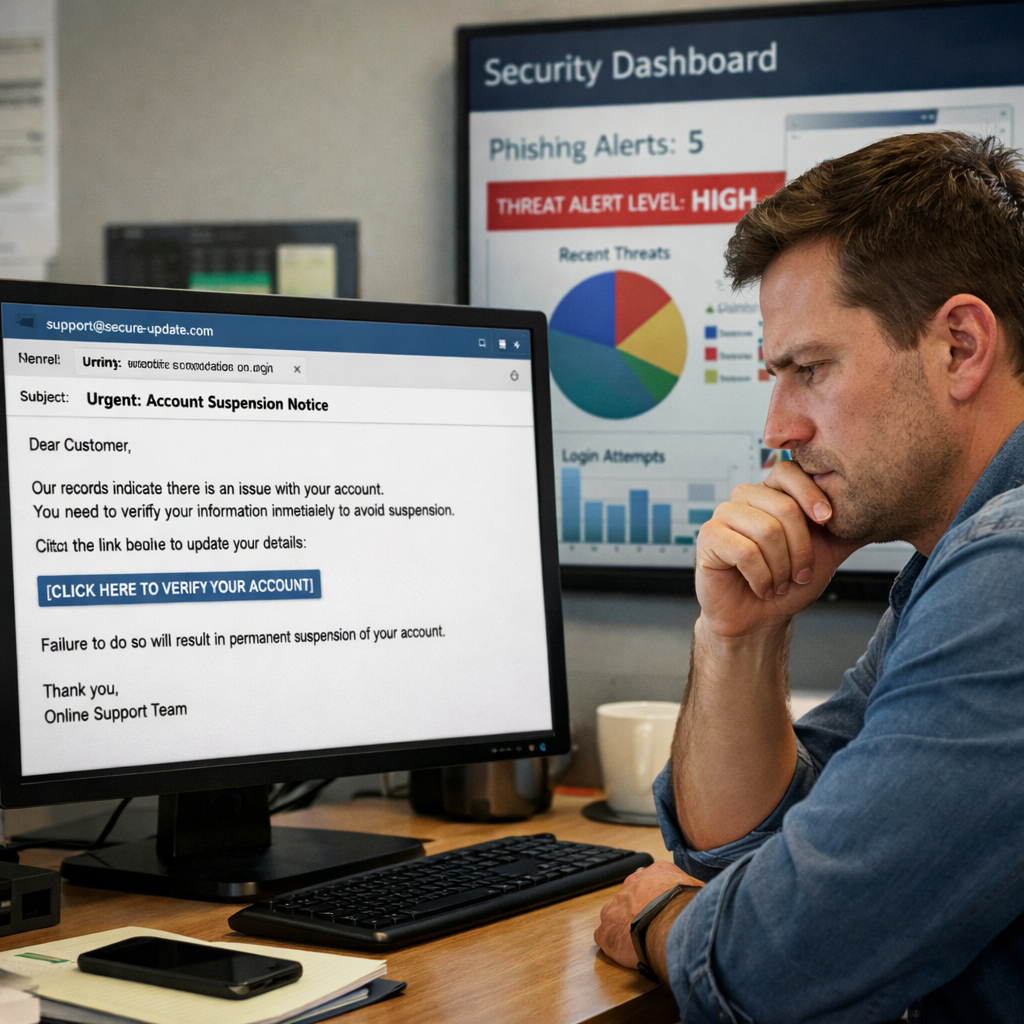
When you compare options, ask these questions:
- Can I import my own email templates?
- Does the tool integrate with Microsoft 365 or Google Workspace?
- Will I get a clear report that shows click‑through rates per department?
For a solid standard, check the NIST Cybersecurity Framework. It outlines risk assessment, detection, and response steps that any good simulation platform should support.
NIST Cybersecurity Framework provides the baseline you need to evaluate a tool’s security posture.
Bottom line: Pick a tool that fits your workflow, gives you real‑time alerts, and provides reports you can act on.
Step 3: Design Realistic Phishing Scenarios
A test only works if the bait feels real. Look at the eight examples from industry research , executive impersonation, fake invoice, and brand‑look‑alike domains are common tricks.
Take the “executive impersonation” example. An attacker pretends to be the CEO and asks for a wire transfer. The email uses the CEO’s signature and a rushed tone. Employees often comply because the request seems urgent.
To make your scenario credible, mirror the exact branding your staff sees daily. Use the same logo, the same font, and a similar sender address. Add a small typo in the domain (like “rnicrosoft.com”) to test attention to detail.
After you craft the email, create a landing page that explains why the test was run and gives a quick tip. Keep the page short , a headline, a short paragraph, and a link to a 2‑minute video works well.
Bottom line: The more your fake email mirrors a real one, the more accurate the test results will be.
Step 4: Launch the Test and Monitor Results
With the scenario ready, schedule the send. Pick a time when most staff are at their desks , mid‑morning on a Tuesday works well for most Monterey offices.
Send the email through your chosen platform. Watch the dashboard for opens, clicks, and reports. If the tool offers real‑time alerts, you’ll get a pop‑up the second someone clicks a link.
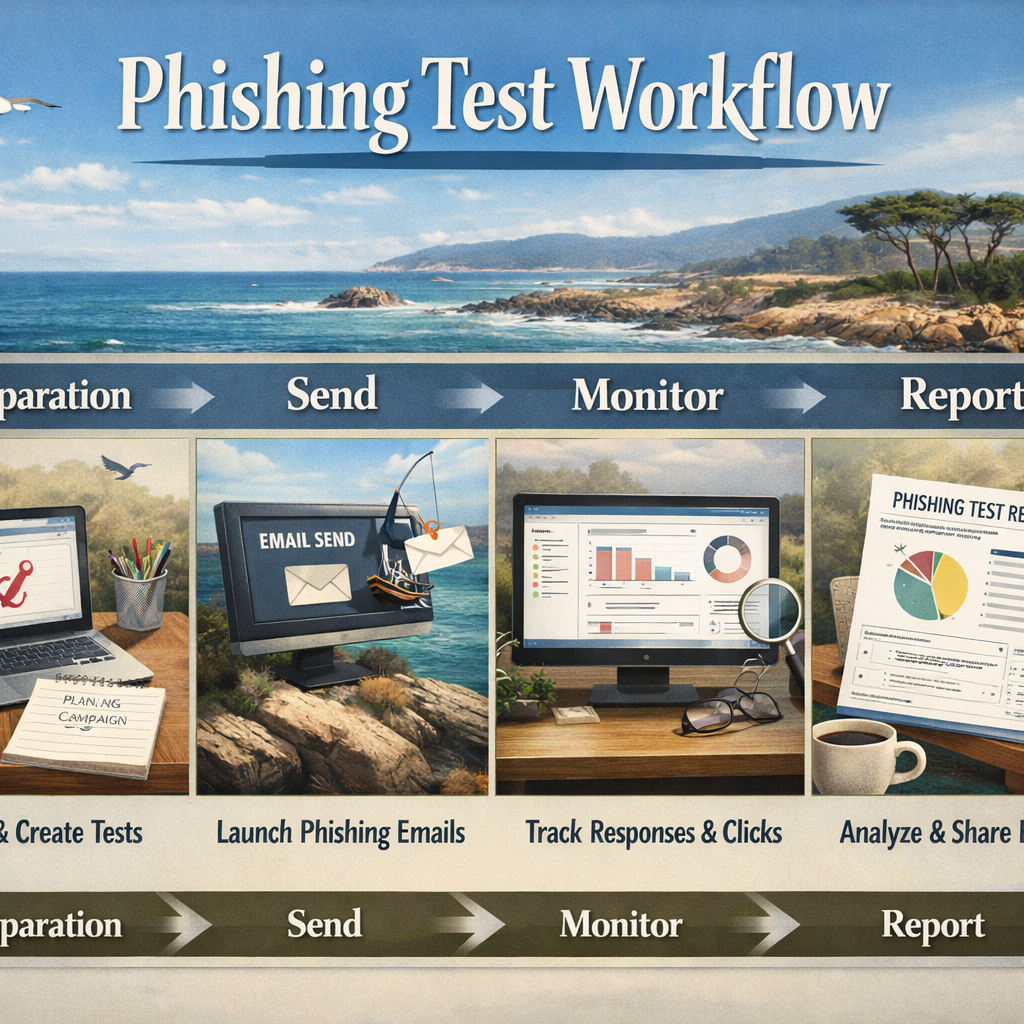
During the test, keep a spare “report‑phish” button visible in Outlook or Gmail. The easier you make reporting, the more likely staff will use it.
After 48 hours, pull the raw data. Look for patterns: which department clicked most? Which users never reported? Those numbers shape your next training session.
Bottom line: Monitoring in real time lets you react fast and gives you clear data for the next step.
Step 5: Analyze Results and Plan Employee Training
Now the numbers are in. Use them to find the most vulnerable users. Proofpoint calls these “Very Attacked People™” , the folks who click the most.
Break the data into three buckets: click‑through rate, report rate, and time‑to‑report. A high click‑through but low report rate means users see the bait but don’t flag it.
Build a short training module for each bucket. For high clickers, run a 5‑minute micro‑lesson that shows the exact email they clicked, points out the fake sender address, and offers a quick quiz. For low reporters, teach the “Report Phish” button and explain why reporting matters. For a comprehensive approach to structuring employee training, review our phishing training guide for employees.
According to the Cybersecurity & Infrastructure Security Agency (CISA), regular reminders and practice drills improve phishing detection by up to 70% for small businesses.
CISA outlines best practices for ongoing awareness training that you can adapt to your Monterey team.
Bottom line: Data‑driven training turns numbers into safer habits.
Step 6: Repeat and Improve Your Phishing Defense
Phishing tactics change every week. Your defense must change too. Plan a cadence: a quick “micro‑phish” each month and a deeper, role‑specific drill each quarter.
After each round, compare the new click‑through rate to the baseline. If the rate drops, keep the current approach. If it stalls, add a new scenario , maybe a fake vendor invoice or a compromised cloud‑storage link.
Don’t forget to refresh the tip library. Pull headlines from local news , a recent ransomware hit on a Monterey bakery , and turn that story into a quick reminder.
When you see a repeat offender (someone who clicks twice in 30 days), schedule a one‑on‑one coaching session. Use the data to show them the exact emails they missed.
Bottom line: Ongoing drills and data reviews keep your team ahead of the ever‑evolving phishing playbook.
Frequently Asked Questions
What is a small business phishing test Monterey and why do I need one?
A small business phishing test Monterey is a simulated email attack that mimics real‑world phishing. It helps you see who might click, who reports, and where training is needed. Running a test shows gaps before a real attacker exploits them, saving time, money, and reputation.
How often should I run a small business phishing test Monterey?
Best practice is a short test each month and a deeper, role‑specific test every quarter. This cadence keeps awareness fresh without causing fatigue. Monthly micro‑tests reinforce habits; quarterly drills measure long‑term improvement.
What tools can I use for a small business phishing test Monterey?
You can use a dedicated platform or work with a local partner like SRS Networks that offers real‑time monitoring and easy report generation. Look for features such as custom templates, integration with your email system, and clear dashboards.
Do I need to tell employees I’m testing them?
Transparency builds trust. Let staff know you run periodic phishing drills to improve security. When they receive the test, they’ll be more likely to report it rather than feel embarrassed.
What metrics matter most after a test?
Focus on click‑through rate, report rate, and time‑to‑report. A high click rate signals a need for better training. A low report rate shows you need to make the reporting button more visible.
Can I combine the test with other security training?
Yes. Pair phishing simulations with short videos, quizzes, and live workshops. A blended approach reinforces learning and covers different learning styles.
How do I measure ROI of a small business phishing test Monterey?
Compare the cost of a breach (downtime, data loss, reputation) to the cost of the testing program. Studies show that effective training can cut phishing‑related incidents by up to 70%, which quickly outweighs the modest spend on testing.
What if I’m not tech‑savvy enough to run the test myself?
Partner with a local MSP like SRS Networks. They handle the setup, monitoring, and reporting, letting you focus on business operations while they keep the inbox safe.
Conclusion
Running a small business phishing test Monterey is not a one‑off project. It’s a cycle of assessment, realistic bait, data collection, targeted training, and repeat drills. The cycle builds a culture where every employee spots a fake email before it can cause harm.
Local expertise matters. SRS Networks brings 28 years of Monterey‑area experience, real‑time monitoring, and hands‑on support that national vendors often lack. By choosing a partner that knows the community, you get faster response times and advice that fits your specific industry , whether you run a dental office, a legal practice, or a farm supply store.
Ready to protect your Monterey business? Contact SRS Networks today for a free consultation and start your first phishing test this week.






