

Ransomware can lock your files, freeze your cash flow, and leave you scrambling for answers.
One minute you’re processing invoices, the next you’re staring at a screen that demands payment. That panic is real, and it hits small and mid‑size businesses hardest because they often lack deep IT teams.
That’s why you need ransomware recovery services that get you back up fast. A good service doesn’t just pull a backup—it restores access, validates integrity, and helps you learn how the breach happened so it doesn’t happen again.
Imagine you run a local dental office. A ransomware hit could stop patient records from loading, forcing you to cancel appointments. With a recovery plan in place, you could pull clean copies from a secure vault, get the software running again within hours, and keep your patients safe.
In the Monterey Bay area, many firms already pair backup routines with expert recovery help. They treat recovery as a checklist: verify the latest backup, isolate infected machines, run the restore, then run scans to confirm no leftovers.
What you’ll learn in this guide is how to pick a recovery partner, what questions to ask about response time, and how to test the process before you ever need it. You’ll also see simple steps you can take today to harden your data against future attacks.
By the end, you’ll have a clear path to protect your business, keep your clients’ trust, and avoid costly downtime.
Understanding Ransomware Threats and Why Recovery Services Matter
Ransomware isn’t a rare glitch – it’s a daily danger for SMBs. One in three small businesses saw a cyberattack last year, and most of those were ransomware, according to ransomware prevention research.
Imagine you walk into your office on a Monday, fire up the computer, and a screen flashes demanding Bitcoin for your files. That’s the reality for many firms today. 2026 ransomware trends show 88% of breaches hit small and midsize companies.
How the attack gets in
Three tricks most attackers use:
- Exploited software flaws – unpatched apps are open doors.
- Stolen passwords – a phishing email gives them a valid login.
- Phishing links – one click can drop the ransomware.
What you can do right now
Follow these steps before an incident hits:
- Patch every system on a schedule. The update hassle is tiny compared to a shutdown.
- Turn on multi‑factor authentication for all accounts.
- Run short, frequent employee security drills.
- Store at least one backup offline or immutable.
- Test your restore process every quarter.
Even with the best prep, a breach can still slip through. That’s why ransomware recovery services matter. A good service doesn’t just pull a backup; it validates the data, isolates infected machines, and helps you learn how the breach happened so it won’t repeat.
For a deeper dive into how SMBs can protect themselves, see our Ransomware Protection Services guide. It walks through the checklist most Monterey Bay firms use.
Need more reading? Check out a semantic search SEO guide for better online visibility, or learn about eye health from Dr Rahul Dubey.
Assessing Your Current Security Posture
Before you pick a ransomware recovery service, you need to know where you stand today. A clear picture of your security posture lets you spot gaps before they get exploited.
Step 1: List every device and data store. Include workstations, servers, cloud apps, and any removable media. Knowing what you have is the first line of defense.
Step 2: Verify patch levels. Run a scan on each system and compare against the latest vendor releases. Unpatched software is the cheapest way for attackers to get in.
Step 3: Review who can log in. Look at user accounts, admin rights, and shared credentials. Turn off unused accounts and enforce multi‑factor authentication wherever possible.
Step 4: Test your backups. Make sure backups run on schedule, are stored offline or immutable, and that you can actually restore a file. Our Backup and Disaster Recovery guide walks you through a quick restore test.
A quick self‑audit also reveals whether your policies match compliance rules like HIPAA or GDPR, which can affect recovery timelines.
After the technical checks, sit down with your leadership team and compare the findings against industry standards. If you need a fresh perspective on health and risk, you might also read advice from Dr Rahul Dubey, who often talks about preventive care, the same idea applies to cyber health.
Finally, write a short report that scores each area on a simple 1‑to‑5 scale. Use that score to prioritize improvements and to brief any ransomware recovery services you later evaluate.

Choosing the Right Ransomware Recovery Service Provider
Picking a partner feels like choosing a mechanic for a race car. You need speed, trust, and a clear plan. If the provider can’t answer the basics, you’ll waste time when a ransomware hit strikes.
Start with three questions:
- How fast does the service promise to restore critical data?
- Do they keep backups offline or immutable so the ransomware can’t reach them?
- What kind of support do they give during the crisis – 24/7 phone, on‑site tech, or just email?
Here’s a quick comparison you can use while you talk to vendors:
| Provider | Recovery Speed | Key Feature |
|---|---|---|
| Vendor A (example) | Under 4 hours for core systems | Air‑gapped backups |
| Vendor B (example) | 6‑8 hours | Automated ransomware detection |
| Vendor C (example) | 9 hours+ | Basic backup only |
Notice the gaps. A provider that only offers basic backup may look cheap, but you’ll pay later in downtime.
Next, run a small test. Ask the vendor to restore a recent file from an offline copy. Time the process. If they can’t show you a clean restore, walk away.
Don’t forget the contract. Look for clear SLAs that spell out response time, data integrity checks, and who pays for post‑incident hardening. A common pitfall is hidden fees for extra storage or for running the test.
For a deeper dive on what criteria matter, see this industry recovery criteria guide. And if you want to see how solid backup fits into the bigger picture, check out our Backup and Disaster Recovery service.
Finally, a quick tip: keep a one‑page cheat sheet with the provider’s contact number, escalation steps, and a checklist of what to verify after an attack. It saves panic and keeps your team focused.
For a completely unrelated but fun read, see how to display coastal wood flower art in a living room.
Key Components of an Effective Recovery Plan
When ransomware hits, you need more than a fresh backup. You need a plan that walks you through every step, from isolation to clean restore.
First up is identifying a clean restore point. If you can’t tell which backup is untouched, you’ll just bring the malware back. Tag your snapshots as “clean” right after you verify they’re free of infection.
Next, lock down the environment. Pull infected machines off the network, both physically and logically. This stops the ransomware from hopping to other devices while you work.
While the video shows a typical response flow, remember your own checklist should be on hand. A quick tip: write down who to call, what tools you’ll use, and the order of actions.
Third, use immutable backups. These copies can’t be altered or deleted for a set period, so even if a hacker reaches your backup vault, the data stays safe.
After you’ve restored a clean copy, run a full security scan before reconnecting to production. This catches any lingering threats and proves the system is stable.
Finally, document the whole process. A written post‑mortem helps you tighten gaps, update your SOPs, and show auditors you’ve learned from the event.
Putting these pieces together – clean points, isolation, immutable storage, verification, and documentation – turns a scary outage into a manageable step.
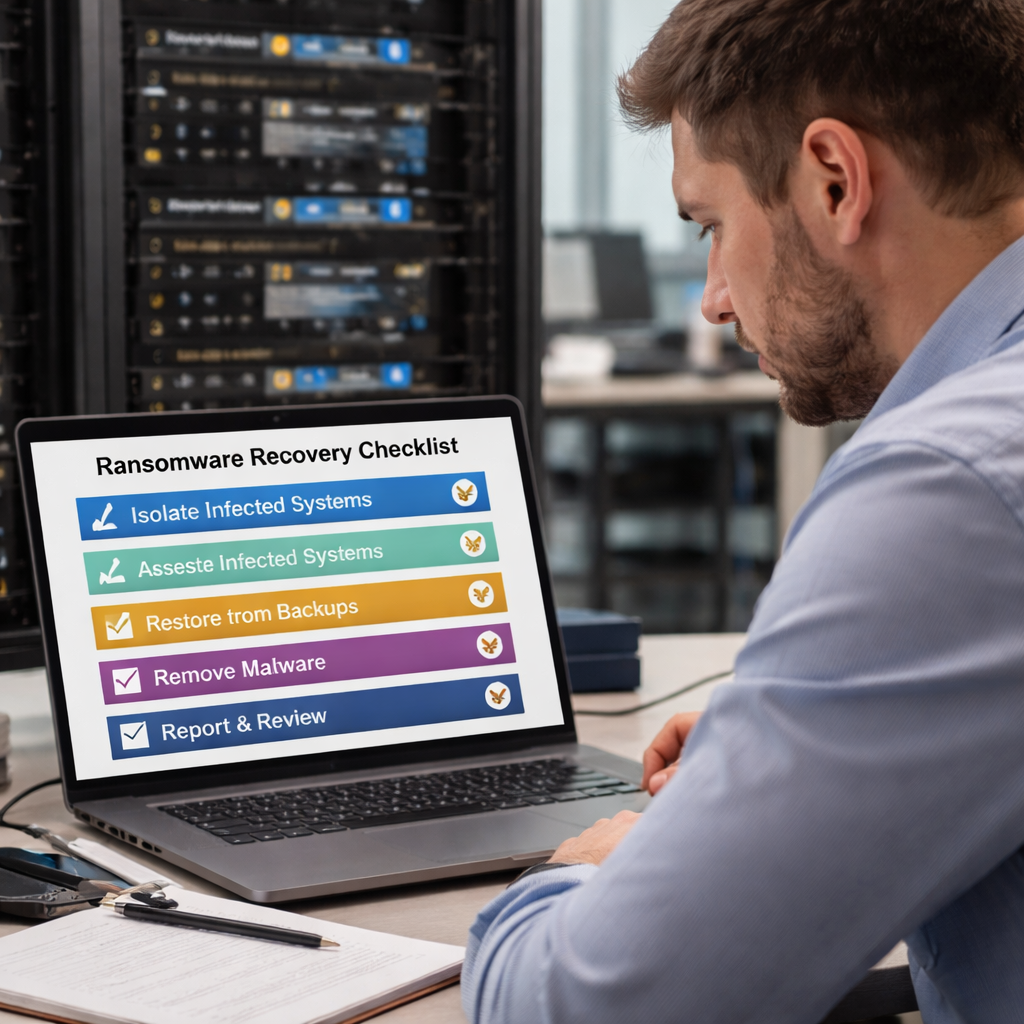
Implementing Incident Response and Communication Strategies
When ransomware hits, you need a clear game plan. A solid response keeps the damage low and gets you back online fast.
Step 1: Activate your response checklist
Grab the ransomware response checklist from CISA and follow the first three steps in order. Power down any device you can’t pull off the network. This cuts off the malware’s ability to spread.
Step 2: Triage and prioritize
Make a quick list of the systems that keep your business running – point‑of‑sale, patient records, accounting software. Rank them by importance and focus on restoring those first.
Does your team know which apps are critical? If not, write them down now.
Step 3: Communicate fast and clear
Tell senior leaders what’s happening within the first hour. Use a simple template: what we saw, what we’re doing, and what you need to know.
Notify your cyber‑insurance carrier, your managed security provider, and, if required, law‑enforcement. CISA suggests reaching out to the FBI’s Internet Crime Complaint Center for help.
Step 4: Contain the threat
Search logs for new admin accounts, odd VPN logins, or misuse of built‑in Windows tools like vssadmin.exe. Shut down any rogue accounts and block suspicious IPs.
What’s the next move? Run your endpoint detection tools to hunt for hidden dropper malware before you rebuild.
Step 5: Document every action
Write down each step you take, who did it, and when. A tidy record helps you learn, updates your SOPs, and shows auditors you acted responsibly.
After the clean restore, run a full scan, reset passwords, and then share the post‑mortem with the whole team.
Stick to these steps and your ransomware recovery services will feel like a well‑rehearsed drill, not a panic.
Ensuring Business Continuity Through Backup and Disaster Recovery Integration
When ransomware hits, the first thing you need is a clean copy of your data. That’s why backup and disaster recovery (DR) must sit side‑by‑side with ransomware recovery services.
Make backups immutable
Store at least one copy that can’t be changed or deleted. An immutable backup stays safe even if the ransomware tries to reach it. Many SMBs use WORM technology or air‑gapped storage to get this level of protection.
Automate and test
Backups should run daily without you lifting a finger. Then schedule a quarterly restore test. A quick test shows whether the backup is really usable and lets you tweak the recovery plan before a real attack.
Align DR runbooks with ransomware steps
Your disaster recovery runbook needs the same clear steps you follow after an infection: isolate the infected machines, verify the backup integrity, and then restore the critical systems first. Tag the restore points you plan to use so you don’t waste time hunting.
Think about it this way: if your backup can spin up a cloud VM, you keep the business running while you clean the infected machines. DRaaS lets you stay online and paid.
Want more detail on how ransomware data recovery works? Check out SentinelOne’s ransomware data recovery guide. For a look at the latest backup tools that SMBs trust, see AIS Now’s 2026 backup and disaster recovery roundup.
Finally, write a one‑page cheat sheet that lists: backup location, recovery point objective, who to call, and the order of system restores. Keep it on the desk and in the cloud. When ransomware strikes, that sheet turns chaos into a clear path.
Measuring Success and Ongoing Optimization
You can’t tell if a ransomware recovery service is working until you track a few key numbers. Those numbers turn guesswork into clear direction.
Core metrics to record
• Time to detect an intrusion – faster detection limits locked data.
• Time to respond – minutes from alert to first containment.
• Recovery point objective (RPO) compliance – does restored data meet the backup window?
• Recovery time objective (RTO) – were critical systems back before the deadline?
Tracking these ransomware preparedness metrics can cut downtime by about a third on average (source).
Industry data shows ransomware attacks grew 25% year‑over‑year in 2025, underscoring why you need to measure success.
Practical check‑list
1. After each simulated attack, log detection and response times in a simple spreadsheet.
2. Compare actual RPO/RTO numbers against the targets in your service contract.
3. Score user‑awareness training by measuring the click‑through rate on phishing simulations.
4. Review backup integrity reports weekly – a failed backup is a silent risk.
A hypothetical dental office could run a quarterly test, see a 45‑minute detection time, then tighten monitoring to shave ten minutes off the next run.
Continuous improvement loop
Take the data, meet with your recovery provider, and ask three questions: What slowed us down? Which tool gave us the most insight? What can we tweak before the next test?
Set a 30‑day action item for each answer. When the next drill ends, measure. If the numbers improve, you know the tweak worked.
Keep a one‑page scorecard on the wall and in the cloud. Seeing the numbers daily reminds the team that ransomware recovery services are a living process, not a set‑and‑forget contract.
FAQ
What are ransomware recovery services?
Ransomware recovery services are a set of tools and expert help that get your files and systems running again after an attack. They take a clean backup, verify it’s safe, and restore data so you can resume work. A good provider also checks how the breach happened and gives advice to stop it from happening again. You’ll also get a clear report that outlines what was fixed.
How fast can I expect my data back?
Speed is measured by the recovery time objective, or RTO. Most SMB‑focused services aim to have critical apps back within four to six hours. The exact time depends on how recent your backup is, the size of the data set, and whether the provider uses air‑gapped or immutable storage. Ask your vendor for a realistic RTO that matches your business needs.
Do I need to keep backups offline?
Yes, keeping at least one copy offline or immutable is a key defense. If ransomware can reach every online backup, it can encrypt those too. An offline vault, a tape, or a cloud bucket with write‑once‑read‑many settings stays safe even when your network is compromised. Test that offline copy regularly so you know it works when you need it today.
What should be in my recovery plan?
A solid recovery plan lists the systems that keep your business alive, the order you’ll bring them back, and the people responsible for each step. Include a clean backup location, a clear isolation process for infected machines, and a verification checklist to confirm data integrity after restore. Add contact info for your recovery provider and a timeline for each milestone.
How do I test the service?
Run a tabletop drill or a real restore test at least once a quarter. Pick a recent backup, ask the provider to restore a non‑critical file, and time the whole process. Note any delays, missing files, or authentication issues. Use the results to tweak your RTO targets and update your checklist so the next real attack goes smoother in practice.
What costs should I watch for?
Look beyond the monthly fee. Some providers charge extra for on‑site visits, after‑hours support, or for each restore beyond a set number. Storage costs can rise if you keep many versions of backups. Ask for a clear price sheet that breaks down service, travel, and storage fees so you can compare options without surprise charges later. Make sure it fits in your budget.
Conclusion
Ransomware recovery services are the safety net you need when a breach hits.
They give you a clear path back to work, protect patient data, keep invoices flowing, and stop panic from taking over.
If you’ve built a checklist, tested a restore, and know the cost structure, you’ll already be ahead of the curve.
The next step is simple: pick a provider that offers offline backups, fast response times, and a written plan you can trust.
Give your team a quick drill this quarter, note any gaps, and adjust the plan before a real attack lands.
Ready to lock down your data and keep your business humming? Contact SRS Networks today for a free assessment.
Remember, ransomware recovery services aren’t a set and forget item; they need regular testing and a partner who stays current with new threats.






