Phishing hits small firms in Salinas harder than big brands. One missed click can shut down a whole office. You need a plan that catches bad emails before they cause damage. This guide walks you through every step to pick, run, and improve phishing simulation services for Salinas businesses.
We’ll start with risk assessment, then move on to choosing a provider, designing realistic campaigns, running tests, and finally training staff for lasting change. By the end you’ll have a clear roadmap you can start using today.
Step 1: Assess Your Organization’s Phishing Risk
First, look at what’s already coming through your inbox. Pull logs from your email gateway for the last 30‑60 days. Spot spikes in external mail, unusual attachment types, and repeated “reply‑all” chains. Those numbers give you a baseline.
Next, map who handles the most sensitive data. Finance staff, HR reps, and IT admins are common targets. List every role that touches customer records, vendor invoices, or login credentials. Knowing who’s exposed helps you focus the simulation on the right people.
Run a quick, low‑stakes phishing test. Use a harmless landing page that says, “You were phished , here’s a tip.” Track opens, clicks, and who reports the test to IT. The results become your starting point.
Ask your team what they think is risky. A short survey can reveal gaps in awareness that logs miss. Combine survey data with the technical logs for a fuller picture.
When you have the data, rank risks by impact. A fake invoice that tricks a finance clerk is more dangerous than a funny meme link. Use a simple 1‑5 scale to prioritize.
Document the findings in a one‑page risk sheet. Share it with leadership so they see why a simulation program matters.
Phishing Training for Employees: A Practical Guide for SMBs offers a ready‑made questionnaire you can use to gather staff input.
Bottom line:Know your current email threats, map high‑risk roles, and run a baseline test before you pick a simulation tool.
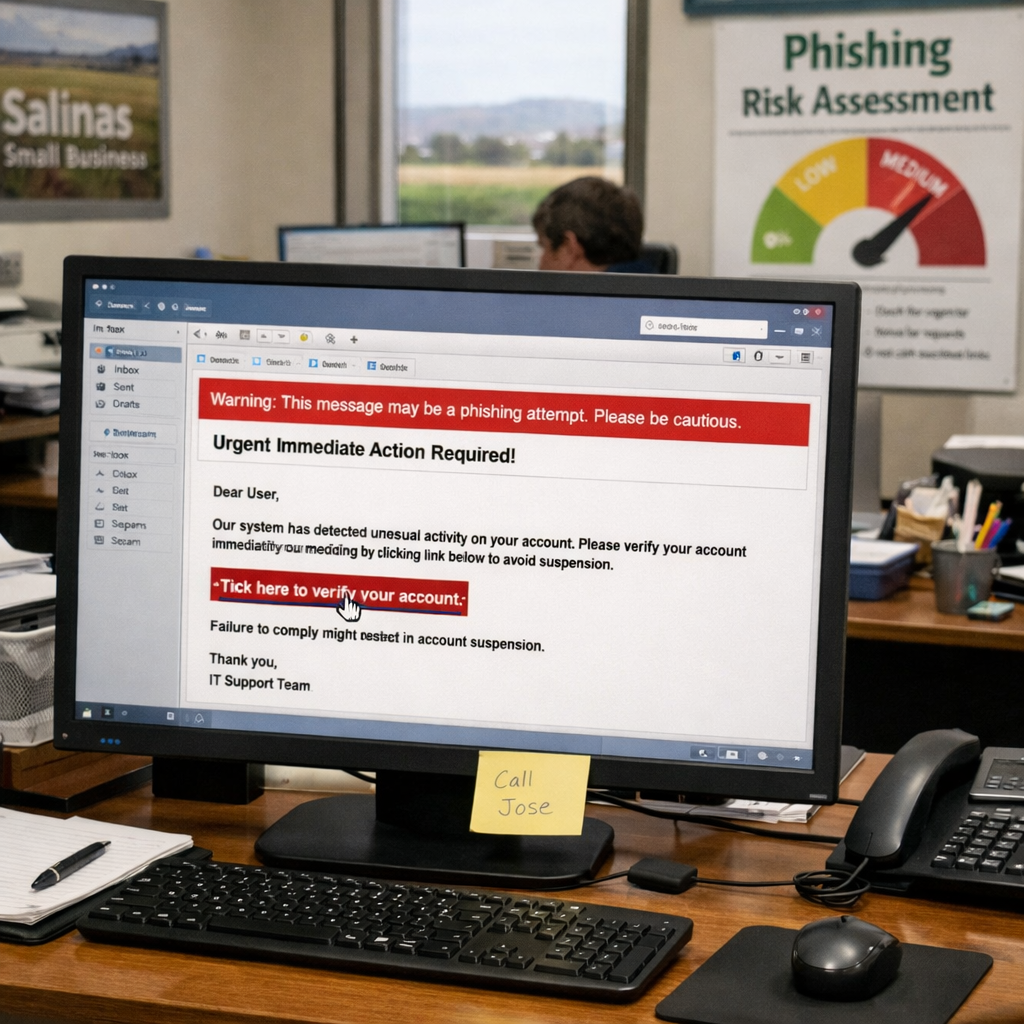
Step 2: Choose the Right Phishing Simulation Provider
Now that you know where you stand, it’s time to shop for a platform. Not every vendor fits a small business in Salinas. Look for three core traits: affordable cloud‑only pricing, solid integration with Microsoft 365, and clear reporting dashboards.
Industry research shows that only half of vendors list integrations, and most of those only cover Microsoft 365. That makes integration a deal‑breaker for Salinas businesses that rely on Outlook.
Another red flag is missing compliance info. If a vendor doesn’t mention HIPAA, PCI‑DSS, or NIST, you’ll have a hard time passing audits.
“The best phishing simulation platform turns click data into risk scores that executives can understand.”
Read the vendor’s pricing page directly for the most accurate cost info. Avoid sites that quote a price without linking to the official page.
Ask for a demo that shows the reporting dashboard. You should see click‑through rates, report rates, and time‑to‑report metrics at a glance.
Finally, check if the vendor offers a free trial. A short trial lets you test realism, ease of use, and data export without spending money.
Make a short comparison sheet with the criteria above. Rank each vendor from 1 to 5 on pricing, integration, reporting, and compliance.
Effective phishing awareness training for employees includes a checklist you can adapt for vendor evaluation.
Bottom line:Pick a cloud‑only service under $20 per seat that integrates with Microsoft 365, offers detailed reports, and supports the compliance frameworks your industry needs.
Step 3: Design Realistic Phishing Campaigns
Design matters. A generic “you won a prize” email won’t train staff for the real threats they face. Use templates that mirror the daily flow of your business.
Start with three common scenarios for Salinas firms: a fake invoice for the accounting department, a bogus file‑share alert for the IT team, and a bogus HR notice for payroll staff. Each scenario should include a realistic sender name, a plausible subject line, and a subtle call to action.
Pull threat‑intel from the latest reports. The CISA website lists the most common phishing tactics in 2026, such as credential‑harvesting links and Business Email Compromise (BEC) lures.
Tailor the language to match your tools. If you use Google Drive, craft a “sync error” email. If you use Microsoft Teams, simulate an AI‑generated meeting summary that asks for a login.
After the email lands, the landing page should instantly explain why the message was fake and point out the red flags. Keep the tone friendly , “Oops, that link was a test.”
Use role‑based targeting. Finance staff get invoice lures, IT staff get software‑update alerts, and general staff see generic phishing attempts.
Rotate the scenarios every month. Changing the story prevents users from becoming desensitized.
According to the NIST Cybersecurity Framework, realistic testing helps build a culture of continuous risk reduction.
How to Prevent Phishing: Essential Steps for 2025 outlines the most common lures you can adapt for 2026.
Bottom line:Build campaigns that copy real business emails, use role‑based targeting, and provide instant feedback to turn mistakes into learning moments.
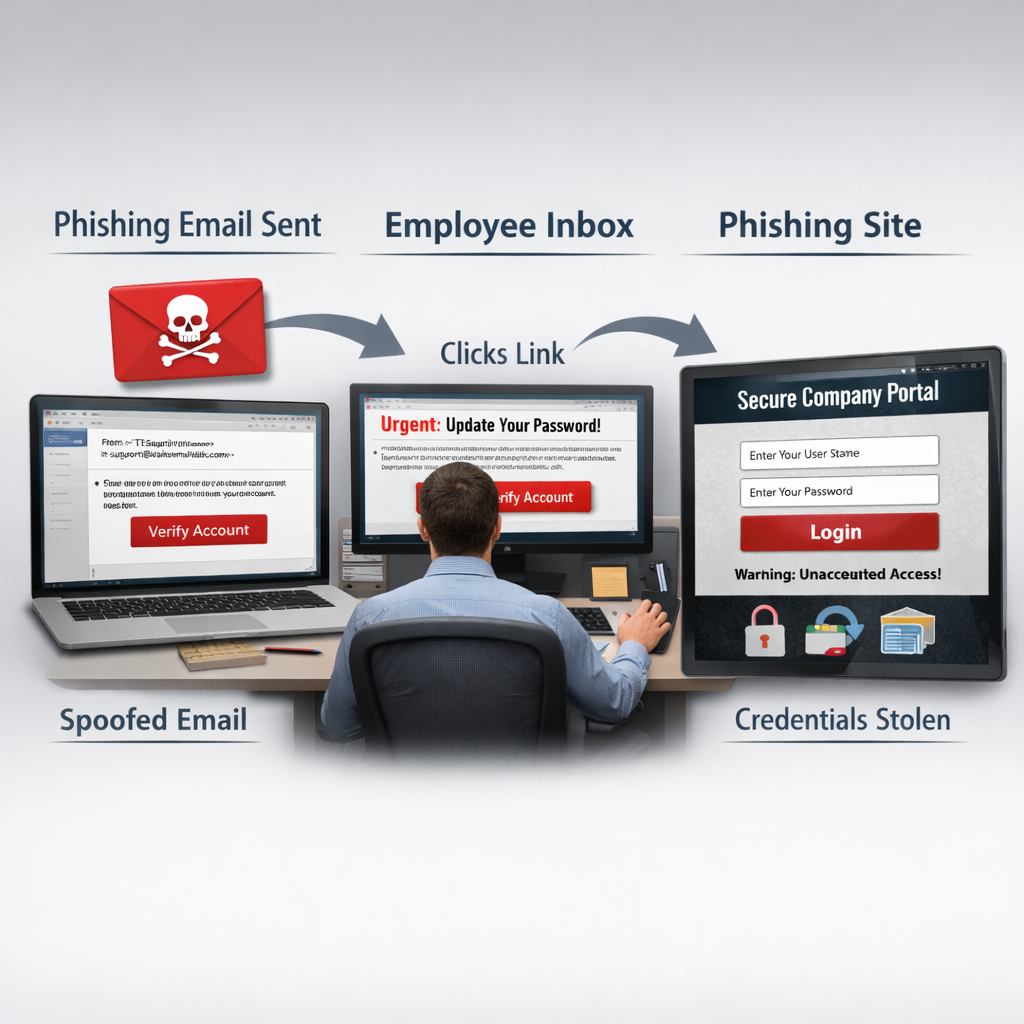
Step 4: Run Simulations and Track Employee Responses
Now it’s time to launch. Schedule the first test for a low‑traffic day to avoid disrupting operations. Send the email to a small pilot group first , maybe 10% of staff.
Watch the real‑time dashboard. Most platforms show who opened the email, who clicked the link, and who reported it. Compare those numbers to your baseline from Step 1.
After the pilot, expand to the full workforce. Aim for a click‑through rate under 10% after the first round. If it’s higher, you need more targeted training.
Track three core metrics: click‑through rate, report rate, and time‑to‑report. A quick report (under five minutes) shows staff are alert and know the reporting process.
Identify repeat offenders , users who click in multiple tests. Give them a one‑on‑one coaching session instead of public shaming.
Export the data to CSV each month and feed it into a simple dashboard. Visual trends help leadership see progress.
When you share results, use plain language. Show a bar chart of click rates by department and highlight improvements over time.
Bottom line:Run a pilot, scale up, and track click‑through, reporting, and response metrics to keep the program on target.
Step 5: Provide Training and Continuous Improvement
Simulation alone won’t fix the problem. Pair each test with short, bite‑size training that explains the specific red flags the email contained.
Use 1‑minute videos that walk through the fake email, point out the mismatched sender address, and show how to report. Wizer’s library of micro‑videos is a good example of this approach.
After a click, the landing page should automatically launch the video. If a user reports correctly, show a quick “Good job!” badge to reinforce positive behavior.
Schedule regular refresher sessions. Quarterly live workshops for high‑risk roles (finance, IT, HR) keep knowledge fresh. For the rest of staff, a monthly tip‑of‑the‑day email works well.
Collect feedback after each training burst. A short poll (“Did the video help you spot the fake?”) gives you data to tweak future content.
Measure success beyond click rates. Look at reporting rates and the speed at which users flag suspicious messages. A rise in reporting shows a cultural shift.
Finally, review the quarterly report with leadership. Highlight improvements, note any lingering high‑risk groups, and set new targets for the next quarter.
Bottom line:Ongoing, role‑specific training turns simulation data into lasting security habits.
FAQ
What is a phishing simulation and why does my Salinas business need one?
A phishing simulation is a safe, fake email attack that tests how staff react. It shows where human risk exists and helps you train employees to spot real threats. For Salinas SMBs, a single click can expose customer data or lead to costly downtime, so testing and training are essential to keep the business running.
How often should a small business run phishing simulations?
Start with a baseline test, then run monthly micro‑phish campaigns. Add a deeper, role‑specific test each quarter. This cadence balances learning with fatigue and gives you regular data to track improvement.
What metrics matter most when measuring a simulation program?
Track click‑through rate, report rate, and time‑to‑report. Also watch repeat‑offender counts and department‑level trends. These numbers tell you if awareness is rising and if the program is reducing real‑world risk.
Can I run simulations without buying a third‑party platform?
You can build a simple test with internal tools, but a dedicated platform offers ready‑made templates, automatic reporting, and instant training links. For Salinas businesses, the time saved and data quality usually outweigh the modest subscription cost.
How do I ensure simulations comply with regulations like HIPAA or NIST?
Choose a vendor that lists compliance frameworks on its website. Make sure the simulated emails contain no real patient data and that the landing page explains the test without storing personal information. Document the test in your audit log to show due diligence.
What should I do if an employee repeatedly clicks simulated phishing links?
Identify repeat offenders in your dashboard and schedule a one‑on‑one coaching session. Review the specific email they clicked, explain the red flags, and provide a short, focused training module. Positive reinforcement works better than public shaming.
How can I integrate phishing simulations with Microsoft 365?
Pick a platform that offers a built‑in Outlook “Report Phish” button and can pull message trace data from Microsoft 365. This integration lets you automatically capture clicks and reports, and it simplifys the user experience.
Is there a free trial option for testing a phishing simulation service?
Yes. Many vendors provide a limited‑time free trial or a sandbox environment. Use the trial to test realism, ease of use, and reporting features before committing to a paid plan.
Conclusion
Phishing simulation services give Salinas SMBs a clear view of human risk and a proven path to reduce it. By assessing your current threat landscape, picking a cost‑effective platform that talks to Microsoft 365, designing realistic, role‑based campaigns, and pairing each test with quick micro‑training, you create a cycle of continuous improvement.
The data you collect, click rates, reporting speed, repeat offenders, turns into concrete proof for leadership and auditors. It also builds a security‑aware culture where employees pause, hover, and report before they click.
Ready to protect your team and keep your business running smoothly? Contact SRS Networks for a free consultation and let our 28 years of local expertise guide your phishing simulation program from start to finish.