

Phishing attacks are cheap, fast, and they hit anyone who opens an email.
If a single click lets a bad actor into your network, the fallout can shut down a whole office in minutes.
What you need is a simple, repeatable plan that teaches every employee how to spot a fake message before they click. This plan should blend short videos, real‑world examples, and quick quizzes that keep the lesson fresh.
First, run a quick survey to see how well your staff already knows the signs – misspelled URLs, urgent language, or odd sender addresses. Then pick a training tool that lets you send simulated phishing emails on a regular schedule. Each test should end with a short pop‑up that explains what was wrong and why.
Next, hold a short live session where you walk through a recent scam that targeted a local law firm. Show the exact email, point out the red flags, follow up with a one‑page cheat sheet that lists the top five things to check before clicking.
Finally, track results in a simple spreadsheet: who clicked, what type of lure was used, and how quickly they improved. Review the data every month and give a shout‑out to the teams that show the biggest jump.
All of this can be built on the foundation of Phishing Training for Employees: A Practical Guide for SMBs, which walks you through each step with easy‑to‑follow instructions.
By the end of the first quarter you’ll see fewer clicks, less fear, and a team that treats every email as a potential test.
Step 1: Assess current risk and knowledge gaps
First thing you need is a clear picture of where you stand. Ask your staff a short, honest quiz about the signs they know – misspelled URLs, urgent language, odd sender addresses. Keep it light so people actually finish it.
Next, pull the results into a simple table. Spot the big gaps. Maybe most people spot a bad link but miss a fake sender address. That tells you where to focus.
Use the data to set a baseline risk score. You can score each gap on a 1‑5 scale and add them up. The total becomes your “risk number” – the lower the better.
Here’s a quick tip: run the same quiz every quarter. Watching the score drop shows progress and keeps security fresh in people’s minds.
To make the quiz easy, you can use free form tools or a quick Google Form. The key is to keep it short – three to five questions max.
And remember, the numbers are only useful if you act on them. Pick the top two gaps and plan a mini‑training for each.
For a deeper dive on how to structure this whole process, check out Phishing Training for Employees: A Practical Guide for SMBs. It walks you through each step with easy‑to‑follow advice.
Want to automate the reminder part? OpenClaw Lab offers AI agents that can send scheduled phishing simulations and nudges, saving you time while keeping the training real.
Good design matters too. A clean, well‑designed dashboard makes it simple for managers to see who needs help. Coherence Pass helps you build those user‑friendly interfaces.
After you have the risk score, share a short one‑page cheat sheet with the top five things to check before clicking. Keep the sheet on every desk or in a shared folder.
Finally, set a quick monthly review. Look at the score trend, celebrate any drop, and adjust the next training focus. Simple, steady steps turn a shaky start into a strong security habit.
Step 2: Design engaging, role‑specific training modules
Now that you know where the biggest gaps are, it’s time to build the actual lessons that fit each job.
Map roles to real tasks
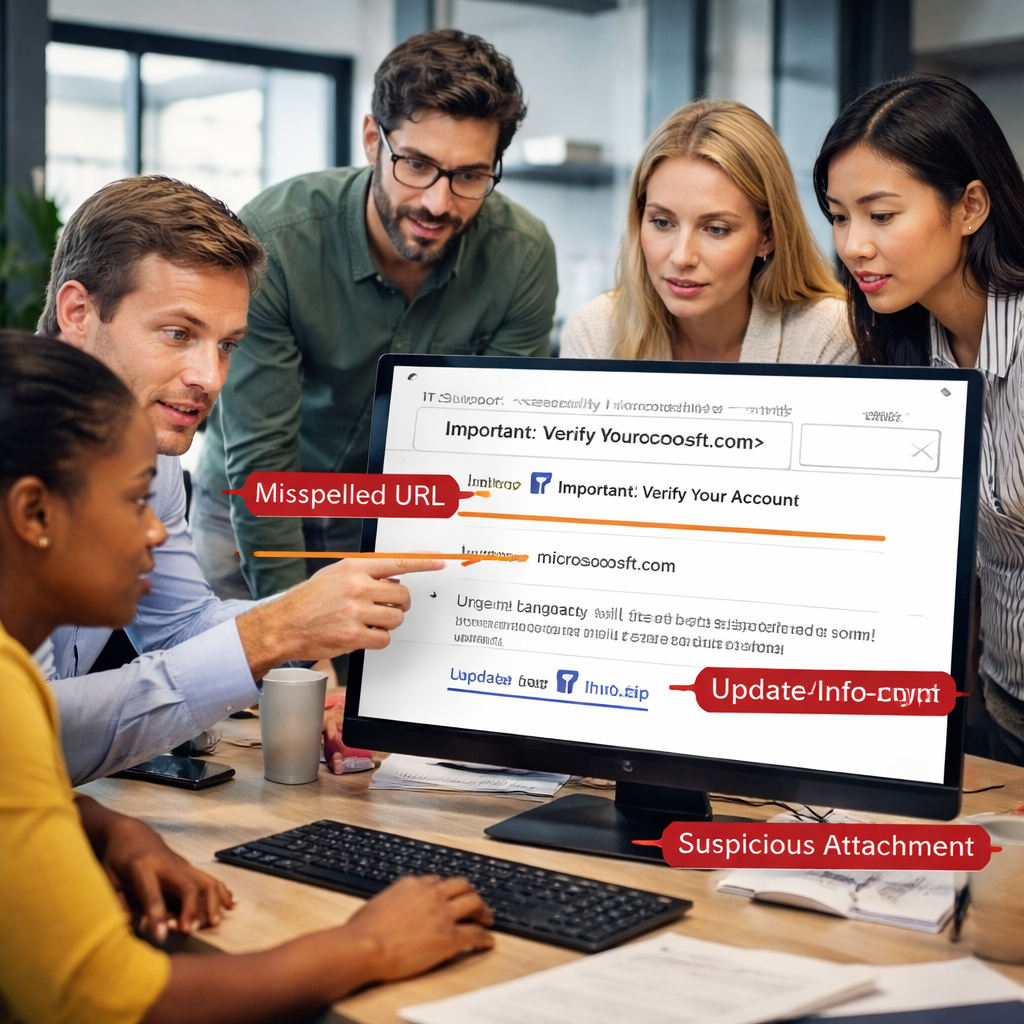
Start by listing the everyday duties of each role – sales reps check customer emails, accountants handle invoices, and IT staff review system alerts. Then match the most common phishing lures to those duties. For example, a sales rep might see a fake “order confirmation” that looks like a normal client request, while an accountant could get a bogus “tax filing” attachment. This makes the training feel relevant, not abstract.
Pick the right format
People retain info best when you mix short video clips, interactive quizzes, and quick tip sheets. Proofpoint research shows that most firms only have two hours per user each year, so keep each module under ten minutes (Proofpoint research). A 2‑minute video that shows a fake email, followed by a 3‑question drag‑and‑drop quiz, hits the sweet spot. The usecure guide recommends adding a humorous voice‑over or a relatable character to boost engagement.
Tailor the tone to the audience – a formal tone works for legal teams, while a light‑hearted style fits retail staff. Swap out the example screenshots so each department sees a version of the phishing email that mirrors their inbox.
Set a repeat schedule
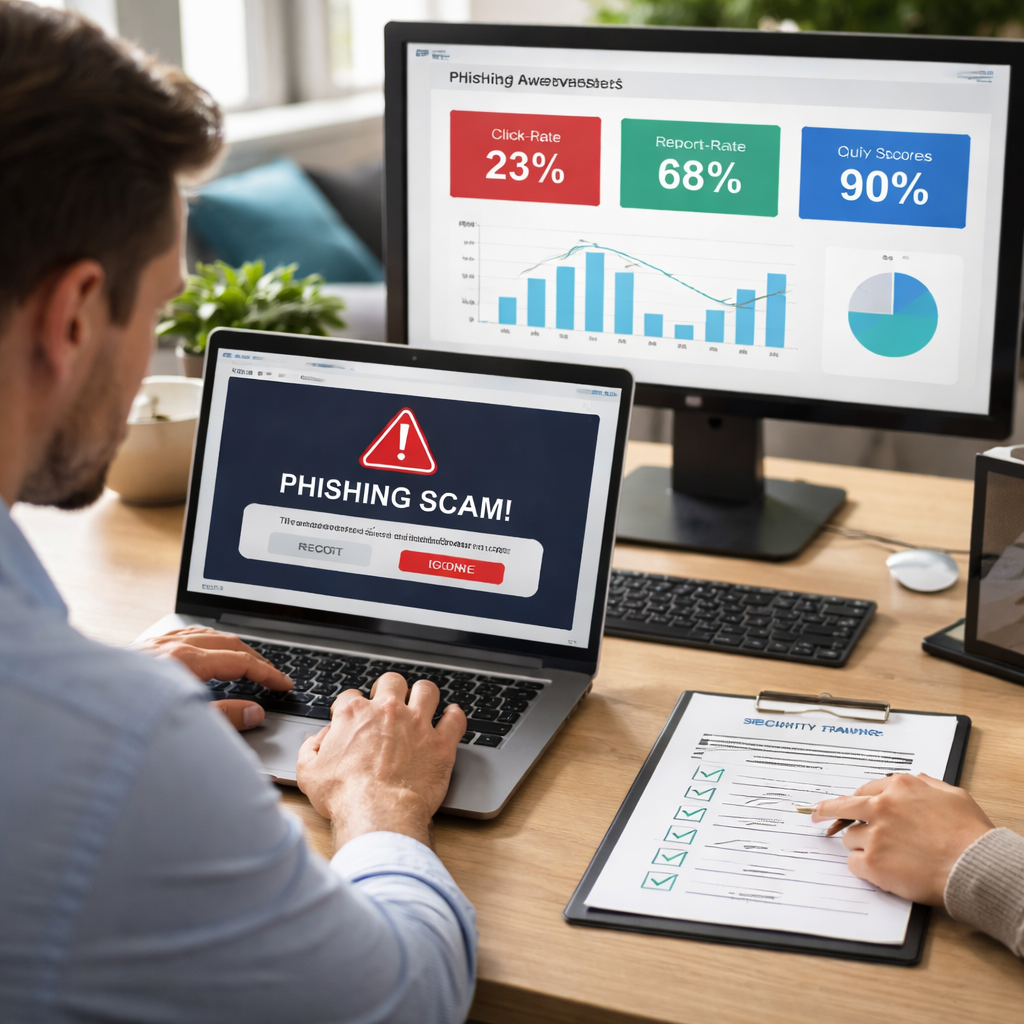
Phishing skills fade after four to six months, so plan a cadence that revisits each role at least twice a year. Send a short simulation every 5‑6 weeks, then follow up with a micro‑learning burst that reinforces one key tip. Track click rates and reporting rates per role – aim for under 5% clicks and over 70% reports, which are the benchmarks many top programs hit.
Finally, give each learner a quick checklist they can pin to their desk: “Check sender, hover link, verify request.” Small habits turn into big protection over time.
Step 3: Deploy simulated phishing campaigns and video walkthrough
Now you roll out the fake emails. Start with a short, believable message that matches what each role sees every day. Use a fake invoice for accounting, a fake order for sales, or a fake patient portal link for health staff. Keep the subject line short and the tone like a real request.
Set up the simulation tool
Pick a platform that lets you schedule, randomise, and capture clicks. Most tools let you add a quick video that plays when the user opens the email. The video should point out the red flags, a misspelled URL, a push for urgent action, a weird sender. For a solid start, follow the Microsoft attack simulation guide.
Run the test
Send the campaign to a small group first. Watch the click rate. If under 10 % click, you’re on track. Then expand to the whole department. Run the test every 5‑6 weeks as the schedule says.
Measure what matters
Don’t just count clicks. Track how many users report the fake email, how fast they do it, and whether they finish the follow‑up video. The PhishSheriff guide explains why reporting rate, time to report, and repeat clickers matter for real security growth.
Give instant feedback
When someone clicks, the page should instantly show a short overlay that explains the mistake. Keep the tone friendly, “Oops, that link wasn’t real. Here’s how to spot the fake next time.” This moment of learning sticks.
After the video, hand out a one‑page checklist: check the sender, hover the link, verify the request. Ask the team to pin it at their desk.
Finally, pull the data into a simple dashboard. Look for roles that keep clicking and give them a quick refresher. Over time you’ll see click rates drop and reporting rise, the signs of a stronger security culture.
Step 4: Measure effectiveness, report results, and continuously improve
Now you have data flowing from each simulation. The next move is to turn numbers into actions.
Start with the basics: click‑rate, report‑rate, and time‑to‑report. If clicks stay above 10 % after two rounds, it’s a red flag. A fast report‑time (under five minutes) usually means the reminder overlay works.
Beyond the obvious, track module‑completion, quiz scores, and repeat‑clickers. The key metrics for awareness programs suggest these signals reveal where learners need extra help.
Practical checklist
- Pull the raw data into a spreadsheet or simple BI tool.
- Calculate weekly averages for each metric.
- Flag users or roles that miss targets two cycles in a row.
- Send a short, friendly recap email with personal tips.
For example, a finance team that keeps clicking on fake invoice emails might get a focused refresher that shows real‑world invoice screenshots. A hypothetical scenario could be a small law firm that sees a 15 % click‑rate on “client‑request” lures; you’d schedule a role‑specific micro‑lesson the next week.
When you compile the numbers, create a one‑page report for leadership. Highlight three things: what’s improved, what’s still risky, and the next action. Keep the tone factual, not flashy.
Use the data to tweak your schedule. If a department’s report‑rate spikes after a new reminder video, consider adding more of that style. If quiz scores dip on “how to verify a link” questions, add a quick tip sheet.
Need a deeper dive on building a measurement routine? Check out our Effective Cybersecurity Training for Employees: A Step‑by‑Step Guide for a full walkthrough.
| Metric | Why it matters | Action if low |
|---|---|---|
| Click‑rate | Shows how many users fall for the lure | Run a targeted refresher for the affected role |
| Report‑rate | Indicates awareness and willingness to act | Boost reminder messages and reinforce reporting steps |
| Quiz score | Measures knowledge retention | Add micro‑learning videos on weak topics |
FAQ
What is phishing awareness training for employees and why does it matter?
Phishing awareness training for employees teaches staff how to spot fake emails before they click. When a user clicks, a bad actor can steal data or lock systems. By giving clear examples and quick tips, you lower the chance of a breach and keep business running smoothly. The training also builds confidence, so workers feel safe handling everyday messages. It also helps meet compliance rules that many SMBs must follow.
How often should I run phishing awareness training for employees?
Most experts suggest you run a short session at least twice a year. Adding a quick refresher every three to four months keeps the lessons fresh. You can mix a 5‑minute video with a short quiz and a real‑time phishing test. The goal is to catch skill loss before it becomes a risk. Tracking click rates after each round shows whether knowledge is improving.
What are the key signs of a phishing email that my team should look for?
Look for odd URLs, mismatched sender names, and urgent language that demands immediate action. Bad emails often have spelling mistakes or generic greetings like “Dear Customer.” Hover over links to see the real address, and check if the domain matches the known company. If anything feels off, treat the message as suspicious and report it. Also, verify the email’s reply‑to address; phishing messages often use a different domain than the official one.
Can simulated phishing tests replace real training?
Simulated phishing tests are a useful supplement, but they don’t replace full training. A test shows where gaps still exist, while a training session explains why the lure is fake. Combine both: run a short quiz after each simulation and follow up with a quick video that breaks down the red flags. This loop reinforces learning better than a test alone.
How do I measure the success of phishing awareness training for employees?
Measure success by tracking click‑rate, report‑rate, and quiz scores over time. Pull the numbers into a simple dashboard and look for trends: clicks should drop, reports should rise, and quiz results should improve each cycle. Compare results against industry benchmarks, such as keeping click‑rates under 5 % and report‑rates above 70 %. Use the data to decide where a refresher is needed next.
What should I do if a user clicks a phishing link despite training?
If a user clicks a phishing link, act fast. First, isolate the device from the network to stop any malware spread. Then run a full malware scan and change any compromised passwords. Notify your IT team so they can review logs and block the malicious sender. Finally, use the incident as a teaching moment: send a brief recap that shows what went wrong and how to avoid it next time.
Conclusion
You’ve walked through the whole plan, from spotting gaps to measuring results.
Now it’s time to lock it in.
A solid phishing awareness training for employees isn’t a one‑off project; it’s a habit you keep shaping.
Every few months roll out a fresh simulation, follow it with a quick video, and note the click‑rate drop.
When numbers show fewer clicks and more reports, you know the message is sticking.
If a team still trips, give them a focused refresher that mirrors their daily work.
Remember to celebrate wins – a shout‑out in the next staff meeting does more than boost morale, it reinforces the behavior.
Keep the loop simple: survey, train, test, review, and repeat.
That cycle turns a risky inbox into a first line of defense.
Ready to make the next quarter safer? Reach out and let us help you set up a program that fits your team’s rhythm.






