

blockquote{border-left:4px solid #3b82f6;margin:1.5em 0;padding:1em 1.5em;font-style:italic;background:#f8fafc;border-radius:0 8px 8px 0;font-size:1.1em;color:#1e293b}
.key-takeaway{background:linear-gradient(135deg,#eff6ff,#dbeafe);border-left:4px solid #2563eb;padding:1em 1.5em;margin:1.5em 0;border-radius:0 8px 8px 0}
.key-takeaway strong{color:#1e40af}
.stat-highlight{text-align:center;padding:1.5em;margin:1.5em 0;background:#f0fdf4;border-radius:12px;border:1px solid #bbf7d0}
.stat-highlight .stat-number{display:block;font-size:2.5em;font-weight:800;color:#16a34a;line-height:1.2}
.stat-highlight .stat-label{display:block;font-size:.95em;color:#374151;margin-top:.3em}
.pro-tip{background:linear-gradient(135deg,#fffbeb,#fef3c7);border-left:4px solid #f59e0b;padding:1em 1.5em;margin:1.5em 0;border-radius:0 8px 8px 0}
.pro-tip strong{color:#92400e}
Most small businesses think a cybersecurity check is pricey and hard. In Monterey, that belief can cost you far more than a simple assessment fee. This guide shows you how to size up the Monterey cybersecurity assessment cost, what drives the price, and how to get a plan that fits your budget.
We’ll walk you through four clear steps, give you real‑world examples, and end with a quick way to see if a free offer is right for you.
Here’s the hook from our research: An analysis of the single Monterey‑area cybersecurity assessment offering uncovered a surprising free‑of‑charge option that delivers a customized IT optimization plan.
| Name | Assessment Type | Typical Price Range | Deliverables | Best For | Source |
|---|---|---|---|---|---|
| SRS Networks Security Assessment (Our Pick) | Cybersecurity assessment | No charge | Customized IT Optimization plan | Best for budget | srsnetworks.net |
Now that you see the baseline, let’s break down the steps you need to estimate your own Monterey cybersecurity assessment cost.
Step 1: Define Scope and Requirements
Before you ask anyone for a quote, you need a clear picture of what you own and what you need protected. That picture is the foundation for any cost estimate.
First, list every user who can log into your network. Count staff, contractors, and any guest accounts. Next, write down every device they use , laptops, phones, tablets, POS terminals, and any IoT gear. Finally, note the critical apps you run , accounting software, EMR, e‑commerce platform, etc.
Why does this matter? The size of your user base and device fleet is the biggest driver of price. Mandry Technology explains that under 100 users start at $5,000, 100‑249 users start at $10,000, and 250+ users start at $15,000. Those figures give you a ball‑park before any discounts.
But you can trim costs by being specific about what you need. If you run a single‑site law firm, you’ll pay less than a multi‑site retailer that needs network‑wide scans.
Next, think about compliance. Regulated fields such as healthcare or finance often add extra steps , audit‑ready reports, encryption checks, and so on. Those extra steps can add a few thousand dollars, as the same source notes.
| Factor | Impact on Cost |
|---|---|
| Number of users | Higher users = higher labor hours |
| Number of locations | More sites = travel & on‑site work |
| Regulatory needs | Compliance docs add reporting time |
| Infrastructure complexity | Hybrid cloud + on‑prem = higher price |
When you have this list, you can ask a provider for a line‑item quote. That way you see exactly where the money goes.
“The best time to start building backlinks was yesterday.”
Remember, delays in giving the assessor access can push the price up. If you wait weeks to hand over network diagrams, the team has to reshuffle schedules, which adds fees.
Bottom line: Define who and what you need to protect first, then match that list to pricing tiers to avoid surprise costs.
Step 2: Gather Baseline Data and Asset Inventory
Now that you know the scope, you need actual data to feed the assessment. This step is where many SMBs stumble because they rely on scattered spreadsheets or guesswork.
A solid asset inventory is more than a list of computers. It records each asset’s owner, location, function, and security controls. Adaptive IS stresses that a reusable template saves time and creates a common language across the company. Use a table that captures:
- Asset name
- Owner / department
- IP address or serial number
- Data classification (public, internal, confidential)
- Current security controls (antivirus, patch level, MFA)
Why bother? When the assessor sees a clean sheet, they can spot gaps faster and bill less for “data collection” time.
Here’s a quick example for a small medical office:
| Asset | Owner | Location | Data Type | Security |
|---|---|---|---|---|
| Workstation 01 | Dr. Lee | Exam Room 2 | PHI | BitLocker, MFA |
| Server A | IT | Data Center | Patient Records | Patch 2024‑03, IDS |
| iPad Tablet | Reception | Front Desk | Appointment Data | MDM, Auto‑Lock |
Notice the clear link between asset and data type , that tells the assessor where compliance matters most.
Once the inventory is done, run a quick baseline scan. Free tools like Microsoft Defender for Endpoint can give you a list of missing patches. Capture the results in a PDF and attach it to your request for the assessment.
Don’t forget to document third‑party services you rely on , cloud apps, payroll SaaS, and vendor portals. Those are often the hidden doors attackers use.
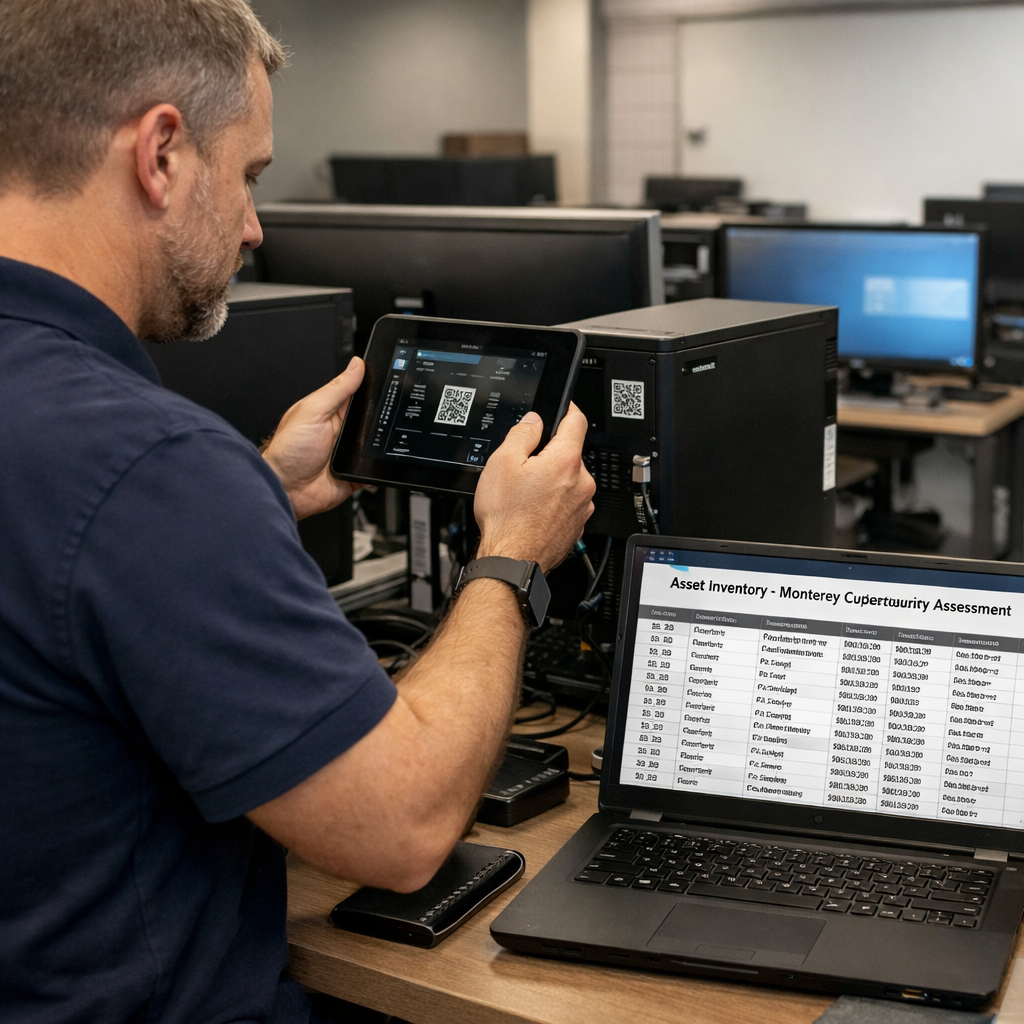
With the inventory in hand, you can now answer two key questions:
- Which assets are most critical?
- Where are the biggest gaps in protection?
This clarity will keep the Monterey cybersecurity assessment cost from ballooning due to “unknowns”.
Bottom line: A thorough asset inventory reduces assessment labor and keeps the Monterey cybersecurity assessment cost in check.
Step 3: Choose Assessment Methodology & Pricing Model
Now you have the data. The next decision is how the assessment will be done and how you’ll pay for it.
There are three common types of assessments:
- Vulnerability scan , automated tools that crawl your network for known flaws.
- Risk‑based review , experts weigh each finding against your business impact.
- Penetration test , a controlled attack that tries to break in.
Each type has a different price shape. A basic scan can be a few hundred dollars, a full risk‑based review often starts at a few thousand, and a penetration test can climb higher.
For most Monterey SMBs, a risk‑based review offers the best balance of depth and cost. It gives you a clear roadmap without the high price of a full‑scale pen test.
Watch the video above to see how a risk‑based review turns raw scan data into actionable steps.
Pricing models also vary:
- Flat‑fee , one price for the whole project, good for budgeting.
- Per‑device , you pay a set amount for each device scanned.
- Hourly , you pay for the time the experts spend.
Flat‑fee is usually the simplest for SMBs. It avoids surprise charges if the assessor finds more devices than you thought.
When you talk to a vendor, ask for a price break‑down. A good provider will show you exactly how many hours, how many scans, and what deliverables are included.
One more tip: Some providers, like SRS Networks, offer a free assessment that includes a customized IT optimization plan. That can shave off the entire assessment fee, making the cost effectively zero.
Bottom line: Choose a methodology that matches your risk level and a pricing model that gives you cost certainty.
Step 4: Review Findings and Plan Ongoing Security Services
When the assessment is done, you’ll get a report. The report should list each finding, its risk rating, and a recommended fix.
Focus on the top three findings first. Those are the items that could cause the biggest loss if left unchecked.
For each recommendation, ask for a clear implementation plan:
- What exact steps are needed?
- Who will do the work , you or the provider?
- What is the timeline and cost?
Most SMBs end up adding ongoing services after the initial check. Managed detection and response (MDR), regular patch management, and quarterly reviews keep the security posture strong.
Look for a provider that can bundle these services at a predictable monthly rate. That turns a one‑time cost into a manageable subscription.
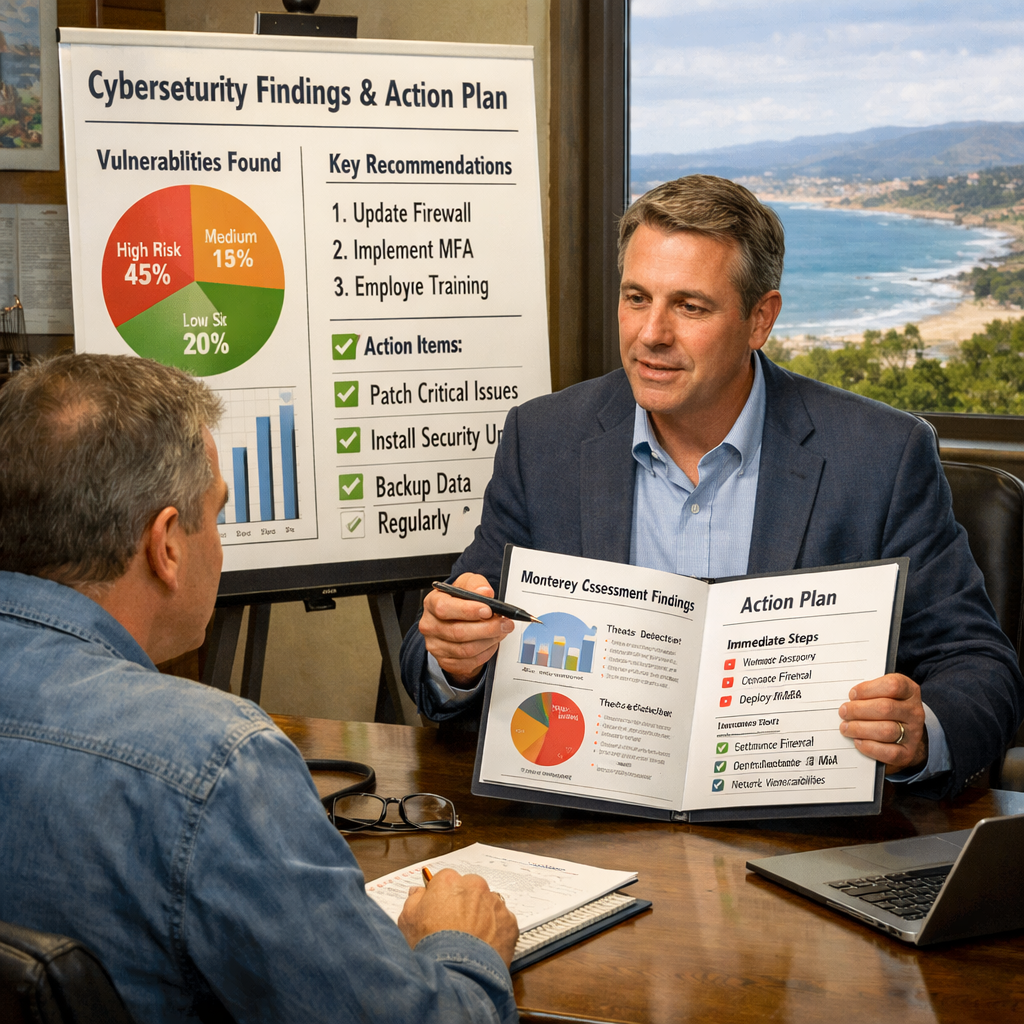
Here’s a simple way to turn the findings into a roadmap:
- Assign an owner for each recommendation.
- Set a target date (e.g., 30 days for critical patches).
- Track progress in a shared tracker.
By keeping the plan visible, you reduce the risk of “forgotten fixes” that could later raise your assessment cost.
When you pick a provider for ongoing services, compare three things: response time, coverage (network, endpoint, cloud), and cost per device. A local partner like SRS Networks knows the Monterey regulatory climate, which can save you time and money.
Bottom line: A clear post‑assessment roadmap and a managed service plan protect your investment and keep future costs predictable.
FAQ
What factors most affect Monterey cybersecurity assessment cost?
The biggest drivers are the number of users, devices, and locations you have, plus any industry‑specific compliance needs. A simple, single‑site shop with under 50 users will pay far less than a multi‑site retailer with 200 users. Adding HIPAA or PCI‑DSS requirements can add a few thousand dollars because the assessor must produce audit‑ready reports.
Can I get a free cybersecurity assessment in Monterey?
Yes. SRS Networks offers a no‑charge security assessment that includes a customized IT optimization plan. This free option is unique in the market and lets you see the value before any spend.
How often should my business do a cybersecurity assessment?
Most experts recommend an annual review, especially if you add new devices, users, or software. If you run a regulated business, yearly assessments may be a compliance requirement. An annual check keeps the Monterey cybersecurity assessment cost predictable and catches new risks early.
What is the difference between a vulnerability scan and a risk‑based review?
A vulnerability scan is an automated sweep that finds known software flaws. A risk‑based review adds context , it weighs each flaw against how critical the affected system is to your business. The latter usually costs more but gives you a clear action plan that aligns with budget priorities.
Do I need a penetration test for my SMB?
Only if you handle highly sensitive data or run critical infrastructure. Pen tests simulate a real attack and can be pricey. For most Monterey SMBs, a risk‑based review plus regular scans provide enough protection without the high cost.
How can I keep ongoing security costs low after the assessment?
Choose a managed service provider that offers flat‑fee monthly packages covering patch management, endpoint protection, and 24/7 monitoring. Bundle services, use a local partner who knows regional regulations, and keep the asset inventory up to date to avoid surprise fees.
What should I look for in the assessment report?
Look for a risk rating (high, medium, low), clear remediation steps, an owner for each task, and a timeline. The report should also include a cost estimate for each fix so you can budget the next steps without surprise.
Conclusion
Estimating Monterey cybersecurity assessment cost doesn’t have to be a guess. By defining your scope, gathering a solid asset inventory, picking the right methodology, and planning ongoing services, you turn a vague expense into a clear, manageable investment.
Remember the free offer from SRS Networks , a no‑cost assessment that delivers a customized optimization plan. That can cut the initial Monterey cybersecurity assessment cost to zero and give you a roadmap for future spending.
If you’re ready to protect your business without breaking the bank, start by filling out an asset list, then reach out for a free consultation. A local partner who knows Monterey’s unique business landscape will help you stay secure and compliant.
Take the first step today , schedule a no‑obligation assessment with SRS Networks and see how a clear plan can safeguard your growth.
Contact us now to start your free risk assessment.






