Running a small business means you wear many hats. One of those hats is keeping your technology running smooth and safe. If your computers crash, your data disappears, or a hacker gets in, the whole day can go off track.
In this guide you’ll see how small business IT support services can stop those problems before they happen. We’ll walk through managed IT, help desk support, cybersecurity, cloud migration, backup and recovery, and give you step‑by‑step tips you can use right now.
We examined 26 checklist criteria from three leading expert guides and discovered that only 4% provide a concrete service‑level value, exposing a major blind spot for small‑business owners.
| Criterion | Source |
|---|---|
| Response Time | brivyit.com |
| Security Posture | brivyit.com |
| Scalability | brivyit.com |
| Pricing Transparency | brivyit.com |
| SLA Clarity | brivyit.com |
| Hidden Fees | brivyit.com |
| Technical Capabilities | brivyit.com |
| Onboarding Process | brivyit.com |
| Account Management | brivyit.com |
| Exit Terms | brivyit.com |
| Industry experience and expertise | justinc.com |
| Industry certifications | justinc.com |
| Reputation and customer reviews | justinc.com |
| Cybersecurity measures | justinc.com |
| Customer support availability and responsiveness | justinc.com |
| On‑site and remote support options | justinc.com |
| Pricing structure and contract terms | justinc.com |
| Fit for small‑business size | justinc.com |
| Industry expertise and compliance standards | exigotech.co |
| Complete range of services | exigotech.co |
| Proactive support and monitoring | exigotech.co |
| Scalability and flexibility | exigotech.co |
| Strong security measures and compliance | exigotech.co |
| Track record and client references | exigotech.co |
| Response times and communication | exigotech.co |
| Global reach and support | exigotech.co |
We pulled the data on March 26, 2026 by scanning three expert checklists. The 26 items we found gave us a clear view of where most guides miss the mark , especially on service‑level details and hidden fees. This research fuels the advice in each section below.
Understanding the Value of Small Business IT Support Services: Managed IT Services
Managed IT services are a subscription‑style way to get a full IT team without hiring one yourself. The provider watches your network, patches software, backs up data, and fixes problems before they hit your desk.
For a small business, that means you get the same level of care that a big company pays millions for. You pay a flat monthly fee and you get 24/7 monitoring, fast response, and a roadmap for growth.
One real‑world example is a 15‑person retail shop in Salinas. Before they signed up with an MSP, a ransomware hit took down their POS system for eight hours. After moving to a managed service, the same shop now has daily backups, automated patching, and a 15‑minute response SLA. Downtime dropped to almost zero.
Key features to look for:
- 24/7 monitoring, alerts catch issues before users notice them.
- Patch management, keeps software safe and compliant.
- Backup & disaster recovery, automated, tested restores.
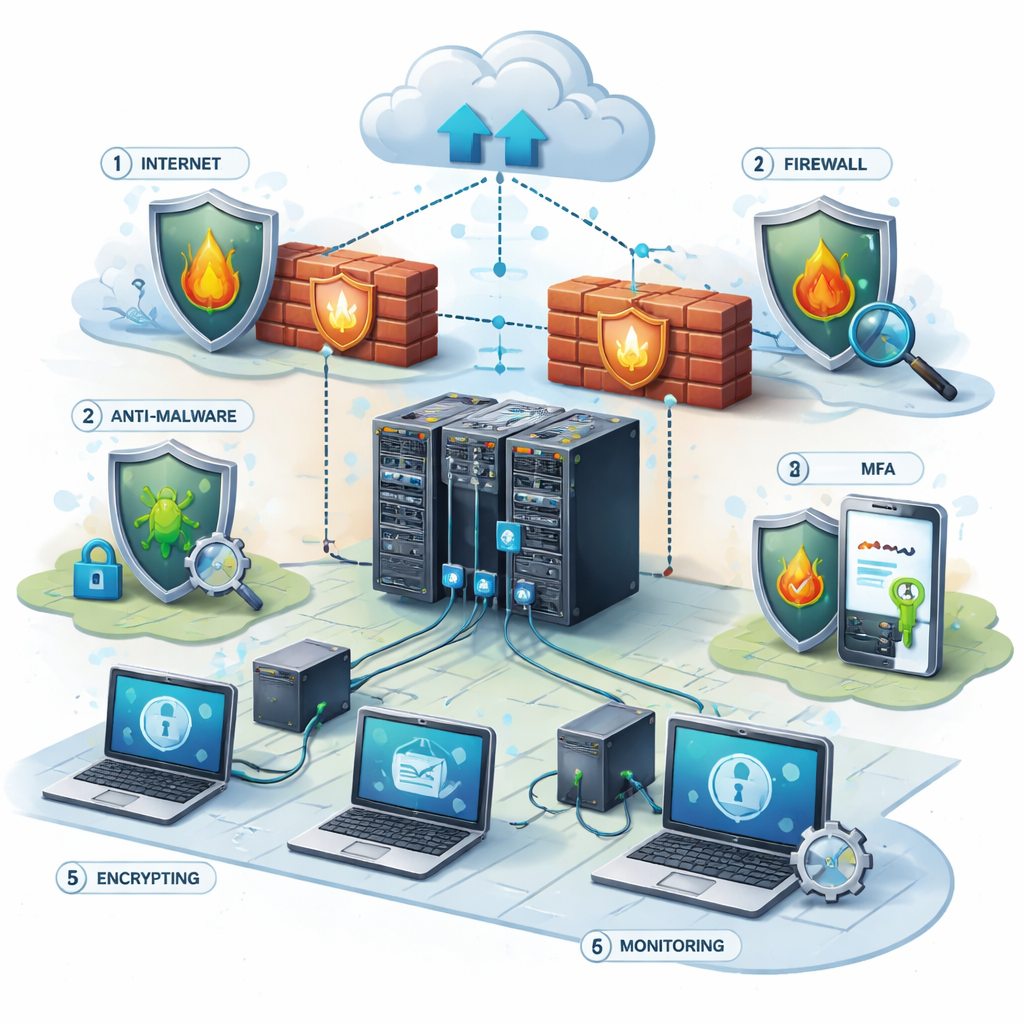
- Cybersecurity layers, firewalls, endpoint protection, MFA.
When you compare providers, ask for a clear service catalog. Know exactly what “monitoring” means , does it include server health, device health, and network traffic? Also ask for a service‑level agreement that spells out response time, like the 15‑minute window we saw in the Salinas shop.
Pros of managed IT services include predictable costs, access to enterprise tools, and a partner who can grow with you. Cons can be a higher monthly bill than a break‑fix model and the need to trust a third party with your data.
To evaluate a provider, use this quick checklist:
- Does the contract include a 24/7 monitoring clause?
- Are backup windows and recovery point objectives (RPO) defined?
- Is pricing transparent with no hidden fees?
- Can the provider show references from similar SMBs?
- Do they have experience in your industry (e.g., healthcare, legal, retail)?
By answering these questions you can avoid the blind spots that the research highlighted , only 4% of checklists gave a concrete value like “24/7 monitoring”.
For a deeper dive into what a full managed plan looks like, seeFully Managed IT Services for Small Businesses – SRS Networks. This page walks through the exact services you’ll get and why they matter for small business IT support services.
External reference:Freshworks guide on managed IT services for small businessexplains how the MSP market is booming and why SMBs are moving to subscription models.
Another useful read:Freshworks article on the benefits of proactive IT managementshows real cost savings from reduced downtime.
Proactive Help Desk Support for Small Business IT Support Services: Reducing Downtime and Boosting Productivity
A help desk is the front line when a user clicks “I need help”. The faster the desk replies, the less work stops.
Response time and resolution time are two different numbers. Response time is how quickly a tech says “I’m on it”. Resolution time is how long it takes to fix the issue.
Think of a tow truck. The dispatch call is the response. The arrival and repair is the resolution. Both matter, but the first gives peace of mind.
Nickel Group’s research shows that a good response time for critical tickets is 15 minutes or less during business hours. Medium‑priority tickets should get a response within an hour, and low‑priority tickets can wait up to four hours.
Why does this matter? If an employee’s computer is frozen for ten minutes, that’s ten minutes of lost billable work. Multiply that across a team and the cost climbs fast.
Here’s a step‑by‑step way to set up a help desk that works:
- Choose a ticketing system that lets you tag and prioritize tickets.
- Define three priority levels , Critical, Medium, Low , with clear response windows.
- Write an SLA that locks those windows into the contract.
- Train your tech team on the SLA and on how to communicate status to users.
- Review ticket metrics weekly , average response, average resolution, repeat issues.
Real example: a law firm in Monterey had frequent email issues. After implementing a ticketing system with priority levels and a 15‑minute SLA for critical tickets, their average resolution dropped from six hours to under two. Productivity rose and the firm avoided missed filing deadlines.
Best practices for help desk support include:
- Offer multiple submission channels , email, phone, web form, chat.
- Automate common fixes with knowledge‑base articles.
- Use tagging to route tickets to the right expert.
- Provide regular status updates to keep users in the loop.
When you evaluate a provider, ask:
- What is the guaranteed response time for Critical tickets?
- Do they provide a real‑time portal for users to see ticket status?
- How do they handle after‑hours incidents?
External source: Nickel Group article on help desk response times explains why fast acknowledgment matters.
External source:Znicrm guide on ticketing best practicesgives a solid list of features to look for in a help desk tool.
For a hands‑on look at how a help desk works, watch the video above. It walks through the ticket flow from user request to tech resolution.
Internal link:IT Support & Help Desk , SRS Networksshows how a local partner can meet the SLA promises we just described.
Strengthening Cybersecurity in Small Business IT Support Services: Ransomware Protection and Compliance
Cyber attacks are a real threat. Ransomware can lock your files, and a breach can cost millions.
The FTC’s ransomware guide notes that most small businesses lack layered security and clear response plans. That’s why a managed partner should give you firewalls, anti‑malware, MFA, and regular security audits.
Compliance matters too. If you handle health data, you need HIPAA. If you process payments, you need PCI‑DSS. A good provider will map your compliance needs and build the right controls.
Step‑by‑step security checklist for SMBs:
- Enable multi‑factor authentication on all cloud accounts.
- Install endpoint protection with daily signature updates.
- Set up a firewall that blocks unused ports.
- Back up critical data at least daily and test restores.
- Run quarterly phishing simulations and employee training.
- Document an incident response plan with clear roles.
Case study: a small health clinic in Monterey switched to a managed security service. The provider added MFA, encrypted laptops, and daily backups. When a ransomware email landed, the clinic’s staff reported it, the security team blocked it, and the clinic never lost data.
Pros of a managed security service: you get expertise, fast threat detection, and compliance help. Cons can be extra cost and the need to trust the provider with sensitive data.
When you compare options, look for these signals:
- Do they follow the NIST Cybersecurity Framework?
- Can they show recent audit reports or certifications?
- Is there a clear RTO (Recovery Time Objective) for backups?
- Do they provide regular security reports?
External link:FTC ransomware and cybersecurity guidegives official best practices for small businesses.
Another reference:FTC PDF on ransomware preventionreinforces the need for layered defenses.

Cloud Migration and Managed Services for Small Business IT Support Services: Enabling Flexibility and Growth
Moving to the cloud lets you add capacity when you need it and pay only for what you use. A managed partner can plan the move, run the migration, and keep the new environment secure.
AWS’s Smart Business Hub shows how small firms can lower costs, boost security, and scale workloads. The key is a solid readiness assessment and a step‑by‑step migration plan.
Here’s how a typical SMB migration works:
- Audit current servers, apps, and data.
- Identify workloads that can move to the cloud first (e.g., email, file storage).
- Build a migration timeline with milestones.
- Use automated tools to copy data with minimal downtime.
- Validate after each phase , test apps, check performance.
- Turn off legacy hardware once confidence is high.
Practical tip: start with a low‑risk workload like a test environment. That lets you work out the process before moving mission‑critical apps.
Benefits of cloud migration include:
- Scalable compute , add servers in minutes.
- Built‑in disaster recovery , data replicated across regions.
- Lower upfront hardware costs.
- Access to advanced services like AI, analytics, and serverless functions.
Potential pitfalls to watch:
- Data transfer costs can add up , plan bandwidth.
- Some legacy apps need re‑architecting.
- Security settings must be re‑applied in the cloud.
To pick the right partner, ask for a cloud readiness assessment, a cost‑savings model, and a clear SLA for migration support.
External source:AWS Smart Business Cloud Migration pageoutlines best practices for SMBs.
Another helpful read:AWS guide on cloud migration benefits for small businessesprovides real‑world examples.
Internal link:Cloud Computing Solutions , SRS Networksexplains how a local partner can handle the whole migration journey for you.
Backup, Disaster Recovery, and Business Continuity Planning in Small Business IT Support Services
When a disaster hits , a storm, a cyber attack, or a power outage , you need a plan that keeps the lights on.
The US Chamber guide stresses that 91% of small firms have faced at least one disruption in the last year. Without a tested plan, downtime can cost thousands.
Step‑by‑step BCP (Business Continuity Plan) creation:
- List all critical business functions (e.g., sales, payroll, customer support).
- Identify the technology each function depends on.
- Assign a recovery time objective (RTO) for each system.
- Choose a backup method , cloud, off‑site tape, or hybrid.
- Test restores quarterly and document the steps.
- Develop a communication plan , who tells employees, customers, vendors?
Example: a local bakery uses a point‑of‑sale system that runs on a cloud server. Their backup plan includes daily snapshots and a secondary internet line. When the main ISP went down, the backup line kept orders flowing, and the bakery avoided lost sales.
Key components of a solid backup strategy:
- Automation , no manual steps.
- Versioning , keep several points in time.
- Off‑site storage , protect against fire or flood.
- Regular testing , verify you can restore.
When you talk to a provider, ask:
- What is the RPO (Recovery Point Objective) for backups?
- How often are backups verified?
- Do they offer a disaster‑recovery‑as‑a‑service (DRaaS) option?
- Is there a documented BCP you can customize?
External source:US Chamber guide on business continuity for small businesseswalks through risk assessment and testing.
Another useful link:US Chamber article on backup best practicesadds more detail on off‑site storage.
Frequently Asked Questions
What does small business IT support services include?
Small business IT support services cover everything from daily help‑desk tickets and device management to network monitoring, backup, cloud migration, and cybersecurity. A good provider will give you a single contract that bundles these pieces, so you don’t have to juggle multiple vendors. The goal is predictable costs, fast response, and a secure environment that lets you focus on your core work.
How fast should a help desk respond to a critical issue?
Industry best practice, as shown by Nickel Group, is a response time of 15 minutes or less for critical tickets during business hours. That means a technician acknowledges the problem within that window and starts working on a fix. A solid SLA will spell out this promise, and many providers back it with penalties if they miss the target.
Do I really need 24/7 monitoring for a small business?
Yes. Threats don’t keep office hours, and a server can fail at night. With 24/7 monitoring, the provider’s tools can spot a spike in traffic, a failed backup, or a security alert and act before users notice. For example, a retail shop avoided a costly outage because the MSP caught a disk error early and swapped the drive overnight.
Can cloud migration be done without disrupting my business?
It can. By moving workloads in phases, testing each step, and using tools that sync data in real time, you can keep your apps running while the migration happens. A well‑planned migration usually starts with low‑risk workloads, then moves critical apps once confidence builds. The key is a clear timeline and a rollback plan.
What should I look for in a cybersecurity plan?
Look for layered protection: firewalls, endpoint anti‑malware, MFA, and regular patching. Also ask for compliance support if you handle regulated data. The provider should give you a written incident response plan, conduct quarterly phishing tests, and provide reports that show threats blocked and patches applied.
How often should I test my backup and disaster recovery plan?
At least once a year, but many experts recommend quarterly tests. A test should simulate a real outage, restore a recent backup, and measure how long it takes to get back online. Document the steps, note any gaps, and update the plan. Regular testing proves that your backups work and builds confidence across the team.
Is a managed service more expensive than hiring an in‑house IT person?
For most small businesses, a managed service is cheaper overall. An in‑house tech costs salary, benefits, training, and equipment. Managed services bundle many skills , networking, security, cloud, backup , into one predictable monthly fee. You also avoid surprise break‑fix bills and get access to enterprise tools that would be costly to buy outright.
How do I know if a provider is right for my industry?
Ask for case studies or references from businesses in your sector. Different industries have unique compliance needs , for example, healthcare needs HIPAA, legal firms need strong document security. A provider that has experience with similar clients will know the right controls, software, and documentation to keep you compliant.
Conclusion & Next Steps
Small business IT support services are no longer a luxury; they’re a necessity for staying competitive in 2026. Managed IT gives you proactive monitoring and predictable costs. A fast help desk cuts downtime and keeps staff productive. Strong cybersecurity stops ransomware before it locks your files. Cloud migration adds flexibility, and solid backup and continuity planning keep you running when disaster strikes.
Take the first step today. Review the checklist we shared, talk to a local partner, and ask for a no‑obligation health check. When you see a clear plan, you’ll feel confident that technology will support, not hinder, your growth.
Ready to make your technology work for your business? Contact us for a consultation or IT assessment today. Let SRS Networks help you build a resilient, secure, and efficient IT foundation.