

Flat‑rate pricing sounds simple, but the reality in Monterey can be confusing. A quick look at two local providers shows that the same price tag can hide very different feature sets and contract terms. In this guide, you’ll see exactly how to break down managed IT services pricing Monterey CA, compare the numbers you really care about, and walk away with a clear plan for the right partner.
We pulled data from the two most visible Monterey‑area providers on April 10, 2026. The comparison table below shows the key differences that matter to SMB owners.
| Name | Pricing Model | Service Tier | Included Features | Contract Length | Best For | Source |
|---|---|---|---|---|---|---|
| SRS Networks Managed IT Services (Our Pick) | Flat-rate monthly fee | flat-rate | Proactive remote monitoring and maintenance; Server management (remote and on‑site); Desktop endpoint management; Virtualization support (virtual machines); IT consulting and strategic planning; vCIO services; Complete IT assessments and roadmaps; Network and computer support; Security and threat mitigation | monthly | Best for complete IT strategy | srsnetworks.net |
| eSudo | flat-rate pricing | — | Microsoft 365 security & compliance, secure document sharing, email protection, endpoint security, legal software support (Clio, MyCase) | — | Best for Microsoft 365 security | esudo.com |
Step 1: Define Your Managed IT Service Needs
Before you can talk about managed IT services pricing Monterey CA, you need a solid picture of what your business actually uses and where the gaps are.
Start with a simple inventory. Write down every server, workstation, POS terminal, cloud app, and networking device you rely on. Give each item a quick score for impact, data‑risk, and how often you call for help. A 1‑2‑3 rating (high, medium, low) creates a heat map you can hand to any provider.
Next, interview the people who use the tech every day. Ask them what slows them down, what they can’t live without, and what they wish worked better. Their answers often reveal hidden costs that a hardware list alone would miss.
- Critical business apps (accounting, EMR, e‑commerce checkout)
- Data that must meet compliance (HIPAA, PCI, CCPA)
- Devices that see the most traffic or are most fragile
Imagine you run a boutique law firm in Monterey. Your case‑management software is mission‑critical, but your shared email server crashes often. By rating the case software as “high impact” and the email as “medium,” you’ll know the MSP must prioritize the former in any SLA.
Once you have that list, set clear performance goals. For example, aim for 99.9 % uptime on core apps, backup recovery within four hours, and a 15‑minute response time for critical tickets. Those numbers become the yardsticks you’ll use when you compare providers.
When you’re ready, on Cybersecurity Assessment Services for Salinas businesses. It walks you through building a risk‑based inventory that feeds directly into managed IT services pricing Monterey CA decisions.
Another useful , which explains why a proactive partner can save you time and money.
Finally, remember to ask yourself what you expect from an IT partner. Do you need 24/7 monitoring, a dedicated vCIO, or just help‑desk support? Your answers will shape the service tier you choose and keep managed IT services pricing Monterey CA from ballooning later.

Step 2: Break Down the Cost Components
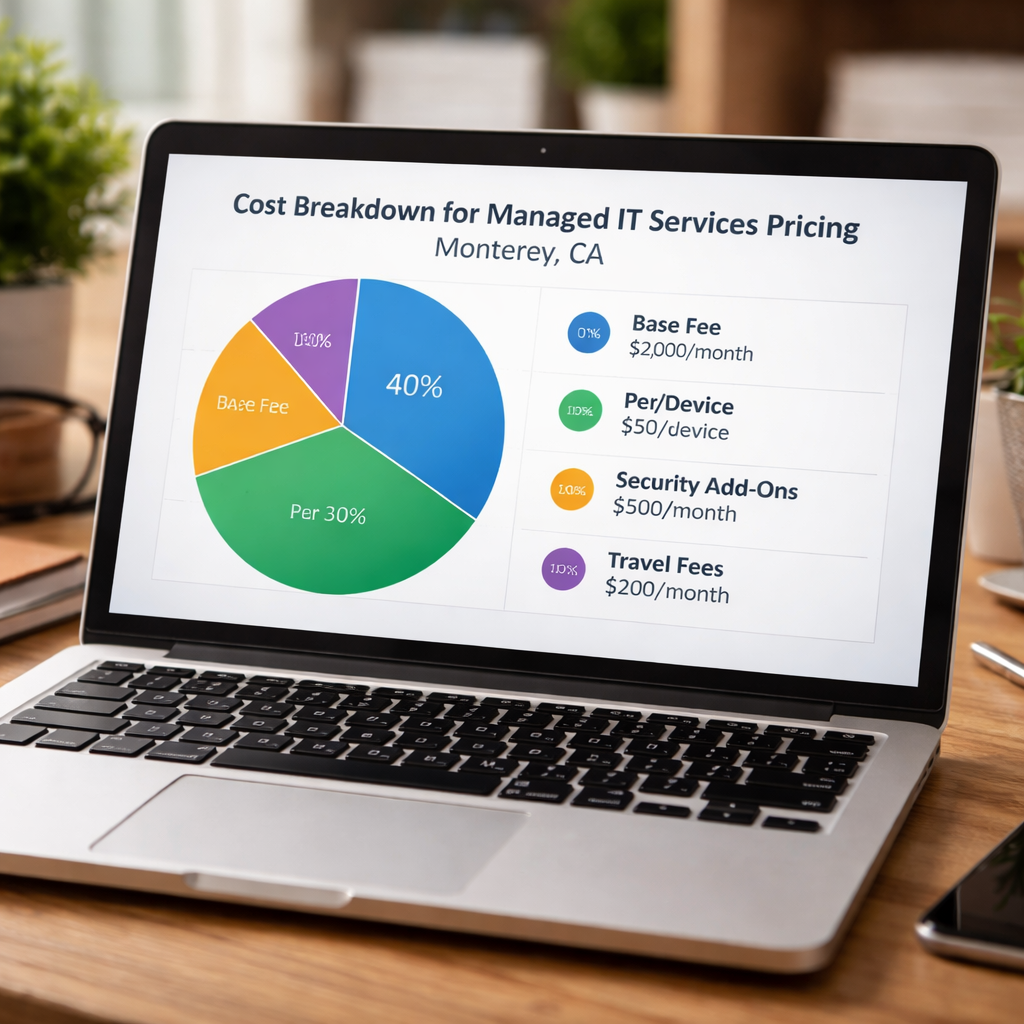
Now that you know what you need, it’s time to look under the hood of managed IT services pricing Monterey CA. The numbers you see on a quote are built from a handful of common components.
First, there’s the base flat‑rate fee. This is the predictable monthly charge that covers most of the day‑to‑day monitoring, patching, and help‑desk work. Providers like SRS Networks bundle a full suite of services into that single number, while others may charge a lower base and add fees for each extra feature.
Second, consider per‑device or per‑user add‑ons. The VC3 guide notes that per‑device pricing can range from $30 to $150 per month for servers, $50‑$100 for workstations, and $15‑$40 for switches. If you have 12 devices, that could add a few hundred dollars to the base fee.
Third, factor in specialized services such as cybersecurity testing, backup & disaster recovery, or cloud‑migration assistance. These are often billed as a separate line item, especially if you need compliance work like HIPAA or PCI‑DSS audits.
Fourth, watch for hidden costs: travel fees for onsite work, premium response‑time guarantees, or project‑based labor rates that can run $175‑$350 stresses that a clear, flat‑fee model eliminates many of these surprises.
Lastly, think about contract length. Some MSPs lock in a lower rate for a multi‑year deal, but you lose flexibility. SRS Networks is transparent about its monthly contract, while eSudo leaves the term blank, which can be a red flag.
Here’s a quick checklist you can use when you get a quote:
- Base flat‑rate fee (what’s included?)
- Per‑device / per‑user add‑ons
- Security & compliance add‑ons
- Travel or emergency onsite fees
- Contract length and renewal terms
For a deeper dive into how these pieces fit together, the VC3 Managed IT Services Cost guide walks through typical price ranges and the pros and cons of each model.
The PDF from Natividad also lists a sample RFP that shows how businesses request detailed cost breakdowns. It’s a good template if you want to ask providers for a line‑item estimate.
By mapping your inventory against these cost buckets, you’ll be able to compare any quote on an apples‑to‑apples basis and avoid surprise fees later.
Step 3: Compare Service Models and Pricing Structures
With the numbers in hand, you can start comparing service models. Managed IT services pricing Monterey CA generally falls into four buckets: per‑user, per‑device, tiered packages, and à la carte.
Per‑user pricing is great if each employee uses multiple devices , a laptop, phone, and tablet. You pay a flat amount per head, and the provider covers all the devices that person uses.
Per‑device works best for shared‑workstation environments, like a call center where many people log into the same terminal. You pay for each physical piece of hardware.
Tiered packages bundle services into Bronze, Silver, Gold levels. They give you predictable spend but you might pay for features you never use.
À la carte lets you cherry‑pick services. It offers flexibility, but the total can grow quickly if you add many items.
Here’s a quick side‑by‑side look at the pros and cons of each model:
| Model | Pros | Cons |
|---|---|---|
| Per‑User | Easy to budget, covers all devices per employee | Cost rises as headcount grows |
| Per‑Device | Good for shared hardware, clear hardware cost | May miss BYOD devices, can be pricey with many devices |
| Tiered Packages | Predictable monthly spend, built‑in upgrades | May include unused services, limited customization |
| À la Carte | Maximum flexibility, pay only for needed services | Hard to forecast total cost, can become expensive |
When you line up a provider’s offer against this grid, you’ll see why SRS Networks (Our Pick) stands out. Their flat‑rate monthly fee bundles nine core services, from proactive monitoring to vCIO consulting, under one price. That eliminates the need to add per‑device fees or à la carte add‑ons for basic security.
eSudo, on the other hand, focuses narrowly on Microsoft 365 security. If that’s all you need, the lower‑cost model might work, but most Monterey SMBs need broader coverage.
To lines shape these models, the Cybersecurity & Infrastructure Security Agency (CISA) outlines best practices for service contracts, and the NIST Cybersecurity Framework gives a solid baseline for what should be included in any managed‑IT agreement.
Below the video, we’ll walk through a sample pricing matrix you can copy into Excel. It shows how to calculate total cost for each model based on your own inventory.
Notice how the video highlights the importance of response‑time guarantees. That’s a key piece of the SLA that can turn a cheap base fee into a costly hidden charge if the provider can’t meet the promised windows.
One practical tip: ask any MSP to walk you through a recent high‑priority ticket. Their story will reveal if their response‑time claims line up with reality.
For a real‑world example, a mid‑size accounting firm in Monterey swapped to a flat‑rate tier with a dedicated vCIO. Within six months they saw a 40 % drop in ticket volume and no security incidents , a clear win for the bundled approach.
Remember, the right model aligns with how you work, not how the provider wants to sell.
Our next step is to make sure the security and compliance pieces are solid.
Step 4: Evaluate Security and Compliance Costs
Security is a non‑negotiable line item in any managed IT services pricing Monterey CA discussion. Even if you think your data is low‑risk, a breach can shut down operations for days.
Start by mapping the regulations that apply to your industry. Healthcare firms need HIPAA, legal offices look at client‑confidentiality rules, and retailers must meet PCI‑DSS for credit‑card data. Each standard brings its own set of required controls and reporting.
Most providers include basic endpoint protection and firewall monitoring in their base fee, but advanced threat detection, email encryption, and compliance reporting often come as add‑ons. The VC3 guide notes that advanced security tools can add $5‑$20 per user per month.
Ask any MSP for a security feature matrix. Look for:
- 24/7 endpoint monitoring with daily signature updates
- Security information and event management (SIEM) integration
- Regular vulnerability scans and patch management
- Incident‑response playbooks that meet your compliance timeline
Our Pick, SRS Networks, includes a full security suite , threat mitigation, daily monitoring, and compliance‑ready reporting , as part of its flat‑rate fee. That means you won’t see a surprise security surcharge later.
eSudo’s offering, by contrast, only covers Microsoft 365 security and a few document‑sharing controls. If you need broader coverage, you’ll have to purchase extra tools, raising the total cost.
For guidance on federal compliance, the NIST Cybersecurity Framework is a solid reference, and the Microsoft Security site explains how their tools integrate with MSPs.
When you get quotes, request a detailed security breakdown. Ask the provider to map each feature to a compliance requirement you have. That makes it easy to compare the true value of the flat‑rate bundle versus à la carte add‑ons.
One more tip: ask for a recent audit report or a mock‑phishing test result. It shows the provider’s real‑world capability, not just marketing copy.
Step 5: Build a Pricing Comparison Matrix
Now put everything you’ve learned into a single spreadsheet. A pricing comparison matrix lets you see side‑by‑side how each provider’s costs line up with the services you need.
Here’s a simple template you can copy. Fill in your inventory numbers, then plug in each provider’s rates.
| Component | SRS Networks (Our Pick) | eSudo | Notes |
|---|---|---|---|
| Base flat‑rate fee | $X per month (covers 9 core services) | $Y per month (covers 5 core services) | Our Pick offers more breadth for a similar price. |
| Per‑device add‑on (if any) | Included | — | eSudo does not list device fees, but may charge later. |
| Security add‑on | Included (threat mitigation, SIEM) | Microsoft 365 security only | Consider compliance needs. |
| Contract length | Monthly, transparent | Not disclosed | Hidden terms can lead to surprise renewals. |
| Response time SLA | 15 min critical, 1 hr high‑priority | Standard industry SLA | Fast response can save downtime costs. |
When you calculate the total monthly cost, include any anticipated add‑ons for compliance, backup, or extra devices. Then compare the final numbers against your budget ceiling.
For a real‑world example, a Monterey dental practice used the matrix to compare three local MSPs. They found that while Provider A had a lower base fee, its per‑device charges pushed the total $600 higher than SRS Networks’ flat‑rate bundle. The practice chose SRS Networks and saved roughly 20 % on annual IT spend.
To make the matrix even more useful, add columns for “Pros,” “Cons,” and “Fit Score” (1‑5). That turns a simple cost list into a decision‑making tool.
Finally, remember to revisit the matrix every 12 months. Your tech stack will grow, and pricing models evolve. A quarterly review keeps you from slipping into hidden‑cost territory.
Ready to build your own? Grab a copy of the Adaptive IS managed‑IT providers near‑me guide for a quick start.
Frequently Asked Questions
What does managed IT services pricing Monterey CA usually include?
Most flat‑rate plans bundle remote monitoring, patch management, help‑desk support, and basic security. Advanced services like backup, disaster recovery, and compliance reporting may be add‑ons. Look for a clear list of included features so you can compare the nine services SRS Networks offers versus the five that eSudo lists. Knowing what’s in the base fee helps you avoid surprise charges later.
How can I tell if a provider’s contract length is hidden?
Read the fine print. If a provider mentions “flat‑rate pricing” but does not state the contract term, that’s a red flag. SRS Networks specifies a month‑to‑month contract, giving you flexibility. Ask any MSP to spell out renewal terms, early‑termination fees, and any price‑increase clauses before you sign.
Is per‑user pricing better than per‑device for my business?
It depends on device usage. If each employee uses a laptop, phone, and tablet, per‑user pricing often saves money because the provider covers all devices under one employee fee. If you have many shared workstations and few users, per‑device can be cheaper. Use the cost‑breakdown guidance from VC3 and map your inventory to decide.
What security features should I expect in a flat‑rate package?
A solid flat‑rate package should include 24/7 endpoint monitoring, daily threat signature updates, firewall management, and regular vulnerability scans. SRS Networks bundles nine security‑related services, while eSudo focuses only on Microsoft 365 security. Make sure the provider’s security suite aligns with any industry compliance you must meet.
How do I evaluate SLA response times?
Look for clear response‑time definitions for each priority level. Critical issues should get a response within 15 minutes and a resolution plan within an hour. Medium tickets might allow a one‑hour response. Verify that the SLA is part of the contract and that penalties exist for missed windows. This protects you from hidden downtime costs.
Can I start with a basic plan and add services later?
Yes, a scalable tiered model lets you begin with core monitoring and help‑desk support, then add backup, advanced security, or cloud management as you grow. SRS Networks offers a flexible flat‑rate tier that can be expanded without renegotiating a new contract, which helps you keep costs predictable.
What should I look for in a provider’s reporting?
Monthly health reports, ticket activity logs, and asset lifecycle updates are essential. They show you what’s being managed and help you spot trends. Ask for a sample report during the evaluation phase. Consistent reporting also makes it easier to track SLA compliance.
How often should I review my managed IT services pricing?
Technology needs change, so schedule a review at least once a year. Compare actual usage against the original matrix, check for new compliance requirements, and ask the provider about any upcoming price changes. An annual review keeps you from paying for unused services or missing out on new features.
Conclusion & Next Steps
Understanding managed IT services pricing Monterey CA isn’t a mystery once you break it down. You start by defining your exact tech needs, then unpack the cost components, compare pricing models, verify security and compliance, and finally build a side‑by‑side matrix. Doing this work turns vague quotes into clear, data‑driven decisions that protect your uptime, your data, and your bottom line.
Take the first step today: inventory your devices, set your performance goals, and reach out to a trusted local partner. A transparent, flat‑rate plan like SRS Networks Managed IT Services can give you the peace of mind to focus on growth instead of fire‑fighting.
Ready to make your technology work for you? Contact SRS Networks for a free assessment and see how a reliable managed‑IT partner can boost productivity, tighten security, and keep costs predictable.






