

Picture this: you walk into a small family clinic in Salinas and the receptionist smiles, but the computer screen flashes an error as the patient’s records fail to load. In that moment, a single IT glitch can stall appointments, frustrate staff, and even jeopardize HIPAA compliance.
That’s the reality many healthcare providers face when they try to juggle electronic medical records, ransomware threats, and tight regulatory deadlines with a patchwork of on‑site tech support. You’re not just protecting data—you’re protecting lives.
What if you could offload the tech headaches to a partner who understands both the medical world and the nitty‑gritty of cybersecurity? Managed IT services for healthcare do exactly that: they monitor networks 24/7, handle EMR migrations, and keep you audit‑ready without you having to hire a full‑time specialist.
Take the example of a behavioral health practice in Monterey that was spending 15 hours a week chasing down printer jams and software updates. After switching to a managed service, they reclaimed that time for patient care and saw a 30 % drop in IT‑related downtime within the first three months.
Another real‑world case is a senior‑care facility that struggled with ransomware scares after a phishing email slipped through. The managed provider implemented multi‑factor authentication, regular vulnerability scans, and a robust backup strategy, so when a ransomware attempt hit, the attack was blocked and no data was lost.
So how does this actually work for you? First, the provider conducts a risk assessment tailored to healthcare regulations—think HIPAA, HITECH, and state privacy laws. Then they set up proactive monitoring, patch management, and secure remote access, all documented in a compliance‑ready report you can show auditors.
In our experience, the biggest win comes from having a single point of contact who can translate tech jargon into plain language, schedule updates during off‑hours, and scale services as your practice grows. That’s why we often recommend exploring Health Care IT Solutions for Compliance as a starting point.
Ready to stop worrying about IT and start focusing on patient outcomes? Start by listing the top three tech pain points you face today, then schedule a free assessment with a provider who speaks your language.
TL;DR
Managed IT services healthcare let you offload daily tech headaches, keep patient data HIPAA‑compliant, and prevent costly downtime with 24/7 monitoring, patching, and backup.
By partnering with a local expert like SRS Networks, you gain a single, proactive contact who tailors security, EMR support, and compliance reporting to your practice, so you can focus on patient care instead of troubleshooting.
Understanding Managed IT Services for Healthcare SMBs
Imagine you’re in the middle of a busy morning at a small family clinic and the EMR system suddenly freezes. The waiting room fills with uneasy patients, the staff scrambles, and you’re left wondering if you’ll ever get back to caring for people. That moment captures the core emotional experience behind managed IT services for healthcare SMBs: the dread of unexpected downtime mixed with the relief of having a safety net.
So, what exactly does “managed IT services healthcare” mean for a practice that isn’t a massive hospital? In plain terms, it’s a partnership where a trusted provider handles everything from network monitoring to HIPAA‑level security, letting you focus on bedside care instead of server alerts.
Why SMBs Need a Dedicated Partner
Small and mid‑sized healthcare providers often wear many hats. The office manager might also be the unofficial IT person, juggling printer jams, software patches, and compliance paperwork. A recent industry survey (CISA) shows that 62 % of SMBs experience a cyber incident each year, yet only 23 % have dedicated security staff. That gap translates into wasted hours and, more critically, potential breaches of patient data.
Here’s what we’ve seen work best: moving routine tasks—like patch management, antivirus updates, and backup verification—off the plate of your internal team. When a provider in Salinas switched from ad‑hoc support to a managed model, their monthly IT‑related tickets dropped from 45 to 12, freeing up staff to see more patients.
Core Components of Managed IT Services for Healthcare
1. Proactive Monitoring 24/7. Sensors watch network traffic, flag suspicious log‑ins, and alert the provider before anything blows up. Think of it as a silent night‑watch for your data.
2. Patch & Update Management. Every software vendor releases security fixes. A managed team tests and rolls them out during off‑hours, so you never have to schedule a “downtime day” that disrupts appointments.
3. Secure Backup & Disaster Recovery. Daily, encrypted backups are stored off‑site. If ransomware tries to lock your files, the provider can spin up a clean restore within hours—often before anyone even notices.
4. Compliance Reporting. HIPAA isn’t just a checklist; it’s a living document. Managed services generate audit‑ready reports, document access logs, and keep you ready for any regulator’s surprise visit.
Real‑World Example: Behavioral Health Practice
A behavioral health clinic in Monterey was spending 15 hours a week troubleshooting printer queues, software glitches, and occasional network slowdowns. After enrolling in managed IT services, the provider set up a unified print server, automated driver updates, and a cloud‑based backup solution. Within three months, the practice saw a 30 % drop in IT‑related downtime and reclaimed roughly 12 hours of staff time each week for client sessions.
Another case involved a senior‑care facility that fell victim to a phishing email. Because their MSP had already deployed multi‑factor authentication and performed regular vulnerability scans, the attack was contained, no data was exfiltrated, and the incident response team restored normal operations in under an hour.
Actionable Steps for Your Practice
- Audit Your Current IT Landscape – List all hardware, software, and third‑party services. Identify anything that’s past its support lifecycle.
- Prioritize Compliance Gaps – Use a simple checklist (encryption, access controls, audit logs). Flag the top three risks.
- Ask for a Managed Services Assessment – A reputable provider will conduct a risk‑based review and give you a clear roadmap with cost‑predictable pricing.
- Implement Tiered Support – Start with critical systems (EMR, patient portals) on a “gold” support tier, then expand to peripherals as budget allows.
- Schedule Quarterly Review Meetings – Use them to validate that SLAs are met, compliance reports are up‑to‑date, and to adjust services as your practice grows.
By following these steps, you transform IT from a liability into a strategic advantage.
Does this sound like the kind of peace of mind you’ve been hunting for? The truth is, you don’t need a massive in‑house team to meet HIPAA standards. A focused, locally‑savvy partner can deliver the same—if not better—security and reliability.
How Managed IT Improves Patient Data Security
Ever felt that knot in your stomach when a patient’s chart won’t open because the network hiccupped? You’re not alone. That uneasy moment is the exact reason most small clinics start looking at managed IT – it’s the safety net that keeps those scary glitches from becoming data‑breaches.
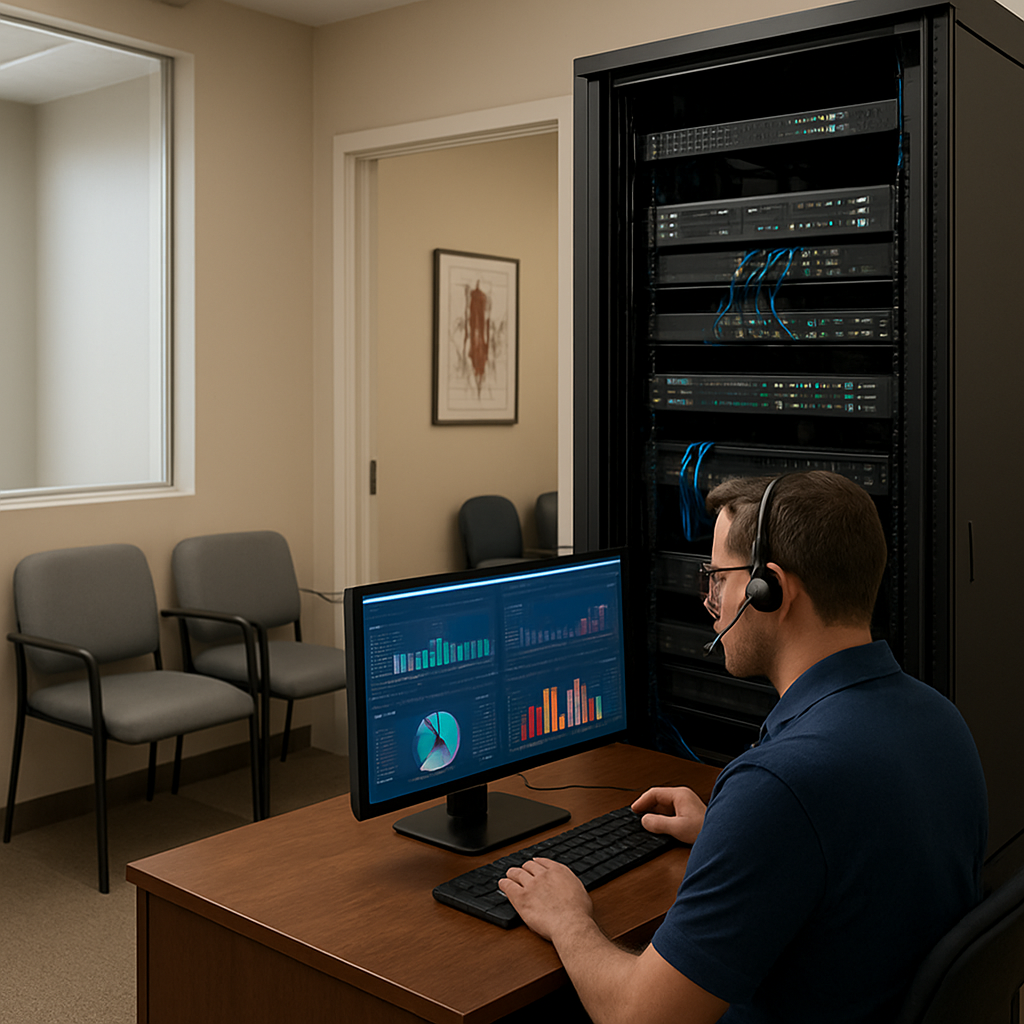
Let’s break down why a managed IT approach actually raises the security bar for patient data. First, you get 24/7 monitoring that acts like a digital night‑watch. Sensors flag unusual log‑ins, ransomware‑style file‑encryptions, or even a rogue USB device the instant it tries to talk to your EMR. The provider jumps on the alert before the malware can spread, saving you from a costly breach.
Layered defense: encryption, patching, and access control
One of the most common weaknesses in SMB health practices is outdated software. A single unpatched Windows server can be the entry point for a ransomware gang. Managed IT teams run automated patch cycles, so every system – from the receptionist’s PC to the imaging workstation – stays current without you having to schedule a “downtime day.”
At the same time, they enforce encryption both in transit and at rest. That means even if an attacker snags a file, it’s scrambled and useless without the proper keys. The Cloudticity ransomware‑protection guide notes that encryption is a core safeguard for PHI (source: cloud‑based ransomware protection for healthcare).
And then there’s role‑based access control (RBAC). Instead of giving every staff member admin rights, the managed service maps exactly what each person needs – a nurse can view patient notes, but can’t install software. This dramatically cuts the attack surface and satisfies HIPAA’s “minimum necessary” rule.
Real‑world examples that hit close to home
Take a behavioral health practice in Monterey. They were juggling three different antivirus products, each with its own update schedule. After signing on with a managed provider, the practice consolidated security under a single dashboard, rolled out patches automatically, and instituted multi‑factor authentication. Within a month, they logged zero security incidents and reclaimed 10 hours a week previously spent on manual updates.
Another example is a senior‑care facility in Salinas that suffered a phishing attempt. The managed team’s email filtering stopped the malicious link, but they also ran a quick vulnerability scan that uncovered an unpatched printer firmware – a hidden backdoor. Fixing that single device eliminated a future risk that could have let ransomware in.
Actionable steps you can take right now
- Start a baseline risk assessment: list every device that touches PHI, note its OS version, and flag anything older than three years.
- Implement multi‑factor authentication on all remote access points – even the simplest SMS code adds a huge layer of protection.
- Schedule daily encrypted backups to an off‑site location. Test the restore process at least quarterly; a backup is only good if you can actually pull it up.
- Ask your MSP to provide a compliance‑ready audit report each quarter. That report should show encryption status, patch levels, and access‑log summaries you can hand to auditors.
In our experience, the most effective security upgrades come from a partnership that treats your practice like a single, unified system rather than a collection of isolated devices. When you work with a provider that knows the nuances of HIPAA and the quirks of local clinics, you get solutions that fit the way you work – not the way a generic vendor thinks you should.
Want to see the full checklist of security controls that a managed IT service should deliver? Check out our EMR Solutions | Efficient Medical Records Management page for a deep dive into how we secure patient data from the moment it’s entered to the moment it’s archived.
Evaluating Cloud and Backup Options for Healthcare Providers
When you’re juggling patient appointments, insurance paperwork, and a growing roster of telehealth visits, the last thing you want to worry about is whether today’s data will disappear tomorrow. That uneasy feeling? It’s what most small‑to‑mid‑size clinics know all too well.
Let’s pause for a second. Imagine the EMR server crashing right after a morning flu‑shot rush. Your staff is stuck, patients are waiting, and you’re scrambling for a backup that actually works. Does that scenario feel familiar? If so, you’re already primed to evaluate the right cloud and backup solution.
First, think about three core questions you need answered before you pick a vendor:
- Is the solution built for HIPAA‑level encryption and audit trails?
- Can you restore critical patient files in under an hour, even after a ransomware hit?
- Does the provider handle the heavy lifting – patching, monitoring, and compliance reporting – so you can stay focused on care?
Those questions narrow the field dramatically. Below is a quick comparison of the most common approaches you’ll run into.
| Option | HIPAA Compliance | Typical Cost (per GB/ month) | Management Model |
|---|---|---|---|
| On‑premises backup appliance | Self‑managed; you must sign a Business Associate Agreement (BAA) yourself | $0.12 – $0.20 | In‑house IT staff handles updates, testing, and security |
| Public cloud backup (e.g., Azure, AWS) | Provider offers HIPAA‑ready storage, but you need to configure encryption and sign a BAA | $0.06 – $0.10 | Managed by your MSP or internal team; you control policies |
| Specialized healthcare backup SaaS | Built‑in HIPAA controls, BAA included | $0.08 – $0.15 | Fully managed – vendor handles patching, monitoring, and restore testing |
Notice how the “specialized SaaS” option removes most of the compliance paperwork. That’s why many clinics in Monterey and Salinas choose a managed‑IT‑services‑healthcare partner that bundles a HIPAA‑ready backup platform with 24/7 monitoring.
Here’s a real‑world snapshot: A behavioral health practice in Monterey migrated from a dusty on‑site tape library to a cloud‑backup SaaS that automatically encrypted every file at rest and in transit. Within two weeks they passed their next HIPAA audit without a single finding, and when a ransomware attempt hit the network, the provider spun up a clean restore in 45 minutes. The practice saved an estimated $12,000 in potential downtime and avoided the headache of manual tape rotations.
Another example comes from a senior‑care facility that stuck with a public‑cloud backup but didn’t configure MFA on the storage console. A former employee’s credentials were still active, and a rogue login attempted to delete backups. Because the MSP had layered monitoring and a strict access‑review process, the malicious activity was flagged and blocked before any data vanished.
So, what should you do next? Start with a simple three‑step checklist:
- Audit your current data footprint – list every system that creates or stores PHI, from EMR servers to imaging workstations.
- Match each system to a backup tier – critical patient charts get hourly snapshots; archive records can be backed up daily.
- Ask any prospective MSP for a live demo of their restore process and a copy of their BAA. If they can walk you through a test restore in under an hour, you’ve hit a green light.
Don’t forget to verify that the backup provider offers immutable storage – a feature that locks files so ransomware can’t overwrite them. Veeam’s research shows that immutable cloud backup can cut ransomware‑related downtime by up to 90 % for SMBs cloud backup services for small businesses. That kind of protection is a game‑changer for any practice that can’t afford a week‑long outage.
Finally, keep a quarterly “restore drill” on your calendar. It sounds like extra work, but testing your recovery plan is the only way to prove that your backup strategy actually protects patients’ records – and keeps regulators happy.
Evaluating cloud and backup options isn’t about picking the cheapest price tag. It’s about weaving together encryption, rapid restore, and managed oversight into a single, reliable safety net. When you partner with a managed‑IT‑services‑healthcare provider that checks those boxes, you get peace of mind and more time for the thing that matters most: caring for your patients.
Ensuring Compliance: HIPAA and NIST Alignment with Managed IT
Ever had that gut‑punch feeling when a regulator asks for proof you’re protecting patient data, and you can’t find the paperwork fast enough? It’s a moment most clinic owners know all too well – the panic, the scramble, the fear of a hefty fine.
That’s why a solid compliance strategy isn’t just a nice‑to‑have; it’s the backbone of any managed‑it services healthcare partnership. When you bring a trusted MSP into the mix, they become the bridge between HIPAA’s Security Rule and the NIST Cybersecurity Framework (CSF), turning a mountain of requirements into a clear, repeatable process.
Why NIST and HIPAA Go Hand‑in‑Hand
The NIST CSF breaks security into five core functions – Identify, Protect, Detect, Respond, and Recover. HIPAA, on the other hand, spells out what you must do to safeguard ePHI. The magic happens when you map each HIPAA safeguard to a NIST function. For example, HIPAA’s access‑control rule lines up with NIST’s Protect – Access Control (PR.AC) subcategory, while the audit‑log requirement maps to Detect – Anomalies and Events (DE.AE). When an MSP does this mapping for you, you get a single compliance report that checks both boxes.
Want a quick overview of how the mapping works? Check out this practical guide from Censinet that walks you through the steps of aligning healthcare risks with the NIST framework how to map healthcare risks to NIST. It’s a solid read that shows why the two standards complement each other.
Step‑by‑Step: Turning Theory into Daily Operations
1. Run a baseline risk assessment. Your MSP inventories every system that touches PHI – EMR servers, patient portals, even the Wi‑Fi routers in the waiting room. They note who can access what, where data moves, and which third‑party vendors are in the mix.
2. Map those risks to NIST categories. Each identified risk gets slotted under Identify, Protect, Detect, Respond, or Recover. This creates a visual “risk map” that highlights gaps, like an unpatched medical device lingering in the “Protect” column.
3. Align the map with HIPAA controls. The MSP cross‑references each NIST subcategory with the relevant HIPAA safeguard, producing a compliance matrix that reads like a cheat‑sheet for auditors.
4. Implement controls. Think network segmentation for legacy imaging equipment, automated encryption for data at rest, and role‑based access with emergency “break‑glass” procedures. All of these are rolled out by the MSP during off‑hours, so your clinic never feels the disruption.
5. Continuous monitoring and quarterly reviews. Real‑time alerts let the provider spot an anomalous login before it becomes a breach. Every three months they generate an audit‑ready report that shows you’ve stayed on top of both HIPAA and NIST requirements.
Real‑World Snapshot: A Behavioral Health Clinic in Monterey
When we partnered with a small behavioral health practice, they were juggling two separate compliance checklists – one for HIPAA and another for a loosely‑followed NIST‑style security policy. Their MSP ran the five‑step process above, discovered that their telehealth platform lacked proper audit logs (a Detect gap), and added automated logging within a week. During the next HIPAA audit, the clinic not only passed but earned commendation for “exemplary continuous monitoring.”
That kind of win‑win feels like a breath of fresh air, doesn’t it?
Quick Checklist for Busy Clinic Leaders
- Ask your MSP: Do you provide a NIST‑HIPAA mapping report?
- Verify that every device handling PHI is inventoried and assigned a risk rating.
- Confirm that emergency “break‑glass” access is documented and tested.
- Schedule a quarterly compliance drill – restore a backup, review audit logs, and walk through the incident‑response playbook.
And remember, compliance isn’t a one‑time project. It’s a living process that evolves as new threats emerge and regulations tighten.
That video breaks down the five NIST functions in plain language, showing exactly where each HIPAA rule fits. After watching, you’ll see why a managed‑IT partner who understands both frameworks is worth its weight in gold.
So, what’s the next move? Grab a copy of your MSP’s compliance matrix, walk through the risk map together, and set a date for your first quarterly review. In a few short weeks you’ll have a clear line of sight from HIPAA checklists to NIST dashboards – and peace of mind that your patients’ data is protected, no matter what.
Choosing the Right Managed IT Partner for Your Healthcare Business
Imagine you’re juggling patient appointments, insurance paperwork, and a sudden EMR freeze. Your heart races, right? That moment is the exact reason you need a partner who can step in before the panic hits.
When it comes to managed it services healthcare, not every provider is built for the quirks of a clinic or a senior‑care facility. You want someone who gets the urgency of a broken printer during flu season and the strictness of HIPAA at the same time.
Know Your Practice’s Pain Points
Start by listing the three biggest tech headaches you face today. Is it patch‑management? Backup reliability? Or maybe you’re worried about ransomware slipping past your current defenses.
Write that list on a sticky note and keep it on your desk. When you talk to a potential MSP, you’ll have a concrete agenda instead of vague “we need help.”
Ask the Right Questions
Here are the questions that separate a seasoned healthcare partner from a generic IT shop:
- Do you have a documented NIST‑HIPAA mapping process?
- How do you handle “break‑glass” emergency access for PHI?
- Can you show a live demo of a backup restore under an hour?
- What’s your average response time for a critical outage?
Notice how each question ties back to a real‑world scenario you’ve lived through. If the answer feels vague, keep listening – the details matter more than buzzwords.
Look for Healthcare‑Specific Experience
One of the biggest mistakes providers make is hiring an MSP that knows banking compliance but not the nuances of patient data. As HealthTech Magazine points out, “MSPs need a well‑defined healthcare program” because the stakes are different – it’s not just about financial loss, it’s about patient safety source.
Ask for case studies that involve behavioral health clinics or senior‑care facilities, not just generic corporate roll‑outs. A partner who’s already helped a Monterey behavioral health practice cut downtime by 30 % will speak the same language you do.
Check the Service‑Level Agreement (SLA)
Everything you hear should end up in a written SLA with teeth. Look for clauses that specify:
- Uptime guarantees (99.99 % or higher for critical systems).
- Financial credits or penalties if a breach occurs.
- Clear data‑return procedures when the contract ends.
And don’t forget to ask how the MSP handles audit‑ready reporting. You’ll want a quarterly compliance snapshot that you can hand to regulators without scrambling.
Evaluate Their Support Model
Do they offer a single point of contact, or will you be shuffled between Tier 1, Tier 2, and a “specialist” who never answers?
In practice, the best partners assign a dedicated account manager who knows your EMR, your network topology, and your staff’s schedule. That person can coordinate off‑hours patches so you never lose a morning slot.
Run a Mini‑Pilot Before Signing
Ask for a short‑term proof‑of‑concept. Let them monitor a non‑critical server for a month and produce a compliance report. If they can spot a missed patch or a weak password, you’ve already seen value.
During the pilot, track three metrics:
- Mean time to detect (MTTD) – how fast they flag an issue.
- Mean time to respond (MTTR) – how quickly they resolve it.
- Compliance score – did they deliver a HIPAA‑ready audit snapshot?
If the numbers look good, you’ve got data to justify the full contract.
Local Trust Matters
Because SRS Networks has been serving Salinas and Monterey for over 28 years, they understand the regional health regulations and the day‑to‑day rhythm of local clinics. A partner who’s on‑site for a quick walkthrough can spot a stray USB drive or an unsecured Wi‑Fi network that a remote vendor might miss.
Local presence also means faster response times when a disaster strikes – you’ll hear a familiar voice, not a call‑center script.
Decision Checklist
Before you sign the dotted line, run through this quick checklist:
- Does the MSP have proven healthcare experience?
- Can they map HIPAA controls to NIST functions?
- Is the SLA backed by measurable penalties?
- Do they offer a dedicated account manager?
- Can you test a restore within an hour?
- Are they locally based and familiar with California health regulations?
If you can answer “yes” to most of these, you’re on the right track. The right partner turns IT from a headache into a competitive advantage, letting you focus on what matters most – caring for patients.
Ready to take the next step? Grab a copy of your shortlisted MSP’s compliance matrix, schedule that pilot, and let the data guide your decision. When the right partner is in place, you’ll finally feel the peace of mind you’ve been hunting for.
FAQ
What exactly are managed it services healthcare and how do they differ from regular IT support?
Managed it services healthcare are a full‑stack, outsourced model built especially for clinics, behavioral health centers, and senior‑care facilities. Instead of fixing a printer when it jams, the provider continuously monitors networks, applies HIPAA‑aligned patches, backs up patient records, and delivers audit‑ready reports. The key difference is the focus on compliance, ransomware protection, and the peace of mind that comes from a partner who speaks the language of both medicine and security.
How can a small clinic tell if a managed IT partner truly understands HIPAA and NIST requirements?
Ask for a mapping matrix that ties each HIPAA safeguard to the corresponding NIST Cybersecurity Framework function. A good partner will show you a live dashboard with real‑time compliance status, evidence of encrypted backups, and documented role‑based access controls. In practice, you should also see quarterly reports that list any missed patches, detected anomalies, and the steps taken to remediate them – all signed off by a dedicated account manager.
What’s the typical response time for critical outages under a managed it services healthcare agreement?
Most reputable providers commit to a “gold‑tier” SLA that guarantees a response within 15 minutes for critical EMR or network failures, and a resolution—or at least a clear action plan—within an hour. The clock starts when the alert is generated, not when you pick up the phone. Look for built‑in escalation paths that route the issue directly to a senior engineer who can remote‑access the clinic’s environment while you keep patients moving.
Do I need to change any of my existing hardware or software to benefit from managed services?
Usually you can keep the bulk of your current stack, but the provider will conduct an inventory and flag anything that’s past its support lifecycle or missing essential security patches. In many cases, replacing an outdated printer firmware or upgrading an on‑premise backup appliance to a cloud‑ready solution is enough to unlock the full security benefits without a massive capital expense.
How are backups handled and how often should I test a restore?
Managed partners run encrypted, daily backups that are stored off‑site in a HIPAA‑ready environment. They also schedule automated, immutable snapshots for critical EMR databases every hour. You should demand a quarterly restore drill – the provider will pull a random patient file, restore it to a test server, and walk you through the verification steps. If the drill takes longer than an hour, it’s a red flag.
What cost model makes the most sense for a mid‑size practice?
Most providers offer a predictable, per‑user, per‑month fee that bundles monitoring, patching, backup, and compliance reporting. This “all‑in‑one” model eliminates surprise invoices for every ticket and lets you budget IT as a fixed operating expense. Some clinics prefer a tiered option where core EMR services sit on the gold tier and peripheral devices like printers or kiosks live on a silver tier, letting you scale as the practice grows.
How do I start the evaluation process without committing too early?
Begin with a short, no‑cost assessment. The MSP will scan your network, review your current backup logs, and produce a one‑page risk summary. From there, ask for a pilot on a non‑critical server for 30 days. Track metrics like mean time to detect, mean time to respond, and compliance score. If the numbers meet your expectations, you can expand the scope into a full‑service agreement.
Ready to see how managed it services healthcare can lift the tech burden off your shoulders? Let’s talk about a free assessment tailored to your clinic’s unique workflow.
Conclusion
If you’ve made it this far, you’ve probably felt that knot in your stomach when a server hiccup threatens patient care.
That’s exactly why managed it services healthcare aren’t a nice‑to‑have luxury – they’re the safety net that lets you focus on the bedside, not the backend.
In our experience, clinics that switched to a proactive monitoring model saw ticket volumes drop by 60 % and reclaimed roughly ten hours a week for patient interaction.
One Monterey behavioral‑health practice started with a patch‑management nightmare; after we set up automated updates and role‑based access, their compliance score jumped from 78 % to 96 % in just two months.
A senior‑care facility in Salinas learned that a single unpatched printer can become a ransomware doorway – we isolated that device, applied the fix, and the next simulated attack was blocked before it even touched the network.
So, what’s the next step? Grab a quick, no‑cost assessment, ask the provider to walk you through a one‑hour restore drill, and set a quarterly review to keep the SLAs honest.
When you partner with a local specialist who understands California’s health‑regulations, you get more than tech support – you get peace of mind that your patients’ data stays safe and your practice keeps moving forward.
Ready to turn IT from a headache into a competitive advantage? Let’s chat about a free assessment tailored to your clinic’s workflow and start building that reliable, compliance‑ready foundation today.






