

Ever felt like your tech roadmap is a maze you keep walking in circles, only to hit a dead end when a new compliance rule pops up or a ransomware scare looms? That’s the exact spot where most small to mid‑size businesses in Salinas and Monterey start to wonder if they need a real strategic partner instead of just a reactive help desk.
That’s where it strategy consulting services step in. Think of it as having a seasoned co‑pilot who not only maps the flight plan but also checks the weather, fuels the engine, and makes sure the cockpit instruments are calibrated for your specific industry—whether you’re a dental practice juggling HIPAA, a boutique real‑estate firm handling sensitive client data, or an e‑commerce store trying to keep checkout speeds blazing fast.
In our experience, the first breakthrough comes from a candid audit of where you are today versus where you want to be in three to five years. For example, a local law firm we worked with discovered that their document management system was storing files on outdated on‑prem servers, which not only slowed access but also put them at risk of a data breach. By aligning their IT strategy with a cloud‑first approach, they cut retrieval times by 40 % and freed up budget for a robust backup solution.
A practical tip you can try right now: pull together a quick spreadsheet listing all critical applications, their current hosting environment, and any compliance requirements attached to them. Then, rank each item by business impact and security risk. This simple exercise often reveals hidden dependencies and gives you a solid talking point when you bring in a consultant.
When you bring a consultant on board, you want someone who can translate that spreadsheet into a roadmap that balances cost, risk, and growth. That’s why we recommend looking for a partner that offers IT Consulting | Strategic Advice by SRS—they blend local regulatory know‑how with hands‑on technical expertise, so you don’t end up with a cookie‑cutter plan that misses the nuances of Monterey’s healthcare compliance or Salinas’ retail seasonality.
Finally, set a cadence of quarterly reviews. Technology moves fast; a strategy that was solid in January might need tweaks by June after a new ransomware variant surfaces or a major vendor releases an update. Keeping the conversation alive ensures your IT investments keep delivering value instead of becoming sunk costs.
TL;DR
If you’re a Monterey business owner overwhelmed by scattered IT, this guide reveals how strategy consulting can slash costs, tighten security, and ensure compliance.
Apply our simple spreadsheet exercise, choose a local consultant familiar with regional regulations, and set quarterly reviews to transform your IT roadmap into a growth‑focused engine.
Understanding IT Strategy Consulting Services
Ever wonder why some Monterey businesses seem to glide through tech changes while others are constantly firefighting? It often boils down to having a clear, forward‑looking IT strategy rather than a patch‑work of ad‑hoc fixes.
IT strategy consulting services are basically a roadmap‑builder and a reality‑check rolled into one. They start by asking the tough questions: What are your growth goals for the next three years? Which regulations—HIPAA, PCI, or CCPA—are you juggling right now? And how much of your budget is being eaten by legacy hardware you’d rather retire?
In our experience, the first step is a discovery workshop that maps every critical application, data flow, and compliance checkpoint. Think of it like a doctor’s physical: you can’t prescribe a treatment plan until you know the patient’s vitals. That workshop often uncovers hidden dependencies—like a billing system that silently leans on an on‑prem file server—so you can avoid costly surprises later.
Once the baseline is clear, a consultant crafts a multi‑year blueprint that balances three moving parts: cost, risk, and growth enablement. For a local dental practice, that might mean shifting to a cloud‑based imaging platform that slashes storage expenses and improves patient‑record access speed. For a boutique retail outlet, the focus could be on a hybrid‑cloud model that scales up during holiday spikes but keeps core POS systems on‑prem for low‑latency.
One practical tip you can try right now: open a spreadsheet, list each application, note where it lives (on‑prem, SaaS, hybrid), and tag the compliance regime it falls under. Then rank them by business impact and security risk. That simple matrix becomes the language you speak with any consultant.
But a strategy isn’t a set‑and‑forget document. Technology evolves, regulations shift, and your business priorities change. That’s why quarterly review sessions are non‑negotiable. During each check‑in, you reassess the roadmap, adjust budgets, and ensure new threats—like a ransomware variant targeting remote desktops—are mitigated.
When you partner with a local firm that truly gets Monterey’s regulatory landscape, you’ll notice the difference. For example, SRS Networks blends industry‑specific know‑how with hands‑on technical expertise, so you get advice that’s not just generic “move to the cloud” but tailored to a healthcare provider’s HIPAA nuances. Learn more about that approach in our IT Consulting | Strategic Advice by SRS page.
And because the strategic plan often generates a mountain of documentation—risk assessments, vendor contracts, compliance checklists—finding a way to digest it quickly can be a lifesaver. That’s where tools like YTSummarizer come in handy. You can drop meeting recordings or lengthy PDFs into the AI summarizer and get bite‑size takeaways, freeing up time for actual decision‑making.
Watching the video above gives you a visual walk‑through of how a strategic IT roadmap aligns with business outcomes—perfect for anyone who learns better with pictures than bullet points.
Another piece of the puzzle is making sure your digital front door—your website—is built on a solid, secure foundation. A well‑designed site not only attracts customers but also integrates cleanly with the back‑end systems outlined in your strategy. For budgeting help, check out this website design packages pricing guide for Australian SMBs. Even though it’s Australia‑focused, the pricing structures and service tiers translate nicely to Monterey businesses looking to align design spend with IT security budgets.
Finally, remember that the best strategy feels like a conversation, not a contract. Keep the language simple, involve the people who actually use the tech, and revisit the plan often. When you do, IT strategy consulting services become a growth engine rather than a cost center.
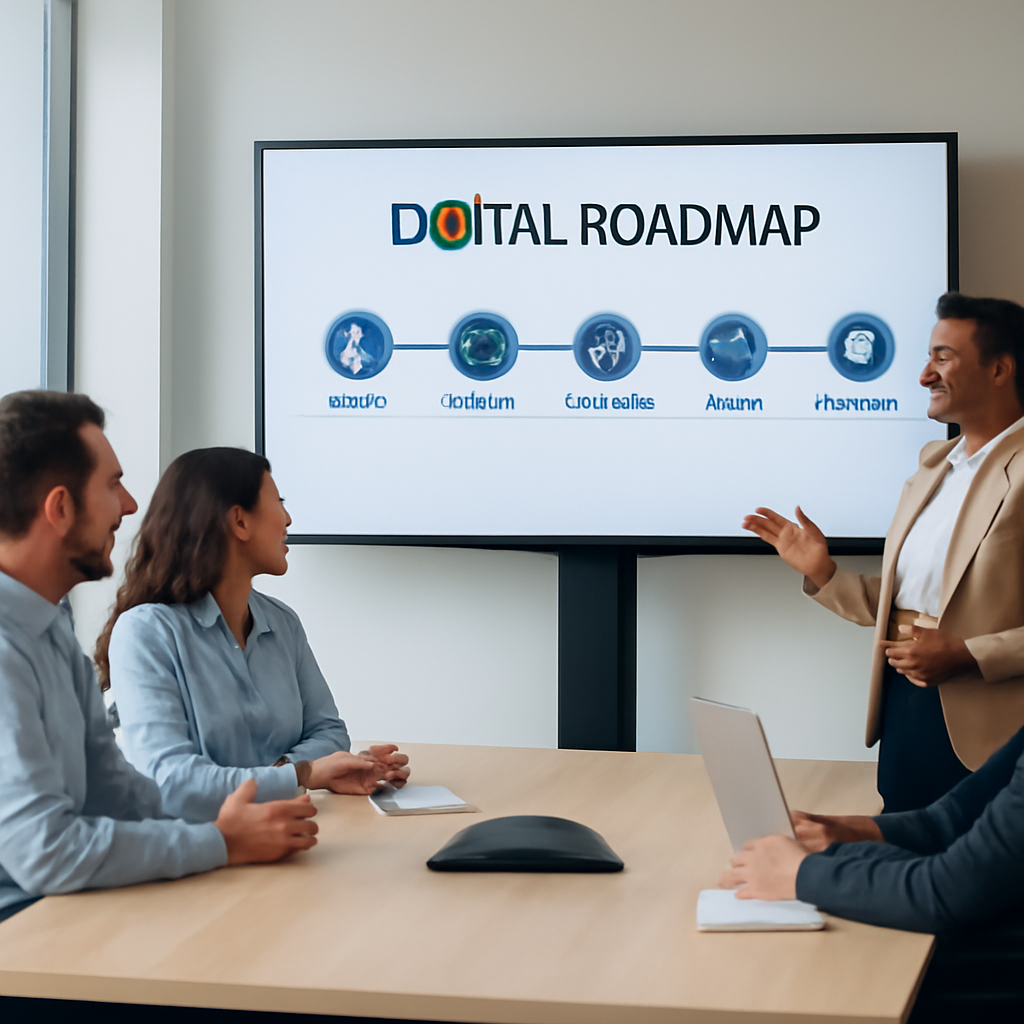
Assessing Your Business Needs for IT Strategy
When you sit down to think about an it strategy consulting services engagement, the first thing that usually pops up is a wave of “what do we actually need?” – and that’s totally normal. You’ve got daily fires to put out, a budget that isn’t endless, and maybe a compliance deadline breathing down your neck.
In our experience with Salinas‑area health clinics and Monterey e‑commerce shops, the most useful starting point is a simple “needs inventory.” Grab a blank sheet or a quick spreadsheet and list every application, device, or process that directly impacts revenue, patient care, or customer data. Don’t over‑think it – just dump the stuff you know you can’t run without.
Score what matters
Next, give each line item a two‑axis score: business impact (1‑5) and security risk (1‑5). A point‑of‑sale system that crashes at lunch? High impact, maybe a 5, but if it’s already behind a firewall, the risk might be a 2. A legacy payroll add‑on running on an old server could be a 3 on impact but a 5 on risk because a breach would expose employee SSNs.
Why do we do this? Because the matrix instantly highlights the low‑hanging fruit that an it strategy consulting services partner can tackle first – high‑risk, low‑impact items that are cheap to fix, and high‑impact, high‑risk assets that need a strategic migration plan.
Ask the right questions
Once you have the scores, bring them to a conversation with a consultant. Instead of asking “what should we do?” try questions like:
- Which applications would give us the biggest ROI if we moved to the cloud?
- What compliance gaps show up when we line up our current hosting against HIPAA or PCI DSS?
- How can we reduce our dependency on a single on‑prem server that’s a single point of failure?
These prompts force the discussion toward concrete milestones – the kind of “migrate document storage to Azure by Q3” you saw earlier – rather than vague promises.
Here’s a quick sanity check: does your current backup solution let you restore a critical file in under 30 minutes? If the answer is “no, and we haven’t measured,” that’s a red flag screaming for a strategic fix.
After the video, take a minute to jot down any “aha” moments. Maybe you realized that your point‑of‑sale data lives on a laptop that never gets encrypted. Or perhaps you noticed that the marketing team is still using a shared Google Sheet for client contracts – a compliance nightmare.
Turn the inventory into a roadmap
With scores and questions in hand, a seasoned consultant can map out a 12‑month roadmap. Typical phases look like:
- Quick wins – patch critical vulnerabilities, enable multi‑factor authentication on high‑risk accounts.
- Mid‑term migrations – move legacy on‑prem workloads to a managed cloud service, set up automated backups.
- Strategic initiatives – implement a virtual CIO (vCIO) model, align technology budgeting with quarterly business goals.
Each phase should have clear owners, timelines, and success metrics. That way, when you look back after three months, you can point to “we reduced backup restore time by 60 %” instead of vague “we improved resilience.”
Make it a living document
Finally, treat the needs assessment as a living document. Technology, regulations, and market conditions shift faster than you can finish a coffee break. Schedule a quarterly review – pull the same spreadsheet, update scores, and see where new priorities have emerged. That habit is the secret sauce that keeps an it strategy consulting services engagement from turning into a one‑time project.
If you’re ready to take the first step, start that inventory today. It’s surprisingly easy, and the clarity it brings is worth every minute you spend on it.
Key Components of an Effective IT Strategy
When you finally sit down with a consultant, the first thing you notice is that a solid strategy isn’t a single checklist – it’s a collection of moving parts that need to work together like a well‑tuned band.
So, what are those moving parts? Let’s break them down, sprinkle in a few real‑world stories from Salinas and Monterey, and end with concrete steps you can take today.
Business Alignment & Goal Prioritization
Think of your business goals as the melody. If the tech you choose plays a different tune, the whole piece feels off. In our experience with a local dental practice, aligning the IT roadmap with the goal of “reduce patient wait time” meant moving the imaging software to a cloud‑based PACS system. The result? Appointment turnover improved by 25 % and the practice could book more patients without adding chairs.
Ask yourself: which business outcome matters most right now? Revenue growth, compliance, or maybe reducing downtime? Rank those outcomes, then let the tech choices follow.
Risk Management & Security Foundations
Security isn’t an afterthought; it’s the rhythm section that keeps everything steady. A senior‑care facility in Monterey faced a HIPAA audit scare because patches were missed on half their Windows PCs. After a quick‑win phase that enabled multi‑factor authentication and automated patching, the audit passed with zero findings.
Practical tip: start with a risk matrix – high impact, high likelihood items get tackled first. That’s how you avoid spending months on low‑risk “nice‑to‑haves.”
Technology Architecture & Cloud Strategy
Choosing between on‑prem, cloud, or hybrid feels like picking a guitar for a rock band. Each has its tone. A boutique real‑estate brokerage in Salinas moved its contract storage to a private cloud while keeping a local cache for day‑to‑day work. Access speeds jumped 40 %, and the firm saved enough on hardware to fund a new marketing platform.
Remember: the architecture should support scalability. If you expect a 30 % seasonal surge, your cloud spend should be flexible enough to handle it without a full‑blown hardware upgrade.
Governance, Budgeting & Continuous Improvement
Even the best tech can sit idle without governance. A mid‑size legal firm we helped set up quarterly budget reviews tied each line item to a specific KPI – like “reduce backup restore time to under 30 minutes.” When they hit that KPI, they re‑allocated saved funds toward a new client portal.
Governance also means making the strategy a living document. Schedule a quarterly “strategy health check” and update scores from your original inventory. That habit keeps the roadmap relevant as regulations change or a new ransomware strain appears.
People & Process – The Human Layer
Technology only works when people use it correctly. A small e‑commerce shop in Monterey struggled with staff forgetting to encrypt laptops. By introducing a brief “security lunch‑and‑learn” and assigning a tech champion, compliance rose from 60 % to 95 % in three months.
People‑focused steps are often the low‑cost, high‑impact wins that make the rest of the strategy feel worthwhile.
Want a concrete way to weave all these components together? Here’s a quick five‑step starter kit you can run this week:
- Gather a cross‑functional team (owner, IT lead, compliance officer).
- Map business goals to tech outcomes in a simple spreadsheet.
- Score each technology asset for impact and risk.
- Identify quick‑win security fixes (MFA, patch automation).
- Schedule a 60‑minute strategy review in 30 days to prioritize the next phase.
And if you’re curious about a more hands‑off way to keep the strategy on track, consider a Strategic IT Leadership with vCIO Services. It’s basically a part‑time CIO who makes sure every piece stays in sync.
Quick Reference Table
| Component | Key Action | Typical KPI |
|---|---|---|
| Business Alignment | Map tech initiatives to revenue drivers | Revenue growth % tied to tech projects |
| Risk Management | Implement MFA & automated patching | Mean time to remediate (MTTR) < 24h |
| Architecture | Choose hybrid cloud for critical data | System uptime ≥ 99.9 % |
Take a moment now: which component feels the weakest in your current setup? Spot that gap, pick a quick‑win, and schedule your first review. You’ll be surprised how fast momentum builds.
Choosing the Right IT Strategy Consulting Partner
When you finally decide a consultant is worth the investment, the real challenge becomes finding the right partner—not just any vendor that says “we do IT strategy.”
Imagine you’re a small dental office in Salinas juggling patient records, HIPAA compliance, and a growing online booking system. You need someone who gets that pressure and can translate a spreadsheet of risks into a roadmap you actually follow.
What to Look for First
Start with experience that matches your industry. A consultant who has helped a behavioral‑health facility with ransomware drills will speak your language better than someone whose resume is full of data‑center migrations for large enterprises.
Ask for concrete examples—maybe a case where they reduced backup restore time from hours to under 30 minutes for a local law firm. Those numbers matter more than vague promises about “improving efficiency.”
Next, check for a structured process. A solid partner will walk you through a three‑stage approach: discovery (the inventory you already built), design (the roadmap), and ongoing governance (quarterly health checks). If they jump straight to “let’s buy cloud services,” you might be in for a surprise later.
Red Flags to Avoid
Beware of consultants who hide fees behind “custom pricing” without a clear scope. Transparency is key—you should see a line‑item list that maps each activity to a measurable outcome.
Also watch out for one‑size‑fits‑all templates. If they suggest the exact same hybrid‑cloud diagram they used for a retailer in Seattle, ask how they’ll adapt it to Monterey’s seasonal tourism spikes and local compliance quirks.
Lastly, make sure they’re not just a reseller of generic tools. While a good partner may recommend products, they should also explain why those tools fit your risk profile, budget, and staff expertise.
Local Fit Matters
Because we’re rooted in Salinas and Monterey, we understand the specific regulatory timelines for HIPAA, PCI‑DSS, and California privacy laws. A partner who knows the local MSP landscape can coordinate with your existing providers, avoiding duplicate tickets and costly overlaps.
Ask about their on‑the‑ground presence. Do they have a local office you can call at 3 p.m. when a patch fails? Do they schedule quarterly on‑site reviews, or is everything done over a Zoom call? The answer often tells you how invested they are in your success.
Check references from businesses similar to yours—maybe a nearby real‑estate brokerage that moved contracts to a private cloud. Hearing how the consultant handled the migration, the timeline, and the post‑move support will give you confidence.
Quick Decision Checklist
- Industry‑specific experience documented in case studies.
- Clear, three‑phase methodology (discovery, design, governance).
- Transparent pricing with outcome‑based milestones.
- Local presence or proven remote support model for Monterey SMBs.
- Referenceable clients with similar size and compliance needs.
Run through this list with any prospect. If they stumble on more than one point, keep looking. The right partner will welcome the scrutiny—you’ll know they’re confident in their process.
And remember, the partnership doesn’t end after the roadmap is delivered. Ongoing reviews, a dedicated point of contact, and the ability to adjust the plan when a new ransomware variant emerges are what turn a one‑off project into a lasting strategic advantage.

Implementing and Measuring Success
When you finally hand over that IT strategy consulting services roadmap, the real work begins: turning plans on paper into daily results. You’ve probably felt that familiar mix of excitement and “what‑now?” – that’s normal, and it’s exactly why a solid implementation playbook matters.
Start with crystal‑clear outcomes
Before you fire up any project, write down what success looks like in plain language. Instead of “improve security,” try “reduce ransomware‑related downtime to under 30 minutes per incident.” Or swap “enhance efficiency” for “cut average ticket resolution time by 20 % within six months.” Those specific statements become the north star for every task.
Why does that matter? Because vague goals make it easy for anyone to claim they’re on track, while measurable targets force honest conversations.
Break the roadmap into phases you can actually live with
Most consultants present a three‑year vision, but you’ll get stuck if you try to do everything at once. Slice the plan into quick wins, mid‑term moves, and strategic initiatives. Quick wins might be enabling multi‑factor authentication on privileged accounts or automating nightly backups – things you can finish in a couple of weeks and instantly see risk drop.
Mid‑term moves could include migrating a legacy billing system to a managed cloud service, while the strategic phase might involve building a virtual CIO model that aligns tech spend with quarterly business goals. Each phase should have its own timeline, budget line, and success metric.
Does that feel like a lot? Think of it as a series of small, celebrate‑worthy milestones rather than one massive leap.
Assign ownership and build a governance rhythm
Even the best roadmap stalls without clear responsibility. Use a simple RACI matrix: who’s Responsible, Accountable, Consulted, and Informed for each deliverable. For a small dental practice, the office manager might be accountable for the backup schedule, while the IT manager is responsible for the actual configuration.
Set a standing meeting cadence – a 30‑minute check‑in every two weeks works for most Monterey SMBs. Keep the agenda tight: review progress against KPIs, surface blockers, and confirm next steps. When you know who owns what, “it fell through the cracks” stops being an excuse.
Put measurement tools in place from day one
Data beats intuition every time. Choose a dashboard you can glance at weekly – whether it’s a built‑in reporting module from your MSP or a simple spreadsheet that tracks backup restore times, patch compliance rates, and cloud spend variance. Capture a baseline before you make changes; that way you can prove a 15 % reduction in downtime isn’t just luck.
Need a concrete example? A local senior‑care facility we’ve helped logged its average patch‑delay from 12 days down to 2 days after automating updates. The numbers were displayed on a wall‑mounted monitor, turning the metric into a daily motivator for the whole staff.
Review, adjust, and keep the momentum going
Quarterly “strategy health checks” are non‑negotiable. Pull the original KPI sheet, compare actuals to targets, and ask: where did we overshoot? Where did we fall short? Then re‑prioritize the next 90‑day sprint. If a new ransomware variant surfaces, that’s a signal to bump up threat‑intelligence monitoring in the next phase.
One tip that works across industries: finish each review with a single, actionable decision – like “increase MFA coverage to 100 % by next month” – and assign a due date. Small, decisive actions keep the plan from gathering dust.
Quick‑start checklist
- Write three concrete success statements (e.g., restore time <30 min).
- Map the roadmap into quick‑win, mid‑term, strategic phases.
- Create a RACI chart for every major task.
- Set up a weekly KPI dashboard with baseline data.
- Schedule a 60‑minute quarterly review and decide on one adjustment.
Implementing and measuring the outcomes of your IT strategy consulting services isn’t a one‑off event; it’s a habit you build into your business culture. Start small, stay accountable, and let the data tell the story. When you see those numbers move in the right direction, you’ll know the partnership is delivering real value.
FAQ
What exactly are IT strategy consulting services and how do they differ from regular IT support?
IT strategy consulting services are a focused partnership that maps your technology roadmap to business goals, not just fixing tickets. Think of it as a blueprint that tells you which apps to modernize, how to tighten security, and where to invest for growth. Regular IT support keeps the lights on; consulting helps you decide which lights to add, dim, or replace so you’re future‑proof.
How can a small healthcare provider in Salinas benefit from IT strategy consulting services?
For a small dental or behavioral‑health clinic in Salinas, compliance and patient‑data safety are non‑negotiable. An IT strategy consultant will inventory every device that touches PHI, score the risk, and recommend a phased migration to a secure cloud or managed endpoint solution. The result is faster appointment scheduling, fewer ransomware alerts, and audit readiness without throwing away the budget you’ve already allocated.
What’s the typical process when we start working with an IT strategy consulting partner?
We usually start with a discovery workshop – a half‑day session where you share spreadsheets, pain points, and compliance calendars. From there the consultant builds a draft roadmap, highlights quick‑win projects and assigns owners. Once you approve, the plan rolls into three phases: quick wins, mid‑term migrations, and strategic initiatives. Each phase has clear milestones, a budget line and a KPI so you can see progress week by week.
How often should we review and update our IT strategy?
Your IT strategy isn’t a set‑and‑forget document; it needs a pulse check at least every quarter. In a 90‑day sprint you compare actual KPI numbers – like backup restore time or MFA coverage – against the targets you set. If a new ransomware strain appears or a regulation changes, you adjust the roadmap immediately. This rhythm keeps the plan relevant and prevents costly drift.
What are quick wins we can expect in the first 30 days?
Within the first 30 days you’ll usually see three low‑effort wins. First, enable multi‑factor authentication on any privileged account – that alone cuts breach risk dramatically. Second, automate nightly backups and test a restore on a non‑production server so you have a proven recovery point. Third, create a simple KPI dashboard that pulls data from your existing monitoring tools; the visual cue drives daily accountability.
How do we measure the success of an IT strategy consulting engagement?
Success is measured by the same numbers you set in the roadmap – mean time to restore, % of devices with MFA, cloud cost variance, and compliance audit scores. Build a baseline before any work starts, then track monthly. If you see a 20 % drop in backup restore time or a 15 % reduction in unauthorized login attempts, you’ve hit a concrete win. Celebrate those metrics and use them to justify the next investment.
What should we look for to choose the right consulting partner for our Monterey business?
When you vet a consulting partner, look for three things: industry experience in Monterey’s SMB space, a transparent three‑phase methodology, and clear outcome‑based pricing. Ask for case studies that show actual KPI improvements – not just buzzwords. Also, confirm they have a local presence or a proven remote‑support model that can respond during a ransomware emergency. The right fit will welcome your questions and map every recommendation to a measurable business impact.
Conclusion
We’ve walked through why a solid roadmap, quick wins, and regular health checks are the backbone of any successful it strategy consulting services engagement.
If you’ve been juggling compliance deadlines, ransomware worries, or a clunky on‑prem server, the truth is you don’t have to keep patching the same holes forever. A clear inventory, a few measurable milestones and a partner who understands Monterey’s local regulations can turn chaos into a predictable growth engine.
Remember the three‑phase rhythm we kept coming back to: discover the hidden risks, design a phased migration that matches your budget, then govern the change with dashboards and owners. Those steps are simple enough to start this week – grab that spreadsheet, score your apps, and set one concrete KPI like “restore a backup in under 30 minutes.”
So, what’s the next move? Give yourself a 30‑minute slot, write down three quick‑win actions, and reach out for a no‑obligation conversation. We’ll listen, map those actions to real results, and help you keep the momentum rolling.
When the numbers start shifting – faster recoveries, fewer audit findings, lower cloud spend – you’ll see that it strategy consulting services isn’t a luxury, it’s a practical safeguard for any SMB that wants to stay ahead.






