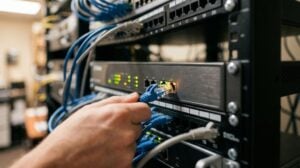
Did you know that nearly 60 percent of small businesses go out of business within six months of a cyber attack? Protecting your network goes far beyond simply setting up Wi-Fi and forgetting about it. Effective security starts with understanding how vulnerable your router and wireless network actually are to outside threats. By following a few essential steps, you can dramatically reduce the risk of data breaches and keep your business running smoothly and safely.
Table of Contents
- 1. Change Default Router Settings For Better Security
- 2. Set Strong And Unique Wifi Passwords
- 3. Enable Advanced Encryption On Your Network
- 4. Segment Guest And Employee WifI Access
- 5. Regularly Update Router Firmware And Software
- 6. Monitor Wireless Network For Unusual Activity
- 7. Educate Staff On Wifi Security Best Practices
Quick Navigation: 7 Essential Business WiFi Security Tips
| Takeaway | Explanation |
|---|---|
| 1. Change Default Router Settings | Update administrator credentials to secure your router from hacking risks. |
| 2. Use Strong, Unique Wi-Fi Passwords | Create complex passwords to prevent unauthorized network access and data breaches. |
| 3. Enable Advanced Encryption | Use WPA3 encryption to protect data transmission and stop potential eavesdropping. |
| 4. Segment Guest and Employee Access | Create a separate guest network to protect core business resources from visitor devices. |
| 5. Regularly Update Router Firmware | Keep your router updated to patch security vulnerabilities and enhance performance. |
1. Change Default Router Settings for Better Security
Your Wi-Fi router is the gateway to your business network. Right now, it might be broadcasting vulnerabilities that cybercriminals could easily exploit. Many businesses unknowingly leave their router configured with factory default settings which are like an open invitation to hackers.
According to Apple Support, updating your router settings is critical for meeting recommended security standards. The first step is changing default administrator credentials. Most routers ship with generic usernames like “admin” and passwords like “password” which are public knowledge among tech-savvy attackers.
Key Router Security Steps:
- Create a strong, unique administrator password
- Use at least 12 characters with mixed uppercase and lowercase letters, numbers, and symbols
- Avoid using personal information that could be easily guessed
Beyond password changes, Consumer Reports recommends disabling unnecessary features that could create network vulnerabilities. Specifically, turn off Remote Administration and Universal Plug-and-Play (UPnP) settings which can provide unauthorized external access.
Taking these steps transforms your router from a potential security weakness into a robust defense mechanism. Spend 15 minutes configuring these settings and you could prevent potentially devastating network breaches that could cost your business thousands in damages and lost productivity.
2. Set Strong and Unique WiFi Passwords
Weak passwords are like unlocked doors inviting cybercriminals into your business network. Your Wi-Fi password represents the first line of defense against unauthorized access and potential data breaches.
According to Fortinet, creating robust passwords requires strategic thinking beyond simple character combinations. Random passphrases that replace letters with numbers and symbols provide significantly stronger protection than predictable word patterns.
Password Creation Strategies:
- Use at least 12 characters
- Mix uppercase and lowercase letters
- Include numbers and special symbols
- Avoid personal information or common words
- Create different passwords for Wi-Fi and router admin access
Berkeley Security emphasizes the critical difference between router admin passwords and Wi-Fi network passwords. Your Wi-Fi password should be a completely separate credential that prevents unauthorized network access while keeping your administrative controls isolated.
Think of your password like a complex lock. The more intricate and unpredictable it is, the harder it becomes for potential intruders to crack. A password like “C0ffeeT1me2023!” is exponentially more secure than “password123” or your company name.
Implementing these password strategies transforms your network from an easy target to a challenging fortress. Spend a few minutes crafting a strong password and you could save your business from potentially devastating security breaches.
3. Enable Advanced Encryption on Your Network
Your wireless network is a potential gateway for cybercriminals. Without proper encryption, sensitive business data can be intercepted as easily as catching radio signals out of thin air.
According to Apple Support, configuring your Wi-Fi router with advanced encryption is crucial for securing your network. Modern encryption protocols like WPA3 and WPA2 create a protective shield around your digital communications.
Encryption Protocol Benefits:
- Scrambles data transmission between devices
- Prevents unauthorized network access
- Protects confidential business information
- Blocks potential eavesdropping attempts
Consumer Reports recommends selecting WPA3 as the most current encryption standard. This protocol offers significantly stronger protection compared to older methods like WEP or even early WPA2 configurations.
Think of encryption like a complex code that transforms your network traffic into an unreadable message. Anyone attempting to intercept your data will encounter an impenetrable wall of scrambled information. By implementing robust encryption, you essentially turn your wireless network into a secure communication tunnel that only authorized devices can access.
Taking 10 minutes to upgrade your network encryption could save your business from potential data breaches that might cost thousands in lost revenue and damaged reputation. Protecting your digital assets starts with understanding and implementing these critical security measures.
4. Segment Guest and Employee WiFi Access
Not all devices on your network are created equal. Allowing guests unrestricted access to your primary business network is like leaving your company safe wide open with the combination displayed publicly.
Berkeley Security recommends establishing a separate guest network to prevent unauthorized access to sensitive information. This strategy creates a digital barrier that protects your core business infrastructure from potential security risks introduced by visitor devices.
Key Network Segmentation Benefits:
- Isolates guest devices from internal systems
- Prevents unauthorized network exploration
- Limits potential malware spread
- Protects confidential business data
Consumer Reports further emphasizes that creating a distinct guest network provides an essential layer of protection. When clients customers or temporary workers visit your office they can connect to the internet without gaining access to your primary business resources.
Think of network segmentation like creating separate rooms in your office. The guest area allows visitors to interact without wandering into restricted zones. Your employee network remains a secure private space with controlled access and enhanced monitoring capabilities.
Implementing network segmentation takes minimal technical expertise but delivers maximum security protection. By dedicating 20 minutes to configuring separate network channels you dramatically reduce the risk of unauthorized data access and potential cyber intrusions.
5. Regularly Update Router Firmware and Software
Think of your router like a digital guard that protects your business network. Without regular updates this guard becomes slower and more vulnerable to sophisticated cyber attacks.
Apple Support emphasizes the critical importance of keeping router firmware current to maintain optimal security and performance. Firmware updates are not just minor tweaks they represent crucial shields against emerging cyber threats.
Why Router Updates Matter:
- Patch newly discovered security vulnerabilities
- Improve network performance
- Fix potential software bugs
- Enhance overall system stability
Consumer Reports recommends treating firmware updates as a non negotiable security practice. Cybercriminals constantly search for outdated systems with known weaknesses they can exploit.
Visualize router updates like getting regular check ups for your business technology. Just as you would service a company vehicle to prevent breakdowns your network infrastructure requires consistent maintenance. Many modern routers offer automatic update features that can simplify this process.
Spending 15 minutes checking and installing router firmware updates could save your business from potentially devastating security breaches. Proactive maintenance is always more cost effective than responding to a network compromise that could interrupt your operations and expose sensitive data.
6. Monitor Wireless Network for Unusual Activity
Your wireless network is a complex ecosystem where every connected device tells a story. Unexpected or unknown devices can signal potential security breaches that might compromise your entire business infrastructure.
Consumer Reports recommends regularly reviewing your router’s connected devices list as a fundamental security practice. This simple action can help you quickly identify unauthorized access attempts before they become serious threats.
Red Flags to Watch For:
- Devices you do not recognize
- Unexpected connection times
- Unusual bandwidth consumption
- Devices connecting outside business hours
- Multiple failed login attempts
Berkeley Security emphasizes the importance of network log reviews. Think of these logs like security camera footage for your digital environment. They provide a detailed record of who accessed your network when and from where.
Imagine your network as a controlled office space. Just as you would question an unfamiliar person wandering through your workplace you should be equally vigilant about unknown digital visitors. Most modern routers offer user friendly dashboards that make tracking network activity straightforward.
Spending 20 minutes weekly reviewing your network connections could prevent potentially devastating security breaches. Consistent monitoring transforms your wireless network from a potential vulnerability into a well protected digital fortress.
7. Educate Staff on WiFi Security Best Practices
Your employees are both your greatest asset and potentially your most significant security vulnerability. Without proper training, staff can accidentally create network entry points for cybercriminals.
Fortinet emphasizes that staff education is critical in creating a comprehensive security strategy. Employees need to understand how their digital actions directly impact your organization’s network protection.
Key Training Focus Areas:
- Recognizing phishing attempts
- Creating strong unique passwords
- Understanding network access protocols
- Identifying suspicious online behavior
- Reporting potential security incidents
Berkeley Security recommends developing comprehensive training programs that cover securing both office and home networks. This approach ensures that security consciousness extends beyond workplace boundaries.
Think of cybersecurity training like defensive driving for your digital infrastructure. Just as drivers learn to anticipate potential road hazards your staff can learn to navigate online threats with confidence and skill.
Implementing regular 30 minute security awareness sessions can transform your team from potential weak links into proactive defenders of your business network. The small investment in education could save thousands in potential data breach costs and protect your company’s reputation.
Below is a comprehensive table summarizing key strategies for enhancing Wi-Fi router security as discussed in the article.
| Strategy | Implementation | Expected Outcomes |
|---|---|---|
| Change Router Default Settings | Update admin credentials; disable remote administration and UPnP | Prevent unauthorized access and network vulnerabilities |
| Set Strong Wi-Fi Passwords | Use at least 12 characters, mix letters and symbols, avoid personal info | Enhanced defense against unauthorized network access |
| Enable Advanced Encryption | Use WPA3 or WPA2 protocols | Scrambled data transmission and protection from eavesdropping |
| Segment Guest and Employee Access | Create separate guest and main networks | Isolation of guest devices prevents unauthorized exploration |
| Regularly Update Router Firmware | Schedule routine firmware checks and enable auto-updates | Maintained security against emerging threats |
| Monitor Network Activity | Review connected devices and log unusual activities | Early detection of potential breaches |
| Educate Staff on Security Practices | Conduct regular training on phishing and password management | Improved awareness and reduced risk from employee actions |
Strengthen Your Business WiFi with Trusted Local IT Expertise
Keeping your network secure from cyber threats starts with practical steps like changing default router settings, setting strong passwords, and monitoring unusual activity. These essential WiFi security tips highlight how easily vulnerabilities can expose your business to costly data breaches and downtime. If you are concerned about managing complex settings such as encryption protocols, network segmentation, or firmware updates, you are not alone.
At SRS Networks, we understand the challenges local businesses face in protecting critical digital assets. Our tailored Network Infrastructure & Security solutions ensure your wireless environment is fortified following best practices like those outlined in this article. By combining proactive monitoring with expert configuration and ongoing support, we take the guesswork out of WiFi security.
Don’t wait until a breach disrupts your operations or compromises sensitive data. Connect with SRS Networks today to implement robust security measures that keep your business safe and resilient. Explore our comprehensive Cybersecurity Solutions and discover how our Salinas-based team delivers personalized IT services designed for your peace of mind. Let us help you turn these essential tips into lasting protection with local, expert care.
Frequently Asked Questions
How can I change my router’s default settings for better security?
To enhance your router’s security, change the default administrator username and create a strong, unique password. Take 10-15 minutes to access your router’s settings and configure these credentials to avoid common vulnerabilities.
What are the best practices for creating strong Wi-Fi passwords?
To create a strong Wi-Fi password, use at least 12 characters, mixing uppercase and lowercase letters, numbers, and symbols. Aim to avoid personal information and common words to ensure greater security.
How do I enable advanced encryption for my network?
To enable advanced encryption, access your router settings and select WPA3 or WPA2 as the security protocol. This process usually takes less than 10 minutes and significantly strengthens your network against unauthorized access.
What steps should I take to segment guest Wi-Fi access from employee access?
Create a separate guest network through your router settings to isolate guest devices from your internal systems. This configuration can usually be completed in 20 minutes and helps protect sensitive business data.
How often should I update my router firmware for optimal security?
You should check and update your router firmware every few months or whenever you receive a notification for updates. Spending just 15 minutes on this task can help protect your network from potential vulnerabilities and enhance its performance.
What should I look for while monitoring my wireless network for unusual activity?
Regularly review the list of connected devices on your network, seeking any unfamiliar devices or unusual connection patterns. Dedicate 20 minutes weekly to identify potential security breaches before they escalate.