Hosted Exchange is not just a legacy email option with a fresh label. For small and midsize businesses, it still fills a very practical need: reliable business email backed by real administration, stronger security, and support that goes beyond handing over licenses.
That distinction matters more now than it did a few years ago. Many SMB teams already run on Microsoft 365, so the question is no longer, “Can we get business email in the cloud?” The better question is, “Who is going to secure it, manage it, archive it, migrate it, and keep it working when Microsoft changes the rules?”
That shift is exactly why hosted Exchange providers still have a place.
Why hosted Exchange providers still matter for SMB teams
For many businesses, “hosted Exchange” now means more than mailbox hosting alone. It often refers to a managed service wrapped around Exchange Online or a similar cloud email environment, with the provider taking responsibility for setup, administration, support, and policy controls.
SMB teams benefit from that model because email is still tied to nearly everything. Sales conversations, contracts, calendars, customer service, document approvals, mobile access, shared mailboxes, and compliance records all run through the messaging platform. If email fails, work slows fast.
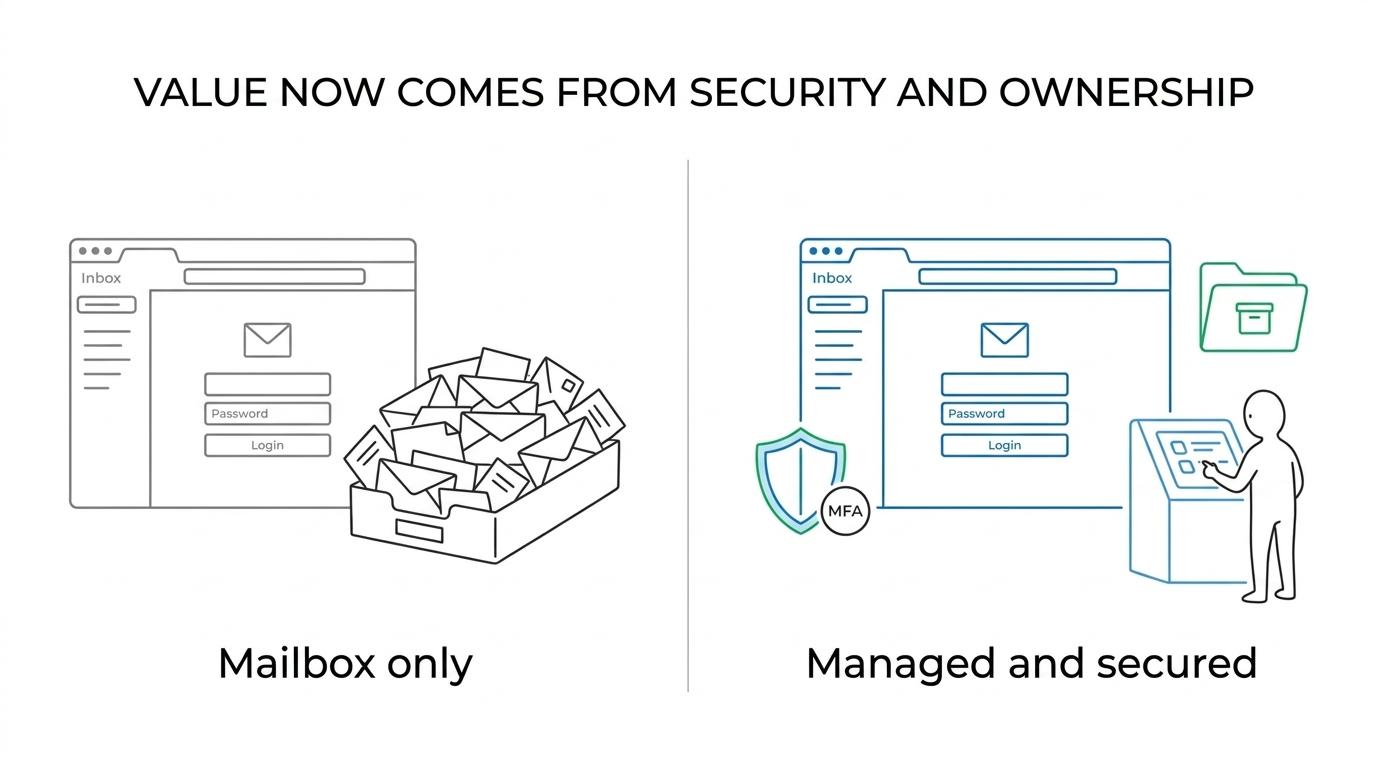
A provider can also close the gap between what Microsoft makes available and what a smaller company can realistically manage day to day. That is where the real value shows up: not in simply offering inboxes, but in translating enterprise-grade tools into something usable, supportable, and secure for a lean internal team.
Here is a simple way to look at how buying criteria have changed.
| Older buying focus | Better buying focus today | Why it matters for SMB teams |
|---|---|---|
| Mailbox size | Identity security and modern authentication support | Access issues and old login methods create real risk |
| Uptime claims | Operational ownership and support response | Someone still needs to handle issues, changes, and user access |
| Lowest per-user price | Layered email security | Phishing and spoofing remain major business threats |
| Basic migration help | Full migration planning and cleanup | Shared mailboxes, mobile devices, DNS, and archives need attention |
| Email only | Compliance alignment and retention policies | Regulated data often lives in email longer than expected |
Modern authentication is now a baseline hosted Exchange requirement
The most important technical line in the sand is already behind us. Microsoft has disabled Basic authentication in all Exchange Online tenants and removed it across major protocols and services, including Exchange ActiveSync, POP, IMAP, Exchange Web Services, Autodiscover, Remote PowerShell, Offline Address Book, and Outlook for Windows and Mac. That means older clients, scripts, and devices that still depend on username-and-password-only access must be updated or replaced.
For SMB teams, this is not just a settings change. It can affect legacy mail apps, multifunction printers, scan-to-email workflows, old mobile devices, archived line-of-business integrations, and service accounts no one has looked at in years. A hosted Exchange provider that does not address these dependencies early can turn a migration or tenant cleanup into a messy outage.
Modern authentication should be treated as standard, not premium. It supports stronger identity controls, works better with multifactor authentication, and fits the way Microsoft protects cloud services now. If a provider talks mainly about mailbox quotas and says little about authentication methods, that is a warning sign.
Before signing anything, SMB teams should press for operational clarity.
- Ask about clients: Which desktop, web, and mobile apps will be validated before cutover?
- Ask about legacy dependencies: How will old scanners, printers, and business applications send mail after Basic authentication is gone?
- Ask about identity controls: Is multifactor authentication part of the rollout, or left for later?
- Ask about ownership: Who handles profile updates, mobile reconfiguration, and user support during the switch?
Hosted Exchange security features SMBs should expect
Email remains one of the easiest ways to reach a business user, which is why security has to be part of the service itself. The FBI reported that phishing and spoofing were the top cybercrime category by complaint volume in 2024. Its IC3 received 859,532 complaints that year, with reported losses above $16.6 billion. That is not abstract risk. It is a daily operating issue.
Microsoft’s cloud email protections do provide a useful baseline. Built-in Exchange Online Protection includes cloud-based spam and malware filtering for inbound and outbound mail, uses multiple anti-malware engines, and allows administrators to customize anti-malware policies for users, groups, or domains. That gives hosted Exchange providers a solid foundation to build on.
Still, baseline filtering is only the start. SMB teams should expect a provider to tune policies, reduce impersonation risk, review suspicious mail flow, harden administrative access, and help staff respond when something slips through. A secure email service is not just a filter. It is a managed control set.
That usually includes a mix of technical controls and human response.
- MFA and sign-in protection
- Anti-phishing and spoof defense
- Inbound and outbound filtering
- Mail flow monitoring
- Shared mailbox permission reviews
- Security awareness support
A provider should also be able to explain what is included by default, what requires a higher Microsoft licensing tier, and what services are managed directly by the provider. SMBs do not need vague assurances. They need clear boundaries and accountable ownership.
Email archiving and retention capabilities from hosted Exchange providers
Archiving is one of the clearest ways hosted Exchange providers still add value. Many businesses first think about archiving as extra storage, yet its real purpose is governance. Email records need to be retained, found, and preserved based on legal, operational, or regulatory needs.
Microsoft states that Exchange Online Archiving starts with 100 GB of archive storage, and auto-expanding archiving can increase capacity up to 1.5 TB in supported scenarios. For SMB teams with years of customer communication, approvals, attachments, and case records, that kind of headroom matters.
What matters even more is policy design. A provider should be able to map retention needs to mailbox behavior, user roles, and risk exposure. A healthcare practice, law office, manufacturer, or financial services firm may each need a different retention approach even when they use the same Microsoft platform.
When reviewing archive capabilities, teams should look past storage numbers and focus on policy fit.
- Retention rules: How long is email kept, and who decides?
- Search and retrieval: How quickly can messages be found for legal, HR, or audit requests?
- User experience: Does archiving reduce mailbox clutter without making mail harder to access?
- Compliance alignment: Are retention settings matched to the business’s actual obligations?
Migration support and daily administration still separate strong providers from weak ones
A mailbox is only easy on day one if the cutover is done well.
This is where many SMBs see the difference between a license seller and a real hosted Exchange provider. Migration is rarely limited to moving mail data. It can include tenant setup, domain verification, DNS changes, Outlook profile reconfiguration, mobile device enrollment, shared mailbox mapping, calendar permissions, mailing lists, public folders, and archive handling.
Good providers also plan for what happens after migration weekend. Who resets access when an executive gets a new phone? Who fixes a broken shared calendar? Who reviews forwarding rules? Who cleans up departed employees’ mailboxes? Daily administration is where cloud email either becomes predictable or turns into a series of small disruptions.
Support ownership should be clear before the first mailbox moves. SMB teams often assume the vendor, Microsoft, and local IT support are all covering the same problem. They are not. Hosted Exchange works best when one provider is accountable for the whole operating model, or when co-managed responsibilities are documented with precision.
A useful scope review should include items like:
- Migration planning: mailbox moves, archive strategy, shared resources, and rollback options
- User support: Outlook setup, mobile access, and password or MFA assistance
- Admin tasks: permissions, distribution groups, mailbox recovery, and policy changes
- Escalation path: who responds first when mail flow or login problems hit
Compliance alignment and roadmap readiness in hosted Exchange services
For many SMBs, email is a compliance system whether they think of it that way or not. Sensitive records, account details, legal correspondence, patient communications, employee data, and vendor approvals often live in the inbox. That is why compliance alignment has become a major buying factor for hosted Exchange services.
A capable provider should be ready to discuss retention, encryption options, access controls, mailbox auditing, incident response support, and record preservation in the context of frameworks that matter to the client. Depending on the business, that may include HIPAA, FTC Safeguards, NIST, or CMMC-related expectations. The right conversation is not about chasing every possible control. It is about building the right control set for the organization’s actual risk.
Roadmap readiness is just as important. Microsoft changes service requirements, retires old methods, adds security controls, and shifts licensing features over time. SMB teams need a provider that keeps pace and translates those changes into practical action. What worked three years ago may already be out of policy or out of support today.
That ongoing stewardship is a real service. It protects the business from slow drift, where mail still functions but security posture weakens quietly.
Questions SMB teams should ask hosted Exchange providers now
The best provider conversations are specific. SMB buyers do not need a long feature speech. They need direct answers about security, ownership, compliance fit, and what happens after the contract is signed.
A strong hosted Exchange provider should be comfortable with detail. If responses stay broad, or every hard question gets redirected to Microsoft documentation, the service may be thinner than it first appears.
Start with a short set of direct questions:
- Authentication readiness: How do you identify and replace anything still relying on Basic authentication?
- Security stack: What filtering, anti-phishing, MFA, and policy controls are included and actively managed?
- Archiving and retention: How do you set retention policies, support searches, and preserve mail for audits or legal requests?
- Migration ownership: Who handles DNS, Outlook setup, mobile devices, shared mailboxes, and end-user support during cutover?
- Support model: When email breaks, who owns the ticket from first response through resolution?
For SMB teams, that is the real value of hosted Exchange today. It is not simply hosted mail. It is managed email operations shaped for the Microsoft 365 era, with security, compliance, and support built into the service instead of left as separate problems.