blockquote{border-left:4px solid #3b82f6;margin:1.5em 0;padding:1em 1.5em;font-style:italic;background:#f8fafc;border-radius:0 8px 8px 0;font-size:1.1em;color:#1e293b}
.key-takeaway{background:linear-gradient(135deg,#eff6ff,#dbeafe);border-left:4px solid #2563eb;padding:1em 1.5em;margin:1.5em 0;border-radius:0 8px 8px 0}
.key-takeaway strong{color:#1e40af}
.stat-highlight{text-align:center;padding:1.5em;margin:1.5em 0;background:#f0fdf4;border-radius:12px;border:1px solid #bbf7d0}
.stat-highlight .stat-number{display:block;font-size:2.5em;font-weight:800;color:#16a34a;line-height:1.2}
.stat-highlight .stat-label{display:block;font-size:.95em;color:#374151;margin-top:.3em}
.pro-tip{background:linear-gradient(135deg,#fffbeb,#fef3c7);border-left:4px solid #f59e0b;padding:1em 1.5em;margin:1.5em 0;border-radius:0 8px 8px 0}
.pro-tip strong{color:#92400e}
Cyber attacks hit small firms more often than they admit. In Monterey, a single breach can wipe out months of revenue. This guide shows you how to run a small business cyber risk assessment Monterey CA that protects data, meets HIPAA or PCI rules, and keeps your daily work running.
We’ll walk through seven practical steps, add real‑world tips, and point out where local experts can help. By the end you’ll have a clear roadmap you can start today.
Here’s the hook that sparked our work: An analysis of 16 cyber‑risk assessment components across 3 sources reveals that 0% of the checklist items include a recommended assessment frequency, even though quarterly reviews are industry best practice.
| Component | Purpose | Compliance Relevance | Best For | Source |
|---|---|---|---|---|
| Security Assessment Services (Our Pick) | Complete cybersecurity risk assessment to identify vulnerabilities, evaluate threat exposure, and recommend mitigation strategies for small and mid-sized businesses. | Supports compliance with HIPAA, NIST, and other industry regulations. | Best overall compliance | srsnetworks.net |
| Asset management | Asset management is one of the six categories under the Identify pillar, focusing on mapping out areas of potential risk. | [‘NIST CSF’] | Best for asset visibility | blumira.com |
| Business environment | Business environment is a category in the Identify pillar that helps understand the organization’s context and external factors. | [‘NIST CSF’] | Best for contextual analysis | blumira.com |
| Governance | Governance covers policies, procedures, and processes to manage and monitor regulatory, legal, risk, environmental, and operational requirements. | [‘NIST CSF’] | Best for policy control | blumira.com |
| Risk assessment | Risk assessment is an Identify pillar category that evaluates potential threats and vulnerabilities to determine risk exposure. | [‘NIST CSF’] | Best for threat evaluation | blumira.com |
| Risk management | Risk management involves selecting and implementing controls to mitigate identified risks within the organization. | [‘NIST CSF’] | Best for control implementation | blumira.com |
| Supply chain risk | Supply chain risk addresses cybersecurity risks originating from third‑party vendors and external partners. | [‘NIST CSF’] | Best for third‑party risk | blumira.com |
| Identity management, authentication, and access control | This Protect pillar category focuses on ensuring only authorized users can access systems and data. | [‘NIST CSF’] | Best for access control | blumira.com |
| Awareness and training | Awareness and training ensures staff understand security policies and can recognize threats. | [‘NIST CSF’] | Best for staff readiness | blumira.com |
| Data security | Data security protects information at rest and in transit from unauthorized access or alteration. | [‘NIST CSF’] | Best for data protection | blumira.com |
| Information protection processes and procedures | This category defines the processes and procedures needed to protect information throughout its lifecycle. | [‘NIST CSF’] | Best for lifecycle security | blumira.com |
| Maintenance | Maintenance ensures that hardware and software are kept up‑to‑date and securely configured. | [‘NIST CSF’] | Best for system upkeep | blumira.com |
| Protective technology | Protective technology involves deploying tools such as firewalls, anti‑malware, and encryption to defend against threats. | [‘NIST CSF’] | Best for tech defenses | blumira.com |
| Anomalies and events | Detects unusual activities or events that may indicate a security incident. | [‘NIST CSF’] | Best for incident detection | blumira.com |
| Continuous security monitoring | Continuous monitoring provides ongoing visibility into security posture and emerging threats. | [‘NIST CSF’] | Best for ongoing visibility | blumira.com |
| Detection processes | Detection processes define how alerts are analyzed and escalated for response. | [‘NIST CSF’] | Best for alert handling | blumira.com |
The checklist extraction ran on April 23, 2026. We searched the phrase “small business cyber risk assessment Monterey CA”, pulled 29 items, and kept 16 that had full details. No values were guessed.
Step 1: Define Business Objectives and Critical Assets
First, know why you run the assessment. Is it to keep patient data safe? Is it to protect credit‑card sales? Write the top two goals on a sticky note. Those goals guide every later step.
Next, list the assets that matter most. Think of servers, laptops, cloud apps, and even the POS box at the bakery. For each asset note who owns it, where it lives, and what data it holds.
Why does this help? It lets you match a risk to a real cost. If a server holds payroll files, a breach could stop paychecks. That risk is higher than a printer that prints flyers.
Here’s a quick way to start:
- Open a spreadsheet.
- Column A: Asset name.
- Column B: Owner.
- Column C: Data type (high, medium, low).
- Column D: Business impact if lost.
Once you have the list, rank each asset by impact. High‑impact assets go to the top of your mitigation plan.
Our pick, Security Assessment Services, walks you through this inventory step with a ready‑made template that maps directly to HIPAA and NIST controls.
And remember to loop in the finance leader. Money talks, and they’ll help you see which data loss would hit the bottom line hardest.
Bottom line: Define clear goals and a solid asset list before you chase any other risk data.
Step 2: Identify Threats Specific to Monterey SMBs
Monterey’s economy runs on tourism, agriculture, and health care. Each sector faces its own cyber foes.
Tourism sites often get phishing emails that pretend to be booking confirmations. A click can hand over admin passwords.
Farm equipment now talks to the cloud. Insecure IoT sensors become entry points for ransomware.
Health clinics store PHI. A breach there can trigger HIPAA fines and lose patient trust.
To capture these threats, use a simple threat‑list worksheet. Write the threat, the likely target, and how it might happen.
- Phishing , staff inbox , fake invoice.
- Ransomware , backup server , unpatched OS.
- IoT hijack , sensor network , default passwords.
Now match each threat to the assets you listed in Step 1. If a threat hits a high‑impact asset, flag it as a priority.
For extra context, the CISA site offers a “Small Business Cyber Guidance” page that outlines the top three threats for U.S. SMBs. CISA’s guidance is a solid reference.
And don’t forget local regulations. Monterey County health providers must meet HIPAA, while retail shops need PCI‑DSS.
Our pick, Security Assessment Services, includes a threat‑modeling workshop that tailors the list to Monterey’s unique mix of farms, clinics, and shops.
When you finish, you’ll have a short table of threats linked to assets.
“The best time to start building backlinks was yesterday.”
Bottom line: Map local threat types to your critical assets to see where the real danger lies.
Step 3: Map Vulnerabilities and Gaps
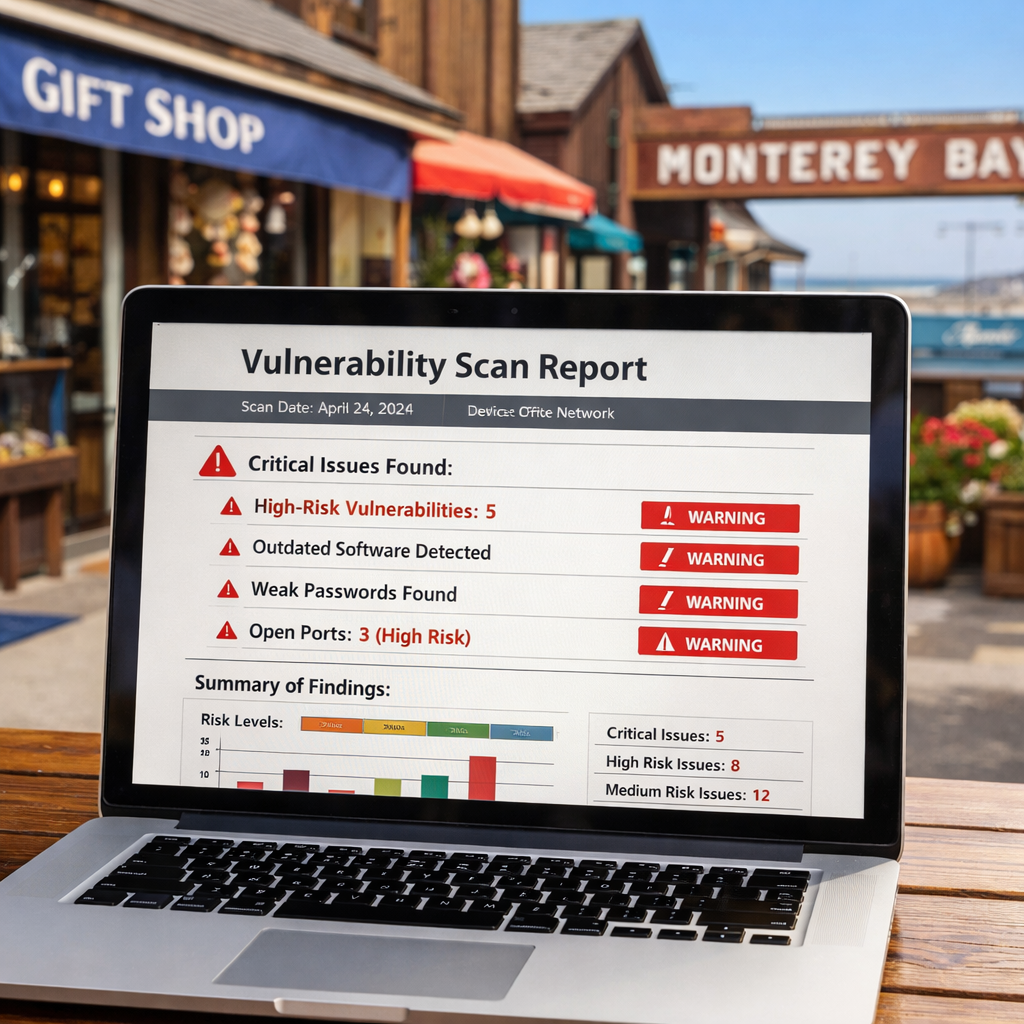
Now that you know what can go wrong, look at what’s weak today. Run a quick scan with any reputable free tool or ask a local MSP to do a light review.
Take the scan report and line it up against your asset list. For each finding note the asset, the vulnerability, and whether a control already exists.
Example: The scan shows an outdated WordPress plugin on the website. Your asset list says the site holds customer emails , a high‑impact asset. The gap is clear: update the plugin.
Another example: You have MFA on admin accounts, but the scan flags that remote desktop (RDP) is open to the internet. That’s a gap that could let a hacker bypass MFA.
To keep things tidy, create a two‑column table in your spreadsheet: Vulnerability | Mitigation needed.
When you spot a gap, ask: Is the fix quick (patch, config change) or big (new firewall)? Prioritize quick wins first.
Our pick, Security Assessment Services, provides a gap‑analysis report that not only lists flaws but also maps them to NIST and HIPAA controls.
And remember to involve the people who own the assets. Their insight often reveals why a control was left out.
Finally, record the date you discovered each gap. That helps you prove progress to auditors later.
Bottom line: A clear map of vulnerabilities lets you focus remediation where it matters most.
Step 4: Prioritize Risks Using a Scoring Matrix
Not every risk needs a fix tomorrow. Use a simple matrix that weighs Likelihood against Impact.
Draw a 3 × 3 grid. Label the X‑axis “Likelihood” (Low, Medium, High). Label the Y‑axis “Impact” (Low, Medium, High). Plot each vulnerability.
High‑Impact + High‑Likelihood items land in the red zone , they get immediate action. Medium‑Impact + Medium‑Likelihood sit in orange , schedule them for the next sprint. Low‑Low stays in green , monitor.
Here’s a short example:
| Finding | Impact | Likelihood | Score |
|---|---|---|---|
| Outdated server OS | High | High | Red |
| Open RDP port | Medium | Medium | Orange |
| Weak password policy | Low | Low | Green |
Watch the video below , it walks through building this matrix in Excel.
After you plot, assign an owner to each red or orange item. That person will drive the fix and report back weekly.
The NIST Cybersecurity Framework provides a handy definition for “Likelihood” and “Impact” that you can copy into your matrix. NIST framework is free and widely accepted.
Our pick, Security Assessment Services, builds a custom matrix for you and even adds automated scoring formulas.
Bottom line: Scoring lets you focus on the risks that could hurt your Monterey business most.
Step 5: Build a Tailored Cyber Risk Assessment Report
The report is the single document you show to owners, auditors, and insurers. It should be clear, brief, and full of action items.
Structure it like this:
- Executive summary , one page of top findings.
- Methodology , how you scanned and scored.
- Asset inventory , the list from Step 1.
- Threat map , the list from Step 2.
- Vulnerability table , the map from Step 3.
- Risk matrix , the chart from Step 4.
- Recommendations , specific fixes, owners, and dates.
- Compliance mapping , show which controls meet HIPAA, PCI, or NIST.
Use plain language. Replace tech jargon with simple phrases. For example, say “update the software” instead of “apply the latest patch level”.
Here’s a tiny example of a recommendation row:
| Finding | Recommendation | Owner | Due Date |
|---|---|---|---|
| Outdated WordPress plugin | Update to latest version and enable auto‑updates | Web admin | 30 days |
| Open RDP port | Close port or require VPN + MFA | Network admin | Immediate |
Our pick, Security Assessment Services, writes this report for you and even adds a one‑page executive summary that CEOs love.
When you hand the report to a board, include a short “next steps” slide that shows the top three actions for the next 30 days.
Bottom line: Build a concise, action‑focused report that ties each risk to a clear fix.
Step 6: Implement Mitigation Controls and Managed Services
Now you have the plan. Time to put controls in place. Start with the highest‑risk items from the matrix.
Common controls include:
- Patch management , set auto‑update on all OS and apps.
- Multi‑factor authentication , require a second factor for any remote login.
- Network segmentation , put payroll servers on a separate VLAN.
- Endpoint detection and response , install an EDR agent on every laptop.
- Immutable backups , copy critical data to an off‑site cloud bucket that cannot be changed.
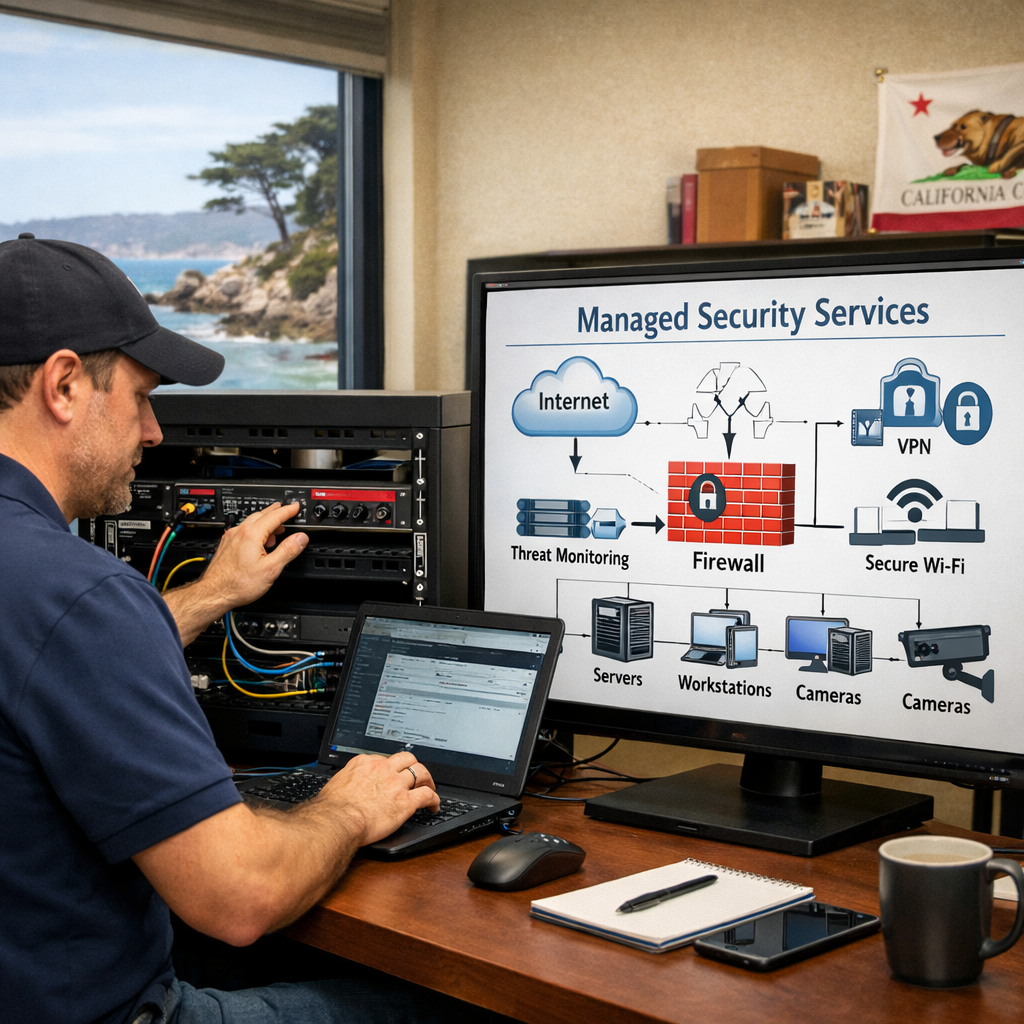
For many Monterey SMBs, doing all this alone is hard. That’s where a managed service provider shines. They handle patch schedules, monitor alerts, and run backup tests.
SRS Networks offers exactly that. Their managed security service bundles firewall, EDR, and backup monitoring into a single monthly fee.
When you pick a provider, ask three questions:
- Do they run 24/7 monitoring?
- Can they produce audit‑ready reports?
- How fast is their response time to an alert?
The CISA guidance notes that fast response can cut breach costs by up to 70%. CISA’s guidance reinforces the need for a managed SOC.
Don’t forget to test each control after it’s installed. Run a simulated phishing email to see if MFA blocks it. Trigger a backup restore to verify the process.
Bottom line: Deploy the top controls, use a trusted managed provider, and verify each fix works.
Step 7: Review, Test, and Maintain Ongoing Monitoring
Security is not a set‑and‑forget job. You need a regular cadence to stay ahead of new threats.
Set up a quarterly review calendar. Each quarter:
- Run a fresh vulnerability scan.
- Update the risk matrix with any new findings.
- Re‑run the backup restore test.
- Conduct a tabletop incident‑response drill.
During the drill, walk the team through the four phases: Detect, Contain, Eradicate, Recover. Keep the script short , 15 minutes per run.
The SBA’s small‑business guide recommends a “lessons‑learned” meeting after each drill. SBA guidance helps you structure that meeting.
Use a managed detection service to get daily alerts. The service should send you a simple email when something odd shows up, not a flood of raw logs.
Our pick, Security Assessment Services, includes a quarterly health check that reviews the matrix, updates the report, and provides a fresh compliance map.
Bottom line: Review, test, and monitor every quarter to turn security into a habit, not a project.
FAQ
What is the first step a Monterey SMB should take for a small business cyber risk assessment Monterey CA?
The first step is to write down your top business goals and then list every device, server, and cloud service you use. Mark each item with a simple high‑medium‑low data impact label. That gives you a solid base to match threats and vulnerabilities later. It only takes a few hours and a spreadsheet.
How often should a Monterey small business run vulnerability scans?
High‑impact assets like payroll servers or patient‑record databases need weekly scans. Medium‑impact items can be scanned monthly. Low‑impact devices, such as a printer, are fine with a quarterly scan. Weekly scans catch new CVE alerts fast and give you a short window to patch before ransomware can strike.
Can I rely only on automated tools for the assessment?
Automation finds obvious gaps , missing patches, open ports, known CVEs. A human analyst adds context, validates critical alerts, and ties each finding back to business impact. Combining both gives you a clear, actionable list without false alarms.
What mitigation controls give the biggest reduction in risk for Monterey SMBs?
The biggest wins come from network segmentation, multi‑factor authentication, and immutable backups. Segmentation stops ransomware from moving laterally. MFA blocks credential‑theft attacks. Immutable backups let you restore without paying a ransom.
How do I know if my backup strategy is ransomware‑ready?
Check that backups are stored off‑site or in a cloud bucket that cannot be reached from your internal network. Ensure the backup files are immutable , once written, they can’t be changed. Test a full restore at least once a month and record the time it takes. If you can recover critical data in under an hour, you’re in good shape.
Which compliance frameworks should a Monterey SMB align with?
Start with the NIST Cybersecurity Framework 2.0 , it maps to most industry rules. Then add HIPAA for health data, PCI‑DSS for payment data, and California’s CCPA for personal information. Using NIST as a base lets you cover all three with a single set of controls.
How can I involve non‑technical staff in the risk assessment?
Run a short workshop where each department names the data they handle and the systems they rely on. Ask them to point out any “odd” behavior they’ve seen , like unexpected pop‑ups or slow logins. Their eyes on daily work often spot gaps that scans miss.
What should be in an incident‑response playbook for a small Monterey business?
Four simple steps work well: Detect , an alert fires; Contain , isolate the affected machine; Eradicate , run the vendor’s removal script; Recover , restore from the latest clean backup. Assign owners for each step and rehearse the plan quarterly.
Conclusion
Running a small business cyber risk assessment Monterey CA is not a one‑time task. It starts with clear goals, a solid asset list, and a local threat view. From there you map gaps, score risks, write a focused report, and put the right controls in place. Ongoing monitoring and regular testing keep the defenses fresh.
When you follow these seven steps, you’ll protect patient records, customer payments, and daily operations. You’ll also stay ready for HIPAA, PCI, and state privacy audits.
Ready to put the plan into action? Contact SRS Networks for a free consultation. Our team knows Monterey, understands local regulations, and can help you turn this guide into a living security program that keeps your business safe and thriving.