

blockquote{border-left:4px solid #3b82f6;margin:1.5em 0;padding:1em 1.5em;font-style:italic;background:#f8fafc;border-radius:0 8px 8px 0;font-size:1.1em;color:#1e293b}
.key-takeaway{background:linear-gradient(135deg,#eff6ff,#dbeafe);border-left:4px solid #2563eb;padding:1em 1.5em;margin:1.5em 0;border-radius:0 8px 8px 0}
.key-takeaway strong{color:#1e40af}
.stat-highlight{text-align:center;padding:1.5em;margin:1.5em 0;background:#f0fdf4;border-radius:12px;border:1px solid #bbf7d0}
.stat-highlight .stat-number{display:block;font-size:2.5em;font-weight:800;color:#16a34a;line-height:1.2}
.stat-highlight .stat-label{display:block;font-size:.95em;color:#374151;margin-top:.3em}
.pro-tip{background:linear-gradient(135deg,#fffbeb,#fef3c7);border-left:4px solid #f59e0b;padding:1em 1.5em;margin:1.5em 0;border-radius:0 8px 8px 0}
.pro-tip strong{color:#92400e}
Data loss can shut down a Monterey shop in minutes. One missed backup or a weak password can erase years of work. In this guide you’ll learn a clear, step‑by‑step plan to stop that from happening.
Research shows two local managed IT firms promise ransomware protection, but only one bundles it with broader security services and multiple compliance frameworks. Below is the data we compared.
| Name | Backup Frequency | Ransomware Protection | Compliance Support | Notable Limitations | Best For | Source |
|---|---|---|---|---|---|---|
| SRS Networks Data Backup & Disaster Recovery (Our Pick) | — | Provided as part of cybersecurity services | Provided (e.g., HIPAA, industry standards) | — | Best for integrated security | srsnetworks.net |
| Carbonite Safe | continuous backup | ransomware recovery | HIPAA | slow download speeds or delays in its continuous backup feature | Best for continuous backup | adaptiveis.net |
We pulled the data by searching Monterey‑area IT service pages on April 20, 2026. Two provider sites were scraped for backup frequency, ransomware protection, compliance support, and noted limits. Missing fields were left blank. The sample size is two providers.
Now let’s walk through the steps you need to protect your Monterey small business data loss prevention plan.
Step 1: Conduct a Data Risk Assessment
First, you need to know what you can’t lose. List every system that holds customer records, employee files, or financial data. Ask yourself: if this system went dark, how would my business survive?
Next, rank each asset by impact. Use a simple three‑tier scale , high, medium, low. A high‑impact item might be patient records at a clinic. A low‑impact item could be a public marketing flyer.
Then look at the threats that each asset faces. Common threats for Monterey SMBs include ransomware, hardware failure, and accidental deletion. Write the threat next to each asset in your list.
After you have the list, calculate your risk score. Multiply impact (1‑3) by likelihood (1‑3). The higher the score, the sooner you need to act.
Finally, create a short report that outlines the top three risks and the steps you will take to lower them. Keep the report on a secure drive that only senior staff can open.
“The best time to start building backups was yesterday. The second best time is today.”
To see a real example of a risk‑assessment report, check out A Practical Guide to IT Disaster Recovery Services for SMBs. The guide shows how a small law firm mapped its critical data and set clear recovery goals.
For guidance on national best practices, the CISA site offers a simple checklist for small businesses. It covers asset inventory, password hygiene, and backup testing. Follow their list to make sure you didn’t miss anything.
Another great resource is the NIST Cybersecurity Framework. It helps you map your risk findings to a structured plan that covers Identify, Protect, Detect, Respond, and Recover.
Bottom line: A solid risk assessment tells you exactly what to protect and why, giving you a clear road map for data loss prevention.
Step 2: Implement Role‑Based Access Controls
Once you know what data is critical, you can lock it down. Role‑based access means each employee only sees the files they need to do their job.
Start by creating job roles. Typical roles for a Monterey small business include Owner, Manager, Sales, and Support. Write down the data each role should access.
Next, set permissions in your file server or cloud service. Give Owner full rights, Manager read/write to most folders, Sales read‑only to client lists, and Support access only to ticket logs.
Don’t forget to review permissions every quarter. Employees change, and old accounts can become a weak point.
When you add a new employee, assign them a role first, then add them to the system. This avoids the “give‑everything” shortcut that many small firms fall into.
Microsoft Security explains how role‑based policies work in Azure AD and Windows. Their guide walks you through creating groups and assigning rights without a lot of jargon.
The Small Business Administration also has a short article on why access control matters for compliance. It shows how a simple role matrix can keep you audit‑ready.
Bottom line: Role‑based access stops a stray password from exposing all your data.
Step 3: Deploy Automated Backup Solutions
Backup is the safety net that catches you when a disaster hits. The best backup runs without you having to think about it.
First, choose the backup model that fits your business. On‑premises backup stores copies in a local server. Cloud backup sends copies to an off‑site data center. Hybrid backup does both.
For most Monterey SMBs, a hybrid approach gives the fastest restore and the strongest protection. Keep a recent copy on‑site for quick recovery, and push a copy to the cloud for disaster protection.
Set the backup schedule. Critical data should be backed up at least every hour. Less critical data can be backed up daily. Use the 3‑2‑1 rule: three copies, on two media, one off‑site.
Test the restore process every quarter. A backup that you can’t restore is useless. Run a drill where you recover a single file and measure how long it takes.
Watch the short video below for a walk‑through of setting up a tiered backup schedule in a typical SMB environment.
After the video, open your backup console and follow the checklist. You’ll be surprised how fast the pieces fall into place.
For backup best practices, the CISA site offers a clear guide on ransomware‑ready backups. It tells you to use immutable storage and to keep backups off the main network.
Microsoft Security also details how to enable encryption at rest and in transit for Azure backups. Encryption stops attackers from reading your copies even if they get hold of them.
“A backup you can’t restore is just a copy of a file you’ll never see again.”
Bottom line: Automated, tested backups give you the confidence that data loss won’t cripple your Monterey small business.
Step 4: Strengthen Endpoint Security with Managed Cybersecurity
Every laptop, phone, or tablet can be a doorway for attackers. Managed cybersecurity wraps those doors with layers of protection.
Start by installing an endpoint detection and response (EDR) tool on every device. EDR watches for strange activity like rapid file encryption and can quarantine a device before ransomware spreads.
Next, enforce multi‑factor authentication (MFA) on all accounts that access sensitive data. MFA adds a second check that blocks most credential‑theft attacks.
Patch every system within 48 hours of a release. Many attacks use known flaws that vendors have already fixed. A rolling patch schedule keeps you ahead.
Finally, run a quarterly phishing simulation. Teach staff how to spot a fake email. Real‑world practice reduces the chance that a user will click a malicious link.
The NIST Cybersecurity Framework lists endpoint protection as a core function. Follow their guidelines to set up a layered defense that matches your risk level.
The SBA article on security for small businesses explains why a managed service can be cheaper than hiring an in‑house team. You get 24/7 monitoring without the salary bill.
Bottom line: Strong endpoint protection stops attacks at the device level, keeping your Monterey data safe.
Step 5: Establish Ongoing Monitoring and Incident Response
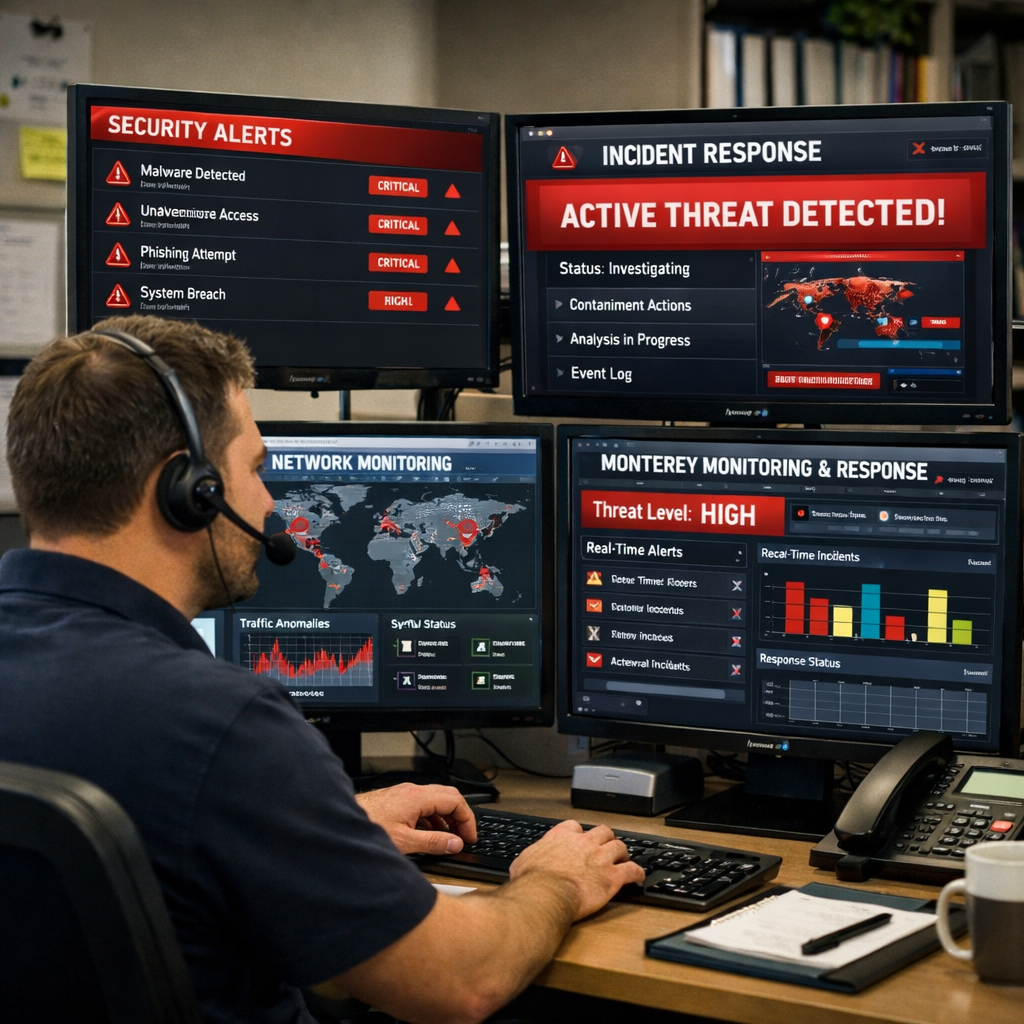
Even with good controls, you need eyes that watch for trouble 24/7. Ongoing monitoring spots anomalies before they become a crisis.
Deploy a lightweight security information and event management (SIEM) tool. The SIEM collects logs from firewalls, EDR, and cloud apps, then flags unusual spikes in traffic or failed login attempts.
Set up alerts that go straight to your IT partner or an on‑call technician. A fast alert can cut the response time from hours to minutes.
Write an incident‑response playbook. Break the response into four phases: Detect, Contain, Eradicate, Recover. Assign owners for each step so everyone knows who does what.
Practice the plan with a tabletop drill every six months. Simulate a ransomware lock, run through the steps, and note any gaps.
For guidance on monitoring, CISA publishes a list of free tools that work well for SMBs. Their page also explains how to tune alerts to avoid noise.
The NIST framework again offers a clear template for building an incident‑response plan. Follow the template to keep the plan simple and actionable.
Bottom line: Ongoing monitoring and a rehearsed response keep your Monterey small business data loss prevention ready for any event.
FAQ
What is the first step in Monterey small business data loss prevention?
The first step is to run a data risk assessment. You list every system that holds important data, rank each by impact, and note the threats each faces. This gives you a clear picture of what to protect and where the biggest gaps lie. A simple spreadsheet works, and you can update it as you add new devices.
How often should I test my backups for Monterey small business data loss prevention?
Test restores at least once a quarter. Pick a random file or a small database, restore it to a separate machine, and time the process. If it takes longer than your recovery time objective, adjust the backup schedule or improve the restore tools. Regular testing proves that your backup actually works when you need it.
Why is role‑based access important for Monterey small business data loss prevention?
Role‑based access limits each employee to the data they need. If a password is stolen, the attacker only sees a small slice of your information instead of everything. This reduces the impact of a breach and helps you stay compliant with regulations that require least‑privilege access.
What backup model works best for most Monterey small businesses?
A hybrid backup model works best for most. Keep a recent copy on‑site for fast restores, and push a copy to a cloud vault for disaster protection. This gives you speed and safety without relying on a single location.
How does managed endpoint security improve Monterey small business data loss prevention?
Managed endpoint security adds tools like EDR and MFA to every device. EDR watches for ransomware behavior and can quarantine a laptop before it spreads. MFA blocks credential‑theft attacks. Together they stop threats at the device level, which is where most attacks start.
What should be in an incident‑response plan for Monterey small business data loss prevention?
An incident‑response plan should have four clear phases: Detect, Contain, Eradicate, Recover. Assign a point person for each phase, list the tools you’ll use, and set a target time for each step. Practice the plan with a tabletop drill twice a year so the team knows what to do when a real event occurs.
Can I handle data loss prevention myself, or do I need a partner?
You can start with a simple risk assessment and basic backups, but a managed partner brings expertise, 24/7 monitoring, and quick response. For Monterey small businesses, a local partner knows regional compliance rules and can be on‑site fast if something goes wrong.
How does compliance tie into Monterey small business data loss prevention?
Compliance standards like HIPAA or PCI‑DSS require you to protect data, keep backups, and have an incident‑response plan. Meeting those rules not only avoids fines but also builds a stronger data loss prevention program. Use role‑based access and encrypted backups to cover the most common compliance points.
Conclusion
Monterey small business data loss prevention isn’t a one‑time project. It’s a series of habits that keep your data safe day after day. Start with a clear risk assessment, lock down who can see what, automate backups, add managed endpoint security, and keep an eye on everything with monitoring and a tested response plan. When you follow these steps, you’ll protect your customers, your reputation, and your bottom line.
Ready to make your technology work for your business? Contact us for a free consultation or IT assessment today.






