Every minute, cyber attacks cost businesses around the world over $2.9 million in damages. Protecting your network is not just a technical challenge, it is vital for your company’s survival and reputation. By understanding the core steps of monitoring, detection, and swift response, any organization can lower risk and catch threats before they become costly disasters.
Table of Contents
- Step 1: Establish Security Monitoring Tools
- Step 2: Configure Alerts For Suspicious Activity
- Step 3: Analyze Logs And Network Traffic
- Step 4: Investigate Abnormal Behaviors Promptly
- Step 5: Verify Breach Incidents And Document Findings
Quick Summary
| Key Point | Explanation |
|---|---|
| 1. Establish SIEM Tools | Set up a comprehensive SIEM system for real-time monitoring and threat detection across your network. |
| 2. Configure Specific Alerts | Define precise criteria for alerts to quickly identify suspicious activities that may indicate security threats. |
| 3. Analyze Logs Regularly | Conduct thorough analysis of network logs to detect deviations from normal behavior, identifying potential threats early. |
| 4. Investigate Promptly | Develop a clear process for investigating abnormal activities to prevent potential breaches effectively. |
| 5. Document Breaches Thoroughly | Maintain comprehensive records of any security incidents to support future prevention and compliance requirements. |
Step 1: Establish security monitoring tools
In this step, you’ll learn how to set up robust security monitoring tools that protect your business network from potential cyber threats. Implementing the right monitoring solution will give you critical insights into your network’s health and security status.
Start by selecting a comprehensive Security Information and Event Management (SIEM) system. According to the DHS, network monitoring tools are software applications designed to track and protect networks from potential intrusions and malicious traffic. These systems provide real time visibility into your entire digital infrastructure.
When choosing a SIEM solution, look for tools that offer comprehensive network activity tracking. The IRS recommends selecting systems that integrate security information management with security event management to enhance detection and remediation of potential security issues.
Key features to prioritize in your security monitoring tools include:
- Real time threat detection
- Comprehensive network activity logging
- Automated alert systems
- Detailed reporting capabilities
- Scalability to match your business growth
Pro Tip: Don’t just install the tool. Configure custom alerts that match your specific business risk profile.
Once implemented, your security monitoring tools will become your first line of defense against potential cyber incidents. By continuously tracking network activities, you’ll be able to quickly identify and respond to any suspicious behavior before it becomes a significant threat.
Step 2: Configure alerts for suspicious activity
In this step, you will learn how to configure precise and effective alerts that help your organization quickly identify and respond to potential security threats. Proper alert configuration is crucial for maintaining your network’s safety and proactively managing potential risks.
Start by defining specific criteria for what constitutes suspicious activity within your network. According to the DHS, reporting suspicious activity is key to protecting your organization and community. When setting up alerts, focus on unusual patterns that might indicate potential security breaches.
When configuring your alerts, use a detailed approach similar to how law enforcement recommends reporting suspicious activity. The DHS suggests being specific about what you observe including who or what triggered the alert, when it happened, where it occurred, and why it seems suspicious.
Key alert configuration elements should include:
- Unusual login attempts
- Multiple failed password entries
- Access from unfamiliar geographic locations
- Unexpected large data transfers
- After hours network access
Pro Tip: Set different alert sensitivity levels for different times of day and user roles to reduce false positives.
As you configure these alerts, remember that your goal is not just to collect information but to create actionable intelligence. By fine tuning your alert system, you transform your security monitoring from passive observation to active defense.
 The next step will involve establishing clear response protocols for when these alerts are triggered.
Step 3: Analyze logs and network traffic
In this step, you will learn how to effectively examine and interpret your network logs and traffic patterns to uncover potential security threats and performance issues. Understanding how to analyze these critical data sources will help you proactively protect your business infrastructure.
Begin by compiling and correlating your audit records from various system logs. According to the IRS, audit logging and review are crucial for detecting both known and emerging threats. Your goal is to create a comprehensive audit trail that provides insights into potential security vulnerabilities.
The GAO emphasizes that audit records can be compiled to help detect security violations, performance problems, and application flaws. When analyzing logs, pay close attention to:
- Unusual login patterns
- Unexpected network access attempts
- Frequency and timing of data transfers
- Geographic origin of network connections
- Changes in user permissions or system configurations
Pro Tip: Use automated log analysis tools that can quickly highlight anomalies and reduce manual review time.
As you review your network traffic, look for patterns that deviate from your organization’s normal operational baseline. Suspicious activities might include multiple failed login attempts, access from unfamiliar locations, or large data transfers during non business hours. By developing a keen eye for these subtle indicators, you transform log analysis from a passive task into an active security strategy.
Your next step will involve developing a standardized response protocol for the potential security incidents you identify during this log analysis process.
Step 4: Investigate abnormal behaviors promptly
In this step, you will develop a systematic approach to quickly and effectively responding to suspicious network activities. Prompt investigation of abnormal behaviors is crucial for preventing potential security breaches and minimizing potential damage to your organization.
According to the DHS, suspicious activity represents any observed behavior that might indicate a potential security threat. This means you need to be vigilant and create a structured process for examining any unusual network events or user activities.
The CISA defines suspicious activity as any incident or behavior that seems out of place or unusual. When you encounter such activities, follow a clear and methodical investigation protocol:
- Document the specific details of the suspicious behavior
- Isolate the affected system or user account
- Gather all relevant log files and network traffic records
- Cross reference the activity with known baseline behaviors
- Determine the potential risk level of the incident
Pro Tip: Create a standardized incident response checklist to ensure consistent and thorough investigations.
As you investigate, focus on understanding the context and potential motivations behind the abnormal behavior. Look for patterns that might indicate a deliberate attempt to breach your network versus an accidental system glitch. Your goal is to quickly determine whether the activity represents a genuine security threat or a benign system anomaly.
Once you complete your investigation, you will be prepared to implement appropriate remediation strategies to protect your network from potential security risks.
Step 5: Verify breach incidents and document findings
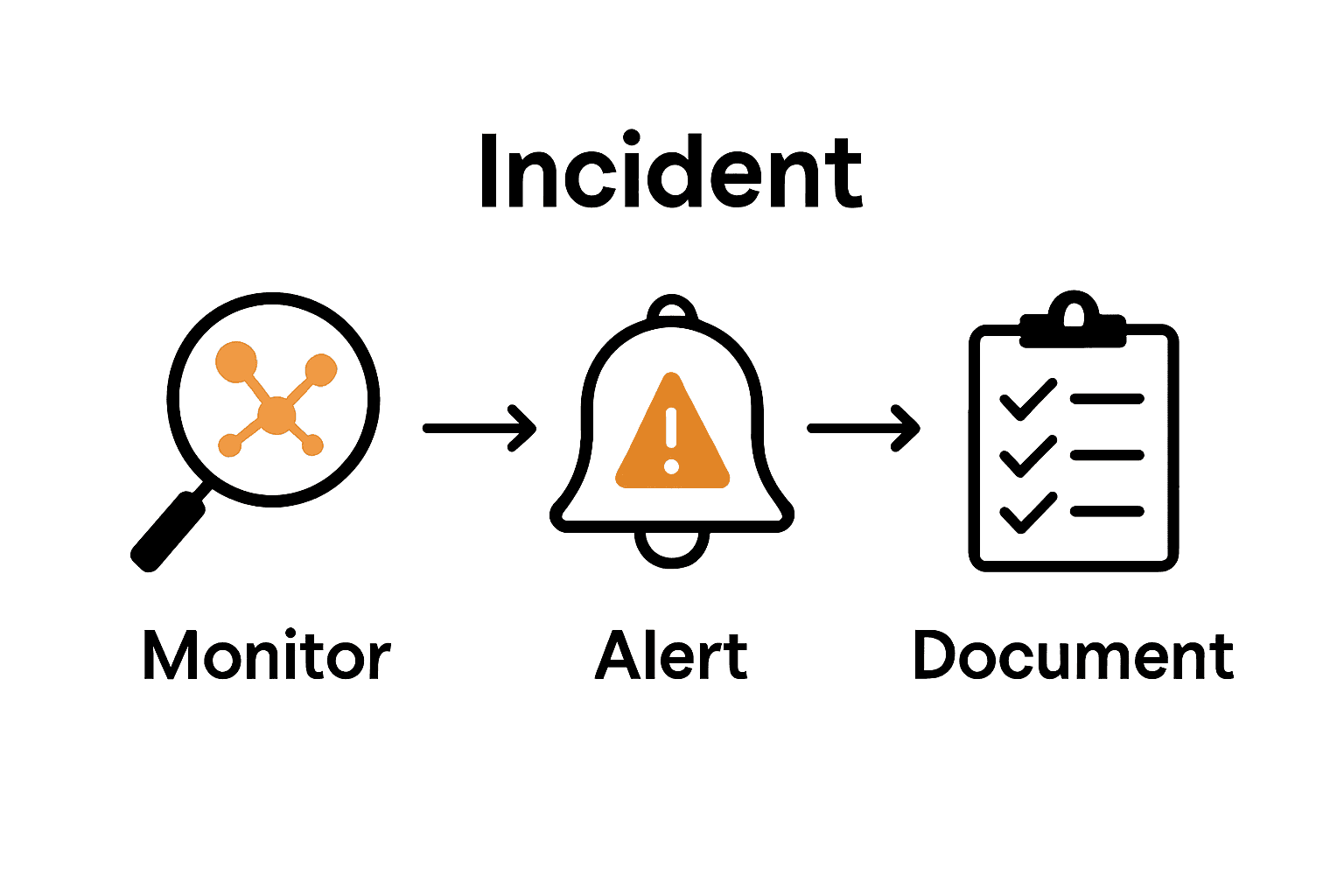
In this step, you will learn how to systematically confirm potential security breaches and create comprehensive documentation that will serve as a critical record for future prevention and potential legal requirements. Your goal is to transform initial suspicions into a clear understanding of what actually occurred.
Start by implementing network segmentation strategies to limit potential damage. According to CISA, proper network segmentation is an extremely effective security mechanism that prevents intruders from spreading exploits or moving laterally within your internal network. This approach allows you to isolate and investigate suspicious activities without risking broader system compromise.
When documenting your findings, create a detailed incident report that includes:
- Exact timeline of suspicious activities
- Systems and accounts potentially impacted
- Specific actions taken during investigation
- Evidence of potential unauthorized access
- Preliminary assessment of breach severity
Pro Tip: Use a standardized incident report template to ensure consistency and comprehensive documentation.
The OJP emphasizes the importance of clear communication and thorough documentation when addressing potential security incidents. Your documentation should be clear enough that other team members or external investigators can understand the full context of the potential breach.
As you complete this verification process, you will be preparing the groundwork for developing a robust incident response strategy that can protect your organization from future security threats.
Here’s a summary of the main steps and their objectives:
| Step | Key Focus | Objective |
|---|---|---|
| 1. Establish Security Monitoring Tools | SIEM setup Tool features |
Gain real-time network visibility and threat detection |
| 2. Configure Alerts for Suspicious Activity | Define alert triggers Adjust sensitivity |
Quickly identify and respond to security risks |
| 3. Analyze Logs and Network Traffic | Log review Pattern recognition |
Detect threats and performance issues proactively |
| 4. Investigate Abnormal Behaviors Promptly | Incident investigation Documentation |
Prevent breaches by rapid, thorough response |
| 5. Verify Breach Incidents and Document Findings | Segmentation Incident reporting |
Confirm breaches and maintain robust records |
Protect Your Business from Data Breaches with Local Expertise
Detecting data breaches early requires more than just tools it demands a trusted partner who understands your unique challenges as a local business. The article highlights how establishing security monitoring tools, configuring precise alerts, and promptly investigating suspicious activity can keep your network safe. At SRS Networks, we specialize in providing customized cybersecurity solutions and proactive IT support designed specifically for small to medium-sized businesses across the Monterey Bay Area.
With our hands-on approach to Managed IT Services and comprehensive Cybersecurity Solutions, we help you gain real-time visibility into your network, reduce false alarms, and rapidly respond to threats before they become costly breaches.
Stop worrying about unseen cyber threats and start securing your business today with a local, responsive partner who cares. Visit SRS Networks now to discover how our personalized IT roadmaps and flat-rate support help you stay protected and compliant without surprises. Don’t wait for a breach to act. Reach out to us and fortify your network with proven expertise right here in Central California.
Frequently Asked Questions
How can local businesses implement security monitoring tools to detect data breaches?
To implement security monitoring tools, start by selecting a comprehensive Security Information and Event Management (SIEM) system that tracks network activities in real time. Ensure the tool features real-time threat detection and automated alert systems to gain immediate visibility into potential security issues.
What specific activities should I configure alerts for to identify suspicious behavior?
Configure alerts for activities such as unusual login attempts, multiple failed password entries, or access from unfamiliar geographic locations. By focusing on these specific triggers, you can quickly identify potential data breaches before they escalate.
How can I effectively analyze logs and network traffic to detect data breaches?
To analyze logs and network traffic, compile audit records from various system logs and look for patterns that deviate from your organization’s normal operations. Pay close attention to unusual login patterns and unexpected network access attempts, as these can indicate potential breaches.
What should I do if I identify abnormal behaviors in network activity?
If you identify abnormal behaviors, promptly document the details, isolate the affected systems, and gather all relevant logs. By following a clear investigation protocol, you can determine whether the behavior poses a genuine security threat or is a benign anomaly.
How do I create a standardized incident report for a potential data breach?
Create a standardized incident report that includes a detailed timeline of suspicious activities, systems impacted, and actions taken during your investigation. Ensure your documentation is clear enough to allow other team members to understand the full context of the incident, preparing your organization for potential future breaches.