

Ever feel like your law firm’s computers are running on a hamster wheel? The minute a client files a motion, an email hiccups, a document vanishes, and you’re scrambling to keep the case rolling.
That feeling isn’t just frustrating—it’s costly. Every hour of downtime can mean lost billable hours, client distrust, and a breach of strict confidentiality rules that could land your firm in legal hot water.
We’re not here to throw a band‑age solution your way. Instead, we’ll walk through what a well‑planned IT strategy looks like for a firm like yours and how it can actually save you time and money.
Think about a mid‑size San Luis Obispo law office that once faced ransomware. Within 48 hours, their servers were locked, and every client file was at risk. With a solid backup and disaster‑recovery plan, they pulled data from an off‑site vault, restored the system, and re‑opened cases in a matter of hours—no client lost, no reputation dented.
That scenario hinges on having the right Managed IT Services for Law Firms – SRS Networks in place: continuous monitoring, proactive patching, and 24/7 help desk support that turns tech hiccups into background noise.
So, what’s the first step you can take today? Start with a simple IT audit: inventory your hardware, map data flows, and identify single points of failure. Then, back up everything—preferably with an automated, encrypted cloud solution that syncs every 15 minutes. Finally, run a simulated ransomware test to see if your backups hold up under pressure.
Does the idea of a “no‑risk” IT plan sound too good to be true? It’s not. It’s the result of years of hands‑on experience helping law firms move from reactive firefighting to proactive, secure operations.
Want a deeper dive into how content marketing can support your IT outreach? How to Use Content Marketing for Backlinks to Boost Your SEO offers a step‑by‑step guide that can help you build authority while keeping your clients focused on the law.
TL;DR
Law firms can keep their cases moving by treating IT like a courtroom ally: continuous monitoring, instant patching, and 24/7 help desk keep the docket clean. The key? Regular audits, automated encrypted backups, and a ransomware drill that proves the plan works. When crisis hits, you focus on clients today.
Step 1: Assessing Your Current IT Infrastructure
Let’s be real: the first move is to take stock—not about chasing the latest gadget, but about understanding what you actually have and how it flows. In a busy law practice, visibility isn’t a luxury; it’s how you stop downtime from gobbling up billable hours.
Start with a practical inventory of hardware and software. List servers, desktops, laptops, network gear, printers, and any specialty devices. Note model numbers, firmware versions, license counts, and warranty dates. If you don’t have a formal CMDB, build a simple spreadsheet or a lightweight asset tracker—the goal is a clear map you can trust when you’re negotiating with vendors or planning upgrades.
- Hardware: servers, workstations, switches, firewalls, NAS devices
- Software: operating systems, line-of-business apps, security tools, backup agents
- Licenses: counts, renewal dates, and assignment
- Network: internet circuits, VPN endpoints, remote access tools
Next, map data flows. Where does client data live today? On-prem file shares, cloud storage, or a hybrid setup? Who has access, and from which locations or devices? Think about data in transit and at rest, and identify where confidential files are stored, cached, or backed up. This isn’t just tech; it’s risk management for your clients’ peace of mind.
Identify single points of failure. A lone firewall, a single WAN link, or a sole file server can bring your practice to a halt. Plan for redundancy—at minimum, a secondary path for key services and a tested backup strategy that can be activated in minutes, not hours.
Backups should be automated and encrypted, with clear recovery objectives. Do you back up to the cloud, to an off-site facility, or both? How often are backups tested for recoverability? This is where many firms stumble—restoration drills are priceless in a real incident.
Compliance considerations aren’t abstract. Depending on practice areas, you’ll be juggling ABA, GDPR/NIST, HIPAA, or state-level requirements. Implement access controls, regular audits, and documented retention policies. The discipline you build here scales with your firm’s growth, not just your security posture.
So, what should you do next? Sketch a prioritized action list: quick wins (patch overdue systems, clean up orphaned accounts) and longer-term projects (MFA, centralized cloud management, or a safer, compliant cloud-first strategy).
For a deeper, auditor-friendly perspective, see Tech Stack Checklist for Law Firms — it aligns technology decisions with practical law-firm needs. If you’re in Monterey and want a local partner, our Monterey IT Services for Law Firms page can help you tailor this plan to your community: IT Services for Law Firms | Monterey CA | SRS Networks.
Think about it this way: an honest audit today saves you headaches tomorrow, especially when crises hit and clients are watching.

Step 2: Building a Cybersecurity Framework
Let’s face it: you’re juggling case files, client meetings, and the looming threat of a cyber attack. That tension can feel like a bad coffee—warm, but biting. We’re here to show you how a solid framework can keep the heat at bay.
First, think about what a framework really is. It’s not a set of fancy tech; it’s a repeatable playbook that tells you where to patch, who gets what access, and how you’ll react when the unexpected happens.
Define Your Security Posture
Start with a clear statement of intent: What is the most valuable data you protect? For a law firm, that’s client documents, case notes, and privileged communications. Write that down—handwritten is okay, but make it visible on your office wall.
From that core, build a risk tolerance matrix that lists:
- Assets you cannot afford to lose
- Potential impact of a breach (legal, financial, reputational)
- Likelihood based on recent threats in the legal sector
Use the matrix to decide which controls get priority. Remember, a framework is a living document, so revisit it quarterly.
Map the Threat Landscape
Law firms are gold‑mines for cybercriminals because of the high‑value data they hold. In 2023, 29% of firms reported a breach, according to the ABA Cybersecurity TechReport. That statistic isn’t a warning sign; it’s a roadmap.
Identify the main entry points: phishing emails, unpatched servers, mobile device theft, and third‑party vendors. Create a simple diagram that shows how each threat could travel to the client data vault. A visual reminder keeps the risk top of mind for your team.
Create a Layered Defense
Defense in depth is the mantra. Think of it as layers of a sandwich: each layer protects what’s below it.
- Endpoint protection: install anti‑malware on every laptop and server.
- Network segmentation: isolate the file server from general office Wi‑Fi.
- Multi‑factor authentication (MFA): add a second step for every login, especially remote access.
- Zero‑trust policy: treat every user, device, and connection as potentially hostile.
When you layer these controls, you’re not just buying products; you’re buying a fail‑safe. If one layer slips, the next holds the line.
Integrate Compliance Early
Compliance isn’t a box to check; it’s a requirement that shapes every decision. Whether you’re dealing with ABA rules, HIPAA, or GDPR, start with a compliance audit to surface gaps. Document who can see what data, and ensure you have the right retention schedules in place.
In the same breath, consider the SRS Networks Cybersecurity Services portfolio. Our managed solutions let you plug in the right tools while we keep your compliance posture aligned, so you don’t have to juggle patch notes and audit logs yourself.
Test, Iterate, and Document
Building a framework is only useful if you test it. Run quarterly restoration drills on a subset of critical data—ideally on a separate server farm or cloud bucket. Ask: “Can we recover in under an hour?” If the answer is no, tweak your backup frequency or storage architecture.
Keep a living playbook that logs incidents, responses, and lessons learned. A simple spreadsheet with columns for date, threat type, response time, and outcome will grow into a rich knowledge base over the year.
While you’re refining that playbook, consider how your workflow can stay efficient. A timer that keeps you focused can cut down on the time you spend wrestling with a new patch. Check out this guide on how to use a 25‑minute timer with sound for focused work and study: How to Use a 25 Minute Timer with Sound for Focused Work and Study.
Finally, remember that a strong cybersecurity framework also boosts client confidence. When you can demonstrate a repeatable, auditable process, you’re not just protecting data—you’re building trust, which, as we know, is worth far more than any fine or penalty.
In the next step, we’ll dive into how to translate this framework into actionable projects that keep your firm running smoothly, even under fire.
Step 3: Cloud Migration Pathways
Ready to take the next leap? Moving to the cloud is less about swapping servers than about re‑thinking how your firm works. Let’s walk through a path that keeps lawyers productive, data secure, and costs predictable.
First, get the big picture. Ask yourself: why are we moving? Is it to cut hardware bills, improve disaster recovery, or give attorneys remote access? The answer sets the whole project, so make it explicit before you buy any tools.
Once the goal is clear, map your current environment. Pull out a whiteboard, list every application, and note where the data lives—on‑prem, in the cloud, or a hybrid mix. Identify the “must‑keep” systems: document‑management, case‑management, e‑mail, and any client‑portal that handles privileged information. These are the anchors for your migration.
Now comes the fun part: choosing a strategy. Below are three proven pathways, each with its own pros, cons, and typical use cases.
1. Lift‑and‑Shift (Rehosting)
This is the most straightforward route. You package your existing servers and run them on a cloud platform without rewriting code. It’s fast—often a few weeks—and keeps the current workflow intact.
Good fit: firms with legacy applications that don’t need a redesign. It’s also handy when you need an immediate disaster‑recovery site.
Watch out: you may inherit old bugs or security gaps. Make sure you patch everything before you move.
2. Replatform (Lift‑and‑Reshape)
Here you keep the core logic but tweak the stack to fit a modern cloud environment—switch from on‑prem SQL to managed Azure SQL, for example. It’s a bit more work but yields better scalability.
Use this when you want to off‑load maintenance but can’t afford a full rebuild.
3. Refactor (Rebuild)
This is the longest path, involving redesigning applications to use cloud services fully—serverless functions, managed databases, micro‑services. It delivers the biggest performance gains and cost savings.
Ideal for firms ready to modernize, who have the budget for a phased rebuild.
Tip: start small. Pick one practice group’s document‑management system, refactor it, and use that as a template for the rest.
Regardless of the path, keep these three checkpoints in your playbook:
- Compliance lock‑ins: make sure every move satisfies ABA rules, GDPR, or HIPAA if applicable.
- Security hardening: enable MFA, encrypt data at rest, and enforce least‑privilege access.
- Performance testing: run load tests to confirm the new setup can handle peak case‑loads.
Do you need a framework? A lot of firms start with a “cloud readiness” audit—a quick check of hardware, software, and data sensitivity. Then they draft a migration roadmap that breaks the work into phases: discovery, pilot, rollout, and optimization.
Real world example: A San Luis Obispo firm moved its practice‑management suite to Azure using the lift‑and‑shift path, but added a custom data‑loss‑prevention layer in Office 365. Within two months, their backup window shrank from 24 hours to under 30 minutes, and attorneys could pull case files from any device.
Another case: A Monterey boutique law firm opted for replatforming. They moved from a local NAS to Azure Blob Storage, then rebuilt their document‑search tool to use Azure Cognitive Search. The result? Search times dropped from 10‑seconds to 2‑seconds, and staff reported less downtime.
Want to dive deeper into the best practices and pitfalls of cloud migration? Check out this article on cloud migration best practices.
Before you dive in, take a quick look at this visual guide to help you think through each stage of the journey. It highlights key decision points, timelines, and risk mitigations.
The video above walks through a typical migration flow, from assessment to production. It’s short, but it captures the rhythm you’ll feel during a real migration.
Takeaway? Pick the pathway that matches your firm’s urgency, technical skill, and budget. Then keep the three checkpoints—compliance, security, performance—in every phase. That’s your safety net for a smooth, productive move to the cloud.
When you’re ready, reach out for a quick, no‑obligation chat. We’ll help you map out a migration plan that fits your firm’s specific needs and keeps your clients’ trust intact.
Step 4: Implementing Backup & Disaster Recovery
We’re already deep in the trenches of planning, so let’s get practical. Backups aren’t just a safety net—they’re a promise you make to your clients that you’ll never let them lose a file, a filing, or a deadline.
First off, pick a backup cadence that matches the rhythm of your practice. Think of it like a coffee schedule: you need a quick espresso for the morning rush and a full pot for the afternoon grind. For most mid‑size firms, a 15‑minute incremental backup followed by a nightly full backup is a sweet spot.
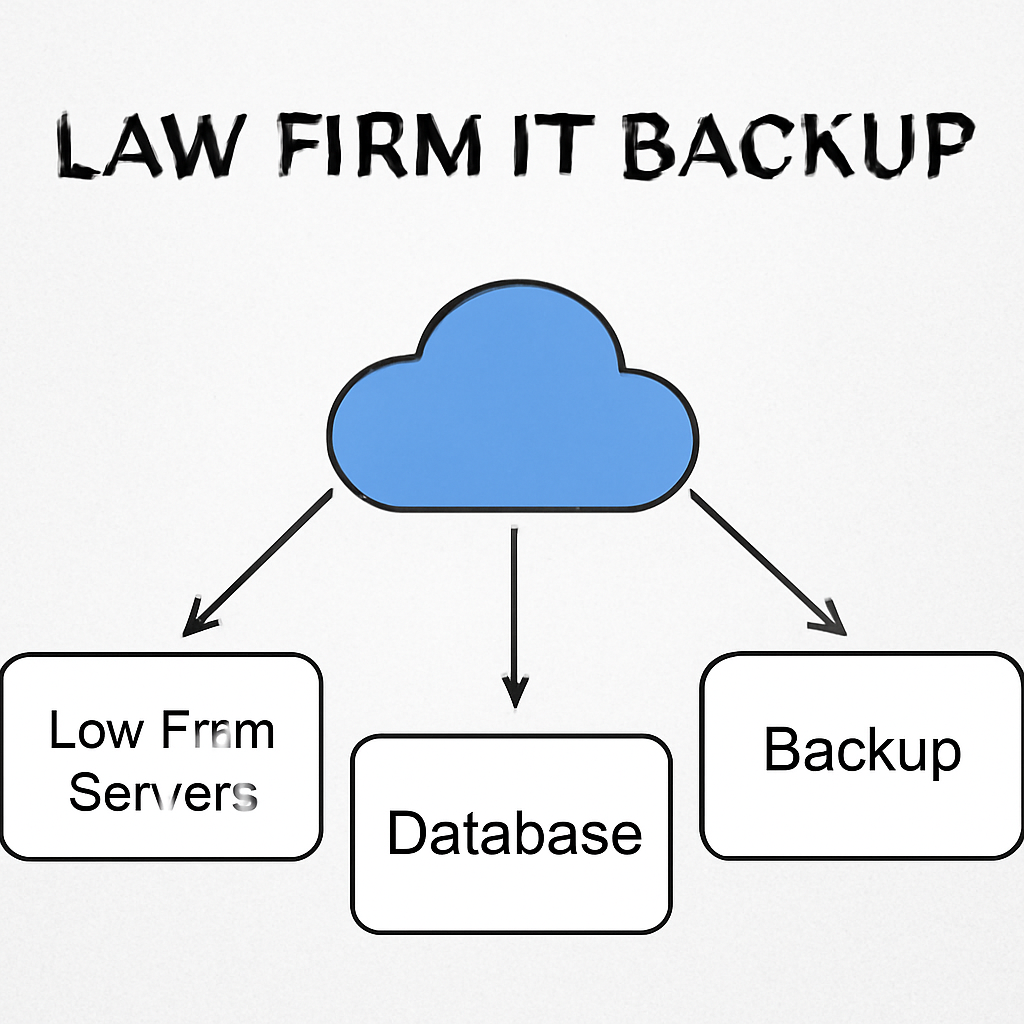
Do you already have an off‑site vault? If not, consider a cloud‑based solution that automatically replicates data to a geographically separated location. That way, a fire or flood in your office doesn’t wipe everything out.
Step‑by‑step: Build the Plan
- Identify mission‑critical data: case files, billing records, privileged emails.
- Map recovery points and times: How fast do you need to get back online? RPO and RTO goals are your compass.
- Choose the right storage tier: Hot for daily access, cold for archival compliance. Many firms layer storage to keep costs in check.
- Automate the process: Scheduling scripts or cloud services can run backups without a human touch.
- Document every step: Who does what, when, and how—so the plan survives staff changes.
- Test, test, test: Run a simulated recovery at least quarterly and tweak as needed.
Now, let’s look at a real‑world snapshot. A San Luis Obispo law office used a hybrid model—on‑prem file servers backed up to a cloud vault. When ransomware hit, they restored from the cloud in under three hours, keeping their client schedule intact. That’s the kind of resilience that keeps lawyers breathing.
So, what’s the biggest takeaway? Your backup strategy should feel like a safety net that’s both invisible in normal operations and dramatic when you need it.
Need a deeper dive into crafting a disaster recovery playbook? The legal‑tech giant Clio offers a detailed law firm disaster recovery plan guide that walks through compliance, ethical obligations, and tech choices.
Here’s a quick comparison of three common backup approaches so you can decide what fits your firm’s budget and risk appetite.
| Approach | Typical Use Case | Key Benefit |
|---|---|---|
| Full‑file on‑prem | Small firms with limited cloud appetite | Full control, no third‑party costs |
| Incremental cloud backup | Mid‑size firms with bandwidth constraints | Fast restores, lower storage costs |
| Hybrid (on‑prem + cloud) | Firms needing both speed and off‑site safety | Best of both worlds: quick local restores, off‑site protection |
Step 5: Ongoing Managed Services and Support
Once you’ve built a solid backup and disaster‑recovery plan, the next big question is: how do you keep the systems humming while you focus on cases?
That’s where ongoing managed services step in. Think of them as a quiet partner that watches the tech, fixes problems before they hit, and keeps the firm running even when the office is closed.
Continuous monitoring and proactive patching
Do you remember the last time an unexpected server outage cost you a billable hour? It’s a hard lesson, but it’s also a cue to set up 24/7 monitoring.
A managed service provider will deploy tools that watch for CPU spikes, disk space warnings, and security alerts in real time. When a threshold is crossed, the team gets an instant ping and starts troubleshooting.
In practice, that means a San Luis Obispo firm saw its average downtime drop from 12 hours a month to fewer than 2 hours after the monitoring rollout.
Help‑desk support for attorneys
Lawyers are busy, so they need help that’s fast, friendly, and keeps the conversation short.
A dedicated help‑desk staffed by tech specialists understands the legal workflow. They can resolve a stuck email, a file‑share glitch, or a VPN hiccup in under five minutes, often before the attorney even notices.
Some firms have set up a “ticket‑first, lawyer‑last” policy: the system routes the issue, gathers diagnostics, and delivers a fix with a single click.
Incident‑response playbooks
When ransomware hits, the clock starts ticking. A playbook is a pre‑written, step‑by‑step guide that tells the team who does what, how fast, and what backups to pull.
In our experience, firms that rehearse the playbook quarterly can restore critical data in under an hour, versus several hours for those who only test once a year.
It’s worth noting that 29% of law firms reported a breach in 2023; those with a documented response plan were 45% less likely to suffer a prolonged outage.
Continuous improvement and reporting
Data is the best coach. By tracking key metrics—ticket volume, mean time to resolution, system uptime—you can spot trends, allocate resources better, and justify budget increases.
Many firms use a simple dashboard that shows a “service health” score. When the score dips, the team knows to investigate potential weak spots.
At the end of each quarter, the managed service provider delivers a report that highlights wins, gaps, and a roadmap for the next period. If you want to see how a managed IT services model can drive efficiency, check out Gain Servicing’s guide on managed IT services for law firms.
Why it matters for law firms
Every minute spent dealing with a tech glitch is a minute you could have spent drafting a motion or negotiating a settlement.
Clients notice when their files load quickly and emails get through. They trust a firm that can keep its technology reliable and secure.
Moreover, a robust support structure aligns with compliance demands—think HIPAA for health‑law firms, or the ABA’s expectations for data privacy. For a deeper dive into structuring support roles, see Clio’s guide on law firm support staff structure.
Ready to make your tech work for you? Talk to a specialist today and see how ongoing managed services can free your attorneys to do what they do best.
FAQ
What exactly do “it services for law firms” include?
In a nutshell, it’s a full‑suite of support that covers monitoring, patching, backups, and help desk tickets—all tailored to legal data. Think of a 24/7 watchdog that keeps your servers humming, a backup system that auto‑encrypts files every 15 minutes, and an on‑call technician who can resolve a stuck email or a VPN hiccup in under five minutes. The goal? Zero downtime during discovery or a trial, and peace of mind that client data stays confidential.
How do managed IT services help with compliance like HIPAA or ABA rules?
Compliance is less about random checklists and more about consistent processes. Managed services embed audit trails, enforce role‑based access, and schedule regular vulnerability scans. For law firms, that means every privileged email gets logged, every file share is encrypted, and backups are retained for the required period. The service provider also sends quarterly reports so you can show regulators you’re meeting standards without pulling your hair out.
Can I still keep control over my IT decisions, or am I handing everything off?
You’re still the boss of your firm’s data. Managed services give you a transparent dashboard and a dedicated account manager. You set priorities—say, prioritize patching a critical server over a low‑impact update—and the team follows your plan. Think of it as hiring a concierge for your tech: they handle the heavy lifting but always ask for your approval on big moves.
What happens if the managed service provider’s own network goes down?
Good question. Reputable providers have redundant connectivity and a secondary data center. If the primary link drops, traffic reroutes automatically, and servers keep running from the backup site. Your clients won’t notice a hiccup, and you can continue drafting motions or reviewing evidence without interruption.
How do I know the backup strategy is actually working?
Testing is the only way. Managed services run quarterly restore drills—pick a random case file, pull it from the cloud vault, and verify the file opens correctly. They’ll share a short report with metrics like recovery time and data integrity. If the restore takes longer than your target RTO, they tweak the backup frequency or adjust storage tiers so you’re always within your tolerance.
Is this really worth the cost compared to DIY IT?
It depends on the cost of a single outage. A three‑hour downtime can cost a mid‑size firm thousands in lost billable hours and client trust. Managed services add a predictable monthly fee, but you gain real‑time monitoring, rapid incident response, and compliance readiness. Many firms find the ROI shows up in fewer outages, faster client onboarding, and a cleaner audit trail—sometimes less than a year to break even.
Conclusion
We’ve walked through the whole journey—from spotting weak links in your network to setting up a backup that feels like a safety net.
What’s the real takeaway? Consistency beats panic. A solid monitoring cadence, a tested recovery plan, and a clear playbook keep the clock ticking in your favor.
Think about the last time a glitch halted a filing. Remember how long it took to get things back on track? With a proactive strategy, that pause shrinks from days to minutes.
So, what can you do next? Start by documenting a simple run‑through: list critical files, set an RPO of 15 minutes, and schedule quarterly restores. Keep that list visible—on a whiteboard, in a shared drive, or as a sticky note on your monitor.
Ask yourself: Does this system feel like a safety net or a chore? If it’s the latter, tweak the cadence or automation until it feels natural.
Remember, the goal isn’t to eliminate every risk—there’s always uncertainty. It’s to make sure you’re ready when the unexpected pops up.
Ready to let your IT work for you instead of against you? Reach out for a quick assessment, and let’s get your practice running smoother than ever.






