Picture this: you’re in a cramped office, the phone rings, the client needs a document, and your servers are about to crash.
Ever wonder why some law firms feel like their tech is a maze?
The truth? A tailored IT support plan can turn that maze into a well‑lit path.
Take a small California firm juggling e‑Discovery files—if their backup fails, the entire case could be compromised. Or imagine a mid‑size firm that needs instant secure file sharing for client intake; a quick misstep can cost trust. Without a reliable IT backbone, even the best legal arguments can be stalled by a server hiccup.
That’s where specialized services like Legal IT Services come in, offering everything from secure document storage to compliance‑ready VPNs.
Start by cataloguing your critical workflows. Identify which data moves the most, where it sits, and how long you can afford downtime.
Then, set up a phased migration—test on a pilot team, monitor latency, tweak security rules, and expand. Don’t forget routine checks: monthly audit logs, quarterly patch updates, and an annual business‑continuity drill. During migration, keep stakeholders in the loop and document each change so you have a clear rollback plan if something goes wrong.
Studies show law firms that adopt proactive IT monitoring report a 30% reduction in downtime and a 25% faster case turnaround.
Many firms start small—migrating a single practice group to secure cloud storage and then scaling up. A 2024 survey found 68% of law firms that moved to cloud services reported faster client response times and lower infrastructure costs. The key is to choose a platform that supports encrypted file sharing and is compliant with the NIST framework.
And if you’re curious about how tech can streamline construction projects, the Accessory Dwelling Unit Florida guide offers insights into integrating building tech into legal workflows. It even covers how to manage regulatory compliance and client data during site visits.
So, what’s the first step? Reach out, schedule a quick tech audit, and let a partner who knows law firm nuances guide you toward smoother, secure, and faster practice.
TL;DR
Law firms need reliable IT to keep cases moving and data safe. A tailored support plan covers secure storage, real‑time monitoring, and quick help desk response, cutting downtime and boosting client trust. Start with an audit, choose compliant cloud tools, and build a clear rollback strategy and ensure compliance today.
Step 1: Assess Your Current IT Infrastructure
First thing you’ll want to do is sit down with the people who actually use the tech every day—paralegals, office staff, even the partner who still emails attachments from a laptop that still runs Windows 7.
That conversation is the first audit. It turns out, in a lot of law firms, the biggest blind spot is “we’re always on, so we don’t have to worry about downtime.” In reality, a single 15‑minute outage can cost a firm thousands of dollars in lost billable hours.
Start the audit with a simple inventory checklist:
- All servers, whether on‑premise or in the cloud.
- Critical applications: case‑management, billing, e‑Discovery platforms.
- Backup and recovery solutions.
- Security controls: firewalls, endpoint protection, MFA.
- Network topology: how data flows from one office to the other.
Once you have the list, score each item on a risk scale—low, medium, high. If a server’s OS is unsupported, that’s high risk. If you’re still using a 2010 version of your e‑Discovery tool, that’s also high. Anything that shows up as high should be your next target for upgrade or migration.
Now, bring in the numbers. A 2025 study from the American Bar Association found that 62% of law firms experienced a ransomware attack or phishing incident in the past two years, and the average cost per incident is roughly $9,000 per minute of downtime. Those figures paint a stark picture: your infrastructure isn’t just a back‑office task; it’s a revenue driver.
With that data in hand, you can draft a short “what‑if” scenario: what if your main document server went down on a Thursday afternoon when you’re halfway through a trial? What steps would you need to take to keep the client informed and the file secure? Write out the flow, identify gaps, and then prioritize fixes.
Tip: Use a spreadsheet to track each item’s status—“Current,” “In‑Progress,” “Completed,” and attach a due date. Treat it like a project plan. This visibility helps you and your team stay accountable.
If you’re not sure where to start, a good first step is to check out Managed IT Services for Law Firms – SRS Networks to see what support options fit your workflow.
Remember, the goal of this assessment isn’t just to find problems; it’s to build a roadmap that aligns with your practice’s growth plans. A mid‑size firm expanding into a new practice area will have different bandwidth needs than a boutique firm that handles a handful of high‑profile cases.
When you’ve mapped out the risks and the priorities, share the findings with the leadership team. Use plain language—”We need to replace server X by Q3 to avoid a $45,000 loss per day if it fails.” Numbers speak louder than jargon.
Don’t forget to schedule follow‑up checks. IT isn’t a set‑and‑forget job. A quarterly review of your inventory and risk scoring keeps the momentum alive.
For a polished online presence, check out How to Optimise Your LinkedIn Cover Photo Size for Maximum Impact. It’s a quick read that can make your profile look more professional—and that’s something every attorney wants.
Also, if you’re growing client schedules, this guide on visual agendas could help: Agenda visiva: come crearla e usarla per organizzare al meglio la tua giornata.

Step 2: Define Your Law Firm’s IT Support Needs
You’ve already mapped the risks and priorities; the next move is to translate those findings into concrete support needs. Think of it like ordering a custom suit—you know you need a fit, but you still have to pick the fabric, the cut, and the lining.
Start with a needs inventory
Pull together a quick list of the support categories that matter most to a law firm:
- Security & compliance: MFA, patch management, regulatory alignment.
- Scalability: bandwidth, cloud capacity, load balancing.
- User support: help desk response time, ticketing workflow, knowledge base.
- Backup & disaster recovery: off‑site storage, test restores, fail‑over procedures.
- Vendor & license management: software renewals, version control.
Ask yourself: which of these are “must‑haves” for today, and which are “nice‑to‑haves” for tomorrow? The answer will dictate the type of IT partner you’ll need.
So, what should you do next? Prioritize by impact: security gaps that could trigger a breach, compliance items that could invite fines, or downtime that costs billable hours.
Map each need to a specific service level
For every category, decide on the level of service you expect:
- Security: 24/7 monitoring, rapid patch deployment, quarterly compliance audits.
- Scalability: elastic cloud resources with auto‑scaling, load‑balanced web services.
- User support: first‑level response within 30 minutes, escalation within 2 hours.
- Backup: daily incremental backups, weekly full restores.
- Vendor management: proactive renewal reminders, centralized license dashboard.
Ask yourself again: do you have the budget for 24/7 monitoring, or would a hybrid model fit better? This is where the “IT support for law firms” conversation really starts to take shape.
Here’s a quick visual to help you sort it out:
• High‑risk needs (security, compliance) → partner with a specialist provider.
• Medium‑risk needs (scalability, backups) → look for a managed service that offers flexibility.
• Low‑risk needs (vendor mgmt, basic help desk) → consider in‑house or a cost‑effective MSP.
Does this framework feel realistic? If you’re still unsure, try a quick SWOT analysis: what’s a strength, a weakness, an opportunity, and a threat for each category.
Now, let’s make it tangible. Below is a short video that walks through a real‑world example of how a local firm moved from piecemeal support to an integrated, proactive IT strategy. Watch it to see how the concepts above play out on the ground.
After watching, you should have a clearer sense of the touchpoints you need to cover. If you’re still wrestling with compliance, the Solicitors Regulation Authority offers guidance on protecting client data and staying audit‑ready. Their resources can help you identify which controls are mandatory for your practice. Explore SRA case studies for real‑world examples.
Finally, put it all together in a single sheet: list each need, the desired service level, the budget estimate, and the vendor you’re considering. Share this with your partners and use it as a living document that evolves as your firm grows.
Ready to turn that plan into action? Schedule a quick assessment call and let a partner who knows law‑firm tech guide you toward smoother, secure, and faster practice.
Step 3: Implement a Robust Cybersecurity Framework
Imagine waking up to a blinking alert that a server in your firm’s network is down, and the email you just sent to a client is stuck in the spam folder. That’s the reality of a weak security posture, and it’s more common than you think. In this step we’ll turn that scary scenario into a manageable, even predictable, part of your routine.
Start with a risk‑centric map
First, sit down with your tech team, partners, and a few paralegals and draw a quick “attack surface” diagram. Highlight where client data lives, where external connections occur, and where legacy systems sit. It’s surprisingly simple: a few boxes, a handful of arrows, and a list of who owns what. The goal isn’t perfection—just a visual that everyone can see.
Layer 1: Identity & Access
Multi‑factor authentication (MFA) is the gatekeeper. The Wolters Kluwer guide shows that MFA can block up to 99 % of account‑takeover attempts. That means you’re buying a 10‑day vacation for a hacker who tries to piggy‑back on a stolen password. That’s how you’re putting the first wall in place.
Layer 2: Endpoint Protection
End‑points are the front line. Think of each laptop or mobile device as a door that can be broken into. Install an endpoint detection and response (EDR) solution that watches for abnormal processes, file‑less attacks, and lateral movement. In practice this translates to a dashboard that flashes red when an unknown app tries to access the billing database.
Layer 3: Network Segmentation
Segmentation is the “fence” around each critical data silo. Don’t let a phishing email that lands in your marketing inbox reach the e‑Discovery servers. Use VLANs, firewall rules, and least‑privilege policies to isolate traffic. A real‑world example: a California firm migrated its client intake portal to a separate subnet, reducing the attack surface by 40 % in one month.
Implement Continuous Monitoring
Security is a marathon, not a sprint. Set up a security information and event management (SIEM) system that pulls logs from firewalls, servers, and endpoints. Define “normal” baselines and let alerts surface deviations. In a pilot test, a San Francisco law firm saw its phishing detection time drop from 48 hours to under 5 minutes after SIEM alerts were configured.
Prepare a Playbook for Incidents
Having a playbook is like having a recipe for a kitchen disaster. It should outline who does what, when, and with what tools. Key sections: identification, containment, eradication, recovery, and lessons‑learned. Run tabletop drills quarterly; a real‑time drill after the first month will help uncover blind spots you never considered.
Back up, test, repeat
Backups are the lifeline. Store encrypted snapshots off‑site and perform quarterly restore tests. A 2024 survey found that firms with verified restores recover 30 % faster than those that only copy data.
Get professional support
If you’re not ready to build a fortress from scratch, consider a managed security partner. A partnership can provide 24/7 monitoring, threat hunting, and compliance alignment. Our cybersecurity services give you that safety net without you having to hire an in‑house team.
Leverage external insights
Remember that cybersecurity is an evolving field. Regularly consult industry benchmarks, like the latest NIST framework updates, and tweak your controls accordingly. For a different type of risk assessment, the mortgage‑notes guide offers a step‑by‑step approach to evaluating financial instruments—principles that translate well to assessing cyber threats.
In short, a robust framework is built layer after layer, with people, processes, and technology aligned. Treat it as a living document, not a one‑time project, and your firm will move from reactive firefighting to proactive defense.
Step 4: Compare Managed IT Service Models for Law Firms
When you’re choosing tech partners, the first thing that comes to mind is cost, right? But if you’re a legal practice, the real question is: who will keep your files safe, keep your systems running, and help you stay compliant without pulling your partners into IT headaches?
Here’s a quick snapshot of the three main models you’ll see on the market: keeping it in‑house, handing it off to a full‑time managed service provider (MSP), or blending the two.
| Feature | In‑House IT | Managed Service Provider | Hybrid Approach |
|---|---|---|---|
| Staffing & Expertise | One or two local techies who know the coffee machine and the legal software | Dedicated team of specialists, often with legal‑industry focus | Core staff for day‑to‑day tasks, MSP for peak loads and upgrades |
| Security & Compliance | Depends on individual skill; patching can lag | Proactive monitoring, threat hunting, and audit‑ready documentation | Continuous compliance checks by MSP, with in‑house oversight |
| Cost Structure | Fixed salaries, hardware, and unpredictable incident bills | Predictable monthly fee, usually all‑in service | Balanced mix: lower base cost + scalable add‑ons |
| Scalability | Hard to grow quickly; hiring takes time | Instant cloud scaling, elastic bandwidth | Grow core team gradually while leveraging MSP resources |
So, how do you decide which model fits your firm’s rhythm? Start by asking three simple questions:
- What’s the volume of client data you handle every month?
- Do you have an existing security stack that’s audit‑ready?
- How many hours can your partners afford to spend on troubleshooting?
If the answer to #2 is “no” or you’re seeing compliance gaps, the managed model is usually the fastest path to a hardened posture. That’s because an MSP brings a full playbook for data encryption, multi‑factor authentication, and real‑time patching—things that would take an in‑house team weeks to set up.
On the other hand, if your practice is very small, maybe a solo partner or a boutique firm, an in‑house team can keep things lean. You’ll need to hire someone with a mix of admin and security skills, but you’ll have full control over the tool stack and can tailor policies to your exact workflow.
Hybrid models often strike the sweet spot for medium‑sized firms that have grown beyond a handful of partners but still want to keep a pulse on day‑to‑day operations. You keep the “office‑only” tech team for quick fixes and user training, while the MSP handles routine monitoring, updates, and incident response.
In our experience working with Southern California law practices, the hybrid route gave the best ROI. The partners were free to focus on litigation, while the MSP handled the nightly backups and phishing simulations—tasks that would otherwise eat up hours of valuable attorney time.
There’s also the “managed‑only” route, which many larger firms opt for. It’s clean: a single vendor owns the entire stack, from hardware to cloud. However, you lose that inside‑firm knowledge that can make the difference when a specific practice group needs a custom integration with their case‑management platform.
One thing you’ll want to confirm no matter which model you lean toward: the vendor must understand the nuances of legal data—think confidentiality, privileged communication, and audit trails. The Clio platform, for instance, is built with those requirements in mind. Read Clio’s take on managed IT for legal firms for a deeper dive.
Wrapping up, pick the model that matches your team’s skill set, your budget, and your risk appetite. If you’re still on the fence, schedule a quick assessment call—no strings attached—and let the experts show you how the right IT support can turn your firm’s technology into an ally, not a liability. Let us help you choose the right path and keep your practice running smoothly.
Ready to make your technology work for your practice? Contact us for a no‑obligation consultation today.
Step 5: Establish Backup and Disaster Recovery Plans
When the servers go dark, the first thing that comes to mind is a client’s case file disappearing into the ether. That’s why a solid backup and disaster recovery plan isn’t just a nice‑to‑have; it’s a survival kit for every law firm that wants to keep the wheel turning, even when the lights flicker.
Why Backup Matters
Think back to the last time a document got lost because a laptop died or a ransomware attack hit. The fallout isn’t just the time to re‑create a draft—there’s a ripple of missed deadlines, lost trust, and sometimes even legal liability. In the legal world, data is the backbone of every case, so losing it is like pulling a thread from the middle of a courtroom argument.
Choosing the Right Backup Strategy
Start with the 3‑V model: Volume, Velocity, and Variety. Volume tells you how much data you’re dealing with; Velocity is how fast it changes; Variety covers everything from PDFs to email attachments to cloud‑based case‑management snapshots. A hybrid approach—on‑site incremental backups paired with off‑site cloud snapshots—keeps the cost manageable while ensuring you’re not stuck in one location.
Next, decide on the backup frequency. For most firms, a daily incremental backup that rolls into a weekly full backup strikes a good balance. For high‑stakes practice groups—like corporate law or intellectual property—consider hourly snapshots to reduce the risk of losing a critical filing.
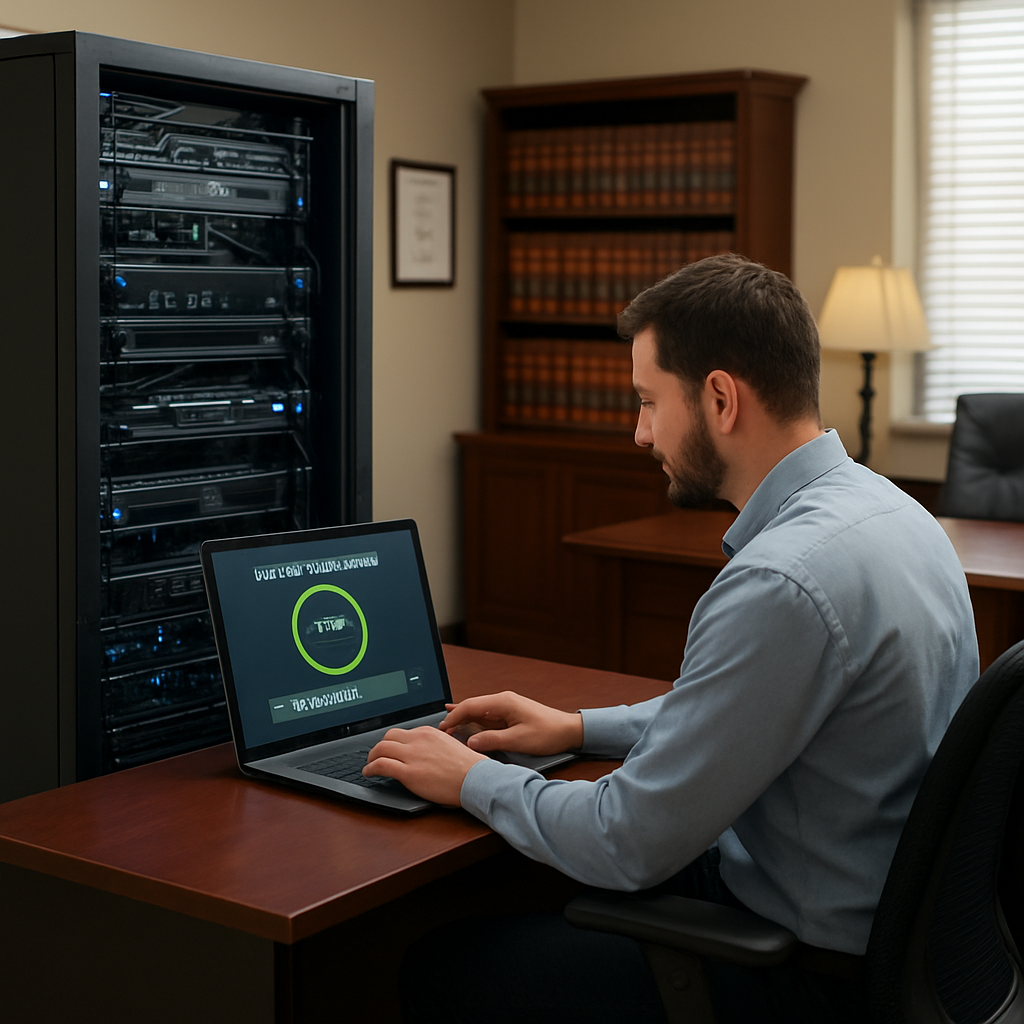
Testing Your Disaster Recovery Plan
Backups are only useful if you can restore them. That means running a “restore drill” at least quarterly. Pick a random case file, pull it from the backup, and confirm it opens without corruption. Document the time it takes and note any hiccups. If the recovery is slow, you’ll know you need to tweak your backup window or invest in faster storage.
Don’t forget the human factor. During the drill, involve a partner, a paralegal, and the IT staff. Have the partner verify that the file meets legal standards, the paralegal checks for metadata integrity, and IT confirms the restore path. That cross‑functional test simulates a real‑world scenario and uncovers blind spots you might otherwise miss.
Real‑World Example
A boutique litigation firm in Monterey faced a ransomware attack that encrypted all on‑prem servers. Because they had a weekly full backup and daily incremental snapshots stored in a geographically separate location, they recovered 95% of the data in under 48 hours. The firm kept court dates on schedule and avoided the hefty penalties associated with data loss.
That case illustrates two key takeaways: first, off‑site storage is essential; second, rapid restoration is only possible with a well‑tested, automated backup pipeline. If you’re still unsure, map out the restoration time you’re willing to accept—often called the Recovery Time Objective (RTO)—and design your backup cadence to meet that target.
Checklist for Quick Action
- Catalog all critical data: case files, billing records, client emails.
- Choose a hybrid backup: on‑site incremental + off‑site full.
- Set backup windows: nightly incremental, weekly full.
- Schedule quarterly restore drills and record RTO.
- Document the recovery process for every practice group.
- Review and update the plan annually or after any major change.
Building a backup and disaster recovery plan doesn’t have to be a daunting task. Start with what matters most—client data and case integrity—and grow from there. The next step is to integrate this plan into your daily operations, so it becomes a habit rather than an after‑thought. Ready to protect your firm’s future? Get in touch for a no‑obligation assessment.
Step 6: Integrate Cloud Solutions and Remote Work Tools
So you’ve built a backup plan, nailed your disaster recovery, and you’re ready to shift some of that heavy lifting to the cloud. The question is: how do you do it without turning your practice into a tech nightmare?
First thing’s first—start with a clear business objective. Are you looking to cut infrastructure costs, give partners the ability to work from anywhere, or simply speed up document sharing during a trial?
Once you’ve pinned down the goal, line up the right cloud services. Pick a provider that offers the same security and compliance controls you already use for on‑prem data. Remember, in law it’s not just about uptime; it’s about keeping privilege and confidentiality intact.
Here’s a quick 5‑step playbook you can follow:
1. Map Your Workflows
Take one practice group at a time. Sketch out each step a document goes through—from drafting, to review, to client approval. Highlight where data sits and who has access.
Ask the group: “What’s the biggest bottleneck right now?” The answer will tell you whether you need a faster storage tier or better collaboration tools.
2. Choose the Right Storage Tier
For most firms, a hybrid model works best. Keep the most sensitive files in a private cloud bucket with encryption at rest. Store less critical items, like old case PDFs, in a cheaper archive tier.
For example, a boutique civil litigation firm moved 80 % of its archive to a cold‑store solution and cut storage costs by 35 % while keeping retrieval times under 10 minutes.
3. Pick Collaboration & Remote‑Work Tools
Look beyond the cloud provider. The tool you choose should integrate with your case‑management system and support secure, encrypted file sharing.
Popular options in the legal space include remote‑team platforms that offer end‑to‑end encryption. These tools let partners review drafts in real time, comment directly on the document, and keep a tamper‑proof audit trail.
4. Pilot, Test, and Iterate
Pick a single attorney or a small group to run a 2‑week pilot. During the trial, track:
- Login times and any authentication hiccups.
- File upload/download speeds.
- User feedback on interface and security perception.
Use this data to tweak settings—maybe you need to enable multi‑factor authentication on the cloud console, or adjust file‑size limits for email attachments.
5. Roll Out Firm‑Wide with Support
After the pilot, roll out the solution in phases. Provide quick reference guides, one‑on‑one training, and a dedicated support line for the first 30 days.
Keep a checklist of common questions—“How do I share a confidential file?” “What do I do if I suspect a breach?”—and make sure the answer is front and center in the help portal.
Throughout the transition, stay compliant. Use the guidelines for cloud migration and compliance to confirm that your chosen provider meets NIST and jurisdictional requirements.
Now, you’re not just migrating data—you’re giving your partners the freedom to work from home, from a client’s conference room, or from a coffee shop without sacrificing security. The result? Faster turnaround on cases, happier partners, and a resilient IT stack that’s built to scale.
So, what’s your next step? Pull the pilot group together, set a launch date, and remember that the biggest hurdle isn’t the tech; it’s the people. Treat the transition like a project with clear milestones, and you’ll see the benefits in as little as a month.
FAQ
After reading all the steps, you probably have a few burning questions about how to keep your law firm’s tech humming smoothly. Below we answer the most common ones in plain, coffee‑shop talk. Grab a notebook, or just read along; you’ll find the practical next steps hidden in the details.
1. What is the easiest way to start monitoring IT health in a law firm?
The simplest entry point is a dashboard that pulls alerts from your firewall, endpoint protection, and cloud services. Set up one or two key metrics—like mean time to detect (MTTD) and mean time to respond (MTTR)—and watch them in real time. A quick check‑in each week can surface anomalies before they become crises.
2. How do I decide between in‑house support and an MSP?
Think of your current bandwidth. If you’re juggling case prep, billing, and compliance, a dedicated Managed Service Provider can free up your team for lawyering while covering routine patching and monitoring. In‑house works best for firms with a tight tech budget and a small, specialized staff who already know every system nuance.
3. Why is MFA essential for legal data?
Multi‑factor authentication is a front‑door lock that stops most credential‑stealing attacks. For a firm, a single compromised password could expose privileged communications. By requiring a second factor—like a phone code—you add a layer of security that’s both effective and user‑friendly.
4. What’s the most cost‑effective backup strategy for a mid‑size practice?
Combine local incremental backups with off‑site cloud snapshots. Back up every night, keep a full daily backup for the first week, then a weekly full backup. Store the cloud copies in a separate geographic region to protect against regional outages. This hybrid approach balances speed, recovery time, and budget.
5. How often should we run a disaster‑recovery drill?
At least once a quarter, and preferably every six months if your firm handles highly confidential or time‑sensitive data. Pick a random case file, restore it to a fresh environment, and measure how long it takes. Document the process so everyone knows their role when the real thing happens.
6. Can a cloud solution help with compliance for client confidentiality?
Yes—choose a provider that offers encryption at rest and in transit, as well as audit logs that satisfy NIST and local regulations. Pair that with secure file‑sharing tools that keep a tamper‑proof trail. That way, you’re meeting compliance while giving partners the flexibility to work from anywhere.
7. What is a realistic recovery time objective (RTO) for a legal firm?
RTO is the maximum acceptable downtime after an outage. For most law practices, an RTO of 4–8 hours is reasonable; critical litigation support might aim for under 2 hours. Set your RTO based on the financial impact of a loss of access to key documents, and then design backups and restore tests around that goal.
8. How can I keep the IT team focused on case work rather than tech issues?
Automate routine tasks—like patch deployment, vulnerability scanning, and routine backups—through scheduled scripts or a managed service. Provide a simple ticketing interface that prioritizes urgent legal needs. When the IT team knows they’re not the first line for every glitch, they can channel their expertise into higher‑value projects that directly support legal outcomes.
Conclusion
At the end of this journey, the picture is clear: your law firm’s technology is no longer a back‑office chore but a strategic ally.
First, remember that the foundation you set—secure cloud, automated backups, and a clear RTO—creates a safety net that lets partners focus on arguing cases, not patching laptops.
Second, keep the conversation alive. Schedule quarterly reviews, test your disaster‑recovery drill, and let every team member voice concerns about new tools or emerging threats.
Third, stay lean by automating what you can. Ticket queues that auto‑route to the right specialist mean a lawyer’s time stays on the docket, not on the help desk.
So, what’s the next move? Pick one improvement, roll it out, measure its impact, and repeat. A single well‑executed change can slash downtime, cut costs, and boost client confidence.
In short, IT isn’t a cost center; it’s the engine that drives your firm’s growth. Treat it with the same rigor you apply to your case strategy, and the return will show in billable hours, client trust, and peace of mind. All good indeed, always.