Flat-Rate IT Support: Simplifying Managed IT Service Costs

Understanding Managed IT Services Cost & Pricing Models: A Complete Guide for SMBs and Non-Profits
Managed IT services are ongoing, outsourced IT functions that package monitoring, maintenance, security, and support into predictable offerings instead of ad hoc break‑fix work. By combining continuous monitoring with proactive remediation, these services cut unexpected downtime, help control IT budgets, and align technology spending with your organization’s priorities.
This guide walks through the main managed IT pricing models, typical cost ranges for small businesses, the factors that drive pricing, and practical steps to calculate ROI while spotting hidden fees. You’ll learn how flat‑rate, per‑user, per‑device, tiered, and à la carte approaches differ, how to estimate monthly IT spend for common SMB and non‑profit setups, and how to pick a model that balances predictability and flexibility. We also include comparison tables, checklists, and contract tips to help you negotiate better terms. Finally, there’s a section on how SRS Networks approaches managed IT pricing for California SMBs and non‑profits so you can compare vendor philosophies when requesting proposals.
What Are the Common Managed IT Services Pricing Models?
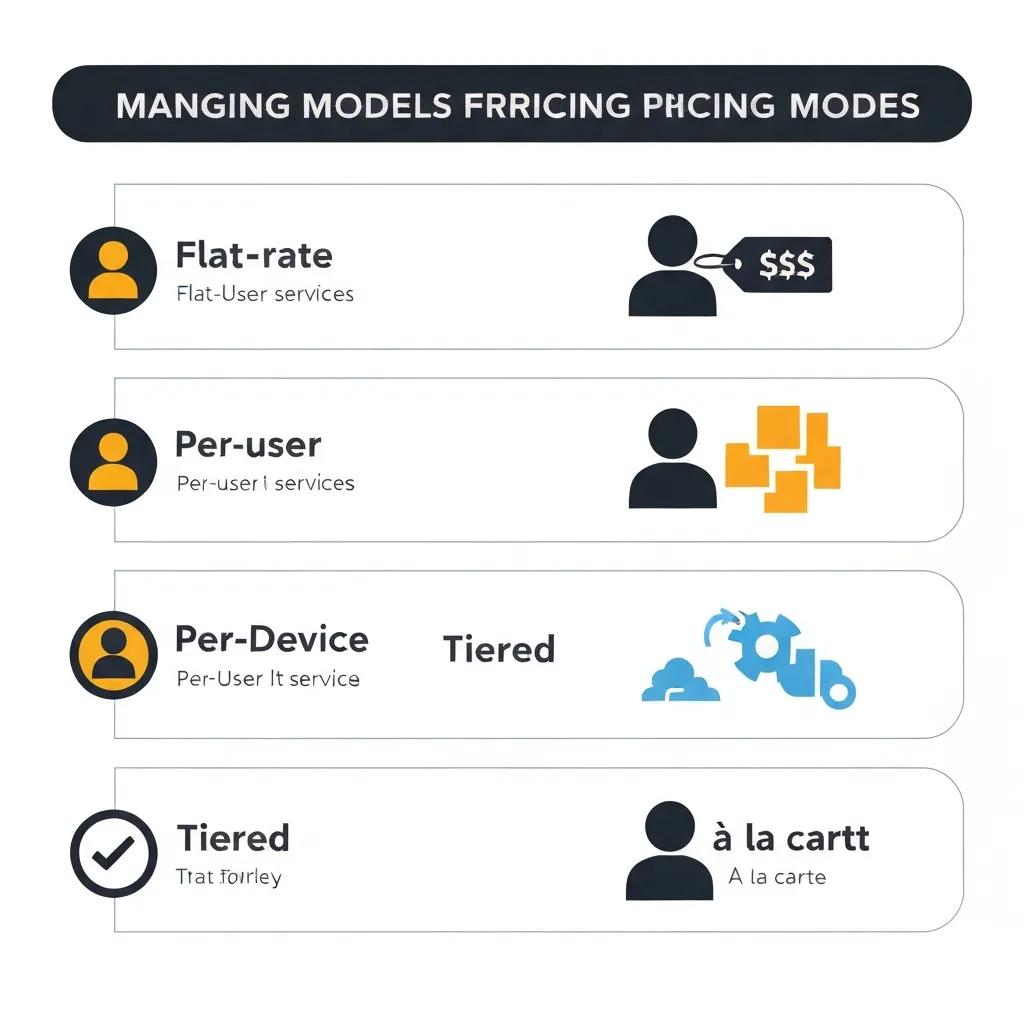
Pricing models are the frameworks providers use to bundle services and bill clients. Each model balances predictability, scalability, and flexibility in different ways. How a model charges—by headcount, by device, or by package—directly affects how your costs change as you grow. Picking the right model matters for forecasting budgets, assigning vendor accountability, and avoiding surprise fees.
Below is a concise comparison and a simple table that shows what each model typically includes and when it works best.
Common pricing models include flat‑rate (one all‑inclusive monthly fee), per‑user (a subscription per employee), per‑device (per workstation or server), tiered bundles (basic → premium), and à la carte or hybrid (mix‑and‑match services). Flat‑rate favors predictable budgets; per‑user aligns costs with headcount; per‑device helps when teams share hardware; tiered plans make upgrades simple; and à la carte supports custom or project work. SRS Networks maps its managed services to these models with local tailoring and transparent terms—see the section “How Does SRS Networks Approach Managed IT Services Pricing for California SMBs and Non‑Profits?” for details.
Pricing model comparison:
| Pricing Model | What It Includes | Typical Use Case | Typical Cost Range (industry avg) |
|---|---|---|---|
| Flat-rate | Monitoring, help desk, patching, basic security | Small teams wanting predictable spend | $1,000–$5,000+/month (varies by scope) |
| Per-user | Per-employee subscription covering devices and support | Headcount-driven offices | $100–$250/user/month |
| Per-device | Per-workstation or server pricing | Shared-device environments or device-heavy shops | $50–$150/device/month |
| Tiered packages | Bundled features by level (basic/standard/premium) | Organizations needing upgrade paths | $500–$10,000+/month depending on tier |
| À la carte / hybrid | Pay for specific services or add-ons | Custom needs like advanced security or cloud projects | Variable; itemized fees |
This table highlights the trade‑off between predictability and flexibility. Identifying which model matches how your organization operates is the first practical step to estimating managed IT costs.
How Does Flat-Rate IT Support Pricing Work?
Flat‑rate support charges a fixed monthly fee for a defined set of services, bundling routine monitoring, help desk support, and maintenance into one predictable payment. That predictability simplifies budgeting because the provider takes on day‑to‑day IT hygiene and proactive maintenance. Common inclusions are remote monitoring, patch management, basic endpoint protection, and unlimited help desk for covered systems; typical exclusions are major projects, hardware replacement, and specialized cloud migrations. For SMBs and non‑profits with steady support needs, flat‑rate plans often cost less over time than frequent break‑fix calls.
Flat‑rate works best when the contract clearly lists inclusions and your environment fits that scope. If you expect frequent large projects or niche services, confirm how project work and overages are handled. Clear SLA language and on‑site visit allowances prevent surprises and help the flat‑rate model deliver the budget certainty you expect.
What Are the Differences Between Per-User and Per-Device Pricing?
Per‑user pricing bills a monthly fee per named user and usually covers that user’s devices, accounts, and a share of help desk and security. Per‑device pricing charges per physical endpoint regardless of who uses it. The practical difference is whether costs scale with headcount or hardware footprint—important as teams or device counts change. Per‑user plans simplify licensing for mobile or multi‑device users; per‑device can be cheaper for shared workstations or kiosks. Each approach needs administration: per‑user models require tight onboarding/offboarding discipline; per‑device models need accurate inventory tracking to avoid billing surprises.
Compare scenarios: a 20‑user firm with two devices per person may prefer per‑user pricing for predictability, while a facility with many shared kiosks may save with per‑device billing. Hybrid solutions often make sense for mixed environments or seasonal staff.
How Much Do Managed IT Services Typically Cost for Small Businesses?
Costs vary by model, included services, and regional market rates. Typical per‑user ranges and component pricing below can help you build realistic budgets. Prices rise with stronger security requirements, complex cloud management, VoIP and networking needs, and compliance obligations—so a granular breakdown is useful for forecasting. The table that follows outlines common service components, how they’re usually priced, typical ranges, and the main cost drivers.
These figures are industry averages and should be treated as planning benchmarks, not firm quotes.
Service component breakdown:
| Service Component | Common Pricing Approach | Typical Cost Range | Cost Drivers |
|---|---|---|---|
| Help desk / support | Included in flat-rate or per-user | Included or $20–$70/user/month if itemized | Response times, hours covered |
| Monitoring & patching | Included in managed packages | Included or $10–$40/user/month | Scope of endpoints, OS diversity |
| Endpoint security (EDR) | Add-on or included in premium | $5–$20/user/month | Advanced threat protection needs |
| Cloud services management | Project or monthly retainer | $100–$1,000+/month | Number of apps, migrations |
| Backups & disaster recovery | Per-GB or packaged | $50–$500+/month | Data volume, RTO/RPO targets |
Core monitoring and help desk usually form the base cost; security, cloud management, and backup services are common add‑ons that materially increase monthly spend. Use these components to assemble a budget that matches your risk tolerance and operational needs.
What Is the Average Per-User IT Services Cost?
Average per‑user costs depend on the level of support and security included. Basic packages—remote help desk, monitoring, and patching—sit at the lower end, while security‑heavy plans that add EDR, advanced backups, and prioritized SLAs fall at the higher end. Regional variations and vendor specialization (e.g., compliance expertise) can raise averages, and many non‑profits negotiate discounts or grant‑friendly terms. To estimate monthly spend, multiply the per‑user rate by active staff and add fixed charges for shared infrastructure like servers, networking, or specialized cloud services.
Budget tip: include a contingency for onboarding and planned projects, and ask providers for a sample “what’s included” list so you don’t get hit by out‑of‑scope charges. Comparing actual packaged inclusions side‑by‑side shows true value better than comparing sticker prices.
How Do Tiered and À la Carte Pricing Models Affect Your Budget?
Tiered pricing bundles features into levels—basic, standard, premium—so you can pick a predictable package and upgrade as needs change. À la carte lets you buy specific services individually. Tiered plans simplify purchasing and can deliver volume efficiencies, but they may include features you don’t use. À la carte avoids paying for unused services but can add up if many items are purchased. Forecasting with tiered models means checking upgrade thresholds and negotiating clear add/remove terms; à la carte budgeting requires tracking unit prices and asking about volume discounts.
Practical approach: start with a mid‑tier bundle for core predictability, then add a few à la carte items for specialized needs. That hybrid balances financial predictability with operational flexibility and often lowers total cost when negotiated well.
What Factors Influence Managed IT Services Costs?
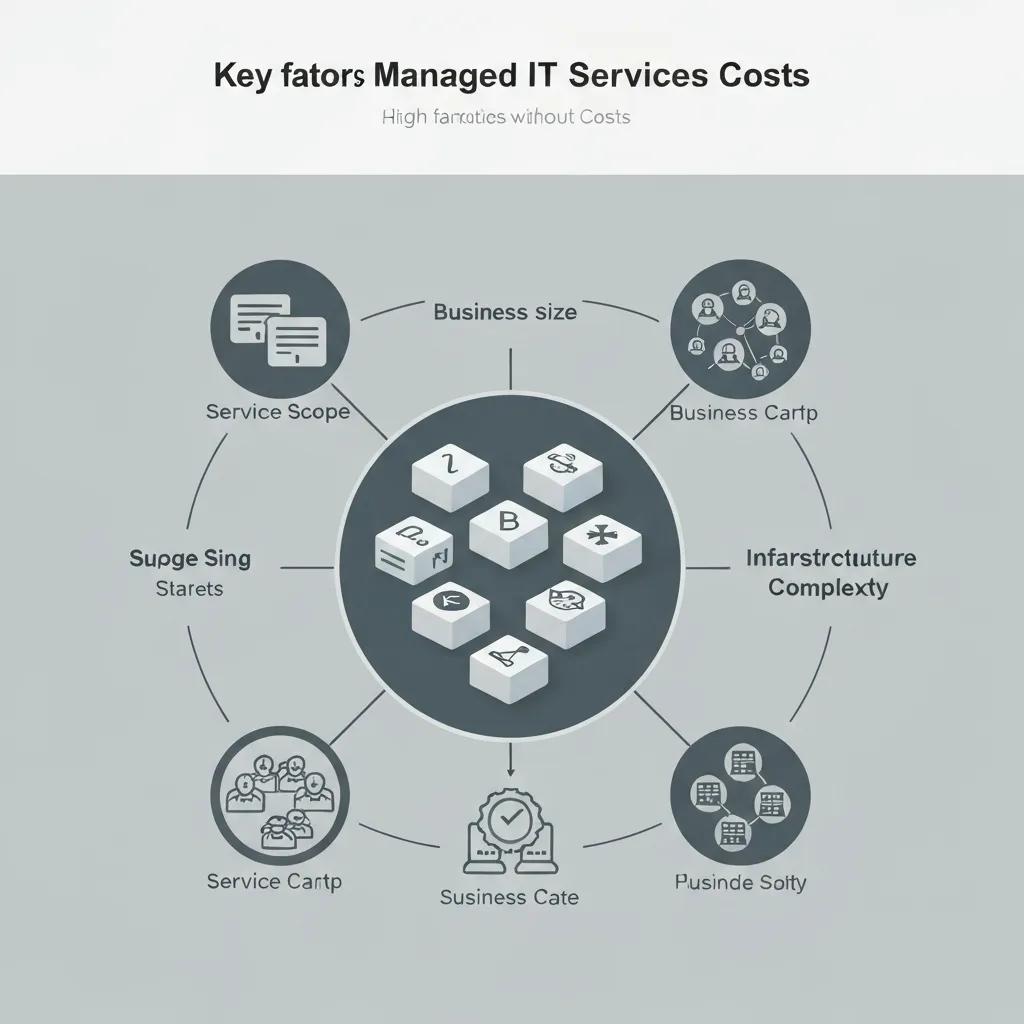
Several variables shape managed IT pricing. Knowing these drivers helps you see how changes to scope or infrastructure will affect budget. Key factors include service scope, user and device counts, infrastructure complexity, SLA targets, required on‑site response, contract length, and specialized needs like compliance or advanced security. Each factor changes the provider’s resource and risk profile—and that shows up in the price. Below is a quick list of primary cost drivers and scenarios you can use to prioritize where to invest and where to save.
Key cost drivers summarized:
- Service scope: Broader scopes need more hours and tools.
- Business size: More users/devices increase licensing and support costs.
- Infrastructure complexity: Integrations and legacy systems add labor.
- SLA level: Faster guaranteed response/resolution times raise price.
- Specialized services: Compliance, advanced security, and cloud projects carry premiums.
These drivers explain why two similar organizations can receive very different proposals—matching the scope to your priorities is essential for cost‑effective procurement.
How Do Service Scope and Business Size Affect Pricing?
Scope and size define the volume of monitoring, ticketing, and admin work a provider must handle. A 10‑user office with cloud email and basic endpoint protection needs far fewer managed hours and simpler tooling than a 50‑user office with on‑prem servers, VoIP, and complex networking. Additions like virtualization, cabling, or heavy cloud management increase tooling and specialist time, which raises monthly retainers or per‑unit prices. Map each service to a cost driver—users, devices, data volume, and SLA targets—to build a realistic quote baseline.
Example: small non‑profits with seasonal staff should request flexible billing for onboarding/offboarding; fast‑growing SMBs benefit from per‑user models or step‑pricing that lowers marginal cost as headcount increases.
What Role Do Contract Length and Support Type Play in Cost?
Contract length and support type change managed services economics. Longer contracts often secure price protections or discounts because onboarding and tooling costs are spread over time; month‑to‑month flexibility usually costs more. Support delivery—remote‑first, hybrid, or onsite‑included—also affects price: guaranteed on‑site response requires travel, spare parts, and scheduling buffers that increase fees. SLAs that promise rapid on‑site resolution or dedicated resources demand higher rates than remote‑only or standard business‑hours support.
Decide whether lower cost and predictability from longer commitments outweigh the need for flexibility. For non‑profits with uncertain budgets, negotiate short renewals with defined price‑review clauses to balance cost and adaptability.
How Can You Calculate ROI and Identify Hidden Costs in Managed IT Services?
Calculate ROI by quantifying downtime reduction, labor savings, and avoided security incidents, then comparing those benefits to the annual cost of managed services. The approach: estimate the cost of an average downtime event, multiply by incidents avoided thanks to proactive monitoring, add staff hours saved from fewer break‑fix tickets, and subtract the yearly managed service investment. Uncover hidden fees—onboarding charges, per‑incident overages, emergency on‑site fees, and project costs—by reviewing contracts carefully and asking vendors explicit questions. The table below lists common hidden costs, example impacts, how managed services mitigate them, and notes to use during procurement.
Hidden‑costs overview:
| Cost Type | Example Impact (per incident/month) | How Managed Services Mitigates | Notes |
|---|---|---|---|
| Downtime loss | $500–$5,000+ depending on business | Proactive monitoring reduces incidents and mean-time-to-repair | Quantify baseline downtime to calculate savings |
| Onboarding fee | One-time $500–$5,000+ | Some providers amortize setup over contract | Negotiate to include onboarding in first months |
| Project overages | Extra $100–$200/hour | Clear SOWs and fixed-price projects limit surprises | Ask for change-order caps |
| Emergency onsite | $150–$400 per visit | SLA-defined onsite allowances reduce surprises | Ensure emergency rates are documented |
Turn these abstract risks into line items you can discuss with vendors. Use your own incident cost estimates to populate the ROI calculation for an accurate comparison.
What Are the Long-Term Benefits of Proactive IT Support?
Proactive support lowers operational risk by preventing incidents, strengthening security, and making budgets predictable. Continuous monitoring plus scheduled maintenance finds vulnerabilities early, applies patches before exploits spread, and enforces backup and recovery practices to limit data loss. Over time, this reduces total cost of ownership by replacing costly reactive triage with steady preventive work. Organizations see fewer urgent projects, steadier CAPEX planning, and better uptime—outcomes that support revenue continuity and mission delivery.
When you compare multi‑year scenarios, modest increases in managed service spend for proactive coverage often pay back in lower downtime and fewer emergency projects—making proactive support a strategic investment, not a discretionary expense.
Which Hidden Fees Should SMBs and Non-Profits Watch For?
Hidden fees often show up in onboarding, hardware replacement, out‑of‑scope projects, and premium emergency responses. These charges usually stem from vague contract language around exclusions and change orders. Providers may bill cabling, data migration, or compliance work as separate projects, so a low monthly rate can be paired with significant one‑time or hourly fees. Scrutinize SLA definitions—response versus resolution—and ask about caps on after‑hours support, escalation fees, and minimum billing increments. A contract review checklist and targeted vendor questions expose potential overages and create leverage to negotiate clearer terms or bundle expected services into a predictable package.
Checklist for contract review:
- Inclusions and exclusions: Confirm exactly what the monthly fee covers and what triggers project billing.
- Onboarding and setup: Ask whether initial discovery, asset inventory, and migration are included or billed separately.
- SLA clarity: Verify response and resolution times, and whether they carry financial remedies or penalties.
- Change-order rules: Request predefined rates or caps for additional work to avoid open-ended hourly bills.
How Does SRS Networks Approach Managed IT Services Pricing for California SMBs and Non-Profits?
At SRS Networks we focus on proactive, tailored managed IT with a fair‑pricing approach that aligns technology spend to business outcomes for California SMBs and non‑profits. Our services cover network security, cloud services, disaster recovery, VoIP, virtualization, server management, networking, Wi‑Fi, and cabling—structured to meet local needs. We aim to reduce hidden costs by defining clear scopes up front and providing strategic IT planning. Our emphasis on proactive monitoring and partnership helps clients quantify ROI from reduced downtime and improved security, giving mission‑driven organizations clearer budgeting.
We back our work with vendor partnerships—including Cisco, Google, VMware, Barracuda, Microsoft, and Sophos—so we can deploy cloud, hybrid, or on‑prem solutions that fit your priorities. For California SMBs and non‑profits comparing proposals, we encourage open conversations about scope, onboarding inclusions, and predictable SLA terms to minimize surprises and maximize long‑term value.
What Makes SRS Networks’ Pricing Transparent and Tailored?
Our pricing philosophy centers on clear inclusions, avoiding hidden fees, and tailoring scopes to your infrastructure, budget, and strategic goals. We itemize which services are managed vs. treated as project work, clarify onboarding charges, and provide SLA details that set response and resolution expectations. Tailoring begins with discovery and strategic guidance so you pay for capabilities you need—not generic bundles. This approach reduces surprise charges and makes monthly IT costs easier to predict.
When you evaluate proposals, ask for an explicit services list, a sample SLA, and a projected three‑year cost comparison. Those documents show transparency and let you compare true value across providers rather than only headline rates.
Why Choose SRS Networks for Your Managed IT Needs in California?
SRS Networks combines local California expertise with a broad service portfolio for SMBs and non‑profits, so you can work with a single partner for security, networking, cloud, and recovery. Our proactive approach reduces downtime and related costs, while tailored packages and clear contract terms help minimize unexpected project fees and emergency surcharges. Our vendor ecosystem—Cisco, Microsoft, VMware, Sophos, and others—lets us build scalable solutions across networks, virtualization, and cloud platforms. For organizations seeking a trust‑based, locally informed IT partner, SRS Networks focuses on aligning IT spend with measurable business outcomes.
Choosing a provider like SRS Networks means confirming the match between your operational needs and the vendor’s inclusions, validating SLA commitments, and ensuring the pricing model supports your budgeting—whether flat‑rate, per‑user, tiered, or hybrid.
What Are the Best Practices for Choosing the Right Managed IT Pricing Model?
Pick the model that matches your growth plan, device mix, and risk tolerance so you get the right mix of predictability and flexibility. Start with a clear inventory of users, devices, applications, and critical systems, then run a risk assessment for downtime and security incidents. Use structured criteria to evaluate proposals, compare real inclusions rather than advertised features, and consider hybrid approaches when one model doesn’t fit all needs. The checklist and decision flow below help you select and negotiate for the best long‑term value.
Checklist for selecting a pricing model:
- Inventory first: Document users, device types, and services to be managed.
- Prioritize services: Rank needs such as security, backups, and VoIP by business impact.
- Match model to growth: Choose per-user for headcount growth, per-device for shared hardware, or tiered for upgrade simplicity.
- Negotiate SLAs: Ensure response/resolution times and escalation paths are explicit.
How to Match Pricing Models to Your Business Needs and Growth Plans?
If you expect steady headcount growth or a mobile workforce, per‑user pricing simplifies forecasting by tying cost to people instead of hardware. If you run many shared stations or kiosks, per‑device pricing can be more economical and easier to audit. Organizations that value simplicity and minimal vendor management often choose tiered bundles, while non‑profits with intermittent project needs may prefer à la carte options for grant‑funded initiatives. Small teams with predictable workloads usually benefit from flat‑rate or per‑user models; mixed environments often need hybrids for cost efficiency.
Decide using 12–36 month growth projections and include clauses for rapid scaling or seasonal staff to avoid punitive short‑term charges. Negotiate step‑pricing or caps to retain flexibility as you grow.
When Is It Beneficial to Combine Pricing Models or Customize Packages?
Combining models—such as a per‑user base for core staff plus à la carte pricing for advanced security or migrations—gives flexibility and cost control in mixed environments. Hybrids work well when you have a stable core team plus intermittent projects, or when certain devices need specialized management that’s expensive to include in a flat‑rate bundle. Custom packages can cut total cost by folding frequently used add‑ons into a negotiated bundle rather than paying higher unit prices à la carte. When negotiating hybrids, insist on clear transition rules, documented change‑order terms, and pre‑agreed pricing for escalations.
Use cases where hybrid is optimal include a nonprofit that needs standard help desk for staff but a project‑based cloud migration, or an SMB that wants per‑user licensing for employees while paying per‑device for shared POS terminals. Well‑structured hybrid agreements give predictable baseline costs and controlled flexibility for specialized needs.
Frequently Asked Questions
What are the key benefits of using managed IT services for small businesses?
Managed IT services deliver stronger security, less downtime, and more predictable budgeting. Outsourcing IT lets you focus on core work while gaining access to expert support and proactive maintenance you might not afford in‑house. Managed services also make it easier to stay compliant and improve operational efficiency—outcomes that support better business results.
How can organizations ensure they are getting the best value from their managed IT services?
To get the best value, compare several providers and evaluate service inclusions, pricing models, and SLAs. Track performance metrics and ROI regularly to spot gaps. Keep open lines of communication with your provider so the scope can evolve as your needs change. That proactive posture helps maximize long‑term value.
What should organizations look for in a managed IT service provider?
Look for industry experience, relevant service offerings, and responsive support. Verify the provider’s track record in your sector and their technical expertise. Transparency in pricing and contract terms is essential to avoid hidden fees. Finally, confirm their security and compliance approach aligns with your risk strategy.
How can businesses calculate the return on investment (ROI) for managed IT services?
Calculate ROI by estimating costs avoided—downtime, labor, and security incidents—then comparing those savings to the annual managed service cost. Multiply the average downtime cost by incidents avoided, add staff hours saved, and subtract the managed services expense. That gives a clear financial picture of the investment.
What are some common pitfalls to avoid when selecting a managed IT service provider?
Common pitfalls include not reading contracts closely, overlooking hidden fees, and choosing solely on price. Don’t skip SLA review—misunderstood response and resolution terms cause disputes. Also ask for references and case studies to confirm the provider can meet your needs.
How often should businesses review their managed IT services and contracts?
Review services and contracts at least annually or whenever you undergo major change—growth, new technology, or strategy shifts. Regular reviews ensure services match current needs and pricing remains competitive. They’re also a chance to assess provider performance and renegotiate terms if necessary.