Phishing is no longer just an IT headache and now costs businesses over $4 billion worldwide every year. Most employees think they can spot a fake email by glancing at the sender or subject line. But the trickiest attacks hide behind details so subtle that even seasoned pros get fooled. It turns out a single overlooked typo or unfamiliar link can invite major threats straight into your company and the solution starts with awareness you never knew you needed.
Table of Contents
- Step 1: Review Incoming Communication for Red Flags
- Step 2: Verify Email Addresses and Domain Names
- Step 3: Analyze URLs Before Clicking Links
- Step 4: Examine Attachments for Suspicious Content
- Step 5: Educate Your Team on Phishing Tactics
Quick Navigation: 5 Steps to Spot Phishing Attacks
| Key Point | Explanation |
|---|---|
| 1. Train to Spot Phishing Signs | Educate employees to identify characteristics of phishing emails, like generic greetings and unfamiliar sender addresses. |
| 2. Verify Email Addresses Carefully | Always confirm sender addresses and domains for accuracy, checking for slight alterations that might indicate fraud. |
| 3. Inspect URLs Before Clicking | Hover over links to reveal true destinations and ensure they match expected domain structures before engaging. |
| 4. Analyze Attachments for Risks | Scrutinize file extensions and types before opening attachments, especially those that seem unusual or risky. |
| 5. Foster a Culture of Cybersecurity Education | Implement ongoing educational programs and open communication about phishing threats to empower employees as active defenders. |
Step 1: Review Incoming Communication for Red Flags
Phishing attacks begin with a single message designed to trick you into revealing sensitive information or taking harmful actions. The first line of defense is learning how to spot phishing attempts before they compromise your business network. By understanding the subtle indicators of suspicious communication, you can protect your organization from potential cybersecurity breaches.
Identifying Suspicious Email Characteristics
When reviewing incoming emails, train your team to recognize telltale signs of phishing attempts. Cybercriminals often use psychological tactics that create a sense of urgency or exploit common communication patterns. Look for emails with generic greetings like “Dear Sir/Madam” or “Dear Customer” instead of personalized salutations. Legitimate organizations typically address recipients by name and have professional, consistent email formatting.
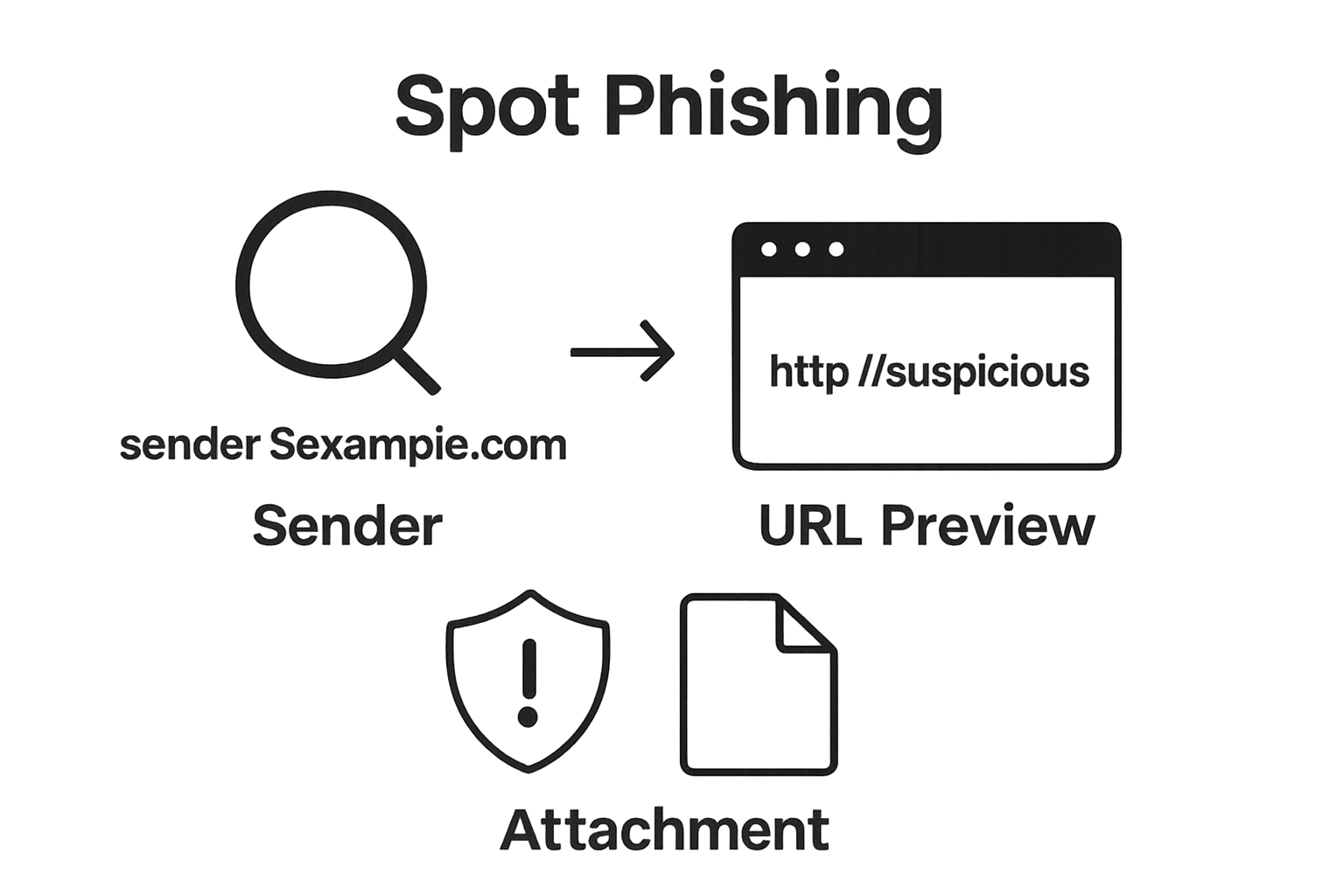
Pay close attention to sender email addresses. Phishing emails frequently use addresses that slightly mimic legitimate domains. For example, an email might come from “su*****@******ny.com” instead of “su*****@*****ny.com” – a subtle difference that can easily escape quick scrutiny. Professional email systems should have consistent domain names without unusual spellings or random character combinations.
According to Vanderbilt University’s Office of Cybersecurity, key red flags in potentially malicious emails include:
- Unexpected attachments or links
- Requests for immediate action
- Threats or aggressive language
- Grammatical errors or unprofessional formatting
Critical warning signs also include messages demanding urgent financial transactions, password resets, or sensitive information disclosure. Legitimate organizations rarely request confidential data via email. When in doubt, contact the supposed sender through verified communication channels – call the official business number or use a known email address from your existing contact records.
Establish a company-wide protocol where employees are encouraged to forward suspicious emails to your IT security team for professional assessment. This collaborative approach transforms your workforce into an active defense mechanism against potential phishing threats. Remember, human awareness remains the most powerful cybersecurity tool in detecting and preventing sophisticated digital attacks.
Here is a checklist table summarizing the key steps your organization should follow to verify and handle suspicious emails, making it easy to confirm each action is completed before engaging with potentially risky communication:
| Checklist Item | Description |
|---|---|
| Inspect Sender Address | Examine the full email address for spelling errors or unusual characters. |
| Verify Domain Authenticity | Compare the sender’s domain to known, official domains and watch for subtle changes. |
| Hover Over Hyperlinks | Preview the destination URL before clicking to ensure it matches legitimate company sites. |
| Check Attachments Carefully | Review file extensions and confirm they are expected and safe before opening. |
| Consult IT or Security Team | Report anything suspicious to your IT security professionals for further review. |
| Confirm Urgent Requests | Double-check with the sender through a separate verified channel if an email requests urgent action or sensitive information. |
| Use Official Channels | Access company websites or resources by manually typing URLs or using bookmarks, not email links. |
Step 2: Verify Email Addresses and Domain Names
Unmasking phishing attempts requires a systematic approach to examining email addresses and domain names. Cybercriminals often rely on subtle deceptions that can easily fool unsuspecting recipients. Your ability to detect these nuanced manipulations becomes a critical defense mechanism for protecting your business’s digital ecosystem.
Carefully inspect every email address by breaking down its components with forensic precision. Legitimate organizations maintain consistent domain structures that reflect their professional identity. Look for slight alterations that might signal a fraudulent communication – such as replacement of letters, unexpected number insertions, or domain misspellings. For instance, an email from “su*****@***kk.com” instead of “su*****@**nk.com” represents a classic phishing technique designed to bypass quick visual scrutiny.
According to CISA’s Cybersecurity Guidelines, businesses should develop a rigorous verification process that includes:
- Comparing sender addresses against known company contacts
- Checking for unusual character substitutions
- Verifying domain name authenticity
- Examining email header information
Technical details matter significantly in this verification process. Most email clients allow you to hover over sender names to reveal the actual email address, a simple yet powerful technique for uncovering potential fraudulent communications. Professional email systems often include built-in safety features that highlight suspicious domain characteristics, providing an additional layer of protection.
Domain name verification extends beyond surface-level inspection. Sophisticated phishing attempts might use visually similar domain names that require careful examination. Cybercriminals frequently register domains that closely resemble legitimate business websites, hoping to trick recipients into believing the communication is genuine. Implementing a systematic approach where employees cross-reference suspicious emails with official company contact lists can dramatically reduce the risk of successful phishing attempts.
Create a standardized protocol where employees are trained to pause and systematically verify any communication that seems unusual. This might involve reaching out through alternative communication channels, consulting with IT security teams, or using specialized verification tools. The goal is transforming your workforce into a proactive defense mechanism that can identify and neutralize potential phishing threats before they can cause significant damage.
Step 3: Analyze URLs Before Clicking Links
Links are the digital gateways that can either connect you to valuable resources or open doors to cybersecurity nightmares. Understanding how to scrutinize URLs becomes a critical skill in protecting your business from sophisticated phishing attempts. Every hyperlink represents a potential entry point for malicious actors seeking to compromise your network’s security.
Hyperlink inspection requires more than a casual glance. Cybercriminals craft deceptive URLs that appear legitimate at first examination. Hover your cursor over links without clicking to reveal the actual destination address. Most email clients and web browsers provide this preview functionality, allowing you to validate the link’s true endpoint before engagement. Look for subtle misspellings, unusual domain extensions, or embedded IP addresses that signal potential threats.
Professional URL analysis involves understanding the anatomy of web addresses. Legitimate business links typically maintain consistent, predictable structures. Watch for warning signs like random character strings, excessive subdomain variations, or mismatched domain names. For instance, a link claiming to be from your bank but routing through an unrelated domain represents an immediate red flag. Learn more about investigating suspicious digital traces to enhance your cybersecurity awareness.
Establish comprehensive verification protocols within your organization. Train employees to:
- Never click links directly from unsolicited emails
- Use official website navigation instead of email links
- Manually type known website addresses
- Consult IT security teams when uncertain
Advanced URL examination might require specialized tools. Consider implementing URL scanning software that automatically checks links against known malware databases and verifies website reputation in real-time. These solutions provide an additional layer of protection by instantly flagging potentially dangerous web destinations before they can cause harm.
Remember that human judgment remains your most powerful defense. Encourage a company culture of healthy skepticism where employees feel empowered to question suspicious communications. Create clear reporting mechanisms so team members can quickly alert IT security professionals about potential phishing attempts. By transforming every employee into an active participant in cybersecurity, you build a robust, adaptive defense system that can respond quickly to emerging digital threats.
Step 4: Examine Attachments for Suspicious Content
Email attachments represent one of the most dangerous vectors for cyber attacks, functioning as potential Trojan horses that can infiltrate your business network with malicious software. Understanding how to critically analyze these digital files becomes a crucial defensive strategy in protecting your organizational data and infrastructure.
File extension analysis serves as your first line of defense. Cybercriminals frequently disguise executable files to appear harmless, using naming conventions that trick unsuspecting users. Pay close attention to file types that traditionally pose higher risks, such as .exe, .bat, .cmd, and macro-enabled documents like .docm or .xlsm. Legitimate business communications rarely send executable files directly through email, making such attachments immediate red flags.
According to CISA’s Cybersecurity Guidelines, businesses should implement a comprehensive attachment verification protocol. When an unexpected attachment arrives, resist the immediate impulse to open it. Instead, develop a systematic approach that includes saving the file to an isolated, secure environment and running comprehensive antivirus scans before any interaction.
Establish organizational guidelines that mandate employees to:
- Never enable macros in unexpected documents
- Use dedicated secure workstations for initial file scanning
- Verify sender authenticity before opening attachments
- Consult IT security teams when uncertain
Context and sender verification are paramount. Even if an attachment appears to come from a known contact, the potential for email spoofing means additional scrutiny is essential. Unexpected financial documents, invoices, or files with urgent messaging should trigger immediate suspicion. Develop a communication culture where team members feel comfortable confirming attachment legitimacy through alternative communication channels – a quick phone call or in-person verification can prevent significant security breaches.
Consider implementing advanced technical solutions like sandboxing technologies that can safely open and analyze potentially malicious files in isolated digital environments. These tools provide an additional layer of protection by examining file behavior and contents without risking your primary network infrastructure. By transforming attachment handling from a reactive to a proactive process, your organization builds a robust defense mechanism against sophisticated phishing attempts that leverage seemingly innocuous digital files.
The table below summarizes typical suspicious file types and attachment indicators mentioned in the article, along with what to look for and recommended employee actions. Use this table as a quick reference guide when handling attachments:
| File Type or Indicator | Risk Description | Employee Action |
|---|---|---|
| .exe, .bat, .cmd files | Executable files that can install malicious software | Never open; report to IT |
| .docm, .xlsm (macro docs) | May contain malicious macros | Do not enable macros |
| Unexpected/Unusual Files | Any unrequested or strange attachments | Verify sender; scan first |
| Financial/Invoicing Files | Documents with urgent payment or financial requests | Confirm legitimacy directly |
| Attachments from Known Senders (but unexpected) | Potential for email spoofing | Confirm with sender via separate channel |
| Compressed (.zip, .rar) | May contain hidden malware or executables | Scan before opening |
| Files with Urgent Messaging | Pressure to open immediately | Be skeptical; consult IT |
Step 5: Educate Your Team on Phishing Tactics
Cybersecurity is not a technological challenge but a human one. Your team represents both the most vulnerable and powerful defense against phishing attacks. Transforming employees from potential security risks into vigilant digital guardians requires a comprehensive, ongoing education strategy that goes beyond traditional training methods.
Successful phishing education demands more than annual mandatory seminars. Create an interactive, engaging learning environment that makes cybersecurity awareness feel relevant and empowering. Develop training programs that simulate real-world phishing scenarios, allowing employees to experience potential threats in a controlled, educational setting. These simulated exercises should reflect current tactics used by cybercriminals, helping team members develop muscle memory for identifying and responding to suspicious communications.
According to UC Berkeley’s Information Security Office, effective cybersecurity education requires a multifaceted approach. Implement strategies that transform learning from a passive to an active experience. This might include gamified training modules, quarterly awareness workshops, and immediate feedback mechanisms that help employees understand their performance in identifying potential threats.
Establish clear organizational protocols for handling suspicious communications:
- Create a straightforward reporting mechanism for potential phishing attempts
- Develop a no-blame culture that encourages open communication about digital threats
- Provide immediate, constructive feedback when employees encounter potential scams
- Recognize and reward proactive security behaviors
Continuous learning becomes the cornerstone of effective phishing prevention. Technology evolves rapidly, and so do cybercriminal tactics. Design a dynamic educational framework that includes regular updates on emerging threats, quick reference guides, and real-time threat intelligence sharing. Consider creating internal communication channels like dedicated Slack channels or monthly security newsletters that keep cybersecurity top of mind for every team member.
Remember that education extends beyond formal training. Foster a organizational culture where cybersecurity is viewed as a collective responsibility. Encourage open discussions about digital threats, share recent phishing examples, and create an environment where asking questions is not just accepted but celebrated. By treating every team member as an essential component of your digital defense strategy, you transform potential vulnerabilities into your organization’s strongest security asset.

Ready to Outsmart Phishing Threats? Protect Your Business with Expert Help
You learned how subtle phishing threats target your business every day. The risks are real. All it takes is one overlooked email attachment or a cleverly disguised link and your organization could face data loss financial damage or even reputation loss. Training your team to spot red flags is essential. But constant vigilance without professional backup can feel overwhelming—especially for small to medium-sized businesses that lack extensive IT resources.
Give your business a stronger line of defense by partnering with SRS Networks. Our specialized Cybersecurity Solutions go beyond basic email security and phishing awareness. We combine proactive managed IT support with advanced endpoint and network protection. Act now to set up a tailored security plan that transforms every employee into a cybersecurity champion. Visit our homepage to schedule a complimentary consultation and discover how our local expertise can strengthen your business today.
Frequently Asked Questions
How can I identify a phishing email?
Phishing emails typically have generic greetings, odd email addresses that mimic legitimate domains, grammatical errors, and may create a sense of urgency. Additionally, look for unexpected attachments or requests for sensitive information, as legitimate companies seldom ask for confidential data via email.
What should I do if I suspect a phishing attempt?
If you suspect a phishing email, do not click any links or download attachments. Instead, verify the sender’s identity through a known contact method, like calling a legitimate number or using a known email address. You can also report the suspicious email to your IT security team for further investigation.
How can I verify email addresses and domain names to avoid phishing?
Carefully inspect the email address and domain name for subtle alterations, such as misspellings and unusual character substitutions. Hover over the sender’s name to reveal the actual email address, and compare it against known contacts within your organization to confirm its legitimacy.
What are the dangers of opening email attachments from unknown senders?
Email attachments can contain malware or other harmful software designed to compromise your network. Cybercriminals often disguise executable files as harmless attachments. Always be cautious with unexpected attachments and ensure they are scanned by antivirus software before opening them.