

Picture this: you’ve just wrapped up a crucial client meeting, the case files are still open on your laptop, and a pop‑up warning flashes that the server is down. Your heart skips a beat because you know the next 30 minutes could mean missed deadlines, angry clients, or even a breach of attorney‑client privilege.
That moment is all too familiar for many law firms juggling tight schedules and sensitive data. The reality is, “law firm IT support” isn’t a nice‑to‑have; it’s the backbone that lets you focus on legal strategy instead of tech headaches.
In our experience working with Salinas and Monterey practices, the biggest pain points fall into three buckets: unpredictable downtime, data‑security compliance, and the endless stream of software updates that pull attorneys away from billable work. For example, a midsize family‑law office in Monterey spent an average of 12 hours a month fighting printer glitches and lost document versions—time that could have been billed at $250 per hour.
So, what does reliable IT support look like for a law firm? First, proactive monitoring that catches a failing hard drive before it crashes. Second, a help desk that speaks the language of legal professionals—think ticket tags like “case‑management” or “e‑discovery” so you get the right expertise right away. Third, airtight security that meets both state bar rules and HIPAA‑style confidentiality requirements.
Here’s a quick three‑step checklist you can run today:
- Audit your current support contract: Are response times guaranteed within an hour for critical incidents?
- Verify that your backup solution runs nightly and you can restore a full case file in under 30 minutes.
- Confirm that your provider offers encryption for both data at rest and data in motion, plus regular security training for staff.
If any of those answers raise a red flag, it’s time to explore a partner that specializes in legal tech. Managed IT Services for Law Firms combine 24/7 monitoring with a dedicated legal‑industry help desk, so you never have to wonder who’s watching your servers when a deadline looms.
Imagine walking into the office tomorrow knowing that a single ticket will route you to a technician who understands “confidential client file” as a priority flag—not just another IT request. That peace of mind translates into higher productivity, lower risk, and more satisfied clients.
Let’s dive deeper into how you can build that safety net, step by step.
TL;DR
If you’re a law firm tired of surprise downtime, reliable law firm IT support can keep your practice running smoothly and effectively protect client confidentiality.
Our quick three‑step checklist—audit response times, verify nightly backups, and confirm encryption—lets you spot gaps today and choose a partner that speaks your legal language.
Managed IT Services for Law Firms
Imagine your firm’s case‑management system humming along while you’re prepping for a courtroom showdown. No frantic calls to IT, no scrolling through endless “Did you try turning it off and on again?” moments. That smoothness is what managed IT services deliver – a silent partner that watches, patches, and protects so you can focus on the law.
Why managed IT matters for law firms
Law firms handle privileged client data, deadline‑driven filings, and increasingly remote work setups. One slip‑up can jeopardize attorney‑client privilege and cost thousands in lost billable hours. As the Cobb Technologies blog notes, cybercriminals specifically target legal practices because of the wealth of confidential information they store.The rise in ransomware attacks on law firms makes a reactive approach a gamble you can’t afford.
So, what does a truly managed service look like for a midsize firm in Salinas or Monterey? It starts with 24/7 network monitoring. Sensors flag a failing hard drive before it crashes, and a technician already has a replacement ready. It means you never see the dreaded “server down” pop‑up during a critical filing window.
Next, think about help‑desk experience. When you open a ticket, the queue isn’t generic tech support; it’s a specialist who knows your case‑management software, your e‑discovery tools, and the compliance nuances of the California State Bar. The ticket tag reads “confidential‑case‑data,” and the response time is guaranteed within an hour for anything marked critical.
That video walks through how a managed platform routes a high‑priority ticket straight to a senior engineer, cutting the usual back‑and‑forth that eats up precious minutes. It’s the kind of behind‑the‑scenes workflow most firms never see, but feel every time a deadline is met without a hiccup.
Now, let’s talk security – the backbone of any law‑firm IT strategy. Multi‑factor authentication, encryption at rest and in transit, and regular phishing simulations keep both humans and machines on their toes. A managed partner rolls out these controls across laptops, mobile devices, and even the office printer, ensuring that a stray USB drive can’t become a data‑leak vector.
And what about compliance? Whether you’re juggling HIPAA‑related health records or GLBA financial data, a dedicated legal IT provider maps out role‑based access, audit trails, and retention policies that align with bar association rules. No more scrambling to prove you’ve met ethical standards after a regulator knocks on your door.
Here’s a quick checklist you can run today, straight from the managed‑services playbook:
- Confirm 24/7 monitoring is in place and you receive real‑time alerts for any anomaly.
- Verify your help‑desk uses legal‑specific ticket tags and guarantees sub‑hour response for critical incidents.
- Ensure MFA, full‑disk encryption, and quarterly phishing drills are part of the contract.
- Ask for a compliance audit report that covers HIPAA, GLBA, and state bar confidentiality requirements.
Does your current support contract tick those boxes? If you hesitated, you’re probably not getting the protection you need.
One of the biggest myths is that managed IT is only for large firms with deep pockets. In reality, the pricing model spreads costs across predictable monthly fees, turning unpredictable break‑fix expenses into a manageable budget line. That predictability frees up cash for growth initiatives – like expanding practice areas or upgrading to a cloud‑based case‑management platform.
Finally, think about scalability. As your firm adds attorneys or opens a satellite office, the managed service simply adds devices, users, and storage without a major overhaul. The same monitoring dashboard scales, the same security policies extend, and you avoid the nightmare of piecemeal upgrades.

Bottom line: Managed IT services turn your technology from a liability into an asset. They give you the confidence that every file, every call, and every deadline is protected by experts who speak your language. When you’re not worrying about the tech, you’re free to argue, negotiate, and win for your clients.
Ready to see how a tailored managed‑IT partnership could reshape your practice? Let’s chat about a free assessment that maps your current gaps and builds a roadmap for a secure, resilient future.
Cybersecurity & Ransomware Protection
Imagine you’re about to file a critical motion, and a ransomware note pops up on your screen demanding a bitcoin payment. Your heart races, right? That nightmare isn’t just fiction – it’s happening to law firms across the country, and it’s why solid cybersecurity is the backbone of any law firm IT support strategy.
First, let’s get clear on why law firms are prime targets. You handle confidential client data, settlement amounts, and privileged communications every day. Those are the exact kind of “gold” that cyber‑criminals hunt. A recent survey from the ABA shows that over 30% of firms experienced a phishing or ransomware incident in the past year, and the average cost of a breach now tops $300,000. Those numbers aren’t just statistics; they’re real dollars you could be billing clients instead.
Layered defense: the five‑step playbook
We’ve boiled down the defense model into five actionable steps that any midsize practice can adopt without breaking the bank.
- Patch management on autopilot. Most ransomware exploits a known vulnerability that’s already been patched by the vendor. Set up a schedule where updates are tested in a sandbox and then rolled out automatically. If you’re not sure how, our Cybersecurity Services include a patch‑management engine that handles this for you.
- Multi‑factor authentication (MFA) everywhere. Passwords alone are weak. Combine something you know (a password) with something you have (a token or push notification). The NIST Cybersecurity Framework recommends MFA for all privileged accounts, and firms that adopt it see a 90% drop in credential‑theft attempts.
- Phishing simulations and staff training. People are the weakest link, so train them to spot the “urgent‑from‑your‑boss” email. Run quarterly mock phishing campaigns and debrief the results. According to Attorney at Work’s best‑practice guide, firms that conduct regular simulations reduce successful phishing clicks by more than 70%.
- Backups that you can actually restore. A backup is only as good as the restore test. Schedule weekly full backups to an off‑site, immutable cloud store, then run a quarterly restore drill. If a ransomware lockout occurs, you can roll back to the last clean snapshot in under an hour – that’s the difference between a missed filing deadline and a smooth recovery.
- Endpoint protection with behavior‑based detection. Traditional antivirus flags known signatures; modern ransomware uses zero‑day tactics. Deploy an endpoint detection and response (EDR) solution that watches for suspicious file encryption activity and can quarantine a device in real time.
Does that feel like a lot? It can be, but each piece builds on the previous one, creating a safety net that’s easier to manage than a patchwork of ad‑hoc tools.
Real‑world examples that hit close to home
Last spring, a family‑law boutique in Monterey fell victim to a phishing email that pretended to be a court clerk. The attacker gained admin access and encrypted three months of case files. Because the firm had weekly off‑site backups and MFA on all admin accounts, they restored everything within 45 minutes and never missed a filing deadline. The financial hit was limited to the lost productivity of a single day – a fraction of the $250‑per‑hour billable rate.
Contrast that with a larger corporate practice in Salinas that skipped MFA and relied on manual patching. When a ransomware strain hit, the encryption spread across the network in under 30 minutes. They spent two weeks rebuilding servers, lost $1.2 million in billable hours, and faced a bar‑association investigation for breaching confidentiality rules.
Those stories illustrate the same lesson: the right controls turn a catastrophic outage into a manageable hiccup.
Quick self‑assessment checklist
Grab a pen and run through this before the next client meeting:
- Are all privileged accounts protected by MFA?
- Do you have an automated patch schedule covering OS, email, and case‑management software?
- Is your backup solution tested quarterly for a full restore?
- Do you conduct phishing simulations at least twice a year?
- Is an EDR platform monitoring endpoints for abnormal encryption activity?
If you answered “no” to any of those, you’re leaving a door open for attackers.
Finally, remember that cybersecurity isn’t a one‑time project; it’s an ongoing partnership. When you work with a managed provider, you get 24/7 monitoring, regular policy updates, and a dedicated team that knows the legal compliance landscape – from ABA Model Rule 1.6 to California’s privacy statutes. That partnership lets you focus on arguing cases instead of fighting cyber‑warfare.
Ready to tighten your defenses? Let’s talk about a free security audit that maps your current gaps and shows you exactly where to invest for maximum protection.
Compliance, Confidentiality, and Data Governance
You’re juggling client trust and tight deadlines. One slip in compliance or data governance can mean a breach, a bar complaint, or weeks of firefighting after a vendor misstep. In our experience supporting law firms in Salinas and Monterey, solid governance isn’t glamorous, but it’s the quiet backbone that keeps the courtroom and the client review rooms running smoothly. This is where law firm IT support truly earns its keep.
Compliance and confidentiality aren’t buzzwords to check off; they’re living requirements tied to ethics rules, state statutes, and professional norms. The right controls turn risk into a repeatable process you can audit, defend, and improve—without slowing your lawyers down.
What compliance and confidentiality mean for law firms
At the core, confidentiality is about control: who sees what, when, and why. It’s not just about locking files; it’s about ensuring every access point is justified, logged, and protected. For many California‑based practices, that means aligning with bar ethics rules, state privacy statutes, and sector‑specific expectations for healthcare, finance, or real estate when applicable. The best IT partners translate those obligations into concrete practices you can test during a quarterly security review.
Confidential data isn’t limited to client files. It covers communications, matter notes, e‑discovery data, and privileged information. A breach here doesn’t just cost money; it erodes trust with clients and colleagues. That’s why our approach to law firm IT support emphasizes governance as a2016‑style backbone—steady, documented, and auditable—so you can demonstrate due diligence when regulators knock on the door.
Key pillars of data governance in practice
Data classification & retention
Start by mapping data types: case files, discovery materials, financial records, and HR data. Classify them by sensitivity and legal retention requirements. Keep a clear retention schedule and automate archival for inactive files. It’s not sexy, but it saves you from both over‑sharing and under‑retention penalties.
Access control & identity management
Implement least privilege and role‑based access so people only see what they need. Enforce MFA for all privileged accounts, and use short‑lived access tokens for especially sensitive data. This simple layering dramatically reduces insider and external risk without slowing daily work.
Encryption & data protection
Encrypt data at rest and in transit, including laptops, mobile devices, and in‑office printers where sensitive client data could sit briefly on a shared drive. Don’t rely on one layer—combine full‑disk encryption, secure email, and encrypted cloud storage as a baseline for every firm we support.
Auditing, monitoring, and incident response
Maintain immutable logs for access, file movements, and system changes. Real‑time monitoring should alert your IT team to unusual activity within minutes, not hours. Pair this with a tested incident response plan that defines roles, notification steps, and a post‑mortem to close gaps quickly.
Practical steps you can take now
- Map data flows: where every document lives, who touches it, and how it’s shared externally.
- Document a formal data retention policy and automate archival and purge cycles.
- Enforce MFA on all privileged accounts and require device encryption for laptops and mobile devices.
- Implement RBAC with clear least‑privilege roles for case management and e‑discovery workflows.
- Adopt a vigilant logging regime and run quarterly audits against the policy baseline.
- Use a tested incident response plan and run tabletop exercises twice a year.
For additional guidance, see the ABA’s comprehensive data security guidance for law firms, which reinforces the ethics‑driven approach to protecting client information. ABA guidance on law firm data security.
So, does this really work in a busy practice? Yes. When governance is built into your law firm IT support, you turn risk management into a repeatable, measurable process. You’ll sleep better at night, your clients will feel safer, and your team will stop firefighting long enough to focus on winning cases.
If you’re ready to formalize this with a practical, California‑compliant approach, we can help you map gaps, sharpen policies, and implement governance that scales with your firm’s growth.
Cloud Services & Collaboration Tools
Ever wonder why the word “cloud” feels both magical and a little scary for a law firm? You’re not alone. The moment you start moving case files off a dusty server and into a shared workspace, you get that mix of excitement—and a tiny knot of worry about confidentiality.
That’s where smart law firm IT support steps in. It’s not just about tossing documents onto Dropbox; it’s about building a secure, compliant collaboration hub that lets you and your team work from anywhere without sacrificing attorney‑client privilege.
Why cloud matters for law firms
First off, the cloud gives you instant access. Picture this: you’re at a coffee shop in Monterey, the client just sent you an updated deposition, and you pull it up on a laptop that’s already encrypted and synced. No more frantic drives, no more “where did I save that file?” moments.
Second, cloud platforms can meet the same compliance standards you need for the bar, HIPAA, or GDPR—sometimes even better than on‑prem hardware. They log every access, enforce multi‑factor authentication, and let you set retention policies that align with court rules.
Collaboration without compromise
Secure client portals are the secret sauce. Instead of emailing PDFs back and forth (and risking a rogue attachment), a portal lets you hand off a link that expires after a set time, tracks who opened it, and even watermarks the document. FileCloud, for example, offers end‑to‑end encryption, granular permissions, and an audit trail that proves you didn’t leak a privileged memo secure file sharing for law firms.
And you get version control for free. Every time a colleague adds a clause, the system saves the previous version, so you can roll back if something goes sideways. No more “which copy is the latest?” arguments.
Choosing the right cloud model
There are three main ways to go:
- Public cloud – Hosted by a provider like Azure or AWS. Great for scalability, but you need strict IAM controls.
- Private cloud – Your own virtual environment, often in a colocation facility. Gives you more control over data residency.
- Hybrid – A mix of both, letting you keep ultra‑sensitive files on‑prem while leveraging the cloud for everyday collaboration.
In our experience working with Salinas and Monterey firms, a hybrid approach often hits the sweet spot: you keep the most confidential discovery material behind a firewall, but let the rest of the team collaborate in a cloud‑based case‑management portal.
Practical tips to get started
Here’s a quick checklist you can run today:
- Identify which document types need the highest protection (e.g., discovery, settlement agreements) and flag them for private‑cloud storage.
- Pick a cloud platform that offers built‑in DLP, encryption at rest, and audit logging. Verify it supports your existing case‑management software.
- Set up a client portal with expiring links and view‑only permissions for external counsel or experts.
- Enable MFA for every user, and consider hardware tokens for senior partners.
- Run a test restore from the cloud backup to confirm you can pull a full case file in under 30 minutes.
Once those basics are in place, you’ll notice the difference right away: fewer “I can’t find the file” emails, faster response times from remote staff, and peace of mind that a ransomware attack can’t simply lock you out of the entire case archive.
And if you’re wondering whether this adds a huge cost, the reality is the cloud often reduces total‑ownership expenses. You pay for what you use, avoid costly hardware refresh cycles, and free up your IT budget for strategic projects—like automating intake forms or integrating AI‑assisted document review.
Bottom line? Cloud services, when paired with diligent law firm IT support, turn a potential security headache into a collaborative advantage. You get the flexibility to work from any courtroom, client meeting, or home office while keeping every file locked down tighter than a courtroom door.
Ready to take the next step? Start by mapping one practice area to a secure cloud folder and watch how quickly the workflow improves.
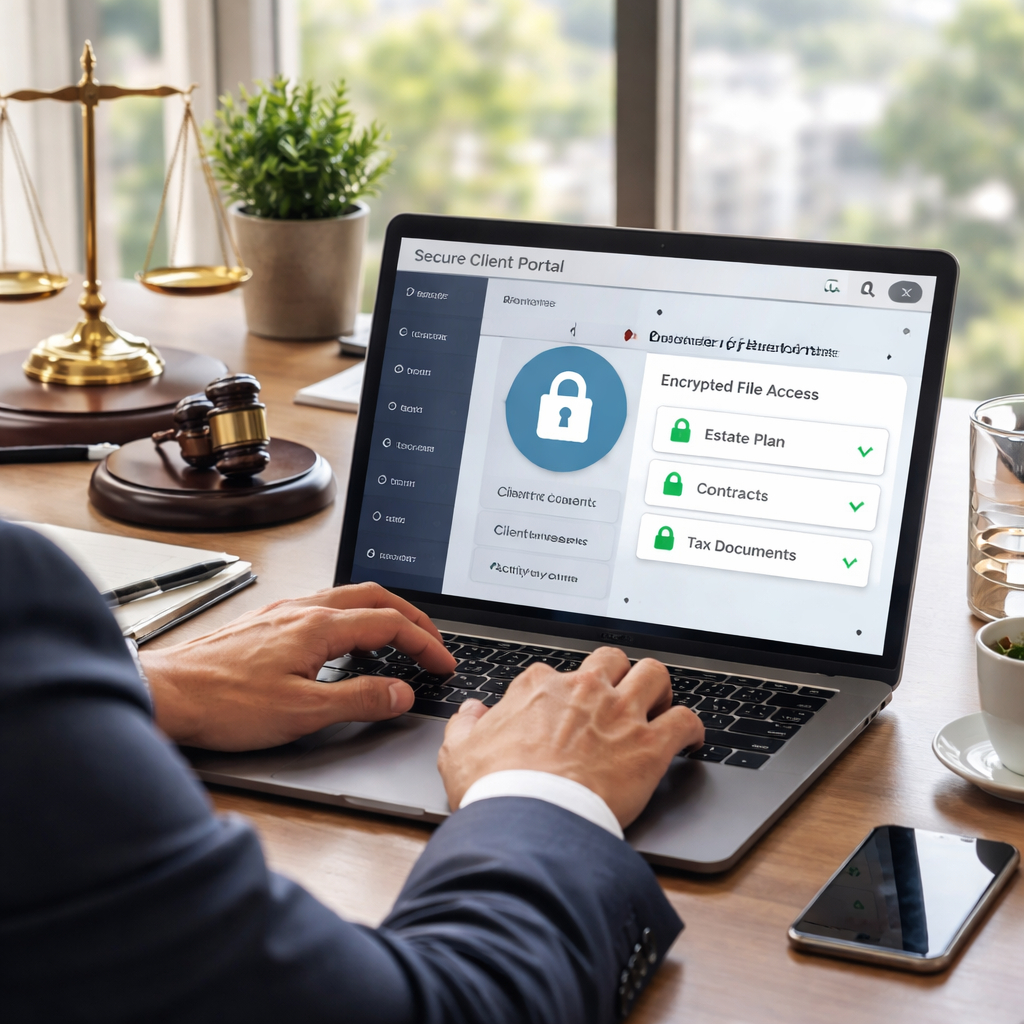
Backup, Disaster Recovery, and Business Continuity
Downtime isn’t a luxury for a law firm. It can derail deadlines, expose privileged data, and shake client trust in seconds.
Backup, disaster recovery, and business continuity aren’t buzzwords. They’re the operating plan that keeps you moving when the lights go out.
In our experience helping small to mid-sized firms in Salinas and Monterey, the biggest gaps show up in three areas: backups that aren’t current, recovery tests that never happen, and unclear ownership when things go wrong.
For law firm IT support, this is where the rubber meets the road: a tested DR plan keeps privileged data safe and deadlines intact.
First, define your recovery goals. What’s your acceptable data loss (RPO) and how fast must you be back online (RTO)? Then, map every data type — case files, discovery materials, emails, and calendar data — to a backup strategy. This isn’t fancy math; it’s about preserving privilege and meeting court deadlines.
Second, choose a hybrid approach that fits a law firm’s needs. Nightly backups to immutable cloud storage give you rapid restores without tying up on‑prem hardware. Add offsite copies to survive a site-disaster. And always encrypt data in transit and at rest; MFA and access controls should be baked in from day one.
Finally, practice is the secret sauce. Run quarterly DR drills, test restores from the last clean snapshot, and document every step. If you don’t test, you won’t know how long it takes to recover a full matter file during a busy filing window.
| Backup/DR Focus | What It Means for a Law Firm IT System | Implementation Notes |
|---|---|---|
| Nightly backups to immutable cloud | Protects against data loss from ransomware, hardware failure, or human error; supports quick restores | Ensure encryption in transit and at rest; set retention 30–90 days; enable immutability; test restore monthly |
| Defined RTO & RPO | Clear expectations for how quickly you can recover and how much data you’re willing to lose | Document SLAs with your provider; align with court deadlines; practice restore scenarios quarterly |
| Offsite/air-gapped backups | Prevents a concurrent ransomware lockout affecting all copies | Keep a copy in an isolated location; rotate media or use immutable cloud |
| Regular disaster recovery drills | Turns plan from theory into reality; reduces recovery time | Run tabletop exercises; simulate file corruption, cyberattack, or ransomware scenario; capture lessons |
So, what should you do next? Start by naming a disaster-recovery owner and scheduling a 60-minute DR review this quarter. It’s not glamorous, but it’s how you protect client confidentiality and keep cases moving when a disruption hits.
In law firm IT support, practical continuity means more than backups. It means clear runbooks, defined roles, and regular audits that prove you can recover within the needed windows without exposing privileged data. We focus on governance that’s actually auditable, not just a policy document collecting dust.
We’ll help you translate these ideas into action: a simple, tested sequence for backup verification, a restore playbook, and a quarterly drill that mirrors real court deadlines. Expect fewer last-minute scrambles and more predictable billable hours, even after a cyberstorm.
If you’re ready to tighten your backup and DR plan for 2026, connect with us for a practical, California-compliant continuity strategy that fits your firm’s size and practice areas.
Choosing the Right IT Partner for Your Law Firm
Imagine you’ve just booked a critical deposition, and the clock’s ticking. If the server hiccups, the whole day could unravel. That’s why the person—or company—behind your law firm IT support isn’t just a vendor; they’re the safety net you rely on when the pressure’s on.
Why the right partner matters
We’ve seen firms in Salinas and Monterey lose billable hours because a generic IT shop didn’t understand the nuance of privileged‑client data. A partner that speaks the language of legal confidentiality can turn a potential nightmare into a smooth recovery.
So, what does a truly law‑focused IT partner look like? It starts with empathy for your deadlines, then layers in security, compliance, and proactive monitoring.
Key criteria checklist
Use this quick list when you’re scouting options. Tick the boxes that matter to your practice, and you’ll weed out the one‑size‑fits‑none providers.
- Legal‑specific expertise. Do they have documented experience with attorney‑client privilege, bar‑association rules, and e‑discovery tools?
- Response time guarantees. Critical tickets should be answered within an hour—no “we’ll get back to you tomorrow” excuses.
- 24/7 monitoring with proactive alerts. A good partner catches a failing drive before you even notice the warning light.
- Secure, encrypted backup strategy. Nightly immutable backups, off‑site copies, and regular restore drills are non‑negotiable.
- Compliance roadmap. Look for a clear plan that aligns with California State Bar rules, HIPAA (if you handle health‑related cases), and any industry‑specific mandates.
- Transparent pricing. Predictable monthly fees help you budget without surprise break‑fix invoices.
Does that sound like a lot? It’s actually a short list that protects your firm from costly downtime and ethical breaches.
Red flags to watch
Ever heard a provider say, “We’ll customize everything later”? That’s a warning sign. Here are three red flags that usually mean you’ll end up paying more for less.
- Vague service‑level agreements—no specific response times or escalation paths.
- One‑size‑fits‑all security tools that aren’t audited for legal data.
- Absence of a documented disaster‑recovery run‑book for case‑file restores.
When you spot any of these, keep looking. The right partner will be able to show you policies, screenshots, and even a live demo of their ticketing system.
Putting it together
Start by narrowing your list to three candidates. Ask each of them the same set of questions—think of it as a short interview. For example, request a copy of their most recent compliance audit and a sample backup‑restore timeline.
Next, schedule a 30‑minute “disaster‑scenario walk‑through.” Ask them to walk you through what happens if a ransomware note pops up during a filing deadline. Their answer will reveal whether they truly understand law‑firm IT support or are just reciting a script.
If you need a structured set of questions, the white‑paper “Important Questions to Ask When Choosing an IT Service Provider for a Law Firm” offers a solid framework you can download here. It’s free and tailored to legal practices.
Finally, trust your gut. You’ll know the right partner when you feel confident they’ll pick up the phone at 2 a.m. because a judge’s deadline just moved up. That peace of mind is worth the extra diligence now.
Bottom line: choosing the right IT partner isn’t a box‑checking exercise; it’s an investment in the continuity of your practice. When you align on response times, legal expertise, and robust backup, you free up your attorneys to focus on winning cases instead of firefighting tech glitches.
Conclusion & Next Steps
You’ve made it to the finish line, and if you’re still wondering whether your firm has the right law firm IT support, you’re not alone.
The truth is, a solid IT partner lets you sleep easier during those late‑night filing pushes, because you know someone’s already watching the servers.
So, what’s the next move? First, take the checklist we’ve walked through—response‑time guarantees, 24/7 monitoring, encrypted backups, and a clear disaster‑recovery run‑book—and match it against your current contract.
If anything feels fuzzy, set up a quick 30‑minute discovery call with a provider who can walk you through a ransomware‑scenario drill. Seeing the process in action usually clears up the doubt.
And remember, the right partner will treat your firm’s confidential data like a courtroom secret—tight access controls, MFA for every privileged account, and regular audit logs.
When you’ve lined up a shortlist, ask for a copy of their most recent compliance audit and a sample backup‑restore timeline. Those documents are the proof you need before you sign.
Ready to take the next step? Schedule Your Free IT Consultation so we can map your gaps and build a roadmap that keeps your practice running, even when the unexpected hits. We’re here to help you protect your clients and your reputation.
FAQ
What exactly is law firm IT support and why does it matter for my practice?
Law firm IT support is a managed service that handles everything from day‑to‑day help‑desk tickets to the big‑picture security and compliance tasks that keep client data safe. Think of it as having a dedicated tech team that knows the quirks of legal software, court‑filing deadlines, and attorney‑client privilege. Without that focus, a simple glitch can turn into a missed filing, a breach, or a costly ethics investigation. In short, reliable IT support lets you concentrate on winning cases instead of fighting fire.
How can I tell if my current provider is giving me the right level of monitoring?
Start by asking for real‑time alert logs and a clear response‑time SLA for critical tickets. You should see 24/7 monitoring that catches hardware failures before they surface – for example, an early warning on a failing drive that gets swapped out overnight. If your provider only reacts after you notice a slowdown, you’re missing the proactive layer that prevents downtime during a filing window. A good partner will also provide a monthly health‑check report you can review.
What should a law firm look for in a backup and disaster‑recovery plan?
A solid plan includes immutable nightly backups stored off‑site, regular restore drills, and defined recovery‑time (RTO) and recovery‑point objectives (RPO) that align with court deadlines. You’ll want a documented run‑book that shows exactly which files to pull first – think of privileged case files and discovery data. Test the restore at least quarterly; a successful drill proves you can get back online in under an hour, which is the difference between a missed deadline and a smooth recovery.
Is multi‑factor authentication really necessary for every user?
Yes, especially for anyone with access to confidential case data or admin privileges. MFA adds a second verification step that stops stolen passwords from turning into a full‑blown breach. Implement it across laptops, cloud apps, and even VPN access. If you’re hesitant about usability, start with hardware tokens or push‑notifications for senior partners and roll out softer methods (like SMS) for staff, then tighten as you go. The extra step pays off the moment an attacker tries to log in with stolen credentials.
How often should my firm run security awareness training?
At minimum twice a year, but quarterly sessions work best for busy legal teams. Focus on phishing simulations that mimic the “urgent from the clerk” style emails you see in real life. After each simulation, debrief the results and highlight the tell‑tale signs of a malicious message. Keep a record of participation – it not only improves security hygiene but also helps demonstrate compliance during bar audits.
Can a small or mid‑size firm afford a dedicated legal‑focused IT partner?
Absolutely. Most managed‑service providers charge predictable monthly fees that replace unpredictable break‑fix costs. The key is to match the service tiers to your practice size – you don’t need a data‑center for ten users, but you do need the same security and compliance rigor that a larger firm enjoys. Look for a partner that offers a la carte options, so you can start with help‑desk and monitoring, then add backup or cloud services as your budget allows.
What’s the first step if I want to upgrade my firm’s IT infrastructure?
Do a quick gap analysis against the checklist we’ve been using: 24/7 monitoring, response‑time guarantees, encrypted backups, MFA, and compliance documentation. Identify the one or two areas where you’re most vulnerable – often it’s backup frequency or lack of MFA. Then schedule a short discovery call with a provider who can walk you through a ransomware‑scenario drill. Seeing the process in action helps you prioritize investments and get buy‑in from partners who worry about cost.






