Most small firms think they’re safe until a breach hits. The truth? Less than half of the common audit items line up with any compliance rule, and the tool tips jump all over the map. That gap can cost you time, money, and trust.
In this guide you’ll walk through a practicalcybersecurity audit checklist for small businessthat fits the 2026 threat landscape. We’ll show you how to set scope, spot risks, test defenses, and write an action plan you can actually follow.
Here’s what we found when we pulled together 15 public audit items from four sources.
| Audit Item | Description | Compliance Mapping | Suggested Tool/Method | Risk if Not Implemented | Best For | Source |
|---|---|---|---|---|---|---|
| Multi-Factor Authentication (MFA) | MFA adds a critical layer of defense by requiring users to provide two or more verification factors to gain access to an account or application. | HIPAA | authenticator app | unauthorized access leading to data breach | Best for strong authentication | pwrtechnologies.com |
| Employee Security Awareness Training | A continuous educational process designed to teach employees about cybersecurity threats, best practices, and their critical role in protecting company data. | HIPAA | simulated phishing campaign | increased risk of successful phishing attacks and ransomware incidents | Best for human factor education | pwrtechnologies.com |
| Password Management | Implementing and enforcing a strong password management strategy, including a documented password policy and use of a password manager to generate and store complex passwords. | HIPAA | enterprise‑grade password managers like 1Password or Bitwarden | unauthorized access due to weak or reused passwords | Best for credential hygiene | pwrtechnologies.com |
| Data Backup and Disaster Recovery | Regularly creating copies of critical data and maintaining a documented procedure to restore operations quickly, following the 3‑2‑1 backup rule. | HIPAA | 3‑2‑1 backup rule with off‑site or cloud storage (e.g., AWS S3) | catastrophic business failure if data is lost to ransomware or disaster | Best for disaster resilience | pwrtechnologies.com |
| Firewall | A network security device that monitors and controls incoming and outgoing traffic based on predetermined security rules, preferably a next‑generation firewall with IPS and deep packet inspection. | HIPAA | next‑generation firewall (NGFW) | unmonitored or misconfigured firewall can leave critical systems vulnerable | Best for network perimeter defense | pwrtechnologies.com |
| Access Control and User Privilege Management | Assigning specific permissions based on the Principle of Least Privilege, often using Role‑Based Access Control (RBAC) to limit user access to only what is needed. | HIPAA | Role‑Based Access Control (RBAC) | compromised accounts can be used to move laterally and cause extensive damage | Best for least‑privilege enforcement | pwrtechnologies.com |
| Data Encryption | Applying cryptographic algorithms to protect data at rest and in transit, using tools such as BitLocker for disks and TLS/HTTPS for network traffic. | HIPAA | BitLocker, TLS/HTTPS, AES‑256 encryption | data breaches, device theft, and unauthorized access to sensitive information | Best for data confidentiality | pwrtechnologies.com |
| Regular software and security updates | Applying updates, or “patches,” to operating systems, applications, and security tools to fix security flaws discovered by software vendors. | — | endpoint management solution that automates this process | exposes business to well‑known threats and potential ransomware attacks | Best for patch management | pwrtechnologies.com |
| Endpoint Protection and Antivirus | Software installed on each device to prevent, detect, and respond to malware, ransomware, and viruses using behavioral analysis and machine learning. | — | solutions like Microsoft Defender or CrowdStrike Falcon | single infected device can lead to a full‑blown data breach | Best for malware defense | pwrtechnologies.com |
| Incident Response (IR) Plan | A documented emergency playbook outlining steps to identify, contain, and recover from a cyberattack, often paired with cyber insurance. | — | IR plan and cyber insurance | financial damage, operational downtime, and reputational harm during a cyber incident | Best for breach readiness | pwrtechnologies.com |
| Employee training on internet usage best practices | Train your employees on internet usage best practices. This can help in preventing cyberattacks. | — | train employees on internet usage best practices | — | Best for internet hygiene | sba.gov |
| Secure internet connection and Wi‑Fi | Safeguard your internet connection by encrypting information and using a firewall. If you have a Wi‑Fi network, make sure it is secure and hidden. | — | encrypting information and using a firewall | — | Best for secure networking | sba.gov |
| Antivirus software installation and updates | Install antivirus software on all business’s computers, and update them regularly. | — | antivirus software | — | Best for baseline AV | sba.gov |
| Virtual Private Network (VPN) for remote access | If you have employees working remotely, they should use a Virtual Private Network (VPN). | — | Virtual Private Network (VPN) | — | Best for secure remote work | sba.gov |
| Cybersecurity risk assessment | A cybersecurity risk assessment can identify where your business is vulnerable. | — | risk assessment | — | Best for vulnerability identification | sba.gov |
We pulled the data by searching for “cybersecurity audit checklist small business” on April 10, 2026. Four sites gave us 15 items. We kept columns that were at least 40% full. That left us with a clean table to guide the rest of this guide.
Step 1: Define Scope and Identify Critical Assets
First, you need to know what you’re protecting. A solid scope saves time later. It tells you which systems, apps, and data are in play.
Ask yourself: Which servers hold customer info? Which cloud apps store payment data? Which devices sit on the desk and which sit in the field? Write each item down. A simple spreadsheet works.
Next, match each asset to any regulation it touches. Even if you’re not a health provider, HIPAA showed up a lot in our research, so double‑check any patient‑type data.
Now gather the docs you’ll need for the audit. Pull current policies, network diagrams, and vendor contracts. Having them ready means the auditor won’t waste time hunting for proof.
Finally, pick the people who will help. A CISO‑type person (or a trusted MSP) should lead. Include IT staff, a finance rep, and a senior manager who knows the business impact.
Here’s a quick step‑by‑step you can copy:
- List every hardware piece , laptops, servers, routers.
- List every software service , email, CRM, payroll.
- Mark the data type each holds , PII, financial, IP.
- Tag any compliance need , HIPAA, PCI‑DSS, NIST.
- Assign an owner for each asset.
When you finish, you have a clear map of what’s in scope.
For more on building a baseline, from DPO Consulting. They walk through how to collect policies and hardware lists in a clear way.
Another useful read comes from the SBA on how small firms can start a risk assessment. It gives a plain‑language checklist you can copy.
Remember, a well‑defined scope is the foundation of anycybersecurity audit checklist for small business. Without it, you’ll miss hidden assets and leave gaps.
One tip that many overlook: include shadow IT. Ask staff what apps they use daily. Those “personal” tools can be a backdoor.
And if you need help pulling this together,Small Business Cybersecurity Checklist: A Practical Guide for 2026offers a ready‑made template you can adapt.
Step 2: Assess Threats and Vulnerabilities
Now that you know what’s inside, you need to see how it could be hurt. Threats change fast, especially in 2026.
First, look at the big trends. Small firms made up 70.5% of breaches in 2025, according to Acrisure. Attackers now use AI‑driven phishing and ransomware‑as‑a‑service.
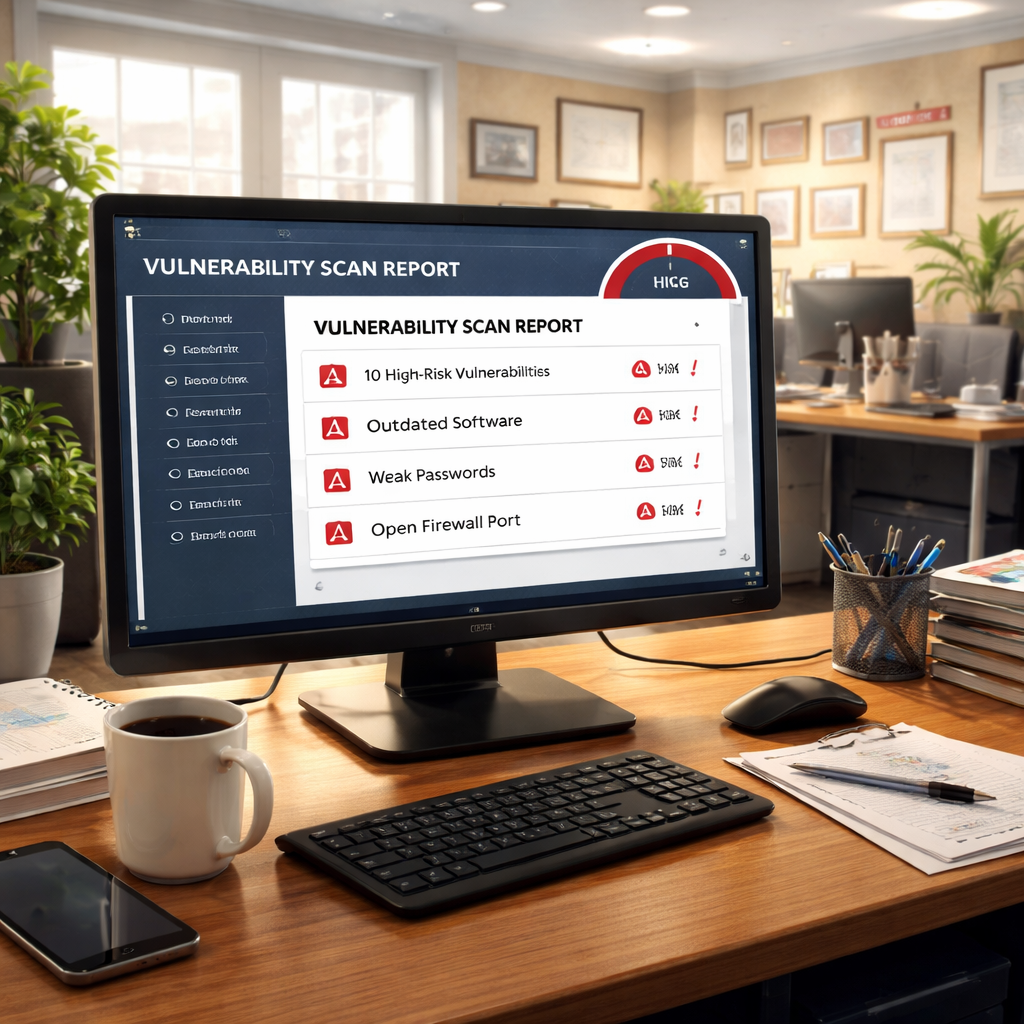
Next, run a vulnerability scan. Tools like OpenVAS or a managed service can flag missing patches, open ports, and weak configurations. Schedule the scan after hours so you don’t disrupt users.
After the scan, rank the findings. Use a simple matrix: Likelihood (low, medium, high) versus Impact (low, medium, high). Put the high‑high items at the top of your list.
Don’t forget the human factor. Phishing was the top vector in the Verizon 2025 report , 33% of SMB breaches. Test this with a simulated phishing campaign. Note who clicks.
Here’s a practical workflow:
When you see a vulnerability, ask: What would happen if an attacker exploited it? Could they steal client records? Could they lock your payroll system?
One real‑world example: a local accounting firm discovered an outdated RDP port during a scan. The port was exposed to the internet, and a brute‑force attack could have taken over the server. By closing the port and enabling MFA, they cut a high‑risk path.
For a deeper dive into AI‑driven attacks, read Acrisure’s 2026 outlook. It explains how AI bots can craft believable emails.
The Palo Alto Networks page gives a quick look at how to set up basic scanning and what to watch for in logs.
After you finish the threat assessment, you’ll have a prioritized list ready for the next step of thecybersecurity audit checklist for small business.
Step 3: Review Policies, Controls, and Compliance
Now it’s time to match what you have against what you should have. Policies are the rulebook; controls are the tools that enforce the rules.
Start with password policy. Do you require at least 12 characters, mixed case, and no reuse? If not, update it. Then enable MFA for all admin and remote accounts.
Next, look at backup policy. Are backups run daily? Are they stored off‑site? Test a restore at least once a month.
Compliance is next. Even if you’re not a healthcare provider, the fact that 46.7% of audit items map to HIPAA shows that many controls overlap with other standards like NIST. Use the NIST CSF as a flexible framework.
Here’s a quick policy‑review checklist you can copy:
When you read a policy, ask: Is it being lived? A policy that sits on a drive does nothing.
To help you see where gaps sit, watch the short video below. It walks through a simple policy audit you can run in an hour.
After the video, you’ll know exactly which docs to pull and which controls to test.
Two external resources can give you extra guidance. The PDF from ST Bank lays out a full checklist that aligns with HIPAA and other regulations. It’s a solid reference for a small practice.
Also, the NIST CSF site offers free mapping tools you can use to see how each control fits a larger framework.
Don’t forget to involve your leadership. Show them the policy gaps in plain language , use a one‑page heat map that highlights high‑risk items.
Finally, embed an internal link that points to a ready‑made checklist you can adapt.
IT Security Audit Checklist: 12 Essential Items for SMBs in 2026walks through each control with a short description and a tip you can apply today.
Step 4: Test Controls with Real‑World Simulations
Policies are only as good as the tests behind them. You need to see if the controls actually work.
Start with phishing simulations. Send a fake phishing email to staff and watch who clicks. Record the results and provide quick feedback.
Next, run a penetration test on your external perimeter. A managed service can do this without breaking things. Look for open RDP, weak SSH keys, or mis‑configured firewalls.
Don’t forget ransomware drills. Back up a critical server, then simulate a ransomware event. Practice restoring from the backup within the recovery time objective you set.
Here’s a simple playbook you can follow:
- Pick a test date and inform only the IT lead.
- Run a phishing campaign using a free tool.
- Run a port scan from the internet.
- Trigger a backup restore on a non‑production system.
- Log every step and note any failures.
When a test fails, note why. Was MFA not required? Was a patch missing? Fix it, then re‑test.
One real example: a small legal firm ran a simulated ransomware attack and discovered their backup process didn’t copy the latest client files. After fixing the backup script, they reduced potential downtime from days to hours.
Two external links can help you run these tests. BSG Tech offers a free PDF checklist for SMB security testing that you can download. It explains how to set up phishing and vulnerability scans.
Also, the Palo Alto Networks page mentions best practices for continuous monitoring , a good next step after you finish the simulations.

After the simulations, update your risk matrix. Move any newly discovered gaps into the priority list for remediation.
Step 5: Document Findings, Prioritize Risks, and Create an Action Plan
All the work so far needs a clear record. A good report tells leadership what’s wrong, why it matters, and how you’ll fix it.
Start with a table that lists each finding, the asset it affects, the risk rating, and the recommended fix. Use a simple spreadsheet , you don’t need fancy software.
| Risk ID | Finding | Asset | Risk (L‑H) | Suggested Fix | Owner | Target Date |
|---|---|---|---|---|---|---|
| R‑001 | Missing MFA on admin accounts | Active Directory | High | Enable MFA via Azure AD | IT Manager | 2026‑03‑15 |
| R‑002 | Out‑of‑date firewall firmware | Network perimeter | Medium | Apply vendor patch | Network Engineer | 2026‑03‑20 |
| R‑003 | Backup not tested in 90 days | File server | High | Run a full restore test | Backup Lead | 2026‑03‑10 |
Give each risk a score. Multiply likelihood (1‑5) by impact (1‑5). The higher the number, the faster you must act.
Next, rank the top five risks that could shut down revenue or breach compliance. Those get the first round of resources.
Assign owners. A risk stays open until the owner signs off that it’s fixed. Use a ticketing system so you can track progress.
Write a brief remediation plan. Include what you’ll do, who will do it, and when it’ll be done. Keep it short , a one‑page plan works best for busy leaders.
Two external sources can help you shape the report. SafetyCulture’s checklist gives a clean layout for audit findings. Their site also explains how to turn findings into actionable tickets.
Another good , which shows how to map each finding to a framework function , useful if you need to show compliance later.
Finally, link to the internal guide that walks you through a full risk register you can copy.
IT Risk Assessment Services: A Practical Guide for Small Businessesprovides a template with columns for likelihood, impact, and treatment actions.
Conclusion , Strengthen Your Business with Ongoing IT Partnership
Putting together acybersecurity audit checklist for small businessmay feel like a big task, but you’ve just broken it down into five clear steps. Define what you protect, spot the biggest threats, check the rules you follow, test the defenses, and write a simple action plan.
When you finish, you’ll have a living document that shows exactly where you stand. You’ll know which risks could shut down your shop and which fixes bring the biggest payoff.
Even with a solid checklist, security isn’t a set‑and‑forget job. New threats pop up every month. That’s why a trusted IT partner can keep the lights on. A managed service can run scans, patch systems, and monitor logs 24/7, so you stay ahead of attackers without adding staff.
Ready to make your technology work for you? Contact SRS Networks for a free consultation or an IT assessment today. Let us help you turn the checklist into daily peace of mind.
FAQ
What is the first thing I should do when starting a cybersecurity audit checklist for small business?
Begin by defining the scope. Write down every device, app, and data store you use. Match each item to any compliance rule it may touch. This inventory gives you a clear picture of what you need to protect and sets the stage for the rest of the audit.
How often should I run vulnerability scans as part of the checklist?
Run a scan at least quarterly, or after any major change like a new server or software upgrade. Schedule the scan after hours to avoid disrupting work. Review the report, fix high‑risk findings, and re‑scan until the list is clean.
Do I really need multi‑factor authentication for every user?
Yes. MFA blocks the most common attack , stolen passwords. Apply it to admin accounts, remote VPN logins, and any cloud service that holds sensitive data. The quick win you’ll see is a huge drop in successful phishing attempts.
What’s the best way to test my backup strategy?
Pick a critical file or database, restore it to a test machine, and verify the data is intact and the application runs. Do this at least once a month. Document the time it takes , that becomes your recovery time objective.
How can I involve non‑technical staff in the audit?
Ask them to share the apps they use daily and any work‑from‑home tools. Run a short security awareness quiz and note the results. Their input helps you spot shadow IT and human‑risk gaps that a technical scan might miss.
What role does an IT partner play after the audit is done?
An IT partner can monitor your network 24/7, push patches automatically, and run regular phishing simulations. They keep the checklist alive, fix new gaps fast, and give you a clear report for leadership each quarter.
- Document a password rule and enforce it with a manager.
- Enable MFA on email, VPN, and admin portals.
- Verify that patch management runs weekly.
- Confirm backup schedule and test restores.
- Log access to sensitive data and retain logs for 12 months.
- Run an automated scan on all servers and workstations.
- Review the report and tag each finding with risk level.
- Run a tabletop phishing test and record results.
- Map each risk to a business asset from Step 1.
- Prioritize fixes that protect the most critical data.