Every business today relies on mobile devices to keep things running smoothly, but that convenience comes with new security headaches. Recent studies reveal that companies with thorough mobile device inventories are 60% more effective at stopping security breaches. Most people think just having strong passwords is enough to keep hackers out, yet the real secret is much deeper. Mobile security is not just about tech fixes—it is about smart systems and ongoing teamwork that most organizations completely overlook.
Table of Contents
- Step 1: Assess Your Current Mobile Security Landscape
- Step 2: Implement Strong Password Policies And Authentication
- Step 3: Deploy Mobile Device Management Solutions
- Step 4: Educate Employees On Security Best Practices
- Step 5: Regularly Update And Patch Mobile Systems
- Step 6: Conduct Routine Security Audits And Assessments
Contents: 6 Essential Steps to Secure Mobile Devices
| Key Point | Explanation |
|---|---|
| 1. Conduct a thorough device inventory | Document all mobile devices used in your organization, including BYOD, along with their configurations and security settings. |
| 2. Implement multi-factor authentication | Require multiple verification methods for device access, significantly reducing unauthorized entry risks. |
| 3. Regularly update and patch systems | Establish centralized protocols for automatic updates, ensuring all devices have the latest security patches installed promptly. |
| 4. Provide ongoing security training | Develop an engaging program to educate employees on mobile security risks and best practices, transforming them into proactive defenders. |
| 5. Perform routine security audits | Schedule consistent evaluations of device security and configurations to identify and address vulnerabilities before they can be exploited. |
Step 1: Assess Your Current Mobile Security Landscape
Securing mobile devices starts with a comprehensive understanding of your organization’s existing mobile environment. This critical first step involves a detailed examination of how mobile devices are currently used, what vulnerabilities exist, and where immediate security improvements can be implemented.
Begin by conducting a comprehensive device inventory that goes beyond simply counting smartphones and tablets. Document every mobile device connected to your business network, including personal devices used for work (known as bring your own device or BYOD). This inventory should capture details such as device type, operating system, age, and current security configuration.
Your assessment should include a thorough review of current mobile access protocols. Examine how employees currently access company resources, identifying potential weak points in remote access strategies. Look closely at the ways staff members connect to email, cloud storage, internal networks, and critical business applications from their mobile devices.
Data collected during this assessment will reveal critical insights into your mobile security posture. Pay special attention to potential risk indicators such as outdated operating systems, unpatched devices, inconsistent security configurations, and unauthorized device connections. These elements represent significant potential entry points for cybersriminals seeking to exploit vulnerabilities in your mobile ecosystem.
To streamline your assessment, consider utilizing mobile device management (MDM) tools that can automatically scan and report on device configurations. Gartner’s research on mobile security suggests that organizations with comprehensive mobile device inventories are 60% more effective at preventing security breaches.
Key verification points for completing this assessment include:
- A complete, up-to-date inventory of all mobile devices
- Detailed documentation of current access methods
- Identification of potential security vulnerabilities
- Initial recommendations for immediate security improvements
Remember that this assessment is not a one-time event but an ongoing process. Technology evolves rapidly, and your mobile security landscape will continually change. Establishing a systematic approach to regularly reviewing and updating your mobile device inventory and security protocols will provide a strong foundation for protecting your business’s digital assets.
Below is a summary checklist table of key verification steps to ensure your organization’s mobile device assessment is thorough and actionable.
| Verification Step | Description | Status |
|---|---|---|
| Device Inventory Complete | All mobile devices (including BYOD) are fully documented | |
| Access Methods Documented | Detailed records of how devices access company resources | |
| Security Vulnerabilities Identified | Potential weaknesses and outdated configurations are listed | |
| Immediate Improvements Recommended | Initial action items for quick security wins are proposed | |
| Ongoing Review Process Established | Regular schedule set for periodic reassessment |
Step 2: Implement Strong Password Policies and Authentication
Implementing robust password policies and authentication mechanisms is a critical defense against unauthorized mobile device access. This step transforms your organization’s approach to digital security by creating multiple layers of protection that significantly reduce the risk of potential breaches.
Start by developing a comprehensive password policy that goes beyond traditional recommendations. Require passwords that are complex, unique, and changed regularly. Modern approaches suggest using longer passphrase combinations that are easier for employees to remember but harder for attackers to crack. Think of a memorable sentence with numbers and special characters integrated naturally.
Multi-factor authentication (MFA) represents the next critical layer of mobile device security. Implement MFA across all business applications and device access points. This strategy requires users to provide two or more verification factors to gain entry, which dramatically reduces the likelihood of unauthorized access. Biometric authentication methods like fingerprint scanning or facial recognition provide additional security beyond traditional password systems.
Research from NIST indicates that organizations implementing multi-factor authentication can reduce unauthorized access attempts by up to 99.9%. This statistic underscores the immense value of creating multiple authentication checkpoints for mobile devices.
Consider deploying enterprise-level password management tools that can automatically generate and securely store complex passwords. These solutions eliminate the common problem of employees using weak or repetitive passwords across multiple platforms. Advanced password managers can integrate seamlessly with your existing mobile device management infrastructure, providing centralized control and monitoring.
Key verification points for completing this authentication implementation include:
- Established password complexity requirements
- Multi-factor authentication enabled across all systems
- Centralized password management solution deployed
- Employee training on new authentication protocols completed
Remember that successful authentication strategies balance robust security with user experience. Overly complex systems can frustrate employees and potentially drive them to find less secure workarounds. Communicate clearly, provide necessary training, and create policies that feel protective rather than punitive.
Step 3: Deploy Mobile Device Management Solutions
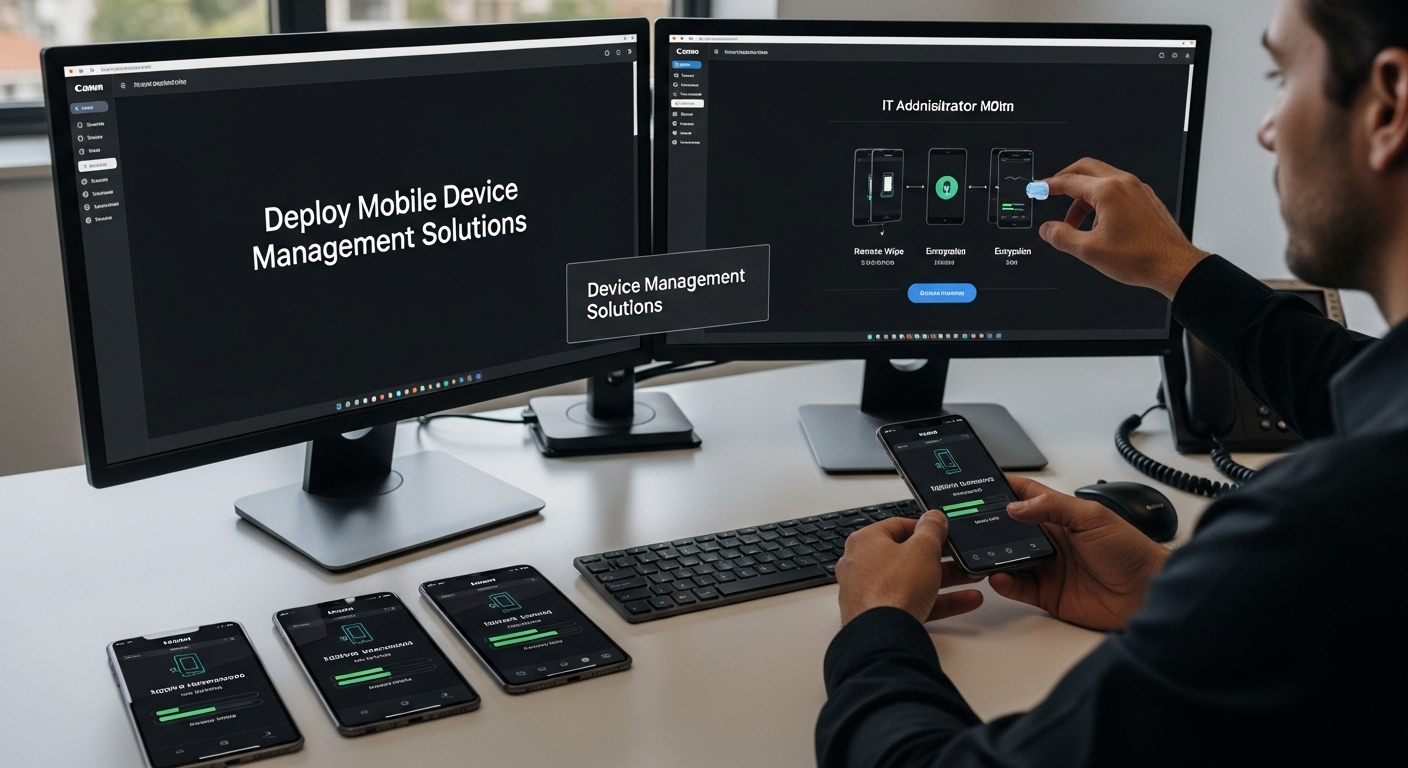
Mobile Device Management (MDM) solutions represent a critical technological framework for securing and controlling mobile devices within your business environment. This step involves implementing a comprehensive system that provides centralized control, monitoring, and protection across all mobile devices used by your organization.
Begin by selecting an MDM solution that offers robust features tailored to your specific business needs. Look for platforms that provide comprehensive device tracking, remote management capabilities, and seamless integration with your existing IT infrastructure. The ideal solution should support multiple operating systems and offer granular control over device configurations, application access, and data protection.
The implementation process requires careful planning and strategic rollout. Start by creating a detailed device enrollment strategy that covers both company-owned and personal devices used for work purposes. Develop clear policies that outline expectations for device registration, security configurations, and ongoing management. Communicate these policies transparently to ensure employee understanding and cooperation.
NIST guidelines on mobile device security emphasize the importance of comprehensive device management that goes beyond basic tracking. Configure your MDM solution to enforce critical security measures such as automatic device encryption, mandatory security updates, and the ability to remotely wipe lost or stolen devices.
Key features to prioritize in your MDM deployment include application management, network access controls, and real-time security monitoring. Implement capabilities that allow you to:
- Remotely configure and update device settings
- Restrict access to sensitive business applications
- Monitor and report on device compliance
- Instantly disable or wipe devices in case of security threats
Successful MDM implementation requires ongoing management and periodic review. Schedule regular assessments of your mobile device security infrastructure, updating policies and configurations as technology and business needs evolve. Train your IT team to effectively use the MDM platform, ensuring they can quickly respond to potential security incidents and device management challenges.
Verify the success of your MDM deployment by conducting comprehensive audits that demonstrate improved device security, reduced risk of data breaches, and enhanced overall mobile device management capabilities across your organization.
The following table provides an overview of the key features to prioritize when selecting and deploying a Mobile Device Management (MDM) solution for your organization.
| MDM Feature | Purpose | Key Benefit |
|---|---|---|
| Device Tracking | Monitor all enrolled devices | Maintains visibility and accountability |
| Remote Management | Update settings and remotely wipe or lock devices | Ensures fast incident response |
| Application Management | Control app installations and usage | Protects against harmful software |
| Network Access Controls | Restrict device network connections | Minimizes unauthorized data access |
| Security Monitoring | Real-time alerts and compliance checks | Detects risks before they escalate |
| Multi-OS Support | Manage various device types (iOS, Android, etc.) | Streamlines administration |
Step 4: Educate Employees on Security Best Practices
Employee education represents the human firewall of mobile device security. No technological solution can be completely effective without creating a culture of security awareness among your team members. This step focuses on transforming your workforce into proactive defenders of your organization’s digital assets.
Develop a comprehensive security awareness program that goes beyond traditional training approaches. Create engaging, interactive learning experiences that help employees understand the real-world implications of mobile security risks. Use practical scenarios, simulated phishing exercises, and real-life case studies that demonstrate how seemingly minor security lapses can lead to significant organizational vulnerabilities.
Your training should cover critical mobile security topics with practical, easy-to-implement guidance. Teach employees about the dangers of public Wi-Fi networks, the importance of avoiding suspicious links, and the risks associated with downloading unverified applications. Emphasize the personal responsibility each team member has in protecting company data, framing security as a collaborative effort rather than a restrictive set of rules.
Research from the Cybersecurity and Infrastructure Security Agency highlights that human error accounts for over 80% of security breaches. This statistic underscores the critical importance of ongoing, engaging security education that transforms employees from potential vulnerabilities into active security participants.
Implement a continuous learning approach that includes:
- Regular security awareness workshops
- Quarterly refresher training sessions
- Periodic simulated security challenge exercises
- Immediate communication about emerging mobile security threats
Consider creating a reward and recognition system that incentivizes good security behaviors. Acknowledge employees who demonstrate exceptional security awareness, report potential threats, or successfully complete advanced security training modules. This positive reinforcement helps build a security-conscious culture that extends beyond formal training sessions.
Verify the effectiveness of your education efforts through multiple methods. Conduct periodic security knowledge assessments, track incident reporting rates, and measure improvements in employee security behaviors. Create anonymous feedback channels that allow employees to ask questions, share concerns, and contribute to your organization’s security strategy.
Remember that mobile security education is an ongoing process. Technology and threat landscapes evolve rapidly, and your training approach must remain equally dynamic and adaptive.
Step 5: Regularly Update and Patch Mobile Systems
System updates and security patches represent your organization’s first line of defense against emerging digital threats. This critical step involves creating a systematic approach to maintaining the most current and secure software configurations across all mobile devices used within your business ecosystem.
Establish a proactive update management strategy that eliminates the typical delays and inconsistencies in software maintenance. Instead of relying on individual employees to manually update their devices, implement centralized update protocols through your mobile device management solution. Configure automatic update settings that ensure all devices receive critical security patches immediately upon release, minimizing potential vulnerability windows.
Develop a comprehensive patching schedule that addresses different types of updates.
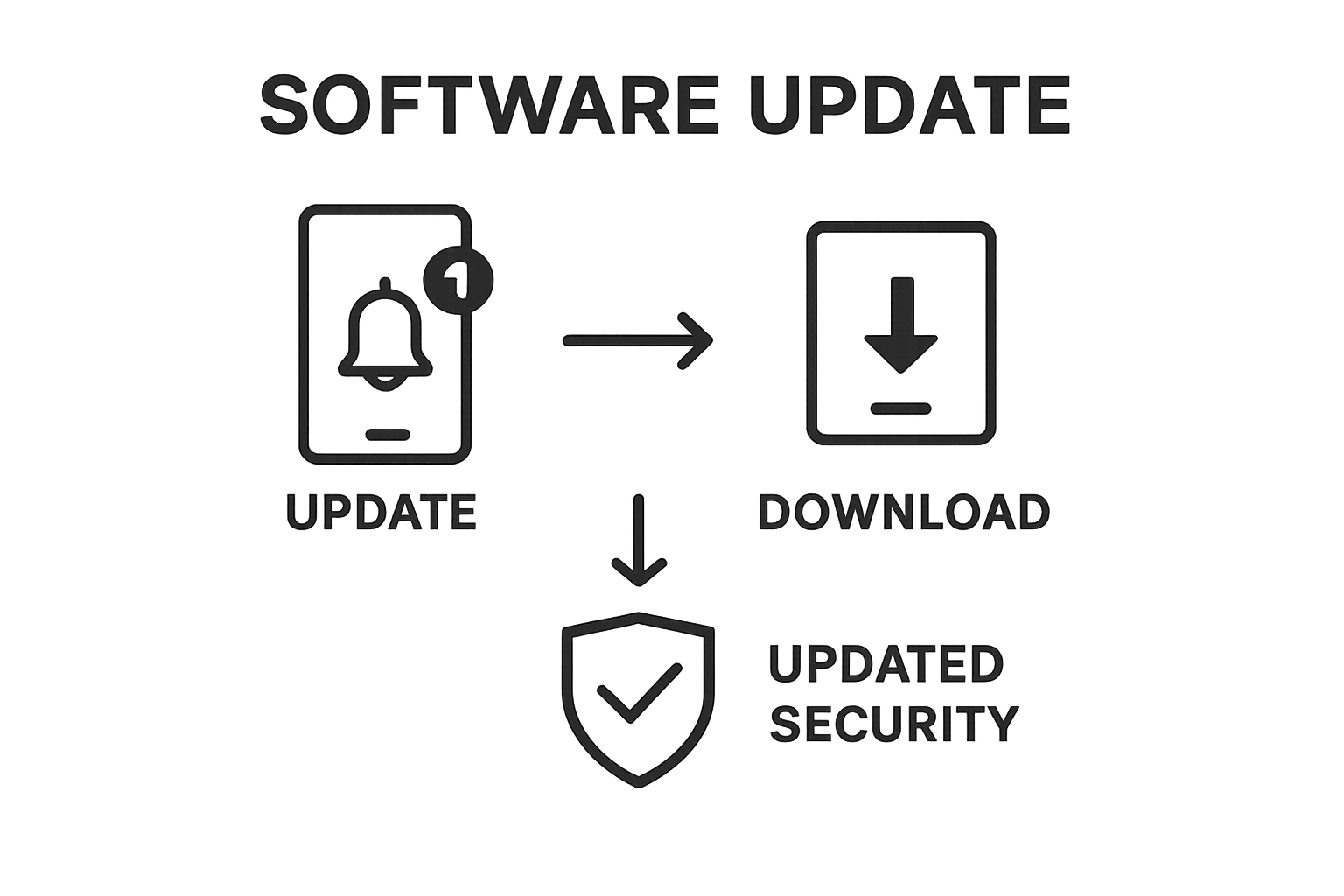 Prioritize security patches that address known vulnerabilities, operating system updates that improve system stability, and application-specific fixes that protect against emerging threats. Create a tiered approach that distinguishes between critical updates requiring immediate installation and recommended updates that can be scheduled during less disruptive timeframes.
US-CERT guidelines on software updates emphasize the importance of maintaining current system configurations to protect against potential security breaches. These recommendations underscore the critical nature of consistent and timely software maintenance across all mobile platforms.
Key components of an effective update management process include:
- Automated patch deployment mechanisms
- Regular vulnerability scanning
- Comprehensive update tracking
- Immediate notification systems for critical security updates
Implement a robust verification process to ensure update compliance across your entire mobile device ecosystem. Develop reporting mechanisms that provide real-time insights into device update status, identifying any systems that remain unpatched or require additional attention. Create escalation protocols for devices that consistently fail to maintain current software versions.
Consider the potential business disruptions associated with system updates. Schedule comprehensive updates during off-peak hours, provide clear communication about planned maintenance windows, and offer support resources to help employees navigate potential technical challenges. By approaching updates as a collaborative process, you can minimize resistance and ensure broader organizational compliance.
Verify the success of your update strategy by conducting periodic security audits, tracking update completion rates, and monitoring the overall security posture of your mobile device environment. Remember that update management is an ongoing process that requires continuous attention and adaptation.
Step 6: Conduct Routine Security Audits and Assessments
Routine security audits and assessments form the diagnostic backbone of your mobile device security strategy. This critical step transforms your approach from reactive defense to proactive risk management, systematically identifying potential vulnerabilities before they can be exploited by malicious actors.
Develop a comprehensive audit framework that goes beyond surface-level examinations. Create a structured methodology that thoroughly evaluates every aspect of your mobile device ecosystem, including device configurations, access permissions, network interactions, and potential security gaps. Your audit should be both technical and procedural, examining not just the technological infrastructure but also how employees interact with mobile devices and company resources.
Implement a quarterly assessment schedule that provides consistent and predictable security evaluations. During these audits, conduct detailed investigations that include penetration testing, vulnerability scanning, and comprehensive risk assessments. Use advanced diagnostic tools that can simulate potential attack scenarios and identify hidden weaknesses in your mobile device security infrastructure.
NIST guidelines on security assessments emphasize the importance of systematic, thorough examinations that adapt to evolving technological landscapes. These recommendations underscore the need for dynamic, ongoing security evaluation processes.
Key components of an effective security audit should include:
- Comprehensive device configuration reviews
- Network access permission audits
- Unauthorized application detection
- Compliance verification with established security policies
Establish a detailed reporting mechanism that transforms audit findings into actionable insights. Create clear, concise documentation that not only highlights potential vulnerabilities but also provides specific recommendations for mitigation. Develop a tracking system that monitors the resolution of identified issues, ensuring that discovered security gaps are promptly addressed.
Encourage a culture of continuous improvement by sharing appropriate audit insights across your organization. Provide transparent summaries that help employees understand the importance of mobile device security without creating unnecessary alarm. Use audit findings as educational opportunities, demonstrating how collective vigilance contributes to the organization’s overall security posture.
Verify the effectiveness of your audit process by tracking key performance indicators such as the number of vulnerabilities identified, time to resolution, and improvements in overall security metrics. Remember that security audits are not about finding fault but about continuously strengthening your organization’s defensive capabilities.
Bring Proven Mobile Security to Your Organization—With Confidence
Are you struggling to keep your business devices secure, even with strong passwords and frequent updates? Managing the risks of outdated software, weak authentication, and lack of regular audits can feel overwhelming if you do not have an IT strategy built for today’s mobile threats. The article’s detailed steps illustrate how complex modern mobile security can become—especially when you need to balance technology with employee habits and compliance demands.
Let SRS Networks help you transform those challenges into strengths. Our team delivers hands-on cybersecurity, 24/7 monitoring, and expert support tailored for Monterey Bay businesses. We put proven solutions in place—from routine security assessments to endpoint protection—to give you peace of mind and ensure your mobile device environment stays one step ahead of evolving threats. Do not wait until a breach puts your reputation or operations at risk. Discover how you can secure every device and empower your team by visiting SRS Networks. See what dedicated IT partnership can do for your business—start your conversation with a local expert today.
Frequently Asked Questions
How can I assess my organization’s mobile security landscape?
To assess your organization’s mobile security landscape, conduct a comprehensive device inventory that documents all mobile devices connected to your business network, including personal devices used for work. Review current mobile access protocols and identify potential vulnerabilities to develop initial recommendations for security improvements.
What steps should I take to implement strong password policies?
Develop a comprehensive password policy that requires complex, unique passwords that are changed regularly. Implement multi-factor authentication across all business applications and device access points to provide additional layers of security against unauthorized access.
What are the benefits of deploying Mobile Device Management (MDM) solutions?
MDM solutions offer centralized control, monitoring, and protection of mobile devices within your organization. They allow for remote device management, application access control, and security enforcement, significantly reducing the risk of security breaches and enhancing mobile device management capabilities.
How often should I conduct security audits for mobile devices?
Conduct routine security audits at least quarterly to systematically identify potential vulnerabilities in your mobile device ecosystem. These audits should include vulnerability scanning, penetration testing, and access permission reviews to ensure ongoing compliance with security policies.