

Businesses are defending more devices than ever, with the average company managing over 135,000 endpoints on their network at any given time. Most people assume that adding more firewalls or buying the latest antivirus keeps everything safe. The actual risk often hides in simple things like outdated laptops and forgotten IoT gadgets quietly connected to your system right now.
Table of Contents
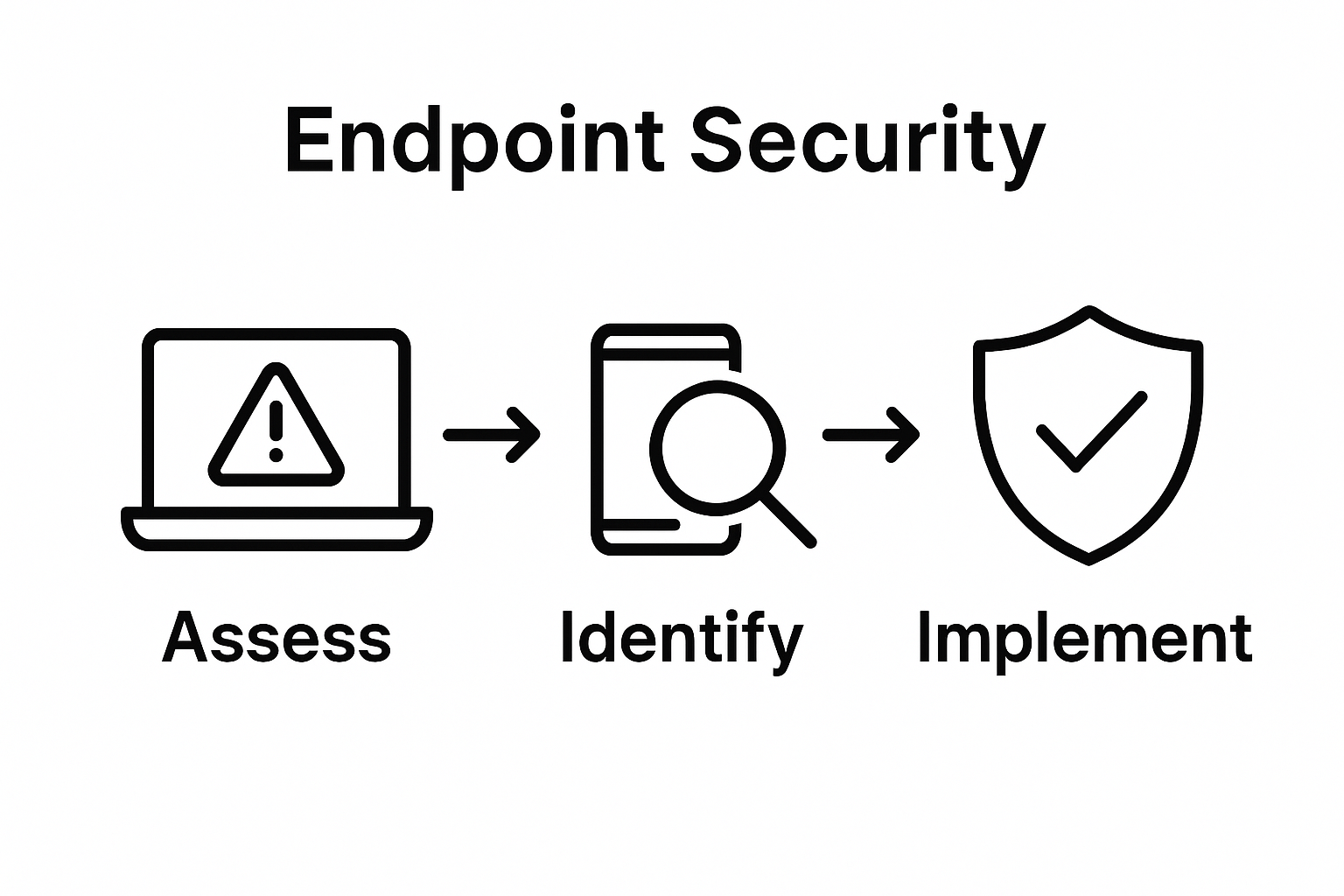
- Step 1: Assess Your Current Endpoint Security Landscape
- Step 2: Identify Vulnerabilities And Risks
- Step 3: Implement Strong Authentication Protocols
- Step 4: Deploy Endpoint Protection Solutions
- Step 5: Regularly Update And Patch Systems
- Step 6: Monitor And Respond To Security Incidents
Quick Summary
| Key Point | Explanation |
|---|---|
| 1. Conduct a comprehensive inventory | Identify all network-connected devices and their configurations to understand security vulnerabilities. |
| 2. Implement multi-factor authentication (MFA) | Require users to provide multiple verification methods to enhance endpoint access security. |
| 3. Regularly update and patch systems | Develop a structured patch management process to prevent vulnerabilities and ensure system security. |
| 4. Deploy endpoint detection and response (EDR) | Implement real-time monitoring solutions to detect and neutralize cyber threats proactively. |
| 5. Establish an incident response plan | Create clear protocols for responding to security events to minimize damages and recover quickly. |
Step 1: Assess Your Current Endpoint Security Landscape
Securing your organization’s endpoints begins with a comprehensive understanding of your existing infrastructure and potential vulnerabilities. This initial assessment serves as the critical foundation for developing a robust endpoint security strategy that protects your digital assets from emerging threats.
To conduct an effective endpoint security landscape evaluation, start by creating a comprehensive inventory of all network-connected devices. This includes laptops, desktops, mobile devices, servers, and any Internet of Things (IoT) equipment used within your organization. According to the Cyber Security Evaluation Tool by CISA, a detailed asset mapping process helps organizations identify potential security gaps and understand their technological ecosystem.
Begin your assessment by documenting critical details for each device, such as operating system versions, installed software, network access permissions, and current security configurations. Pay special attention to devices that might be running outdated software or operating systems, as these represent significant vulnerability points. Legacy systems often lack modern security features and can serve as entry points for cybercriminals seeking to exploit unpatched vulnerabilities.
Next, evaluate your current endpoint protection mechanisms. Review existing antivirus software, firewall configurations, and endpoint detection and response (EDR) tools. Determine whether these solutions provide comprehensive coverage across all device types and networks. Look for potential blind spots in your security architecture, such as unmanaged devices, remote work endpoints, or systems with inconsistent security protocols.
To streamline this assessment, consider utilizing automated discovery and inventory management tools that can provide real-time insights into your network’s device landscape. These tools can help you:
- Automatically detect and catalog all network-connected devices
- Identify outdated software and missing security patches
- Generate comprehensive reports on device configurations
- Track device access and usage patterns
Conduct a thorough risk assessment by simulating potential attack scenarios and identifying potential weaknesses in your current endpoint security infrastructure. This proactive approach allows you to prioritize security improvements and allocate resources more effectively. By completing this initial assessment, you will have established a clear baseline for understanding your organization’s endpoint security status and be prepared to develop a strategic, targeted approach to protecting your digital environment.
The following table summarizes core steps in securing endpoints, with each step, associated goals, and quick verification tips for readers planning or reviewing their security process.
| Step | Main Objective | Quick Verification |
|---|---|---|
| Inventory Devices | Identify all network-connected endpoints | Confirm all device types are cataloged |
| Scan for Vulnerabilities | Detect software or configuration weaknesses | Review vulnerability scan reports |
| Enforce Authentication | Strengthen access controls using MFA | Verify MFA is active on all accounts |
| Deploy Endpoint Protection | Install EDR and application allowlisting | Ensure real-time monitoring is enabled |
| Schedule System Updates | Patch software and operating systems regularly | Check update and patch logs for completion |
| Monitor & Respond | Detect and act on incidents quickly | Validate response plan and team readiness |
Step 2: Identify Vulnerabilities and Risks
After completing your initial endpoint security assessment, the critical next phase involves systematically identifying potential vulnerabilities and understanding the specific risks facing your organization’s digital infrastructure. This step transforms your baseline inventory into a strategic roadmap for targeted security improvements.
According to the Cybersecurity and Infrastructure Security Agency (CISA), vulnerability identification requires a multifaceted approach that goes beyond simple device tracking. Begin by conducting a comprehensive vulnerability scan using advanced security assessment tools that can probe your network for potential weaknesses. These sophisticated scanning solutions will help uncover hidden security gaps across your endpoint ecosystem, revealing outdated software versions, misconfigurations, and potential entry points for cyber threats.
Utilize both automated vulnerability scanning tools and manual expert review processes to ensure a thorough examination. Automated tools provide rapid, comprehensive insights, while manual reviews allow for nuanced understanding of complex security interactions. Focus on critical areas such as unpatched software, weak authentication mechanisms, unnecessary open network ports, and potential configuration errors that could compromise your system’s integrity.
Pay special attention to devices with elevated risk profiles, such as remote work endpoints, personal devices connected to corporate networks, and systems running legacy operating systems. These endpoints often represent significant security vulnerabilities that can be exploited by sophisticated cyber attackers. Categorize discovered vulnerabilities based on their potential impact and likelihood of exploitation, creating a prioritized remediation strategy that addresses the most critical risks first.
To streamline your vulnerability identification process, consider implementing the following key practices:
- Conduct regular automated vulnerability scans across all network endpoints
- Maintain a detailed risk registry documenting discovered vulnerabilities
- Establish clear severity classifications for identified security weaknesses
- Create a systematic approach for tracking and resolving detected issues
Successful vulnerability identification requires ongoing commitment and continuous monitoring. Develop a repeatable process that allows for regular reassessment, ensuring your organization remains proactive in addressing emerging security challenges. By meticulously identifying and understanding your endpoint vulnerabilities, you create a strong foundation for developing a robust, adaptive security strategy that can effectively protect your digital assets against evolving cyber threats.
Step 3: Implement Strong Authentication Protocols
Building upon your vulnerability assessment, implementing robust authentication protocols represents a critical defense mechanism for protecting endpoint security. This step transforms your network from a potentially vulnerable system to a tightly controlled digital environment with multiple layers of access protection.
According to research analyzing authentication protocols, multi-factor authentication (MFA) provides the most comprehensive approach to securing endpoint access. Begin by mandating MFA across all organizational devices and user accounts. This means requiring users to provide two or more verification methods before gaining system access, such as combining a password with a temporary code sent to a mobile device or utilizing biometric authentication like fingerprint or facial recognition.
Design your authentication strategy with granular access controls that limit user permissions based on specific roles and responsibilities. Not every employee requires the same level of system access, so implement a principle of least privilege approach. This means carefully defining and restricting user access rights to only those systems and resources directly necessary for an individual’s job functions. By creating precise access boundaries, you dramatically reduce potential attack surfaces and minimize the risk of unauthorized system penetration.
Select authentication solutions that offer dynamic, adaptive security mechanisms. Modern authentication platforms can evaluate multiple contextual factors when determining access, such as user location, device health, time of access, and typical user behavior patterns. These intelligent systems can automatically flag or block suspicious login attempts that deviate from established user behavior profiles, providing an additional layer of proactive security monitoring.
Consider implementing the following key authentication best practices:
- Require complex, regularly updated passwords with minimum length and complexity requirements
- Enable mandatory multi-factor authentication for all user accounts
- Implement continuous authentication mechanisms that monitor user behavior
- Establish clear protocols for immediate access revocation when employees leave the organization
Verify the effectiveness of your authentication protocols through periodic security audits and penetration testing. These assessments will help identify potential weaknesses in your authentication systems and provide opportunities for continuous improvement. By treating authentication as a dynamic, evolving security strategy, you create a resilient defense mechanism that adapts to emerging technological challenges and potential cyber threats.
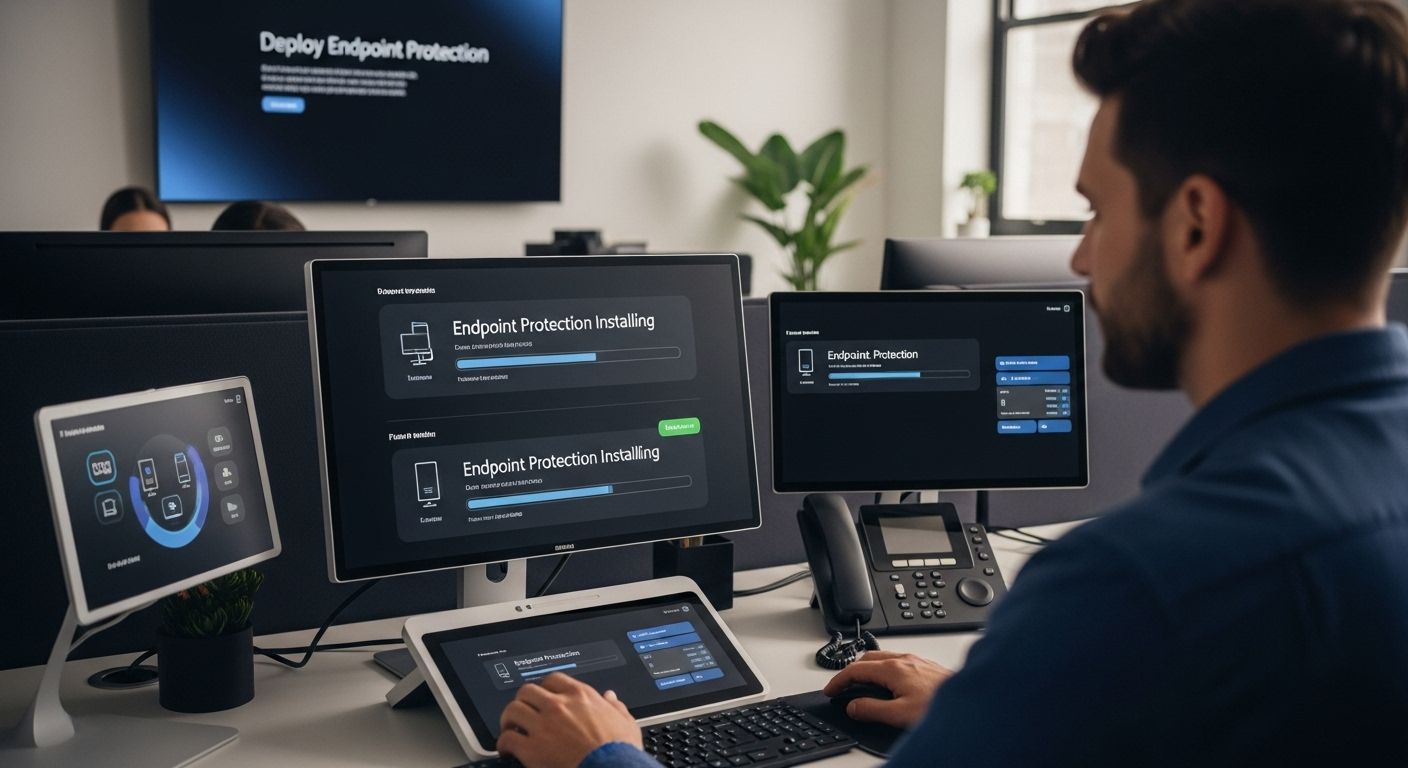
Step 4: Deploy Endpoint Protection Solutions
Deploying comprehensive endpoint protection solutions represents a critical defensive strategy that transforms your organization’s security infrastructure from reactive to proactive. This step involves implementing sophisticated software and tools designed to detect, prevent, and respond to potential cyber threats across all network-connected devices.
According to the Cybersecurity and Infrastructure Security Agency (CISA), effective endpoint protection requires a multilayered approach that combines advanced technologies and strategic implementation. Begin by selecting an integrated endpoint detection and response (EDR) solution that provides real-time monitoring, threat detection, and automated response capabilities. These sophisticated systems go beyond traditional antivirus software, offering intelligent threat hunting and behavioral analysis that can identify and neutralize sophisticated cyber attacks before they can cause significant damage.
Prioritize solutions that offer comprehensive protection across multiple device types, including laptops, desktops, mobile devices, and servers. Modern endpoint protection platforms should provide seamless coverage that adapts to different operating systems and network configurations. Look for solutions that include advanced features such as machine learning-powered threat detection, sandboxing capabilities, and the ability to perform rapid isolation of compromised systems.
Implement application allowlisting as a critical component of your endpoint protection strategy. This approach ensures that only approved and verified software can execute on your network, dramatically reducing the risk of malware infiltration. Configure your endpoint protection solutions to automatically update and patch software, eliminating vulnerabilities that could be exploited by cybercriminals. Ensure that these updates occur with minimal disruption to user workflows, maintaining a balance between security and operational efficiency.
Consider incorporating the following key elements into your endpoint protection deployment:
- Implement real-time threat monitoring and automated response mechanisms
- Configure comprehensive application and device controls
- Establish centralized management for all endpoint protection tools
- Create detailed logging and reporting systems for security events
Verify the effectiveness of your endpoint protection deployment through regular security assessments and simulated threat scenarios. Conduct periodic penetration testing and review security logs to ensure your solutions are functioning as intended. By treating endpoint protection as a dynamic, continuously evolving system, you create a robust defense mechanism that can adapt to emerging cyber threats and protect your organization’s digital assets.
Step 5: Regularly Update and Patch Systems
Maintaining a robust endpoint security strategy requires a disciplined approach to system updates and patch management. This critical step transforms potential vulnerabilities into fortified digital defenses by ensuring all software and systems remain current and protected against emerging cyber threats.
According to the Cybersecurity and Infrastructure Security Agency (CISA), systematic software updates are fundamental to preventing cybersecurity incidents. Develop a comprehensive patch management strategy that goes beyond simply clicking update buttons. Create a structured process that prioritizes critical system updates, evaluates potential impacts, and schedules installations during minimal operational disruption periods.
Implement automated patch management tools that can centrally manage updates across all organizational endpoints. These sophisticated solutions can scan your entire network, identify outdated software, and automatically deploy approved patches with minimal human intervention. Prioritize updates for operating systems, firmware, security applications, and third-party software that might introduce potential vulnerabilities. Pay special attention to systems running legacy software or older operating systems, as these represent significant security risks.
Establish a rigorous testing protocol for patches before enterprise-wide deployment. Create a staged rollout approach where updates are first tested in controlled environments to ensure compatibility and prevent potential system disruptions. This approach allows your technical team to identify and mitigate any potential conflicts or performance issues before widespread implementation. Maintain detailed logs of all patch installations, including version details, installation timestamps, and any observed system changes.
Consider implementing the following patch management best practices:
- Schedule regular, predictable maintenance windows for system updates
- Develop a comprehensive inventory of all software and hardware requiring updates
- Create backup protocols before applying major system patches
- Establish clear escalation procedures for critical security updates
Verify the effectiveness of your patch management strategy through periodic security assessments and vulnerability scans. Regularly review update logs, monitor system performance, and conduct random spot checks to ensure all endpoints remain current and protected. By treating system updates as an ongoing, strategic process rather than an occasional task, you create a proactive defense mechanism that continuously adapts to the evolving cybersecurity landscape.
This table presents a concise checklist of best practices for patch management and system updates, summarizing recommendations given within the update strategy step for use by IT and business leaders.
| Patch Management Practice | Why It Matters | Implementation Tip |
|---|---|---|
| Schedule Regular Maintenance | Minimizes unplanned downtime | Set fixed update windows |
| Maintain Software Inventory | Identifies forgotten systems | Update inventory monthly |
| Test Patches Before Rollout | Prevents operational issues | Use staged deployments |
| Automate Updates | Reduces human error | Deploy patching tools |
| Back Up Before Updating | Ensures recovery option | Automate backups pre-patch |
| Prioritize Critical Updates | Addresses top vulnerabilities first | Use vulnerability ratings |
| Document Update History | Supports audits and troubleshooting | Keep centralized logs |
Step 6: Monitor and Respond to Security Incidents
Establishing a robust incident monitoring and response framework transforms your endpoint security from a passive defense to an active, intelligent protection system. This critical step ensures your organization can rapidly detect, analyze, and mitigate potential security threats before they cause significant damage.
According to NIST’s Computer Security Incident Handling Guide, effective incident response requires a structured, systematic approach. Begin by implementing comprehensive security information and event management (SIEM) solutions that provide real-time monitoring across all network endpoints. These advanced systems collect and correlate log data from multiple sources, creating a holistic view of your organization’s digital environment and enabling rapid threat detection.
Develop a detailed incident response plan that defines clear protocols for different types of security events. This plan should outline specific roles, responsibilities, and communication channels to be activated during a potential security breach. Create predefined workflows that specify exact steps for containment, eradication, and recovery, ensuring your team can respond swiftly and systematically when incidents occur. Include provisions for immediate device isolation, forensic investigation, and potential system restoration.
Establish a dedicated incident response team with clearly defined responsibilities and escalation procedures. This team should include representatives from IT security, network administration, legal compliance, and executive leadership. Conduct regular tabletop exercises and simulated incident scenarios to test and refine your response capabilities. These practice sessions help identify potential weaknesses in your incident response strategy and ensure team members are prepared to act quickly and effectively under pressure.
Consider implementing the following incident monitoring best practices:
- Deploy advanced threat detection and behavioral analysis tools
- Create a centralized incident tracking and reporting system
- Establish clear communication protocols during security events
- Develop comprehensive post-incident analysis and learning procedures
Verify the effectiveness of your incident monitoring strategy through periodic security audits, penetration testing, and comprehensive incident response drills. Maintain detailed documentation of all security events, including root cause analysis and remediation steps. By treating incident response as a continuous learning and improvement process, you create a resilient security framework that can adapt to emerging cyber threats and protect your organization’s digital assets.
Ready to Make Endpoint Security Stress-Free for Your Business?
Securing every device in your business takes more than advice. It demands action. As this guide explains, even one overlooked system or outdated application can threaten your operations. Many local businesses struggle to keep up with ever-changing patches, manage complex authentication, and monitor for incidents around the clock. These challenges can feel overwhelming—especially without an in-house IT team or when you need expertise in areas like endpoint protection and patch management.
Let SRS Networks turn your concerns into confidence. Our team in the Monterey Bay Area delivers tailored cybersecurity solutions and endpoint protection designed specifically for small and medium businesses. Experience proactive support that helps you manage patching, authenticate users, and respond fast to threats. Visit SRS Networks now to discuss how we can secure your environment before the next threat emerges.
Frequently Asked Questions
What is endpoint security and why is it important?
Endpoint security refers to the practice of protecting devices like laptops, desktops, and servers that connect to a network. It is crucial because these endpoints can serve as entry points for cybercriminals, making them a target for malicious attacks. A comprehensive endpoint security strategy helps safeguard sensitive data and maintain the integrity of your organization’s digital environment.
How can I conduct an effective endpoint security assessment?
To effectively assess your endpoint security, create a comprehensive inventory of all network-connected devices, document their operating systems and security configurations, and evaluate existing protection mechanisms. Consider using automated discovery tools for real-time insights and conduct risk assessments to identify vulnerabilities and prioritize improvements.
What are the best practices for implementing strong authentication protocols?
Best practices for implementing strong authentication protocols include mandating multi-factor authentication (MFA), applying granular access controls based on user roles, requiring complex passwords, and utilizing continuous authentication methods. Regular audits and testing of your authentication systems are also essential to ensure effectiveness.
How often should I update and patch my systems?
Regular updates and patches should be scheduled consistently, ideally at least monthly, or as soon as critical vulnerabilities are identified. Implement automated patch management tools to ensure all software across your organization remains current. Establishing structured processes for testing patches before deployment helps prevent disruptions and maintain system stability.






