Picture this: you’re in the middle of a client demo, the screen freezes, and the clock is ticking. Your heart races because that moment feels like a ticking bomb for any Bay Area business that can’t afford downtime.
That gut‑wrenching feeling is exactly why reliable it support bay area isn’t a nice‑to‑have—it’s the safety net that lets you keep serving customers, meeting compliance deadlines, and staying focused on growth. Whether you run a boutique e‑commerce shop in Gilroy, a law firm in San Jose, or a health clinic in Monterey, the underlying challenge is the same: technology glitches shouldn’t dictate your day.
What we’ve seen work best is a proactive partnership that constantly watches your network, patches vulnerabilities before they’re exploited, and responds within minutes when something does go wrong. Imagine a local provider who knows the quirks of California privacy law, the regional threat landscape, and even the parking constraints of downtown offices—so they can be on‑site or remote in under 15 minutes.
Take the example of a mid‑size accounting firm in Salinas that switched from a break‑fix model to a managed service. Within 60 days they cut support tickets by half, avoided a ransomware scare thanks to automated backups, and finally felt confident that their QuickBooks environment was always up‑to‑date. That transformation started with a simple inventory of assets and a conversation about risk tolerance.
Here’s a quick checklist you can run right now:
- List every critical application (QuickBooks, EMR, POS, etc.).
- Rate each on revenue impact, security exposure, and current support.
- Identify any compliance requirements (HIPAA, CCPA, NIST).
- Schedule a free health‑check with a local partner who offers 24/7 monitoring and a guaranteed 15‑minute response.
When you reach out, ask for a roadmap that includes multi‑factor authentication, regular patch cycles, and a backup strategy that restores your data in under an hour. Platforms like Business IT Support Bay Area: Reliable Solutions for SMBs make it easy to get that roadmap without hidden fees.
So, what’s the next step? Grab a pen, write down those three mission‑critical apps you can’t live without, and set a reminder to call a trusted local IT partner this week. In less than a day you’ll have a clearer picture of where the biggest risks lie and how to neutralize them before they bite.
TL;DR
If you’re juggling client demos, compliance deadlines, and endless tech hiccups, reliable it support bay area can turn chaos into confidence with 24/7 monitoring, rapid 15‑minute response, and proactive backups that keep QuickBooks, EMR and POS running smoothly.
Grab a pen, list your three mission‑critical apps, and schedule a free health‑check this week to see exactly where you’re vulnerable and how a local partner can safeguard your business.
Understanding Managed IT Services for Bay Area SMBs
When you first hear the term “managed IT services,” it can feel a bit like tech‑speak for “someone else will fix your headaches.” And that feeling is totally valid—especially if you’ve spent the last year juggling QuickBooks crashes, EMR glitches, or a POS that decides to take a nap right before lunch.
In reality, managed IT is a partnership. Instead of paying for each break‑fix ticket, you pay a predictable monthly fee for a team that watches your network 24/7, patches software before the bad guys can exploit it, and backs up your data so you can hit restore in under an hour.
So, what does that look like for a Bay Area SMB? Picture a small law firm in San Jose that needs to keep client files encrypted and HIPAA‑compliant. Their IT provider isn’t just a vendor; they’re the on‑call security guard who knows the nuances of California privacy law and can be on site—or remote—within 15 minutes if a server hiccups.
Here’s a quick way to break it down:
- Proactive monitoring: Sensors flag a failing hard drive before it goes kaput, giving you time to swap it out without missing a deadline.
- Patch management: Critical updates for Windows, macOS, and third‑party apps are rolled out automatically, so you’re never left open to known vulnerabilities.
- Backup & disaster recovery: Nightly, encrypted backups are stored off‑site, and a tested restore plan means you can get back online in under an hour.
- Help‑desk support: A local team that speaks your language, understands the regional threat landscape, and can walk you through a password reset while you’re on a Zoom call with a client.
Does that sound like a lot? It is—but the beauty is you don’t have to manage each piece yourself. A good managed service provider (MSP) bundles them together, so you get a single point of contact and a clear SLA that spells out the 15‑minute response promise we brag about.
Now, let’s talk about the people who benefit most. Small to mid‑size business owners often wear many hats; they’re the CFO, the marketer, and the IT lead all at once. IT managers in local enterprises are stretched thin, trying to keep the network humming while also preparing for audits. Healthcare providers need HIPAA‑ready backups, while e‑commerce owners worry about PCI‑compliant checkout flows. All of those scenarios share one common thread: they need a reliable safety net that’s local, responsive, and knowledgeable about Bay Area regulations.
One practical step you can take right now is to audit your current tech stack. List every application that drives revenue—QuickBooks, EMR, Shopify, you name it. Rate each on a scale of 1‑5 for importance, security risk, and current support level. That simple spreadsheet becomes the conversation starter with any MSP you’re evaluating.
Speaking of conversation starters, you might wonder how to vet a provider’s expertise beyond glossy marketing copy. Ask for a short video that walks through their assessment process. Below is a quick walkthrough that shows exactly what to expect when you schedule a health‑check.
After you watch the video, you’ll notice two things: first, the provider talks about multi‑factor authentication, ransomware protection, and compliance mapping—key pillars for any Bay Area SMB. Second, they use language that feels like a peer explaining a problem, not a sales pitch.
Another piece of the puzzle is legal compliance. If you’re handling contracts, patient data, or financial records, you need a partner who understands both the tech and the law. That’s where a specialist like Neos Legal can add value, offering guidance on how managed IT services align with California’s stricter privacy statutes.
Finally, remember that managed IT isn’t a set‑it‑and‑forget‑it solution. It’s an ongoing relationship. Schedule quarterly reviews, ask for a KPI dashboard that shows mean‑time‑to‑resolve tickets, and keep an eye on emerging threats—like the rise of ransomware‑as‑a‑service targeting small clinics.

Why Proactive Cybersecurity Matters in the Bay Area
In the Bay Area, you’re juggling fast-moving growth, complex networks, and a threat landscape that never slows down. Proactive cybersecurity isn’t a nice-to-have—it’s a core business risk management tool.
Too many SMBs assume a good antivirus and a firewall will cover them. The reality? Attackers tailor phishing and ransomware to slip past basic defenses, and downtime can cost you more in an hour than a monthly security plan would. You’ve got clients, patients, and partners counting on you—upsell that trust with a security posture that won’t quit.
Here’s what we’ve learned helping Salinas, Monterey, and nearby Bay Area businesses for 28 years: a layered, proactive approach saves money, protects reputation, and keeps compliance on track. It’s not hype; it’s what turns a scary incident into a manageable setback.
So what does proactive cybersecurity actually look like in practice? It’s not a single gadget. It’s a repeatable playbook—people, processes, and the right technology working together.
What makes Bay Area threats different?
You’re adjacent to a cluster of industries—from healthcare and law to real estate and e‑commerce. That blend creates a unique threat surface: rapid move to cloud, sensitive data in motion, and high expectations for uptime. Local regulations and industry standards matter here, not as an afterthought but as a baseline you build into every decision. In short, a Bay Area security posture has to be practical, scalable, and auditable in 2026 and beyond.
Think about the speed of business here. A phishing email that lands at 2 p.m. can derail a critical process before you even finish lunch. So you don’t just prevent breaches—you plan for fast detection, quick containment, and a reliable recovery. That’s the difference between “we fix it after” and “we prevent it from starting.”
Core components of a proactive defense
- Multifactor authentication on all accounts, including remote access, so credentials alone don’t open doors.
- Automated patch management and configuration hardening to close gaps before they’re exploited.
- Endpoint protection with behavior-based detection that flags unusual activity, not just known malware.
- Regular, tested backups with verifiable restores—ideally offline or air‑gapped copies for extra resilience.
- Network segmentation and least-privilege access to limit how far an attacker can move.
- Security awareness training and simulated phishing to teach staff how to recognize threats in real life.
- A simple, rehearsed incident response plan plus 24/7 monitoring and a rapid‑response team on call.
These aren’t theoretical. They translate into fewer tickets, less downtime, and smoother audits—especially for healthcare, legal, and financial services firms that operate under strict controls.
Actionable steps you can take this quarter
- Map your crown jewels—data and systems that would cause the most damage if compromised (EMR, patient data, core accounting, contract archives). Build your plan around keeping those assets safe first.
- Enforce MFA across every user, including contractors and remote workers. It’s the fastest, most cost-effective risk-reduction move you can make.
- Automate patching and test updates during low-usage windows to avoid business disruption.
- Validate backups now and schedule a live restore drill. A tested restore is worth its weight in gold when you need it.
- Draft a one-page incident playbook and assign roles so everyone knows what to do within the first 15 minutes of an incident.
Why SRS Networks is a trusted Bay Area partner
In our experience, local expertise matters. We understand California privacy requirements, the Bay Area threat landscape, and the realities of downtown operations. With 28+ years serving Salinas and Monterey, we tailor cybersecurity and continuity to healthcare, legal, and e‑commerce needs, keeping you compliant and resilient.
We blend proactive monitoring, rapid response, and governance to reduce risk, so you can focus on serving clients and growing your business. Our cybersecurity services, backup and disaster recovery, and compliance guidance are designed to fit real SMB realities, not abstract playbooks. If you’re ready for a no-obligation assessment, we’re here to help you map a practical path forward.
Ready to strengthen your Bay Area defenses? Reach out for an assessment and a conversation about what it would take to move from reactive firefighting to proactive protection.
How to Choose the Right IT Support Partner
When you’re juggling client demos, compliance deadlines, and a never‑ending stream of support tickets, the thought of picking a new IT partner can feel overwhelming. I get it—you don’t have time to read a wall of jargon. So let’s break this down into a simple, human conversation.
First, ask yourself what you’re really scared of. Is it a server crashing during a busy sales day? A ransomware scare that could wipe out patient records? Or just the nagging feeling that you’re paying for tech you don’t understand? Whatever it is, that fear is the compass that will guide your decision‑making.
Step 1 – Map Your Business Rhythm
Grab a pen (or a sticky note app) and list your peak‑usage windows. For a boutique law firm in San Jose, the morning rush of filing deadlines is non‑negotiable. A health clinic in Monterey cares more about keeping the EMR up during patient appointments than after hours. Write down the apps that can’t afford downtime—QuickBooks, EMR, POS, cloud‑hosted CRM—and note any regulatory calendars (HIPAA, CCPA, NIST audits).
Seeing those patterns on paper instantly tells you whether you need 24/7 monitoring or an on‑demand help desk.
Step 2 – Understand Service Models
Most Bay Area providers offer three flavors:
- Break‑Fix (pay‑as‑you‑go): You only pay when something breaks. Cheap, but you’ll be on call for every outage.
- Managed Services (flat‑fee): Includes 24/7 monitoring, proactive patching, backup, and a guaranteed 15‑minute response. This is the sweet spot for midsize firms that want predictable costs and compliance help.
- Hybrid / Project‑Based: A base managed package plus extra projects like cloud migration or a security audit.
In our experience, the managed‑services model delivers the best ROI for SMBs in the Bay Area because it turns surprise tickets into a steady, budget‑friendly line item.
Step 3 – Vet the Provider’s Local Expertise
Local knowledge isn’t a nice‑to‑have; it’s a must‑have. A partner who understands California privacy law, the regional threat landscape, and even the quirks of downtown parking can shave precious minutes off an on‑site response. Look for evidence that they’ve helped a similar business—maybe a mid‑size accounting firm in Salinas that cut support tickets by 50 % after switching to a managed model.
Ask for a live demo of their monitoring dashboard. Can you see alerts in real time? Do they offer a portal where you can track ticket status without calling the help desk?
Step 4 – Compare Cost, Value, and SLA Details
Don’t fall for the headline price. A true managed contract should bundle proactive monitoring, ransomware protection, and a documented SLA that guarantees a 15‑minute response. If the quote is missing any of those pieces, you’re probably looking at a break‑fix arrangement in disguise.
Ask for a cost‑benefit breakdown: how many tickets do you expect to avoid? What’s the projected downtime savings? A solid provider will be able to translate those numbers into a clear monthly figure.
Step 5 – Test the Partnership with a Small Pilot
Before you commit to a year‑long contract, see how they handle a low‑risk project. Maybe let them set up a backup schedule for a non‑critical file server or run a vulnerability scan on a test environment. Their speed, communication style, and willingness to explain the “why” are all tell‑tale signs of how they’ll behave during a crisis.
If they can walk you through the process in plain language—no tech‑speak, just real steps—you’ll know they’re a good fit.
Quick Checklist
- Identify critical apps and compliance windows.
- Choose a service model that matches your rhythm.
- Verify local expertise and request a dashboard demo.
- Ensure the SLA includes 24/7 monitoring and a 15‑minute response.
- Run a pilot project to test communication and execution.
When you’ve ticked those boxes, you’ll have a partner that not only keeps the lights on but also helps you grow.
Need a concrete example of a service that fits this mold? Managed IT Services in Bay Area offers exactly the kind of proactive monitoring, rapid response, and compliance‑focused guidance we’ve been talking about.
And if you’re looking for a tool to keep client data organized once you’ve locked down your IT, consider checking out ClientBase—a secure client‑management platform that plays nicely with HIPAA‑ and CCPA‑compliant environments.
Backup, Disaster Recovery, and Business Continuity Strategies
Imagine you’re about to close the books for the month and the file server just coughs up an error. Your heart skips a beat because you know the data loss could stall payroll, break compliance, and ruin client trust. That’s the moment backup, disaster recovery, and continuity stop being “nice‑to‑have” and become the lifeline of every it support bay area partnership.
First thing we do with any client is map the crown‑jewel assets – the EMR for a health clinic, QuickBooks for an accounting firm, the POS system for a boutique e‑commerce shop. Knowing exactly what can’t afford downtime tells us where to place the heavy‑weight safeguards.
Backup: More Than Just Copy‑Paste
Most SMBs assume the cloud automatically backs up everything. The truth, as a recent cloud‑security guide, is that SaaS platforms give you high availability, not guaranteed point‑in‑time restores. You need an independent backup that can pull a file from a specific hour, not just a recycle bin.
Here’s a quick sanity check: does your backup solution let you restore a single patient record within an hour, or do you have to rebuild an entire server? If the answer is the latter, you’re not truly protected.
We recommend a 3‑2‑1 rule that works for Bay Area businesses: three copies of data, on two different media, with one copy stored off‑site (or in a secure, air‑gapped cloud vault). For a legal firm in San Jose, that means daily encrypted snapshots to a regional data center plus a weekly archive sent to a cold‑storage bucket.
Disaster Recovery: Turning Chaos into a Drill
Disaster recovery (DR) isn’t a fancy buzzword; it’s a rehearsed playbook. When a ransomware attack hits a senior‑care facility, you need to know exactly which server to spin up, which configuration files to apply, and how long it will take to get back to caring for residents.
Start with a Recovery Time Objective (RTO) and a Recovery Point Objective (RPO) for each critical system. An RTO of 4 hours for your billing platform means you must have a tested failover ready within that window. An RPO of 15 minutes for patient notes means your backup cadence can’t be longer than that.
Once you’ve set those targets, run a tabletop exercise. Walk through a scenario where the primary site loses power. Who calls the MSP? Who flips the switch on the secondary site? Document every step and assign owners. The exercise should be short – 30 minutes – but it turns a vague fear into a concrete action.
Business Continuity: The Bigger Picture
Backup and DR are pieces of the continuity puzzle, but you also need to think about people and processes. What happens if your help‑desk tech can’t get to the office because of a Bay Area traffic jam? That’s where remote monitoring and 24/7 support from a local provider become critical.
Ask yourself: do you have a communication plan that alerts staff, clients, and regulators in a single click? Do you have documented escalation paths that don’t rely on a single point of contact?
For a mid‑size accounting firm, a continuity plan might include a cloud‑based virtual desktop that employees can launch from any device, ensuring the firm can keep filing taxes even if the office network goes dark.
Finally, test, test, test. A backup that never gets restored is just another file sitting on a shelf. Schedule quarterly restore drills, track the time it takes, and adjust your RTOs accordingly. The goal isn’t perfection; it’s confidence that you’ll recover before your clients notice a hiccup.
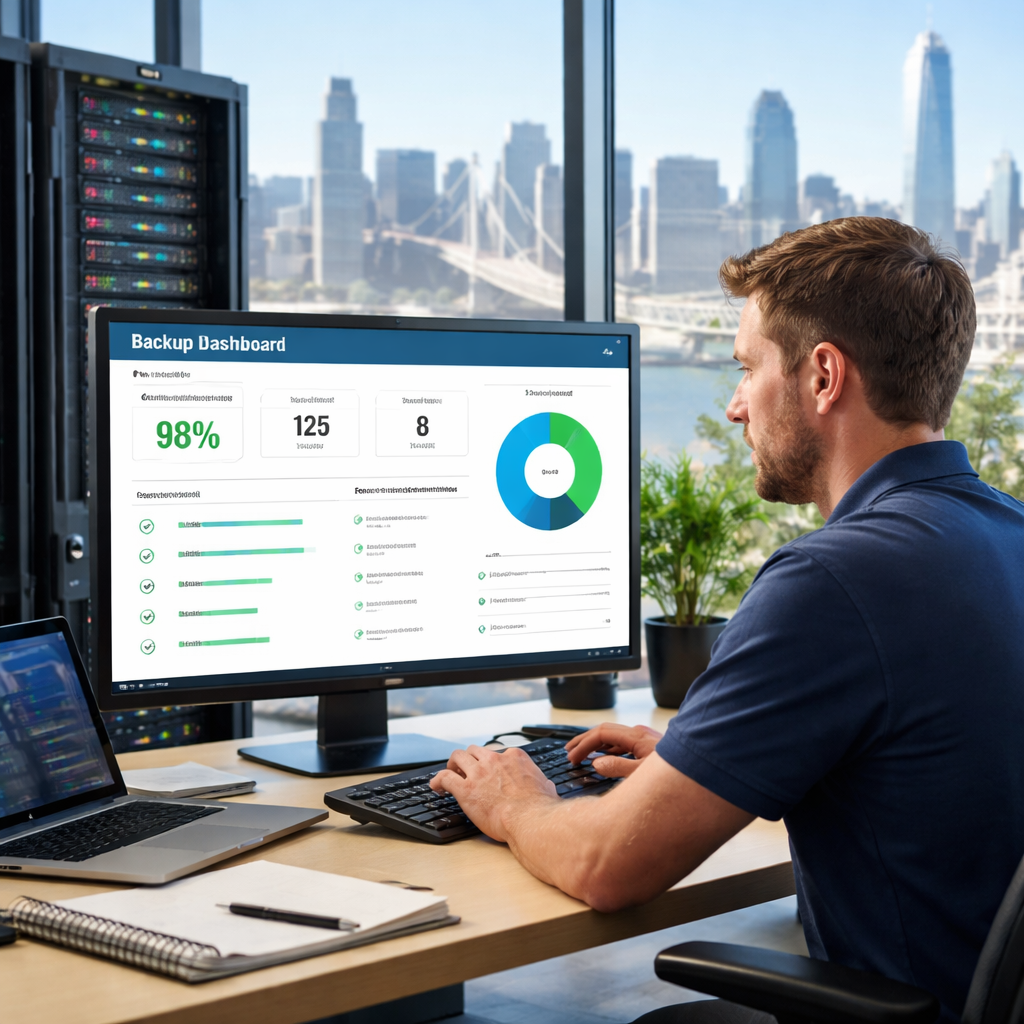
Bottom line: a solid backup, DR, and continuity strategy turns a potential crisis into a routine check‑up. It gives you the freedom to focus on growth instead of firefighting, and it lets your it support bay area partner prove its value every time a alert pops up.
Ready to put those safeguards in place? Let’s map your critical assets, set realistic RTO/RPO goals, and schedule a live restore test. When the plan’s in motion, you’ll sleep easier knowing your business can bounce back – no matter what the Bay throws at it.
Cloud Migration and Ongoing Management Options
When you finally decide it’s time to move your workloads to the cloud, the excitement quickly collides with a maze of choices. Do you lift‑and‑shift everything in one weekend? Do you refactor apps one by one? And once you’re up there, who’s watching the lights, fixing the leaks, and making sure you’re not paying for a ghost‑server?
That’s the core dilemma for many Bay Area SMBs. In our experience, the answer usually falls into three broad paths: a pure self‑service migration, a vendor‑managed migration, or a hybrid approach where a local MSP handles both the move and the day‑to‑day ops.
Self‑Service (Do‑It‑Yourself)
You grab the free migration tools from the cloud provider, follow a checklist, and hope you remembered to update all the DNS records. It works for a tech‑savvy startup that only runs a handful of containers, but it can become a nightmare for a law firm juggling dozens of on‑prem servers, client portals, and HIPAA‑bound EMR systems.
Typical pros:
- Lowest upfront cost – you only pay for the cloud resources you consume.
- Full control over the migration timeline.
Typical cons:
- High risk of misconfiguration (exposed data, broken integrations).
- Zero guarantee on post‑migration performance or support.
Vendor‑Managed Migration
Big cloud providers sell a “managed migration” service where they take your inventory, run a lift‑and‑shift, and hand you a polished environment. It sounds nice, but the contracts often hide extra fees for data egress, and the provider’s support team may not know the quirks of California privacy law or the specific compliance needs of a Monterey‑based health clinic.
Pros:
- Expertise from the platform’s own engineers.
- Standardized processes that reduce human error.
Cons:
- Limited customization – you can’t ask for a bespoke backup schedule that aligns with your nightly batch jobs.
- Support is often tiered; you may still need a local partner for rapid 15‑minute response.
Hybrid Managed Services (Local MSP + Cloud Provider)
This is where many Bay Area businesses find the sweet spot. A local MSP like SRS Networks runs the migration, configures security groups, and then stays on‑call for day‑to‑day management. Because they live in the Bay, they understand the regional compliance landscape (HIPAA, CCPA, NIST) and can pop in on‑site within 15 minutes if a printer in a Monterey clinic decides to quit during a patient intake.
Pros:
- Tailored migration plan that respects your peak‑usage windows (e.g., avoid moving the POS system during a weekend sale).
- Ongoing monitoring, patching, and a clear SLA that includes a 15‑minute response guarantee.
Cons:
- Higher monthly cost than pure DIY, but the ROI shows up in reduced downtime and fewer compliance penalties.
To see a concrete example of how we break down a migration, check out our practical guide to cloud migration services for SMBs. It walks through a step‑by‑step checklist that starts with a discovery interview, moves through a proof‑of‑concept, and ends with a post‑migration health check.
Quick Decision Checklist
- Map your critical apps (QuickBooks, EMR, POS) and note their peak usage.
- Determine compliance requirements – HIPAA for health, CCPA for consumer data.
- Choose a migration style that aligns with your internal expertise and budget.
- Ask any provider: “What’s your SLA for a critical outage? How quickly can you be on‑site?”
- Run a pilot migration of a low‑risk workload before moving the crown jewels.
And remember, the migration isn’t the end – it’s the start of an ongoing management relationship. You’ll need regular cost‑optimization reviews, security patch cycles, and backup‑restore drills.
| Option | Key Benefits | Potential Drawbacks |
|---|---|---|
| Self‑Service DIY | Low cost, full control | Risk of misconfiguration, no guaranteed support |
| Vendor‑Managed Migration | Provider expertise, standardized process | Limited customization, possible hidden fees |
| Hybrid Managed (Local MSP) | Tailored plan, local SLA, compliance‑focused | Higher monthly spend, but offsets downtime costs |
One final tip: don’t let the “cloud” be a black box. Ask your MSP to show you a live dashboard that displays resource utilization, backup status, and security alerts. Visibility builds confidence, especially when you’re juggling a busy tax season or a health‑clinic’s appointment schedule.
If you’re ready to turn the migration into a strategic advantage rather than a disruption, let’s talk. An external perspective can also help – for example, the Launchpad developer portal is a handy tool for exposing APIs securely once you’ve moved them to the cloud.
FAQ
What exactly is “it support bay area” and why does it matter for my small business?
In plain terms, it support bay area means a local team that watches your computers, servers, and cloud apps so you can focus on serving clients instead of fighting tech glitches. It matters because every minute of downtime can cost revenue, damage reputation, and even trigger compliance penalties. A nearby partner can pop on‑site within 15 minutes, turning a crisis into a quick fix before your next appointment or sale.
How can I tell if my current IT provider is right for a Bay Area business?
Ask three simple questions: Do they monitor your systems 24/7, or only answer tickets during business hours? Do they promise a rapid response—ideally 15 minutes for critical outages? And do they understand local regulations like HIPAA, CCPA, and the specific security threats that target Bay Area firms? If you answer “no” to any of those, you’re probably leaving money on the table and exposing yourself to unnecessary risk.
What should I look for in an SLA for it support bay area?
A solid SLA spells out response times, resolution targets, and what counts as a critical incident. Look for guarantees such as a 15‑minute on‑site response for hardware failures and a 1‑hour remote resolution for software glitches. Also, check whether the SLA includes proactive monitoring, regular patch cycles, and backup‑restore testing. Those details make the difference between a partner who reacts and one who prevents problems before they happen.
Can a local IT support partner help with compliance requirements like HIPAA or CCPA?
Absolutely. A Bay Area provider familiar with California privacy law knows the exact audit trails, encryption standards, and breach‑notification timelines you need to stay compliant. They can set up secure email gateways, enforce multi‑factor authentication, and run regular vulnerability scans that align with HIPAA and CCPA mandates. The result is a compliance program that feels like a natural extension of your daily operations, not a separate, cumbersome checklist.
How does proactive monitoring actually prevent downtime?
Think of it as a health check that runs in the background 24/7. Sensors on each device report temperature, disk health, and patch status back to a central dashboard. When a hard drive starts to wobble or a security update is missed, the system alerts your support team before you even notice a slowdown. That early warning lets the technician replace the drive or push the patch during off‑hours, keeping your apps up and running.
What’s the best way to prepare for a migration to the cloud with a local MSP?
Start with an inventory of every application, server, and data store—label each with its business impact and compliance needs. Then, schedule a low‑risk pilot migration, like moving a test file server, to see how the process works and uncover any hidden dependencies. Finally, set clear RTO (Recovery Time Objective) and RPO (Recovery Point Objective) goals, so you and your MSP know exactly how fast you need to be back online and how recent your backup must be.
How often should I review my IT support plan to keep it aligned with business growth?
We recommend a quarterly check‑in that reviews ticket volume, system performance, and upcoming projects. During that review, ask your provider to show you a dashboard of alerts, patch status, and backup health. Compare the current costs against the value you’re getting—fewer tickets, faster response, and compliance peace of mind. If the numbers don’t add up, it’s time to adjust the service tier or renegotiate the SLA.
Conclusion
We’ve covered a lot, from proactive monitoring to backup drills, and you’ve seen how a solid it support bay area partner can turn tech headaches into peace of mind.
So, what’s the next step for your business? Grab that asset inventory, mark the high‑impact apps, and schedule a quick health‑check with a local provider who gets the Bay’s compliance quirks.
If you’re a small‑to‑mid‑size firm, a simple three‑copy backup plan tested this week can shave hours off any recovery effort.
Legal offices, healthcare clinics, and e‑commerce shops all benefit from a 15‑minute response promise – it’s the difference between a missed deadline and a satisfied client.
Remember, the goal isn’t just to fix problems after they happen; it’s to predict them, protect your data, and keep you focused on growth.
Take a minute right now to list your top three mission‑critical systems, verify their backup status, and set a calendar reminder for a quarterly restore drill.
When you’re ready for that extra layer of confidence, reach out for a no‑obligation assessment. Let’s map the gaps and build a roadmap that fits your budget and compliance needs.
In the end, reliable it support bay area isn’t a luxury – it’s the backbone that lets you serve clients, protect data, and stay ahead of the competition.
Additional Resources
Looking for more guidance? The CISA website offers free checklists you can download to audit your current it support bay area setup.
For compliance roadmaps, the NIST Cybersecurity Framework outlines the five core functions—identify, protect, detect, respond, recover—and gives concrete steps you can map to your environment.
The U.S. Small Business Administration also publishes a simple continuity‑planning worksheet that walks you through asset inventory, backup testing and recovery‑time goals.
Finally, consider joining local tech meet‑ups in Salinas or Monterey; they’re a great place to swap real‑world tips with other SMB owners who’ve already tackled the same challenges.
Grab these resources, schedule a quick review, and you’ll have a solid foundation to keep your tech running smoothly.