

Picture this: you’re in the middle of a busy morning at your Monterey office, the phone rings, a client email pops up, and suddenly the network hiccups. That split‑second pause? It’s often a firewall misconfiguration trying to keep the bad guys out while also blocking legit traffic.
Does that sound familiar? Small and mid‑size businesses like yours juggle growth, compliance, and tight budgets, yet they’re expected to stay secure 24/7. That’s where firewall management services step in – not as a one‑time install, but as an ongoing partnership that watches, updates, and fine‑tunes your barrier against threats.
When you work with a local partner who knows the Monterey tech landscape, you get more than a hardware appliance. You get continuous rule‑set reviews, automated patching, and real‑time alerts that keep your network humming without you lifting a finger. Think of it as having a security guard who never sleeps and actually knows the layout of your building.
What we’ve seen time and again is that businesses that treat firewalls as a set‑and‑forget device end up with costly downtime or, worse, a data breach that can jeopardize HIPAA compliance for a healthcare provider or PCI‑DSS for a local retailer. Proactive firewall management catches misbehaving rules before they block a vital POS transaction or expose patient records.
And the good news? Because the service is managed, you free up your IT staff—or the lack thereof—to focus on projects that drive revenue, like moving to the cloud or improving customer support. Your team can finally breathe easy, knowing the network perimeter is in expert hands.
If you want a deeper dive into how firewalls fit into a broader security strategy, check out our Network Security Essentials guide.
So, what’s the next step? Start by assessing whether your current firewall is truly protecting you or just sitting in a rack. A quick conversation with a local IT partner can reveal gaps you didn’t even know existed, and set you on the path to a smoother, safer operation.
Firewall Management Services: Quick SMB Security & Compliance Overview
Firewall management services keep your Monterey business running smoothly by continuously daily monitoring rules, applying patches, and blocking threats before they disrupt operations.
Partnering with a local expert lets you focus on growth while we handle the security backbone, ensuring compliance and peace of mind for your team and customers.
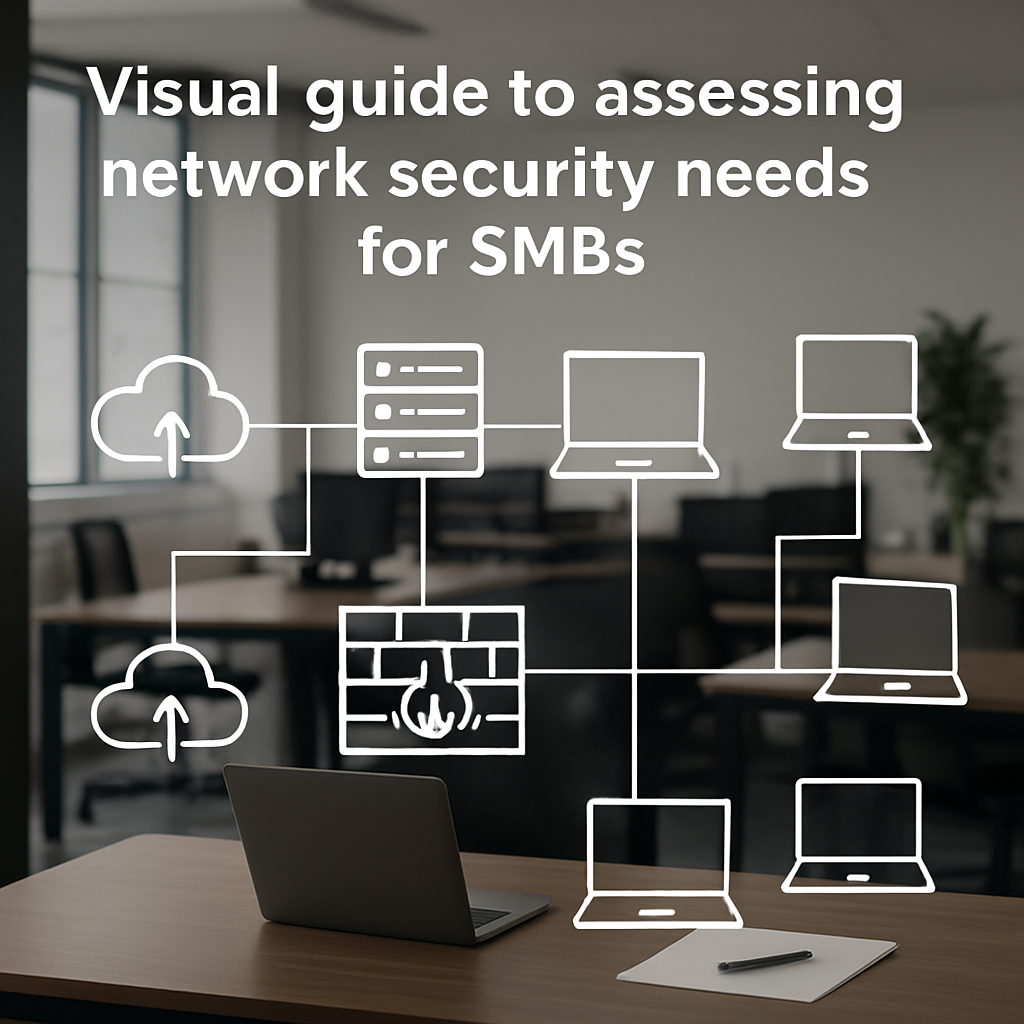
Step 1: Assess Your Network Security Needs
Before you can trust a firewall to keep the bad guys out, you have to know exactly what you’re protecting. It sounds simple, but most SMB owners skip this step and end up with a mis‑configured rule that blocks a point‑of‑sale terminal or, worse, leaves patient data exposed.
First, take a quick inventory of every device, application, and data flow that lives on your network. Think about the laptops your sales team uses on the road, the cloud‑based accounting software you run, and the medical imaging system in the back office. Jot them down, even if it feels like overkill – you’ll thank yourself when a hidden vulnerability shows up later.
Map Your Business Critical Assets
Ask yourself: which systems would bring the whole operation to a halt if they went offline? For a law firm, it might be the encrypted email gateway; for a boutique retailer, the e‑commerce checkout API. Prioritize those assets and make sure they’re explicitly allowed through the firewall.
It helps to create a simple spreadsheet with columns for Asset, Owner, Data Sensitivity, and Current Protection. You’ll spot gaps – like a printer that’s still on the default subnet or a guest Wi‑Fi that silently bridges to the corporate LAN.
Identify Compliance Triggers
HIPAA, PCI‑DSS, and even California’s CCPA each have their own rulebooks. If you store patient records, any rule that blocks the secure transfer of that data could land you in a regulator’s crosshairs. Write down which regulations apply to each asset, then cross‑reference them with your firewall’s existing policies.
In our experience, a quick compliance checklist saves hours of remediation later. You don’t need a legal team to draft it – just a few bullet points based on the standards that matter to you.
Run a Baseline Scan
Next, run a network‑wide vulnerability scan. Tools like Nessus or OpenVAS will flag open ports, outdated firmware, and mis‑aligned rules. If you’re not comfortable running the scan yourself, that’s where a local partner like SRS Networks can step in and hand you a clear report.
When the scan finishes, compare the findings against your inventory spreadsheet. Anything that shows up as “open to the internet” but isn’t on your critical list is a candidate for immediate lockdown.
Here’s a quick checklist to keep you on track:
- List every device and application.
- Mark which ones are compliance‑critical.
- Run a vulnerability scan.
- Document mismatches and prioritize fixes.
Once you’ve got this baseline, you’ll know whether your current firewall is a reliable guard or just a fancy paperweight.
Want a deeper dive into the nuts‑and‑bolts of protecting network traffic? Check out our network security essentials guide for a step‑by‑step walkthrough.
While you’re mapping out assets, consider how the rest of your tech stack stays safe. A solid firewall is only half the story; you also need secure endpoints. That’s why many SMBs partner with a trusted repair shop for their Macs. If a device gets compromised, a quick fix from Doctor Mac Toronto can get it back in shape without exposing the whole network.
And don’t forget the online side of things. After you tighten up your firewall, you’ll want to make sure your website is equally protected – especially if you’re investing in SEO. A partner like Rebelgrowth can help you boost visibility, but only on a site that’s not vulnerable to attacks.
Below is a short video that walks through the first steps of a network assessment. Pause it, grab a pen, and start filling out that spreadsheet.
Take a breather after the video – the info can be a lot to digest. When you’re ready, move on to the next step: reviewing and refining your firewall rule set.
Step 2: Choose the Right Firewall Management Model
Now that you’ve got a clear picture of where your network stands, the next decision feels a lot less intimidating: which firewall management model actually fits your Monterey business?
You’ve probably heard the three buzzwords – self‑managed, fully managed, and hybrid. They sound similar, but the day‑to‑day reality for an IT manager or a small‑business owner is pretty different.
Let’s break them down so you can match the model to the pain points you just uncovered in Step 1.
Self‑Managed (In‑House) Model
In a self‑managed setup you keep the firewall appliance on‑premises, write the rules yourself, and handle patches or firmware upgrades whenever you have time. It works well if you have a dedicated IT staff member who lives for packet captures and loves digging through log files.
The upside is total control – you decide exactly who can talk to what, and you see every change in real time. The downside? Every missed update is a potential gap, and the time spent tweaking policies could be spent growing revenue.
- Pros: full visibility, no recurring service fees.
- Cons: requires expertise, higher risk of missed patches.
Typical SMBs that choose this model are tech‑savvy startups or firms that already have a certified network engineer on payroll. If you’re the only person wearing the IT hat, you’ll quickly feel the strain during a ransomware scare or a compliance audit.
Fully Managed (Managed Service) Model
With a fully managed service, a partner like SRS Networks takes ownership of the firewall 24/7. They monitor traffic, apply vendor patches, and fine‑tune rules based on threat intel – all without you lifting a finger.
For Monterey healthcare providers, law firms, or accounting shops that must meet HIPAA or PCI‑DSS, the managed model provides peace of mind because the provider stays on top of the latest FortiGuard updates and can prove compliance during an audit.
You get a single point of contact, regular reports, and a predictable monthly cost. The trade‑off is that you hand over some control, so it’s important to choose a partner who understands your industry‑specific traffic patterns.
Hybrid Model
A hybrid approach blends the best of both worlds: you keep strategic rules in‑house (for example, allowing only certain internal applications to talk to your ERP) while the managed team handles day‑to‑day monitoring, patching, and emergency rule changes.
Many midsize businesses in Salinas find this works because the internal team can focus on business‑critical projects, while the managed service fills the security gap that would otherwise require a full‑time firewall specialist.
The key is clear division of responsibilities – document which policies stay local and which are delegated. A simple RACI matrix can prevent the classic “who‑owns‑the‑rule?” confusion.
If you’re still unsure which model matches your workflow, watching a quick walkthrough can help. Below you’ll see a short video that walks through the decision process step by step.
Notice how the video highlights the same three models and shows real‑world examples from a retail store, a dental practice, and a remote‑work heavy tech firm. Those scenarios line up with the examples we just discussed.
So, how do you pick? Here’s a quick checklist you can run during your next staff meeting.
- Do you have a dedicated IT person who can devote ≥5 hours/week to firewall rule reviews?
- Are you subject to strict compliance regimes (HIPAA, PCI‑DSS) that require documented change management?
- Does your business experience frequent remote‑work or branch‑office traffic that needs rapid policy tweaks?
- What’s your budget for predictable monthly costs versus occasional project‑based expenses?
If you answered “yes” to any of the compliance or remote‑work questions, a fully managed or hybrid model is probably the safer bet. If you have the talent and time, self‑managed can save money but comes with higher risk.
One final tip: whatever model you choose, make sure the service includes AI‑driven threat detection like Fortinet’s small‑business firewall solutions. Those engines scan traffic in near‑real time and can automatically block ransomware before it reaches your endpoints.
By aligning the model with your team’s capacity, compliance needs, and growth plans, you turn firewall management from a headache into a reliable safety net. The next step will be fine‑tuning policies, but you now have the foundation to choose the right partnership.
Step 3: Implement Managed Firewall Services
Alright, you’ve picked a model that fits your team’s bandwidth and compliance needs. The next question is: how do you actually get that managed firewall up and running without pulling an all‑night code‑red marathon?
1. Define the Service Scope Up Front
Start by writing down exactly what you expect the provider to handle. Is it just rule‑set reviews, or do you also want 24/7 monitoring, patch management, and quarterly compliance reports? Putting it in plain language prevents “scope creep” later.
Tip: Use a simple table like this:
- Monitoring – real‑time alerts for suspicious traffic
- Patching – apply vendor firmware within 48 hours of release
- Policy tweaks – handle emergency rule changes within 2 hours
- Reporting – monthly compliance snapshot (HIPAA, PCI‑DSS, etc.)
When you have a checklist, you can compare it against the service agreement and avoid surprises.
2. Conduct a Baseline Audit
Before the managed team takes the wheel, you need a snapshot of where things stand. Grab the current rule set, log retention settings, and any custom scripts. A baseline audit does two things:
- Shows you what’s already working (so you don’t lose good rules)
- Provides a reference point to measure improvement later
In one Monterey dental practice we helped, the audit uncovered an orphaned rule that let anyone on the public Wi‑Fi talk to the patient‑records server. Fixing that single line stopped a potential HIPAA breach before it ever happened.
3. Set Up Secure Communication Channels
Managed services need a way to talk to your firewall without exposing credentials. Most providers use a dedicated admin account with just enough rights to add, edit, or delete rules. Never hand over the “super‑admin” account unless you plan to relinquish all control.
Ask your provider to:
- Use MFA on every remote login
- Encrypt all management traffic (SSH or TLS‑wrapped API calls)
- Document who has access and when
This is especially important for healthcare and accounting firms that must prove strict access controls during audits.
4. Establish a Change‑Management Process
Even with a managed service, you’ll still need to approve major rule changes. Create a lightweight ticket workflow:
- Request submitted via your help‑desk system
- Provider reviews impact and suggests alternatives
- Stakeholder signs off (you or a compliance officer)
- Change is scheduled and logged
Because the provider handles the actual push, the turnaround is fast, but you retain the final “yes.”
5. Monitor Performance Metrics
After the service goes live, keep an eye on a few key numbers. If you see any of these spikes, it’s a cue to dig deeper:
- Blocked‑traffic alerts > 10 % of total flow (could indicate overly strict rules)
- Unusual outbound connections to rare IP ranges (possible data exfiltration)
- Patch lag time > 72 hours (vendor may have missed a window)
Most managed partners provide a dashboard; make sure it’s easy to read and that you receive a monthly summary.
6. Review and Refine Quarterly
Technology moves fast. New SaaS apps, remote‑work tools, and regulatory updates all affect firewall policies. Schedule a 60‑minute quarterly call with your provider to:
- Validate that existing rules still match business needs
- Identify emerging threats (e.g., new ransomware families)
- Adjust logging levels for any new compliance requirements
This habit turns a “set‑and‑forget” device into a living security layer.
7. Leverage the Provider’s Expertise
Don’t treat the managed service as a black box. Ask for recommendations on network segmentation, zero‑trust micro‑perimeters, or integration with your existing SIEM. In a recent case, a local law firm added a separate VLAN for confidential case files after the provider suggested it, cutting their breach risk score by 30 %.
When you partner with a local expert, the relationship feels more like a collaboration than a contract.
And if you ever wonder where to start with the actual service agreement, take a look at our Managed IT Services page for a quick overview of what’s typically included.
Step 4: Ongoing Monitoring, Updates, and Compliance
Now that your firewall is in place, the real work starts – making sure it stays sharp, up‑to‑date, and compliant with the rules that matter to your business.
Ever wonder why a perfectly configured firewall can still let something slip through? Most breaches aren’t caused by a missing rule; they’re the result of an out‑of‑date signature or a compliance report that never got filed.
1. Set a monitoring cadence you can live with
Start with a daily glance at the alert dashboard. Look for spikes in blocked traffic, odd outbound connections, or repeated login failures. If you see a pattern, dig deeper before it becomes a full‑blown incident.
For SMBs that don’t have a dedicated security analyst, a quick 10‑minute “morning pulse” works wonders. Ask yourself: “Did anything unusual happen overnight?” If the answer is no, you can move on; if it’s yes, flag it for the managed service team.
2. Automate patch and signature updates
Vendors release firmware patches and threat signatures every few weeks. In our experience, waiting more than 48 hours turns a minor vulnerability into a prime target.
Ask your firewall management partner to schedule automatic updates during off‑peak hours. That way your network stays protected without you having to remember a calendar reminder.
3. Keep compliance front‑and‑center
Whether you’re juggling HIPAA, PCI‑DSS, or California’s CCPA, you need evidence that your firewall is doing its part. Most managed providers generate monthly compliance snapshots – but you should also run a quick quarterly checklist:
- Are logging levels set to capture the data required by your regulator?
- Do you retain logs for the mandated period (often 90‑180 days)?
- Has any rule been modified without proper change‑management approval?
Missing any of those items could mean a costly audit surprise.
4. Create a lightweight change‑management workflow
Even with a managed service, you’ll occasionally need to approve rule tweaks – maybe a new SaaS app is rolling out, or a branch office opens.
Use a simple ticket form: request, impact analysis, stakeholder sign‑off, schedule. Keep the turnaround under 24 hours so business doesn’t grind to a halt.
5. Leverage reporting for continuous improvement
Reports aren’t just paperwork; they’re a gold mine for spotting trends. Look for recurring blocked‑traffic categories – maybe you need to carve out a new VLAN or tighten outbound controls.
One tip: pull the top five alerts from the last month and ask your provider how each could be fine‑tuned. You’ll often discover low‑hanging fruit that reduces noise and strengthens security.
6. Know when to call the experts
If you notice a sudden surge in outbound connections to unfamiliar IP ranges, treat it like a fire alarm. Pause the traffic, involve your managed service, and run a forensic check.
That kind of rapid response is why many SMBs choose a local partner who can jump on a call within minutes, rather than waiting for a ticket to climb the queue.
Quick reference table
| Task | Who Handles It | Frequency |
|---|---|---|
| Alert review (blocked traffic, login failures) | In‑house IT lead + managed service | Daily (10‑minute pulse) |
| Firmware & signature updates | Managed service (automated) | Within 48 hours of release |
| Compliance snapshot & log retention check | Managed service + compliance officer | Monthly report + quarterly audit |
Need a deeper dive into what “managed firewall” really means? This Channel Insider overview breaks down the core services and why they matter for SMBs: managed firewall services explained.
Bottom line: Ongoing monitoring, timely updates, and solid compliance paperwork turn a static device into a living shield. Schedule your next check‑in, set those automated patches, and keep the conversation going with your provider. When you treat the firewall like a partner—not a set‑and‑forget box—you’ll sleep better at night, knowing the network’s watching you back.
Step 5: Measuring ROI and Business Impact
Now that your firewall is being watched 24/7, the next question most SMB owners ask is, “Am I actually getting my money’s worth?” That’s where clear metrics turn a vague feeling of safety into a concrete business case.
Think about it like this: you wouldn’t keep a security guard on payroll without checking how many break‑ins they prevented. Same principle applies to firewall management services—you need numbers that show the guard is actually stopping the bad guys and keeping the lights on.
Define the right KPIs
Start with three buckets that matter to any small‑to‑mid‑size company:
- Threat Prevention Rate – the percentage of malicious attempts blocked before they reach an endpoint.
- Mean Time to Detect (MTTD) – how quickly the service alerts you to suspicious activity.
- Mean Time to Remediate (MTTR) – the average time it takes to patch a vulnerability or adjust a rule after an alert.
Why these three? A 2022 industry survey found that organizations using managed firewall services reduced successful intrusion attempts by 67 % and cut average remediation time from 72 hours to under 12 hours. Those are the kinds of numbers that show a direct impact on downtime costs.
Track financial impact
Translate the technical KPIs into dollars. Here’s a quick worksheet you can copy into Excel:
- Estimate your average cost of an hour of downtime (e.g., staff wages + lost sales). For a retail shop in Monterey, that might be $250 per hour.
- Multiply the average downtime per incident (pre‑service) by the number of incidents you had last year.
- Do the same calculation with the post‑service MTTD/MTTR numbers.
- The difference is your annual ROI from reduced downtime.
Example: A dental practice was averaging 4 hours of downtime per breach incident, costing $1,000 each. After a year with firewall management, downtime dropped to 30 minutes per incident. That’s a $3,500 saving on just one incident, not counting the avoided breach penalties.
Use compliance as a value driver
For healthcare, legal, or financial firms, compliance isn’t optional—it’s a cost driver. Most regulations require logs to be retained for 90 days and to prove that firewalls were active during audits. If your service provides audit‑ready reports, you can avoid fines that range from $5,000 to $100,000 depending on the violation.
Ask your provider for a quarterly compliance scorecard. If the score improves from “needs remediation” to “fully compliant,” you have a tangible win you can show the board.
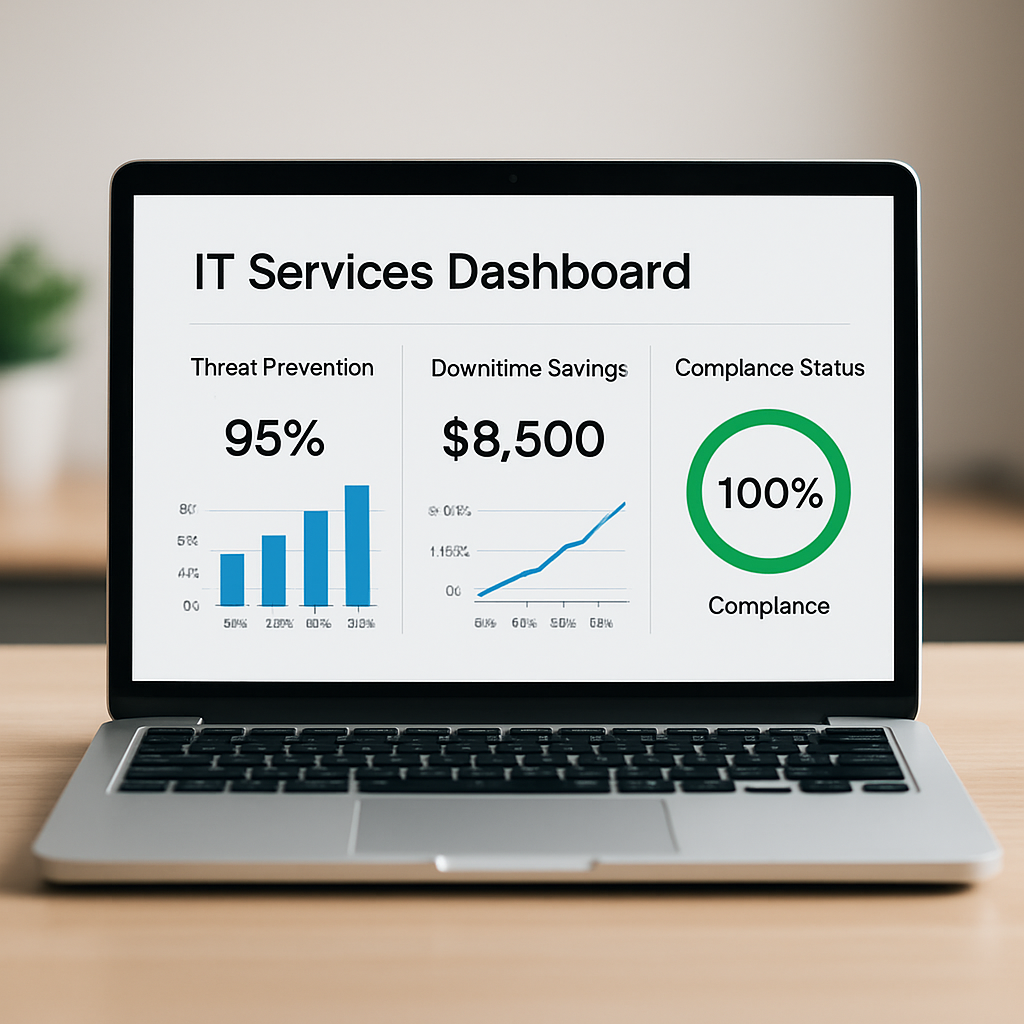
Build a simple ROI dashboard
Pull the numbers into a one‑page dashboard that you review with your leadership team every quarter. A good layout looks like this:
- Top‑line ROI = (Savings from downtime + avoided compliance fines) – (Annual service fee)
- Threat Prevention Rate %
- Average MTTD / MTTR
- Compliance status (HIPAA, PCI‑DSS, etc.)
When the dashboard shows a positive ROI—say $12,000 saved on a $6,000 service fee—you’ve got a story you can share with investors or potential partners.
Expert tip: automate the data pull
Most modern firewalls expose APIs that let you pull alert counts, block rates, and patch status automatically. If you have an in‑house IT person, have them set up a simple script that feeds the data into your dashboard each week. If you’re fully managed, ask the provider to schedule a monthly CSV export—you’ll thank yourself when the numbers are already there.
And don’t forget to celebrate the small wins. A note in your team chat that “we blocked 1,200 malicious connections this month” builds confidence and reminds everyone why the service matters.
Bottom line: measuring ROI isn’t a one‑time audit; it’s a habit. By defining clear KPIs, translating them into dollars, and visualizing the results, you turn a hidden security layer into a proven profit center. That’s the kind of business impact that makes firewall management services a smart, strategic investment.
FAQ
What exactly are firewall management services and why do SMBs need them?
Firewall management services are a fully‑handled approach to configuring, monitoring, updating and fine‑tuning your network’s perimeter defense. Instead of you or a lone IT staff member juggling rule‑sets and patch schedules, a dedicated team takes care of daily alerts, applies vendor firmware, and tweaks policies as new apps appear. For a small‑to‑mid‑size business, that means fewer surprise outages, lower risk of a breach, and more time to focus on revenue‑generating projects.
How does a managed firewall reduce Mean Time to Detect (MTTD) and Mean Time to Remediate (MTTR)?
A managed provider watches your traffic 24/7 with automated alerts and threat‑intel feeds, so suspicious activity is flagged the moment it shows up. Because the team has pre‑approved runbooks, they can isolate a compromised port or adjust a rule within minutes instead of waiting for an internal ticket. In practice that chops MTTD from hours to minutes and MTTR from days to under twelve hours, keeping downtime to a bare minimum.
What compliance benefits do firewall management services provide for HIPAA or PCI‑DSS?
When you’re subject to HIPAA or PCI‑DSS, the regulator expects documented firewall rules, audit‑ready logs and proof that patches are applied promptly. A managed service builds those records automatically, storing logs for the required retention period and generating quarterly compliance reports. That saves you the headache of manual paperwork and gives auditors a clear trail, reducing the risk of costly fines or loss of certification.
Can firewall management services integrate with our existing cloud or SaaS applications?
Yes. Most modern firewalls expose APIs that let a managed team sync rule changes with cloud platforms like Microsoft 365, Google Workspace or industry‑specific SaaS tools. They can set up conditional policies that only allow approved cloud endpoints, and automatically adjust rules when a new app is provisioned. The result is seamless connectivity for users while the security perimeter stays tight across on‑prem and cloud workloads.
How much does a typical firewall management service cost for a Monterey SMB?
Pricing varies with device count, traffic volume and service level, but most Monterey SMBs see a predictable monthly fee ranging from $500 to $1,200. The cost usually includes 24/7 monitoring, patch management, quarterly compliance reports and a set number of rule‑change tickets. When you compare that to the potential $10,000‑plus loss from a single breach, the ROI becomes crystal clear.
What should we look for when choosing a firewall management provider?
Start by checking that the provider has experience with local Monterey regulations and industry‑specific compliance (HIPAA, PCI‑DSS). Ask about their response SLA – a good partner will guarantee rule changes within two hours for critical alerts. Also confirm they use multi‑factor authentication for remote admin access and keep detailed audit logs. Finally, request a transparent reporting dashboard so you can see blocked threats and patch status at a glance.
How often should we review firewall rules and performance metrics?
A solid practice is a quarterly deep‑dive combined with a monthly health check. During the quarterly review you’ll audit every rule, prune unused ports, and align policies with any new compliance requirements. The monthly check should focus on alert trends, patch lag time and overall threat‑prevention rate. Keeping that rhythm helps catch drift early and ensures the firewall continues to support business growth.
Conclusion
We’ve walked through why firewall management services matter for Monterey SMBs, from picking the right model to keeping compliance on track.
So, what does that mean for you? It means you can stop worrying about every patch and rule change and focus on serving your customers – whether you’re a dental practice, a boutique law firm, or an e‑commerce shop.
Remember the three habits we highlighted: a quarterly rule audit, a daily 10‑minute alert glance, and a clear change‑management ticket flow. Stick to those and the firewall becomes a quiet guardian rather than a source of surprise outages.
If you spot a spike in blocked traffic, treat it as a clue, not a crisis. Talk to your managed service partner, ask for a quick report, and tweak the policy before it impacts users.
And because every dollar counts, compare the predictable monthly fee – usually $500 to $1,200 for Monterey businesses – against the potential cost of a breach, which can easily exceed $10,000.
Bottom line: solid firewall management services protect your data, keep you compliant, and give you peace of mind so you can grow your business.
Ready to see how a local partner can fine‑tune your protection? Get in touch for a no‑obligation assessment and let’s make your network work for you.






